
[CVPR 2025] MMAudio: Taming Multimodal Joint Training for High-Quality Video-to-Audio Synthesis
See the codeREADME
Taming Multimodal Joint Training for High-Quality Video-to-Audio Synthesis
Ho Kei Cheng, Masato Ishii, Akio Hayakawa, Takashi Shibuya, Alexander Schwing, Yuki Mitsufuji
University of Illinois Urbana-Champaign, Sony AI, and Sony Group Corporation
CVPR 2025
Highlight
MMAudio generates synchronized audio given video and/or text inputs. Our key innovation is multimodal joint training which allows training on a wide range of audio-visual and audio-text datasets. Moreover, a synchronization module aligns the generated audio with the video frames.
Check out this fun video:
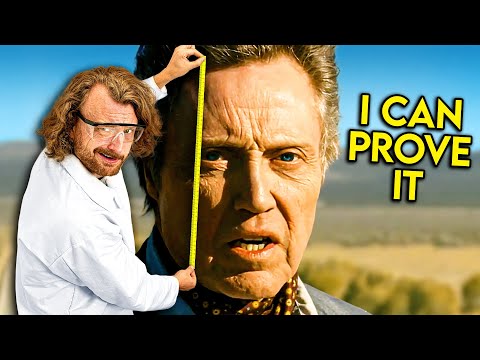
[Does Your Voice Match Your Face? https://youtu.be/SLz3NWLyHxg]
Results
(All audio from our algorithm MMAudio)
Videos from Sora:
https://github.com/user-attachments/assets/82afd192-0cee-48a1-86ca-bd39b8c8f330
Videos from Veo 2:
https://github.com/user-attachments/assets/8a11419e-fee2-46e0-9e67-dfb03c48d00e
Videos from MovieGen/Hunyuan Video/VGGSound:
https://github.com/user-attachments/assets/29230d4e-21c1-4cf8-a221-c28f2af6d0ca
For more results, visit https://hkchengrex.com/MMAudio/video_main.html.
Installation
We have only tested this on Ubuntu.
Prerequisites
We recommend using a miniforge environment.
- Python 3.9+
- PyTorch 2.5.1+ and corresponding torchvision/torchaudio (pick your CUDA version https://pytorch.org/, pip install recommended)
1. Install prerequisite if not yet met:
pip install torch torchvision torchaudio --index-url https://download.pytorch.org/whl/cu118 --upgrade
(Or any other CUDA versions that your GPUs/driver support)
2. Clone our repository:
git clone https://github.com/hkchengrex/MMAudio.git
3. Install with pip (install pytorch first before attempting this!):
cd MMAudio
pip install -e .
(If you encounter the File "setup.py" not found error, upgrade your pip with pip install --upgrade pip)
Pretrained models:
The models will be downloaded automatically when you run the demo script. MD5 checksums are provided in mmaudio/utils/download_utils.py.
The models are also available at https://huggingface.co/hkchengrex/MMAudio/tree/main
See MODELS.md for more details.
Demo
By default, these scripts use the large_44k_v2 model.
In our experiments, inference only takes around 6GB of GPU memory (in 16-bit mode) which should fit in most modern GPUs.
Command-line interface
With demo.py
python demo.py --duration=8 --video=<path to video> --prompt "your prompt"
The output (audio in .flac format, and video in .mp4 format) will be saved in ./output.
See the file for more options.
Simply omit the --video option for text-to-audio synthesis.
The default output (and training) duration is 8 seconds. Longer/shorter durations could also work, but a large deviation from the training duration may result in a lower quality.
Gradio interface
Supports video-to-audio and text-to-audio synthesis.
You can also try experimental image-to-audio synthesis which duplicates the input image to a video for processing. This might be interesting to some but it is not something MMAudio has been trained for.
Use port forwarding (e.g., ssh -L 7860:localhost:7860 server) if necessary. The default port is 7860 which you can specify with --port.
python gradio_demo.py
FAQ
- Video processing
- Processing higher-resolution videos takes longer due to encoding and decoding (which can take >95% of the processing time!), but it does not improve the quality of results.
- The CLIP encoder resizes input frames to 384×384 pixels.
- Synchformer resizes the shorter edge to 224 pixels and applies a center crop, focusing only on the central square of each frame.
- Frame rates
- The CLIP model operates at 8 FPS, while Synchformer works at 25 FPS.
- Frame rate conversion happens on-the-fly via the video reader.
- For input videos with a frame rate below 25 FPS, frames will be duplicated to match the required rate.
- Failure cases As with most models of this type, failures can occur, and the reasons are not always clear. Below are some known failure modes. If you notice a failure mode or believe there’s a bug, feel free to open an issue in the repository.
- Performance variations
We notice that there can be subtle performance variations in different hardware and software environments. Some of the reasons include using/not using
torch.compile, video reader library/backend, inference precision, batch sizes, random seeds, etc. We (will) provide pre-computed results on standard benchmark for reference. Results obtained from this codebase should be similar but might not be exactly the same.
Known limitations
- The model sometimes generates unintelligible human speech-like sounds
- The model sometimes generates background music (without explicit training, it would not be high quality)
- The model struggles with unfamiliar concepts, e.g., it can generate "gunfires" but not "RPG firing".
We believe all of these three limitations can be addressed with more high-quality training data.
Training
See TRAINING.md.
Evaluation
See EVAL.md.
Training Datasets
MMAudio was trained on several datasets, including AudioSet, Freesound, VGGSound, AudioCaps, and WavCaps. These datasets are subject to specific licenses, which can be accessed on their respective websites. We do not guarantee that the pre-trained models are suitable for commercial use. Please use them at your own risk.
Update Logs
- 2025-03-09: Uploaded the corrected tsv files. See TRAINING.md.
- 2025-02-27: Disabled the GradScaler by default to improve training stability. See #49.
- 2024-12-23: Added training and batch evaluation scripts.
- 2024-12-14: Removed the
ffmpeg<7requirement for the demos by replacingtorio.io.StreamingMediaDecoderwithpyavfor reading frames. The read frames are also cached, so we are not reading the same frames again during reconstruction. This should speed things up and make installation less of a hassle. - 2024-12-13: Improved for-loop processing in CLIP/Sync feature extraction by introducing a batch size multiplier. We can approximately use 40x batch size for CLIP/Sync without using more memory, thereby speeding up processing. Removed VAE encoder during inference -- we don't need it.
- 2024-12-11: Replaced
torio.io.StreamingMediaDecoderwithpyavfor reading framerate when reconstructing the input video.torio.io.StreamingMediaDecoderdoes not work reliably in huggingface ZeroGPU's environment, and I suspect that it might not work in some other environments as well.
Citation
@inproceedings{cheng2025taming,
  title={{MMAudio}: Taming Multimodal Joint Training for High-Quality Video-to-Audio Synthesis},
  author={Cheng, Ho Kei and Ishii, Masato and Hayakawa, Akio and Shibuya, Takashi and Schwing, Alexander and Mitsufuji, Yuki},
  booktitle={CVPR},
  year={2025}
}
Relevant Repositories
- av-benchmark for benchmarking results.
License
- The code in this repository is released under the MIT license as found in the LICENSE file
- The checkpoints are released on Hugging Face under the CC-BY-NC 4.0 license as found at https://creativecommons.org/licenses/by-nc/4.0/.
Disclaimer
We have no affiliation with and have no knowledge of the party behind the domain "mmaudio.net".
Acknowledgement
Many thanks to:
- Make-An-Audio 2 for the 16kHz BigVGAN pretrained model and the VAE architecture
- BigVGAN
- Synchformer
- EDM2 for the magnitude-preserving VAE network architecture
Contributors


Similar repos



Languages
Python
95.3%
Cuda
2.7%
C
1.8%
[CVPR 2025] MMAudio: Taming Multimodal Joint Training for High-Quality Video-to-Audio Synthesis
See the codeREADME
Taming Multimodal Joint Training for High-Quality Video-to-Audio Synthesis
Ho Kei Cheng, Masato Ishii, Akio Hayakawa, Takashi Shibuya, Alexander Schwing, Yuki Mitsufuji
University of Illinois Urbana-Champaign, Sony AI, and Sony Group Corporation
CVPR 2025
Highlight
MMAudio generates synchronized audio given video and/or text inputs. Our key innovation is multimodal joint training which allows training on a wide range of audio-visual and audio-text datasets. Moreover, a synchronization module aligns the generated audio with the video frames.
Check out this fun video:
[Does Your Voice Match Your Face? https://youtu.be/SLz3NWLyHxg]
Results
(All audio from our algorithm MMAudio)
Videos from Sora:
https://github.com/user-attachments/assets/82afd192-0cee-48a1-86ca-bd39b8c8f330
Videos from Veo 2:
https://github.com/user-attachments/assets/8a11419e-fee2-46e0-9e67-dfb03c48d00e
Videos from MovieGen/Hunyuan Video/VGGSound:
https://github.com/user-attachments/assets/29230d4e-21c1-4cf8-a221-c28f2af6d0ca
For more results, visit https://hkchengrex.com/MMAudio/video_main.html.
Installation
We have only tested this on Ubuntu.
Prerequisites
We recommend using a miniforge environment.
- Python 3.9+
- PyTorch 2.5.1+ and corresponding torchvision/torchaudio (pick your CUDA version https://pytorch.org/, pip install recommended)
1. Install prerequisite if not yet met:
pip install torch torchvision torchaudio --index-url https://download.pytorch.org/whl/cu118 --upgrade
(Or any other CUDA versions that your GPUs/driver support)
2. Clone our repository:
git clone https://github.com/hkchengrex/MMAudio.git
3. Install with pip (install pytorch first before attempting this!):
cd MMAudio
pip install -e .
(If you encounter the File "setup.py" not found error, upgrade your pip with pip install --upgrade pip)
Pretrained models:
The models will be downloaded automatically when you run the demo script. MD5 checksums are provided in mmaudio/utils/download_utils.py.
The models are also available at https://huggingface.co/hkchengrex/MMAudio/tree/main
See MODELS.md for more details.
Demo
By default, these scripts use the large_44k_v2 model.
In our experiments, inference only takes around 6GB of GPU memory (in 16-bit mode) which should fit in most modern GPUs.
Command-line interface
With demo.py
python demo.py --duration=8 --video=<path to video> --prompt "your prompt"
The output (audio in .flac format, and video in .mp4 format) will be saved in ./output.
See the file for more options.
Simply omit the --video option for text-to-audio synthesis.
The default output (and training) duration is 8 seconds. Longer/shorter durations could also work, but a large deviation from the training duration may result in a lower quality.
Gradio interface
Supports video-to-audio and text-to-audio synthesis.
You can also try experimental image-to-audio synthesis which duplicates the input image to a video for processing. This might be interesting to some but it is not something MMAudio has been trained for.
Use port forwarding (e.g., ssh -L 7860:localhost:7860 server) if necessary. The default port is 7860 which you can specify with --port.
python gradio_demo.py
FAQ
- Video processing
- Processing higher-resolution videos takes longer due to encoding and decoding (which can take >95% of the processing time!), but it does not improve the quality of results.
- The CLIP encoder resizes input frames to 384×384 pixels.
- Synchformer resizes the shorter edge to 224 pixels and applies a center crop, focusing only on the central square of each frame.
- Frame rates
- The CLIP model operates at 8 FPS, while Synchformer works at 25 FPS.
- Frame rate conversion happens on-the-fly via the video reader.
- For input videos with a frame rate below 25 FPS, frames will be duplicated to match the required rate.
- Failure cases As with most models of this type, failures can occur, and the reasons are not always clear. Below are some known failure modes. If you notice a failure mode or believe there’s a bug, feel free to open an issue in the repository.
- Performance variations
We notice that there can be subtle performance variations in different hardware and software environments. Some of the reasons include using/not using
torch.compile, video reader library/backend, inference precision, batch sizes, random seeds, etc. We (will) provide pre-computed results on standard benchmark for reference. Results obtained from this codebase should be similar but might not be exactly the same.
Known limitations
- The model sometimes generates unintelligible human speech-like sounds
- The model sometimes generates background music (without explicit training, it would not be high quality)
- The model struggles with unfamiliar concepts, e.g., it can generate "gunfires" but not "RPG firing".
We believe all of these three limitations can be addressed with more high-quality training data.
Training
See TRAINING.md.
Evaluation
See EVAL.md.
Training Datasets
MMAudio was trained on several datasets, including AudioSet, Freesound, VGGSound, AudioCaps, and WavCaps. These datasets are subject to specific licenses, which can be accessed on their respective websites. We do not guarantee that the pre-trained models are suitable for commercial use. Please use them at your own risk.
Update Logs
- 2025-03-09: Uploaded the corrected tsv files. See TRAINING.md.
- 2025-02-27: Disabled the GradScaler by default to improve training stability. See #49.
- 2024-12-23: Added training and batch evaluation scripts.
- 2024-12-14: Removed the
ffmpeg<7requirement for the demos by replacingtorio.io.StreamingMediaDecoderwithpyavfor reading frames. The read frames are also cached, so we are not reading the same frames again during reconstruction. This should speed things up and make installation less of a hassle. - 2024-12-13: Improved for-loop processing in CLIP/Sync feature extraction by introducing a batch size multiplier. We can approximately use 40x batch size for CLIP/Sync without using more memory, thereby speeding up processing. Removed VAE encoder during inference -- we don't need it.
- 2024-12-11: Replaced
torio.io.StreamingMediaDecoderwithpyavfor reading framerate when reconstructing the input video.torio.io.StreamingMediaDecoderdoes not work reliably in huggingface ZeroGPU's environment, and I suspect that it might not work in some other environments as well.
Citation
@inproceedings{cheng2025taming,
  title={{MMAudio}: Taming Multimodal Joint Training for High-Quality Video-to-Audio Synthesis},
  author={Cheng, Ho Kei and Ishii, Masato and Hayakawa, Akio and Shibuya, Takashi and Schwing, Alexander and Mitsufuji, Yuki},
  booktitle={CVPR},
  year={2025}
}
Relevant Repositories
- av-benchmark for benchmarking results.
License
- The code in this repository is released under the MIT license as found in the LICENSE file
- The checkpoints are released on Hugging Face under the CC-BY-NC 4.0 license as found at https://creativecommons.org/licenses/by-nc/4.0/.
Disclaimer
We have no affiliation with and have no knowledge of the party behind the domain "mmaudio.net".
Acknowledgement
Many thanks to:
- Make-An-Audio 2 for the 16kHz BigVGAN pretrained model and the VAE architecture
- BigVGAN
- Synchformer
- EDM2 for the magnitude-preserving VAE network architecture
Similar repos
Contributors
Languages
Python
95.3%
Cuda
2.7%
C
1.8%