Technical diagrams, sketched in pencil. An agent skill and CLI that turns JSON into hand-drawn architecture diagrams. No dependencies.
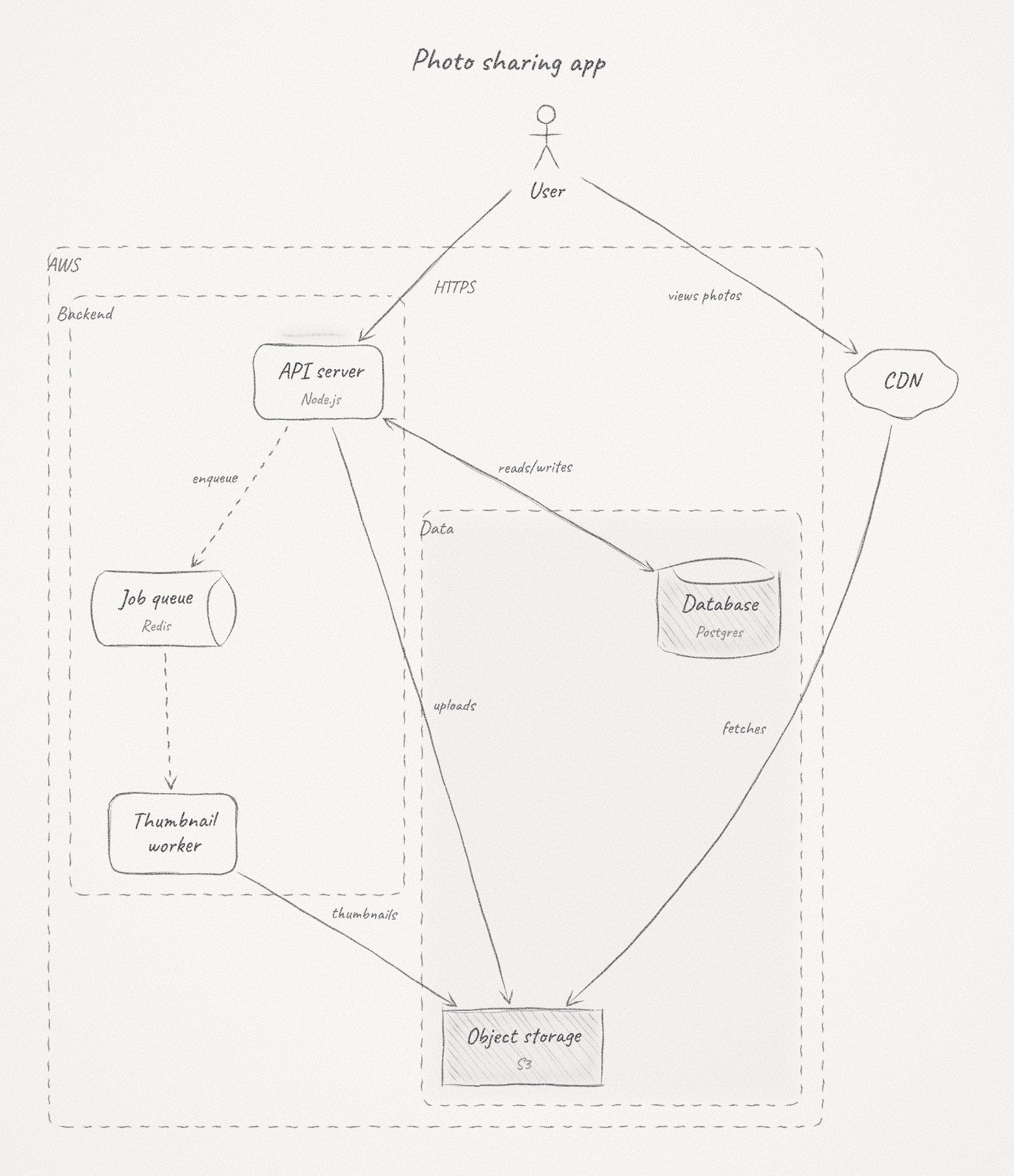
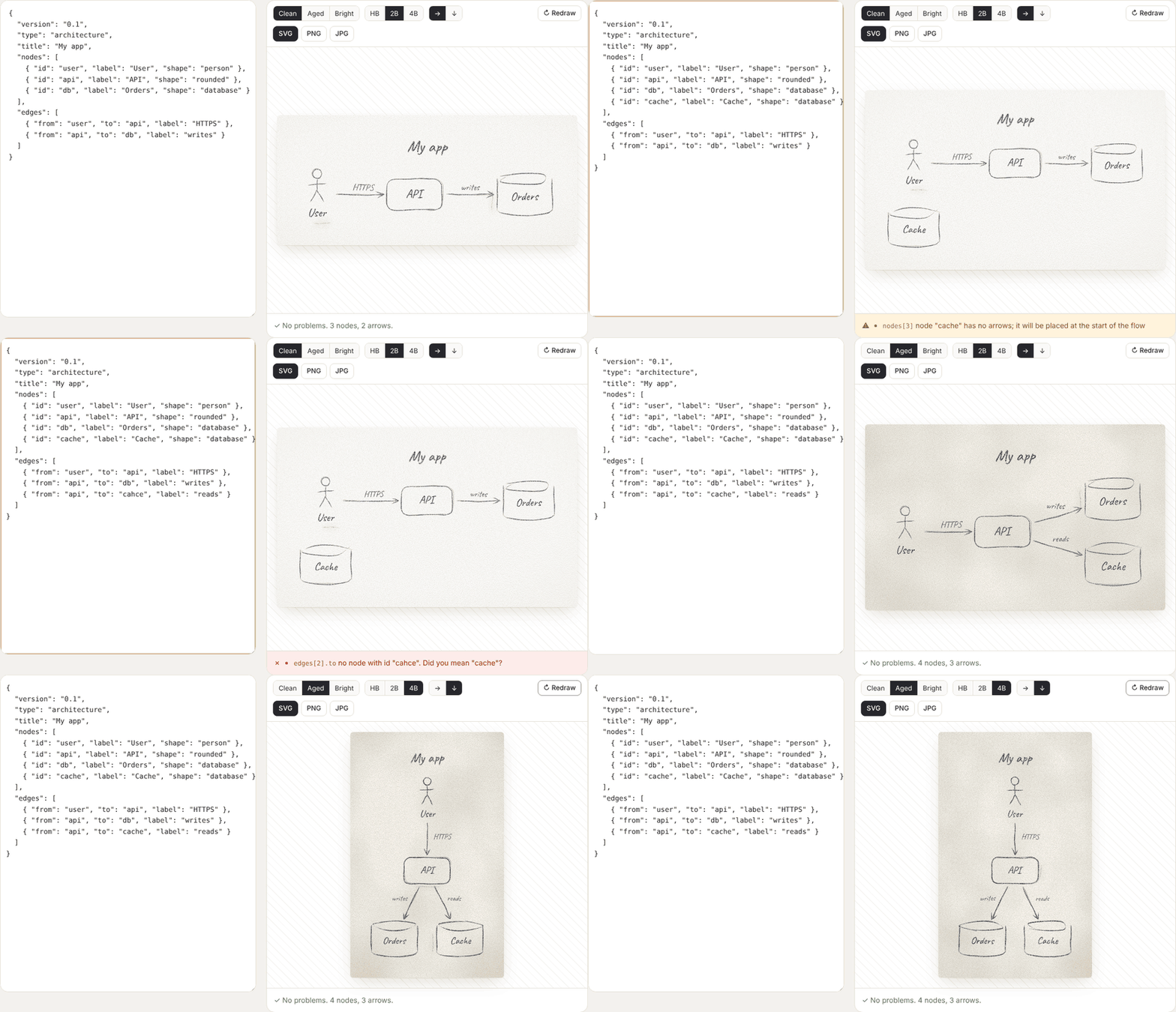
See the codeAn agent skill that turns a small JSON description of a system into a diagram that looks drawn by hand with a graphite pencil on paper: tapered, wobbly strokes, layered passes, hatched shading, paper grain and the odd eraser smudge.
npx skills add himanshu13ps/penciled
This works with Claude Code, Cursor, Codex, OpenCode and other agents. Then ask your agent for a diagram:
sketch the architecture of this repo as a hand-drawn diagram
The skill tells the agent how to model the system, write the JSON, fix what
the validator reports and render the result. Its instructions are in
skills/penciled/SKILL.md.
git clone https://github.com/himanshu13ps/penciled
cd penciled
node skills/penciled/src/cli.js examples/web-app.json -o diagram.svg
| Command | Does |
|---|---|
penciled diagram.json -o out.svg | Draw an SVG |
penciled diagram.json -o out.html | Write the interactive viewer (or add --html) |
penciled diagram.json -o out.png | Write a PNG; needs Chrome, Edge, Chromium or Brave installed (--scale 1 to 4, default 2) |
penciled validate diagram.json | Check without drawing (--json for machine-readable output) |
--seed N | A different hand-drawn take; the same seed always gives the same drawing |
--strict | Treat warnings as failures |
Here penciled means node skills/penciled/src/cli.js. Rendering runs the
validator first: errors stop it, warnings are printed and drawing goes ahead.
The input format, every field and every check are described in
skills/penciled/schema/README.md. A
minimal input:
{
  "version": "0.1",
  "type": "architecture",
  "nodes": [
    { "id": "client", "label": "Client", "shape": "person" },
    { "id": "api", "label": "API", "sublabel": "Go", "shape": "rounded" },
    { "id": "db", "label": "Database", "shape": "database", "shade": "light" }
  ],
  "edges": [
    { "from": "client", "to": "api", "label": "HTTPS" },
    { "from": "api", "to": "db" }
  ]
}
The HTML page carries the renderer with it, so it works offline, straight
from disk. You can redraw with a new seed (R), switch paper,
ruling, pencil and flow direction, zoom and pan, read the validator's
warnings, and save SVG, PNG, JPG, or JSON with your chosen look baked in.
Try examples/web-app.html (download it and open
it locally; GitHub shows HTML as source).
Each input in examples/ has its rendered SVG and a JPEG preview:
| Example | Shows |
|---|---|
web-app | Groups, nesting, top-to-bottom flow |
microservices | A gateway fanning out to services, queues, an external API |
url-shortener | Made by following the skill's own instructions from a one-line request |
ci-pipeline | Left-to-right flow, documents, two groups |
data-platform | Aged paper on a grid, 4B pencil, shaded databases |
shapes | All seven shapes on grid paper |
event-pipeline | Manual positions, lined paper, HB pencil |
pencil-variants | 4B pencil, shading levels, dashed and two-way arrows |
skills/penciled/    the skill: everything an agent installs
  SKILL.md          instructions for the agent
  src/              renderer, layout, validator, viewer, CLI
  schema/           JSON Schema and input reference
  fonts/            embedded handwriting font and its licence
examples/           sample inputs with rendered SVG, JPEG and one viewer
docs/               the website (GitHub Pages), with a live playground
tests/              node --test suite (npm test)
scripts/            dev tools (font rebuild)
specs/              plan and design notes
npm test
No dependencies to install. The tests cover rendering, layout, the validator (every error and warning code has a fixture named after it), the browser bundle, the CLI and the website.
The website in docs/ loads a copy of the renderer and the examples. After
changing anything in skills/penciled/src/ or examples/, refresh them
with node scripts/build-site.mjs (a test fails if you forget).
The link preview image, docs/og.png, is made by node scripts/build-og.mjs
(it needs Chrome, Edge, Chromium or Brave, like PNG output).
The demo, docs/demo.gif and docs/demo.mp4, is recorded from the playground by
node scripts/record-demo.mjs (needs Playwright and ffmpeg).
MIT, see LICENSE. The Caveat font is under the SIL Open Font
License, see skills/penciled/fonts/OFL.txt.
Technical diagrams, sketched in pencil. An agent skill and CLI that turns JSON into hand-drawn architecture diagrams. No dependencies.
See the codeAn agent skill that turns a small JSON description of a system into a diagram that looks drawn by hand with a graphite pencil on paper: tapered, wobbly strokes, layered passes, hatched shading, paper grain and the odd eraser smudge.
npx skills add himanshu13ps/penciled
This works with Claude Code, Cursor, Codex, OpenCode and other agents. Then ask your agent for a diagram:
sketch the architecture of this repo as a hand-drawn diagram
The skill tells the agent how to model the system, write the JSON, fix what
the validator reports and render the result. Its instructions are in
skills/penciled/SKILL.md.
git clone https://github.com/himanshu13ps/penciled
cd penciled
node skills/penciled/src/cli.js examples/web-app.json -o diagram.svg
| Command | Does |
|---|---|
penciled diagram.json -o out.svg | Draw an SVG |
penciled diagram.json -o out.html | Write the interactive viewer (or add --html) |
penciled diagram.json -o out.png | Write a PNG; needs Chrome, Edge, Chromium or Brave installed (--scale 1 to 4, default 2) |
penciled validate diagram.json | Check without drawing (--json for machine-readable output) |
--seed N | A different hand-drawn take; the same seed always gives the same drawing |
--strict | Treat warnings as failures |
Here penciled means node skills/penciled/src/cli.js. Rendering runs the
validator first: errors stop it, warnings are printed and drawing goes ahead.
The input format, every field and every check are described in
skills/penciled/schema/README.md. A
minimal input:
{
  "version": "0.1",
  "type": "architecture",
  "nodes": [
    { "id": "client", "label": "Client", "shape": "person" },
    { "id": "api", "label": "API", "sublabel": "Go", "shape": "rounded" },
    { "id": "db", "label": "Database", "shape": "database", "shade": "light" }
  ],
  "edges": [
    { "from": "client", "to": "api", "label": "HTTPS" },
    { "from": "api", "to": "db" }
  ]
}
The HTML page carries the renderer with it, so it works offline, straight
from disk. You can redraw with a new seed (R), switch paper,
ruling, pencil and flow direction, zoom and pan, read the validator's
warnings, and save SVG, PNG, JPG, or JSON with your chosen look baked in.
Try examples/web-app.html (download it and open
it locally; GitHub shows HTML as source).
Each input in examples/ has its rendered SVG and a JPEG preview:
| Example | Shows |
|---|---|
web-app | Groups, nesting, top-to-bottom flow |
microservices | A gateway fanning out to services, queues, an external API |
url-shortener | Made by following the skill's own instructions from a one-line request |
ci-pipeline | Left-to-right flow, documents, two groups |
data-platform | Aged paper on a grid, 4B pencil, shaded databases |
shapes | All seven shapes on grid paper |
event-pipeline | Manual positions, lined paper, HB pencil |
pencil-variants | 4B pencil, shading levels, dashed and two-way arrows |
skills/penciled/    the skill: everything an agent installs
  SKILL.md          instructions for the agent
  src/              renderer, layout, validator, viewer, CLI
  schema/           JSON Schema and input reference
  fonts/            embedded handwriting font and its licence
examples/           sample inputs with rendered SVG, JPEG and one viewer
docs/               the website (GitHub Pages), with a live playground
tests/              node --test suite (npm test)
scripts/            dev tools (font rebuild)
specs/              plan and design notes
npm test
No dependencies to install. The tests cover rendering, layout, the validator (every error and warning code has a fixture named after it), the browser bundle, the CLI and the website.
The website in docs/ loads a copy of the renderer and the examples. After
changing anything in skills/penciled/src/ or examples/, refresh them
with node scripts/build-site.mjs (a test fails if you forget).
The link preview image, docs/og.png, is made by node scripts/build-og.mjs
(it needs Chrome, Edge, Chromium or Brave, like PNG output).
The demo, docs/demo.gif and docs/demo.mp4, is recorded from the playground by
node scripts/record-demo.mjs (needs Playwright and ffmpeg).
MIT, see LICENSE. The Caveat font is under the SIL Open Font
License, see skills/penciled/fonts/OFL.txt.



