FLUX.1-dev-LoRA-One-Click-Creative-Template
198
7 commits
1 linked in READMEs
updated Oct 21, 2024
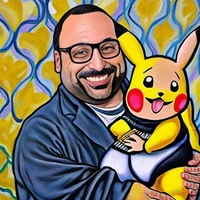
This is a LoRA trained on FLUX.1-dev by Nvwa_model_studio for creative photos.

You should use The background is 4 real photos, and in the middle is a cartoon picture summarizing the real photos. to trigger the image generation. The recommended scale is 1.0 in diffusers.
import torch
from diffusers import FluxPipeline

pipe = FluxPipeline.from_pretrained("black-forest-labs/FLUX.1-dev", torch_dtype=torch.bfloat16)
pipe.load_lora_weights("Shakker-Labs/FLUX.1-dev-LoRA-One-Click-Creative-Template", weight_name="FLUX-dev-lora-One-Click-Creative-Template.safetensors")
pipe.fuse_lora(lora_scale=1.0)
pipe.to("cuda")

prompt = "A young girl, red hair, blue dress. The background is 4 real photos, and in the middle is a cartoon picture summarizing the real photos."

image = pipe(prompt,
             num_inference_steps=24,
             guidance_scale=3.5,
             width=960, height=1280,
            ).images[0]
image.save(f"example.png")
You can also download this model at Shakker AI, where we provide an online interface to generate images.

We also provide an online ComfyUI workflow (Click Run Model) that accepts user-uploaded images to generate images
This model is trained by our copyrighted users Nvwa_model_studio. We release this model under permissions.
FLUX.1-dev-LoRA-One-Click-Creative-Template
198
7 commits
1 linked in READMEs
updated Oct 21, 2024
This is a LoRA trained on FLUX.1-dev by Nvwa_model_studio for creative photos.
You should use The background is 4 real photos, and in the middle is a cartoon picture summarizing the real photos. to trigger the image generation. The recommended scale is 1.0 in diffusers.
import torch
from diffusers import FluxPipeline

pipe = FluxPipeline.from_pretrained("black-forest-labs/FLUX.1-dev", torch_dtype=torch.bfloat16)
pipe.load_lora_weights("Shakker-Labs/FLUX.1-dev-LoRA-One-Click-Creative-Template", weight_name="FLUX-dev-lora-One-Click-Creative-Template.safetensors")
pipe.fuse_lora(lora_scale=1.0)
pipe.to("cuda")

prompt = "A young girl, red hair, blue dress. The background is 4 real photos, and in the middle is a cartoon picture summarizing the real photos."

image = pipe(prompt,
             num_inference_steps=24,
             guidance_scale=3.5,
             width=960, height=1280,
            ).images[0]
image.save(f"example.png")
You can also download this model at Shakker AI, where we provide an online interface to generate images.
We also provide an online ComfyUI workflow (Click Run Model) that accepts user-uploaded images to generate images
This model is trained by our copyrighted users Nvwa_model_studio. We release this model under permissions.