LLM Agent Framework in ComfyUI includes MCP sever, Omost,GPT-sovits, ChatTTS,GOT-OCR2.0, and FLUX prompt nodes,access to Feishu,discord,and adapts to all llms with similar openai / aisuite interfaces, such as o1,ollama, gemini, grok, qwen, GLM, deepseek, kimi,doubao. Adapted to local llms, vlm, gguf such as llama-3.3 Janus-Pro, Linkage graphRAG
Python
2,383
2,607 commits
updated Jul 29, 2026



Comfyui_llm_party aims to develop a complete set of nodes for LLM workflow construction based on comfyui as the front end. It allows users to quickly and conveniently build their own LLM workflows and easily integrate them into their existing image workflows.
https://github.com/user-attachments/assets/945493c0-92b3-4244-ba8f-0c4b2ad4eba6
ComfyUI LLM Party, from the most basic LLM multi-tool call, role setting to quickly build your own exclusive AI assistant, to the industry-specific word vector RAG and GraphRAG to localize the management of the industry knowledge base; from a single agent pipeline, to the construction of complex agent-agent radial interaction mode and ring interaction mode; from the access to their own social APP (QQ, Feishu, Discord) required by individual users, to the one-stop LLM + TTS + ComfyUI workflow required by streaming media workers; from the simple start of the first LLM application required by ordinary students, to the various parameter debugging interfaces commonly used by scientific researchers, model adaptation. All of this, you can find the answer in ComfyUI LLM Party.
base_url (it can be a relay API, make sure it ends with /v1/), for example: https://api.openai.com/v1/ and api_key in the API LLM loader node.is_ollama option in the API LLM loader node, no need to fill in base_url and api_key.E:\model\Llama-3.2-1B-Instruct. You can also fill in the Huggingface model repo id in the local model loader node, for example: lllyasviel/omost-llama-3-8b-4bits.git clone -b only_api https://github.com/heshengtao/comfyui_LLM_party.git in the custom node folder of comfyui, and then follow the environment deployment instructions provided on the project's main page. Please note! It is essential to ensure that there are no other folders named comfyui_LLM_party within the custom node folder.pip install -U transformers), example workflow: qwen-vlFor the instructions for using the node, please refer to: how to use nodes
If there are any issues with the plugin or you have other questions, feel free to join the QQ group: 931057213 | discord:discord.
More workflows please refer to the workflow folder.


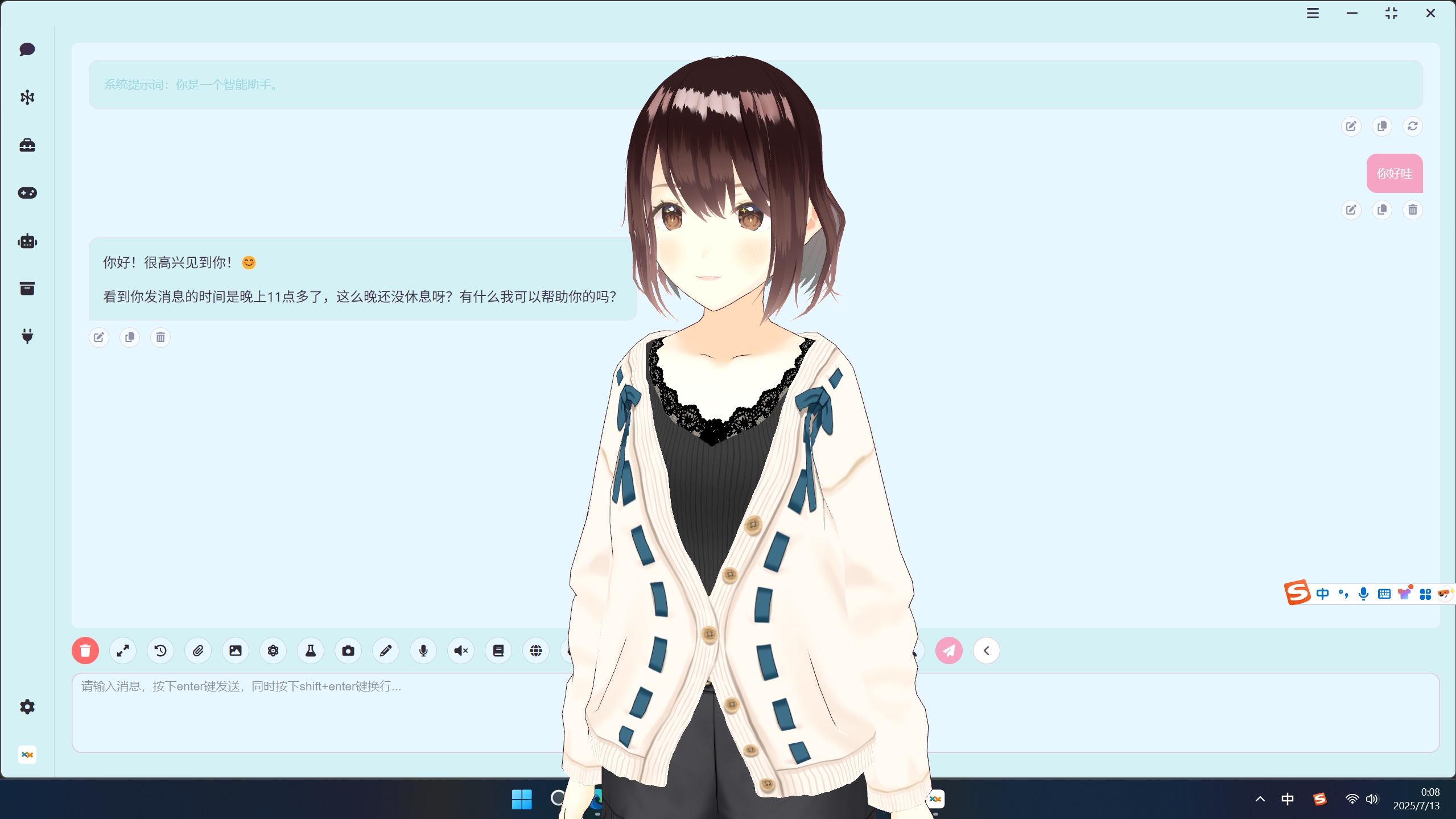
config.ini, currently only Chinese (zh_CN) and English (en_US), the default is your system language.custom_nodes subfolder under the ComfyUI root folder.git clone https://github.com/heshengtao/comfyui_LLM_party.git.CODE in the upper right corner.download zip.custom_nodes subfolder under the ComfyUI root folder.comfyui_LLM_party project folder.pip install -r requirements.txt in the terminal to deploy the third-party libraries required by the project into the comfyui environment. Please ensure you are installing within the comfyui environment and pay attention to any pip errors in the terminal.path_in_launcher_configuration\python_embeded\python.exe -m pip install -r requirements.txt in the terminal to install. The python_embeded folder is usually at the same level as your ComfyUI folder.requirements_fixed.txt.config.ini, currently only Chinese (zh_CN) and English (en_US) are available, with the default set to your system language.config.ini, you can configure whether to enable fast installation. The fast_installed option defaults to False, and if you do not require the usage of the GGUF model, it can be set to True.config.ini file in the project folder of the comfyui_LLM_party.config.ini.http://127.0.0.1:11434/v1/ in base_url, ollama in openai_api_key, and your model name in model_name, for example: llama3.google_api_key, cse_id or bing_api_key in config.ini.config.ini.config.ini file, which can be filled in by referring to the config.ini.example file. After you configure it, just enter model_name on the node.http://127.0.0.1:11434/v1/ in base_url node, fill in ollama in api_key, and fill in your model name in model_name, for example: llama3.imgbb_api_key on the node.super-agent-party is a 3D AI desktop companion with limitless possibilities! With RAG, web search, long-term memory, Code Interpreter, MCP, A2A, Comfyui, QQ bot, and more features!
This open-source project and its contents (hereinafter referred to as "Project") are provided for reference purposes only and do not imply any form of warranty, either expressed or implied. The contributors of the Project shall not be held responsible for the completeness, accuracy, reliability, or suitability of the Project. Any reliance you place on the Project is strictly at your own risk. In no event shall the contributors of the Project be liable for any indirect, special, or consequential damages or any damages whatsoever resulting from the use of the Project.


Some of the nodes in this project have borrowed from the following projects. Thank you for your contributions to the open-source community!
93 followers · starred May 2025
7 followers · starred Jul 2024
68 followers · starred Mar 2025
51 followers · starred Jan 2025
LLM Agent Framework in ComfyUI includes MCP sever, Omost,GPT-sovits, ChatTTS,GOT-OCR2.0, and FLUX prompt nodes,access to Feishu,discord,and adapts to all llms with similar openai / aisuite interfaces, such as o1,ollama, gemini, grok, qwen, GLM, deepseek, kimi,doubao. Adapted to local llms, vlm, gguf such as llama-3.3 Janus-Pro, Linkage graphRAG
Python
2,383
2,607 commits
updated Jul 29, 2026
Comfyui_llm_party aims to develop a complete set of nodes for LLM workflow construction based on comfyui as the front end. It allows users to quickly and conveniently build their own LLM workflows and easily integrate them into their existing image workflows.
https://github.com/user-attachments/assets/945493c0-92b3-4244-ba8f-0c4b2ad4eba6
ComfyUI LLM Party, from the most basic LLM multi-tool call, role setting to quickly build your own exclusive AI assistant, to the industry-specific word vector RAG and GraphRAG to localize the management of the industry knowledge base; from a single agent pipeline, to the construction of complex agent-agent radial interaction mode and ring interaction mode; from the access to their own social APP (QQ, Feishu, Discord) required by individual users, to the one-stop LLM + TTS + ComfyUI workflow required by streaming media workers; from the simple start of the first LLM application required by ordinary students, to the various parameter debugging interfaces commonly used by scientific researchers, model adaptation. All of this, you can find the answer in ComfyUI LLM Party.
base_url (it can be a relay API, make sure it ends with /v1/), for example: https://api.openai.com/v1/ and api_key in the API LLM loader node.is_ollama option in the API LLM loader node, no need to fill in base_url and api_key.E:\model\Llama-3.2-1B-Instruct. You can also fill in the Huggingface model repo id in the local model loader node, for example: lllyasviel/omost-llama-3-8b-4bits.git clone -b only_api https://github.com/heshengtao/comfyui_LLM_party.git in the custom node folder of comfyui, and then follow the environment deployment instructions provided on the project's main page. Please note! It is essential to ensure that there are no other folders named comfyui_LLM_party within the custom node folder.pip install -U transformers), example workflow: qwen-vlFor the instructions for using the node, please refer to: how to use nodes
If there are any issues with the plugin or you have other questions, feel free to join the QQ group: 931057213 | discord:discord.
More workflows please refer to the workflow folder.
config.ini, currently only Chinese (zh_CN) and English (en_US), the default is your system language.custom_nodes subfolder under the ComfyUI root folder.git clone https://github.com/heshengtao/comfyui_LLM_party.git.CODE in the upper right corner.download zip.custom_nodes subfolder under the ComfyUI root folder.comfyui_LLM_party project folder.pip install -r requirements.txt in the terminal to deploy the third-party libraries required by the project into the comfyui environment. Please ensure you are installing within the comfyui environment and pay attention to any pip errors in the terminal.path_in_launcher_configuration\python_embeded\python.exe -m pip install -r requirements.txt in the terminal to install. The python_embeded folder is usually at the same level as your ComfyUI folder.requirements_fixed.txt.config.ini, currently only Chinese (zh_CN) and English (en_US) are available, with the default set to your system language.config.ini, you can configure whether to enable fast installation. The fast_installed option defaults to False, and if you do not require the usage of the GGUF model, it can be set to True.config.ini file in the project folder of the comfyui_LLM_party.config.ini.http://127.0.0.1:11434/v1/ in base_url, ollama in openai_api_key, and your model name in model_name, for example: llama3.google_api_key, cse_id or bing_api_key in config.ini.config.ini.config.ini file, which can be filled in by referring to the config.ini.example file. After you configure it, just enter model_name on the node.http://127.0.0.1:11434/v1/ in base_url node, fill in ollama in api_key, and fill in your model name in model_name, for example: llama3.imgbb_api_key on the node.super-agent-party is a 3D AI desktop companion with limitless possibilities! With RAG, web search, long-term memory, Code Interpreter, MCP, A2A, Comfyui, QQ bot, and more features!
This open-source project and its contents (hereinafter referred to as "Project") are provided for reference purposes only and do not imply any form of warranty, either expressed or implied. The contributors of the Project shall not be held responsible for the completeness, accuracy, reliability, or suitability of the Project. Any reliance you place on the Project is strictly at your own risk. In no event shall the contributors of the Project be liable for any indirect, special, or consequential damages or any damages whatsoever resulting from the use of the Project.
Some of the nodes in this project have borrowed from the following projects. Thank you for your contributions to the open-source community!
93 followers · starred May 2025
7 followers · starred Jul 2024
68 followers · starred Mar 2025
51 followers · starred Jan 2025



