gliner-as-a-serviceScalable GLiNER as a Service API.

This project leverages FastAPI, Celery, and Redis to create a scalable and efficient system for generating and serving named entity predictions from text data. The architecture is designed to handle high volumes of requests with optimal performance and reliability.
The application is build with docker-compose to create the various microservices. These include the FastAPI application itself, the Redis database and the Celery application. To build the Dockerfile for both FastAPI and Celery, use the following command:
# Copy the .env.example file to .env
cp .env.example .env

# Build the Docker images
docker build . -f Dockerfile.torch-cpu --pull -t torch-cpu:latest
docker build . -f Dockerfile.gliner -t gliner-service:latest

# Start the containers in detached mode
docker compose up -d
The following environment variables needed in a .env file.
Leave as is for local testing.
REDIS_URL=redis://redis:6379/0
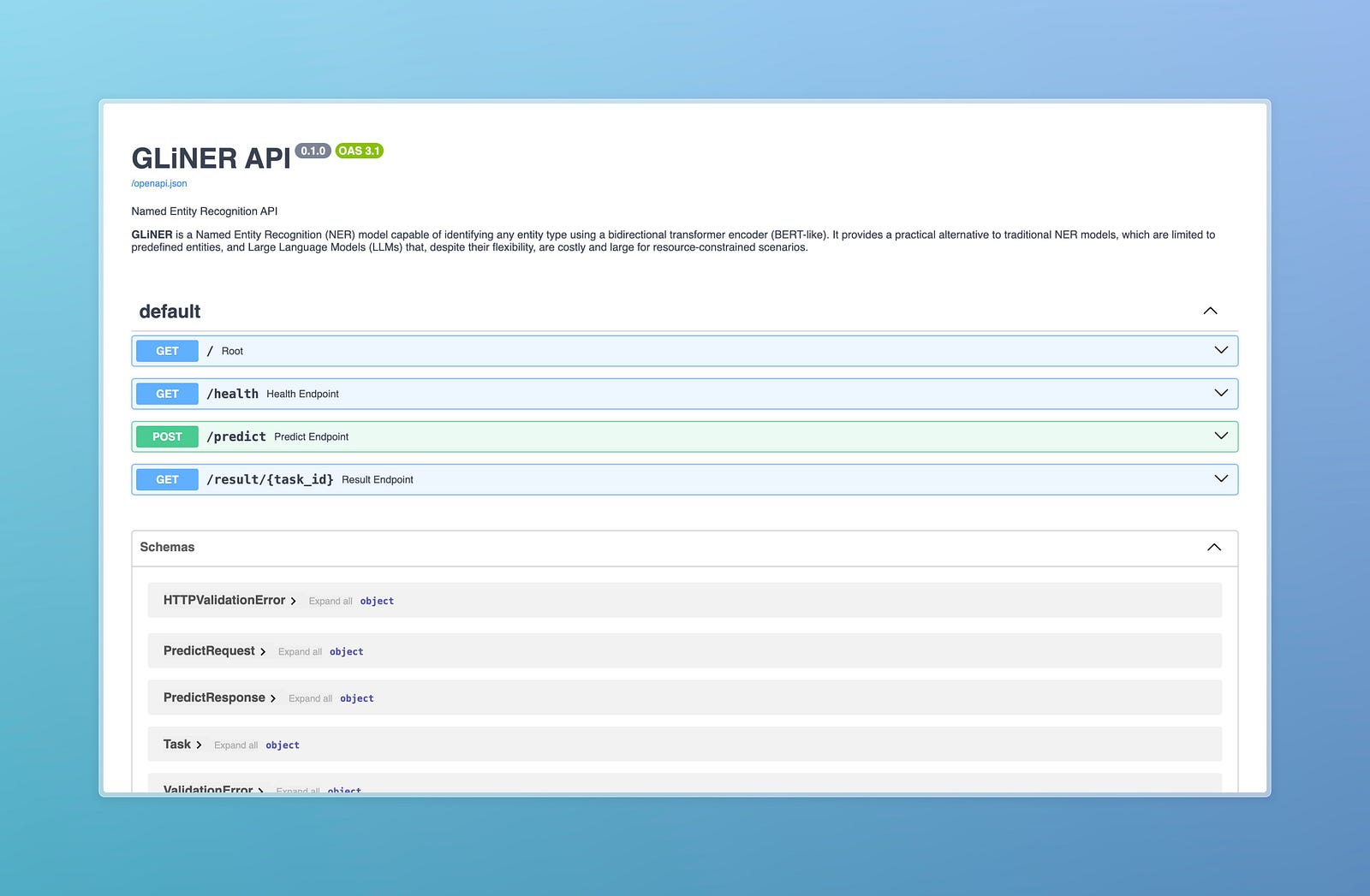
Open the browsers to see FastAPI's SwaggerUI, Locust, and Flower UI:
python scripts/open_browsers.py
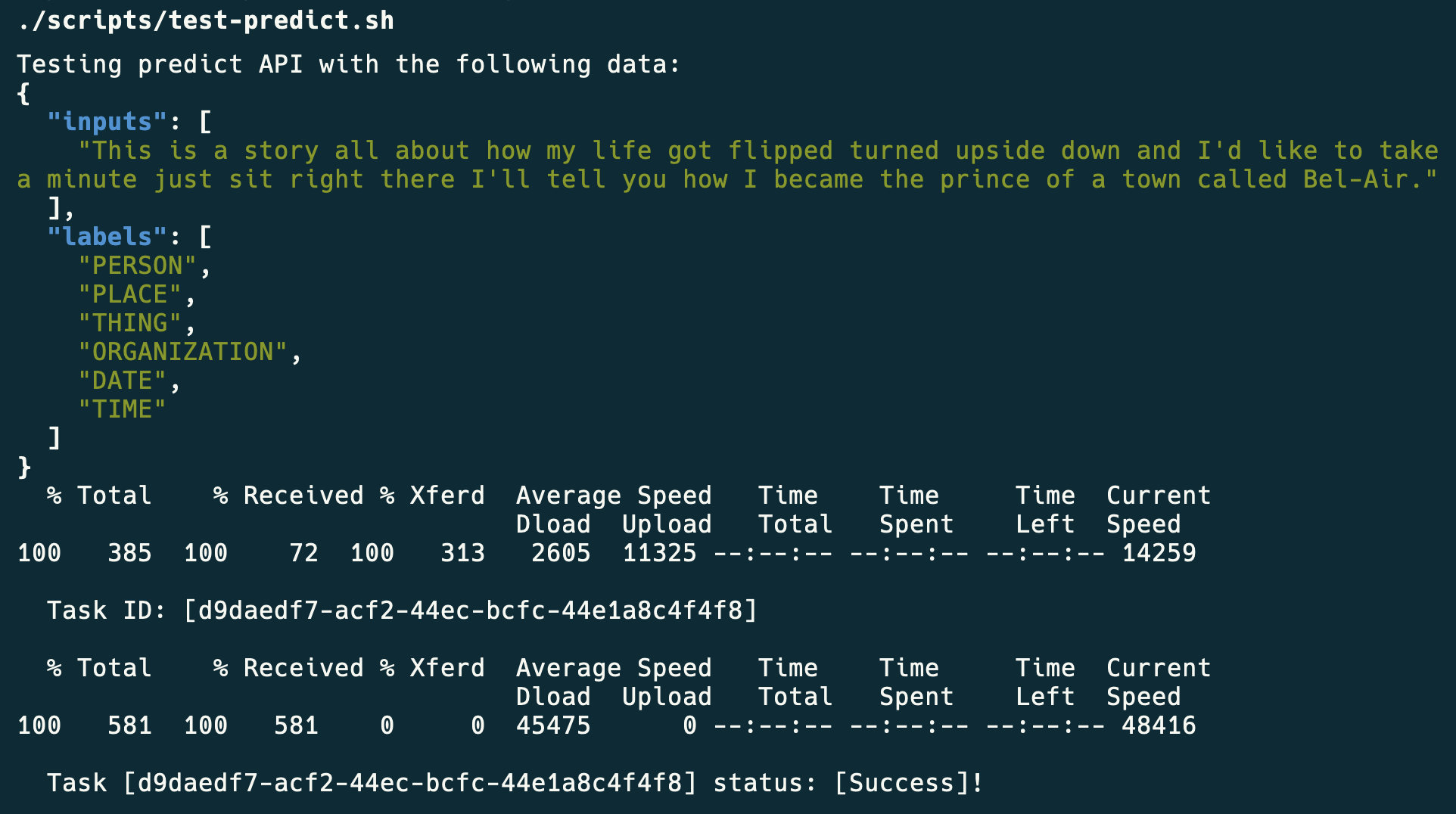
Finally you can test the model:
./scripts/test-predict.sh
[
  [
    {
      "start": 73,
      "end": 74,
      "text": "I",
      "label": "PERSON",
      "score": 0.932999312877655
    },
    {
      "start": 120,
      "end": 121,
      "text": "I",
      "label": "PERSON",
      "score": 0.865664541721344
    },
    {
      "start": 138,
      "end": 139,
      "text": "I",
      "label": "PERSON",
      "score": 0.8840217590332031
    },
    {
      "start": 151,
      "end": 157,
      "text": "prince",
      "label": "PERSON",
      "score": 0.5222376585006714
    },
    {
      "start": 163,
      "end": 167,
      "text": "town",
      "label": "PLACE",
      "score": 0.35346755385398865
    },
    {
      "start": 175,
      "end": 182,
      "text": "Bel-Air",
      "label": "PLACE",
      "score": 0.8736599087715149
    }
  ]
]
The UI is built with Streamlit and can be run with the following command:
./scripts/start-ui.sh
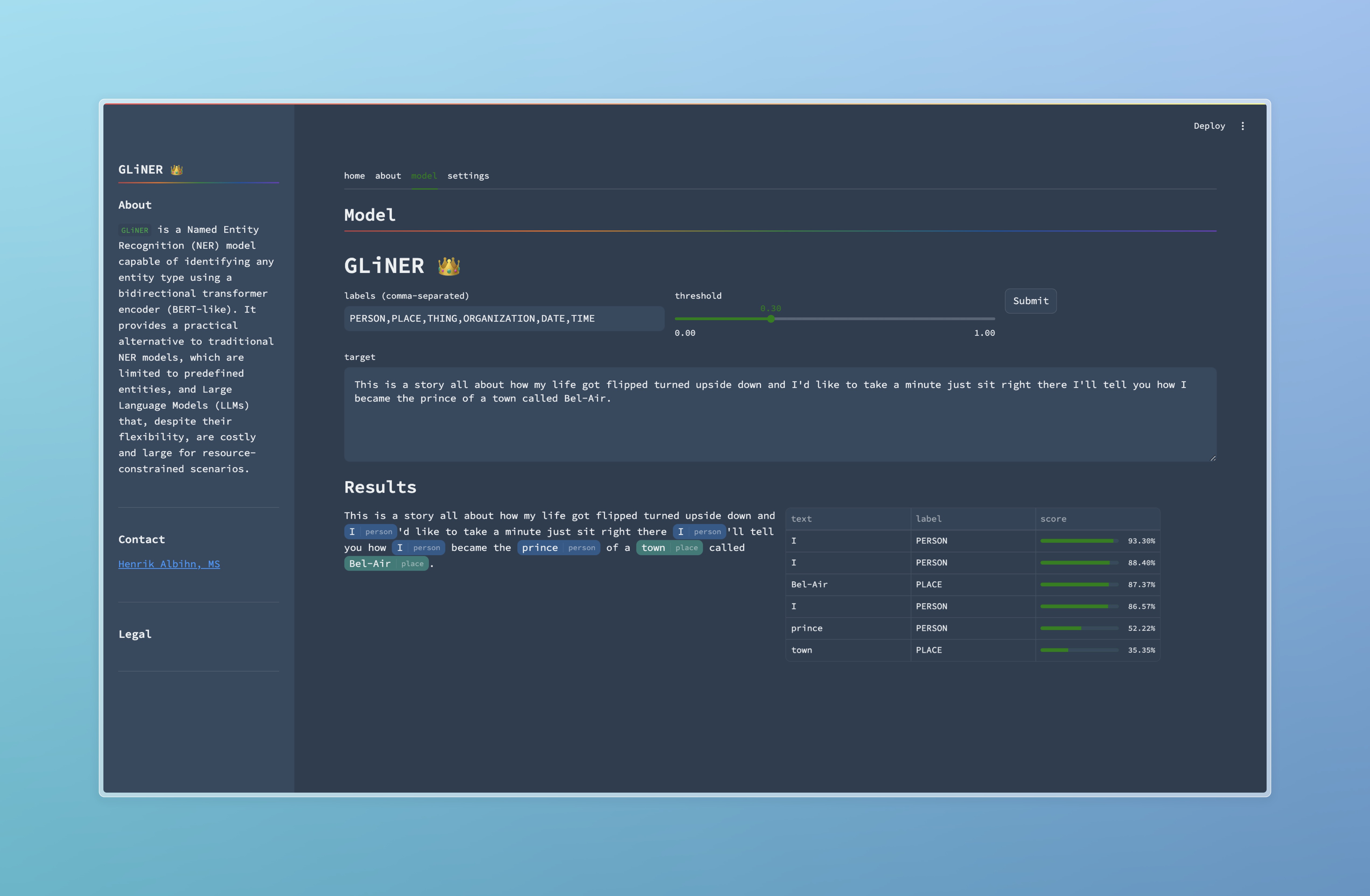
Note: The UI is an independent client (and thus has extra dependencies). It is not required to run the API.
232 followers · starred Sep 2024
gliner-as-a-serviceScalable GLiNER as a Service API.
This project leverages FastAPI, Celery, and Redis to create a scalable and efficient system for generating and serving named entity predictions from text data. The architecture is designed to handle high volumes of requests with optimal performance and reliability.
The application is build with docker-compose to create the various microservices. These include the FastAPI application itself, the Redis database and the Celery application. To build the Dockerfile for both FastAPI and Celery, use the following command:
# Copy the .env.example file to .env
cp .env.example .env

# Build the Docker images
docker build . -f Dockerfile.torch-cpu --pull -t torch-cpu:latest
docker build . -f Dockerfile.gliner -t gliner-service:latest

# Start the containers in detached mode
docker compose up -d
The following environment variables needed in a .env file.
Leave as is for local testing.
REDIS_URL=redis://redis:6379/0
Open the browsers to see FastAPI's SwaggerUI, Locust, and Flower UI:
python scripts/open_browsers.py
Finally you can test the model:
./scripts/test-predict.sh
[
  [
    {
      "start": 73,
      "end": 74,
      "text": "I",
      "label": "PERSON",
      "score": 0.932999312877655
    },
    {
      "start": 120,
      "end": 121,
      "text": "I",
      "label": "PERSON",
      "score": 0.865664541721344
    },
    {
      "start": 138,
      "end": 139,
      "text": "I",
      "label": "PERSON",
      "score": 0.8840217590332031
    },
    {
      "start": 151,
      "end": 157,
      "text": "prince",
      "label": "PERSON",
      "score": 0.5222376585006714
    },
    {
      "start": 163,
      "end": 167,
      "text": "town",
      "label": "PLACE",
      "score": 0.35346755385398865
    },
    {
      "start": 175,
      "end": 182,
      "text": "Bel-Air",
      "label": "PLACE",
      "score": 0.8736599087715149
    }
  ]
]
The UI is built with Streamlit and can be run with the following command:
./scripts/start-ui.sh
Note: The UI is an independent client (and thus has extra dependencies). It is not required to run the API.
232 followers · starred Sep 2024



