CapitalAgents is an AI financial advisor and portfolio management system. It deploys specialised LLM agents with distinct roles (Bull/Bear Analysts, Risk Analysts, Macro Strategists etc.) to score single equities, and create and rebalance entire portfolios in real-time or in backtested market simulations.
Python
1
212 commits
updated Sep 27, 2026

CapitalAgents is an AI financial advisor and portfolio management system. It deploys specialised LLM agents with distinct roles (Bull/Bear Analysts, Risk Analysts, Macro Strategists etc.) to score single equities, and create and rebalance entire portfolios in real-time or in backtested market simulations.
CapitalAgents pairs LLMs with real-world financial data from various pipelines (SEC Edgar, Alpaca, Finnhub, FRED, yfinance amongst others) and a Modern-FinBERT sentiment analysis engine optimised across hardware tiers (TensorRT, ONNX Runtime, and PyTorch) to provide accurate and timely insights into the U.S. financial markets.
CapitalAgents includes an automated installer which inspects hardware, creates a virtual environment and installs the optimal inference engine.
git clone https://github.com/harrym1008/Capital-Agents.git
cd Capital-Agents
python install.py
Running install.py will:
venv folderrequirements-base.txtcu132) and onnxruntime-gpu.cpu) and onnxruntime.finbert/models/ folder. The model can be found here: https://huggingface.co/harrym1008/ModernFinBERT-fp32-onnx/tree/mainCapitalAgents requires large amounts of historical market data to run backtested boardroom simulations and ratings without hitting API rate limits. You can download the required data inside a zip file from the following link:
CapitalAgents-data.zip from GitHub (1.05 GB)Instructions for installation exist on that page in 'Releases'.
To populate data from real-time feeds after the data.zip cutoff date of 19th September 2026, you will need to configure certain API keys. The project has been designed around free-tier APIs that require zero credit cards or paid credits or subscriptions.
To do this, you must rename the .env.example to .env and fill in the required API keys. The following free APIs are supported:
| Environment Variable | Service | Requirements | Free Signup Link |
|---|---|---|---|
ALPACA_API_KEY and ALPACA_API_SECRET | Alpaca | Up-to-date OHLCV quotes and news streams | alpaca.markets |
FRED_API_KEY | Federal Reserve (FRED) | Free economic series (Bond yields, GDP, CPI, etc.) | fred.stlouisfed.org |
FINNHUB_API_KEY | FinnHub | Company profiles, metrics (P/E ratios, etc.) | finnhub.io |
OPENROUTER_API_KEY | OpenRouter | Cloud LLM access (required only if using OpenRouter; supports free models) | openrouter.ai |
MASSIVE_API_KEY | Polygon / Massive | Free historical market data (optional; only needed if running exec/mass_downloader.py) | polygon.io |
If any of these API keys are not set, some company/market data may not be available, some features may not work and the LLM agents will make less accurate predictions.
Activate the virtual environment and run the main application:
# In Windows PowerShell or Command Prompt:
.\venv\Scripts\Activate
python main.py
Open your browser and navigate to http://localhost:9091 to access the CapitalAgents dashboard. Click the Server Configuration to configure the LLM server and model. For more information on this page and others in the dashboard, click the Help from ChatGPT button. Also, consider directly reading the documentation inside the gptdocs folder.
CapitalAgents supports three LLM inference engines/servers:
Llama.cpp is a local inference engine which is recommended for its privacy and lack of API costs. It can be downloaded at https://github.com/ggml-org/llama.cpp and provides a local inference engine for GGUF models. You can download pre-trained GGUF models for free from Hugging Face, for example unsloth/gemma-4-E4B-it-qat-GGUF.
Inside the CapitalAgents dashboard, click Server Configuration → Configure Llama.cpp to configure the server and model. You will need to select the path of the llama-server.exe executable and the .gguf model files you want to use. You can also read the gptdocs/llamacpp-setup.md for more information on configuring Llama.cpp. Here is a table of recommended LLMs to use with Llama.cpp for CapitalAgents:
| Model | VRAM Requirement | Notes | Link |
|---|---|---|---|
unsloth/gemma-4-E2B-it-qat-GGUF | CPU-only / 4-6 GB VRAM | May fail to run portfolio boardrooms due to the model's low cognitive ability. | Hugging Face |
unsloth/gemma-4-E4B-it-qat-GGUF | 6-8 GB VRAM | Recommended for users with lower-end GPUs. May fail to run portfolio boardrooms due to the model's low cognitive ability. | Hugging Face |
unsloth/gemma-4-12B-it-qat-GGUF | 10-16 GB VRAM | Recommended for users with GPUs with more VRAM. | Hugging Face |
unsloth/gemma-4-26B-A4B-it-qat-GGUF | 8 GB VRAM or more 24 GB System RAM or more | Highly capable model, highly recommended. It is a Mixture-of-Experts (MoE) model, so the whole model does not need to be in VRAM. | Hugging Face |
OpenRouter is the primary cloud inference engine for CapitalAgents. It provides access to an enormous range of LLMs, from free models to state-of-the-art frontier models, like GPT-6 Astra and Claude Opus 5.5. Depending on the model provider and your hardware, inference speeds can be much faster than running models locally.
A free OpenRouter account is required to use this engine, and you must provide a valid OPENROUTER_API_KEY in the .env file. You can sign up for a free account at https://openrouter.ai.
Here is a table of recommended OpenRouter models for financial reasoning:
| Model | Price | Notes | Identifier | Link |
|---|---|---|---|---|
inclusionai/ling-3.0-flash-fin:free | Free | A very capable finance-specialised free model, with excellent token throughput (>200 tok/s). | inclusionai/ling-3.0-flash-fin:free | OpenRouter |
deepseek/deepseek-v4-flash-0731 | $0.08/mn ↑, $0.16/mn ↓ | A proven, slightly older model which is cheap for its capabilities. | deepseek/deepseek-v4-flash-0731 | OpenRouter |
openai/gpt-6-luna | $0.10/mn ↑, $0.50/mn ↓ | State-of-the-art OpenAI model for general-purpose tasks. | openai/gpt-6-luna | OpenRouter |
google/gemini-3.8-flash | $0.75/mn ↑, $3.75/mn ↓ | Highly capable Google model optimised for speed (>150 tok/s). | google/gemini-3.8-flash | OpenRouter |
Note: free models have a variable rate limit, depending on whether you have deposited over $10 of credits into your OpenRouter account. If you have not deposited $10 of credits, free models are limited to 50 requests per day. If you have deposited over $10 of credits, free models are limited to 1000 requests per day. Models that charge per token are not subject to any daily limits, but you will be charged for every token used. The models and prices above are available and correct at the time of writing (24 September 2026), but OpenRouter is constantly updating its catalogue and prices, so please check the OpenRouter website for the latest information.
OpenAI-Compatible is the third option for the LLM inference server, and provides a universal API that is usable through other local providers Ollama, vLLM and other OpenAI-compatible endpoints like OpenAI, Google AI Studio, etc.
You need to provide a valid Base URL and Model ID in the Server Configuration page of the dashboard. If your endpoint requires an API key, you can also provide it here. If it does not, you still need to provide an API key, but it can be anything.
The Base URL must be a valid OpenAI-compatible endpoint, and the Model ID must be a valid model on that endpoint. For example, if you are using Ollama, you would set the Base URL to http://localhost:11434/v1/.
Sentiment analysis on financial news and SEC filings runs through ModernFinBERT (tabularisai/ModernFinBERT). The inference engine is chosen based on your hardware inside the install.py installation script. The following inference engines are supported, in hierarchical order of highest-to-lowest performance:
finbert_quantise.py to quantise the FP32 model to FP8 - TensorRT 'engines' are built for your machine only and are not portable)
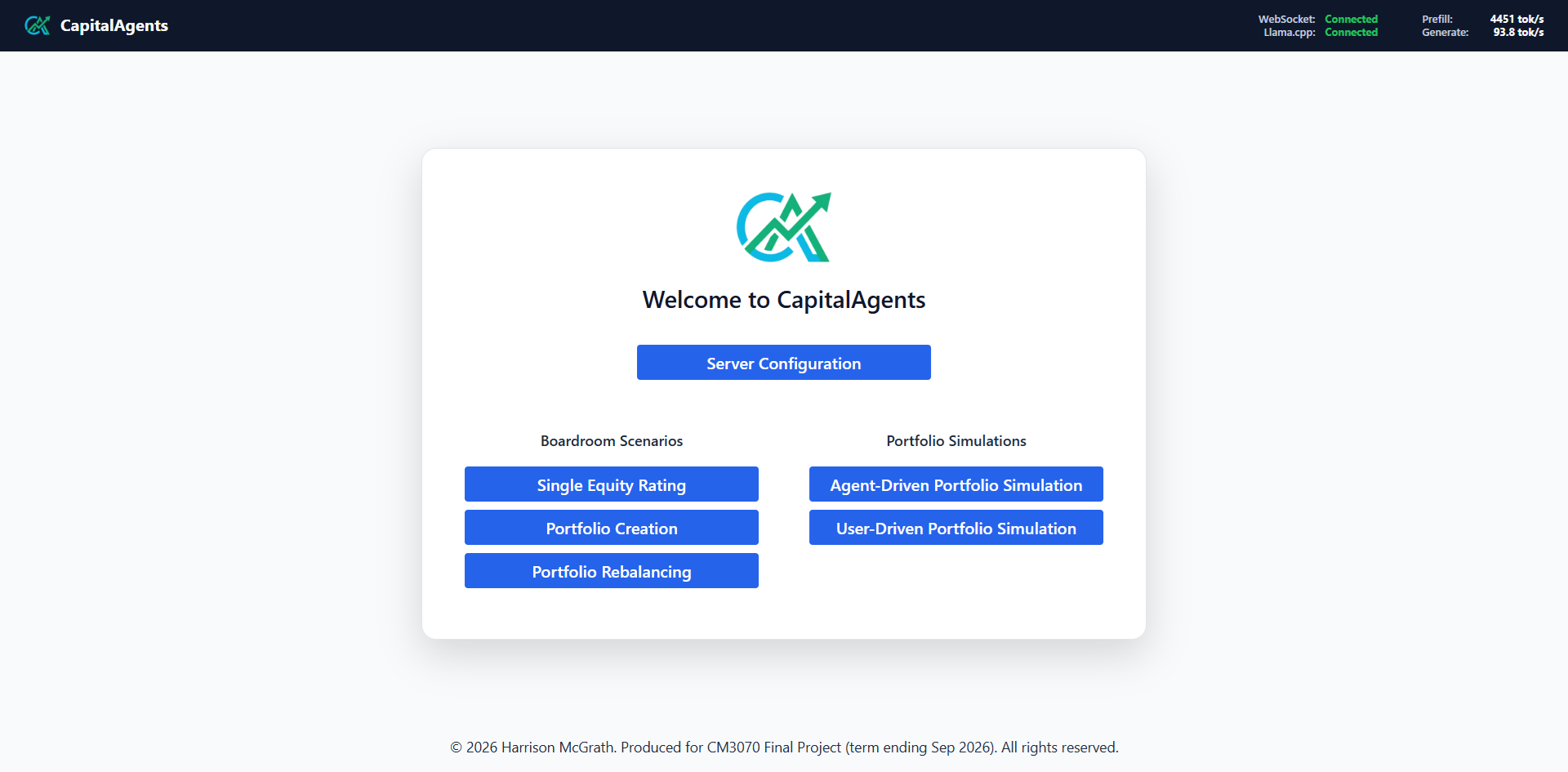
CapitalAgents Home Page
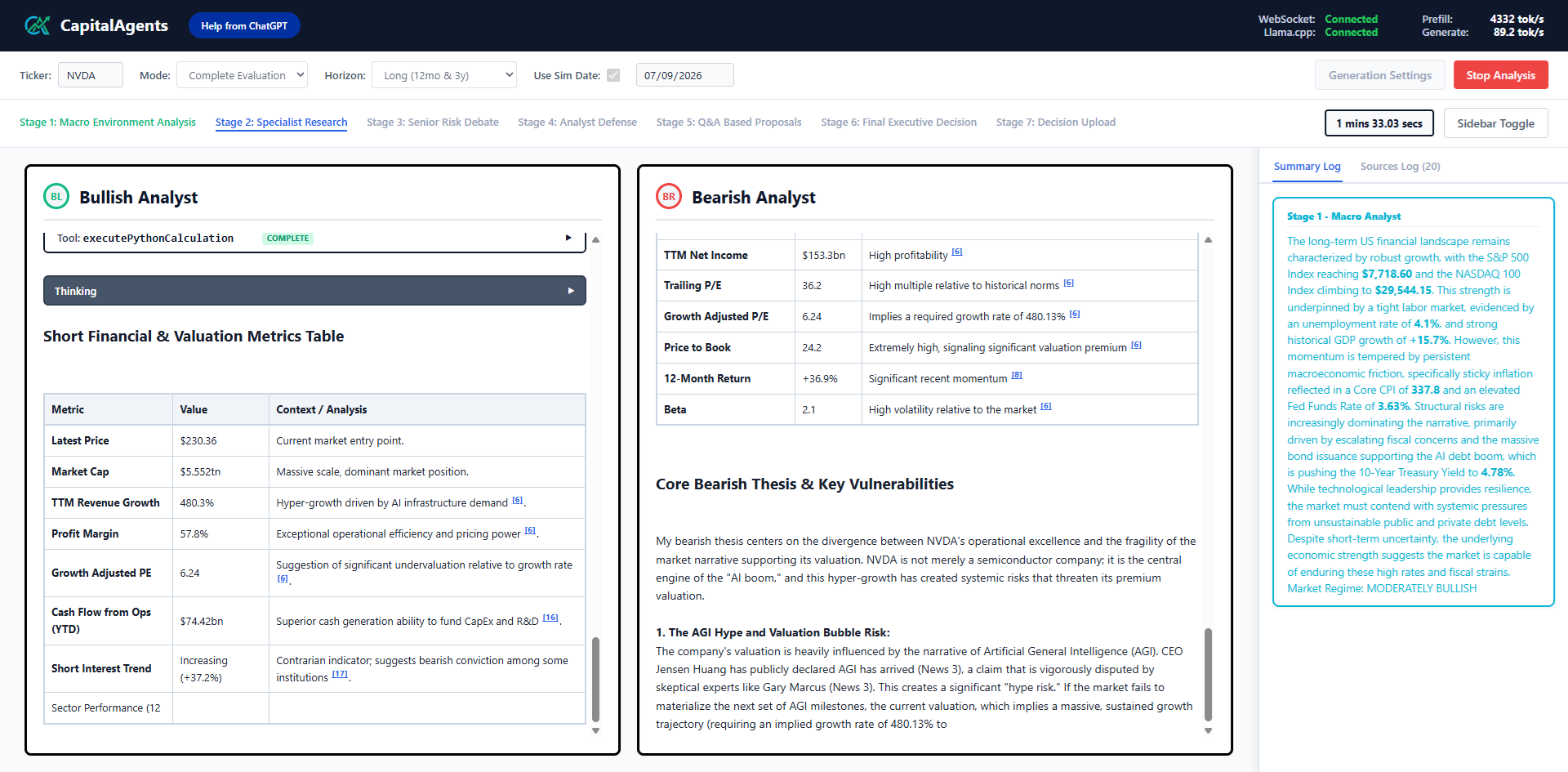
CapitalAgents Single Equity Rating Boardroom Example
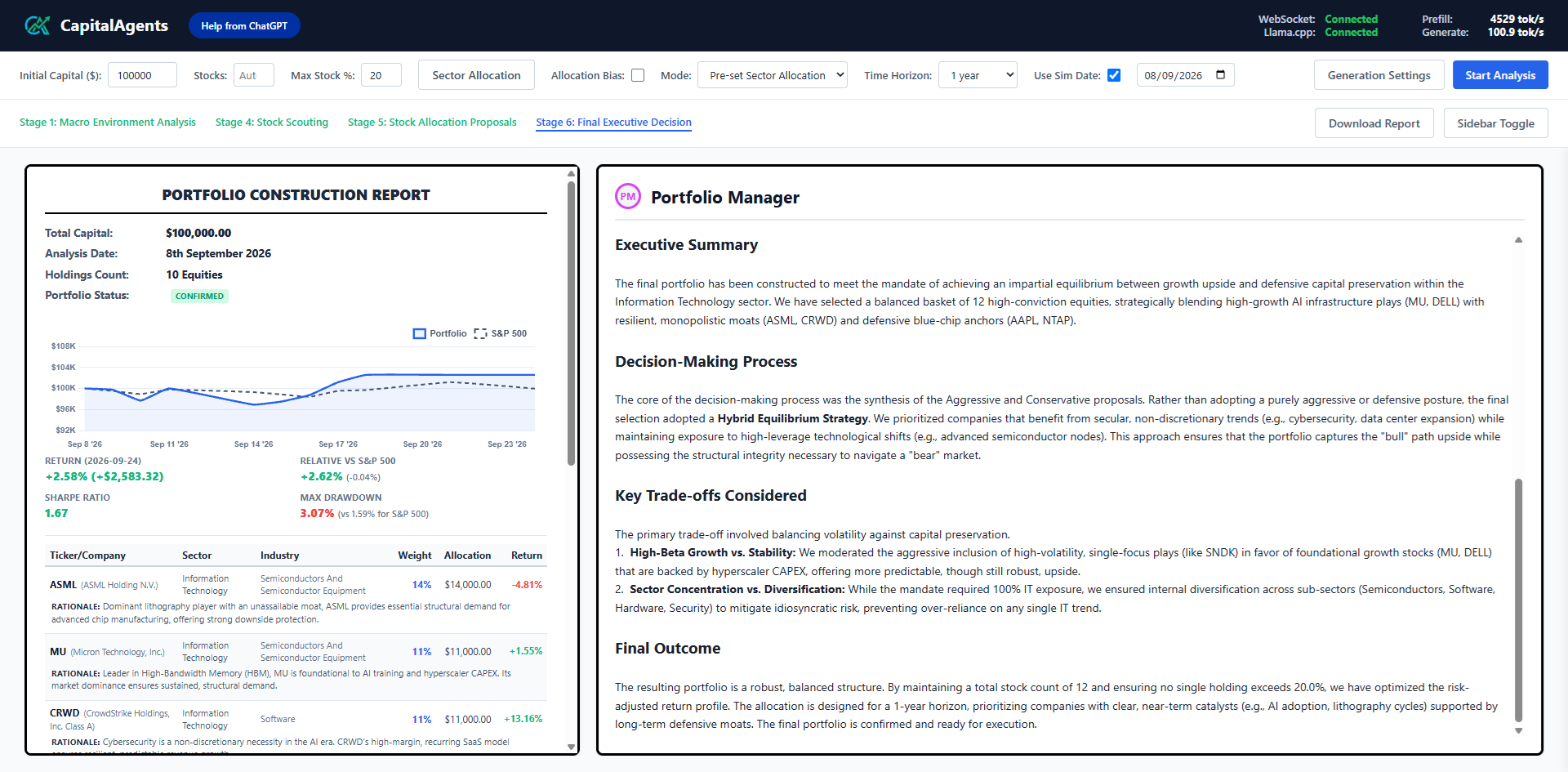
CapitalAgents Portfolio Creation Example
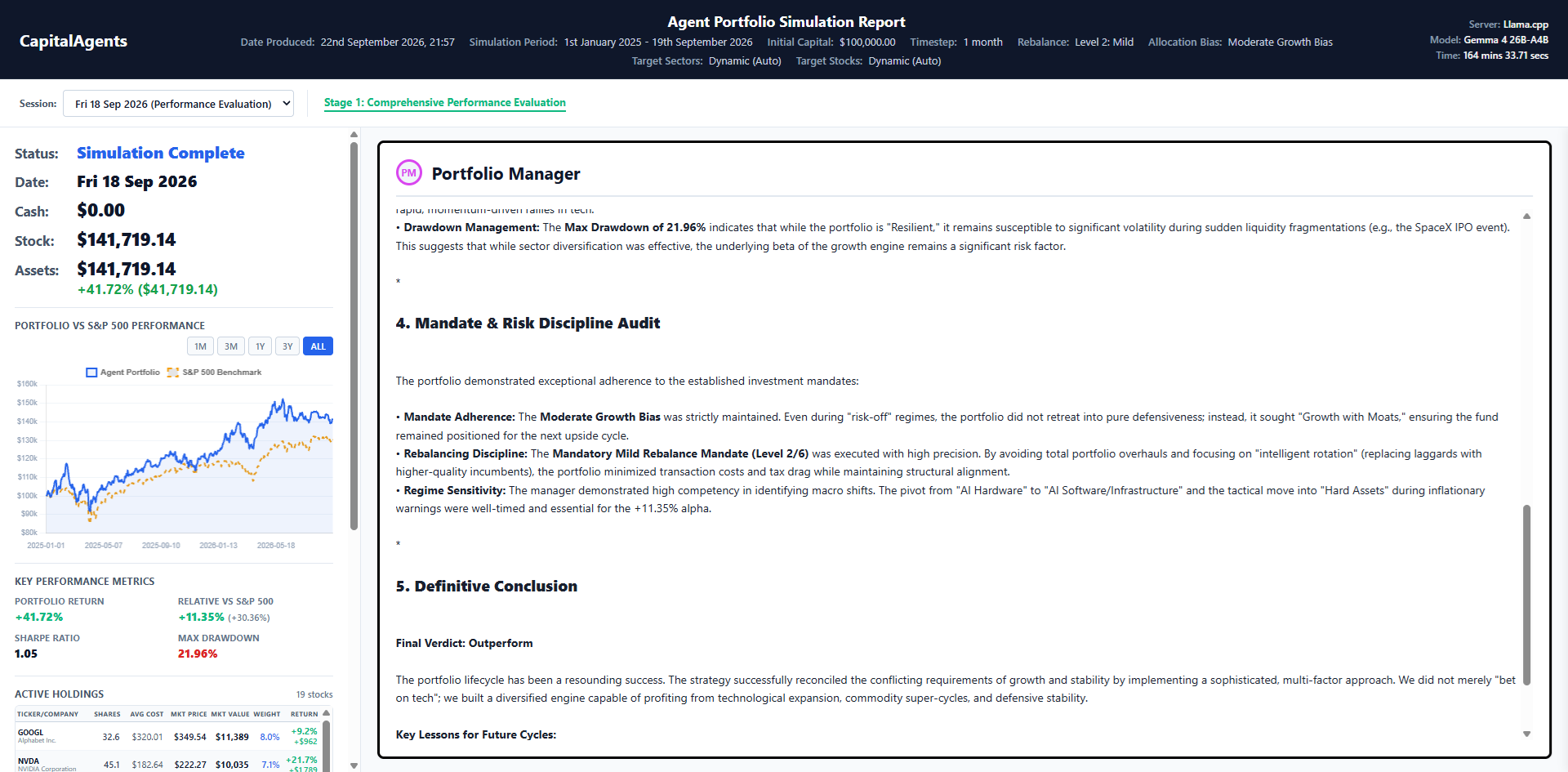
CapitalAgents Agent-Driven Portfolio Report Example
CapitalAgents is an AI financial advisor and portfolio management system. It deploys specialised LLM agents with distinct roles (Bull/Bear Analysts, Risk Analysts, Macro Strategists etc.) to score single equities, and create and rebalance entire portfolios in real-time or in backtested market simulations.
Python
1
212 commits
updated Sep 27, 2026
CapitalAgents is an AI financial advisor and portfolio management system. It deploys specialised LLM agents with distinct roles (Bull/Bear Analysts, Risk Analysts, Macro Strategists etc.) to score single equities, and create and rebalance entire portfolios in real-time or in backtested market simulations.
CapitalAgents pairs LLMs with real-world financial data from various pipelines (SEC Edgar, Alpaca, Finnhub, FRED, yfinance amongst others) and a Modern-FinBERT sentiment analysis engine optimised across hardware tiers (TensorRT, ONNX Runtime, and PyTorch) to provide accurate and timely insights into the U.S. financial markets.
CapitalAgents includes an automated installer which inspects hardware, creates a virtual environment and installs the optimal inference engine.
git clone https://github.com/harrym1008/Capital-Agents.git
cd Capital-Agents
python install.py
Running install.py will:
venv folderrequirements-base.txtcu132) and onnxruntime-gpu.cpu) and onnxruntime.finbert/models/ folder. The model can be found here: https://huggingface.co/harrym1008/ModernFinBERT-fp32-onnx/tree/mainCapitalAgents requires large amounts of historical market data to run backtested boardroom simulations and ratings without hitting API rate limits. You can download the required data inside a zip file from the following link:
CapitalAgents-data.zip from GitHub (1.05 GB)Instructions for installation exist on that page in 'Releases'.
To populate data from real-time feeds after the data.zip cutoff date of 19th September 2026, you will need to configure certain API keys. The project has been designed around free-tier APIs that require zero credit cards or paid credits or subscriptions.
To do this, you must rename the .env.example to .env and fill in the required API keys. The following free APIs are supported:
| Environment Variable | Service | Requirements | Free Signup Link |
|---|---|---|---|
ALPACA_API_KEY and ALPACA_API_SECRET | Alpaca | Up-to-date OHLCV quotes and news streams | alpaca.markets |
FRED_API_KEY | Federal Reserve (FRED) | Free economic series (Bond yields, GDP, CPI, etc.) | fred.stlouisfed.org |
FINNHUB_API_KEY | FinnHub | Company profiles, metrics (P/E ratios, etc.) | finnhub.io |
OPENROUTER_API_KEY | OpenRouter | Cloud LLM access (required only if using OpenRouter; supports free models) | openrouter.ai |
MASSIVE_API_KEY | Polygon / Massive | Free historical market data (optional; only needed if running exec/mass_downloader.py) | polygon.io |
If any of these API keys are not set, some company/market data may not be available, some features may not work and the LLM agents will make less accurate predictions.
Activate the virtual environment and run the main application:
# In Windows PowerShell or Command Prompt:
.\venv\Scripts\Activate
python main.py
Open your browser and navigate to http://localhost:9091 to access the CapitalAgents dashboard. Click the Server Configuration to configure the LLM server and model. For more information on this page and others in the dashboard, click the Help from ChatGPT button. Also, consider directly reading the documentation inside the gptdocs folder.
CapitalAgents supports three LLM inference engines/servers:
Llama.cpp is a local inference engine which is recommended for its privacy and lack of API costs. It can be downloaded at https://github.com/ggml-org/llama.cpp and provides a local inference engine for GGUF models. You can download pre-trained GGUF models for free from Hugging Face, for example unsloth/gemma-4-E4B-it-qat-GGUF.
Inside the CapitalAgents dashboard, click Server Configuration → Configure Llama.cpp to configure the server and model. You will need to select the path of the llama-server.exe executable and the .gguf model files you want to use. You can also read the gptdocs/llamacpp-setup.md for more information on configuring Llama.cpp. Here is a table of recommended LLMs to use with Llama.cpp for CapitalAgents:
| Model | VRAM Requirement | Notes | Link |
|---|---|---|---|
unsloth/gemma-4-E2B-it-qat-GGUF | CPU-only / 4-6 GB VRAM | May fail to run portfolio boardrooms due to the model's low cognitive ability. | Hugging Face |
unsloth/gemma-4-E4B-it-qat-GGUF | 6-8 GB VRAM | Recommended for users with lower-end GPUs. May fail to run portfolio boardrooms due to the model's low cognitive ability. | Hugging Face |
unsloth/gemma-4-12B-it-qat-GGUF | 10-16 GB VRAM | Recommended for users with GPUs with more VRAM. | Hugging Face |
unsloth/gemma-4-26B-A4B-it-qat-GGUF | 8 GB VRAM or more 24 GB System RAM or more | Highly capable model, highly recommended. It is a Mixture-of-Experts (MoE) model, so the whole model does not need to be in VRAM. | Hugging Face |
OpenRouter is the primary cloud inference engine for CapitalAgents. It provides access to an enormous range of LLMs, from free models to state-of-the-art frontier models, like GPT-6 Astra and Claude Opus 5.5. Depending on the model provider and your hardware, inference speeds can be much faster than running models locally.
A free OpenRouter account is required to use this engine, and you must provide a valid OPENROUTER_API_KEY in the .env file. You can sign up for a free account at https://openrouter.ai.
Here is a table of recommended OpenRouter models for financial reasoning:
| Model | Price | Notes | Identifier | Link |
|---|---|---|---|---|
inclusionai/ling-3.0-flash-fin:free | Free | A very capable finance-specialised free model, with excellent token throughput (>200 tok/s). | inclusionai/ling-3.0-flash-fin:free | OpenRouter |
deepseek/deepseek-v4-flash-0731 | $0.08/mn ↑, $0.16/mn ↓ | A proven, slightly older model which is cheap for its capabilities. | deepseek/deepseek-v4-flash-0731 | OpenRouter |
openai/gpt-6-luna | $0.10/mn ↑, $0.50/mn ↓ | State-of-the-art OpenAI model for general-purpose tasks. | openai/gpt-6-luna | OpenRouter |
google/gemini-3.8-flash | $0.75/mn ↑, $3.75/mn ↓ | Highly capable Google model optimised for speed (>150 tok/s). | google/gemini-3.8-flash | OpenRouter |
Note: free models have a variable rate limit, depending on whether you have deposited over $10 of credits into your OpenRouter account. If you have not deposited $10 of credits, free models are limited to 50 requests per day. If you have deposited over $10 of credits, free models are limited to 1000 requests per day. Models that charge per token are not subject to any daily limits, but you will be charged for every token used. The models and prices above are available and correct at the time of writing (24 September 2026), but OpenRouter is constantly updating its catalogue and prices, so please check the OpenRouter website for the latest information.
OpenAI-Compatible is the third option for the LLM inference server, and provides a universal API that is usable through other local providers Ollama, vLLM and other OpenAI-compatible endpoints like OpenAI, Google AI Studio, etc.
You need to provide a valid Base URL and Model ID in the Server Configuration page of the dashboard. If your endpoint requires an API key, you can also provide it here. If it does not, you still need to provide an API key, but it can be anything.
The Base URL must be a valid OpenAI-compatible endpoint, and the Model ID must be a valid model on that endpoint. For example, if you are using Ollama, you would set the Base URL to http://localhost:11434/v1/.
Sentiment analysis on financial news and SEC filings runs through ModernFinBERT (tabularisai/ModernFinBERT). The inference engine is chosen based on your hardware inside the install.py installation script. The following inference engines are supported, in hierarchical order of highest-to-lowest performance:
finbert_quantise.py to quantise the FP32 model to FP8 - TensorRT 'engines' are built for your machine only and are not portable)
CapitalAgents Home Page
CapitalAgents Single Equity Rating Boardroom Example
CapitalAgents Portfolio Creation Example
CapitalAgents Agent-Driven Portfolio Report Example



