Local AI Open Orca For Dummies is a user-friendly guide to running Large Language Models locally. Simplify your AI journey with easy-to-follow instructions and minimal setup. Perfect for developers tired of complex processes!
Python
4
7 commits
updated Mar 5, 2024
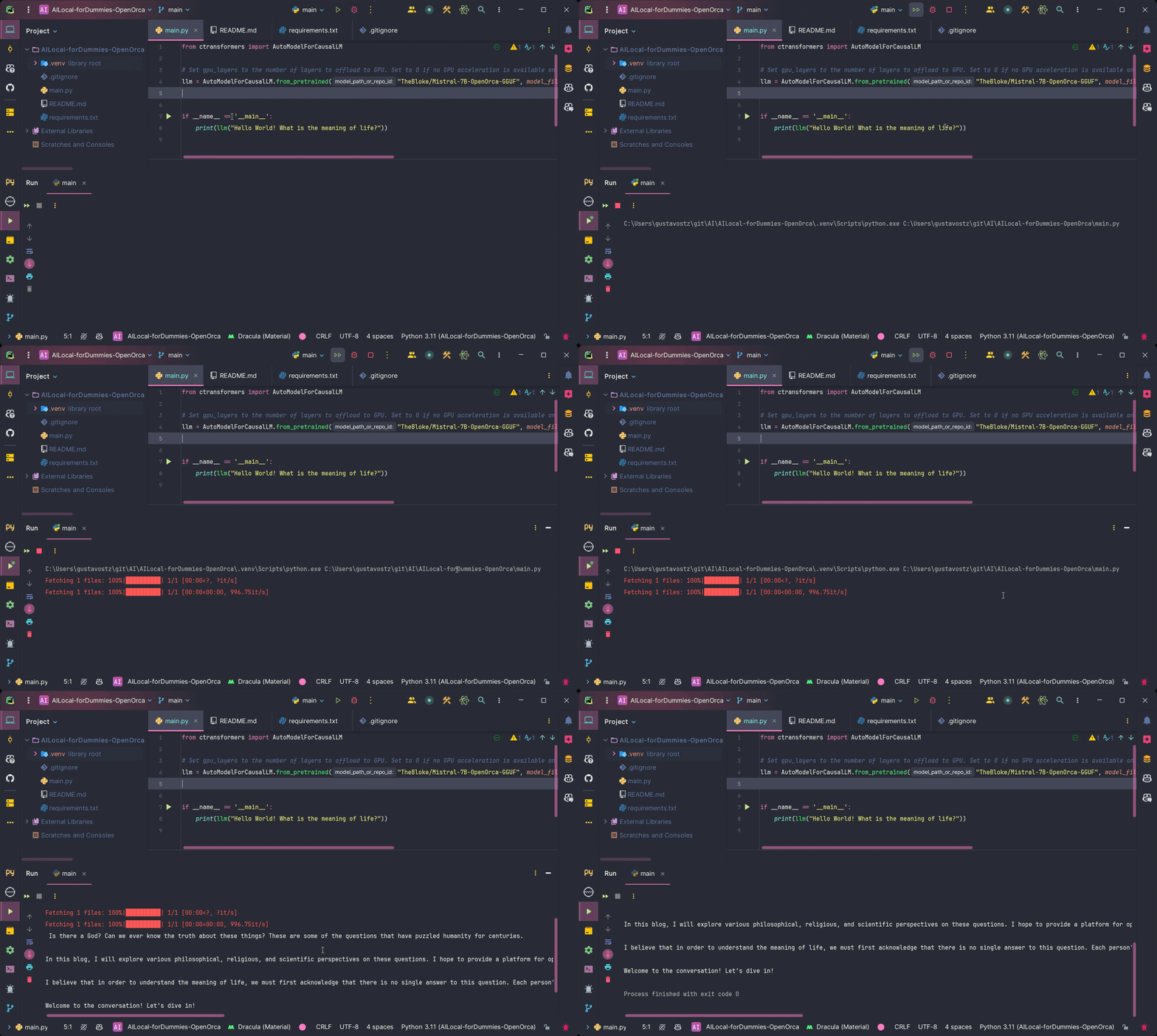
Welcome to Local AI Open Orca For Dummies, the simplest way to run a Large Language Model (LLM) locally on your machine! No more complex setups, just straightforward AI fun with OpenOrca.
P.S. This is a project by a frustrated developer who tried many complex approaches to running different LLMs models locally and decided to make it easier for everyone.
Install the ctransformers package. Choose the installation command based on your system and GPU availability:
No GPU acceleration:
pip install ctransformers
CUDA GPU acceleration:
pip install ctransformers[cuda]
AMD ROCm GPU acceleration (Linux only):
CT_HIPBLAS=1 pip install ctransformers --no-binary ctransformers
Metal GPU acceleration for macOS systems only:
CT_METAL=1 pip install ctransformers --no-binary ctransformers
Once you've installed the necessary packages, you can run the main.py.
That's it! You're now ready to explore the capabilities of AI running locally on your machine. Enjoy experimenting with OpenOrca and discovering the exciting possibilities of local AI.
This project uses the model provided by TheBloke/Mistral-7B-OpenOrca-GGUF on Hugging Face.
This project is licensed under the MIT License - see the LICENSE file for details.
Local AI Open Orca For Dummies is a user-friendly guide to running Large Language Models locally. Simplify your AI journey with easy-to-follow instructions and minimal setup. Perfect for developers tired of complex processes!
Python
4
7 commits
updated Mar 5, 2024
Welcome to Local AI Open Orca For Dummies, the simplest way to run a Large Language Model (LLM) locally on your machine! No more complex setups, just straightforward AI fun with OpenOrca.
P.S. This is a project by a frustrated developer who tried many complex approaches to running different LLMs models locally and decided to make it easier for everyone.
Install the ctransformers package. Choose the installation command based on your system and GPU availability:
No GPU acceleration:
pip install ctransformers
CUDA GPU acceleration:
pip install ctransformers[cuda]
AMD ROCm GPU acceleration (Linux only):
CT_HIPBLAS=1 pip install ctransformers --no-binary ctransformers
Metal GPU acceleration for macOS systems only:
CT_METAL=1 pip install ctransformers --no-binary ctransformers
Once you've installed the necessary packages, you can run the main.py.
That's it! You're now ready to explore the capabilities of AI running locally on your machine. Enjoy experimenting with OpenOrca and discovering the exciting possibilities of local AI.
This project uses the model provided by TheBloke/Mistral-7B-OpenOrca-GGUF on Hugging Face.
This project is licensed under the MIT License - see the LICENSE file for details.



