A set of Vue.js components for detecting and decoding QR codes.
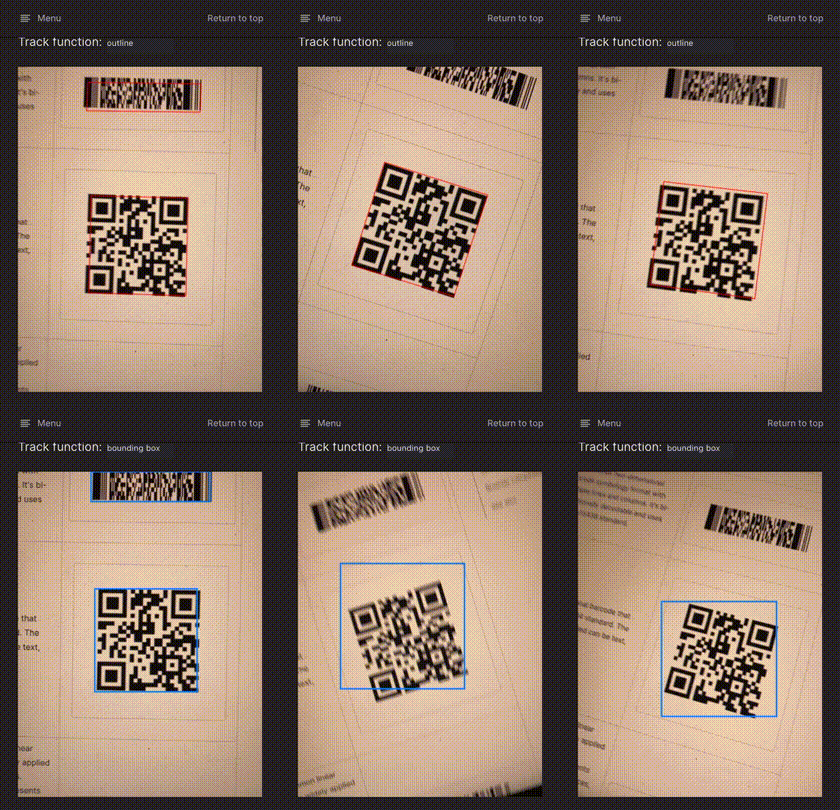
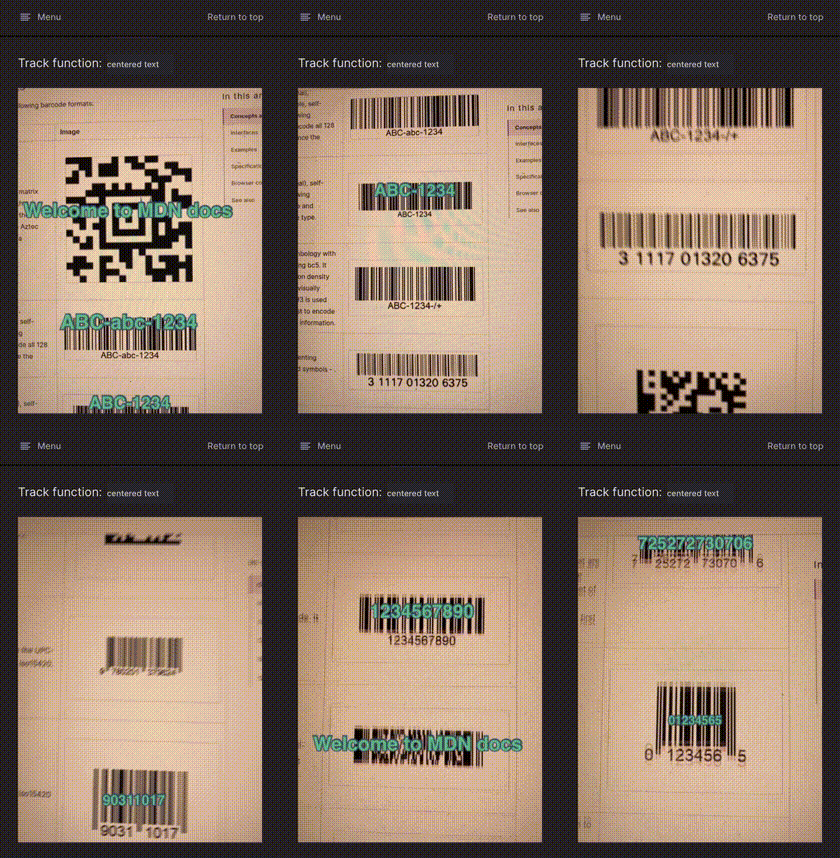
See the codeA set of Vue.js components for detecting QR codes and various other barcode formats right in the browser:
QrcodeStream continuously scans frames from a camera stream.QrcodeDropZone is an empty region where you can drag-and-drop images to be decoded.QrcodeCapture is a classic file upload field, instantly scanning all files you select.All components are responsive. Beyond that, close to zero styling. Make them fit your layout. Usage is simple and straight forward:
<qrcode-stream @detect="onDetect"></qrcode-stream>
methods: {
  onDetect (detectedCodes) {
    // ...
  }
}
Run
npm install vue-qrcode-reader
You can import the components independantly
import { QrcodeStream, QrcodeDropZone, QrcodeCapture } from 'vue-qrcode-reader'

const MyComponent = {
  //
  components: {
    QrcodeStream,
    QrcodeDropZone,
    QrcodeCapture
  }

  // ...
}
or register all of them globally right away
import Vue from 'vue'
import VueQrcodeReader from 'vue-qrcode-reader'

Vue.use(VueQrcodeReader)
Include the following JS file:
https://unpkg.com/vue-qrcode-reader/dist/vue-qrcode-reader.umd.js
Make sure to include it after Vue:
<script src="./vue.js"></script>
<script src="./vue-qrcode-reader.umd.js"></script>
All components are automatically registered globally. Use kebab-case to reference them in your templates:
<qrcode-stream></qrcode-stream>
<qrcode-drop-zone></qrcode-drop-zone>
<qrcode-capture></qrcode-capture>
QrcodeStream.error event to investigate errors.barcode-detector -> zxing-wasm -> zxing-cpp, and file detection issues in the highest-level repository where the problem first occurs.The default value for the formats prop is "['qr_code']", which reflects the setting before the formats prop was available.
You'll need to add other barcode formats to this prop to detect those types of barcodes.
Check out this demo.
Support is dropped but you can downgrade to vue-qrcode-reader v3.* or lower.
That Wasm file implements the QR code detector. Unfortunately, it's not very convenient to bundle this file with the package. So by default we fetch it at runtime from a CDN. That's an issue for offline applications or applications that run in a network with strict CSP policy. For a workaround see: https://github.com/gruhn/vue-qrcode-reader/issues/354
torch is not supported on my device, although it has a flashlight.Support for torch is inconsistent across devices, cameras and browsers and operating systems.
On some devices the rear camera supports torch but the front camera doesn't,
even if the front camera actually has a flashlight.
Furthermore, torch is not supported on iOS at all (last checked iOS 17.1).
Visit this page with your device.
The list of links represents all cameras installed on the device.
If you click, the camera should be loaded.
Below the camera view the JSON object of "capabilities" is printed.
If it doesn't contain the key/value pair "torch": true then flashlight is not supported for that camera.
This JSON object provided as payload of the camera-on event.
Overall
Maintained
Code review
Latest release
Releases this year
133 followers · starred Aug 2020
28 followers · starred Sep 2024
299 followers · starred Oct 2025
102 followers · starred Oct 2022
A set of Vue.js components for detecting and decoding QR codes.
See the codeA set of Vue.js components for detecting QR codes and various other barcode formats right in the browser:
QrcodeStream continuously scans frames from a camera stream.QrcodeDropZone is an empty region where you can drag-and-drop images to be decoded.QrcodeCapture is a classic file upload field, instantly scanning all files you select.All components are responsive. Beyond that, close to zero styling. Make them fit your layout. Usage is simple and straight forward:
<qrcode-stream @detect="onDetect"></qrcode-stream>
methods: {
  onDetect (detectedCodes) {
    // ...
  }
}
Run
npm install vue-qrcode-reader
You can import the components independantly
import { QrcodeStream, QrcodeDropZone, QrcodeCapture } from 'vue-qrcode-reader'

const MyComponent = {
  //
  components: {
    QrcodeStream,
    QrcodeDropZone,
    QrcodeCapture
  }

  // ...
}
or register all of them globally right away
import Vue from 'vue'
import VueQrcodeReader from 'vue-qrcode-reader'

Vue.use(VueQrcodeReader)
Include the following JS file:
https://unpkg.com/vue-qrcode-reader/dist/vue-qrcode-reader.umd.js
Make sure to include it after Vue:
<script src="./vue.js"></script>
<script src="./vue-qrcode-reader.umd.js"></script>
All components are automatically registered globally. Use kebab-case to reference them in your templates:
<qrcode-stream></qrcode-stream>
<qrcode-drop-zone></qrcode-drop-zone>
<qrcode-capture></qrcode-capture>
QrcodeStream.error event to investigate errors.barcode-detector -> zxing-wasm -> zxing-cpp, and file detection issues in the highest-level repository where the problem first occurs.The default value for the formats prop is "['qr_code']", which reflects the setting before the formats prop was available.
You'll need to add other barcode formats to this prop to detect those types of barcodes.
Check out this demo.
Support is dropped but you can downgrade to vue-qrcode-reader v3.* or lower.
That Wasm file implements the QR code detector. Unfortunately, it's not very convenient to bundle this file with the package. So by default we fetch it at runtime from a CDN. That's an issue for offline applications or applications that run in a network with strict CSP policy. For a workaround see: https://github.com/gruhn/vue-qrcode-reader/issues/354
torch is not supported on my device, although it has a flashlight.Support for torch is inconsistent across devices, cameras and browsers and operating systems.
On some devices the rear camera supports torch but the front camera doesn't,
even if the front camera actually has a flashlight.
Furthermore, torch is not supported on iOS at all (last checked iOS 17.1).
Visit this page with your device.
The list of links represents all cameras installed on the device.
If you click, the camera should be loaded.
Below the camera view the JSON object of "capabilities" is printed.
If it doesn't contain the key/value pair "torch": true then flashlight is not supported for that camera.
This JSON object provided as payload of the camera-on event.
Overall
Maintained
Code review
Latest release
Releases this year
133 followers · starred Aug 2020
28 followers · starred Sep 2024
299 followers · starred Oct 2025
102 followers · starred Oct 2022