
fast audio/video viewer in gtk4 and rust
See the codeSee what people are saying
README
Carosello
A fast, minimalist image and video viewer for Linux.
Built with Rust and GTK4/libadwaita for native Wayland/X11 support.
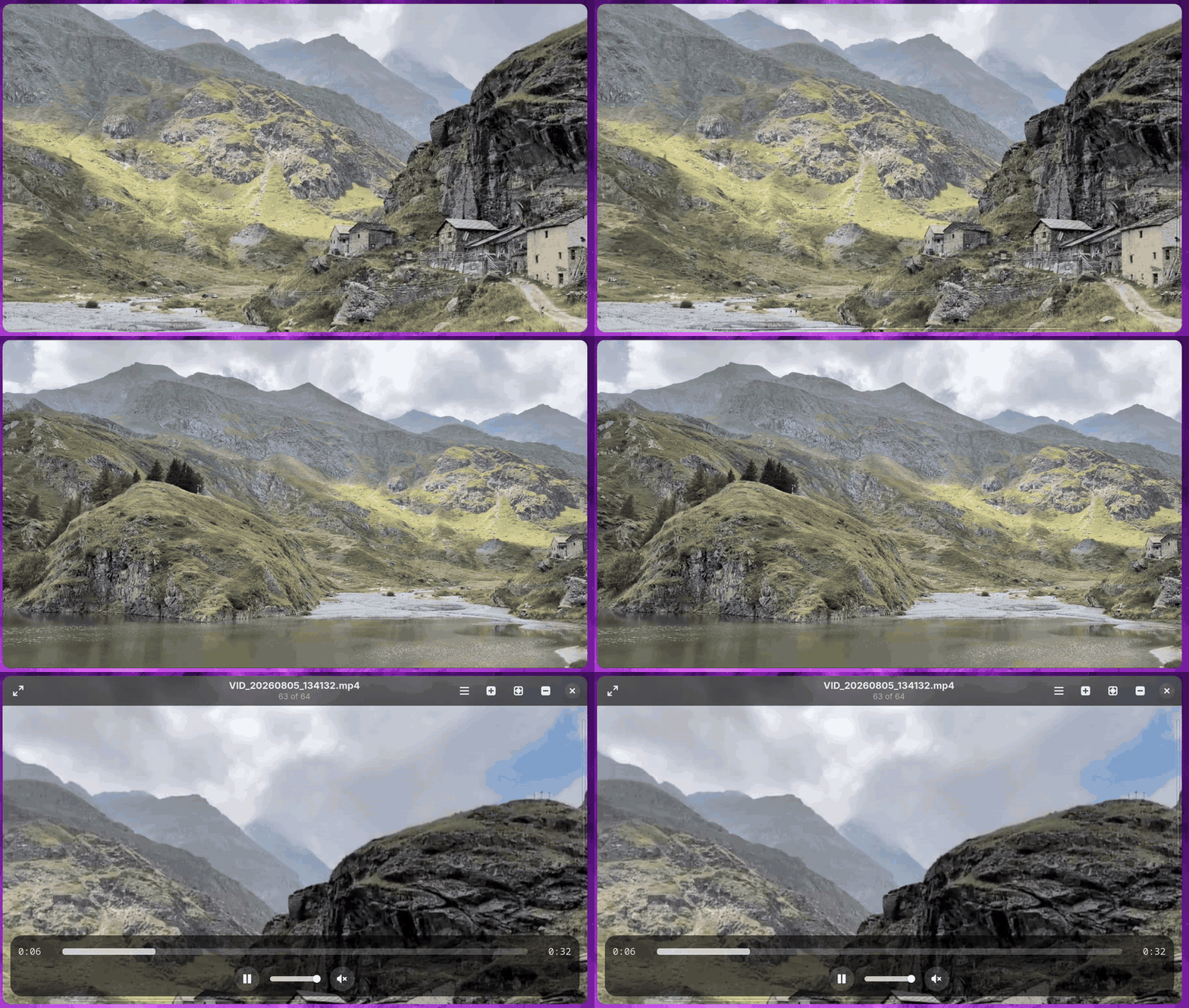
Features
- Opens images and videos from the command line, a file chooser, or drag and drop
- Browses the current directory's supported media in natural filename order
- Navigates with the keyboard, arrow keys, or trackpad gestures
- Shows a slide transition between items when the next frame is ready
- Decodes images on worker threads and prefetches neighboring images
- Fits media to the window with aspect-ratio preservation
- Zooms with the keyboard,
Ctrl+ mouse wheel, pinch, or double-click - Anchors double-click zoom at the pointer and lets you pan while zoomed
- Applies EXIF orientation when displaying images
- Rotates left/right and mirrors images horizontally
- Plays videos with play/pause, seek, volume, mute, elapsed time, and duration controls
- Starts videos muted, plays them automatically, and loops playback
- Moves the current item to Trash, with direct deletion when no Trash is available
- Offers persistent slide-animation and two-finger-swipe preferences
- Auto-hides the header and video controls for distraction-free viewing
- Shows in-app messages for load, save, Trash, and video errors
- Supports fullscreen mode
Supported Formats
| Type | Formats |
|---|---|
| Images | JPEG (.jpg, .jpeg), PNG, WebP, GIF, BMP, TIFF (.tif, .tiff) |
| Video | MP4, WebM, Matroska (.mkv) |
Supported media is recognized case-insensitively by extension. Actual image decoding is based on the file contents, while video playback depends on the codecs provided by the installed GStreamer plugins.
Installation
Arch Linux (build from source)
Carosello is not available through the AUR, so install it by building the
upstream source locally. A per-user Meson install is recommended because it
does not overwrite files managed by Pacman and does not require sudo for the
install step.
Install the build and runtime dependencies:
sudo pacman -S --needed \
  base-devel git meson rust gtk4 libadwaita \
  hicolor-icon-theme desktop-file-utils
For broad video-codec support, also install GStreamer's common plugin sets:
sudo pacman -S --needed \
  gstreamer gst-plugins-good gst-plugins-bad \
  gst-plugins-ugly gst-libav
Clone, build, and install under ~/.local:
git clone https://github.com/grigio/carosello.git
cd carosello
meson setup builddir --prefix="$HOME/.local"
meson compile -C builddir
meson install -C builddir
Make sure ~/.local/bin is in your PATH, then launch Carosello from the
application menu or run:
carosello
The Meson install places the binary, desktop entry, AppStream metadata, and
icon under ~/.local. To rebuild after pulling new changes, run:
meson compile -C builddir
meson install -C builddir
Flatpak artifact
Download the latest .flatpak file from
GitHub Releases and install it:
flatpak install --user ./carosello.flatpak
flatpak run io.github.grigio.carosello
The release artifact produced by CI is currently for x86_64.
Flatpak from this source tree
The manifest targets the GNOME 50 runtime and its freedesktop 25.08 Rust extension:
sudo pacman -S --needed flatpak flatpak-builder
flatpak install --user flathub \
  org.gnome.Platform//50 org.gnome.Sdk//50 \
  org.freedesktop.Sdk.Extension.rust-stable//25.08
The manifest also expects the ignored cargo-sources.json file. Generate it
from Cargo.lock using the Generate Cargo sources for Flatpak command in
.github/workflows/ci.yml, then build and install:
flatpak-builder --user --install --force-clean \
  build-dir io.github.grigio.carosello.yml
The Flatpak has read/write host and GVfs access so it can browse remote folders, edit images in place, and use Trash where supported. A single file opened through the document portal contains only that file; use Open Folder… to export a directory and browse its siblings.
Cargo development build
To compile without installing desktop integration:
cargo build --release
./target/release/carosello
Usage
# View supported media in the current directory
carosello

# View supported media in a specific directory
carosello /path/to/directory

# View a specific local file and its supported siblings
carosello /path/to/image.jpg
Directory listings are shallow rather than recursive and include supported
media files only. Filenames are naturally sorted, so names such as IMG2.jpg
come before IMG10.jpg. Carosello uses one positional path; launching it
again while a window is open presents the existing window.
Use Open… (Ctrl+O) to choose a file or Open Folder… (Ctrl+Shift+O)
to choose a directory. With the Flatpak document portal, choosing a folder is
also the reliable way to browse siblings and obtain a writable export.
Image Editing
The header buttons rotate the current image left or right and mirror it horizontally. Each operation is saved in place over the original file, and the view refreshes after saving. JPEG EXIF orientation is normalized to prevent a reload from rotating the image a second time.
Image edits are destructive and there is currently no undo button. JPEG files are re-encoded at quality 95, so their bytes can change even when an operation is later reversed. Animated GIF and WebP files can be viewed but are rejected by the editing tools; video files cannot be transformed.
Preferences
Open Preferences… from the application menu to configure:
- Slide animation — enabled by default. If a prefetched frame is not ready, Carosello switches immediately rather than delaying navigation.
- Two-finger swipe — disabled by default. When enabled, two-finger gestures navigate instead of the default three-finger gestures.
Both settings persist in settings.conf under the user's configuration
directory (~/.config/carosello by default).
File Association
After installation, Carosello's desktop entry registers it for JPEG, PNG,
WebP, GIF, BMP, TIFF, MP4, WebM, and Matroska MIME types. The canonical types
are mirrored in the AppStream <provides> block; the desktop entry also
registers legacy BMP and TIFF aliases.
To make it the default for all supported types:
xdg-mime default io.github.grigio.carosello.desktop \
  image/jpeg image/png image/webp image/gif image/bmp \
  image/x-bmp image/x-ms-bmp image/tiff image/x-tiff \
  video/mp4 video/webm video/x-matroska
Or set one type through GIO:
gio mime image/jpeg io.github.grigio.carosello.desktop
Keyboard Shortcuts
Navigation
| Key | Action |
|---|---|
Left / Right | Previous / next file |
Page Up / Page Down | Previous / next file |
Home / End | First / last file |
Zoom and View
| Key | Action |
|---|---|
Ctrl++ / Ctrl+= | Zoom in |
Ctrl+- / Ctrl+_ | Zoom out |
Ctrl+0 | Reset zoom to fit |
Escape | Exit fullscreen; otherwise reset zoom when zoomed |
Double-click | Toggle between fit and 2.5× zoom at the pointer |
F11 / F | Toggle fullscreen |
Application and Files
| Key | Action |
|---|---|
Ctrl+O | Open a file |
Ctrl+Shift+O | Open a folder |
Delete | Move to Trash, or delete directly if the filesystem has no Trash |
Ctrl+? / Ctrl+/ / Ctrl+K | Show keyboard shortcuts |
F1 | About Carosello |
Ctrl+W | Close the window |
Ctrl+Q | Quit |
Video Controls
| Key | Action |
|---|---|
Space / K | Play / pause |
M | Mute / unmute |
[ | Seek backward 5 seconds |
] | Seek forward 5 seconds |
| Click seek bar | Seek to position |
Gestures
| Gesture | Action |
|---|---|
| Pinch | Zoom in or out |
Ctrl + scroll | Zoom in or out |
| Scroll | Pan while zoomed; horizontal two-finger scroll can navigate at fit when enabled in Preferences |
| Three-finger swipe left | Next file |
| Three-finger swipe right | Previous file |
| Drag while zoomed | Pan around the image or video |
| Double-click | Toggle fit and pointer-anchored 2.5× zoom |
| Drag and drop | Open dropped files or directories |
When Two-finger swipe is enabled in Preferences, two-finger gestures replace the default three-finger gestures.
Design Principles
- Fast — Decode images off the UI thread and prefetch nearby frames; an unavailable frame causes an immediate switch rather than blocking the UI
- Minimal — No built-in file browser, thumbnail grid, or metadata viewer; use the system file chooser when needed
- Keyboard-first — Navigate with the keyboard and zoom with
Ctrl+ scroll, pinch, or keyboard shortcuts
Tech Stack
- Language: Rust
- UI Toolkit: GTK4 + libadwaita
- Image Decoding: Rust
imagecrate on worker threads - Display Texture: GDK
MemoryTexture - Video Playback: GTK
MediaFilebacked by GStreamer - EXIF Parsing: kamadak-exif
License
GPL-3.0-or-later
Donations
If you find this project helpful, please consider making a donation to support its development.
- Monero:
88LyqYXn4LdCVDtPWKuton9hJwbo8ZduNEGuARHGdeSJ79BBYWGpMQR8VGWxGDKtTLLM6E9MJm8RvW9VMUgCcSXu19L9FSv - Bitcoin:
bc1q6mh77hfv8x8pa0clzskw6ndysujmr78j6se025
Similar repos


Languages
Rust
95.3%
Shell
2.2%
Meson
1.1%
fast audio/video viewer in gtk4 and rust
See the codeSee what people are saying
README
Carosello
A fast, minimalist image and video viewer for Linux.
Built with Rust and GTK4/libadwaita for native Wayland/X11 support.
Features
- Opens images and videos from the command line, a file chooser, or drag and drop
- Browses the current directory's supported media in natural filename order
- Navigates with the keyboard, arrow keys, or trackpad gestures
- Shows a slide transition between items when the next frame is ready
- Decodes images on worker threads and prefetches neighboring images
- Fits media to the window with aspect-ratio preservation
- Zooms with the keyboard,
Ctrl+ mouse wheel, pinch, or double-click - Anchors double-click zoom at the pointer and lets you pan while zoomed
- Applies EXIF orientation when displaying images
- Rotates left/right and mirrors images horizontally
- Plays videos with play/pause, seek, volume, mute, elapsed time, and duration controls
- Starts videos muted, plays them automatically, and loops playback
- Moves the current item to Trash, with direct deletion when no Trash is available
- Offers persistent slide-animation and two-finger-swipe preferences
- Auto-hides the header and video controls for distraction-free viewing
- Shows in-app messages for load, save, Trash, and video errors
- Supports fullscreen mode
Supported Formats
| Type | Formats |
|---|---|
| Images | JPEG (.jpg, .jpeg), PNG, WebP, GIF, BMP, TIFF (.tif, .tiff) |
| Video | MP4, WebM, Matroska (.mkv) |
Supported media is recognized case-insensitively by extension. Actual image decoding is based on the file contents, while video playback depends on the codecs provided by the installed GStreamer plugins.
Installation
Arch Linux (build from source)
Carosello is not available through the AUR, so install it by building the
upstream source locally. A per-user Meson install is recommended because it
does not overwrite files managed by Pacman and does not require sudo for the
install step.
Install the build and runtime dependencies:
sudo pacman -S --needed \
  base-devel git meson rust gtk4 libadwaita \
  hicolor-icon-theme desktop-file-utils
For broad video-codec support, also install GStreamer's common plugin sets:
sudo pacman -S --needed \
  gstreamer gst-plugins-good gst-plugins-bad \
  gst-plugins-ugly gst-libav
Clone, build, and install under ~/.local:
git clone https://github.com/grigio/carosello.git
cd carosello
meson setup builddir --prefix="$HOME/.local"
meson compile -C builddir
meson install -C builddir
Make sure ~/.local/bin is in your PATH, then launch Carosello from the
application menu or run:
carosello
The Meson install places the binary, desktop entry, AppStream metadata, and
icon under ~/.local. To rebuild after pulling new changes, run:
meson compile -C builddir
meson install -C builddir
Flatpak artifact
Download the latest .flatpak file from
GitHub Releases and install it:
flatpak install --user ./carosello.flatpak
flatpak run io.github.grigio.carosello
The release artifact produced by CI is currently for x86_64.
Flatpak from this source tree
The manifest targets the GNOME 50 runtime and its freedesktop 25.08 Rust extension:
sudo pacman -S --needed flatpak flatpak-builder
flatpak install --user flathub \
  org.gnome.Platform//50 org.gnome.Sdk//50 \
  org.freedesktop.Sdk.Extension.rust-stable//25.08
The manifest also expects the ignored cargo-sources.json file. Generate it
from Cargo.lock using the Generate Cargo sources for Flatpak command in
.github/workflows/ci.yml, then build and install:
flatpak-builder --user --install --force-clean \
  build-dir io.github.grigio.carosello.yml
The Flatpak has read/write host and GVfs access so it can browse remote folders, edit images in place, and use Trash where supported. A single file opened through the document portal contains only that file; use Open Folder… to export a directory and browse its siblings.
Cargo development build
To compile without installing desktop integration:
cargo build --release
./target/release/carosello
Usage
# View supported media in the current directory
carosello

# View supported media in a specific directory
carosello /path/to/directory

# View a specific local file and its supported siblings
carosello /path/to/image.jpg
Directory listings are shallow rather than recursive and include supported
media files only. Filenames are naturally sorted, so names such as IMG2.jpg
come before IMG10.jpg. Carosello uses one positional path; launching it
again while a window is open presents the existing window.
Use Open… (Ctrl+O) to choose a file or Open Folder… (Ctrl+Shift+O)
to choose a directory. With the Flatpak document portal, choosing a folder is
also the reliable way to browse siblings and obtain a writable export.
Image Editing
The header buttons rotate the current image left or right and mirror it horizontally. Each operation is saved in place over the original file, and the view refreshes after saving. JPEG EXIF orientation is normalized to prevent a reload from rotating the image a second time.
Image edits are destructive and there is currently no undo button. JPEG files are re-encoded at quality 95, so their bytes can change even when an operation is later reversed. Animated GIF and WebP files can be viewed but are rejected by the editing tools; video files cannot be transformed.
Preferences
Open Preferences… from the application menu to configure:
- Slide animation — enabled by default. If a prefetched frame is not ready, Carosello switches immediately rather than delaying navigation.
- Two-finger swipe — disabled by default. When enabled, two-finger gestures navigate instead of the default three-finger gestures.
Both settings persist in settings.conf under the user's configuration
directory (~/.config/carosello by default).
File Association
After installation, Carosello's desktop entry registers it for JPEG, PNG,
WebP, GIF, BMP, TIFF, MP4, WebM, and Matroska MIME types. The canonical types
are mirrored in the AppStream <provides> block; the desktop entry also
registers legacy BMP and TIFF aliases.
To make it the default for all supported types:
xdg-mime default io.github.grigio.carosello.desktop \
  image/jpeg image/png image/webp image/gif image/bmp \
  image/x-bmp image/x-ms-bmp image/tiff image/x-tiff \
  video/mp4 video/webm video/x-matroska
Or set one type through GIO:
gio mime image/jpeg io.github.grigio.carosello.desktop
Keyboard Shortcuts
Navigation
| Key | Action |
|---|---|
Left / Right | Previous / next file |
Page Up / Page Down | Previous / next file |
Home / End | First / last file |
Zoom and View
| Key | Action |
|---|---|
Ctrl++ / Ctrl+= | Zoom in |
Ctrl+- / Ctrl+_ | Zoom out |
Ctrl+0 | Reset zoom to fit |
Escape | Exit fullscreen; otherwise reset zoom when zoomed |
Double-click | Toggle between fit and 2.5× zoom at the pointer |
F11 / F | Toggle fullscreen |
Application and Files
| Key | Action |
|---|---|
Ctrl+O | Open a file |
Ctrl+Shift+O | Open a folder |
Delete | Move to Trash, or delete directly if the filesystem has no Trash |
Ctrl+? / Ctrl+/ / Ctrl+K | Show keyboard shortcuts |
F1 | About Carosello |
Ctrl+W | Close the window |
Ctrl+Q | Quit |
Video Controls
| Key | Action |
|---|---|
Space / K | Play / pause |
M | Mute / unmute |
[ | Seek backward 5 seconds |
] | Seek forward 5 seconds |
| Click seek bar | Seek to position |
Gestures
| Gesture | Action |
|---|---|
| Pinch | Zoom in or out |
Ctrl + scroll | Zoom in or out |
| Scroll | Pan while zoomed; horizontal two-finger scroll can navigate at fit when enabled in Preferences |
| Three-finger swipe left | Next file |
| Three-finger swipe right | Previous file |
| Drag while zoomed | Pan around the image or video |
| Double-click | Toggle fit and pointer-anchored 2.5× zoom |
| Drag and drop | Open dropped files or directories |
When Two-finger swipe is enabled in Preferences, two-finger gestures replace the default three-finger gestures.
Design Principles
- Fast — Decode images off the UI thread and prefetch nearby frames; an unavailable frame causes an immediate switch rather than blocking the UI
- Minimal — No built-in file browser, thumbnail grid, or metadata viewer; use the system file chooser when needed
- Keyboard-first — Navigate with the keyboard and zoom with
Ctrl+ scroll, pinch, or keyboard shortcuts
Tech Stack
- Language: Rust
- UI Toolkit: GTK4 + libadwaita
- Image Decoding: Rust
imagecrate on worker threads - Display Texture: GDK
MemoryTexture - Video Playback: GTK
MediaFilebacked by GStreamer - EXIF Parsing: kamadak-exif
License
GPL-3.0-or-later
Donations
If you find this project helpful, please consider making a donation to support its development.
- Monero:
88LyqYXn4LdCVDtPWKuton9hJwbo8ZduNEGuARHGdeSJ79BBYWGpMQR8VGWxGDKtTLLM6E9MJm8RvW9VMUgCcSXu19L9FSv - Bitcoin:
bc1q6mh77hfv8x8pa0clzskw6ndysujmr78j6se025
Similar repos
Languages
Rust
95.3%
Shell
2.2%
Meson
1.1%