Serverbox is an open-source, agentless desktop control panel for Linux servers. It connects over SSH, so there is nothing to install on the servers you manage.
See the codeServerbox is an open-source, agentless desktop control panel for Linux servers. It connects over SSH, so there is nothing to install on the servers you manage.
Built with Rust, Tauri 2, and TypeScript, Serverbox brings common administration tasks into one cross-platform desktop workspace while keeping the terminal available for everything else.
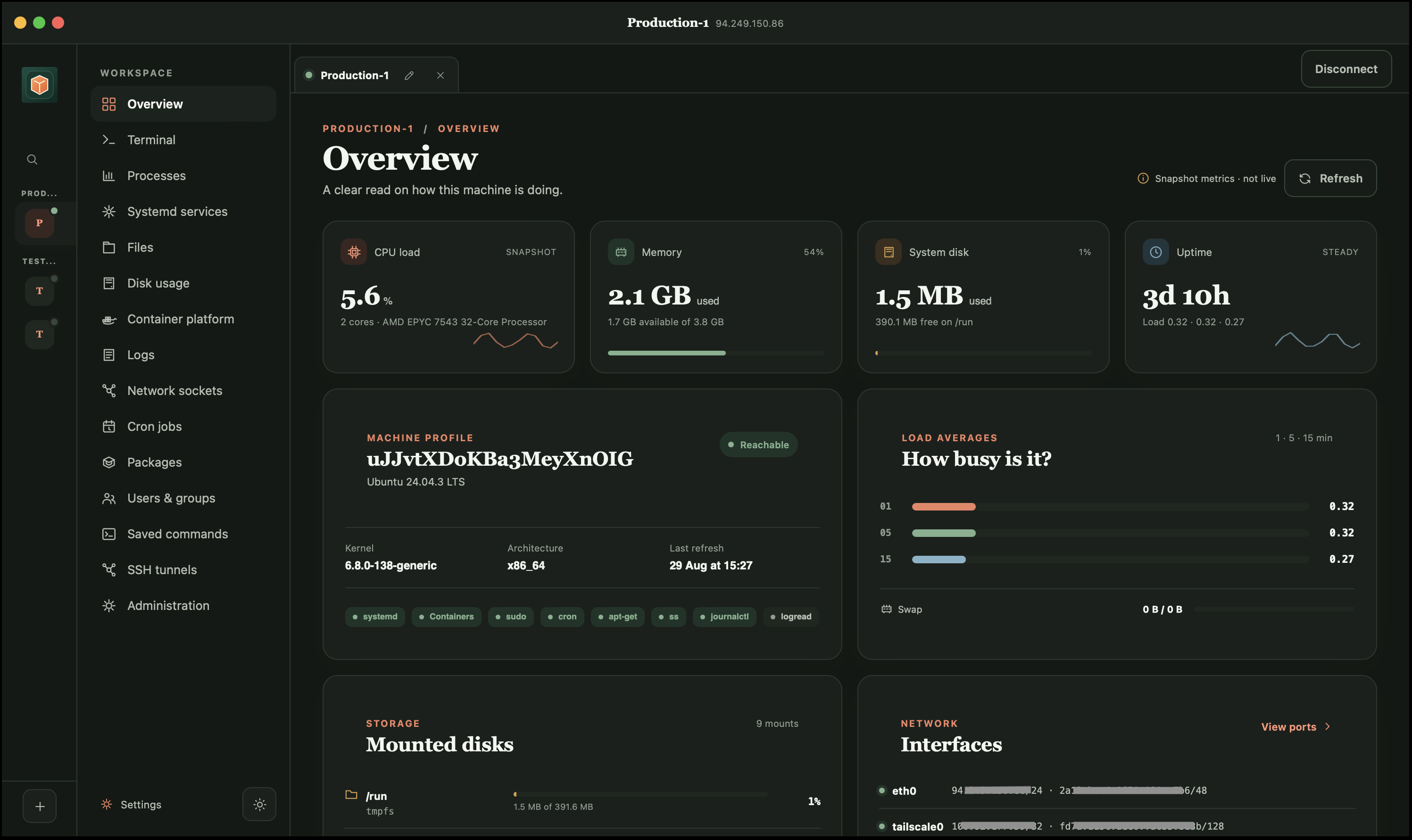
known_hosts, showing fingerprints before trusting a new or changed host key./var/log usage.Serverbox detects available capabilities instead of assuming a particular distribution or init system. It supports Debian and Ubuntu, Fedora and RHEL-family systems, openSUSE and SUSE, Arch, and Alpine where the relevant tools are available. The terminal and SFTP browser require only SSH; unavailable features explain what is missing.
Serverbox runs on your computer and communicates with managed machines over SSH. It does not require a Serverbox agent on a remote host.
Secrets are encrypted locally. Serverbox asks for explicit confirmation before potentially disruptive operations such as firewall changes, account deletion, or service actions. As with any server-administration tool, review an action carefully and maintain an independent recovery path before changing remote access or critical services.
Download a build for macOS, Windows, or Linux from the repository's releases page.
Release builds currently include:
.AppImage, .deb, and selected .rpm packages)Install a current Node.js release, Rust, and the platform prerequisites for Tauri 2. Then run:
npm install
npm run tauri dev
To create a production bundle for your current operating system:
npm run tauri build
To run the frontend production build and Rust compile checks:
npm run check
The TypeScript frontend communicates exclusively through typed Tauri commands. Rust owns local persistence, encrypted credentials, SSH connections, terminals, SFTP transfers, and remote capability providers. Potentially blocking SSH work runs outside the window's main thread.
TypeScript frontend
        |
        v
Typed Tauri commands
        |
        v
Rust backend: storage, credential vault, SSH, PTYs, SFTP, and providers
        |
        v
Linux servers over SSH (no Serverbox agent)
Issues and pull requests are welcome.
Heavy AI assistance used. Not vibe-coded.
Serverbox is licensed under the MIT License.
Serverbox is an open-source, agentless desktop control panel for Linux servers. It connects over SSH, so there is nothing to install on the servers you manage.
See the codeServerbox is an open-source, agentless desktop control panel for Linux servers. It connects over SSH, so there is nothing to install on the servers you manage.
Built with Rust, Tauri 2, and TypeScript, Serverbox brings common administration tasks into one cross-platform desktop workspace while keeping the terminal available for everything else.
known_hosts, showing fingerprints before trusting a new or changed host key./var/log usage.Serverbox detects available capabilities instead of assuming a particular distribution or init system. It supports Debian and Ubuntu, Fedora and RHEL-family systems, openSUSE and SUSE, Arch, and Alpine where the relevant tools are available. The terminal and SFTP browser require only SSH; unavailable features explain what is missing.
Serverbox runs on your computer and communicates with managed machines over SSH. It does not require a Serverbox agent on a remote host.
Secrets are encrypted locally. Serverbox asks for explicit confirmation before potentially disruptive operations such as firewall changes, account deletion, or service actions. As with any server-administration tool, review an action carefully and maintain an independent recovery path before changing remote access or critical services.
Download a build for macOS, Windows, or Linux from the repository's releases page.
Release builds currently include:
.AppImage, .deb, and selected .rpm packages)Install a current Node.js release, Rust, and the platform prerequisites for Tauri 2. Then run:
npm install
npm run tauri dev
To create a production bundle for your current operating system:
npm run tauri build
To run the frontend production build and Rust compile checks:
npm run check
The TypeScript frontend communicates exclusively through typed Tauri commands. Rust owns local persistence, encrypted credentials, SSH connections, terminals, SFTP transfers, and remote capability providers. Potentially blocking SSH work runs outside the window's main thread.
TypeScript frontend
        |
        v
Typed Tauri commands
        |
        v
Rust backend: storage, credential vault, SSH, PTYs, SFTP, and providers
        |
        v
Linux servers over SSH (no Serverbox agent)
Issues and pull requests are welcome.
Heavy AI assistance used. Not vibe-coded.
Serverbox is licensed under the MIT License.



