LO - small programming language targeting WASM that aims to be as simple as possible
Rust
476
1,389 commits
updated Aug 23, 2026

LO - small programming language targeting WASM that aims to be as simple as possible
The journey is documented in the LO DevLog.
And the actual docs for the compiler are in the docs folder.
Check out example .lo programs including standard library sources and WIP self-hosted compiler in the ./examples folder.
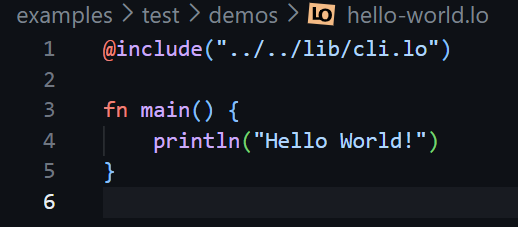
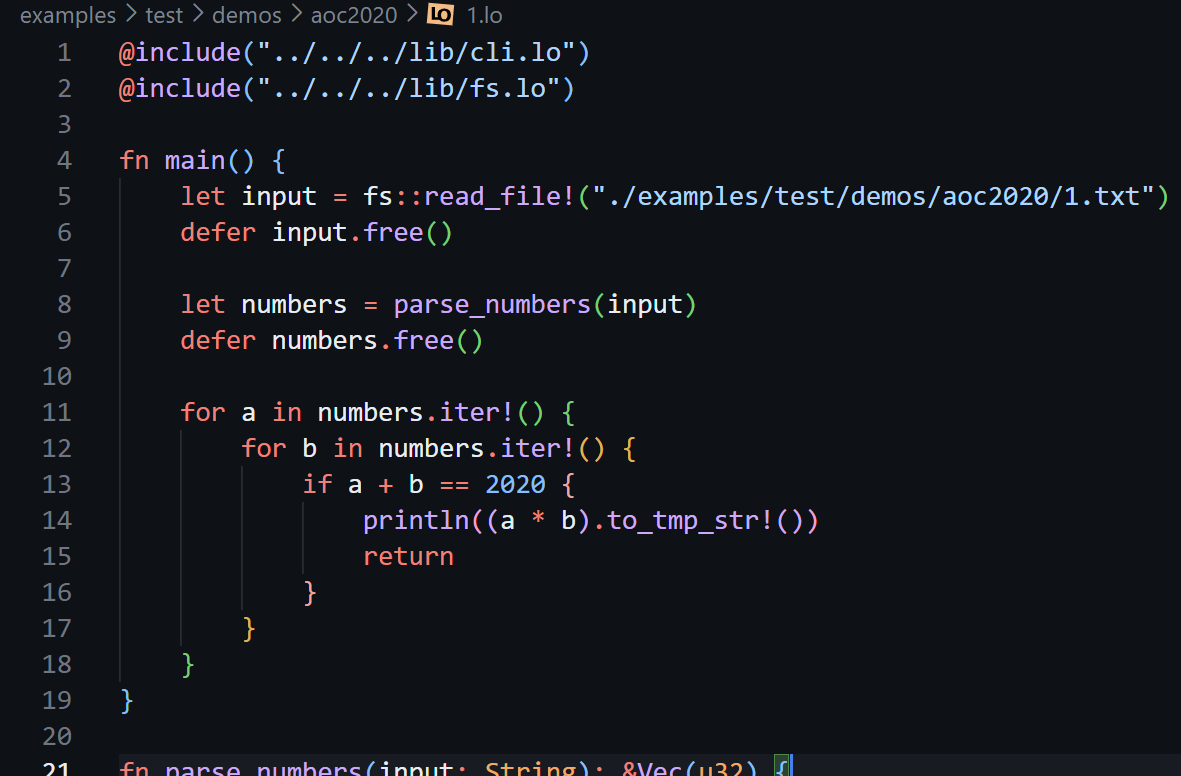
Here are some of them with syntax highlighting from the LO VS Code extension:

1️⃣ Using VS Code extension (recommended)
This option also works in vscode.dev
LO: Initialize project in current workspaceLO: Run current file, or press ▶️ button in the top toolbarTerminal: Create New Web Shellrun lo.wasm compile <input>.lo > <output>.wasm2️⃣ Using wasmtime
wasmtime --dir=. lo.wasm compile <input>.lo > <output>.wasmwasmtime --dir=. lo.wasm inspect <input>.lo3️⃣ Using Node.js (also works with Deno)
./utils.ts compile <input>.lo > <output>.wasm./utils.ts run <input>.loAdditional info on compiler usage is in the docs
Available on:
See Inspection if you are interested in intergrating with other IDEs
More info including building initial compiler and running tests is available in the docs
4,959 followers · starred May 2024
1,252 followers · starred May 2024
926 followers · starred May 2024
387 followers · starred May 2024
LO - small programming language targeting WASM that aims to be as simple as possible
Rust
476
1,389 commits
updated Aug 23, 2026
LO - small programming language targeting WASM that aims to be as simple as possible
The journey is documented in the LO DevLog.
And the actual docs for the compiler are in the docs folder.
Check out example .lo programs including standard library sources and WIP self-hosted compiler in the ./examples folder.
Here are some of them with syntax highlighting from the LO VS Code extension:
1️⃣ Using VS Code extension (recommended)
This option also works in vscode.dev
LO: Initialize project in current workspaceLO: Run current file, or press ▶️ button in the top toolbarTerminal: Create New Web Shellrun lo.wasm compile <input>.lo > <output>.wasm2️⃣ Using wasmtime
wasmtime --dir=. lo.wasm compile <input>.lo > <output>.wasmwasmtime --dir=. lo.wasm inspect <input>.lo3️⃣ Using Node.js (also works with Deno)
./utils.ts compile <input>.lo > <output>.wasm./utils.ts run <input>.loAdditional info on compiler usage is in the docs
Available on:
See Inspection if you are interested in intergrating with other IDEs
More info including building initial compiler and running tests is available in the docs
4,959 followers · starred May 2024
1,252 followers · starred May 2024
926 followers · starred May 2024
387 followers · starred May 2024