Code mode for MCP tools in Claude Code: one sandboxed JavaScript program instead of many tool calls
TypeScript
2
40 commits
updated Oct 12, 2026
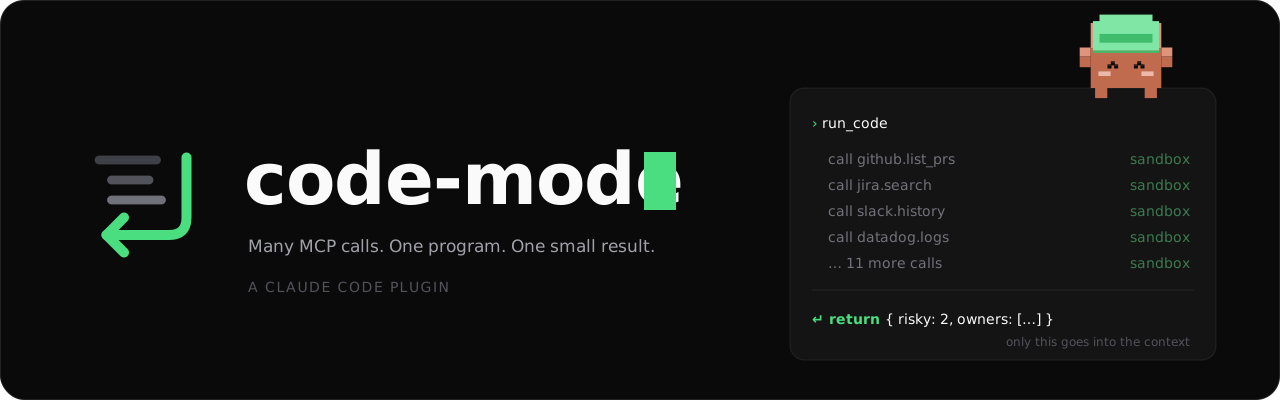
A Claude Code plugin: the model writes one JavaScript program that calls your MCP tools in a sandbox. Only the return value goes back into the context.





Quick start · Usage · Hints · Functions · Permissions · Config
https://github.com/user-attachments/assets/468c412f-ecae-4e04-a53b-8a291561a052
Without code-mode, the model calls MCP tools one by one, and each full result goes into the context. With code-mode, the model writes one program. The program calls the tools, then filters and joins the results in a sandbox. Only the answer goes into the context.
unshare -rn works, it also has no network.You need Claude Code and Node.js 22.13 or later.
Type these commands at the prompt of a Claude Code session:
/plugin marketplace add gabe4coding/claude-code-mode
/plugin install code-mode@claude-code-mode
Start a new session. Then ask for a task that needs several MCP calls.
If you use auto mode, add allow rules for your MCP tools first. Read Permissions.
You ask: "Which of my open Jira issues have no update in the last 14 days?" The model writes one program, for example:
const issues = await call("mcp__claude_ai_Jira__searchJiraIssuesUsingJql", {
  cloudId: "example.atlassian.net",
  jql: "assignee = currentUser() AND statusCategory != Done",
})
const cutoff = Date.now() - 14 * 24 * 3600 * 1000
return issues.issues
  .filter(i => Date.parse(i.fields.updated) < cutoff)
  .map(i => ({ key: i.key, title: i.fields.summary }))
The model gets only the short list, not each full issue.
| Page | |
|---|---|
| Installation | Requirements, install, local folder, update |
| Usage | The three tools, how to write a program, the result |
| Hints | Write hints, approve proposals, the safety rules |
| Saved functions | Approve or write functions that programs use again |
| Permissions | Manual and auto mode, allow rules |
| Configuration | Every option and its default |
| How it works | One run from start to end, the four sandbox layers |
| Troubleshooting | Common errors and known limits |
| Development | Layout, tests, releases |
MIT. See LICENSE.
Code mode for MCP tools in Claude Code: one sandboxed JavaScript program instead of many tool calls
TypeScript
2
40 commits
updated Oct 12, 2026
A Claude Code plugin: the model writes one JavaScript program that calls your MCP tools in a sandbox. Only the return value goes back into the context.
Quick start · Usage · Hints · Functions · Permissions · Config
https://github.com/user-attachments/assets/468c412f-ecae-4e04-a53b-8a291561a052
Without code-mode, the model calls MCP tools one by one, and each full result goes into the context. With code-mode, the model writes one program. The program calls the tools, then filters and joins the results in a sandbox. Only the answer goes into the context.
unshare -rn works, it also has no network.You need Claude Code and Node.js 22.13 or later.
Type these commands at the prompt of a Claude Code session:
/plugin marketplace add gabe4coding/claude-code-mode
/plugin install code-mode@claude-code-mode
Start a new session. Then ask for a task that needs several MCP calls.
If you use auto mode, add allow rules for your MCP tools first. Read Permissions.
You ask: "Which of my open Jira issues have no update in the last 14 days?" The model writes one program, for example:
const issues = await call("mcp__claude_ai_Jira__searchJiraIssuesUsingJql", {
  cloudId: "example.atlassian.net",
  jql: "assignee = currentUser() AND statusCategory != Done",
})
const cutoff = Date.now() - 14 * 24 * 3600 * 1000
return issues.issues
  .filter(i => Date.parse(i.fields.updated) < cutoff)
  .map(i => ({ key: i.key, title: i.fields.summary }))
The model gets only the short list, not each full issue.
| Page | |
|---|---|
| Installation | Requirements, install, local folder, update |
| Usage | The three tools, how to write a program, the result |
| Hints | Write hints, approve proposals, the safety rules |
| Saved functions | Approve or write functions that programs use again |
| Permissions | Manual and auto mode, allow rules |
| Configuration | Every option and its default |
| How it works | One run from start to end, the four sandbox layers |
| Troubleshooting | Common errors and known limits |
| Development | Layout, tests, releases |
MIT. See LICENSE.



