
Support to update the app badge on the launcher (both for Android and iOS)
308
stars
40
commits
Objective-C
primary language
Jul 11, 2024
updated
README
Flutter App Badger plugin (UNMAINTAINED)

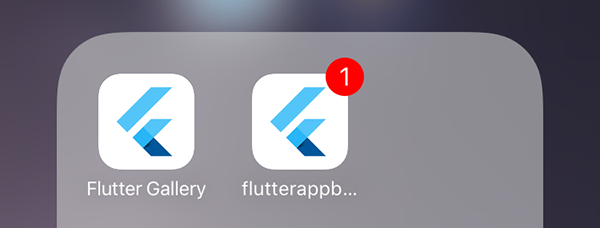
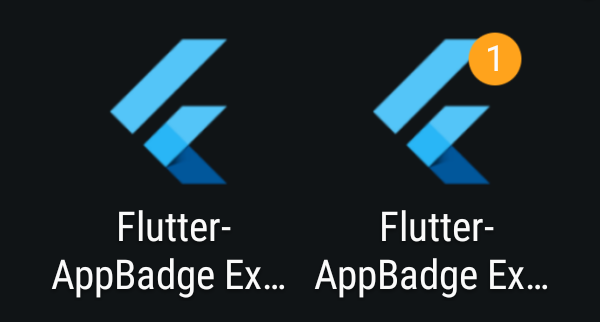
This plugin for Flutter adds the ability to change the badge of the app in the launcher. It supports iOS, macOS, and some Android devices (the official API does not support the feature, even on Oreo).
Getting Started
iOS
On iOS, the notification permission is required to update the badge. It is automatically asked when the badge is added or removed.
Please also add the following to your /ios/Runner/Info.plist:
<key>UIBackgroundModes</key>
    <array>
        <string>remote-notification</string>
    </array>
macOS
On macOS, the notification permission is required to update the badge. It is automatically asked when the badge is added or removed.
Please also add the following to your /macos/Runner/Info.plist:
<key>NSUserNotificationAlertStyle</key>
<string>banner</string>
Android
On Android, no official API exists to show a badge in the launcher. But some devices (Samsung, HTC...) support the feature. Thanks to the Shortcut Badger library, ~ 16 launchers are supported.
Dart
First, you just have to import the package in your dart files with:
import 'package:flutter_app_badger/flutter_app_badger.dart';
Then you can add a badge:
FlutterAppBadger.updateBadgeCount(1);
Remove a badge:
FlutterAppBadger.removeBadge();
Or just check if the device supports this feature with:
FlutterAppBadger.isAppBadgeSupported();




Similar repos


Languages
Objective-C
31.8%
Dart
26.6%
Ruby
26.5%
Java
15.1%
Support to update the app badge on the launcher (both for Android and iOS)
308
stars
40
commits
Objective-C
primary language
Jul 11, 2024
updated
README
Flutter App Badger plugin (UNMAINTAINED)
This plugin for Flutter adds the ability to change the badge of the app in the launcher. It supports iOS, macOS, and some Android devices (the official API does not support the feature, even on Oreo).
Getting Started
iOS
On iOS, the notification permission is required to update the badge. It is automatically asked when the badge is added or removed.
Please also add the following to your /ios/Runner/Info.plist:
<key>UIBackgroundModes</key>
    <array>
        <string>remote-notification</string>
    </array>
macOS
On macOS, the notification permission is required to update the badge. It is automatically asked when the badge is added or removed.
Please also add the following to your /macos/Runner/Info.plist:
<key>NSUserNotificationAlertStyle</key>
<string>banner</string>
Android
On Android, no official API exists to show a badge in the launcher. But some devices (Samsung, HTC...) support the feature. Thanks to the Shortcut Badger library, ~ 16 launchers are supported.
Dart
First, you just have to import the package in your dart files with:
import 'package:flutter_app_badger/flutter_app_badger.dart';
Then you can add a badge:
FlutterAppBadger.updateBadgeCount(1);
Remove a badge:
FlutterAppBadger.removeBadge();
Or just check if the device supports this feature with:
FlutterAppBadger.isAppBadgeSupported();
Similar repos
Languages
Objective-C
31.8%
Dart
26.6%
Ruby
26.5%
Java
15.1%