 _______  _______  _______  ______    _______  _______
|       ||       ||   _   ||    _ |  |       ||       |
|  _____||    ___||  |_|  ||   | ||  |  _____||  _____|
| |_____ |   |___ |       ||   |_||_ | |_____ | |_____
|_____  ||    ___||       ||    __  ||_____  ||_____  |
 _____| ||   |___ |   _   ||   |  | | _____| | _____| |
|_______||_______||__| |__||___|  |_||_______||_______|
git clone https://github.com/fossasia/searsscd searsspip install -r requirements.txtRun python rss-generator.py -h to view the help menu.
optional arguments:
  -h, --help            show this help message and exit
  -g, --google              Set search engine as Google
  -b, --bing                Set search engine as Bing
  -ddg, --duckduckgo          Set search engine as DuckDuckGo
  -ask, --askcom          	Set search engine as Ask.com
  -q, --query           Specify search query. eg : --query "xkcd comics"
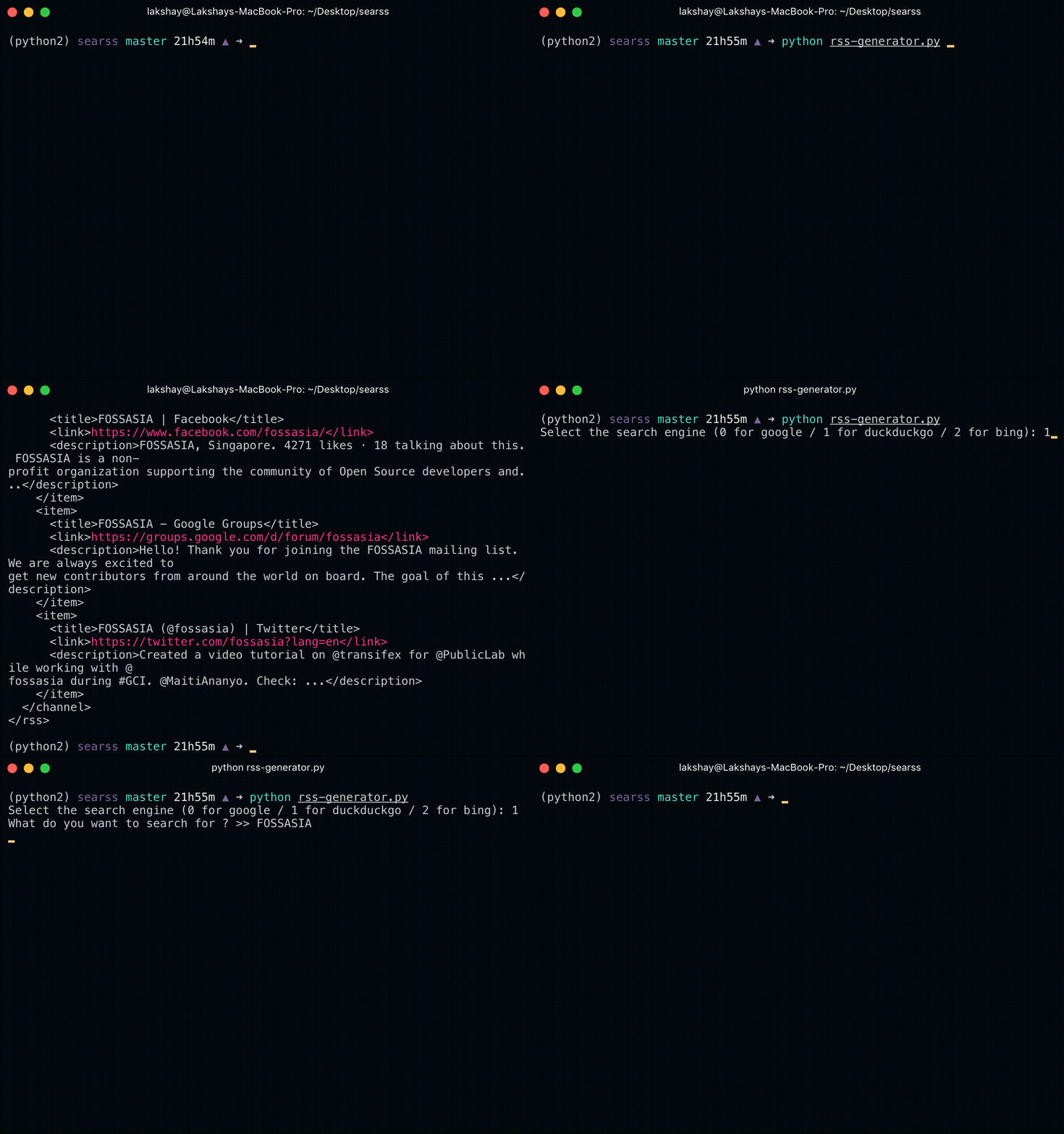
If rss-generator.py is run without any arguments, it will prompt you for the search engine and the query.
$ python rss-generator.py
$ Select the search engine (0 for google / 1 for duckduckgo / 2 for bing / 3 for ask.com): 0
$ What do you want to search for ? >> xkcd comics
To script the rss generator, pipe a query into rss-generator.py and write the result to a file, for example:
python rss-generator.py --google --query "fossasia" > /tmp/fossasia.rss
2,153 followers · starred Nov 2016
298 followers · starred Dec 2017
136 followers · starred Feb 2018
107 followers · starred Sep 2018
 _______  _______  _______  ______    _______  _______
|       ||       ||   _   ||    _ |  |       ||       |
|  _____||    ___||  |_|  ||   | ||  |  _____||  _____|
| |_____ |   |___ |       ||   |_||_ | |_____ | |_____
|_____  ||    ___||       ||    __  ||_____  ||_____  |
 _____| ||   |___ |   _   ||   |  | | _____| | _____| |
|_______||_______||__| |__||___|  |_||_______||_______|
git clone https://github.com/fossasia/searsscd searsspip install -r requirements.txtRun python rss-generator.py -h to view the help menu.
optional arguments:
  -h, --help            show this help message and exit
  -g, --google              Set search engine as Google
  -b, --bing                Set search engine as Bing
  -ddg, --duckduckgo          Set search engine as DuckDuckGo
  -ask, --askcom          	Set search engine as Ask.com
  -q, --query           Specify search query. eg : --query "xkcd comics"
If rss-generator.py is run without any arguments, it will prompt you for the search engine and the query.
$ python rss-generator.py
$ Select the search engine (0 for google / 1 for duckduckgo / 2 for bing / 3 for ask.com): 0
$ What do you want to search for ? >> xkcd comics
To script the rss generator, pipe a query into rss-generator.py and write the result to a file, for example:
python rss-generator.py --google --query "fossasia" > /tmp/fossasia.rss
2,153 followers · starred Nov 2016
298 followers · starred Dec 2017
136 followers · starred Feb 2018
107 followers · starred Sep 2018



