
📲 Self-hosted service that keeps sideloaded iOS apps signed with a free Apple ID, re-installing them over Wi-Fi before they expire.
HTML
2
8 commits
updated Oct 5, 2026
See what people are saying
README
Sideloop
Keep sideloaded IPAs signed with a free Apple ID, re-installed over Wi-Fi before the 7-day signature expires.
A small self-hosted service with a web UI for any Linux machine (amd64 or arm64) or a Mac. It re-signs your apps with AltServer-Linux and installs them in place, so app data is kept. You don't need AltStore or SideStore on the device.
Features
- Multiple apps on multiple iPhones and iPads
- Automatic re-signing when a device comes online, before the signature expires
- Web UI for pairing, uploading IPAs, 2FA codes and live progress
- Checks each IPA for FairPlay encryption, tweaks and app extensions
- Self-hosted Apple sign-in via anisette-v3-server
- Python standard library only, one Docker image for amd64 and arm64
Demo
https://github.com/user-attachments/assets/8c6b799d-b9e7-4a15-898d-d96a2af8e876
A two-minute narrated walkthrough: setup, adding devices and apps, the first install with a 2FA code, and automatic re-signing.
Screenshots
| Login | Apps | Signing | Settings | Activity |
|---|---|---|---|---|
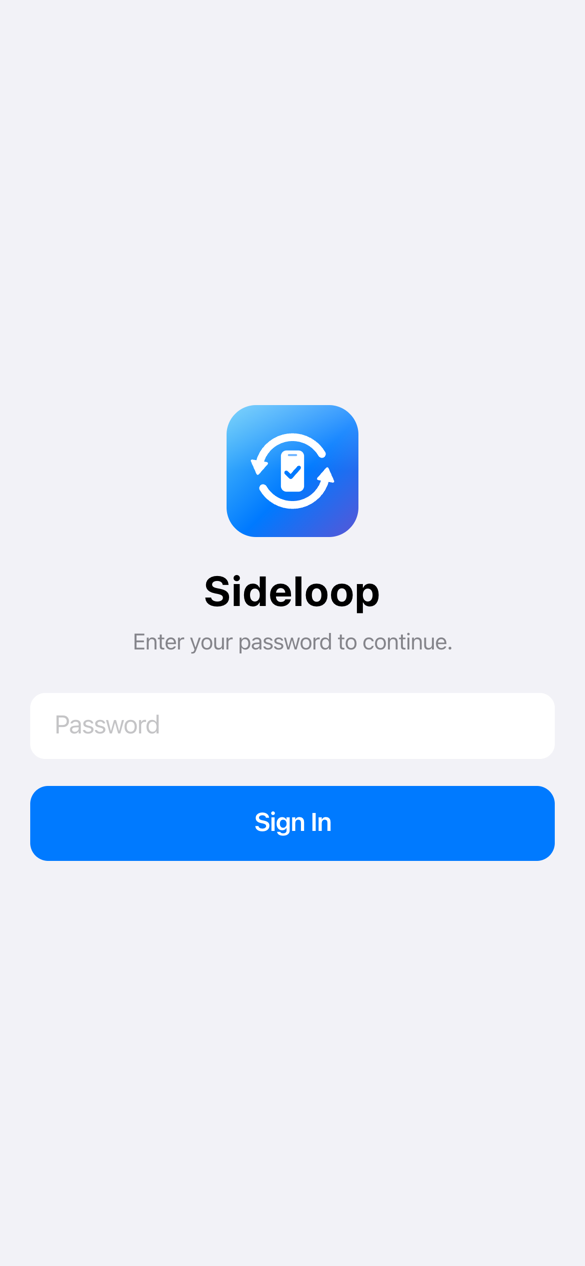 | 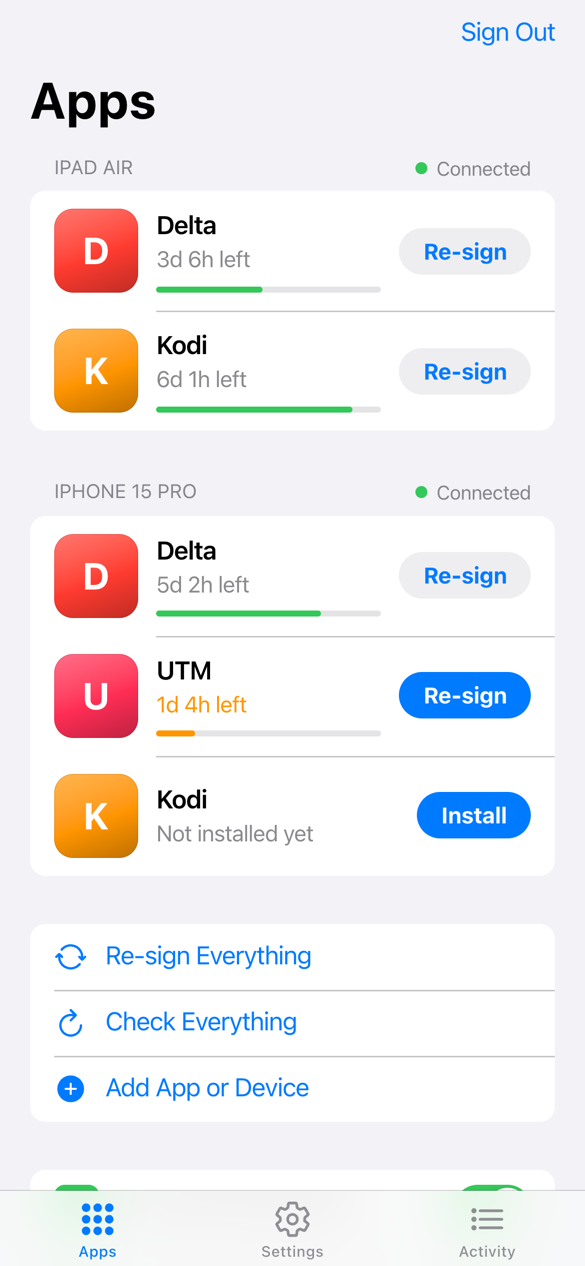 | 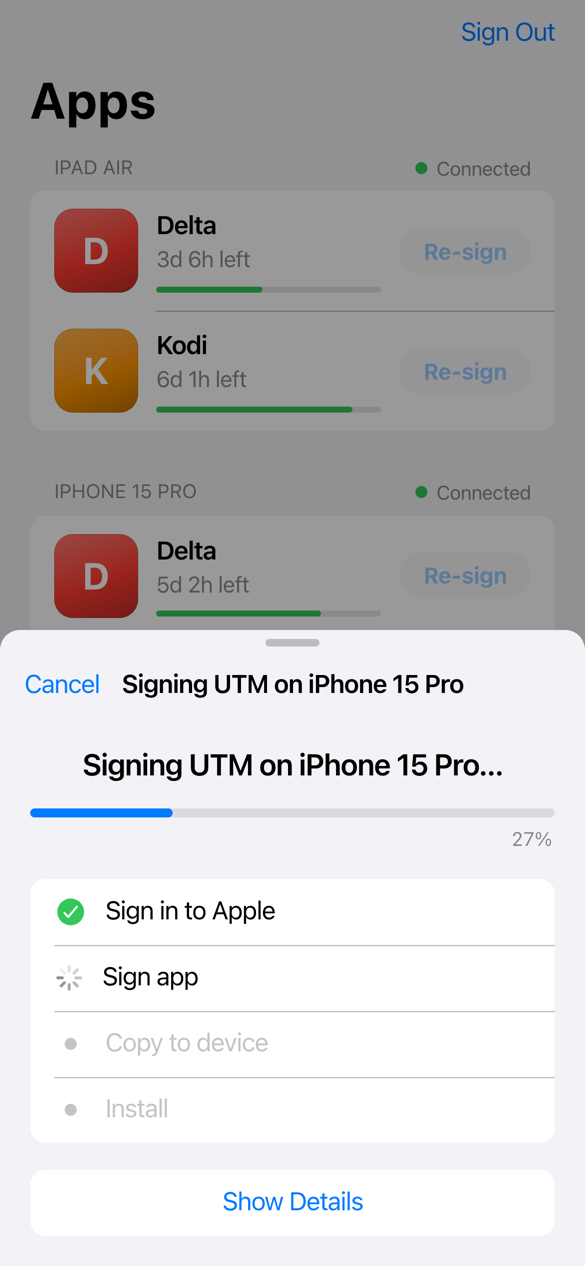 | 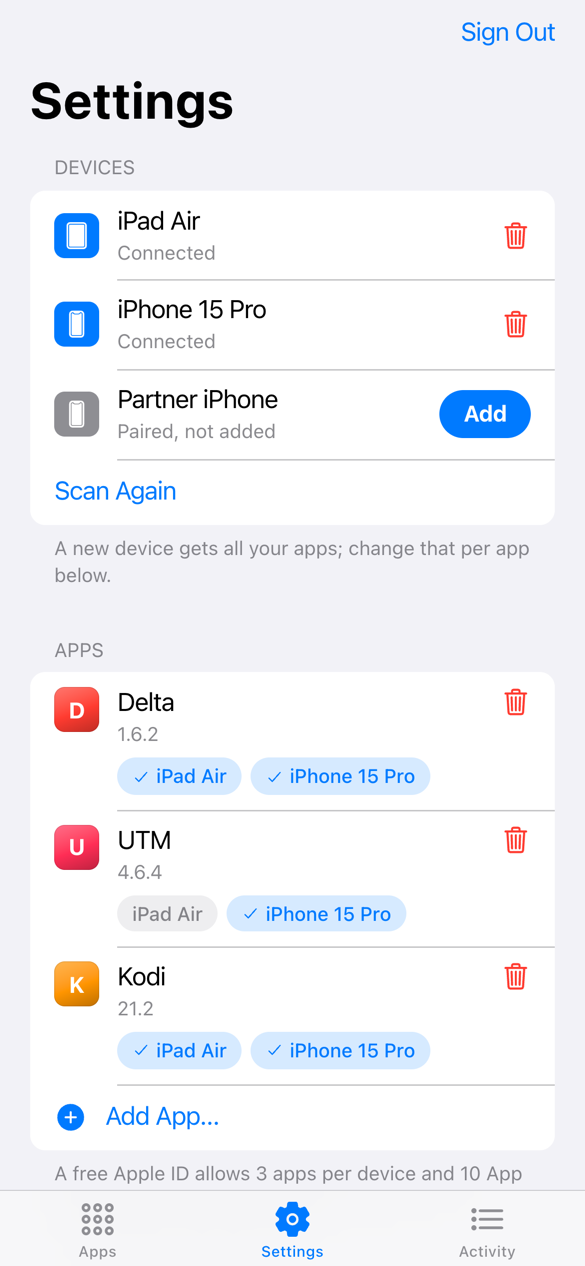 | 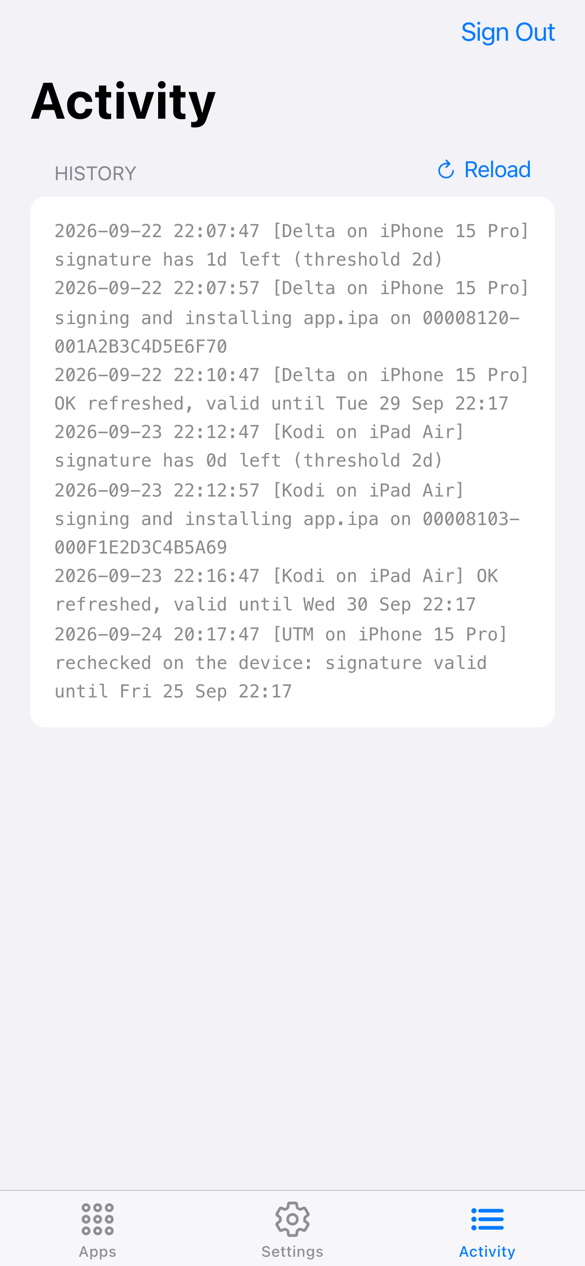 |
Quick Start
Prerequisites
- Docker with Compose
- A throwaway Apple ID
Run on Linux
git clone https://github.com/filippofinke/sideloop.git
cd sideloop
cp .env.example .env
docker compose up -d
The first build compiles AltServer, which takes a few minutes. On a small board like a Raspberry Pi 3 it is much faster to build on another arm64 machine and copy the image over:
docker build --platform linux/arm64 -t sideloop .
docker save sideloop | gzip | ssh pi@<host> 'gunzip | docker load'
ssh pi@<host> 'cd sideloop && docker compose up -d --no-build'
Open http://<host>:8080 and set a password. Then pair a device over USB, add an IPA and enter your Apple ID.
Run on macOS
Docker on macOS can't see USB or Wi-Fi devices, so bridge the system usbmuxd first:
socat TCP-LISTEN:27015,bind=127.0.0.1,reuseaddr,fork UNIX-CONNECT:/var/run/usbmuxd &
docker compose -f docker-compose.yml -f docker-compose.mac.yml up -d
Pair the device in Finder and enable Show this iPhone when on Wi-Fi.
Notes
- Use the Apple ID's regular password. App-specific passwords don't work.
- Apple asks for a 2FA code on the first sign-in. After that, sign-ins are silent.
- The device must be unlocked and on the same Wi-Fi while a re-sign runs.
- A free account allows 3 apps per device and 10 App IDs per week. Each app extension needs its own App ID.
- Trust the developer once in Settings > General > VPN & Device Management. Refreshes keep it trusted.
- If Apple sign-in stops working, update
ALTSERVER_TAGin theDockerfile. AltServer is built from that tag with the patches inaltserver/.
Data is stored in ./data.
Author
👤 Filippo Finke
- Website: https://filippofinke.ch
- Twitter: @filippofinke
- GitHub: @filippofinke
- LinkedIn: @filippofinke
Show your support
Give a ⭐️ if this project helped you!

📝 License
Copyright © 2026 Filippo Finke.
This project is MIT licensed. Icons from Ionicons (MIT).
Not affiliated with Apple. Use a throwaway Apple ID.
Similar repos


📲 Self-hosted service that keeps sideloaded iOS apps signed with a free Apple ID, re-installing them over Wi-Fi before they expire.
HTML
2
8 commits
updated Oct 5, 2026
See what people are saying
README
Sideloop
Keep sideloaded IPAs signed with a free Apple ID, re-installed over Wi-Fi before the 7-day signature expires.
A small self-hosted service with a web UI for any Linux machine (amd64 or arm64) or a Mac. It re-signs your apps with AltServer-Linux and installs them in place, so app data is kept. You don't need AltStore or SideStore on the device.
Features
- Multiple apps on multiple iPhones and iPads
- Automatic re-signing when a device comes online, before the signature expires
- Web UI for pairing, uploading IPAs, 2FA codes and live progress
- Checks each IPA for FairPlay encryption, tweaks and app extensions
- Self-hosted Apple sign-in via anisette-v3-server
- Python standard library only, one Docker image for amd64 and arm64
Demo
https://github.com/user-attachments/assets/8c6b799d-b9e7-4a15-898d-d96a2af8e876
A two-minute narrated walkthrough: setup, adding devices and apps, the first install with a 2FA code, and automatic re-signing.
Screenshots
| Login | Apps | Signing | Settings | Activity |
|---|---|---|---|---|
| | | | |
Quick Start
Prerequisites
- Docker with Compose
- A throwaway Apple ID
Run on Linux
git clone https://github.com/filippofinke/sideloop.git
cd sideloop
cp .env.example .env
docker compose up -d
The first build compiles AltServer, which takes a few minutes. On a small board like a Raspberry Pi 3 it is much faster to build on another arm64 machine and copy the image over:
docker build --platform linux/arm64 -t sideloop .
docker save sideloop | gzip | ssh pi@<host> 'gunzip | docker load'
ssh pi@<host> 'cd sideloop && docker compose up -d --no-build'
Open http://<host>:8080 and set a password. Then pair a device over USB, add an IPA and enter your Apple ID.
Run on macOS
Docker on macOS can't see USB or Wi-Fi devices, so bridge the system usbmuxd first:
socat TCP-LISTEN:27015,bind=127.0.0.1,reuseaddr,fork UNIX-CONNECT:/var/run/usbmuxd &
docker compose -f docker-compose.yml -f docker-compose.mac.yml up -d
Pair the device in Finder and enable Show this iPhone when on Wi-Fi.
Notes
- Use the Apple ID's regular password. App-specific passwords don't work.
- Apple asks for a 2FA code on the first sign-in. After that, sign-ins are silent.
- The device must be unlocked and on the same Wi-Fi while a re-sign runs.
- A free account allows 3 apps per device and 10 App IDs per week. Each app extension needs its own App ID.
- Trust the developer once in Settings > General > VPN & Device Management. Refreshes keep it trusted.
- If Apple sign-in stops working, update
ALTSERVER_TAGin theDockerfile. AltServer is built from that tag with the patches inaltserver/.
Data is stored in ./data.
Author
👤 Filippo Finke
- Website: https://filippofinke.ch
- Twitter: @filippofinke
- GitHub: @filippofinke
- LinkedIn: @filippofinke
Show your support
Give a ⭐️ if this project helped you!
📝 License
Copyright © 2026 Filippo Finke.
This project is MIT licensed. Icons from Ionicons (MIT).
Not affiliated with Apple. Use a throwaway Apple ID.