Untrusted Types is a Chrome extension that abuses Trusted Types to log DOMXSS sinks.
npm inpm run buildchrome://extensions, enable Developer modeLoad unpacked, choose the public folderhttps://chrome.google.com/webstore/detail/bpeblffgmddnafmnmdjohcmkbeifdlnb/
If the project is failing to build for some reason, you can download the prebuilt version from the Releases page.
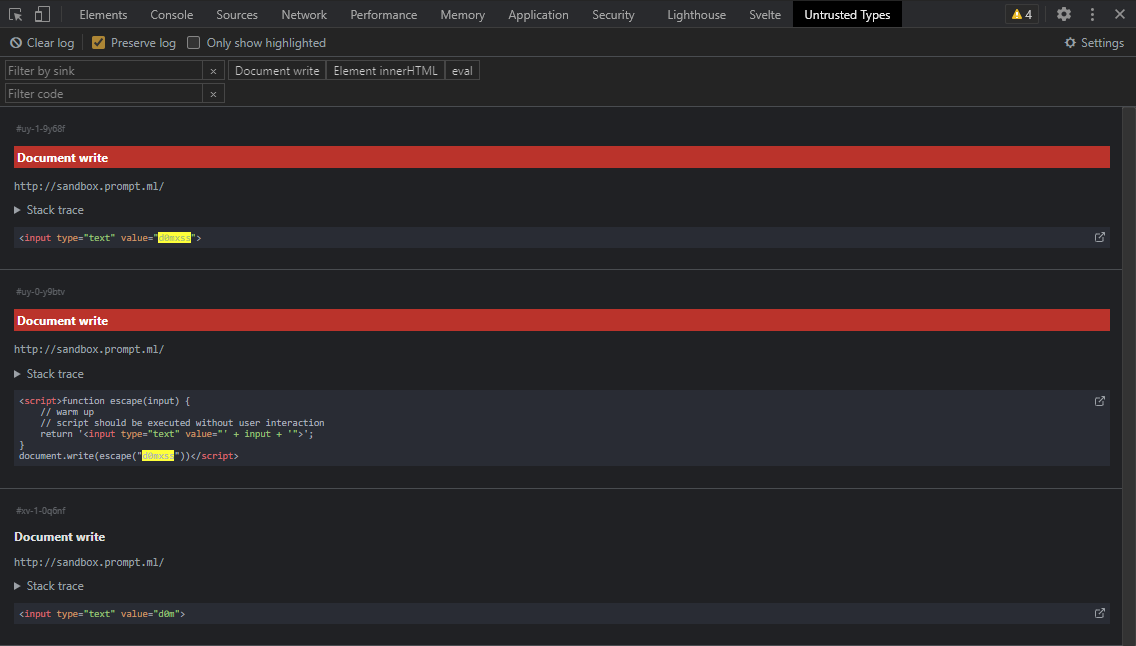
chrome://extensions, enable Developer modeLoad unpacked, choose the extracted folderDiscover and test inputs passed into sinks that could lead to DOM XSS vulnerabilities.
A sink is a code pattern that could run arbitrary JavaScript code if the input is malicious, for example: innerHTML, eval, document.write.
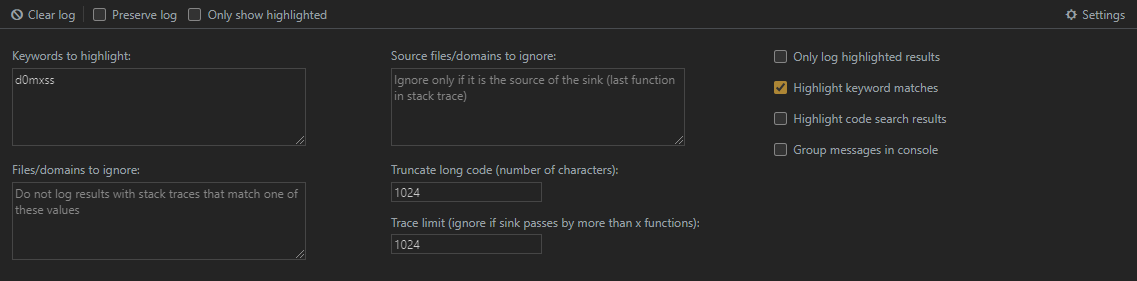
Keywords (by default d0mxss) that are found to be passed in a sink will be highlighted in the extension and the console.
A simple tutorial: https://www.youtube.com/watch?v=CNNCCgDkt5k
To find the stack trace of a specific log:
The original version was made by filedescriptor. This version extends it by adding a DevTools panel that allows for easier filtering/searching of found sinks.
You can edit settings directly in the extension:
location = user_input unless it's location = 'javascript:' + user_input.<iframe src="javascript:..."> (but fine if dynamically inserted). Check issue #1importScripts(). Check issue #73,557 followers · starred Nov 2020
2,404 followers · starred Nov 2020
3,228 followers · starred Dec 2020
360 followers · starred Nov 2020
Untrusted Types is a Chrome extension that abuses Trusted Types to log DOMXSS sinks.
npm inpm run buildchrome://extensions, enable Developer modeLoad unpacked, choose the public folderhttps://chrome.google.com/webstore/detail/bpeblffgmddnafmnmdjohcmkbeifdlnb/
If the project is failing to build for some reason, you can download the prebuilt version from the Releases page.
chrome://extensions, enable Developer modeLoad unpacked, choose the extracted folderDiscover and test inputs passed into sinks that could lead to DOM XSS vulnerabilities.
A sink is a code pattern that could run arbitrary JavaScript code if the input is malicious, for example: innerHTML, eval, document.write.
Keywords (by default d0mxss) that are found to be passed in a sink will be highlighted in the extension and the console.
A simple tutorial: https://www.youtube.com/watch?v=CNNCCgDkt5k
To find the stack trace of a specific log:
The original version was made by filedescriptor. This version extends it by adding a DevTools panel that allows for easier filtering/searching of found sinks.
You can edit settings directly in the extension:
location = user_input unless it's location = 'javascript:' + user_input.<iframe src="javascript:..."> (but fine if dynamically inserted). Check issue #1importScripts(). Check issue #73,557 followers · starred Nov 2020
2,404 followers · starred Nov 2020
3,228 followers · starred Dec 2020
360 followers · starred Nov 2020



