MotionBlur allows you to add motion blur effect to iOS animations.
See the codeMotionBlur allows you to add motion blur effect to your animations (currently only position's change). See the accompanying blog post to learn how it's implemented.
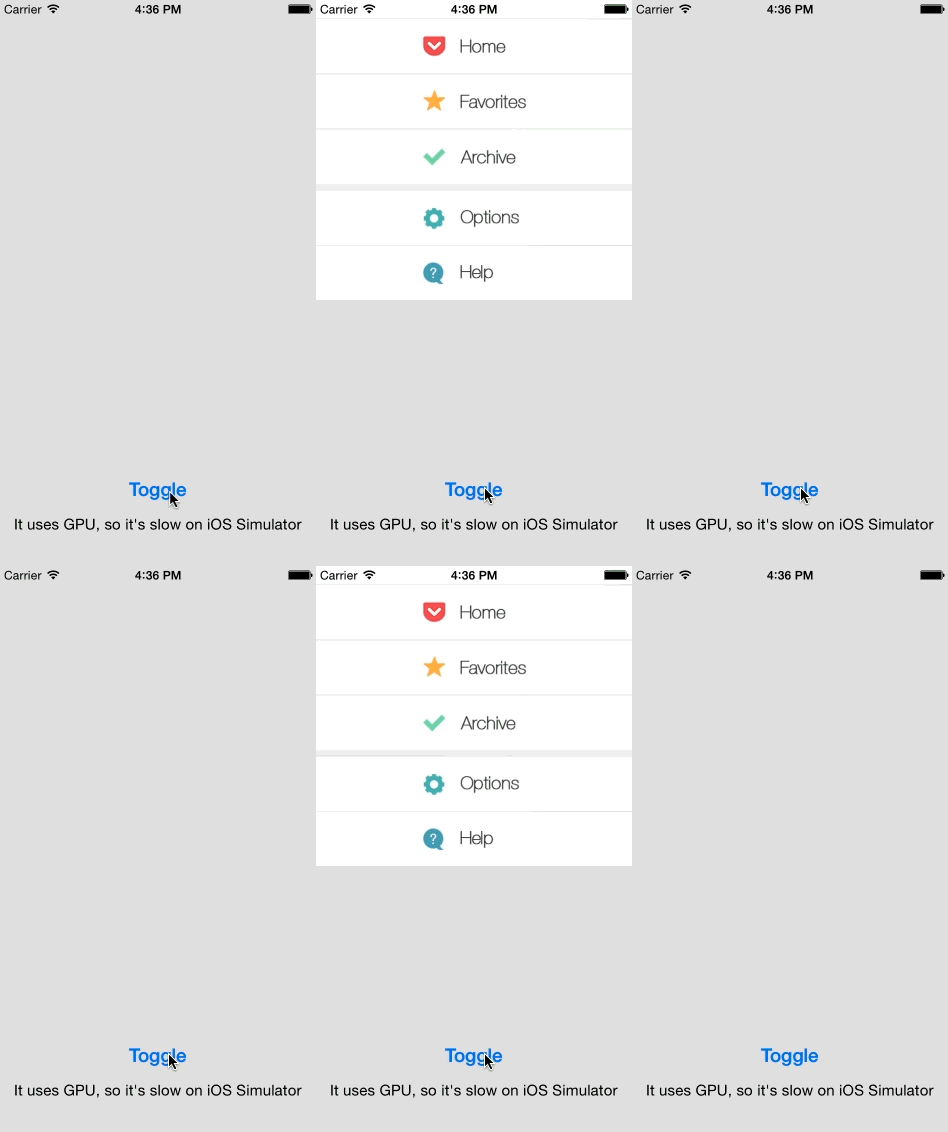
Note how the text and icons on the menu get blurred when it slides in and out.
First, import it with:
#import "UIView+MotionBlur.h"
then use it with:
[yourView enableBlurWithAngle:M_PI_2 completion:^{
    [UIView animateWithDuration:0.5
                          delay:0
         usingSpringWithDamping:0.8
          initialSpringVelocity:0.3
                        options:UIViewAnimationOptionAllowUserInteraction | UIViewAnimationOptionBeginFromCurrentState
                     animations:^{

        CGRect f = yourView.frame;
        f.origin = CGPointMake(0, 300);
        yourView.frame = f;
    } completion:^(BOOL finished) {
        [yourView disableBlur];
    }];
}];
Snapshot and blur are computed before the animation, that's why the API is asynchronous. You should also see the example project and read comments in the header file: Classes/UIView+MotionBlur.h.
To run the example project; clone the repo and open Example/MotionBlur.xcodeproj.
MotionBlur is available through CocoaPods. To install it, simply add the following line to your Podfile:
pod "MotionBlur"
Arkadiusz Holko:
183 followers · starred Apr 2017
103 followers · starred Jul 2014
211 followers · starred Jul 2014
195 followers · starred Jul 2014
MotionBlur allows you to add motion blur effect to iOS animations.
See the codeMotionBlur allows you to add motion blur effect to your animations (currently only position's change). See the accompanying blog post to learn how it's implemented.
Note how the text and icons on the menu get blurred when it slides in and out.
First, import it with:
#import "UIView+MotionBlur.h"
then use it with:
[yourView enableBlurWithAngle:M_PI_2 completion:^{
    [UIView animateWithDuration:0.5
                          delay:0
         usingSpringWithDamping:0.8
          initialSpringVelocity:0.3
                        options:UIViewAnimationOptionAllowUserInteraction | UIViewAnimationOptionBeginFromCurrentState
                     animations:^{

        CGRect f = yourView.frame;
        f.origin = CGPointMake(0, 300);
        yourView.frame = f;
    } completion:^(BOOL finished) {
        [yourView disableBlur];
    }];
}];
Snapshot and blur are computed before the animation, that's why the API is asynchronous. You should also see the example project and read comments in the header file: Classes/UIView+MotionBlur.h.
To run the example project; clone the repo and open Example/MotionBlur.xcodeproj.
MotionBlur is available through CocoaPods. To install it, simply add the following line to your Podfile:
pod "MotionBlur"
Arkadiusz Holko:
183 followers · starred Apr 2017
103 followers · starred Jul 2014
211 followers · starred Jul 2014
195 followers · starred Jul 2014



