
See what people are saying
README
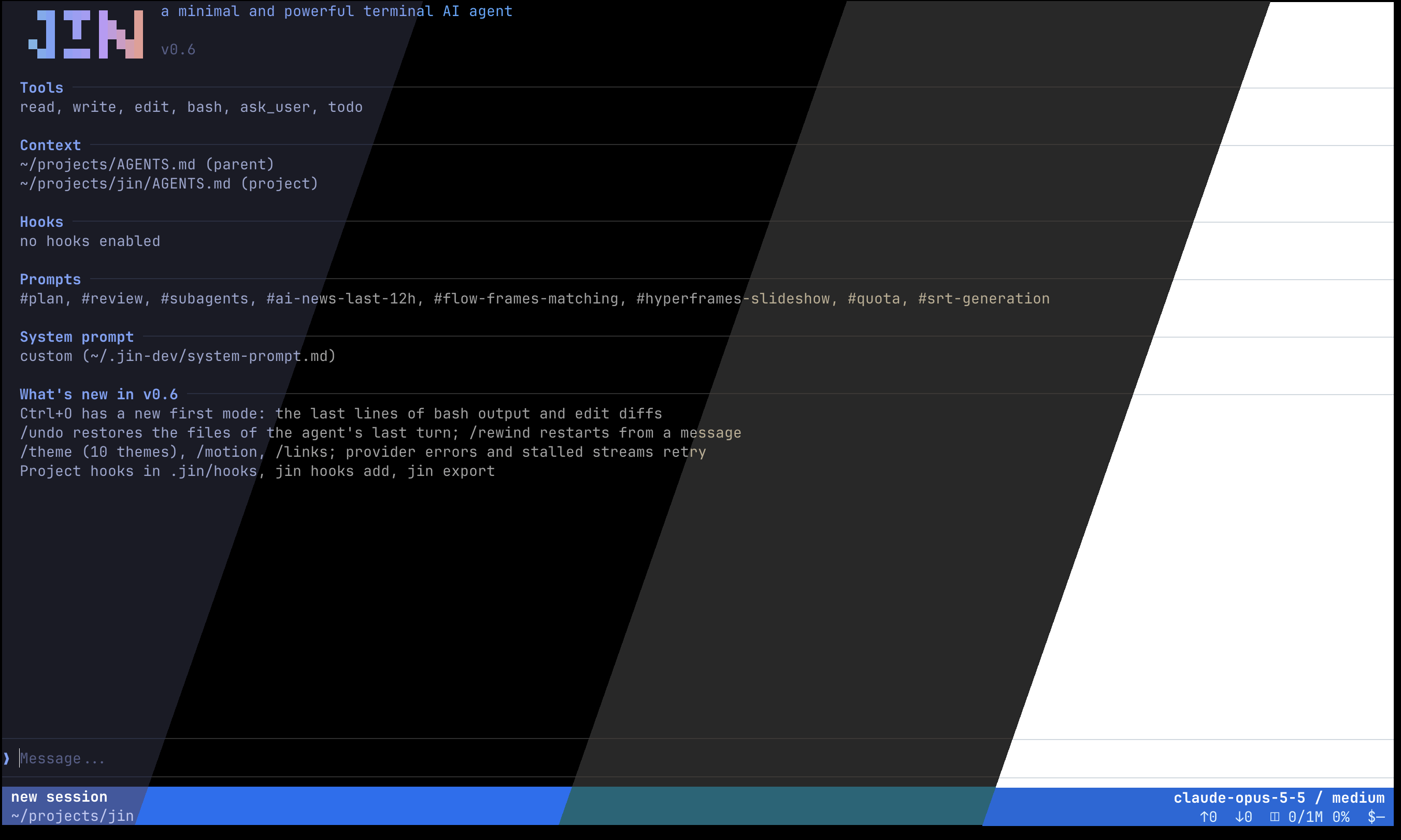
Jin - A minimal TUI coding agent written in Go
Why another agent
Jin is for people who are tired of heavy AI agents such as opencode, omp or Claude Code. It is one small binary that starts at once and stays out of your way. Unlike minimal harnesses such as pi, jin works out of the box: sessions, a todo list, background tasks, undo, themes and headless mode are built in. There is no config to write and no plugin to build before it is useful.
Jin also leaves out skills and MCP. It offers hooks and prompts instead: write an ordinary CLI tool, describe it to the model in a few lines of markdown, and every session can use it. See Extending jin.
Install
macOS and Linux, arm64 and amd64:
curl -fsSL https://raw.githubusercontent.com/ethanhamilthon/jin/main/install.sh | sh
The script downloads the latest release, checks its SHA-256 and installs jin into
/usr/local/bin (or ~/.local/bin). Run it again to update: it replaces the installed
jin and prints the version it installed. JIN_VERSION=v0.6.2 pins a release. Later,
jin update does the same from jin itself. Then run jin in the project you want to work
on.
Connect a model
The first start shows a setup screen: choose OpenAI Responses, OpenAI Chat Completions or
Anthropic, then enter the URL, key, model and effort. That covers OpenAI, Anthropic,
OpenRouter and local servers. Add more providers later with /provider and switch between
them.
Jin does not sign in with subscriptions (ChatGPT Plus/Pro, Claude Pro/Max and so on). To
use one, run EasyCLIProxyAPI, a desktop
app that serves your subscription as a local OpenAI-compatible API, and add its address in
/provider.
Build from source
git clone https://github.com/ethanhamilthon/jin && cd jin
make build        # bin/jin, keeps its data in ~/.jin-dev
make install      # release build into /usr/local/bin, data in ~/.jin
Requires Go 1.27 or newer. Forks are welcome; read AGENTS.md for the rules of the code base.
Benchmarks
Early numbers only. On a small run (Aider Polyglot, 10 Python tasks, one run each, all agents on the same model) jin passed as many tasks as codex and omp, within noise of pi and opencode, while sending about 17k input tokens per task against 44k to 90k for codex, opencode and omp. Ten tasks is too few to rank agents; a larger and more precise benchmark will follow. Table and method: docs/benchmarks.md.
Security
The agent has bash with no restrictions and no confirmation dialogs. bash, write and
edit act directly on your machine with your permissions. Run jin only in projects where
that is acceptable, and review project hooks before you trust a repository.
Docs
Everything else is in docs/: keys and slash commands, sessions, hooks and
prompts, headless mode (jin -p), background tasks, settings and the database. Look there
first; jin also reads these docs itself when you ask it about jin.
License
MIT © 2026 Yerdana Yerbol.
Similar repos


Languages
Go
99.4%
See what people are saying
README
Jin - A minimal TUI coding agent written in Go
Why another agent
Jin is for people who are tired of heavy AI agents such as opencode, omp or Claude Code. It is one small binary that starts at once and stays out of your way. Unlike minimal harnesses such as pi, jin works out of the box: sessions, a todo list, background tasks, undo, themes and headless mode are built in. There is no config to write and no plugin to build before it is useful.
Jin also leaves out skills and MCP. It offers hooks and prompts instead: write an ordinary CLI tool, describe it to the model in a few lines of markdown, and every session can use it. See Extending jin.
Install
macOS and Linux, arm64 and amd64:
curl -fsSL https://raw.githubusercontent.com/ethanhamilthon/jin/main/install.sh | sh
The script downloads the latest release, checks its SHA-256 and installs jin into
/usr/local/bin (or ~/.local/bin). Run it again to update: it replaces the installed
jin and prints the version it installed. JIN_VERSION=v0.6.2 pins a release. Later,
jin update does the same from jin itself. Then run jin in the project you want to work
on.
Connect a model
The first start shows a setup screen: choose OpenAI Responses, OpenAI Chat Completions or
Anthropic, then enter the URL, key, model and effort. That covers OpenAI, Anthropic,
OpenRouter and local servers. Add more providers later with /provider and switch between
them.
Jin does not sign in with subscriptions (ChatGPT Plus/Pro, Claude Pro/Max and so on). To
use one, run EasyCLIProxyAPI, a desktop
app that serves your subscription as a local OpenAI-compatible API, and add its address in
/provider.
Build from source
git clone https://github.com/ethanhamilthon/jin && cd jin
make build        # bin/jin, keeps its data in ~/.jin-dev
make install      # release build into /usr/local/bin, data in ~/.jin
Requires Go 1.27 or newer. Forks are welcome; read AGENTS.md for the rules of the code base.
Benchmarks
Early numbers only. On a small run (Aider Polyglot, 10 Python tasks, one run each, all agents on the same model) jin passed as many tasks as codex and omp, within noise of pi and opencode, while sending about 17k input tokens per task against 44k to 90k for codex, opencode and omp. Ten tasks is too few to rank agents; a larger and more precise benchmark will follow. Table and method: docs/benchmarks.md.
Security
The agent has bash with no restrictions and no confirmation dialogs. bash, write and
edit act directly on your machine with your permissions. Run jin only in projects where
that is acceptable, and review project hooks before you trust a repository.
Docs
Everything else is in docs/: keys and slash commands, sessions, hooks and
prompts, headless mode (jin -p), background tasks, settings and the database. Look there
first; jin also reads these docs itself when you ask it about jin.
License
MIT © 2026 Yerdana Yerbol.
Similar repos
Languages
Go
99.4%