
A Visual Studio Code extension loads types(.d.ts) for esm.sh imports.
TypeScript
41
60 commits
updated Oct 29, 2024
README
esm.sh - Visual Studio Code Extension

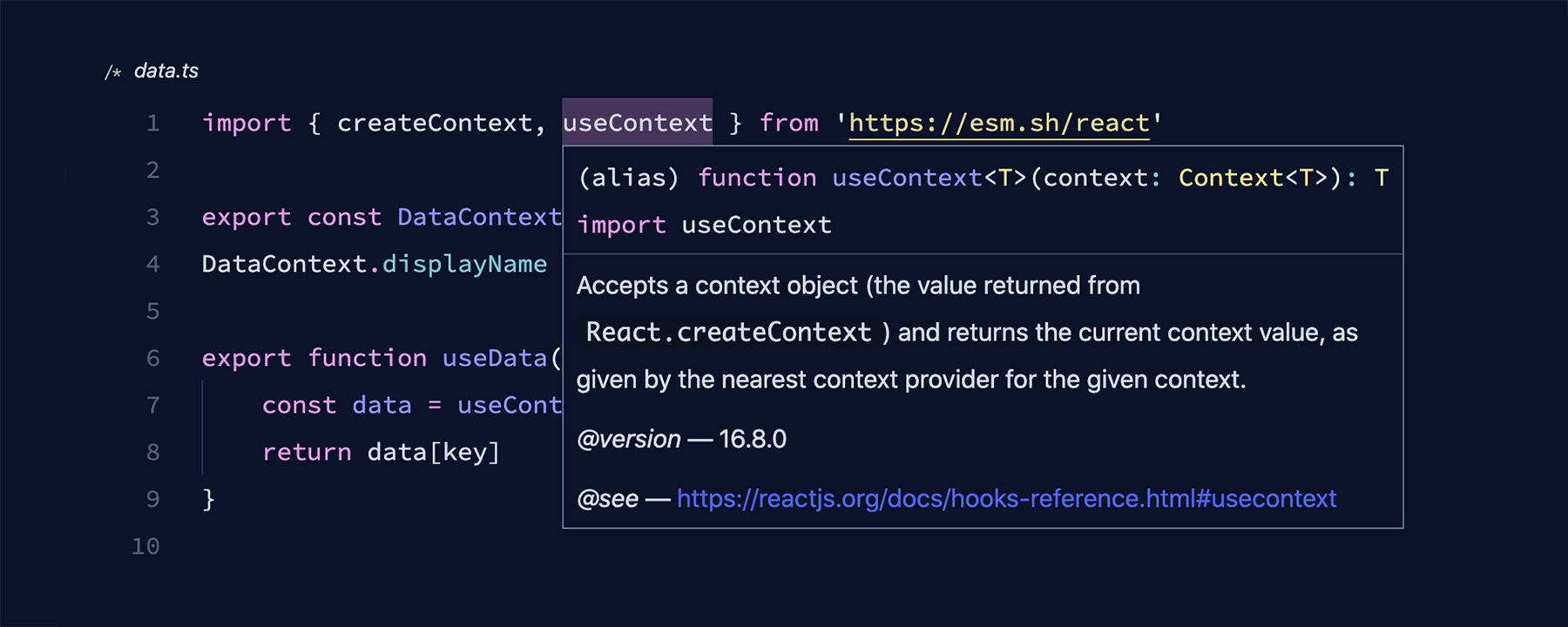
A Visual Studio Code extension loads types(.d.ts) for esm.sh imports. No npm install required. (Types in node_modules will be used first, if exists)
Using Import Maps
This extension respects importmap script tag in index.html files of your project. With import maps, you can use "bare import specifiers", such as import React from "react", to work.
<!-- index.html -->

<script type="importmap">
  {
    "imports": {
      "react": "https://esm.sh/react@18.3.1"
    }
  }
</script>
<script type="module" src="./app.tsx"></script>
// app.tsx

import { useState } from "react";

export default function App() {
  const [message, setMessage] = useState<string>("Hello World!");
  return <h1>{message}</h1>;
}
JSX Import Source
By default, the extension uses react or preact as the JSX transform runtime if it's specified in the import map. You can specify it by setting the @jsxRuntime import in the importmap script tag.
<script type="importmap">
  {
    "imports": {
      "@jsxRuntime": "https://esm.sh/react@18.3.1"
    }
  }
</script>
Snippets
This extension provides some useful snippets for working with ESM modules in HTML files.
importmap: Insert a new import map script tag.module: Insert a new module script tag.module-with-src: Insert a new module script tag withsrcattribute.
Roadmap
- Support Windows platform
- Import map version code lens
Contributors

60 commits
Similar repos


Languages
TypeScript
97.8%
JavaScript
2.2%
A Visual Studio Code extension loads types(.d.ts) for esm.sh imports.
TypeScript
41
60 commits
updated Oct 29, 2024
README
esm.sh - Visual Studio Code Extension
A Visual Studio Code extension loads types(.d.ts) for esm.sh imports. No npm install required. (Types in node_modules will be used first, if exists)
Using Import Maps
This extension respects importmap script tag in index.html files of your project. With import maps, you can use "bare import specifiers", such as import React from "react", to work.
<!-- index.html -->

<script type="importmap">
  {
    "imports": {
      "react": "https://esm.sh/react@18.3.1"
    }
  }
</script>
<script type="module" src="./app.tsx"></script>
// app.tsx

import { useState } from "react";

export default function App() {
  const [message, setMessage] = useState<string>("Hello World!");
  return <h1>{message}</h1>;
}
JSX Import Source
By default, the extension uses react or preact as the JSX transform runtime if it's specified in the import map. You can specify it by setting the @jsxRuntime import in the importmap script tag.
<script type="importmap">
  {
    "imports": {
      "@jsxRuntime": "https://esm.sh/react@18.3.1"
    }
  }
</script>
Snippets
This extension provides some useful snippets for working with ESM modules in HTML files.
importmap: Insert a new import map script tag.module: Insert a new module script tag.module-with-src: Insert a new module script tag withsrcattribute.
Roadmap
- Support Windows platform
- Import map version code lens
Similar repos
Contributors
60 commits
Languages
TypeScript
97.8%
JavaScript
2.2%