
See what people are saying
README
Advanced Viewer
A 64-bit Total Commander Lister plugin (AdvancedViewer.wlx64) written in C# and compiled with .NET Native AOT. It shows any file as a hex view (offset, hex bytes, ASCII) over a memory-mapped file, rendered with Direct2D/DirectWrite.
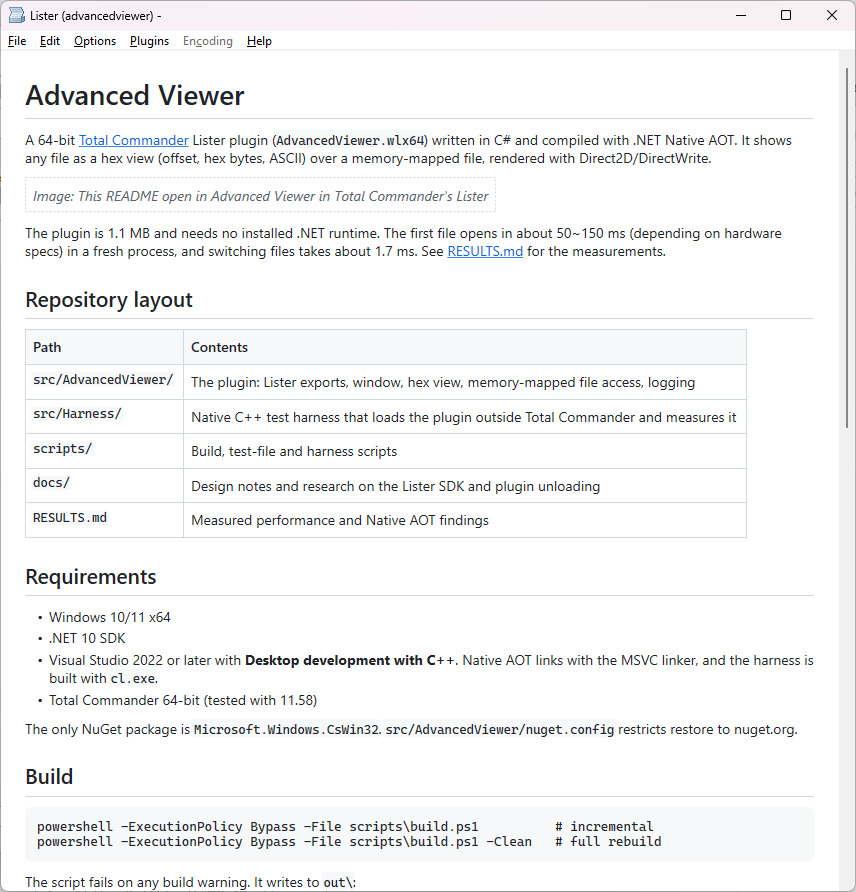
The plugin is 1.1 MB and needs no installed .NET runtime. The first file opens in about 50~150 ms (depending on hardware specs) in a fresh process, and switching files takes about 1.7 ms. See RESULTS.md for the measurements.
Download and install
- Download
AdvancedViewer-plugin-<version>.zipfrom the latest release. - In Total Commander (64-bit), navigate to the downloaded zip and press Enter to open it.
- Total Commander asks whether to install the plugin. Confirm, and accept the suggested directory.
- Press F3 (Lister) or Ctrl+Q (Quick View) on any file.
To install by hand instead, extract AdvancedViewer.wlx64 to a folder, then add it under Configuration > Options > Plugins > Lister plugins (.WLX) > Configure > Add.
Requires Windows 10/11 x64 and 64-bit Total Commander. No .NET runtime is needed.
To update, restart Total Commander and install the new zip over the old one before viewing any file. Once used, the plugin stays loaded until Total Commander exits, so its file cannot be overwritten.
Repository layout
| Path | Contents |
|---|---|
src/AdvancedViewer/ | The plugin: Lister exports, window, hex view, memory-mapped file access, logging |
src/Harness/ | Native C++ test harness that loads the plugin outside Total Commander and measures it |
scripts/ | Build, test-file and harness scripts |
docs/ | Design notes and research on the Lister SDK and plugin unloading |
RESULTS.md | Measured performance and Native AOT findings |
Requirements
- Windows 10/11 x64
- .NET 10 SDK
- Visual Studio 2022 or later with Desktop development with C++. Native AOT links with the MSVC linker, and the harness is built with
cl.exe. - Total Commander 64-bit (tested with 11.58)
The only NuGet package is Microsoft.Windows.CsWin32. src/AdvancedViewer/nuget.config restricts restore to nuget.org.
Build
powershell -ExecutionPolicy Bypass -File scripts\build.ps1          # incremental
powershell -ExecutionPolicy Bypass -File scripts\build.ps1 -Clean   # full rebuild
The script fails on any build warning. It writes to out\:
| File | Purpose |
|---|---|
AdvancedViewer.wlx64 | The plugin |
AdvancedViewer-plugin.zip | Plugin plus pluginst.inf, for installing from Total Commander |
throwtest\AdvancedViewer.wlx64 | Test build that throws when opening __throw__.bin, to exercise the exception catch-all |
dumpbin-exports.txt | Exported functions. The build checks that all required Lister exports are present |
build-*.log | Full publish output |
Install a local build
Open out\AdvancedViewer-plugin.zip in Total Commander and confirm the install prompt. Then press F3 or Ctrl+Q on any file.
The detect string matches every file. Total Commander caches it in wincmd.ini as N_detect. If you change the detect string, delete that key.
Test
# 1. Create the test files in testfiles\ (gitignored). Includes a 4.5 GB file unless -SkipHuge is given.
powershell -ExecutionPolicy Bypass -File scripts\make-testfiles.ps1

# 2. Build the harness if needed, then run all phases. Results are written to out\harness-results.json.
powershell -ExecutionPolicy Bypass -File scripts\run-harness.ps1

# Run a subset of phases. Quote the list, or PowerShell splits it into separate arguments.
powershell -ExecutionPolicy Bypass -File scripts\run-harness.ps1 --launches 5 --phases "loadtime,edge"
The phases are loadtime, perfile, cycle, scroll, edge, throw and unload. Run src\Harness\bin\Harness.exe --help for all options.
scripts\lock-file.ps1 holds testfiles\locked.bin open with no sharing, for the manual locked-file check.
Implementation notes
- Exports use
[UnmanagedCallersOnly]with blittable parameters only. Every export and the window procedure catch all exceptions, because an escaping exception would crash Total Commander. - CsWin32 runs with
allowMarshaling: false, so Direct2D/DirectWrite COM interfaces are generated as unmanaged structs. Built-in COM interop is not available under Native AOT. - All trim and AOT warnings are errors. None are suppressed.
- The gen0 GC budget is capped at 4 MB and concurrent GC is off. This keeps memory flat in Total Commander's long-lived process and adds no background GC thread.
- Once its runtime has started, the Native AOT DLL stays loaded even after
FreeLibrary. Total Commander's unload is a no-op, not a crash. See RESULTS.md. - Known open issue: an I/O error on a mapped file, such as a truncated file or a disconnected share, raises an SEH exception that managed code cannot catch. See RESULTS.md.
Similar repos


Languages
C#
67.8%
C++
26.3%
PowerShell
5.6%
See what people are saying
README
Advanced Viewer
A 64-bit Total Commander Lister plugin (AdvancedViewer.wlx64) written in C# and compiled with .NET Native AOT. It shows any file as a hex view (offset, hex bytes, ASCII) over a memory-mapped file, rendered with Direct2D/DirectWrite.
The plugin is 1.1 MB and needs no installed .NET runtime. The first file opens in about 50~150 ms (depending on hardware specs) in a fresh process, and switching files takes about 1.7 ms. See RESULTS.md for the measurements.
Download and install
- Download
AdvancedViewer-plugin-<version>.zipfrom the latest release. - In Total Commander (64-bit), navigate to the downloaded zip and press Enter to open it.
- Total Commander asks whether to install the plugin. Confirm, and accept the suggested directory.
- Press F3 (Lister) or Ctrl+Q (Quick View) on any file.
To install by hand instead, extract AdvancedViewer.wlx64 to a folder, then add it under Configuration > Options > Plugins > Lister plugins (.WLX) > Configure > Add.
Requires Windows 10/11 x64 and 64-bit Total Commander. No .NET runtime is needed.
To update, restart Total Commander and install the new zip over the old one before viewing any file. Once used, the plugin stays loaded until Total Commander exits, so its file cannot be overwritten.
Repository layout
| Path | Contents |
|---|---|
src/AdvancedViewer/ | The plugin: Lister exports, window, hex view, memory-mapped file access, logging |
src/Harness/ | Native C++ test harness that loads the plugin outside Total Commander and measures it |
scripts/ | Build, test-file and harness scripts |
docs/ | Design notes and research on the Lister SDK and plugin unloading |
RESULTS.md | Measured performance and Native AOT findings |
Requirements
- Windows 10/11 x64
- .NET 10 SDK
- Visual Studio 2022 or later with Desktop development with C++. Native AOT links with the MSVC linker, and the harness is built with
cl.exe. - Total Commander 64-bit (tested with 11.58)
The only NuGet package is Microsoft.Windows.CsWin32. src/AdvancedViewer/nuget.config restricts restore to nuget.org.
Build
powershell -ExecutionPolicy Bypass -File scripts\build.ps1          # incremental
powershell -ExecutionPolicy Bypass -File scripts\build.ps1 -Clean   # full rebuild
The script fails on any build warning. It writes to out\:
| File | Purpose |
|---|---|
AdvancedViewer.wlx64 | The plugin |
AdvancedViewer-plugin.zip | Plugin plus pluginst.inf, for installing from Total Commander |
throwtest\AdvancedViewer.wlx64 | Test build that throws when opening __throw__.bin, to exercise the exception catch-all |
dumpbin-exports.txt | Exported functions. The build checks that all required Lister exports are present |
build-*.log | Full publish output |
Install a local build
Open out\AdvancedViewer-plugin.zip in Total Commander and confirm the install prompt. Then press F3 or Ctrl+Q on any file.
The detect string matches every file. Total Commander caches it in wincmd.ini as N_detect. If you change the detect string, delete that key.
Test
# 1. Create the test files in testfiles\ (gitignored). Includes a 4.5 GB file unless -SkipHuge is given.
powershell -ExecutionPolicy Bypass -File scripts\make-testfiles.ps1

# 2. Build the harness if needed, then run all phases. Results are written to out\harness-results.json.
powershell -ExecutionPolicy Bypass -File scripts\run-harness.ps1

# Run a subset of phases. Quote the list, or PowerShell splits it into separate arguments.
powershell -ExecutionPolicy Bypass -File scripts\run-harness.ps1 --launches 5 --phases "loadtime,edge"
The phases are loadtime, perfile, cycle, scroll, edge, throw and unload. Run src\Harness\bin\Harness.exe --help for all options.
scripts\lock-file.ps1 holds testfiles\locked.bin open with no sharing, for the manual locked-file check.
Implementation notes
- Exports use
[UnmanagedCallersOnly]with blittable parameters only. Every export and the window procedure catch all exceptions, because an escaping exception would crash Total Commander. - CsWin32 runs with
allowMarshaling: false, so Direct2D/DirectWrite COM interfaces are generated as unmanaged structs. Built-in COM interop is not available under Native AOT. - All trim and AOT warnings are errors. None are suppressed.
- The gen0 GC budget is capped at 4 MB and concurrent GC is off. This keeps memory flat in Total Commander's long-lived process and adds no background GC thread.
- Once its runtime has started, the Native AOT DLL stays loaded even after
FreeLibrary. Total Commander's unload is a no-op, not a crash. See RESULTS.md. - Known open issue: an I/O error on a mapped file, such as a truncated file or a disconnected share, raises an SEH exception that managed code cannot catch. See RESULTS.md.
Similar repos
Languages
C#
67.8%
C++
26.3%
PowerShell
5.6%