A chrome/firefox extension that download books from Internet Archive(archive.org) and HathiTrust Digital Library (hathitrust.org)
JavaScript
1,652
99 commits
updated Apr 11, 2026
[!WARNING] This GitHub repo (https://github.com/elementdavv/internet_archive_downloader) is the only official source of the project. Do not download releases from random websites, even if their name contains
internet archive downloader.
In Internet Archive, Some books can be borrowed to read online for a limited period. The extension will try to download these books.
In HathiTrust Digital Library. books with full view permission is also supported.
The extension works by fetching every leaf of a book, constructing a PDF stream on the fly targeting to disk storage. So it can handle books of thousands of leafs easily with little memory.


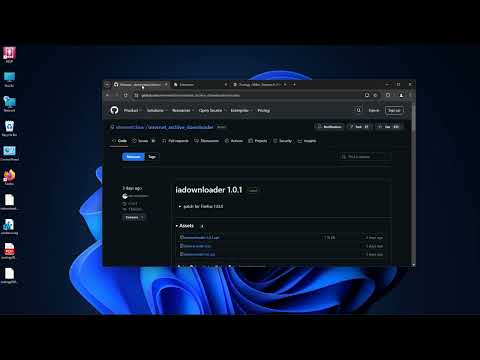
Install as the following directions supports automatic updates when new versions are available.
For Firefox, permissions of access to related websites must be granted in the "Permissions" tab within the extension detail page.
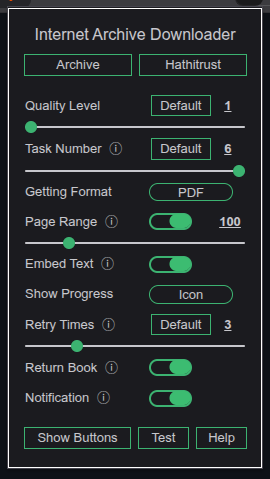
Click the extension button on browser toolbar to open settings page. Configurable options include quality level, getting PDF or ZIP, preseting download range, whether to return book upon download completes etc. Hover mouse on information icon to the right of each item name to see its explanation. All changes will be applied to next download job. Old style Ctrl/Alt + Click combinations still work as ever.
In archive.org, the availability of books lies in three categories:
The extension works with category 1 and 2.
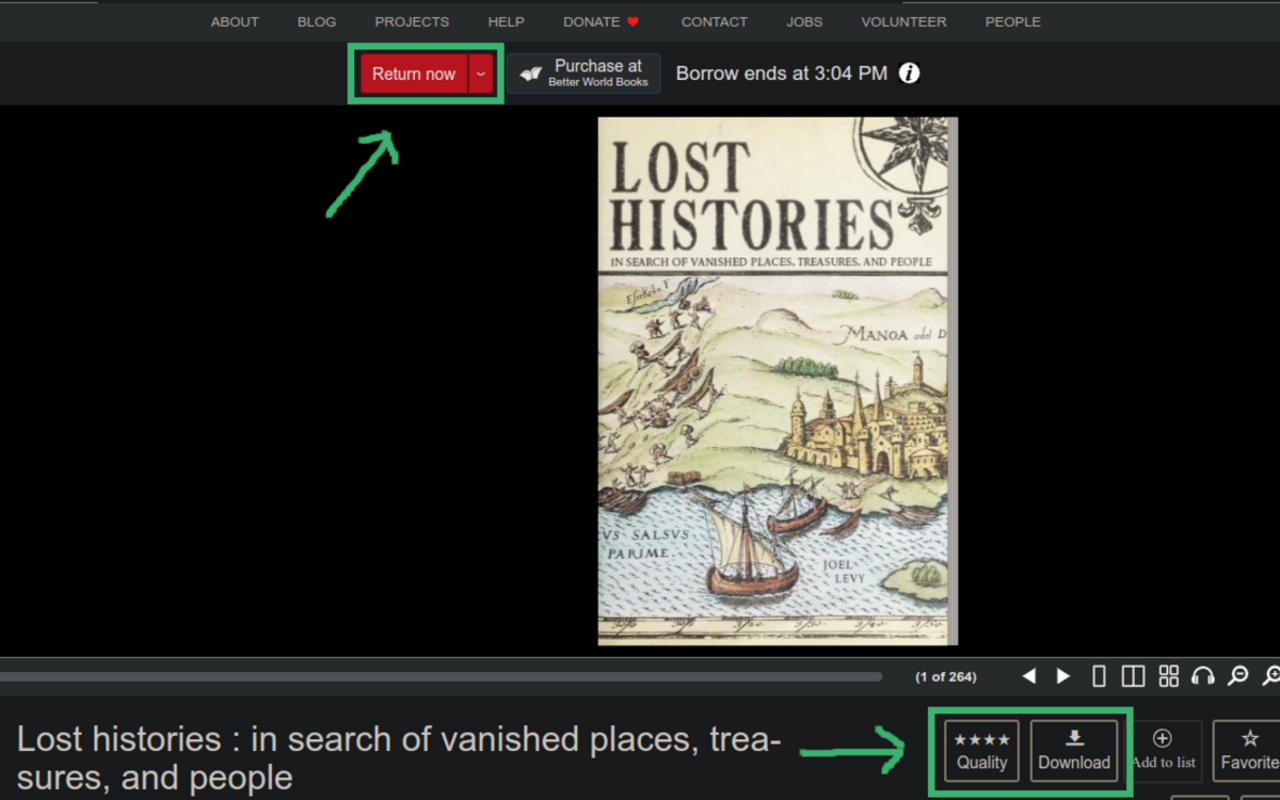
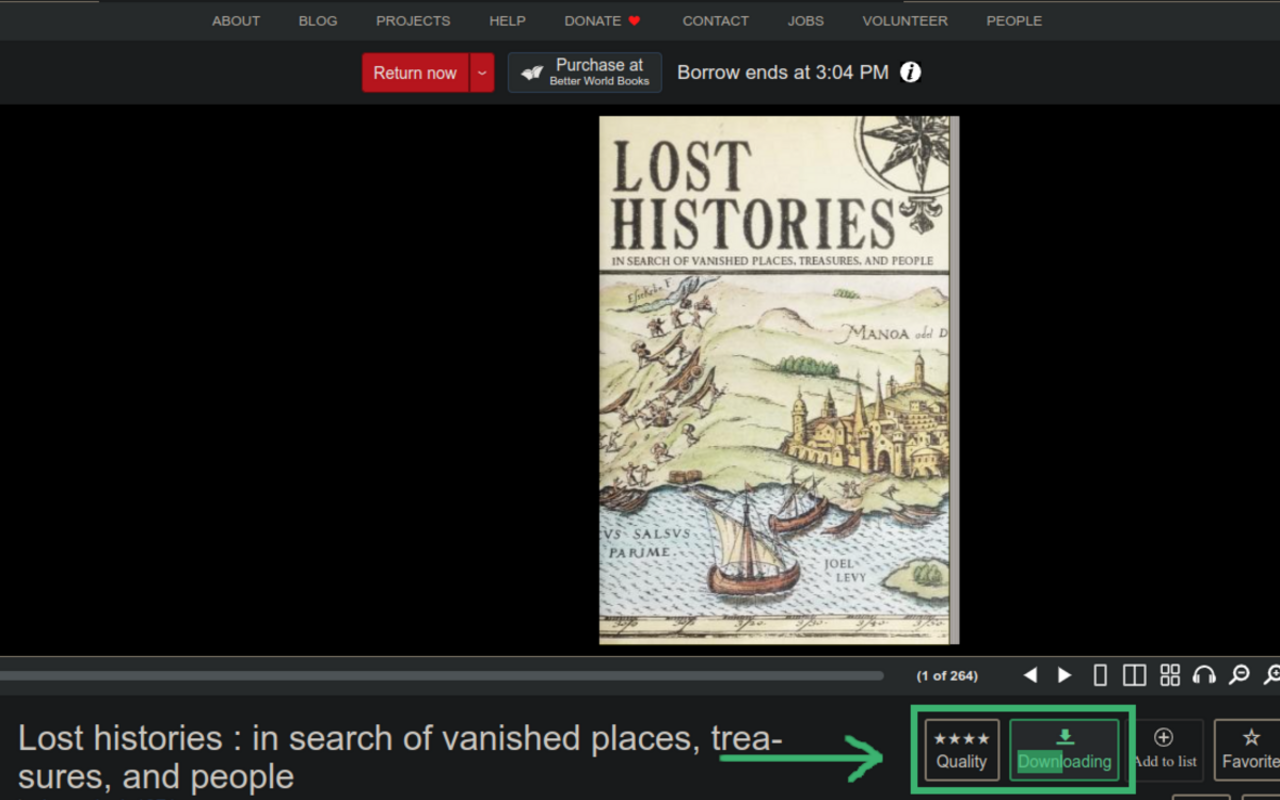
After borrowing a book, two new buttons, "Quality" and "Download", appear under the book viewer alongside the "Favorite" button.
On rare occasions where the buttons did not appear upon page loaded, click the extension button on browser toolbar to open settings page and click "Show Buttons".
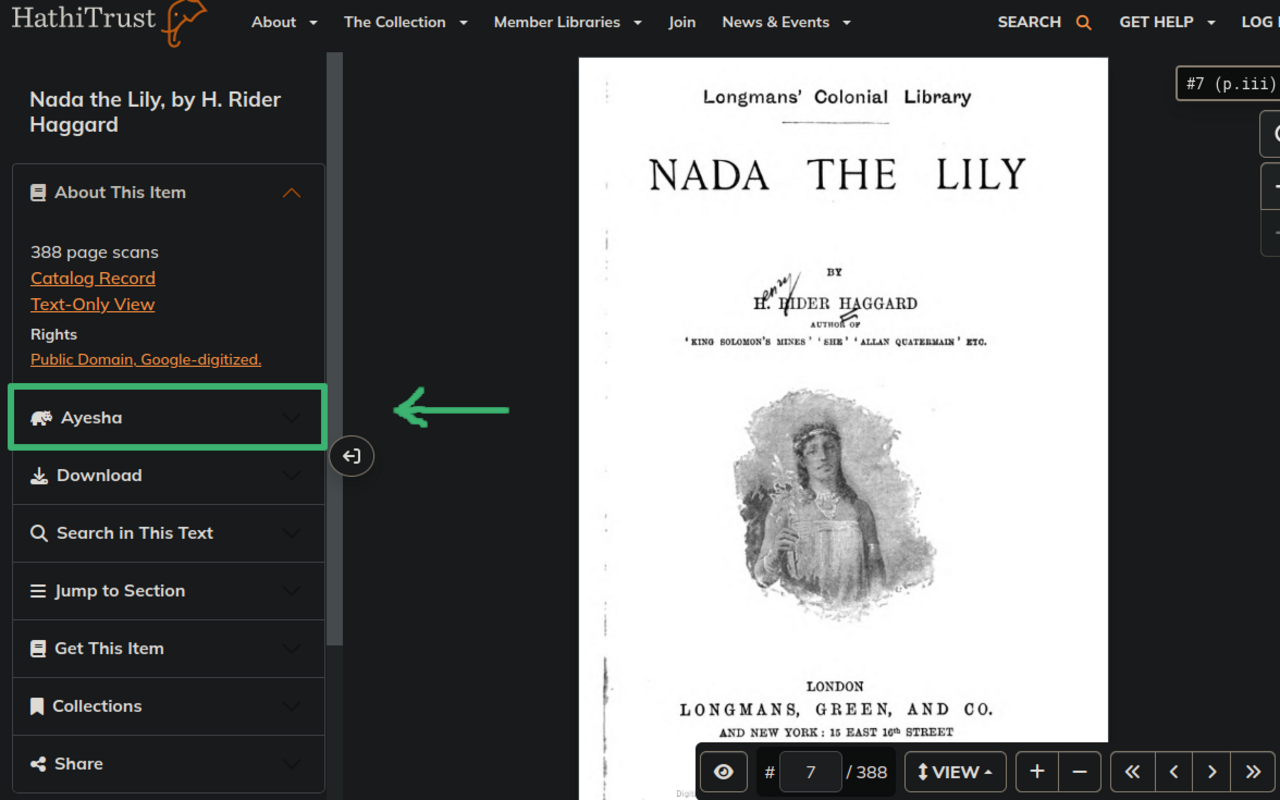
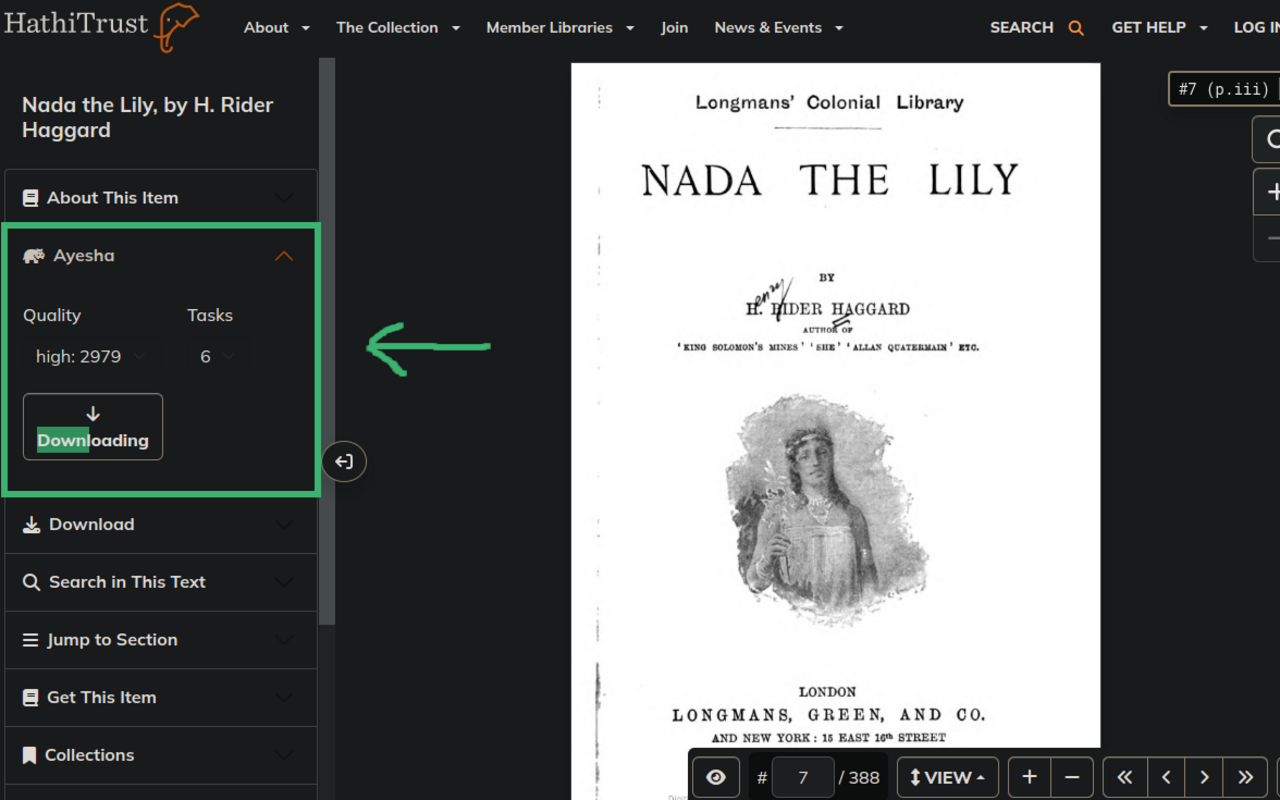
No login, no borrows required. In hathitrust.org, for books with full view permission, a new section, "Ayesha", appears above the "Download" section on the left-hand side of the page. The section contains three buttons, "Quality", "Tasks" and "Download".
The download job may take a break at each around 100 pages due to server restriction, just wait and continue.
Please read carefully the Extension Privacy Policy.
The project is for study purpose only. Users should recognize that downloading borrowed limited period books is prohibited. All books downloaded using this project should be deleted within 48 hours. The project is provided on an "as is" basis. Use of the project is at user's own risk. The owner does not guarantee or assume responsibility for any damages to user's computer system, mobile device, loss of data or legal risks that results from using the project.
If you love the downloader, consider supporting or hiring the maintainer @elementdavv 
174 followers · starred Aug 2026
69 followers · starred Dec 2024
46 followers · starred Jan 2026
10 followers · starred Jul 2025
A chrome/firefox extension that download books from Internet Archive(archive.org) and HathiTrust Digital Library (hathitrust.org)
JavaScript
1,652
99 commits
updated Apr 11, 2026
[!WARNING] This GitHub repo (https://github.com/elementdavv/internet_archive_downloader) is the only official source of the project. Do not download releases from random websites, even if their name contains
internet archive downloader.
In Internet Archive, Some books can be borrowed to read online for a limited period. The extension will try to download these books.
In HathiTrust Digital Library. books with full view permission is also supported.
The extension works by fetching every leaf of a book, constructing a PDF stream on the fly targeting to disk storage. So it can handle books of thousands of leafs easily with little memory.
Install as the following directions supports automatic updates when new versions are available.
For Firefox, permissions of access to related websites must be granted in the "Permissions" tab within the extension detail page.
Click the extension button on browser toolbar to open settings page. Configurable options include quality level, getting PDF or ZIP, preseting download range, whether to return book upon download completes etc. Hover mouse on information icon to the right of each item name to see its explanation. All changes will be applied to next download job. Old style Ctrl/Alt + Click combinations still work as ever.
In archive.org, the availability of books lies in three categories:
The extension works with category 1 and 2.
After borrowing a book, two new buttons, "Quality" and "Download", appear under the book viewer alongside the "Favorite" button.
On rare occasions where the buttons did not appear upon page loaded, click the extension button on browser toolbar to open settings page and click "Show Buttons".
No login, no borrows required. In hathitrust.org, for books with full view permission, a new section, "Ayesha", appears above the "Download" section on the left-hand side of the page. The section contains three buttons, "Quality", "Tasks" and "Download".
The download job may take a break at each around 100 pages due to server restriction, just wait and continue.
Please read carefully the Extension Privacy Policy.
The project is for study purpose only. Users should recognize that downloading borrowed limited period books is prohibited. All books downloaded using this project should be deleted within 48 hours. The project is provided on an "as is" basis. Use of the project is at user's own risk. The owner does not guarantee or assume responsibility for any damages to user's computer system, mobile device, loss of data or legal risks that results from using the project.
If you love the downloader, consider supporting or hiring the maintainer @elementdavv
174 followers · starred Aug 2026
69 followers · starred Dec 2024
46 followers · starred Jan 2026
10 followers · starred Jul 2025