Print-quality PDFs from React components, with a native layout engine in Rust
Rust
4
584 commits
updated Oct 18, 2026
A PDF layout engine for Node.js, written in Rust.
Typeset documents from React components, or from a JSON document tree.


Getting started · Documentation · Packages · Performance · Contributing
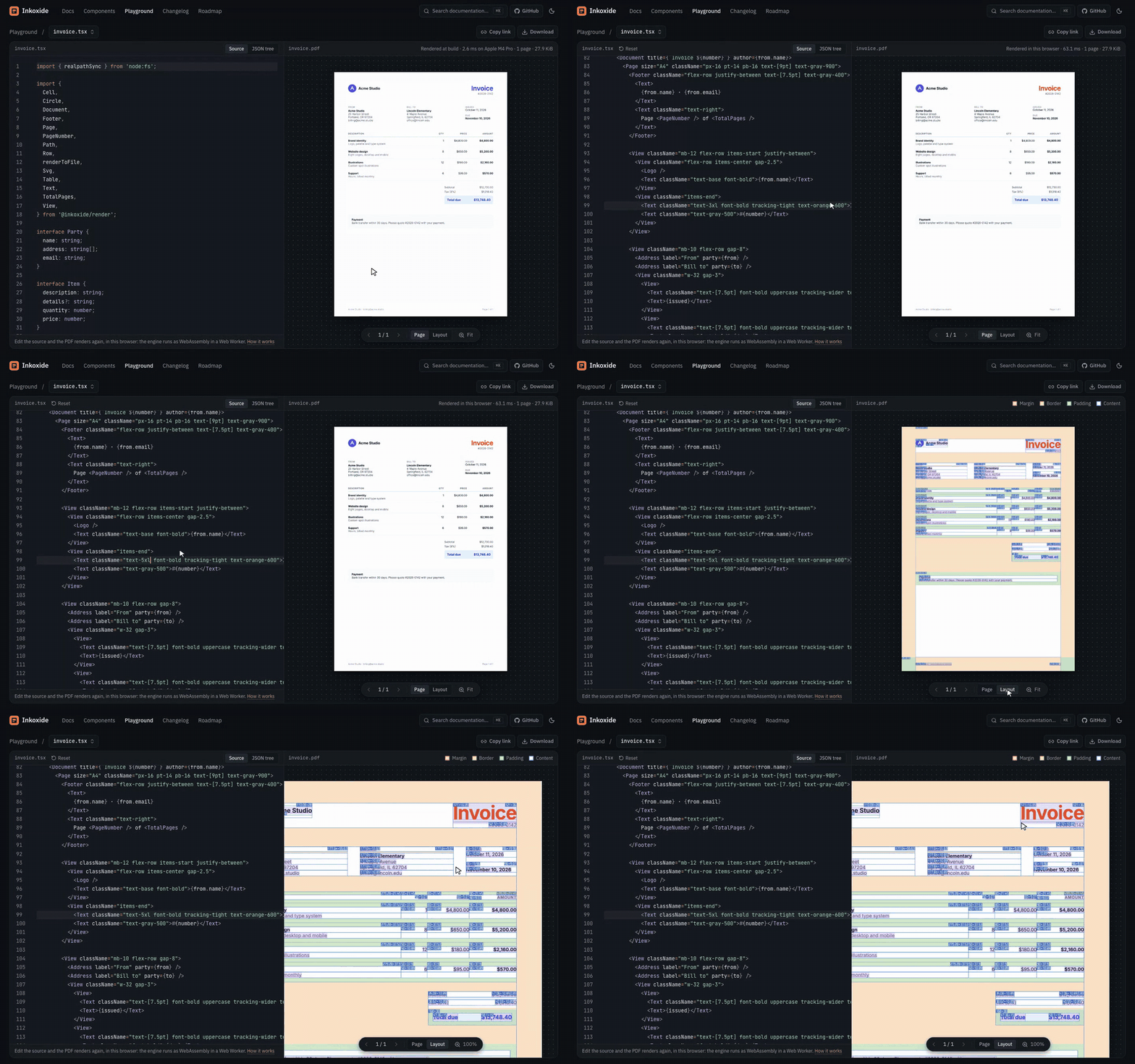
Edit a document in the playground: it renders again in the browser, and Layout shows the boxes the engine laid out.
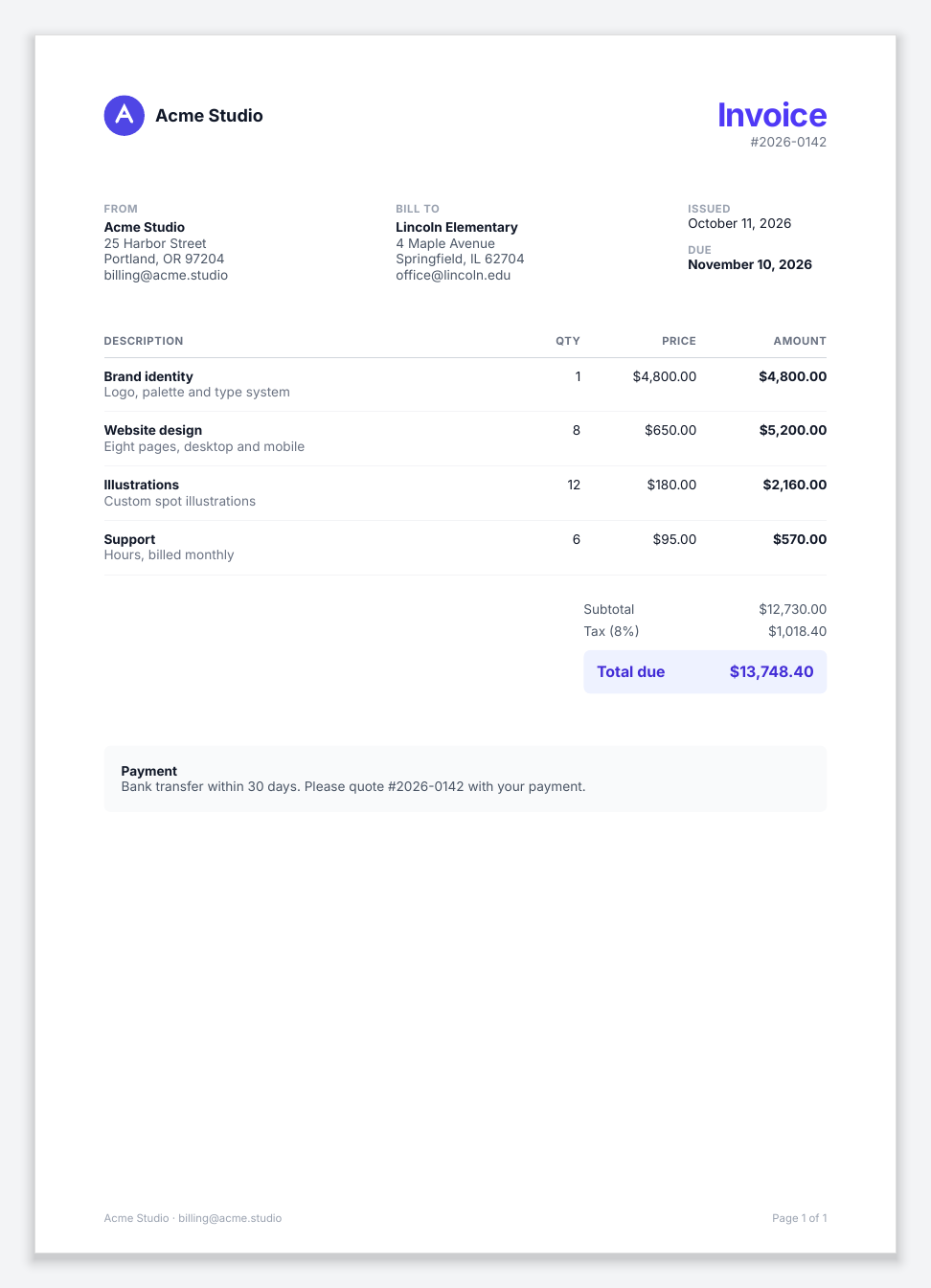 Invoice | 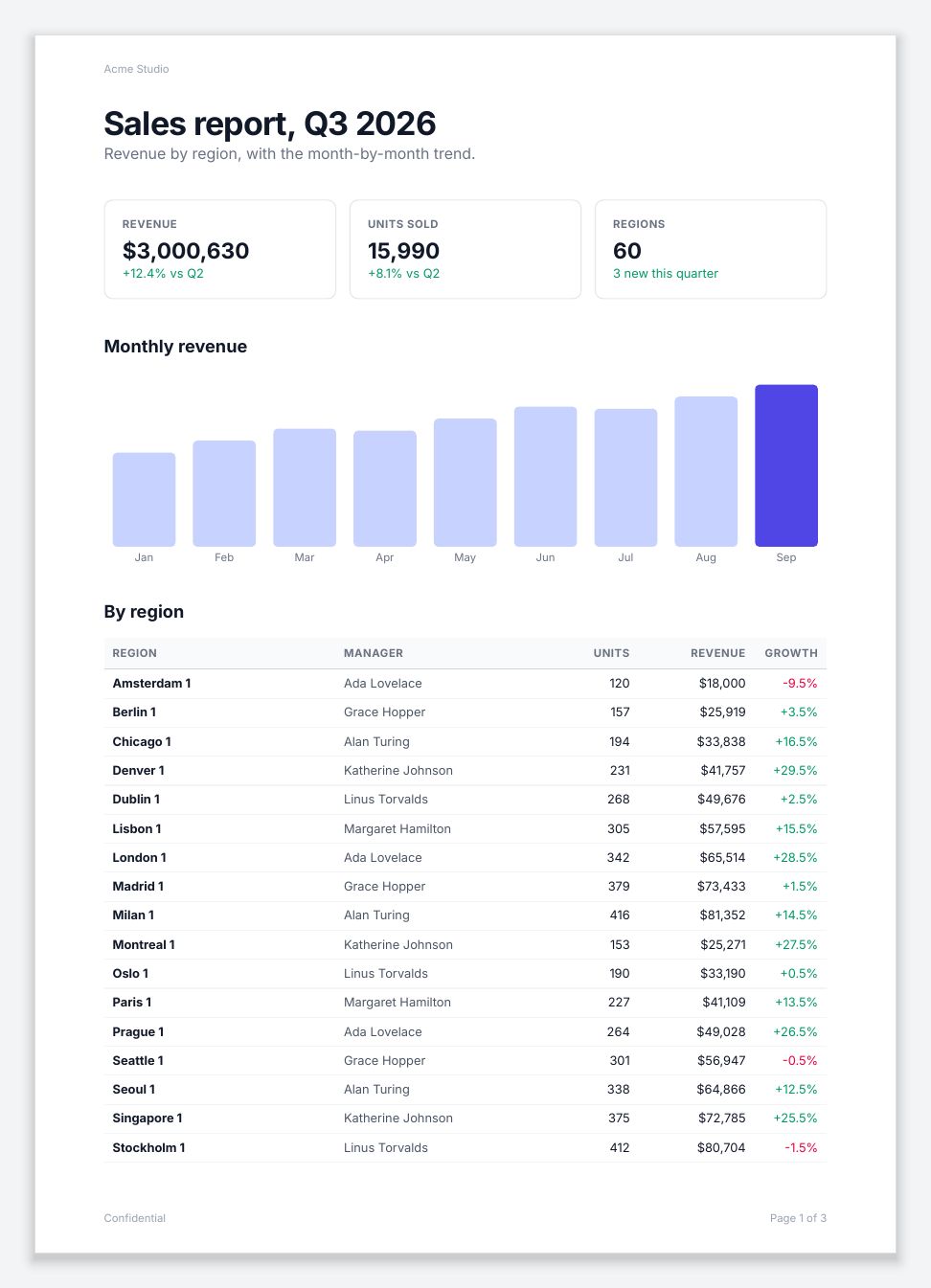 Multi-page report |  Certificate |
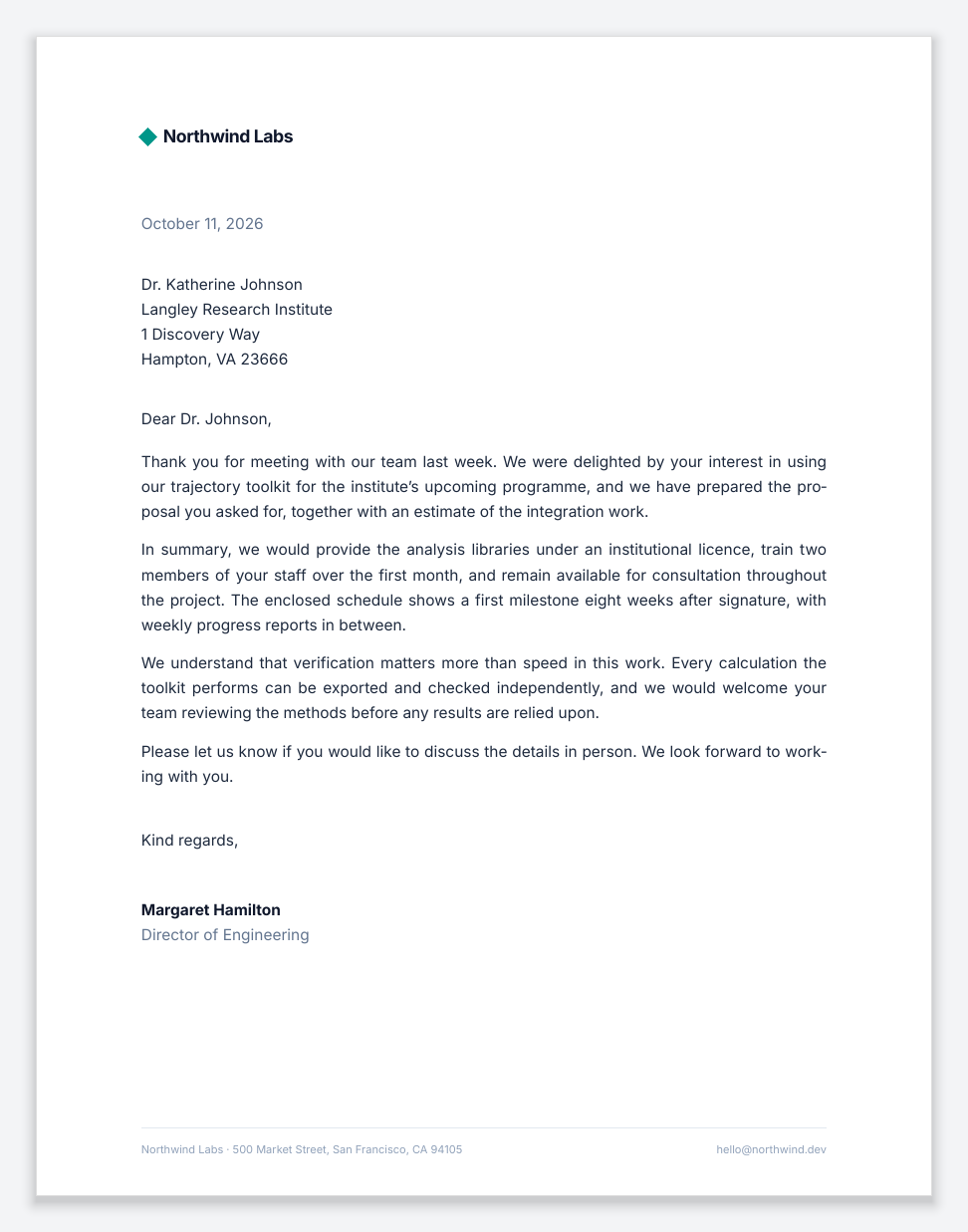 Business letter | 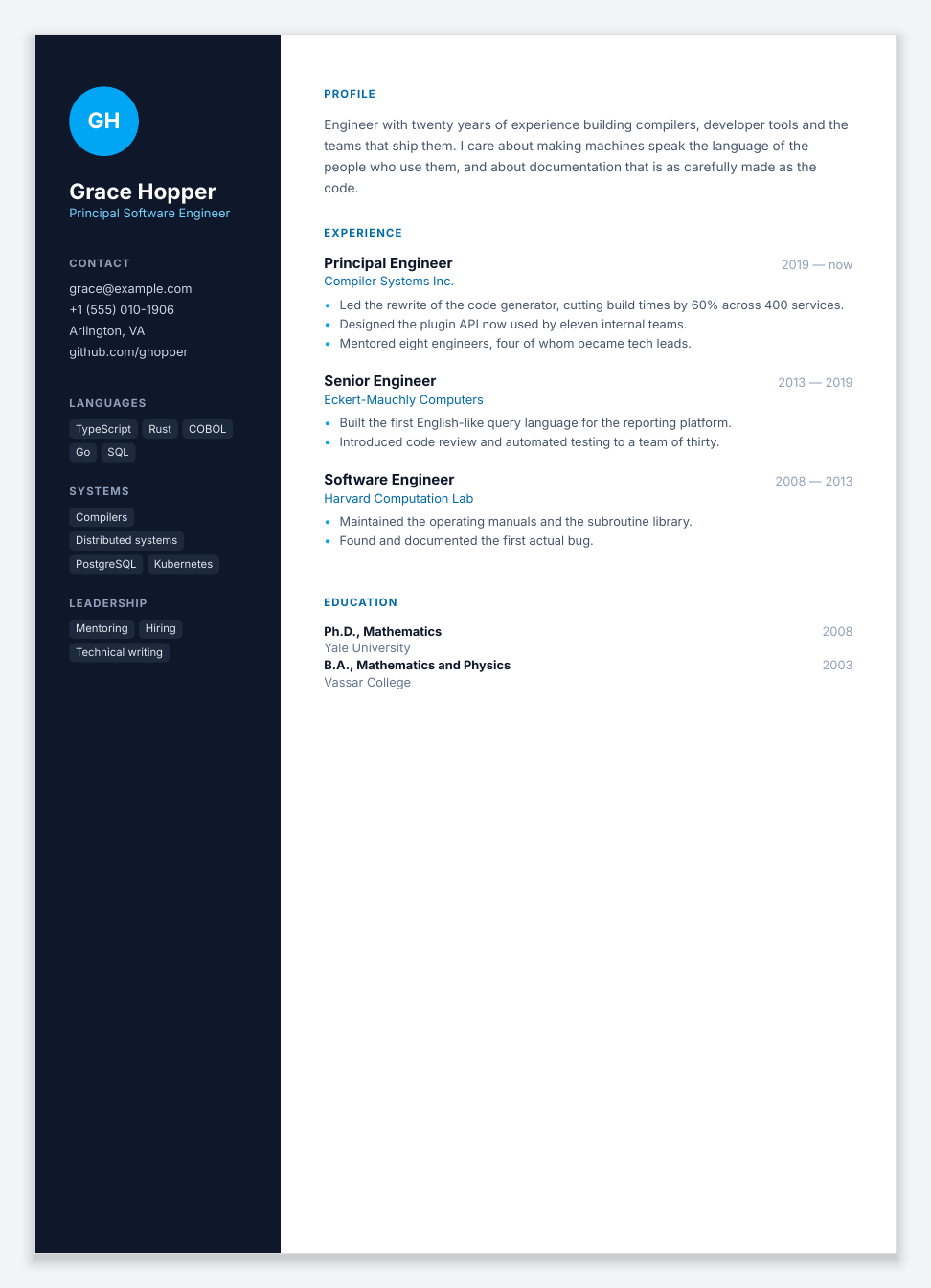 Résumé | 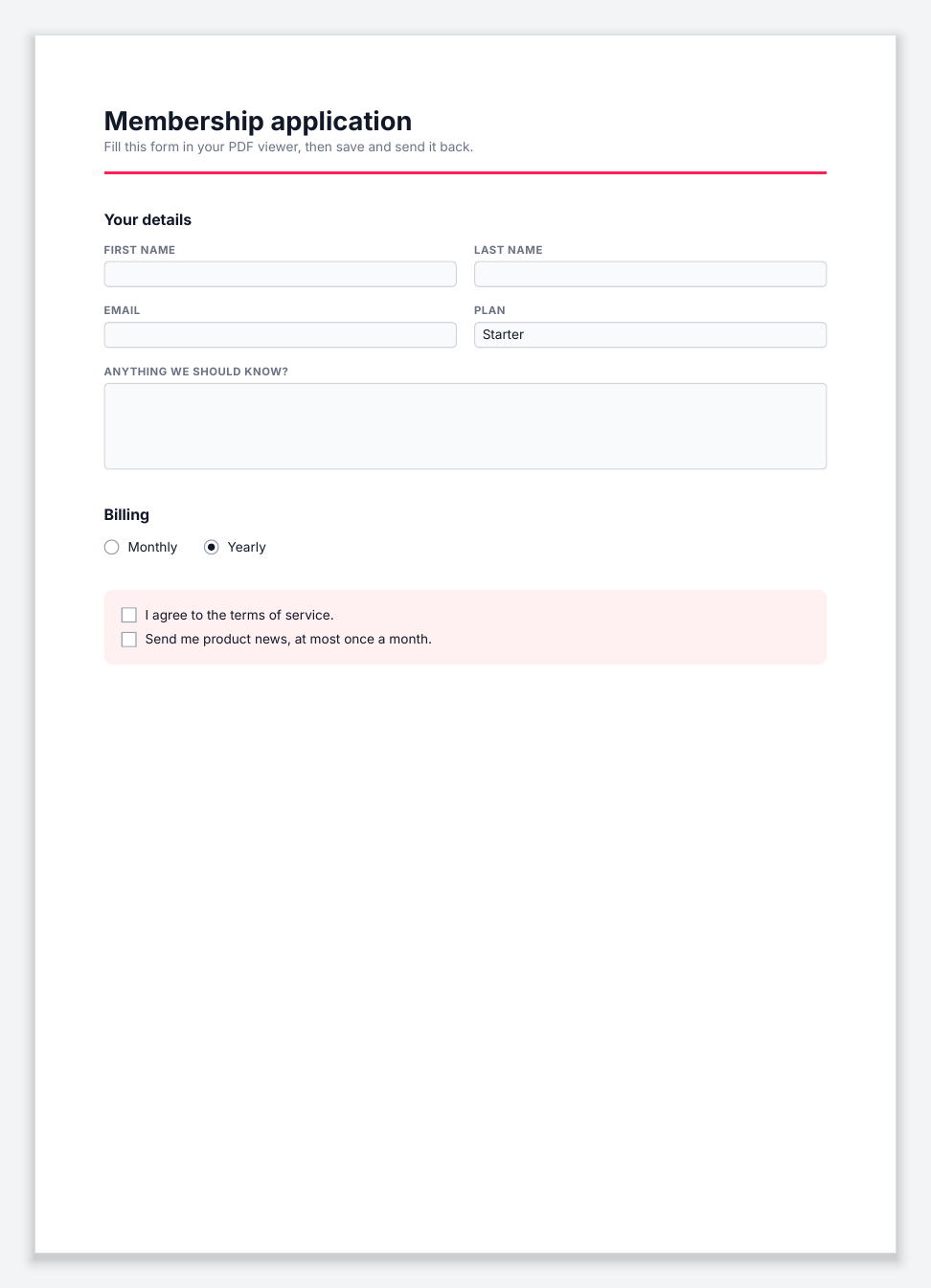 Fillable form |
Inkoxide does the typesetting of a PDF: text shaping, line breaking, layout, pagination and PDF
output, in native code. Documents are written as React components with
@inkoxide/render, styled with Tailwind
classes or style objects, or built as JSON by any program and rendered with
inkoxide. A one-page invoice renders in about a
millisecond; a 98-page report with 40 tables in about 130 ms.
npm install @inkoxide/render
To style with Tailwind classes (className), as the example does, add:
npm install @inkoxide/tailwind
Save this as receipt.tsx:
/** @jsxRuntime automatic */
import { Document, Page, renderToFile, Text, View } from '@inkoxide/render';

function Receipt({ customer, lines }: { customer: string; lines: { name: string; amount: number }[] }) {
  const total = lines.reduce((sum, l) => sum + l.amount, 0);
  return (
    <Document title={`Receipt for ${customer}`}>
      <Page size="A6" className="p-8 text-xs text-gray-900">
        <Text className="text-lg font-bold">Receipt</Text>
        <Text className="mb-4 text-gray-500">for {customer}</Text>
        {lines.map((l) => (
          <View key={l.name} className="flex-row justify-between border-b border-gray-200 py-1.5">
            <Text>{l.name}</Text>
            <Text>${l.amount.toFixed(2)}</Text>
          </View>
        ))}
        <View className="mt-3 flex-row justify-between font-bold">
          <Text>Total</Text>
          <Text>${total.toFixed(2)}</Text>
        </View>
      </Page>
    </Document>
  );
}

renderToFile(
  <Receipt
    customer="Ada Lovelace"
    lines={[
      { name: 'Espresso', amount: 3.2 },
      { name: 'Almond croissant', amount: 4.5 },
      { name: 'Sparkling water', amount: 2 },
    ]}
  />,
  'receipt.pdf',
);
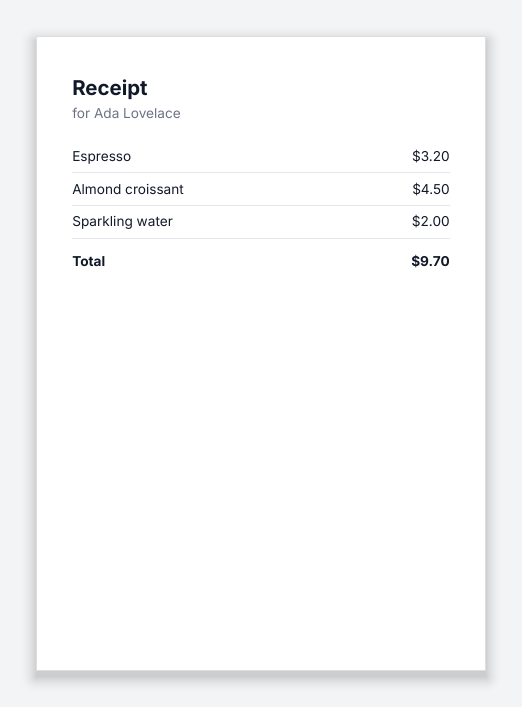
Run it with npx tsx receipt.tsx. The fonts (Inter, Noto Sans, Roboto Mono) ship with the
package, and @inkoxide/tailwind brings the Tailwind compiler. The six documents above, with
their code, are in examples/ and in the
@inkoxide/render README.
import { readFileSync, writeFileSync } from 'node:fs';
import { registerFont, render } from 'inkoxide';

registerFont('Inter-Bold', readFileSync('Inter-Bold.ttf'));

const doc = {
  version: 1,
  fonts: [{ id: 'Inter-Bold', family: 'Inter', weight: 700 }],
  pages: [
    {
      size: { width: 595.28, height: 841.89 },
      margin: { top: 56, right: 56, bottom: 56, left: 56 },
      children: [{ type: 'text', runs: [{ text: 'Hello, PDF', font: 'Inter-Bold', size: 28 }] }],
    },
  ],
};

writeFileSync('hello.pdf', await render(JSON.stringify(doc)));
The document tree is a fully resolved description of boxes, text, images and tables, as JSON or
MessagePack. @inkoxide/schema has its TypeScript types and JSON Schema.
| Topic | Document |
|---|---|
| Writing documents in React | Guide: components, styling, fonts, images, pagination, tables, forms, API, errors |
| Tailwind classes | Supported utilities |
| Using the engine from Node | Client integration: fonts, images, errors, threading, determinism |
| The engine API | API reference: the Rust and Node APIs, options and error codes |
| The document tree | Schema reference and example documents |
| How it works | Architecture |
| Testing and benchmarks | Testing and benchmarks |
| Package | What it is |
|---|---|
@inkoxide/render | React components to PDF: renderToBuffer, renderToFile, Font.register, bundled fonts |
@inkoxide/react | The React components and reconciler that build document trees |
@inkoxide/tailwind | Optional: Tailwind class strings (className) to engine styles, with the Tailwind v4 compiler |
@inkoxide/style | Style values: CSS lengths, colours and transforms read into engine styles |
inkoxide | The engine for Node.js: a JSON or MessagePack document tree in, PDF bytes out |
@inkoxide/schema | TypeScript types and JSON Schema of the document tree |
inkoxide crate | The engine as a Rust library |
Median render times after warm-up:
| Document | Pages | All cores | One thread | Machine |
|---|---|---|---|---|
| Invoice, from React | 1 | 1.5 ms | 1.2 ms | Apple M4 Pro, Node 24 |
| Report, from React: 40 sections, 1,000 table rows | 43 | 41 ms | 54 ms | Apple M4 Pro, Node 24 |
| Report, from React, in the browser (WebAssembly, in a worker) | 43 | 56 ms | Apple M4 Pro, Chromium 153 | |
| Report, from JSON: 40 tables, header, footer | 98 | 130 ms | 277 ms | 4-vCPU Xeon container |
Layout and PDF writing run in parallel across pages, and fonts are parsed once per process. docs/BENCHMARKS.md has the methodology, per-stage profiles and comparisons with other libraries, on the server and in the browser.
Prebuilt binaries; npm installs the one for the current platform. Every package needs Node.js 22 or later and is an ES module.
| OS | Architectures |
|---|---|
| macOS | arm64, x64 |
| Linux | x64 (glibc 2.35+ and musl), arm64 (glibc 2.35+) |
| Windows | x64 |
In browsers (current Chrome, Edge, Firefox and Safari), the engine is WebAssembly
(@inkoxide/wasm), and @inkoxide/render/browser renders in a Web Worker; see
In the browser.
Issues and pull requests are welcome. CONTRIBUTING.md explains how to build the project, run the tests and propose a change, and docs/ARCHITECTURE.md how the code is organised. Please report security issues privately, as described in SECURITY.md. Changes are listed in CHANGELOG.md.
MIT. The bundled fonts are under the SIL Open Font License
(fixtures/fonts/*-OFL.txt).
Print-quality PDFs from React components, with a native layout engine in Rust
Rust
4
584 commits
updated Oct 18, 2026
A PDF layout engine for Node.js, written in Rust.
Typeset documents from React components, or from a JSON document tree.
Getting started · Documentation · Packages · Performance · Contributing
Edit a document in the playground: it renders again in the browser, and Layout shows the boxes the engine laid out.
Invoice | Multi-page report | Certificate |
Business letter | Résumé | Fillable form |
Inkoxide does the typesetting of a PDF: text shaping, line breaking, layout, pagination and PDF
output, in native code. Documents are written as React components with
@inkoxide/render, styled with Tailwind
classes or style objects, or built as JSON by any program and rendered with
inkoxide. A one-page invoice renders in about a
millisecond; a 98-page report with 40 tables in about 130 ms.
npm install @inkoxide/render
To style with Tailwind classes (className), as the example does, add:
npm install @inkoxide/tailwind
Save this as receipt.tsx:
/** @jsxRuntime automatic */
import { Document, Page, renderToFile, Text, View } from '@inkoxide/render';

function Receipt({ customer, lines }: { customer: string; lines: { name: string; amount: number }[] }) {
  const total = lines.reduce((sum, l) => sum + l.amount, 0);
  return (
    <Document title={`Receipt for ${customer}`}>
      <Page size="A6" className="p-8 text-xs text-gray-900">
        <Text className="text-lg font-bold">Receipt</Text>
        <Text className="mb-4 text-gray-500">for {customer}</Text>
        {lines.map((l) => (
          <View key={l.name} className="flex-row justify-between border-b border-gray-200 py-1.5">
            <Text>{l.name}</Text>
            <Text>${l.amount.toFixed(2)}</Text>
          </View>
        ))}
        <View className="mt-3 flex-row justify-between font-bold">
          <Text>Total</Text>
          <Text>${total.toFixed(2)}</Text>
        </View>
      </Page>
    </Document>
  );
}

renderToFile(
  <Receipt
    customer="Ada Lovelace"
    lines={[
      { name: 'Espresso', amount: 3.2 },
      { name: 'Almond croissant', amount: 4.5 },
      { name: 'Sparkling water', amount: 2 },
    ]}
  />,
  'receipt.pdf',
);
Run it with npx tsx receipt.tsx. The fonts (Inter, Noto Sans, Roboto Mono) ship with the
package, and @inkoxide/tailwind brings the Tailwind compiler. The six documents above, with
their code, are in examples/ and in the
@inkoxide/render README.
import { readFileSync, writeFileSync } from 'node:fs';
import { registerFont, render } from 'inkoxide';

registerFont('Inter-Bold', readFileSync('Inter-Bold.ttf'));

const doc = {
  version: 1,
  fonts: [{ id: 'Inter-Bold', family: 'Inter', weight: 700 }],
  pages: [
    {
      size: { width: 595.28, height: 841.89 },
      margin: { top: 56, right: 56, bottom: 56, left: 56 },
      children: [{ type: 'text', runs: [{ text: 'Hello, PDF', font: 'Inter-Bold', size: 28 }] }],
    },
  ],
};

writeFileSync('hello.pdf', await render(JSON.stringify(doc)));
The document tree is a fully resolved description of boxes, text, images and tables, as JSON or
MessagePack. @inkoxide/schema has its TypeScript types and JSON Schema.
| Topic | Document |
|---|---|
| Writing documents in React | Guide: components, styling, fonts, images, pagination, tables, forms, API, errors |
| Tailwind classes | Supported utilities |
| Using the engine from Node | Client integration: fonts, images, errors, threading, determinism |
| The engine API | API reference: the Rust and Node APIs, options and error codes |
| The document tree | Schema reference and example documents |
| How it works | Architecture |
| Testing and benchmarks | Testing and benchmarks |
| Package | What it is |
|---|---|
@inkoxide/render | React components to PDF: renderToBuffer, renderToFile, Font.register, bundled fonts |
@inkoxide/react | The React components and reconciler that build document trees |
@inkoxide/tailwind | Optional: Tailwind class strings (className) to engine styles, with the Tailwind v4 compiler |
@inkoxide/style | Style values: CSS lengths, colours and transforms read into engine styles |
inkoxide | The engine for Node.js: a JSON or MessagePack document tree in, PDF bytes out |
@inkoxide/schema | TypeScript types and JSON Schema of the document tree |
inkoxide crate | The engine as a Rust library |
Median render times after warm-up:
| Document | Pages | All cores | One thread | Machine |
|---|---|---|---|---|
| Invoice, from React | 1 | 1.5 ms | 1.2 ms | Apple M4 Pro, Node 24 |
| Report, from React: 40 sections, 1,000 table rows | 43 | 41 ms | 54 ms | Apple M4 Pro, Node 24 |
| Report, from React, in the browser (WebAssembly, in a worker) | 43 | 56 ms | Apple M4 Pro, Chromium 153 | |
| Report, from JSON: 40 tables, header, footer | 98 | 130 ms | 277 ms | 4-vCPU Xeon container |
Layout and PDF writing run in parallel across pages, and fonts are parsed once per process. docs/BENCHMARKS.md has the methodology, per-stage profiles and comparisons with other libraries, on the server and in the browser.
Prebuilt binaries; npm installs the one for the current platform. Every package needs Node.js 22 or later and is an ES module.
| OS | Architectures |
|---|---|
| macOS | arm64, x64 |
| Linux | x64 (glibc 2.35+ and musl), arm64 (glibc 2.35+) |
| Windows | x64 |
In browsers (current Chrome, Edge, Firefox and Safari), the engine is WebAssembly
(@inkoxide/wasm), and @inkoxide/render/browser renders in a Web Worker; see
In the browser.
Issues and pull requests are welcome. CONTRIBUTING.md explains how to build the project, run the tests and propose a change, and docs/ARCHITECTURE.md how the code is organised. Please report security issues privately, as described in SECURITY.md. Changes are listed in CHANGELOG.md.
MIT. The bundled fonts are under the SIL Open Font License
(fixtures/fonts/*-OFL.txt).



