
README
XML Language Server (LemMinX)





LemMinX is a XML language specific implementation of the Language Server Protocol and can be used with any editor that supports the protocol, to offer good support for the XML Language. The server is based on:
- Eclipse LSP4J, the Java binding for the Language Server Protocol.
- Xerces to manage XML Schema validation, completion and hover
Features
- textDocument/codeAction.
- textDocument/completion.
- textDocument/documentHighlight.
- textDocument/documentLink.
- textDocument/documentSymbol.
- textDocument/foldingRanges.
- textDocument/formatting.
- textDocument/hover.
- textDocument/rangeFormatting
- textDocument/rename.
See screenshots in the Features docs.
See the changelog for the latest release.
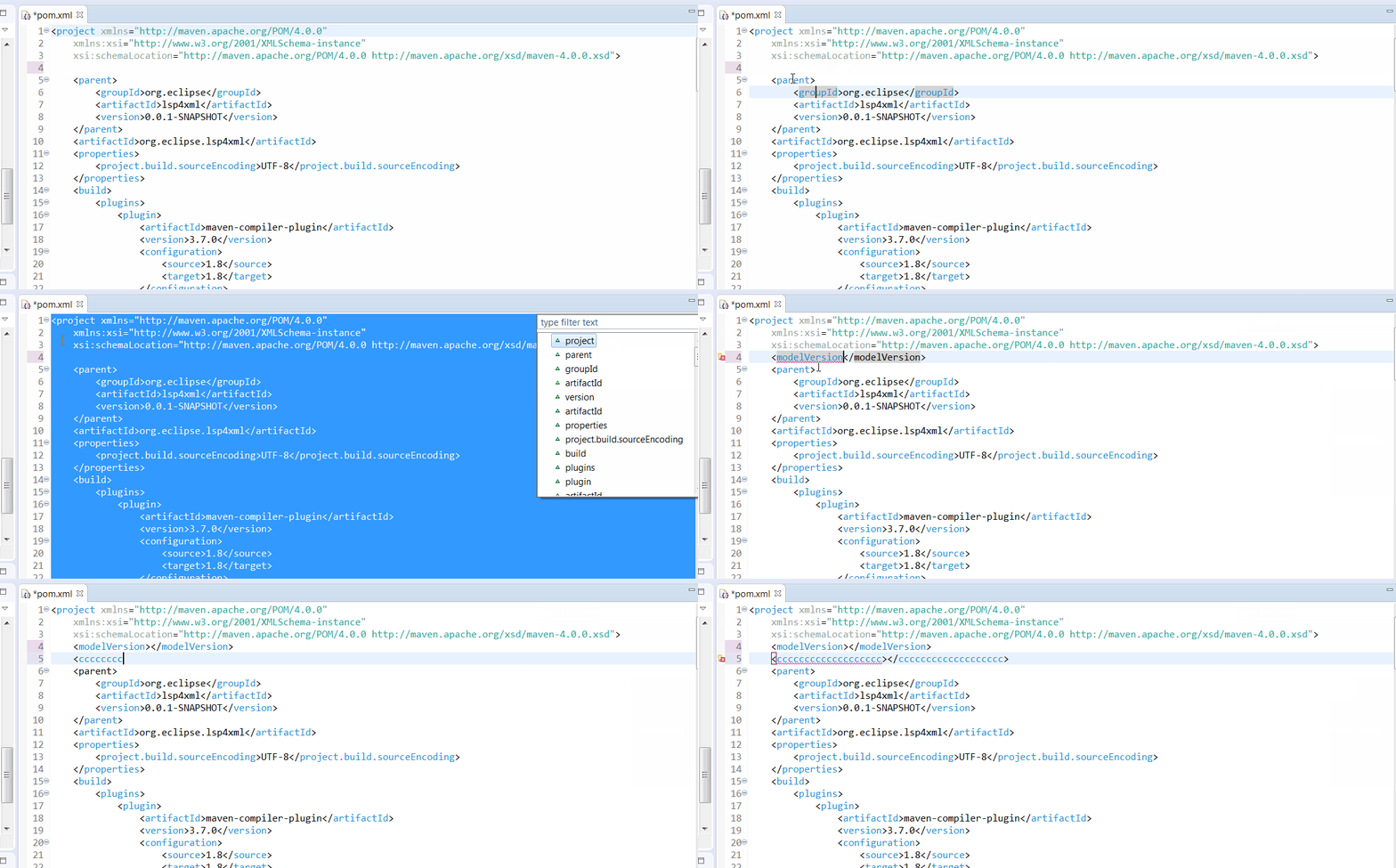
Demo
Get started
- Clone this repository
- Open the folder in your terminal / command line
- Run
./mvnw clean verify(OSX, Linux) ormvnw.cmd clean verify(Windows) - After successful compilation you can find the resulting
org.eclipse.lemminx-uber.jarin the folderorg.eclipse.lemminx/target
Developer
To debug the XML LS you can use XMLServerSocketLauncher:
- Run the XMLServerSocketLauncher in debug mode (e.g. in eclipse)
- Connect your client via socket port. Default port is 5008, but you can change it with start argument
--portin step 1
Client connection example using Theia and TypeScript:
let socketPort = '5008'
console.log(`Connecting via port ${socketPort}`)
const socket = new net.Socket()
const serverConnection = createSocketConnection(socket,
    socket, () => {
        socket.destroy()
    });
this.forward(clientConnection, serverConnection)
socket.connect(socketPort)
Generating a native binary:
To generate a native binary:
- Install GraalVM, ideally with a tool that allows setting up multiple versions of Java, such as SDKMAN
- Execute a Maven build that sets the flag
native:./mvnw clean package -Dnative -DskipTests- On Linux, compile with
./mvnw clean package -Dnative -DskipTests -Dgraalvm.static=--staticin order to support distributions that don't useglibc, such as Alpine Linux
- On Linux, compile with
- It will generate a native binary in
org.eclipse.lemminx/target/lemminx-{os.name}-{architecture}-{version}
OS specific instructions:
- Linux:
- Make sure that you have installed the static versions of the C++ standard library
- For instance, on Fedora Linux, install
glibc-static,libstdc++-static, andzlib-static
- For instance, on Fedora Linux, install
- Make sure that you have installed the static versions of the C++ standard library
- Windows:
- Make sure to run the Maven wrapper in the "Native Tools Command Prompt". This command prompt can be obtained through installing the Windows SDK or Visual Studio, as mentioned in the GraalVM installation instructions.
native-image Development Instructions:
- Reflection:
- If you need to use reflection to access a private field/method, simply register the field/methods that you access in
reflect-config.json - If you need to parse some JSON using Gson, make sure to register the fields and methods of the class that you are parsing into in
reflect-config.json- This needs to be done recursively, for all classes that it has member variables of, including
enums - Settings are all deserialized, so whenever a setting is added, make sure to register the classes
- This needs to be done recursively, for all classes that it has member variables of, including
- Manually test the binary and check the logs for reflection errors/NPEs
- If you need to use reflection to access a private field/method, simply register the field/methods that you access in
Maven coordinates:
Here are the Maven coordinates for lemminx (replace the X.Y.Z version with the latest release):
<dependency>
    <groupId>org.eclipse.lemminx</groupId>
    <artifactId>org.eclipse.lemminx</artifactId>
    <version>X.Y.Z</version>
    <!-- classifier:uber includes all dependencies -->
    <classifier>uber</classifier>
</dependency>
for Gradle:
compile(group: 'org.lemminx', name: 'org.eclipse.lemminx', version: 'X.Y.Z', classifier: 'uber')
You will have to reference the Maven repository hosting the dependency you need. E.g. for Maven, add this repository to your pom.xml or settings.xml :
<repository>
  <id>lemminx-releases</id>
  <url>https://repo.eclipse.org/content/repositories/lemminx-releases/</url>
  <snapshots>
    <enabled>false</enabled>
  </snapshots>
  <releases>
    <enabled>true</enabled>
  </releases>
</repository>
And if you want to consume the SNAPSHOT builds instead:
<repository>
  <id>lemminx-snapshots</id>
  <url>https://repo.eclipse.org/content/repositories/lemminx-snapshots/</url>
  <releases>
    <enabled>false</enabled>
  </releases>
  <snapshots>
    <enabled>true</enabled>
  </snapshots>
</repository>
Verify 3rd Party Libraries
Currently generating the IP Log report requires a Java Runtime Environment (JRE) >= 11.
Run ./mvnw clean verify -Pverify-iplog to generate a report for the 3rd party libraries used by this project. See the Eclipse Project Handbook for further details.
Clients
Here are some clients consuming this XML Language Server:
- Eclipse IDE with Wild Web Developer and m2e
- VSCode with vscode-xml
- Theia with theia-xml
- Spring Tools 4 - re-using the XML parser for Spring-specific analysis and content-assist
- Vim/Neovim with coc-xml
- Emacs with lsp-mode
Extensions
The XML Language Server can be extended to provide additional validation and assistance. Read the LemMinX-Extensions docs for more information
Contributors
(top 30 of 46)


Similar repos


Languages
Java
99.9%
README
XML Language Server (LemMinX)
LemMinX is a XML language specific implementation of the Language Server Protocol and can be used with any editor that supports the protocol, to offer good support for the XML Language. The server is based on:
- Eclipse LSP4J, the Java binding for the Language Server Protocol.
- Xerces to manage XML Schema validation, completion and hover
Features
- textDocument/codeAction.
- textDocument/completion.
- textDocument/documentHighlight.
- textDocument/documentLink.
- textDocument/documentSymbol.
- textDocument/foldingRanges.
- textDocument/formatting.
- textDocument/hover.
- textDocument/rangeFormatting
- textDocument/rename.
See screenshots in the Features docs.
See the changelog for the latest release.
Demo
Get started
- Clone this repository
- Open the folder in your terminal / command line
- Run
./mvnw clean verify(OSX, Linux) ormvnw.cmd clean verify(Windows) - After successful compilation you can find the resulting
org.eclipse.lemminx-uber.jarin the folderorg.eclipse.lemminx/target
Developer
To debug the XML LS you can use XMLServerSocketLauncher:
- Run the XMLServerSocketLauncher in debug mode (e.g. in eclipse)
- Connect your client via socket port. Default port is 5008, but you can change it with start argument
--portin step 1
Client connection example using Theia and TypeScript:
let socketPort = '5008'
console.log(`Connecting via port ${socketPort}`)
const socket = new net.Socket()
const serverConnection = createSocketConnection(socket,
    socket, () => {
        socket.destroy()
    });
this.forward(clientConnection, serverConnection)
socket.connect(socketPort)
Generating a native binary:
To generate a native binary:
- Install GraalVM, ideally with a tool that allows setting up multiple versions of Java, such as SDKMAN
- Execute a Maven build that sets the flag
native:./mvnw clean package -Dnative -DskipTests- On Linux, compile with
./mvnw clean package -Dnative -DskipTests -Dgraalvm.static=--staticin order to support distributions that don't useglibc, such as Alpine Linux
- On Linux, compile with
- It will generate a native binary in
org.eclipse.lemminx/target/lemminx-{os.name}-{architecture}-{version}
OS specific instructions:
- Linux:
- Make sure that you have installed the static versions of the C++ standard library
- For instance, on Fedora Linux, install
glibc-static,libstdc++-static, andzlib-static
- For instance, on Fedora Linux, install
- Make sure that you have installed the static versions of the C++ standard library
- Windows:
- Make sure to run the Maven wrapper in the "Native Tools Command Prompt". This command prompt can be obtained through installing the Windows SDK or Visual Studio, as mentioned in the GraalVM installation instructions.
native-image Development Instructions:
- Reflection:
- If you need to use reflection to access a private field/method, simply register the field/methods that you access in
reflect-config.json - If you need to parse some JSON using Gson, make sure to register the fields and methods of the class that you are parsing into in
reflect-config.json- This needs to be done recursively, for all classes that it has member variables of, including
enums - Settings are all deserialized, so whenever a setting is added, make sure to register the classes
- This needs to be done recursively, for all classes that it has member variables of, including
- Manually test the binary and check the logs for reflection errors/NPEs
- If you need to use reflection to access a private field/method, simply register the field/methods that you access in
Maven coordinates:
Here are the Maven coordinates for lemminx (replace the X.Y.Z version with the latest release):
<dependency>
    <groupId>org.eclipse.lemminx</groupId>
    <artifactId>org.eclipse.lemminx</artifactId>
    <version>X.Y.Z</version>
    <!-- classifier:uber includes all dependencies -->
    <classifier>uber</classifier>
</dependency>
for Gradle:
compile(group: 'org.lemminx', name: 'org.eclipse.lemminx', version: 'X.Y.Z', classifier: 'uber')
You will have to reference the Maven repository hosting the dependency you need. E.g. for Maven, add this repository to your pom.xml or settings.xml :
<repository>
  <id>lemminx-releases</id>
  <url>https://repo.eclipse.org/content/repositories/lemminx-releases/</url>
  <snapshots>
    <enabled>false</enabled>
  </snapshots>
  <releases>
    <enabled>true</enabled>
  </releases>
</repository>
And if you want to consume the SNAPSHOT builds instead:
<repository>
  <id>lemminx-snapshots</id>
  <url>https://repo.eclipse.org/content/repositories/lemminx-snapshots/</url>
  <releases>
    <enabled>false</enabled>
  </releases>
  <snapshots>
    <enabled>true</enabled>
  </snapshots>
</repository>
Verify 3rd Party Libraries
Currently generating the IP Log report requires a Java Runtime Environment (JRE) >= 11.
Run ./mvnw clean verify -Pverify-iplog to generate a report for the 3rd party libraries used by this project. See the Eclipse Project Handbook for further details.
Clients
Here are some clients consuming this XML Language Server:
- Eclipse IDE with Wild Web Developer and m2e
- VSCode with vscode-xml
- Theia with theia-xml
- Spring Tools 4 - re-using the XML parser for Spring-specific analysis and content-assist
- Vim/Neovim with coc-xml
- Emacs with lsp-mode
Extensions
The XML Language Server can be extended to provide additional validation and assistance. Read the LemMinX-Extensions docs for more information
Similar repos
Contributors
(top 30 of 46)
Languages
Java
99.9%