Automatic Speech Recognition (ASR) for Indian languages using IndicConformer models.
Currently verified for kannada, hindi, tamil, telugu, marathi .
Try the web demo at - https://workshop.dwani.ai with Transcription page
python -m venv venv
source venv/bin/activate
venv\Scripts\activate
pip install -r requirements.txt
sudo apt install ffmpeg
Models can be downloaded from AI4Bharat's HuggingFace repository:
Log in HuggingFace Account
Request Access to the model
https://huggingface.co/docs/hub/security-tokens
export HF_TOKEN=<YOUR-READ-TOKEN-HERE>
hf download ai4bharat/indic-conformer-600m-multilingual
from transformers import AutoModel
import torchaudio
import torch

# Load the model
model = AutoModel.from_pretrained("ai4bharat/indic-conformer-600m-multilingual", trust_remote_code=True)

# Load an audio file
wav, sr = torchaudio.load("kannada_sample_1.wav")
wav = torch.mean(wav, dim=0, keepdim=True)

target_sample_rate = 16000  # Expected sample rate
if sr != target_sample_rate:
    resampler = torchaudio.transforms.Resample(orig_freq=sr, new_freq=target_sample_rate)
    wav = resampler(wav)

# Perform ASR with CTC decoding
transcription_ctc = model(wav, "kn", "ctc")
print("CTC Transcription:", transcription_ctc)

# Perform ASR with RNNT decoding
transcription_rnnt = model(wav, "kn", "rnnt")
print("RNNT Transcription:", transcription_rnnt)
python asr-code.py
python src/server/asr_api.py --port 10803 --host 0.0.0.0
You can evaluate the ASR transcription results using curl commands.
curl -X 'POST' 'http://localhost:10803/transcribe/language=kannada' -H 'accept: application/json' -H 'Content-Type: multipa'Content-Type multipart/form-data' -F 'file=@samples/kannada_sample_1.wav;type=audio/x-wav'
ಕರ್ನಾಟಕದ ರಾಜಧಾನಿ ಯಾವುದು
Translation: "What is the capital of Karnataka"curl -X 'POST' \
'http://localhost:10803/transcribe/language=kannada' \
-H 'accept: application/json' \
-H 'Content-Type: multipart/form-data' \
-F 'file=@samples/kannada_sample_3.wav;type=audio/x-wav'
Note: The ASR does not provide sentence breaks or punctuation (e.g., question marks).
ffmpeg -i sample_audio.wav -ac 1 -ar 16000 sample_audio_infer_ready.wav -y
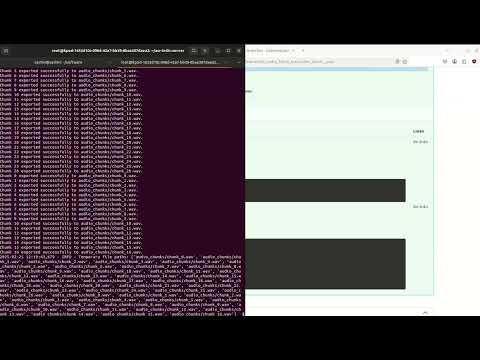
hf download commands above.Watch a quick demo of our project in action! Click the image below to view the video on YouTube.
We welcome contributions! Please read the CONTRIBUTING.md file for guidelines on how to contribute to this project.
Also you can join the discord group to collaborate
Prerequisites: Docker and Docker Compose
Steps:
export HF_TOKEN="YOUR-HF_TOKEN"
docker compose -f compose.yaml up -d
Steps to build the Docker Image
docker build -t dwani/asr-indic-server:latest -f Dockerfile .
-->
Automatic Speech Recognition (ASR) for Indian languages using IndicConformer models.
Currently verified for kannada, hindi, tamil, telugu, marathi .
Try the web demo at - https://workshop.dwani.ai with Transcription page
python -m venv venv
source venv/bin/activate
venv\Scripts\activate
pip install -r requirements.txt
sudo apt install ffmpeg
Models can be downloaded from AI4Bharat's HuggingFace repository:
Log in HuggingFace Account
Request Access to the model
https://huggingface.co/docs/hub/security-tokens
export HF_TOKEN=<YOUR-READ-TOKEN-HERE>
hf download ai4bharat/indic-conformer-600m-multilingual
from transformers import AutoModel
import torchaudio
import torch

# Load the model
model = AutoModel.from_pretrained("ai4bharat/indic-conformer-600m-multilingual", trust_remote_code=True)

# Load an audio file
wav, sr = torchaudio.load("kannada_sample_1.wav")
wav = torch.mean(wav, dim=0, keepdim=True)

target_sample_rate = 16000  # Expected sample rate
if sr != target_sample_rate:
    resampler = torchaudio.transforms.Resample(orig_freq=sr, new_freq=target_sample_rate)
    wav = resampler(wav)

# Perform ASR with CTC decoding
transcription_ctc = model(wav, "kn", "ctc")
print("CTC Transcription:", transcription_ctc)

# Perform ASR with RNNT decoding
transcription_rnnt = model(wav, "kn", "rnnt")
print("RNNT Transcription:", transcription_rnnt)
python asr-code.py
python src/server/asr_api.py --port 10803 --host 0.0.0.0
You can evaluate the ASR transcription results using curl commands.
curl -X 'POST' 'http://localhost:10803/transcribe/language=kannada' -H 'accept: application/json' -H 'Content-Type: multipa'Content-Type multipart/form-data' -F 'file=@samples/kannada_sample_1.wav;type=audio/x-wav'
ಕರ್ನಾಟಕದ ರಾಜಧಾನಿ ಯಾವುದು
Translation: "What is the capital of Karnataka"curl -X 'POST' \
'http://localhost:10803/transcribe/language=kannada' \
-H 'accept: application/json' \
-H 'Content-Type: multipart/form-data' \
-F 'file=@samples/kannada_sample_3.wav;type=audio/x-wav'
Note: The ASR does not provide sentence breaks or punctuation (e.g., question marks).
ffmpeg -i sample_audio.wav -ac 1 -ar 16000 sample_audio_infer_ready.wav -y
hf download commands above.Watch a quick demo of our project in action! Click the image below to view the video on YouTube.
We welcome contributions! Please read the CONTRIBUTING.md file for guidelines on how to contribute to this project.
Also you can join the discord group to collaborate
Prerequisites: Docker and Docker Compose
Steps:
export HF_TOKEN="YOUR-HF_TOKEN"
docker compose -f compose.yaml up -d
Steps to build the Docker Image
docker build -t dwani/asr-indic-server:latest -f Dockerfile .
-->



