
Windows Phone in the browser
See the codeSee what people are saying
README
wphone — Windows Phone 8.1 in the browser
▶ Try it: wphone.dev — best on a phone (tap the Add to Home tile to install it full screen).
Built by Claude. This project was designed and written end to end by Claude (Anthropic's Claude Opus 5.5, in Claude Code). One Claude session planned the architecture, wrote the OS core, the shell, the backend and the app SDK, then ran seven Claude sub-agents in parallel to build the 64 apps against that SDK, and finally integrated, tested and fixed everything in a real browser. No code in this repository was written by hand.
A Windows Phone 8.1 simulator for the web, made for mobile browsers (on desktop it runs inside a Lumia-style frame). It is an entertainment project: live tiles, the lock screen with the Bing image of the day, Action Center, the task switcher, Cortana, Xbox games, and a private on-device file system — nothing a visitor creates ever leaves their browser.
Screenshots
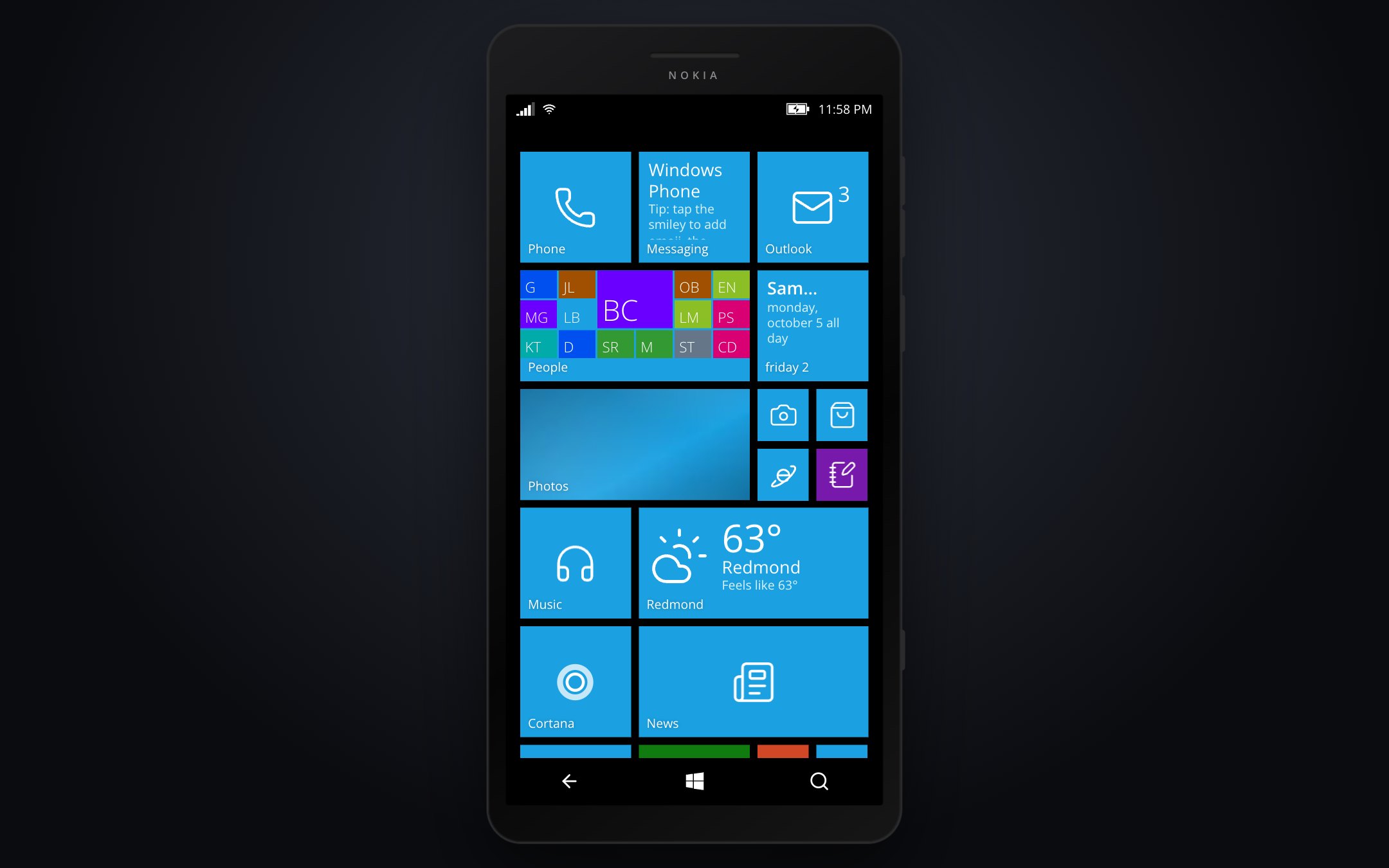
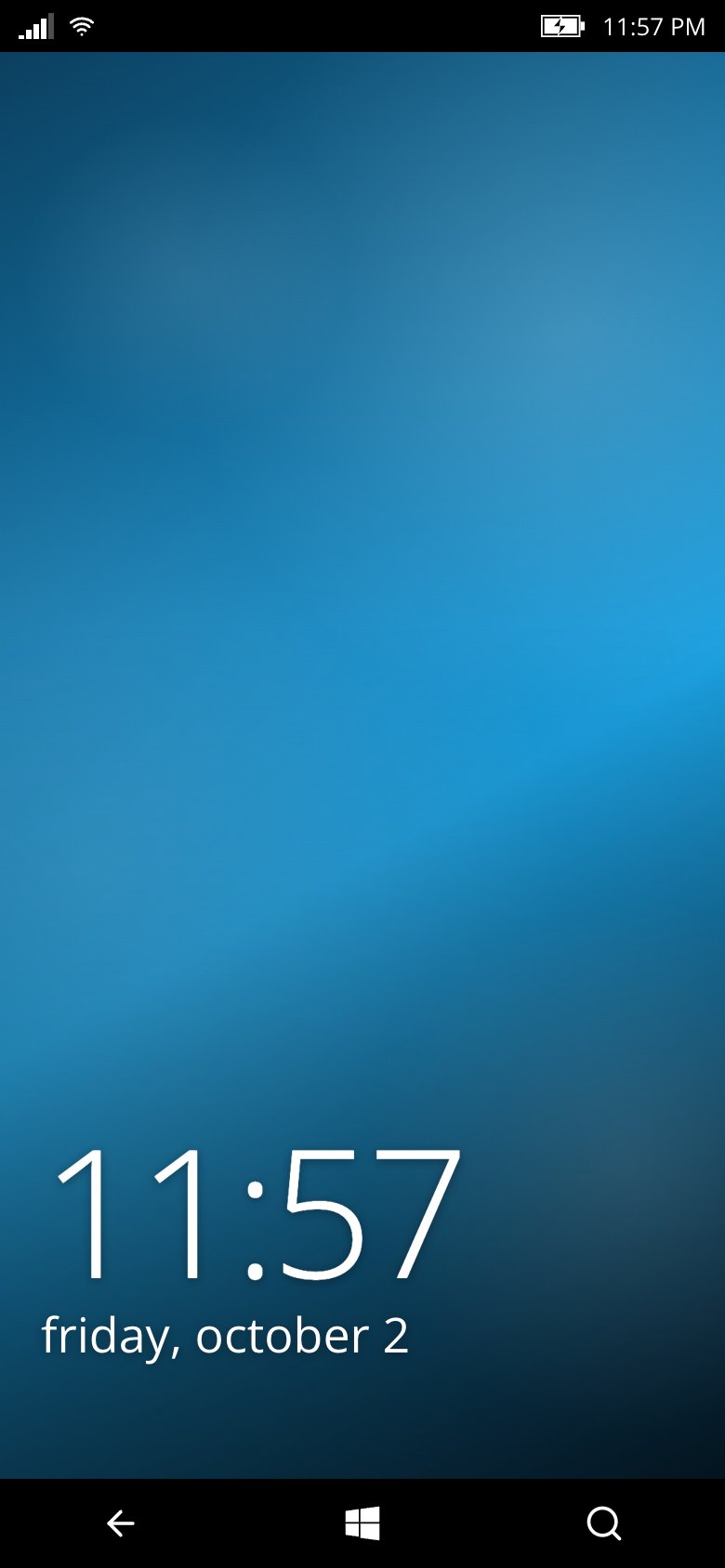 Lock screen | 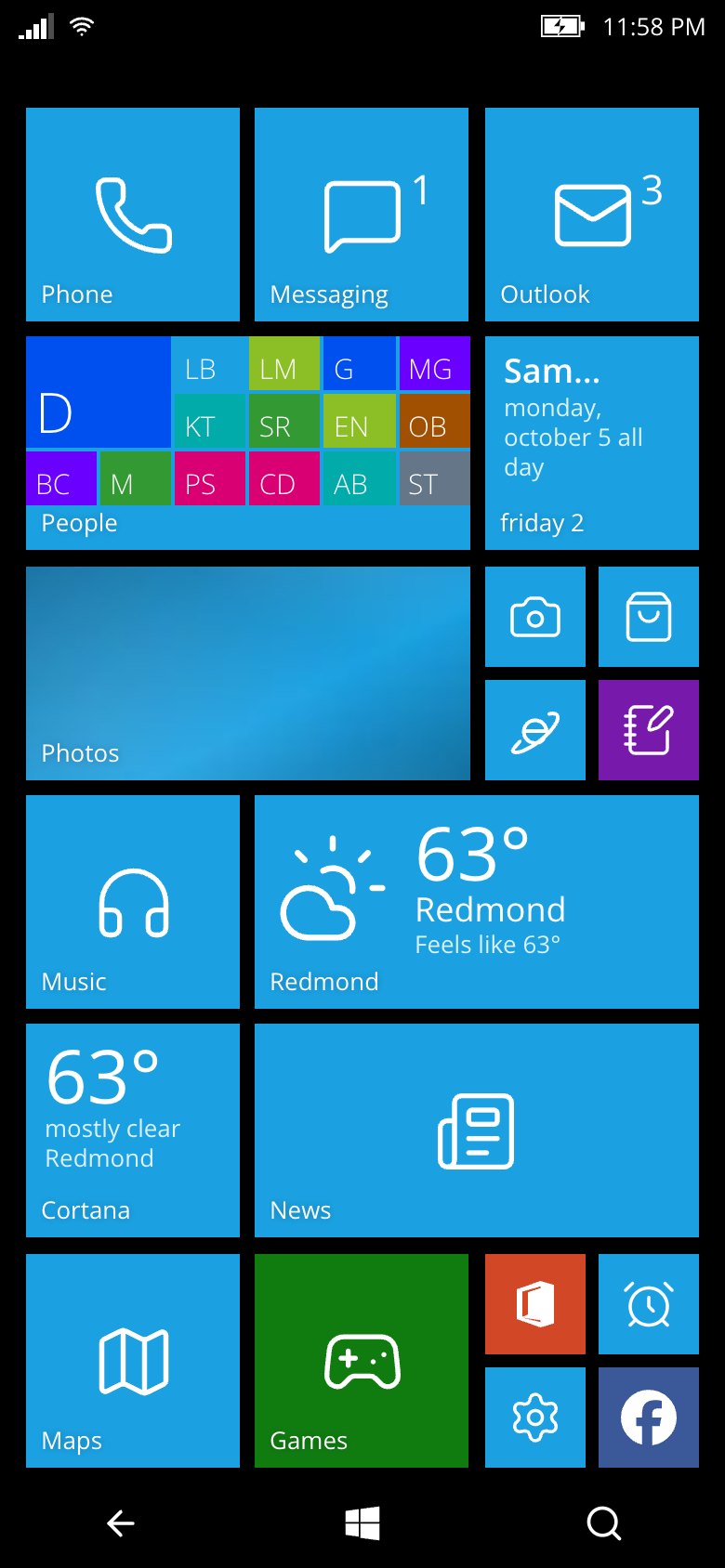 Start with live tiles | 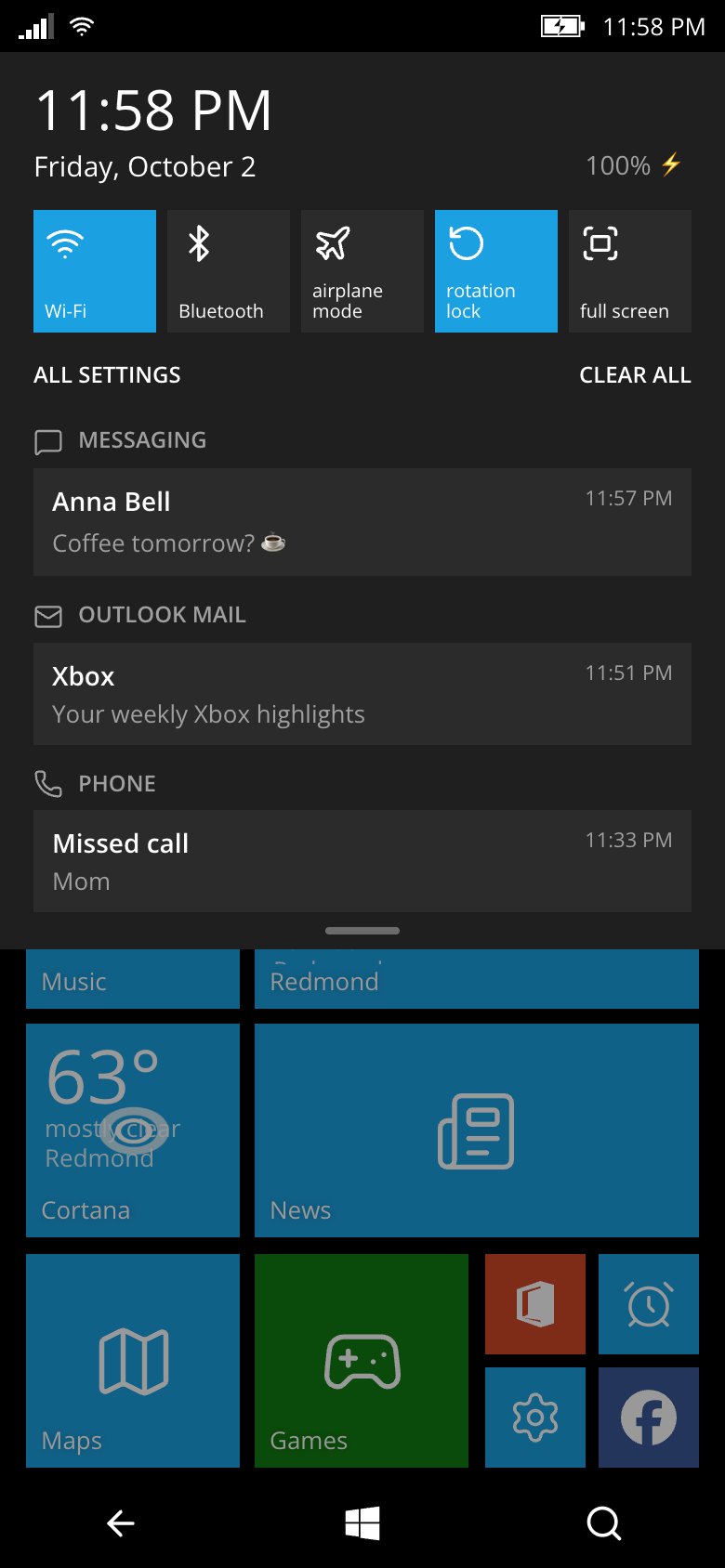 Action Center |
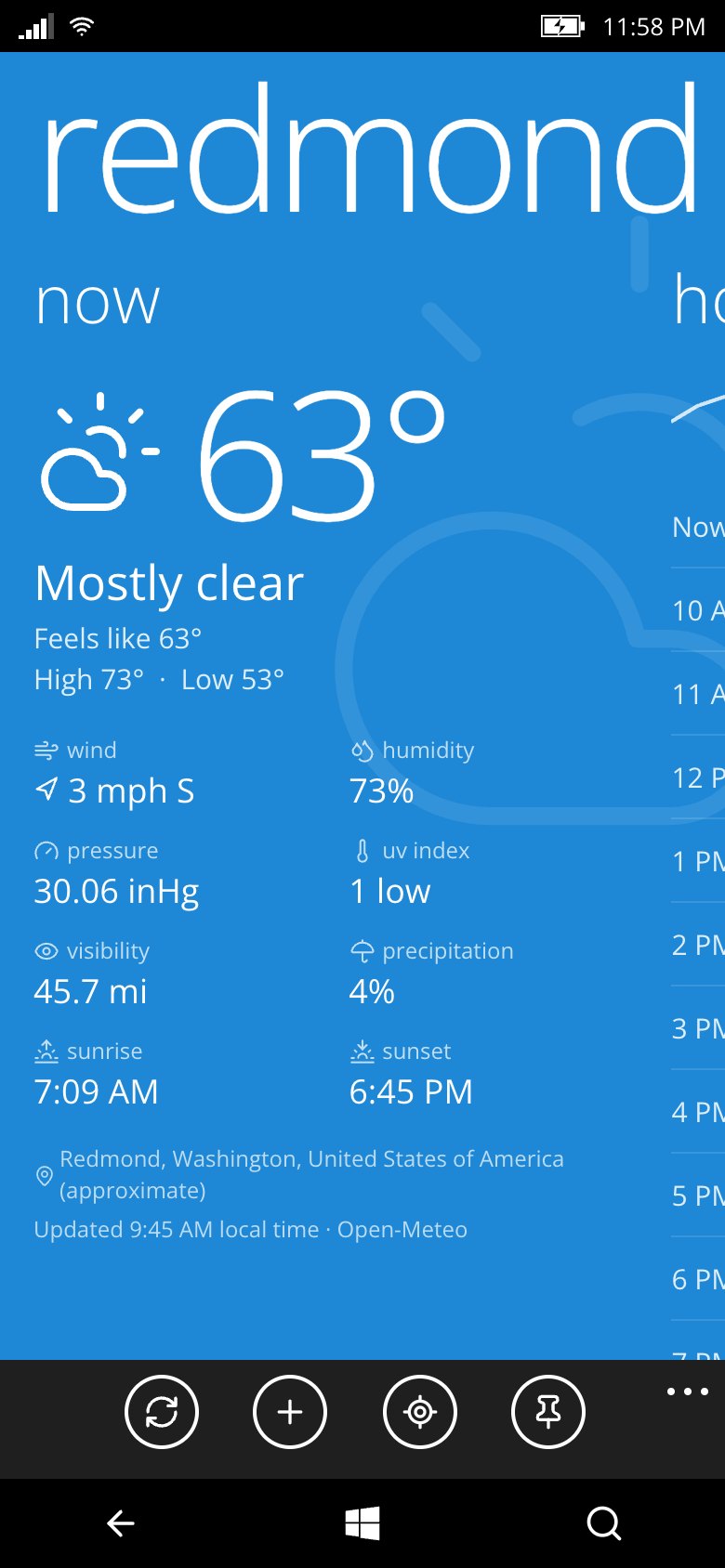 Weather | 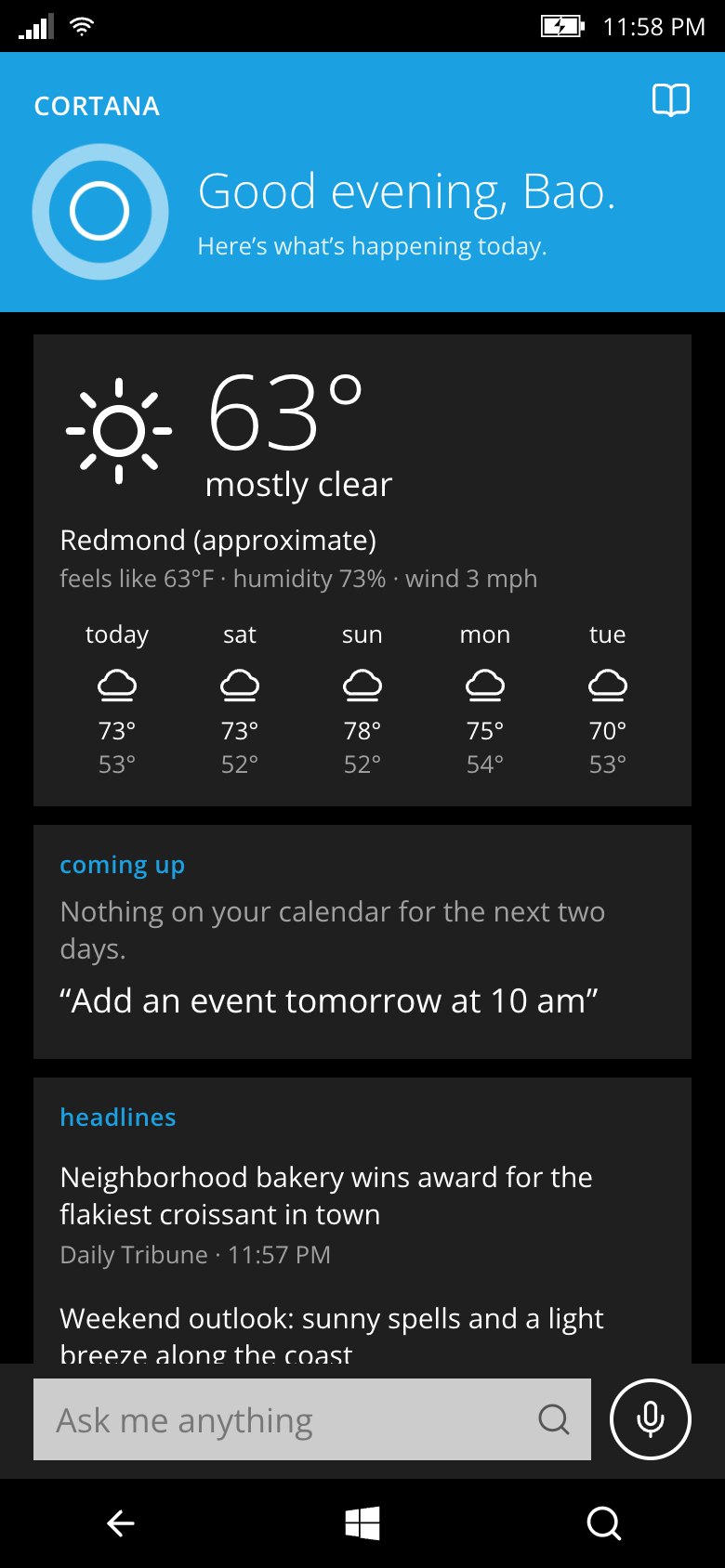 Cortana | 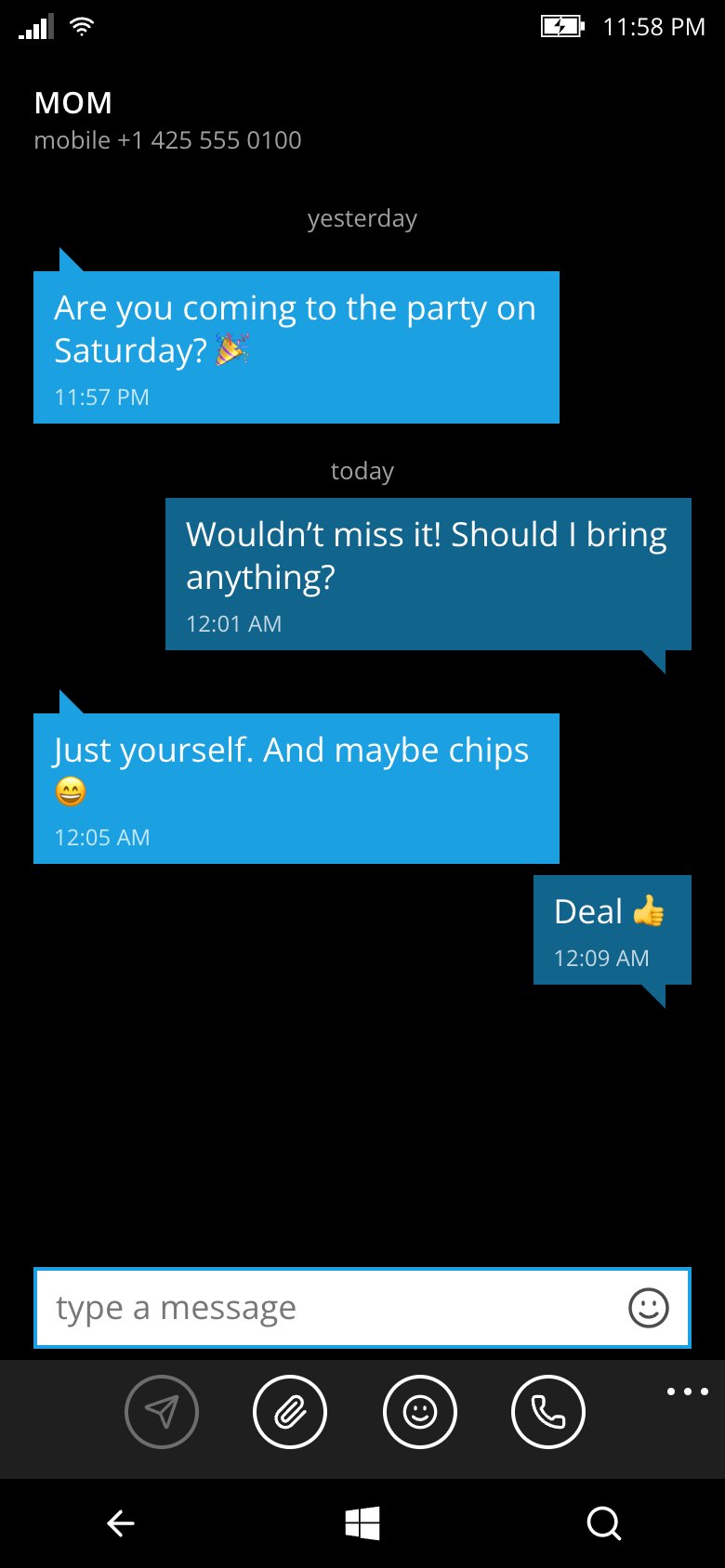 Messaging |
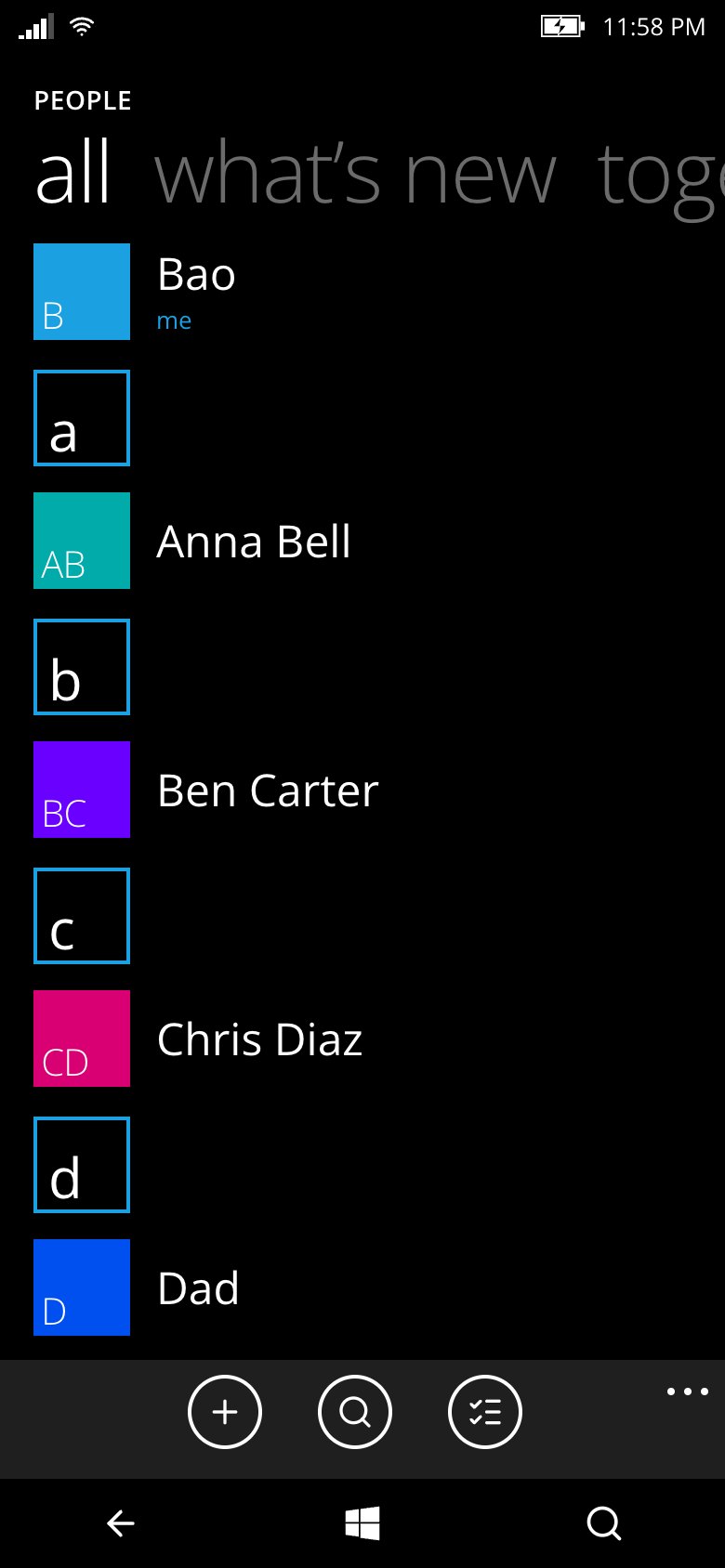 People | 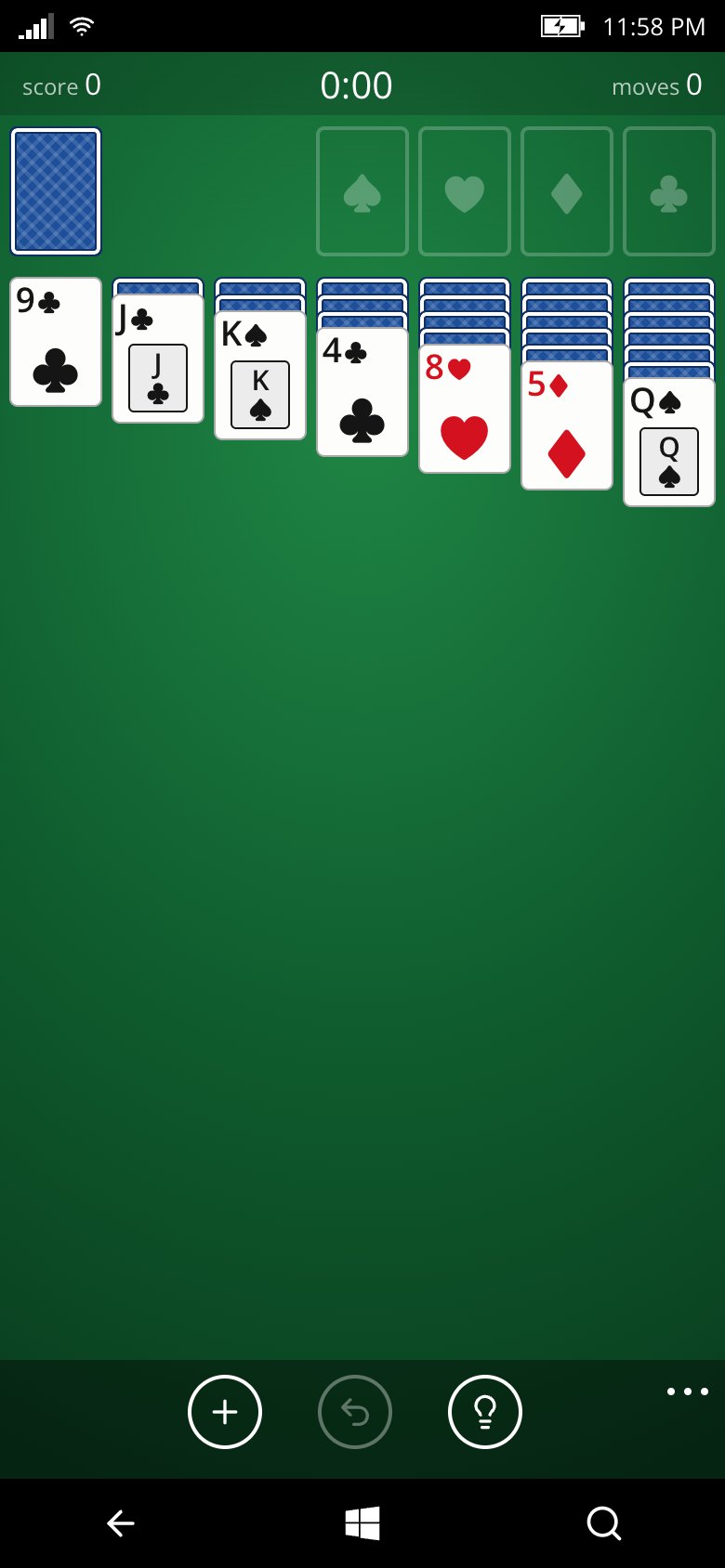 Solitaire | 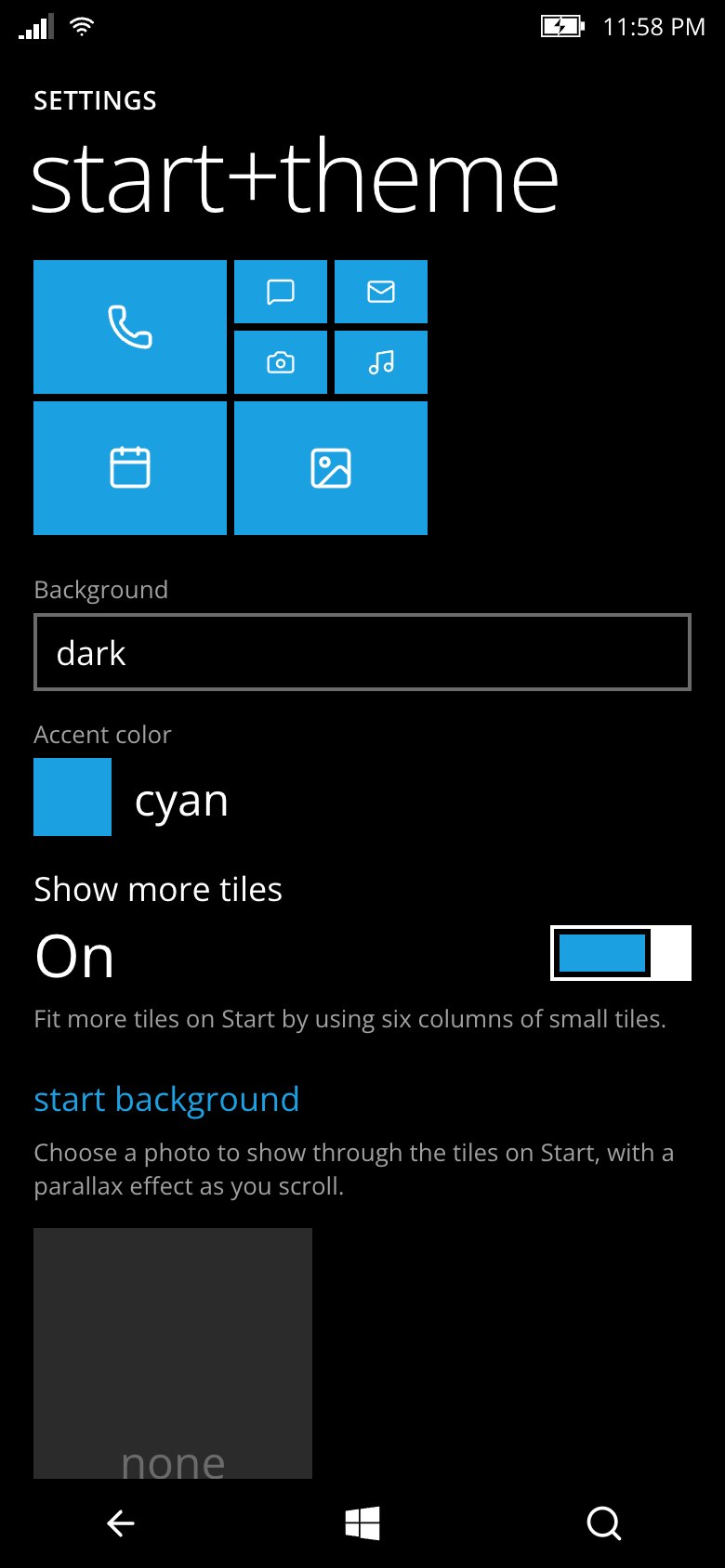 Settings |
On a phone it runs full screen (shots at 390×844); on desktop it sits inside a Lumia-style frame. Contacts, messages and headlines in these shots are fictional.
Highlights
- The real WP 8.1 feel — Metro typography, pivots and panoramas, turnstile and tile-flip animations, tilt on press, 20 accent colors, dark/light themes, tap-and-hold menus, resizable/movable/unpinnable tiles, Start background photo.
- A working OS in the browser — app lifecycle with a back stack and task switcher, a virtual file system on IndexedDB, live tiles fed by each app, toast notifications + Action Center, background audio that keeps playing after the app closes, share sheet, file pickers and "open with".
- 64 apps (all preinstalled; the Store can uninstall and reinstall them):
- Phone, Messaging, People, Outlook Mail, Calendar
- Camera, Photos, Music, Video, FM Radio (real internet radio), Podcasts, Voice Recorder
- Weather, News, Money, Sports, Maps, Translator, Internet Explorer
- Office (Word + Excel with formulas), OneNote, Alarms (+ timer, stopwatch), Files, Storage Sense, Battery Saver, Calculator
- Settings, Store, Cortana (text and voice: alarms, reminders, notes, events, weather, calls, texts, Wikipedia, web search…)
- Games hub with gamerscore and achievements: Minesweeper, Solitaire, Wordament, Snake, 2048, Blocks
- Flashlight, Compass, Bing Vision (QR/barcode scanner), Wikipedia, Unit Converter, Mirror
- 22 social apps of the era (Facebook, Twitter, WhatsApp, Skype, YouTube, Vine…) as branded launchers that deep-link to the real app or website, each with a small built-in tool (compose a tweet, message a WhatsApp number, share a link…)
- Calls and texts stay in the simulator — calling shows the WP in-call screen with ringback and a simulated answer, and texts go to Messaging, on desktop and on phones alike; nothing is handed to the device's real dialer, SMS or mail app.
- A phone that feels alive — 16 fictional contacts come with a call history, past text conversations and emails, and they text, email and call you now and then (Settings → notifications+actions → "Simulated friends" turns this off).
Privacy by design
Everything a visitor creates — files, photos, notes, contacts, messages, settings — lives only in their own browser's IndexedDB. Nothing is uploaded and there are no accounts.
- No GPS. The phone never asks for the device's precise location. Weather, Maps, Cortana and friends use, in order: a city the user picks in Settings → location, an approximate city from the network (IP lookup on our server), or Redmond, WA.
- No access to the real address book. People, Phone, Messaging and Mail are filled with fictional contacts; users can add
their own or import a
.vcffile if they want to. - No permission prompts on startup. Camera, microphone, motion sensors and speech are only requested when the user opens an app that needs them (Camera, Recorder, Compass, Cortana's mic…).
- The backend proxy serves third-party pages with
Content-Security-Policy: sandbox(opaque origin) and IE frames them withoutallow-same-origin, so web pages can never read the simulator's storage. The proxy refuses private/internal addresses (SSRF guard).
Run locally
npm install
npm run server        # backend API on :8787
npm run dev           # Vite dev server on :5173 (proxies /api to :8787)
Open http://localhost:5173. Camera and microphone require HTTPS or localhost.
Desktop keyboard: Esc/Backspace = Back, Home = Start, F2 = task switcher, F3 = Cortana, F4 = lock.
Long-press Back = task switcher, long-press Search = talk to Cortana, pull down the status bar = Action Center,
long-press a tile = edit Start. On a phone, the Add to Home tile on Start installs it to your home screen so it runs
full screen (Chrome/Edge/Samsung Internet show the install dialog; on iPhone it explains Share → Add to Home Screen).
Deploy
The same code deploys two ways: a Node server on a VPS, or a Cloudflare Worker.
Option A — VPS with Node (≥ 20)
npm ci
npm run build                   # outputs dist/
PORT=8787 node server/index.js  # serves dist/ + /api
Put it behind a reverse proxy with HTTPS (needed for camera, microphone and the offline service worker), e.g. Caddy:
wphone.example.com {
  reverse_proxy localhost:8787
}
Keep it running with pm2: pm2 start server/index.js --name wphone (set PORT as needed).
Option B — Cloudflare Workers (import the Git repo)
- In the Cloudflare dashboard go to Workers & Pages → Create → Import a repository and pick this GitHub repo.
- Use these build settings:
- Build command:
npm run build - Deploy command:
npx wrangler deploy
- Build command:
- Deploy. Every push to
mainrebuilds and redeploys automatically.
wrangler.jsonc serves the built dist/ with Workers Static Assets (with single-page-app fallback) and runs the Worker
only for /api/*. HTTPS comes for free on *.workers.dev or your own domain. The Worker gets the visitor's approximate
city from Cloudflare itself, so no third-party IP lookup is made.
To try the Worker locally: npm run cf:dev (http://localhost:8787). To deploy from your machine instead of Git: npm run cf:deploy.
Architecture
Vite + vanilla JavaScript (no framework) on the front end, Hono for the backend (runs on Node or Cloudflare Workers).
server/app.js      shared Hono API (Web APIs only): Bing image of the day, weather (Open-Meteo), geocoding, IP location, news/RSS, FX rates,
                   stock quotes, translation, search/suggest, internet radio, podcasts, readable articles, sandboxed proxy
server/index.js    Node entry (VPS): API + static dist/        server/worker.js   Cloudflare Workers entry (wrangler.jsonc)
src/os/            the "OS": kernel (app lifecycle, back stack), fs (IndexedDB file system), settings, theme, tiles (live tiles),
                   notifications, media (background audio), device (Web API wrappers), net, pickers, sounds, ui (Metro controls)
src/shell/         status bar, nav bar, lock screen, Start + app list, Action Center, task switcher, volume flyout, first run
src/apps/<id>/     apps, auto-discovered (manifest.js, index.js, optional tile.js live tile and background.js service)
docs/APP_SDK.md    how to write an app for the simulator
Public data sources used by the backend: Bing, Open-Meteo, BigDataCloud, ipwho.is, BBC RSS, open.er-api.com, Yahoo Finance, MyMemory, DuckDuckGo, radio-browser.info and the iTunes podcast directory. Maps uses OpenStreetMap, Esri imagery, Nominatim and OSRM.
Known limitations
- Alarms, reminders and simulated messages only run while the tab is open (browsers throttle background tabs).
- Stock quotes use Yahoo's unofficial endpoint and can be flaky; translation can't auto-detect the source language.
Windows Phone, Lumia, Xbox, Cortana and other names are trademarks of their respective owners. This is a fan-made tribute, not affiliated with Microsoft or Nokia.
Similar repos


Languages
JavaScript
82.2%
CSS
17.7%
Windows Phone in the browser
See the codeSee what people are saying
README
wphone — Windows Phone 8.1 in the browser
▶ Try it: wphone.dev — best on a phone (tap the Add to Home tile to install it full screen).
Built by Claude. This project was designed and written end to end by Claude (Anthropic's Claude Opus 5.5, in Claude Code). One Claude session planned the architecture, wrote the OS core, the shell, the backend and the app SDK, then ran seven Claude sub-agents in parallel to build the 64 apps against that SDK, and finally integrated, tested and fixed everything in a real browser. No code in this repository was written by hand.
A Windows Phone 8.1 simulator for the web, made for mobile browsers (on desktop it runs inside a Lumia-style frame). It is an entertainment project: live tiles, the lock screen with the Bing image of the day, Action Center, the task switcher, Cortana, Xbox games, and a private on-device file system — nothing a visitor creates ever leaves their browser.
Screenshots
Lock screen | Start with live tiles | Action Center |
Weather | Cortana | Messaging |
People | Solitaire | Settings |
On a phone it runs full screen (shots at 390×844); on desktop it sits inside a Lumia-style frame. Contacts, messages and headlines in these shots are fictional.
Highlights
- The real WP 8.1 feel — Metro typography, pivots and panoramas, turnstile and tile-flip animations, tilt on press, 20 accent colors, dark/light themes, tap-and-hold menus, resizable/movable/unpinnable tiles, Start background photo.
- A working OS in the browser — app lifecycle with a back stack and task switcher, a virtual file system on IndexedDB, live tiles fed by each app, toast notifications + Action Center, background audio that keeps playing after the app closes, share sheet, file pickers and "open with".
- 64 apps (all preinstalled; the Store can uninstall and reinstall them):
- Phone, Messaging, People, Outlook Mail, Calendar
- Camera, Photos, Music, Video, FM Radio (real internet radio), Podcasts, Voice Recorder
- Weather, News, Money, Sports, Maps, Translator, Internet Explorer
- Office (Word + Excel with formulas), OneNote, Alarms (+ timer, stopwatch), Files, Storage Sense, Battery Saver, Calculator
- Settings, Store, Cortana (text and voice: alarms, reminders, notes, events, weather, calls, texts, Wikipedia, web search…)
- Games hub with gamerscore and achievements: Minesweeper, Solitaire, Wordament, Snake, 2048, Blocks
- Flashlight, Compass, Bing Vision (QR/barcode scanner), Wikipedia, Unit Converter, Mirror
- 22 social apps of the era (Facebook, Twitter, WhatsApp, Skype, YouTube, Vine…) as branded launchers that deep-link to the real app or website, each with a small built-in tool (compose a tweet, message a WhatsApp number, share a link…)
- Calls and texts stay in the simulator — calling shows the WP in-call screen with ringback and a simulated answer, and texts go to Messaging, on desktop and on phones alike; nothing is handed to the device's real dialer, SMS or mail app.
- A phone that feels alive — 16 fictional contacts come with a call history, past text conversations and emails, and they text, email and call you now and then (Settings → notifications+actions → "Simulated friends" turns this off).
Privacy by design
Everything a visitor creates — files, photos, notes, contacts, messages, settings — lives only in their own browser's IndexedDB. Nothing is uploaded and there are no accounts.
- No GPS. The phone never asks for the device's precise location. Weather, Maps, Cortana and friends use, in order: a city the user picks in Settings → location, an approximate city from the network (IP lookup on our server), or Redmond, WA.
- No access to the real address book. People, Phone, Messaging and Mail are filled with fictional contacts; users can add
their own or import a
.vcffile if they want to. - No permission prompts on startup. Camera, microphone, motion sensors and speech are only requested when the user opens an app that needs them (Camera, Recorder, Compass, Cortana's mic…).
- The backend proxy serves third-party pages with
Content-Security-Policy: sandbox(opaque origin) and IE frames them withoutallow-same-origin, so web pages can never read the simulator's storage. The proxy refuses private/internal addresses (SSRF guard).
Run locally
npm install
npm run server        # backend API on :8787
npm run dev           # Vite dev server on :5173 (proxies /api to :8787)
Open http://localhost:5173. Camera and microphone require HTTPS or localhost.
Desktop keyboard: Esc/Backspace = Back, Home = Start, F2 = task switcher, F3 = Cortana, F4 = lock.
Long-press Back = task switcher, long-press Search = talk to Cortana, pull down the status bar = Action Center,
long-press a tile = edit Start. On a phone, the Add to Home tile on Start installs it to your home screen so it runs
full screen (Chrome/Edge/Samsung Internet show the install dialog; on iPhone it explains Share → Add to Home Screen).
Deploy
The same code deploys two ways: a Node server on a VPS, or a Cloudflare Worker.
Option A — VPS with Node (≥ 20)
npm ci
npm run build                   # outputs dist/
PORT=8787 node server/index.js  # serves dist/ + /api
Put it behind a reverse proxy with HTTPS (needed for camera, microphone and the offline service worker), e.g. Caddy:
wphone.example.com {
  reverse_proxy localhost:8787
}
Keep it running with pm2: pm2 start server/index.js --name wphone (set PORT as needed).
Option B — Cloudflare Workers (import the Git repo)
- In the Cloudflare dashboard go to Workers & Pages → Create → Import a repository and pick this GitHub repo.
- Use these build settings:
- Build command:
npm run build - Deploy command:
npx wrangler deploy
- Build command:
- Deploy. Every push to
mainrebuilds and redeploys automatically.
wrangler.jsonc serves the built dist/ with Workers Static Assets (with single-page-app fallback) and runs the Worker
only for /api/*. HTTPS comes for free on *.workers.dev or your own domain. The Worker gets the visitor's approximate
city from Cloudflare itself, so no third-party IP lookup is made.
To try the Worker locally: npm run cf:dev (http://localhost:8787). To deploy from your machine instead of Git: npm run cf:deploy.
Architecture
Vite + vanilla JavaScript (no framework) on the front end, Hono for the backend (runs on Node or Cloudflare Workers).
server/app.js      shared Hono API (Web APIs only): Bing image of the day, weather (Open-Meteo), geocoding, IP location, news/RSS, FX rates,
                   stock quotes, translation, search/suggest, internet radio, podcasts, readable articles, sandboxed proxy
server/index.js    Node entry (VPS): API + static dist/        server/worker.js   Cloudflare Workers entry (wrangler.jsonc)
src/os/            the "OS": kernel (app lifecycle, back stack), fs (IndexedDB file system), settings, theme, tiles (live tiles),
                   notifications, media (background audio), device (Web API wrappers), net, pickers, sounds, ui (Metro controls)
src/shell/         status bar, nav bar, lock screen, Start + app list, Action Center, task switcher, volume flyout, first run
src/apps/<id>/     apps, auto-discovered (manifest.js, index.js, optional tile.js live tile and background.js service)
docs/APP_SDK.md    how to write an app for the simulator
Public data sources used by the backend: Bing, Open-Meteo, BigDataCloud, ipwho.is, BBC RSS, open.er-api.com, Yahoo Finance, MyMemory, DuckDuckGo, radio-browser.info and the iTunes podcast directory. Maps uses OpenStreetMap, Esri imagery, Nominatim and OSRM.
Known limitations
- Alarms, reminders and simulated messages only run while the tab is open (browsers throttle background tabs).
- Stock quotes use Yahoo's unofficial endpoint and can be flaky; translation can't auto-detect the source language.
Windows Phone, Lumia, Xbox, Cortana and other names are trademarks of their respective owners. This is a fan-made tribute, not affiliated with Microsoft or Nokia.
Similar repos
Languages
JavaScript
82.2%
CSS
17.7%