Comparison between open source PI agent and closed source Claude Code agent
TypeScript
1,712
8 commits
updated Jul 10, 2026
A collection of Pi Coding Agent customized instances. Why? To showcase what it looks like to hedge against the leader in the agentic coding market, Claude Code. Here we showcase how you can customize the UI, agent orchestration tools, safety auditing, agent to agent orchestration, and cross-agent integrations.
Want to see these 6+ unique Pi Agent Harnesses in action? Watch Pi Coding Agent: The Only Claude Code Competitor.
🆕 Pi-to-Pi agent-to-agent communication. Jump to Pi-to-Pi Communication or watch Pi to Pi: Two-Way Agent Orchestration.

All three are required:
| Tool | Purpose | Install |
|---|---|---|
| Bun ≥ 1.3.2 | Runtime & package manager | bun.sh |
| just | Task runner | brew install just |
| pi | Pi Coding Agent CLI | Pi docs |
Pi does not auto-load .env files — API keys must be present in your shell's environment before you launch Pi. A sample file is provided:
cp .env.sample .env   # copy the template
# open .env and fill in your keys
.env.sample covers the four most popular providers:
| Provider | Variable | Get your key |
|---|---|---|
| OpenAI | OPENAI_API_KEY | platform.openai.com |
| Anthropic | ANTHROPIC_API_KEY | console.anthropic.com |
GEMINI_API_KEY | aistudio.google.com | |
| OpenRouter | OPENROUTER_API_KEY | openrouter.ai |
| Many Many Others | *** | Pi Providers docs |
Pick whichever approach fits your workflow:
Option A — Source manually each session:
source .env && pi
Option B — One-liner alias (add to ~/.zshrc or ~/.bashrc):
alias pi='source $(pwd)/.env && pi'
Option C — Use the just task runner (auto-wired via set dotenv-load):
just pi           # .env is loaded automatically for every just recipe
just ext-minimal  # works for all recipes, not just `pi`
bun install
| Extension | File | Description |
|---|---|---|
| pure-focus | extensions/pure-focus.ts | Removes the footer bar and status line entirely — pure distraction-free mode |
| minimal | extensions/minimal.ts | Compact footer showing model name and a 10-block context usage meter [###-------] 30% |
| cross-agent | extensions/cross-agent.ts | Scans .claude/, .gemini/, .codex/ dirs for commands, skills, and agents and registers them in Pi |
| purpose-gate | extensions/purpose-gate.ts | Prompts you to declare session intent on startup; shows a persistent purpose widget and blocks prompts until answered |
| tool-counter | extensions/tool-counter.ts | Rich two-line footer: model + context meter + token/cost stats on line 1, cwd/branch + per-tool call tally on line 2 |
| tool-counter-widget | extensions/tool-counter-widget.ts | Live-updating above-editor widget showing per-tool call counts with background colors |
| subagent-widget | extensions/subagent-widget.ts | /sub <task> command that spawns background Pi subagents; each gets its own streaming live-progress widget |
| tilldone | extensions/tilldone.ts | Task discipline system — define tasks before starting work; tracks completion state across steps; shows persistent task list in footer with live progress |
| agent-team | extensions/agent-team.ts | Dispatcher-only orchestrator: the primary agent delegates all work to named specialist agents via dispatch_agent; shows a grid dashboard |
| system-select | extensions/system-select.ts | /system command to interactively switch between agent personas/system prompts from .pi/agents/, .claude/agents/, .gemini/agents/, .codex/agents/ |
| damage-control | extensions/damage-control.ts | Real-time safety auditing — intercepts dangerous bash patterns and enforces path-based access controls from .pi/damage-control-rules.yaml |
| damage-control-continue | extensions/damage-control-continue.ts | Same rules as damage-control, but blocked tool calls return actionable feedback instead of aborting — the agent's turn keeps running and can adapt |
| agent-chain | extensions/agent-chain.ts | Sequential pipeline orchestrator — chains multiple agents where each step's output feeds into the next step's prompt; use /chain to select and run |
| pi-pi | extensions/pi-pi.ts | Meta-agent that builds Pi agents using parallel research experts for documentation |
| coms | extensions/coms.ts | Peer-to-peer messaging between Pi agents on the same machine over Unix sockets / named pipes. Tools: coms_list, coms_send, coms_get, coms_await |
| coms-net | extensions/coms-net.ts | Networked Pi-to-Pi via a shared HTTP/SSE hub (scripts/coms-net-server.ts). Works across machines on a LAN or behind a remote URL. Tools: coms_net_* |
| session-replay | extensions/session-replay.ts | Scrollable timeline overlay of session history - showcasing customizable dialog UI |
| theme-cycler | extensions/theme-cycler.ts | Keyboard shortcuts (Ctrl+X/Ctrl+Q) and /theme command to cycle/switch between custom themes |
pi -e extensions/<name>.ts
Extensions compose — pass multiple -e flags:
pi -e extensions/minimal.ts -e extensions/cross-agent.ts
just recipesjust wraps the most useful combinations. Run just with no arguments to list all available recipes:
just
Common recipes:
just pi                     # Plain Pi, no extensions
just ext-pure-focus         # Distraction-free mode
just ext-minimal            # Minimal context meter footer
just ext-cross-agent        # Cross-agent command loading + minimal footer
just ext-purpose-gate       # Purpose gate + minimal footer
just ext-tool-counter       # Rich two-line footer with tool tally
just ext-tool-counter-widget # Per-tool widget above the editor
just ext-subagent-widget    # Subagent spawner with live progress widgets
just ext-tilldone           # Task discipline system with live progress tracking
just ext-agent-team         # Multi-agent orchestration grid dashboard
just ext-system-select      # Agent persona switcher via /system command
just ext-damage-control     # Safety auditing + minimal footer
just ext-damage-control-continue # Same rules, but blocked turns keep running
just ext-agent-chain        # Sequential pipeline orchestrator with step chaining
just ext-pi-pi              # Meta-agent that builds Pi agents using parallel experts
just ext-session-replay     # Scrollable timeline overlay of session history
just ext-theme-cycler       # Theme cycler + minimal footer
just all                    # Open every extension in its own terminal window

# Pi-to-Pi communication (see section below)
just local-coms             # Same-machine peer-to-peer over Unix sockets
just coms-net-server        # Start a local coms-net HTTP/SSE hub (127.0.0.1)
just coms-net-server-lan    # Start a LAN-visible hub (requires PI_COMS_NET_AUTH_TOKEN)
just coms                   # Pi client for the coms-net hub
just coms1                  # …same, pinned to gpt-5.5
just coms2                  # …same, pinned to claude-opus-4-7
The open recipe allows you to spin up a new terminal window with any combination of stacked extensions (omit .ts):
just open purpose-gate minimal tool-counter-widget
pi-vs-cc/
├── extensions/          # Pi extension source files (.ts) — one file per extension
├── specs/               # Feature specifications for extensions
├── .pi/
│   ├── agent-sessions/  # Ephemeral session files (gitignored)
│   ├── agents/          # Agent definitions for team and chain extensions
│   │   ├── pi-pi/       # Expert agents for the pi-pi meta-agent
│   │   ├── agent-chain.yaml # Pipeline definition for agent-chain
│   │   ├── teams.yaml   # Team definition for agent-team
│   │   └── *.md         # Individual agent persona/system prompts
│   ├── skills/          # Custom skills
│   ├── themes/          # Custom themes (.json) used by theme-cycler
│   ├── damage-control-rules.yaml # Path/command rules for safety auditing
│   └── settings.json    # Pi workspace settings
├── justfile             # just task definitions
├── CLAUDE.md            # Conventions and tooling reference (for agents)
├── THEME.md             # Color token conventions for extension authors
└── TOOLS.md             # Built-in tool function signatures available in extensions
Pi's architecture makes it easy to coordinate multiple autonomous agents. This playground includes several powerful multi-agent extensions:
/sub)The subagent-widget extension allows you to offload isolated tasks to background Pi agents while you continue working in the main terminal. Typing /sub <task> spawns a headless subagent that reports its streaming progress via a persistent, live-updating UI widget above your editor.
/team)The agent-team orchestrator operates as a dispatcher. Instead of answering prompts directly, the primary agent reviews your request, selects a specialist from a defined roster, and delegates the work via a dispatch_agent tool.
.pi/agents/teams.yaml where each top-level key is a team name containing a list of agent names (e.g., frontend: [planner, builder, bowser]).builder.md, reviewer.md) live in .pi/agents/.pi-pi team specifically delegates tasks to specialized Pi framework experts (ext-expert.md, theme-expert.md, tui-expert.md) located in .pi/agents/pi-pi/ to build high-quality Pi extensions using parallel research.
firecrawl as their default modern page crawler, but are explicitly programmed to safely fall back to the native curl baked into their bash toolset if Firecrawl fails or is unavailable./chain)Unlike the dynamic dispatcher, agent-chain acts as a sequential pipeline orchestrator. Workflows are defined in .pi/agents/agent-chain.yaml where the output of one agent becomes the input ($INPUT) to the next.
steps, where each step specifies an agent and a prompt.$INPUT variable injects the previous step's output (or the user's initial prompt for the first step), and $ORIGINAL always contains the user's initial prompt.plan-build-review pipeline feeds your prompt to the planner, passes the plan to the builder, and finally sends the code to the reviewer.
📺 Watch: Pi to Pi: Two-Way Agent Orchestration with the Pi Coding Agent
What's better than one Pi coding agent? Two. What's better than two isolated side-by-side agents? Two agents that actually talk to each other. Subagents, dispatch queues, and agent chains all share one shape: information flows in one direction down a hierarchy. coms and coms-net add the missing pattern — two equal Pi agents that talk to each other peer-to-peer, on the same machine or across the network. No orchestrator, no parent/child relationship, no information loss as work travels through layers. The best idea wins, regardless of which agent had it.
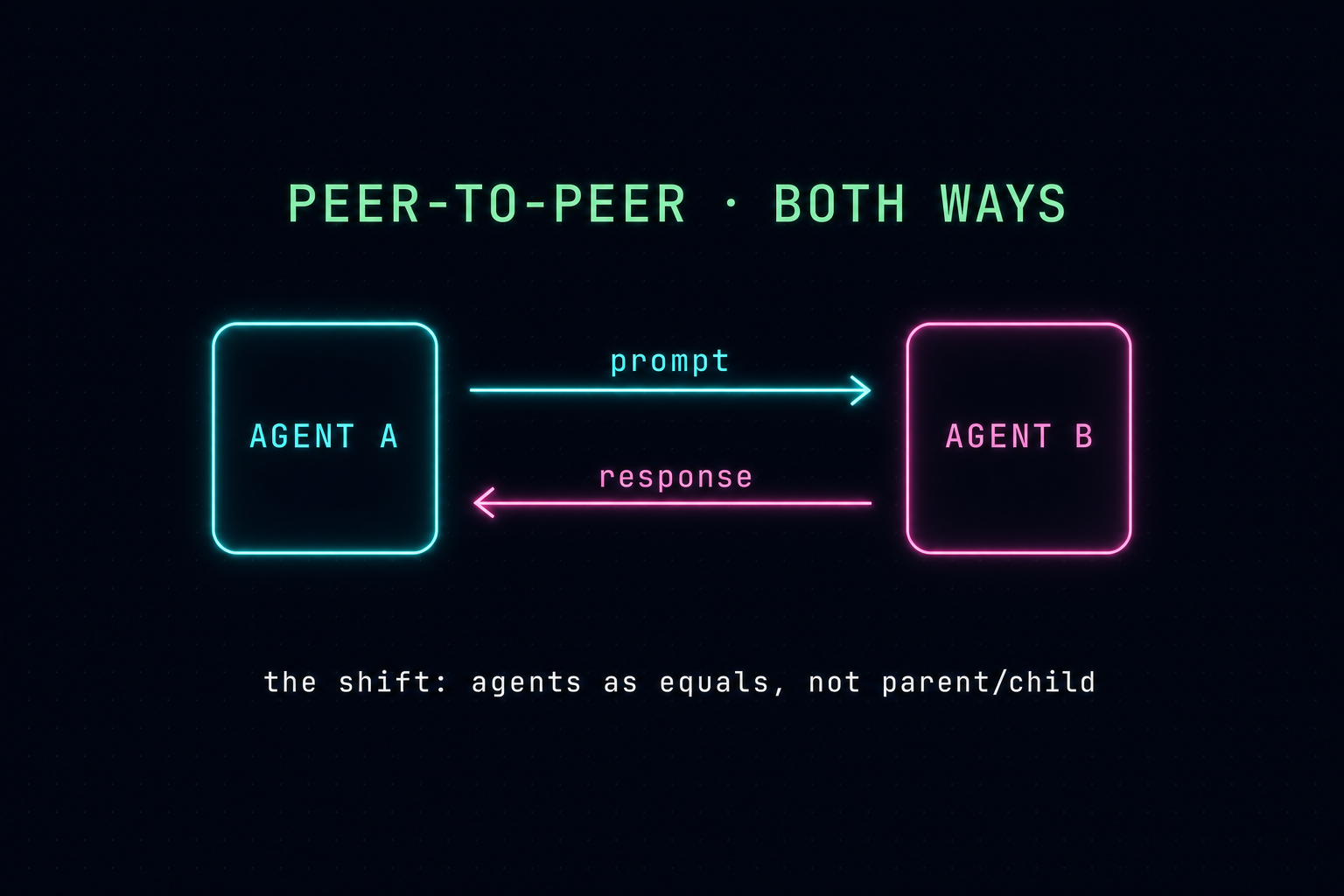
This is the shift. Sub-agent delegation and message queues are powerful patterns, but every one of them moves information in basically one direction. Even when results come back, it's a one-way stream — top-down. Peer-to-peer flips it: prompt → response → prompt → response, between agents who are equals, not parent and child. That unlocks bidirectional flows of information by default.
Why this matters in practice:
claude-opus-4-7 and gpt-5.5 and deepseek in the same pool. Each model has different RL training; together they catch what either misses alone.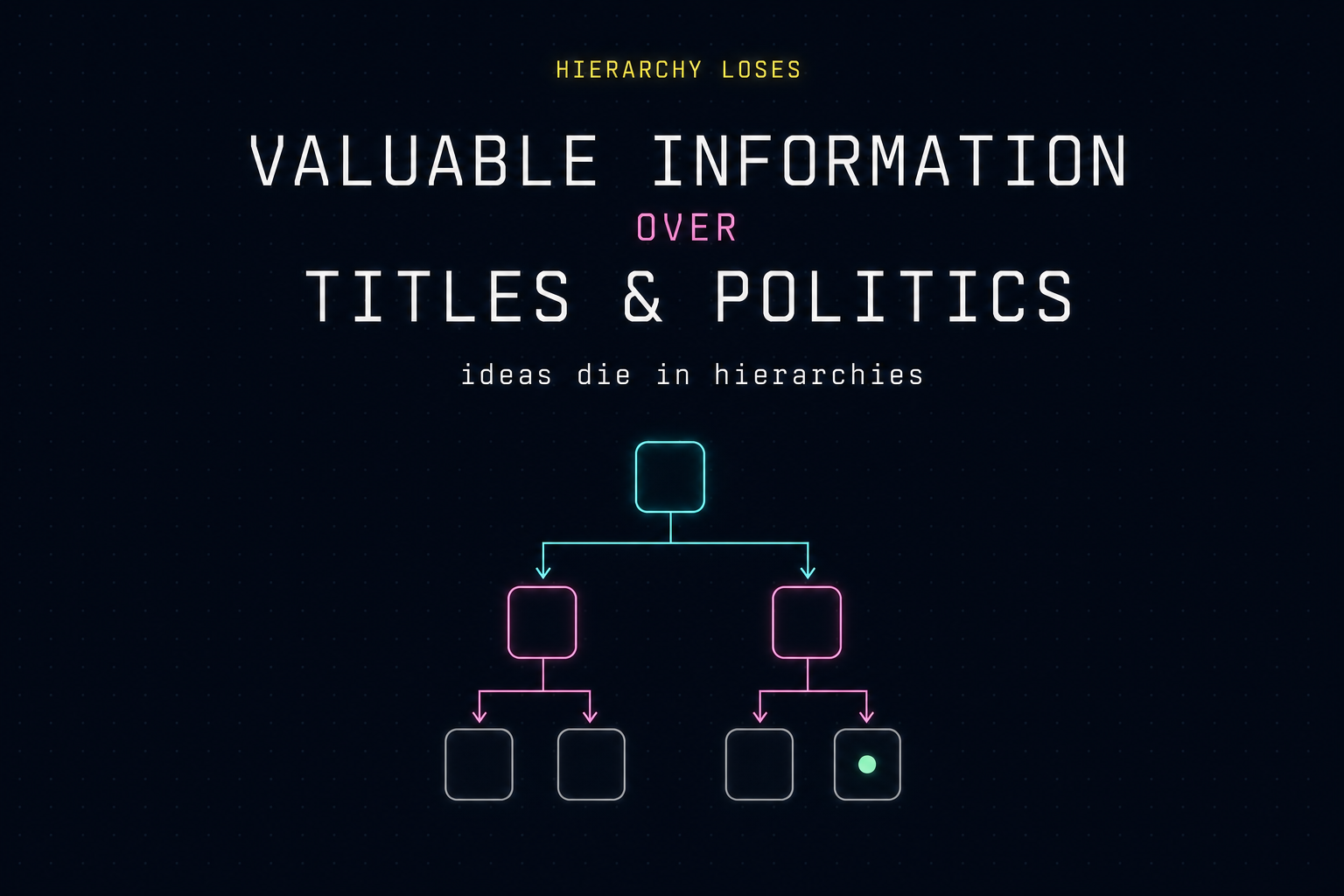
The deeper reason this pattern matters: the best information is almost always on the worker level, but in a hierarchy it has to climb several layers (and survive several rewrites) before it shapes a decision. Flat structures let valuable information win on its own merit. The same dynamic plays out in agent systems — the agent closest to the artifact (the production database, the running test, the live file) usually has the sharpest view. Letting it speak directly to its peers, rather than routing every signal through an orchestrator, keeps that signal intact.
coms (local) | coms-net (networked) | |
|---|---|---|
| Transport | Unix sockets / Windows named pipes | HTTP + Server-Sent Events |
| Scope | One machine | Same machine, LAN, or remote URL |
| Discovery | File registry at ~/.pi/coms/projects/<project>/agents/*.json | Shared hub at ~/.pi/coms-net/projects/<project>/server.json |
| Server | None — agents listen directly | bun scripts/coms-net-server.ts (Bun HTTP hub) |
| Tools | coms_list, coms_send, coms_get, coms_await | coms_net_list, coms_net_send, coms_net_get, coms_net_await |
| Widget | Live pool above the editor | Live pool above the editor |
| Auth | OS file perms on ~/.pi/coms/ | PI_COMS_NET_AUTH_TOKEN (auto-generated for localhost, required for LAN/remote) |
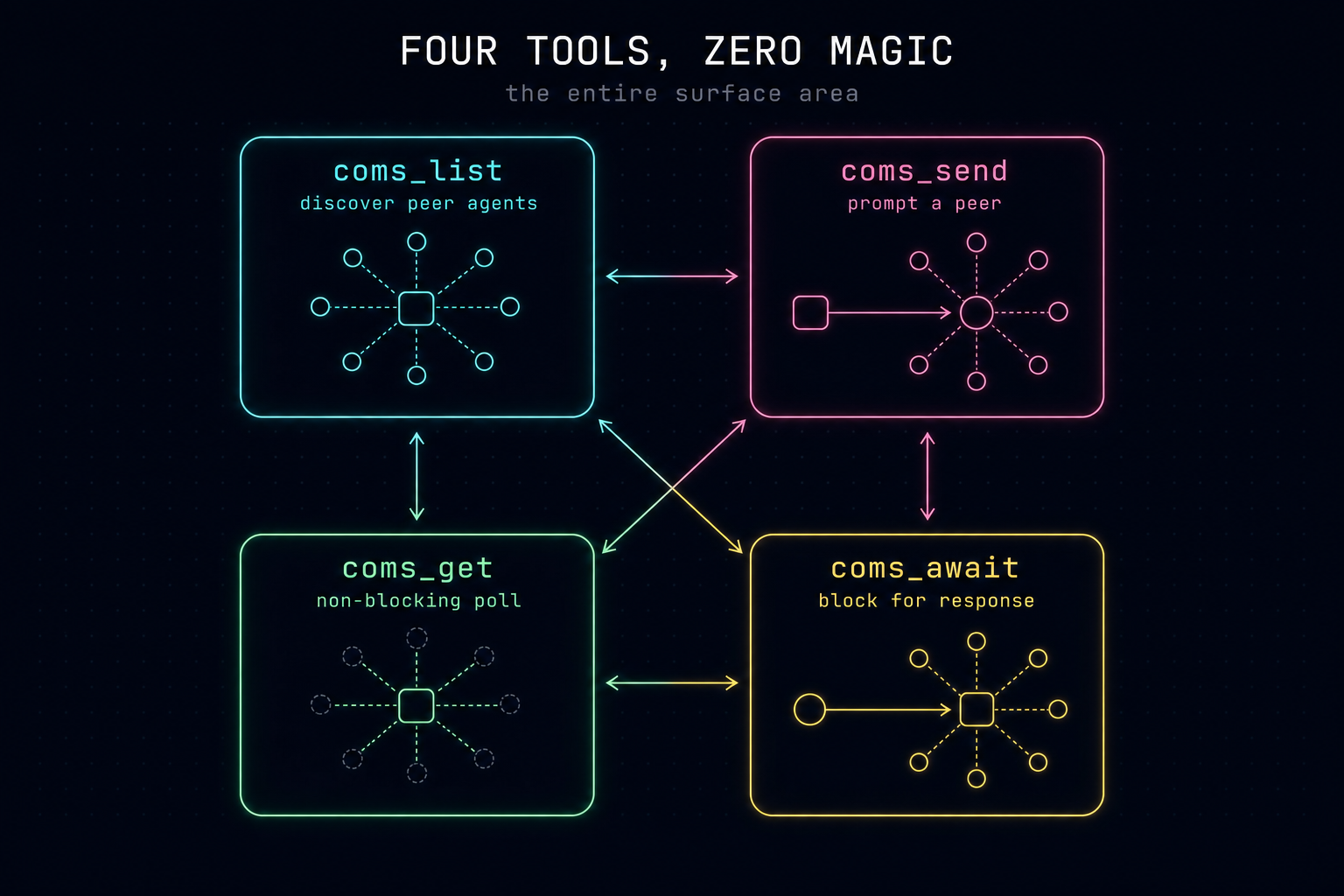
The entire surface area is four tools. List the agents on the network, send them a prompt, then either poll (non-blocking) or block until the response lands. That's it.
| Tool | What it does |
|---|---|
*_list | List peer agents in the pool with names, models, and live context-window usage |
*_send | Send a prompt to a peer; returns a msg_id once the receiver acks |
*_get | Non-blocking poll on msg_id — pending / complete / error |
*_await | Block until the reply lands or a timeout fires (default 30 min via PI_COMS_*_TIMEOUT_MS) |
A reply travels back through the same channel: when an inbound prompt triggers a turn, the receiver's final assistant message is automatically packaged as the response. Sometimes you want fire-and-forget (a Slack-style status ping); sometimes you want to wait for the answer (*_await); sometimes you want to keep working and check back later (*_get). All three styles fall out of the same four primitives.
coms)# Terminal 1
just local-coms --name planner --purpose "Plans the work" --color "#36F9F6"
# Terminal 2
just local-coms --name coder --purpose "Writes the code" --color "#FF7EDB"
Each agent shows a live pool widget of the others. From either side, the agent can call coms_send with target: "planner" (or "coder"), then coms_await for the reply.
coms-net)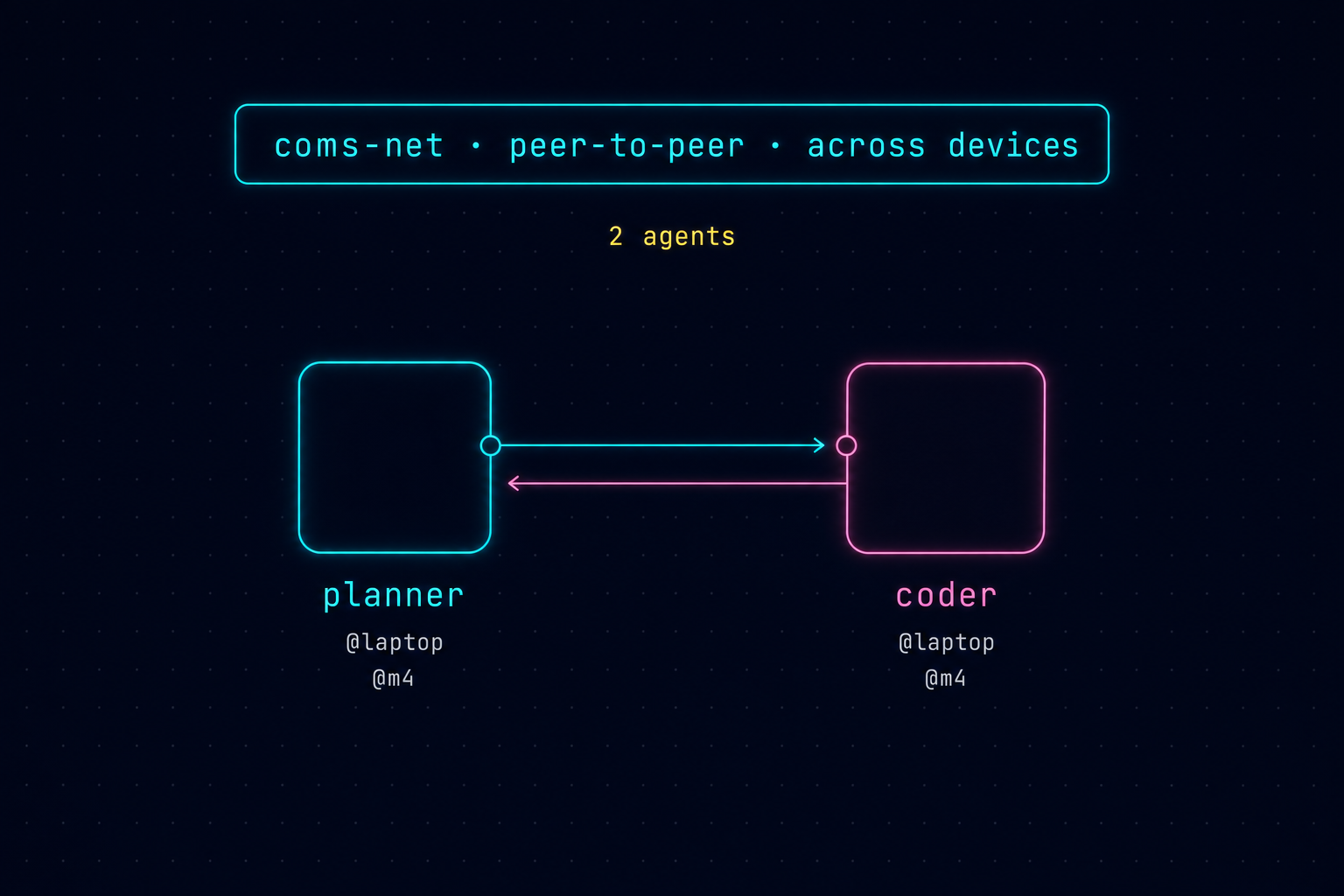
coms-net is the same idea over HTTP/SSE. Now planner can live on your laptop and coder can live on a Mac Mini, an EU production box, or a remote VM — they meet through a shared hub. The agent on the sensitive side stays on the sensitive side; only the messages cross the wire. Same four tools, just coms_net_*-prefixed.
# Terminal 1 — hub
just coms-net-server                # binds 127.0.0.1, OS-claimed port
# or
just coms-net-server-lan            # binds 0.0.0.0 — requires PI_COMS_NET_AUTH_TOKEN

# Terminal 2 & 3 — clients (auto-discover server.json)
just coms  --name dev
just coms2 --name prod              # …pinned to claude-opus-4-7

# Or different models per seat: coms1=gpt-5.5, coms2=opus-4-7, coms3=deepseek, coms4=glm
just coms1 --name researcher
just coms3 --name verifier
For remote / cross-LAN: set PI_COMS_NET_SERVER_URL and PI_COMS_NET_AUTH_TOKEN in .env (template in .env.sample). Front the hub with TLS for anything beyond a trusted LAN.
hops; default MAX_HOPS=5 (PI_COMS_MAX_HOPS/PI_COMS_NET_MAX_HOPS). Stops runaway A→B→A→B forwarding loops.coms-log / coms-net-log (msg_id, sender, hops only — never prompt bodies).coms probes for stale sockets and prunes dead PIDs on every list; coms-net heartbeats every 10s and marks peers stale/offline on miss.127.0.0.1 unless PI_COMS_NET_AUTH_TOKEN is set explicitly.Pros
Cons
agent-team or agent-chain — it's a different primitive you compose alongside them.The damage-control extension provides real-time security hooks to prevent catastrophic mistakes when agents execute bash commands or modify files. It uses Pi's tool_call event to intercept and evaluate every action against .pi/damage-control-rules.yaml.
bashToolPatterns) to block destructive commands like rm -rf, git reset --hard, aws s3 rm --recursive, or DROP DATABASE. Some rules strictly block execution, while others (ask: true) pause execution to prompt you for confirmation..env, ~/.ssh/, *.pem).package-lock.json, /etc/)..git/, Dockerfile, README.md).For a "soft" variant that lets the agent keep working after a block (turn continues with actionable feedback instead of aborting), use damage-control-continue.
Companion docs cover the conventions used across all extensions in this repo:
success, accent, warning, dim, muted) map to which UI roles, with examples.read, bash, edit, write).Side-by-side comparison of lifecycle hooks in Claude Code vs Pi Agent.
| Category | Claude Code | Pi Agent | Available In |
|---|---|---|---|
| Session | SessionStart, SessionEnd | session_start, session_shutdown | Both |
| Input | UserPromptSubmit | input | Both |
| Tool | PreToolUse, PostToolUse, PostToolUseFailure | tool_call, tool_result, tool_execution_start, tool_execution_update, tool_execution_end | Both |
| Bash | — | BashSpawnHook, user_bash | Pi |
| Permission | PermissionRequest | — | CC |
| Compact | PreCompact | session_before_compact, session_compact | Both |
| Branching | — | session_before_fork, session_fork, session_before_switch, session_switch, session_before_tree, session_tree | Pi |
| Agent / Turn | — | before_agent_start, agent_start, agent_end, turn_start, turn_end | Pi |
| Message | — | message_start, message_update, message_end | Pi |
| Model / Context | — | model_select, context | Pi |
| Sub-agents | SubagentStart, SubagentStop, TeammateIdle, TaskCompleted | — | CC |
| Config | ConfigChange | — | CC |
| Worktree | WorktreeCreate, WorktreeRemove | — | CC |
| System | Stop, Notification | — | CC |
| Doc | Description |
|---|---|
| Mario's Twitter | Creator of Pi Coding Agent |
| README.md | Overview and getting started |
| sdk.md | TypeScript SDK reference |
| rpc.md | RPC protocol specification |
| json.md | JSON event stream format |
| providers.md | API keys and provider setup |
| models.md | Custom models (Ollama, vLLM, etc.) |
| extensions.md | Extension system |
| skills.md | Skills (Agent Skills standard) |
| settings.md | Configuration |
| compaction.md | Context compaction |
Released under the MIT License — fork it, ship it, use it however helps you build.
Prepare for the future of software engineering
Learn tactical agentic coding patterns with Tactical Agentic Coding
Follow the IndyDevDan YouTube channel to improve your agentic coding advantage.
579 followers · starred Mar 2026
740 followers · starred May 2026
2,373 followers · starred Jul 2026
115 followers · starred Mar 2026
Comparison between open source PI agent and closed source Claude Code agent
TypeScript
1,712
8 commits
updated Jul 10, 2026
A collection of Pi Coding Agent customized instances. Why? To showcase what it looks like to hedge against the leader in the agentic coding market, Claude Code. Here we showcase how you can customize the UI, agent orchestration tools, safety auditing, agent to agent orchestration, and cross-agent integrations.
Want to see these 6+ unique Pi Agent Harnesses in action? Watch Pi Coding Agent: The Only Claude Code Competitor.
🆕 Pi-to-Pi agent-to-agent communication. Jump to Pi-to-Pi Communication or watch Pi to Pi: Two-Way Agent Orchestration.
All three are required:
| Tool | Purpose | Install |
|---|---|---|
| Bun ≥ 1.3.2 | Runtime & package manager | bun.sh |
| just | Task runner | brew install just |
| pi | Pi Coding Agent CLI | Pi docs |
Pi does not auto-load .env files — API keys must be present in your shell's environment before you launch Pi. A sample file is provided:
cp .env.sample .env   # copy the template
# open .env and fill in your keys
.env.sample covers the four most popular providers:
| Provider | Variable | Get your key |
|---|---|---|
| OpenAI | OPENAI_API_KEY | platform.openai.com |
| Anthropic | ANTHROPIC_API_KEY | console.anthropic.com |
GEMINI_API_KEY | aistudio.google.com | |
| OpenRouter | OPENROUTER_API_KEY | openrouter.ai |
| Many Many Others | *** | Pi Providers docs |
Pick whichever approach fits your workflow:
Option A — Source manually each session:
source .env && pi
Option B — One-liner alias (add to ~/.zshrc or ~/.bashrc):
alias pi='source $(pwd)/.env && pi'
Option C — Use the just task runner (auto-wired via set dotenv-load):
just pi           # .env is loaded automatically for every just recipe
just ext-minimal  # works for all recipes, not just `pi`
bun install
| Extension | File | Description |
|---|---|---|
| pure-focus | extensions/pure-focus.ts | Removes the footer bar and status line entirely — pure distraction-free mode |
| minimal | extensions/minimal.ts | Compact footer showing model name and a 10-block context usage meter [###-------] 30% |
| cross-agent | extensions/cross-agent.ts | Scans .claude/, .gemini/, .codex/ dirs for commands, skills, and agents and registers them in Pi |
| purpose-gate | extensions/purpose-gate.ts | Prompts you to declare session intent on startup; shows a persistent purpose widget and blocks prompts until answered |
| tool-counter | extensions/tool-counter.ts | Rich two-line footer: model + context meter + token/cost stats on line 1, cwd/branch + per-tool call tally on line 2 |
| tool-counter-widget | extensions/tool-counter-widget.ts | Live-updating above-editor widget showing per-tool call counts with background colors |
| subagent-widget | extensions/subagent-widget.ts | /sub <task> command that spawns background Pi subagents; each gets its own streaming live-progress widget |
| tilldone | extensions/tilldone.ts | Task discipline system — define tasks before starting work; tracks completion state across steps; shows persistent task list in footer with live progress |
| agent-team | extensions/agent-team.ts | Dispatcher-only orchestrator: the primary agent delegates all work to named specialist agents via dispatch_agent; shows a grid dashboard |
| system-select | extensions/system-select.ts | /system command to interactively switch between agent personas/system prompts from .pi/agents/, .claude/agents/, .gemini/agents/, .codex/agents/ |
| damage-control | extensions/damage-control.ts | Real-time safety auditing — intercepts dangerous bash patterns and enforces path-based access controls from .pi/damage-control-rules.yaml |
| damage-control-continue | extensions/damage-control-continue.ts | Same rules as damage-control, but blocked tool calls return actionable feedback instead of aborting — the agent's turn keeps running and can adapt |
| agent-chain | extensions/agent-chain.ts | Sequential pipeline orchestrator — chains multiple agents where each step's output feeds into the next step's prompt; use /chain to select and run |
| pi-pi | extensions/pi-pi.ts | Meta-agent that builds Pi agents using parallel research experts for documentation |
| coms | extensions/coms.ts | Peer-to-peer messaging between Pi agents on the same machine over Unix sockets / named pipes. Tools: coms_list, coms_send, coms_get, coms_await |
| coms-net | extensions/coms-net.ts | Networked Pi-to-Pi via a shared HTTP/SSE hub (scripts/coms-net-server.ts). Works across machines on a LAN or behind a remote URL. Tools: coms_net_* |
| session-replay | extensions/session-replay.ts | Scrollable timeline overlay of session history - showcasing customizable dialog UI |
| theme-cycler | extensions/theme-cycler.ts | Keyboard shortcuts (Ctrl+X/Ctrl+Q) and /theme command to cycle/switch between custom themes |
pi -e extensions/<name>.ts
Extensions compose — pass multiple -e flags:
pi -e extensions/minimal.ts -e extensions/cross-agent.ts
just recipesjust wraps the most useful combinations. Run just with no arguments to list all available recipes:
just
Common recipes:
just pi                     # Plain Pi, no extensions
just ext-pure-focus         # Distraction-free mode
just ext-minimal            # Minimal context meter footer
just ext-cross-agent        # Cross-agent command loading + minimal footer
just ext-purpose-gate       # Purpose gate + minimal footer
just ext-tool-counter       # Rich two-line footer with tool tally
just ext-tool-counter-widget # Per-tool widget above the editor
just ext-subagent-widget    # Subagent spawner with live progress widgets
just ext-tilldone           # Task discipline system with live progress tracking
just ext-agent-team         # Multi-agent orchestration grid dashboard
just ext-system-select      # Agent persona switcher via /system command
just ext-damage-control     # Safety auditing + minimal footer
just ext-damage-control-continue # Same rules, but blocked turns keep running
just ext-agent-chain        # Sequential pipeline orchestrator with step chaining
just ext-pi-pi              # Meta-agent that builds Pi agents using parallel experts
just ext-session-replay     # Scrollable timeline overlay of session history
just ext-theme-cycler       # Theme cycler + minimal footer
just all                    # Open every extension in its own terminal window

# Pi-to-Pi communication (see section below)
just local-coms             # Same-machine peer-to-peer over Unix sockets
just coms-net-server        # Start a local coms-net HTTP/SSE hub (127.0.0.1)
just coms-net-server-lan    # Start a LAN-visible hub (requires PI_COMS_NET_AUTH_TOKEN)
just coms                   # Pi client for the coms-net hub
just coms1                  # …same, pinned to gpt-5.5
just coms2                  # …same, pinned to claude-opus-4-7
The open recipe allows you to spin up a new terminal window with any combination of stacked extensions (omit .ts):
just open purpose-gate minimal tool-counter-widget
pi-vs-cc/
├── extensions/          # Pi extension source files (.ts) — one file per extension
├── specs/               # Feature specifications for extensions
├── .pi/
│   ├── agent-sessions/  # Ephemeral session files (gitignored)
│   ├── agents/          # Agent definitions for team and chain extensions
│   │   ├── pi-pi/       # Expert agents for the pi-pi meta-agent
│   │   ├── agent-chain.yaml # Pipeline definition for agent-chain
│   │   ├── teams.yaml   # Team definition for agent-team
│   │   └── *.md         # Individual agent persona/system prompts
│   ├── skills/          # Custom skills
│   ├── themes/          # Custom themes (.json) used by theme-cycler
│   ├── damage-control-rules.yaml # Path/command rules for safety auditing
│   └── settings.json    # Pi workspace settings
├── justfile             # just task definitions
├── CLAUDE.md            # Conventions and tooling reference (for agents)
├── THEME.md             # Color token conventions for extension authors
└── TOOLS.md             # Built-in tool function signatures available in extensions
Pi's architecture makes it easy to coordinate multiple autonomous agents. This playground includes several powerful multi-agent extensions:
/sub)The subagent-widget extension allows you to offload isolated tasks to background Pi agents while you continue working in the main terminal. Typing /sub <task> spawns a headless subagent that reports its streaming progress via a persistent, live-updating UI widget above your editor.
/team)The agent-team orchestrator operates as a dispatcher. Instead of answering prompts directly, the primary agent reviews your request, selects a specialist from a defined roster, and delegates the work via a dispatch_agent tool.
.pi/agents/teams.yaml where each top-level key is a team name containing a list of agent names (e.g., frontend: [planner, builder, bowser]).builder.md, reviewer.md) live in .pi/agents/.pi-pi team specifically delegates tasks to specialized Pi framework experts (ext-expert.md, theme-expert.md, tui-expert.md) located in .pi/agents/pi-pi/ to build high-quality Pi extensions using parallel research.
firecrawl as their default modern page crawler, but are explicitly programmed to safely fall back to the native curl baked into their bash toolset if Firecrawl fails or is unavailable./chain)Unlike the dynamic dispatcher, agent-chain acts as a sequential pipeline orchestrator. Workflows are defined in .pi/agents/agent-chain.yaml where the output of one agent becomes the input ($INPUT) to the next.
steps, where each step specifies an agent and a prompt.$INPUT variable injects the previous step's output (or the user's initial prompt for the first step), and $ORIGINAL always contains the user's initial prompt.plan-build-review pipeline feeds your prompt to the planner, passes the plan to the builder, and finally sends the code to the reviewer.
📺 Watch: Pi to Pi: Two-Way Agent Orchestration with the Pi Coding Agent
What's better than one Pi coding agent? Two. What's better than two isolated side-by-side agents? Two agents that actually talk to each other. Subagents, dispatch queues, and agent chains all share one shape: information flows in one direction down a hierarchy. coms and coms-net add the missing pattern — two equal Pi agents that talk to each other peer-to-peer, on the same machine or across the network. No orchestrator, no parent/child relationship, no information loss as work travels through layers. The best idea wins, regardless of which agent had it.
This is the shift. Sub-agent delegation and message queues are powerful patterns, but every one of them moves information in basically one direction. Even when results come back, it's a one-way stream — top-down. Peer-to-peer flips it: prompt → response → prompt → response, between agents who are equals, not parent and child. That unlocks bidirectional flows of information by default.
Why this matters in practice:
claude-opus-4-7 and gpt-5.5 and deepseek in the same pool. Each model has different RL training; together they catch what either misses alone.
The deeper reason this pattern matters: the best information is almost always on the worker level, but in a hierarchy it has to climb several layers (and survive several rewrites) before it shapes a decision. Flat structures let valuable information win on its own merit. The same dynamic plays out in agent systems — the agent closest to the artifact (the production database, the running test, the live file) usually has the sharpest view. Letting it speak directly to its peers, rather than routing every signal through an orchestrator, keeps that signal intact.
coms (local) | coms-net (networked) | |
|---|---|---|
| Transport | Unix sockets / Windows named pipes | HTTP + Server-Sent Events |
| Scope | One machine | Same machine, LAN, or remote URL |
| Discovery | File registry at ~/.pi/coms/projects/<project>/agents/*.json | Shared hub at ~/.pi/coms-net/projects/<project>/server.json |
| Server | None — agents listen directly | bun scripts/coms-net-server.ts (Bun HTTP hub) |
| Tools | coms_list, coms_send, coms_get, coms_await | coms_net_list, coms_net_send, coms_net_get, coms_net_await |
| Widget | Live pool above the editor | Live pool above the editor |
| Auth | OS file perms on ~/.pi/coms/ | PI_COMS_NET_AUTH_TOKEN (auto-generated for localhost, required for LAN/remote) |
The entire surface area is four tools. List the agents on the network, send them a prompt, then either poll (non-blocking) or block until the response lands. That's it.
| Tool | What it does |
|---|---|
*_list | List peer agents in the pool with names, models, and live context-window usage |
*_send | Send a prompt to a peer; returns a msg_id once the receiver acks |
*_get | Non-blocking poll on msg_id — pending / complete / error |
*_await | Block until the reply lands or a timeout fires (default 30 min via PI_COMS_*_TIMEOUT_MS) |
A reply travels back through the same channel: when an inbound prompt triggers a turn, the receiver's final assistant message is automatically packaged as the response. Sometimes you want fire-and-forget (a Slack-style status ping); sometimes you want to wait for the answer (*_await); sometimes you want to keep working and check back later (*_get). All three styles fall out of the same four primitives.
coms)# Terminal 1
just local-coms --name planner --purpose "Plans the work" --color "#36F9F6"
# Terminal 2
just local-coms --name coder --purpose "Writes the code" --color "#FF7EDB"
Each agent shows a live pool widget of the others. From either side, the agent can call coms_send with target: "planner" (or "coder"), then coms_await for the reply.
coms-net)
coms-net is the same idea over HTTP/SSE. Now planner can live on your laptop and coder can live on a Mac Mini, an EU production box, or a remote VM — they meet through a shared hub. The agent on the sensitive side stays on the sensitive side; only the messages cross the wire. Same four tools, just coms_net_*-prefixed.
# Terminal 1 — hub
just coms-net-server                # binds 127.0.0.1, OS-claimed port
# or
just coms-net-server-lan            # binds 0.0.0.0 — requires PI_COMS_NET_AUTH_TOKEN

# Terminal 2 & 3 — clients (auto-discover server.json)
just coms  --name dev
just coms2 --name prod              # …pinned to claude-opus-4-7

# Or different models per seat: coms1=gpt-5.5, coms2=opus-4-7, coms3=deepseek, coms4=glm
just coms1 --name researcher
just coms3 --name verifier
For remote / cross-LAN: set PI_COMS_NET_SERVER_URL and PI_COMS_NET_AUTH_TOKEN in .env (template in .env.sample). Front the hub with TLS for anything beyond a trusted LAN.
hops; default MAX_HOPS=5 (PI_COMS_MAX_HOPS/PI_COMS_NET_MAX_HOPS). Stops runaway A→B→A→B forwarding loops.coms-log / coms-net-log (msg_id, sender, hops only — never prompt bodies).coms probes for stale sockets and prunes dead PIDs on every list; coms-net heartbeats every 10s and marks peers stale/offline on miss.127.0.0.1 unless PI_COMS_NET_AUTH_TOKEN is set explicitly.Pros
Cons
agent-team or agent-chain — it's a different primitive you compose alongside them.The damage-control extension provides real-time security hooks to prevent catastrophic mistakes when agents execute bash commands or modify files. It uses Pi's tool_call event to intercept and evaluate every action against .pi/damage-control-rules.yaml.
bashToolPatterns) to block destructive commands like rm -rf, git reset --hard, aws s3 rm --recursive, or DROP DATABASE. Some rules strictly block execution, while others (ask: true) pause execution to prompt you for confirmation..env, ~/.ssh/, *.pem).package-lock.json, /etc/)..git/, Dockerfile, README.md).For a "soft" variant that lets the agent keep working after a block (turn continues with actionable feedback instead of aborting), use damage-control-continue.
Companion docs cover the conventions used across all extensions in this repo:
success, accent, warning, dim, muted) map to which UI roles, with examples.read, bash, edit, write).Side-by-side comparison of lifecycle hooks in Claude Code vs Pi Agent.
| Category | Claude Code | Pi Agent | Available In |
|---|---|---|---|
| Session | SessionStart, SessionEnd | session_start, session_shutdown | Both |
| Input | UserPromptSubmit | input | Both |
| Tool | PreToolUse, PostToolUse, PostToolUseFailure | tool_call, tool_result, tool_execution_start, tool_execution_update, tool_execution_end | Both |
| Bash | — | BashSpawnHook, user_bash | Pi |
| Permission | PermissionRequest | — | CC |
| Compact | PreCompact | session_before_compact, session_compact | Both |
| Branching | — | session_before_fork, session_fork, session_before_switch, session_switch, session_before_tree, session_tree | Pi |
| Agent / Turn | — | before_agent_start, agent_start, agent_end, turn_start, turn_end | Pi |
| Message | — | message_start, message_update, message_end | Pi |
| Model / Context | — | model_select, context | Pi |
| Sub-agents | SubagentStart, SubagentStop, TeammateIdle, TaskCompleted | — | CC |
| Config | ConfigChange | — | CC |
| Worktree | WorktreeCreate, WorktreeRemove | — | CC |
| System | Stop, Notification | — | CC |
| Doc | Description |
|---|---|
| Mario's Twitter | Creator of Pi Coding Agent |
| README.md | Overview and getting started |
| sdk.md | TypeScript SDK reference |
| rpc.md | RPC protocol specification |
| json.md | JSON event stream format |
| providers.md | API keys and provider setup |
| models.md | Custom models (Ollama, vLLM, etc.) |
| extensions.md | Extension system |
| skills.md | Skills (Agent Skills standard) |
| settings.md | Configuration |
| compaction.md | Context compaction |
Released under the MIT License — fork it, ship it, use it however helps you build.
Prepare for the future of software engineering
Learn tactical agentic coding patterns with Tactical Agentic Coding
Follow the IndyDevDan YouTube channel to improve your agentic coding advantage.
579 followers · starred Mar 2026
740 followers · starred May 2026
2,373 followers · starred Jul 2026
115 followers · starred Mar 2026



