
The Reactive Data Store for Vue and Nuxt developers.
See the codeREADME

Documentation | Nightly releases | Contributing guide

rstore is a local-first data store for Vue and Nuxt applications.
It gives you a normalized reactive cache, a structured query and mutation API, and plugin-based integration with your own data sources.
Why rstore
- Normalized reactive cache shared across your app
- Queries and mutations co-located with components
- Plugins for REST, GraphQL, local databases, and custom backends
- Built for local-first, realtime, forms, and offline workflows
- Strong TypeScript support
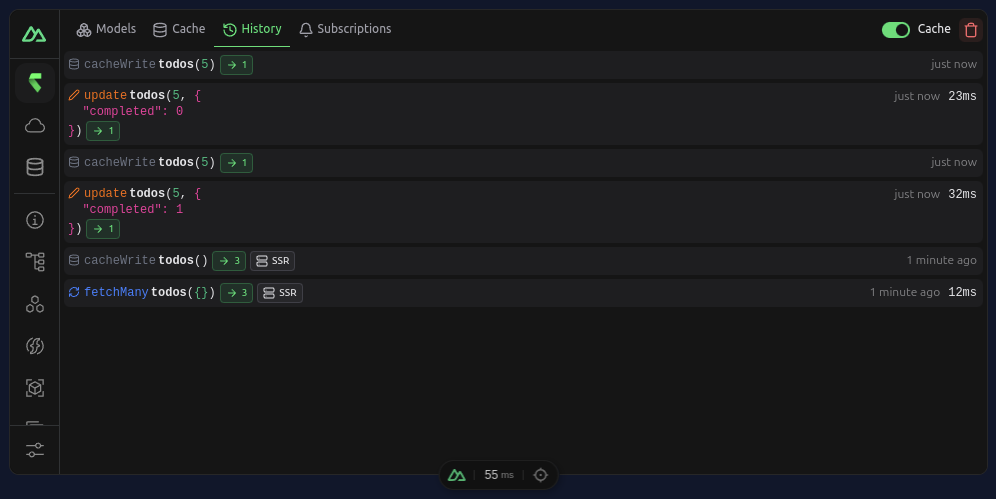
- Nuxt module with DevTools integration
Start here
- Vue quickstart: https://rstore.akryum.dev/guide/getting-started#vue
- Nuxt quickstart: https://rstore.akryum.dev/guide/getting-started#nuxt
- Nuxt + Drizzle: https://rstore.akryum.dev/guide/getting-started#nuxt-drizzle
- Core concepts: https://rstore.akryum.dev/guide/learn-more
Core workflow
- Define collections that describe your application data.
- Add collection hooks or plugins to connect those collections to your backend.
- Query and mutate data from components through the store.
- Layer on forms, subscriptions, offline support, and federation as needed.
Example
const store = useStore()

const { data: todos, loading } = await store.todos.query(q => q.many())

await store.todos.create({
  id: crypto.randomUUID(),
  title: 'Ship the docs',
  completed: false,
})
Learn more
- Getting started: https://rstore.akryum.dev/guide/getting-started
- Collections and schema: https://rstore.akryum.dev/guide/schema/collection
- Querying data: https://rstore.akryum.dev/guide/data/query
- Mutations and forms: https://rstore.akryum.dev/guide/data/mutation
- Plugin system: https://rstore.akryum.dev/guide/plugin/setup
Contributors



Similar repos




Languages
TypeScript
93.2%
Vue
5.7%
The Reactive Data Store for Vue and Nuxt developers.
See the codeREADME
Documentation | Nightly releases | Contributing guide
rstore is a local-first data store for Vue and Nuxt applications.
It gives you a normalized reactive cache, a structured query and mutation API, and plugin-based integration with your own data sources.
Why rstore
- Normalized reactive cache shared across your app
- Queries and mutations co-located with components
- Plugins for REST, GraphQL, local databases, and custom backends
- Built for local-first, realtime, forms, and offline workflows
- Strong TypeScript support
- Nuxt module with DevTools integration
Start here
- Vue quickstart: https://rstore.akryum.dev/guide/getting-started#vue
- Nuxt quickstart: https://rstore.akryum.dev/guide/getting-started#nuxt
- Nuxt + Drizzle: https://rstore.akryum.dev/guide/getting-started#nuxt-drizzle
- Core concepts: https://rstore.akryum.dev/guide/learn-more
Core workflow
- Define collections that describe your application data.
- Add collection hooks or plugins to connect those collections to your backend.
- Query and mutate data from components through the store.
- Layer on forms, subscriptions, offline support, and federation as needed.
Example
const store = useStore()

const { data: todos, loading } = await store.todos.query(q => q.many())

await store.todos.create({
  id: crypto.randomUUID(),
  title: 'Ship the docs',
  completed: false,
})
Learn more
- Getting started: https://rstore.akryum.dev/guide/getting-started
- Collections and schema: https://rstore.akryum.dev/guide/schema/collection
- Querying data: https://rstore.akryum.dev/guide/data/query
- Mutations and forms: https://rstore.akryum.dev/guide/data/mutation
- Plugin system: https://rstore.akryum.dev/guide/plugin/setup
Similar repos
Contributors
Languages
TypeScript
93.2%
Vue
5.7%