
💙 Create beautiful favicons with ease.
See the codeREADME
fonticon


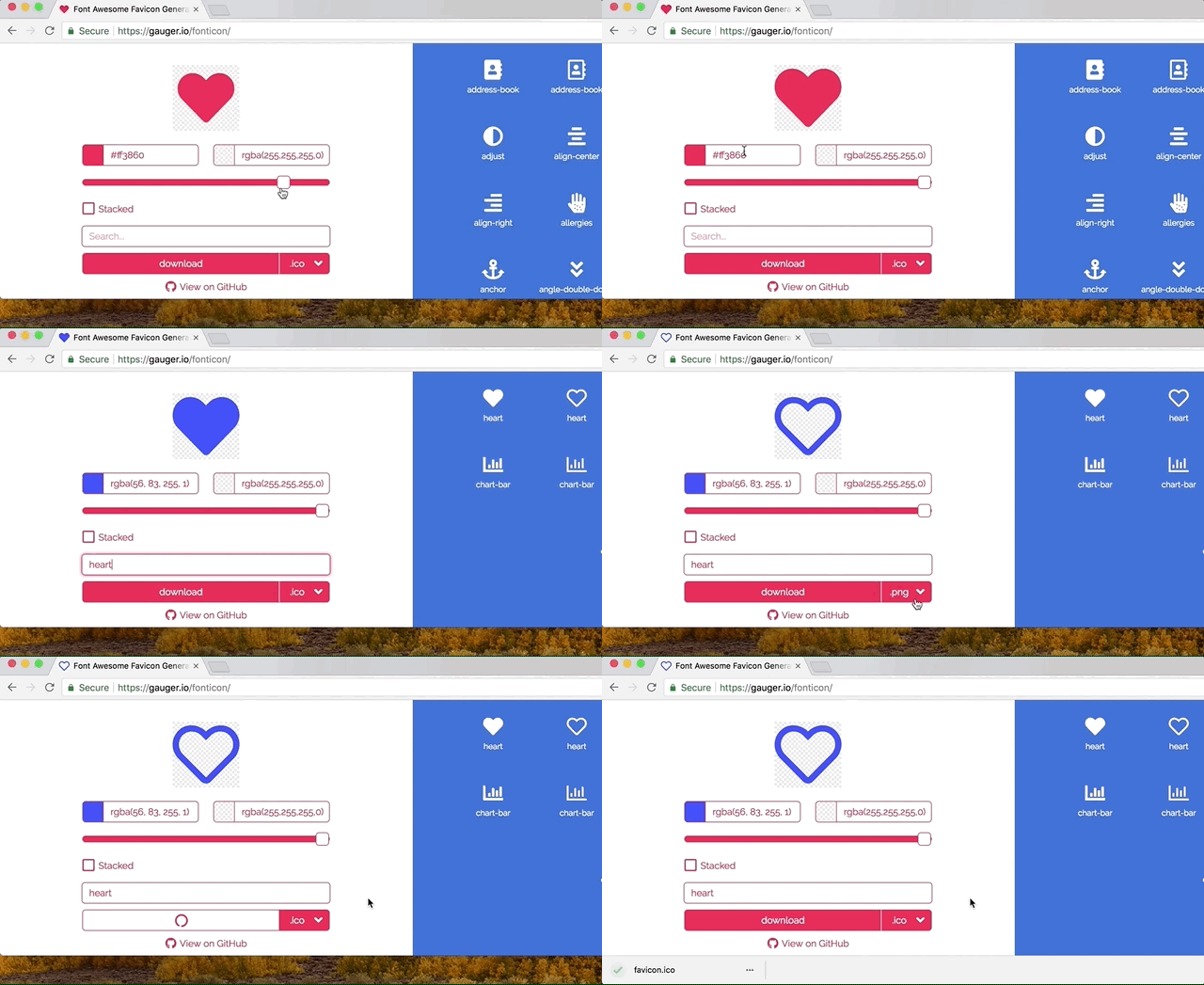
Tool for creating favicons and images from Font Awesome icons. The generated icon can be previewed live in the browser.
Features
- Latest Font Awesome 6.5.2
- Preview of favicon live in browser
- Download favicons with all features of realfavicongenerator.net
- Color icon and background by specifying any valid TinyColor value
- Transparent icon and background
- Fuzzy search and keyword search
- Support stacked icons
Contributing
To contribute fork the repository and execute
git clone <YOUR_FORK>
cd fonticon
npm install
# Install pre-commit hooks for automatic code formatting (requires python to be installed).
npm run pre-commit
This installs all the necessary dependencies. Now you can build the code by running:
npm run build
Afterwards the index.html and other static assets can be found in the dist directory.
Alternatively, you can run:
npm run start:dev
This will start a webpack-dev-server. While the server is running you can go to localhost:8080 where all your changes will be reflected as soon as you save a file.
During your commit, all changed code will be formatted with Prettier and Black so no need to worry about formatting 😄🎉.
Contributors


Similar repos





Languages
JavaScript
40.1%
CSS
39.1%
Python
11.2%
HTML
9.7%
💙 Create beautiful favicons with ease.
See the codeREADME
fonticon
Tool for creating favicons and images from Font Awesome icons. The generated icon can be previewed live in the browser.
Features
- Latest Font Awesome 6.5.2
- Preview of favicon live in browser
- Download favicons with all features of realfavicongenerator.net
- Color icon and background by specifying any valid TinyColor value
- Transparent icon and background
- Fuzzy search and keyword search
- Support stacked icons
Contributing
To contribute fork the repository and execute
git clone <YOUR_FORK>
cd fonticon
npm install
# Install pre-commit hooks for automatic code formatting (requires python to be installed).
npm run pre-commit
This installs all the necessary dependencies. Now you can build the code by running:
npm run build
Afterwards the index.html and other static assets can be found in the dist directory.
Alternatively, you can run:
npm run start:dev
This will start a webpack-dev-server. While the server is running you can go to localhost:8080 where all your changes will be reflected as soon as you save a file.
During your commit, all changed code will be formatted with Prettier and Black so no need to worry about formatting 😄🎉.
Similar repos
Contributors
Languages
JavaScript
40.1%
CSS
39.1%
Python
11.2%
HTML
9.7%