
Free, open-source native macOS viewer for 3D files — glTF/GLB, FBX, OBJ, USD/USDZ, STL, DAE, PLY. Drop a file, look at it. SwiftUI + SceneKit, no telemetry, MIT licensed.
See the codeSee what people are saying
README
Peek3D
Drop a 3D file. Look at it.
A tiny, native macOS viewer for glTF, FBX, OBJ, USD, STL and more — no editing, no export, no account. Free and open source.





Website · Install · Formats · Features · Privacy · Build · Known limits
Install
brew install --cask deeeemiss/tap/peek3d
Or download the DMG from Releases. Signed with a Developer ID and notarized by Apple. Requires macOS 13 or later.
Formats
| Loader | Formats | Animation |
|---|---|---|
| GLTFKit2 (SPM) | .glb .gltf | Skeletal (skinned) + node-transform |
| ufbx (vendored) | .fbx | Node-transform (rigid/hierarchical) |
| Apple Model I/O | .obj .stl .usd .usdz .usda .usdc .dae .ply .abc | — |
All three converge into one SCNScene, so the viewer, wireframe, shading
modes, and stats never need to know where a model came from.
Features
Viewing
- Drag & drop (empty state and to replace a loaded model), or file picker
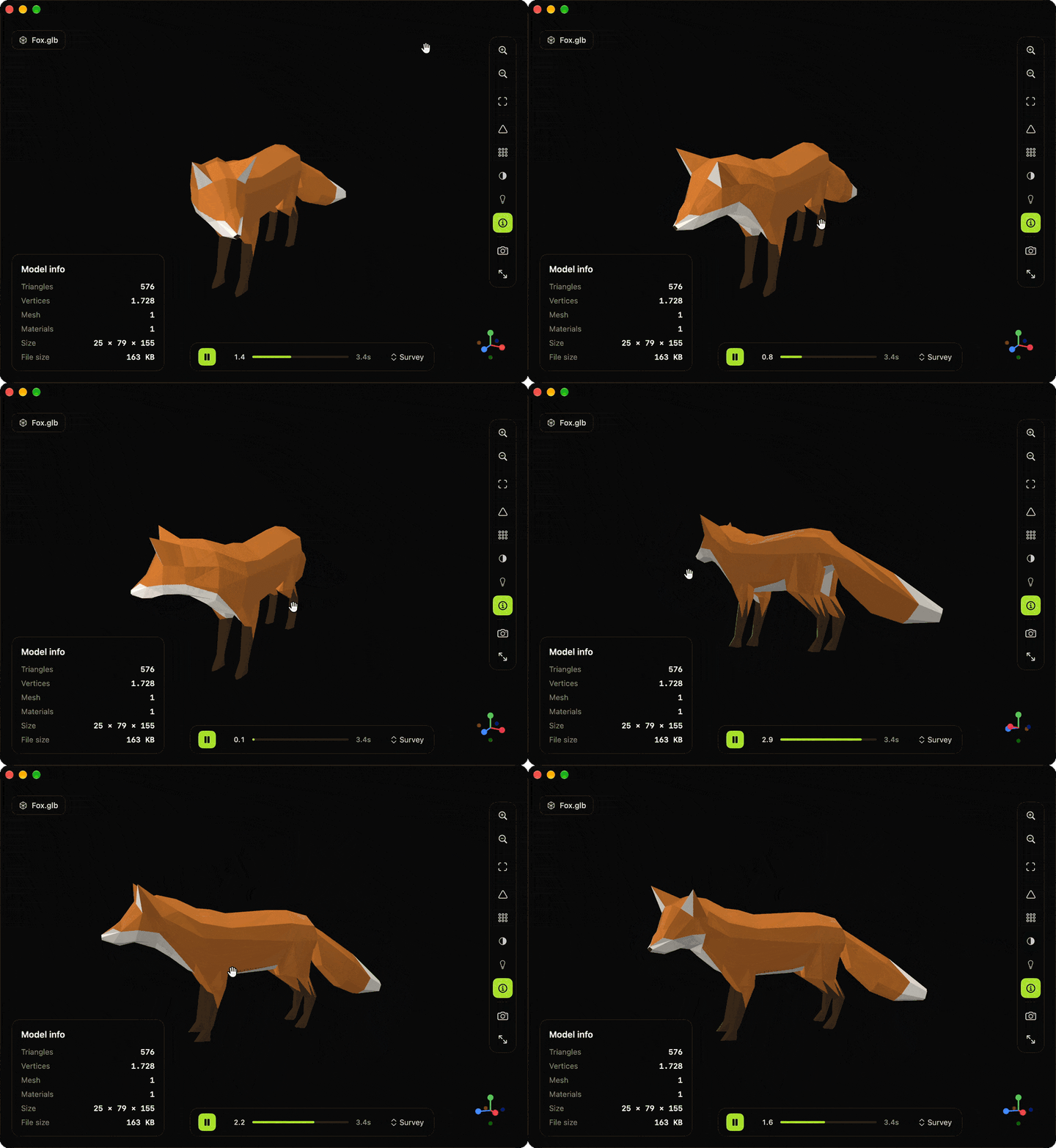
- Camera orbit / pan / zoom, fit-to-view
- Colored XYZ axis gizmo (bottom-right), click an axis to snap the camera
- Fullscreen toggle
- Viewport screenshot → PNG
Shading
- Default — the file's own materials/textures
- Normals — color-coded view-space normals
- Matcap — procedural matcap by view-space normal
- Unlit — base colour only, no lighting
- UV checker — procedural checkerboard on the real UVs
- Wireframe overlay, readable in every shading mode above
Lighting
- Default / Studio / Outdoor / Dark mood presets
Animation
- Timeline with play / pause and clip selection for animated
.glb/.gltf(skinned) and.fbx(node-transform) models - Wireframe stays correct while an animation plays
Info
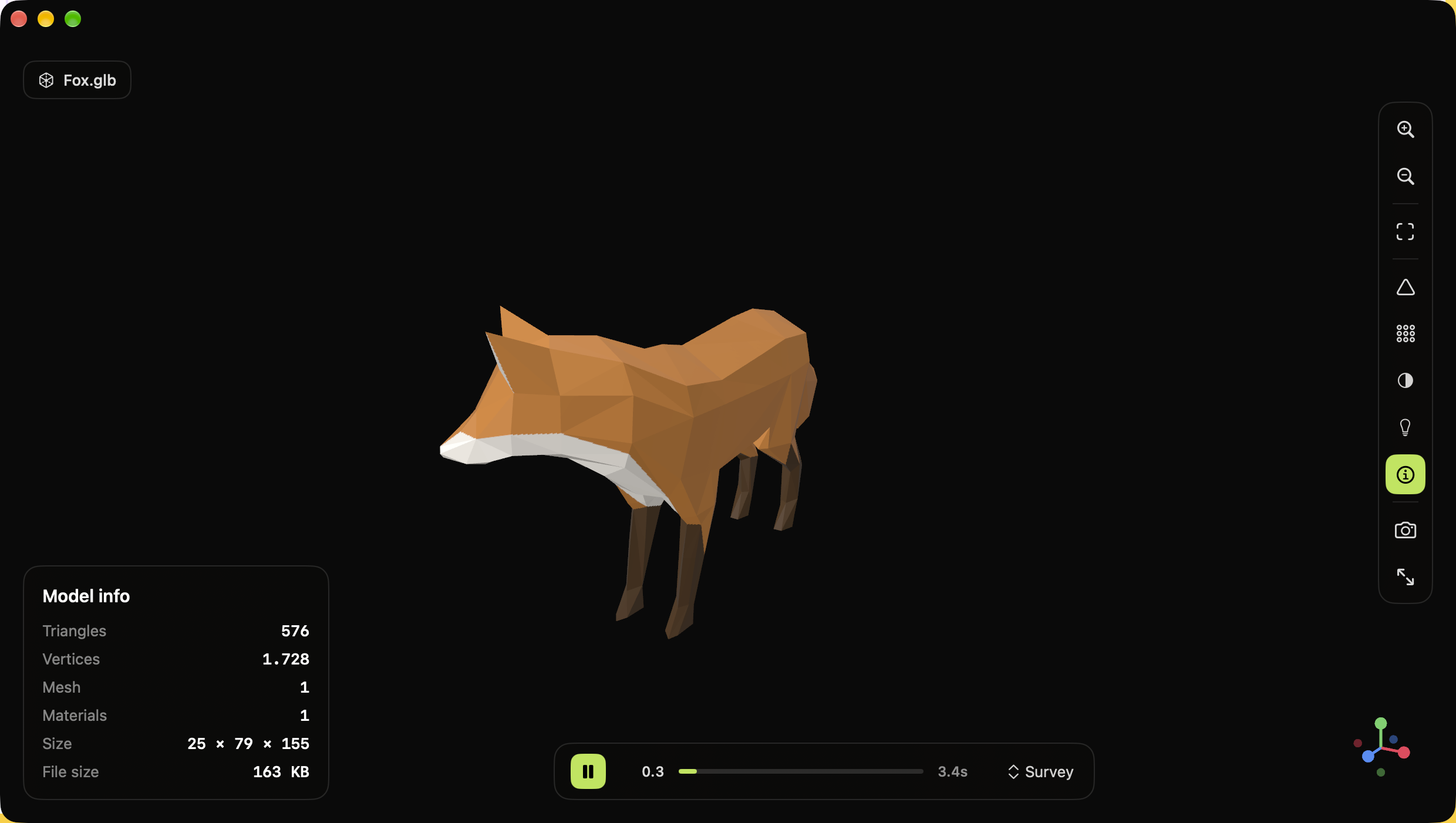
- Triangles, vertices, meshes, materials, bounding-box size, file size, file name
Localization
- 11 languages: English (primary), Italiano, Español, Français, Deutsch, Português (Brasil), Русский, العربية, 日本語, 한국어, 简体中文.
- Follows the system language by default; pick another one in Peek3D ▸ Settings ▸ General.
Settings
- Starting shading, lighting and background for new windows
- Grid, model info panel and animation autoplay on open
Privacy
Peek3D makes no network connections and collects no data. Files you open are read locally and never leave your Mac.
Build
Needs Xcode (free on the Mac App Store) — no Apple certificate or developer account.
git clone https://github.com/deeeemiss/Peek3D.git
cd Peek3D
./scripts/run.sh
It builds a universal Release app into build/ and opens it. Or open
Peek3D.xcodeproj in Xcode and hit Run.
Sandbox
The app runs sandboxed with the User Selected File (Read Only) entitlement.
Files opened via drag & drop or the file picker get security-scoped access
automatically; arbitrary paths are (by design) denied. External textures
referenced by an .fbx/.gltf file (not embedded) need that access too — the
app prompts for folder access and retries automatically if it's missing.
Known limits
- Draco-compressed geometry and KTX2/BasisU textures are not wired up.
A
.glbusing them surfaces a load error rather than a silent failure. - FBX skinned/skeletal deformation (
SCNSkinner) and blend shapes are not supported yet — a skinned FBX loads and shows its bind pose; bones still receive their transform animation, but the mesh doesn't deform. - Timeline drag-to-seek isn't offered (for either format): both loaders bake
clips as looping
CAAnimationGroups on a wall-clock player, which has no API for jumping to an arbitrary time. Play / pause / clip selection work fully; the bar is a synchronized progress readout, not a scrubber.
License
MIT. Third-party attributions are listed in the same file and in the app (Peek3D ▸ Open Source Licenses…). The fox in the screenshot and demo is the glTF sample "Fox" (CC BY 4.0, PixelMannen / @tomkranis); test model credits are in testmodels/README.md.
Similar repos


Languages
Swift
81.5%
Objective-C++
9.6%
HTML
6.0%
Shell
1.8%
Objective-C
1.1%
Free, open-source native macOS viewer for 3D files — glTF/GLB, FBX, OBJ, USD/USDZ, STL, DAE, PLY. Drop a file, look at it. SwiftUI + SceneKit, no telemetry, MIT licensed.
See the codeSee what people are saying
README
Peek3D
Drop a 3D file. Look at it.
A tiny, native macOS viewer for glTF, FBX, OBJ, USD, STL and more — no editing, no export, no account. Free and open source.
Website · Install · Formats · Features · Privacy · Build · Known limits
Install
brew install --cask deeeemiss/tap/peek3d
Or download the DMG from Releases. Signed with a Developer ID and notarized by Apple. Requires macOS 13 or later.
Formats
| Loader | Formats | Animation |
|---|---|---|
| GLTFKit2 (SPM) | .glb .gltf | Skeletal (skinned) + node-transform |
| ufbx (vendored) | .fbx | Node-transform (rigid/hierarchical) |
| Apple Model I/O | .obj .stl .usd .usdz .usda .usdc .dae .ply .abc | — |
All three converge into one SCNScene, so the viewer, wireframe, shading
modes, and stats never need to know where a model came from.
Features
Viewing
- Drag & drop (empty state and to replace a loaded model), or file picker
- Camera orbit / pan / zoom, fit-to-view
- Colored XYZ axis gizmo (bottom-right), click an axis to snap the camera
- Fullscreen toggle
- Viewport screenshot → PNG
Shading
- Default — the file's own materials/textures
- Normals — color-coded view-space normals
- Matcap — procedural matcap by view-space normal
- Unlit — base colour only, no lighting
- UV checker — procedural checkerboard on the real UVs
- Wireframe overlay, readable in every shading mode above
Lighting
- Default / Studio / Outdoor / Dark mood presets
Animation
- Timeline with play / pause and clip selection for animated
.glb/.gltf(skinned) and.fbx(node-transform) models - Wireframe stays correct while an animation plays
Info
- Triangles, vertices, meshes, materials, bounding-box size, file size, file name
Localization
- 11 languages: English (primary), Italiano, Español, Français, Deutsch, Português (Brasil), Русский, العربية, 日本語, 한국어, 简体中文.
- Follows the system language by default; pick another one in Peek3D ▸ Settings ▸ General.
Settings
- Starting shading, lighting and background for new windows
- Grid, model info panel and animation autoplay on open
Privacy
Peek3D makes no network connections and collects no data. Files you open are read locally and never leave your Mac.
Build
Needs Xcode (free on the Mac App Store) — no Apple certificate or developer account.
git clone https://github.com/deeeemiss/Peek3D.git
cd Peek3D
./scripts/run.sh
It builds a universal Release app into build/ and opens it. Or open
Peek3D.xcodeproj in Xcode and hit Run.
Sandbox
The app runs sandboxed with the User Selected File (Read Only) entitlement.
Files opened via drag & drop or the file picker get security-scoped access
automatically; arbitrary paths are (by design) denied. External textures
referenced by an .fbx/.gltf file (not embedded) need that access too — the
app prompts for folder access and retries automatically if it's missing.
Known limits
- Draco-compressed geometry and KTX2/BasisU textures are not wired up.
A
.glbusing them surfaces a load error rather than a silent failure. - FBX skinned/skeletal deformation (
SCNSkinner) and blend shapes are not supported yet — a skinned FBX loads and shows its bind pose; bones still receive their transform animation, but the mesh doesn't deform. - Timeline drag-to-seek isn't offered (for either format): both loaders bake
clips as looping
CAAnimationGroups on a wall-clock player, which has no API for jumping to an arbitrary time. Play / pause / clip selection work fully; the bar is a synchronized progress readout, not a scrubber.
License
MIT. Third-party attributions are listed in the same file and in the app (Peek3D ▸ Open Source Licenses…). The fox in the screenshot and demo is the glTF sample "Fox" (CC BY 4.0, PixelMannen / @tomkranis); test model credits are in testmodels/README.md.
Similar repos
Languages
Swift
81.5%
Objective-C++
9.6%
HTML
6.0%
Shell
1.8%
Objective-C
1.1%