
A visualizer for the JSON data produced by the dart2js --dump-info command
See the codeREADME
Repo deprecation notice
NOTE: This repository has been deprecated; for information and tooling related to understanding the size of your compiled web applications, see instead dart.dev/go/dart2js-info.
Dump-Info visualizer
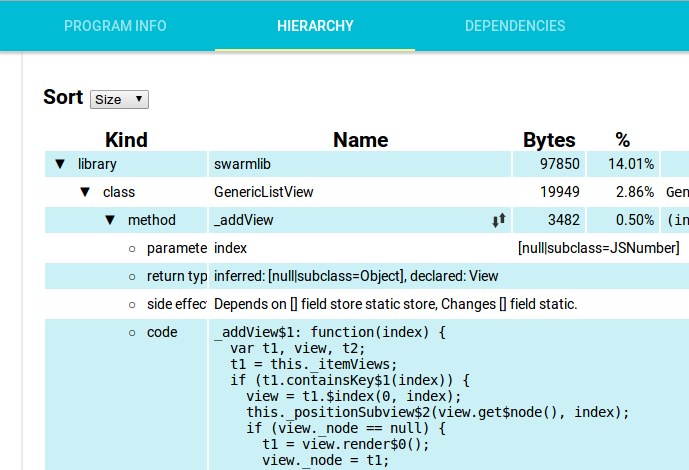
A web based visualizer for the dart2js --dump-info option.
Screenshot
How to Build
The dump-info-visualizer is a Pub project, so running pub build will
generate all the files for the viewer.
This repository also hosts the public version of the viewer which is located
on the gh-pages branch. Any files pushed to gh-pages will be made public.
In order to make your changes public, follow these instructions.
git checkout masterYour changes should already be on the master branch when you deploy.pub buildBuild all of the javascript and HTML files.mv build ../Copy built files out of the project structure.git checkout gh-pagesThe destination branch.rm -rf buildRemove old build.mv ../build ./Copy new build in.git commit -a -m "your message here"Commit the new build.git push origin gh-pagesDeploy to gh-pages.
Contributors



Similar repos


Languages
Dart
78.5%
HTML
18.4%
CSS
3.1%
A visualizer for the JSON data produced by the dart2js --dump-info command
See the codeREADME
Repo deprecation notice
NOTE: This repository has been deprecated; for information and tooling related to understanding the size of your compiled web applications, see instead dart.dev/go/dart2js-info.
Dump-Info visualizer
A web based visualizer for the dart2js --dump-info option.
Screenshot
How to Build
The dump-info-visualizer is a Pub project, so running pub build will
generate all the files for the viewer.
This repository also hosts the public version of the viewer which is located
on the gh-pages branch. Any files pushed to gh-pages will be made public.
In order to make your changes public, follow these instructions.
git checkout masterYour changes should already be on the master branch when you deploy.pub buildBuild all of the javascript and HTML files.mv build ../Copy built files out of the project structure.git checkout gh-pagesThe destination branch.rm -rf buildRemove old build.mv ../build ./Copy new build in.git commit -a -m "your message here"Commit the new build.git push origin gh-pagesDeploy to gh-pages.
Similar repos
Contributors
Languages
Dart
78.5%
HTML
18.4%
CSS
3.1%