
README
Website • Discord • Releases • Donate • Documentation
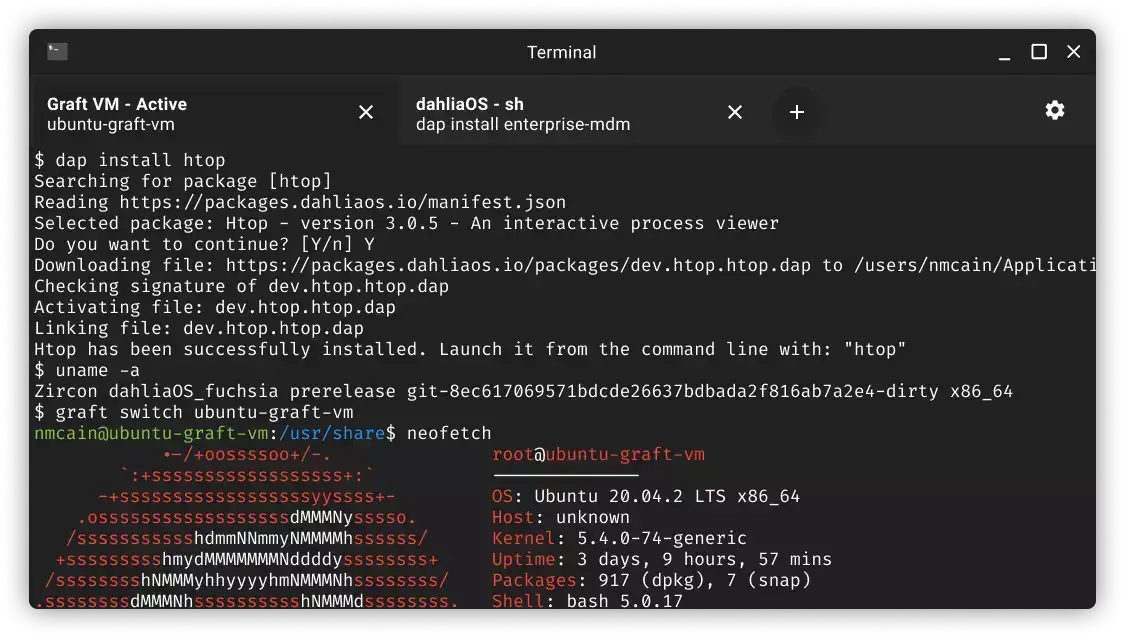
Terminal


- Terminal for dahliaOS
- Written in Dart/Flutter
FIX FOR WAITPID FUNCTION ERROR ON BUILD:
Add
#include <sys/wait.h>
to linux/flutter/ephemeral/.plugin_symlinks/flutter_pty/src/flutter_pty_unix.c
Development
To develop and locally test the application:
Step 1. Install development tools
- Install Flutter
- Install an IDE of your choice (we recommend VSCode)
- We also recommend installing Dart and Flutter extensions if you're opting in for VSCode. For other IDEs, please inform yourself.
Step 2. Install dependencies
Install pub dependencies required to run the application by running:
flutter pub get
Step 3. Run the application
Run the application in an enviroment of your choice by running:
flutter run
Flutter has hot reloading so no need to restart the instance when it's running!
Contribute
If you're wondering how to contribute to the project, please refer to CONTRIBUTING.md
License


Copyright @ 2019-2022 - The dahliaOS Authors - contact@dahliaos.io
This project is licensed under the Apache 2.0 license
Contributors


Similar repos


Languages
C++
49.0%
CMake
32.1%
Dart
11.4%
HTML
3.6%
C
2.2%
Swift
1.7%
README
Website • Discord • Releases • Donate • Documentation
Terminal
- Terminal for dahliaOS
- Written in Dart/Flutter
FIX FOR WAITPID FUNCTION ERROR ON BUILD:
Add
#include <sys/wait.h>
to linux/flutter/ephemeral/.plugin_symlinks/flutter_pty/src/flutter_pty_unix.c
Development
To develop and locally test the application:
Step 1. Install development tools
- Install Flutter
- Install an IDE of your choice (we recommend VSCode)
- We also recommend installing Dart and Flutter extensions if you're opting in for VSCode. For other IDEs, please inform yourself.
Step 2. Install dependencies
Install pub dependencies required to run the application by running:
flutter pub get
Step 3. Run the application
Run the application in an enviroment of your choice by running:
flutter run
Flutter has hot reloading so no need to restart the instance when it's running!
Contribute
If you're wondering how to contribute to the project, please refer to CONTRIBUTING.md
License
Copyright @ 2019-2022 - The dahliaOS Authors - contact@dahliaos.io
This project is licensed under the Apache 2.0 license
Similar repos
Contributors
Languages
C++
49.0%
CMake
32.1%
Dart
11.4%
HTML
3.6%
C
2.2%
Swift
1.7%