Database Client For Visual Studio Code
See the codeThis project is a database client for Visual Studio Code, supporting the management MySQL/MariaDB, PostgreSQL, SQLite, Redis, ClickHouse, 达梦, and ElasticSearch, and works as an SSH client, boost your maximum productivity!
Project site: vscode-database-client, 中文文档

Install from the Visual Studio Code Marketplace or Open VSX.
The Database Client extension will collects and sends anonymous usage data to the Database Client server to help improve our products and services. Read our Privacy Statement to learn more.
Telemetry reporting follows the telemetry settings of VS Code. Additionally, you can independently disable it by setting "database-client.telemetry.usesOnlineServices": false.
+ button.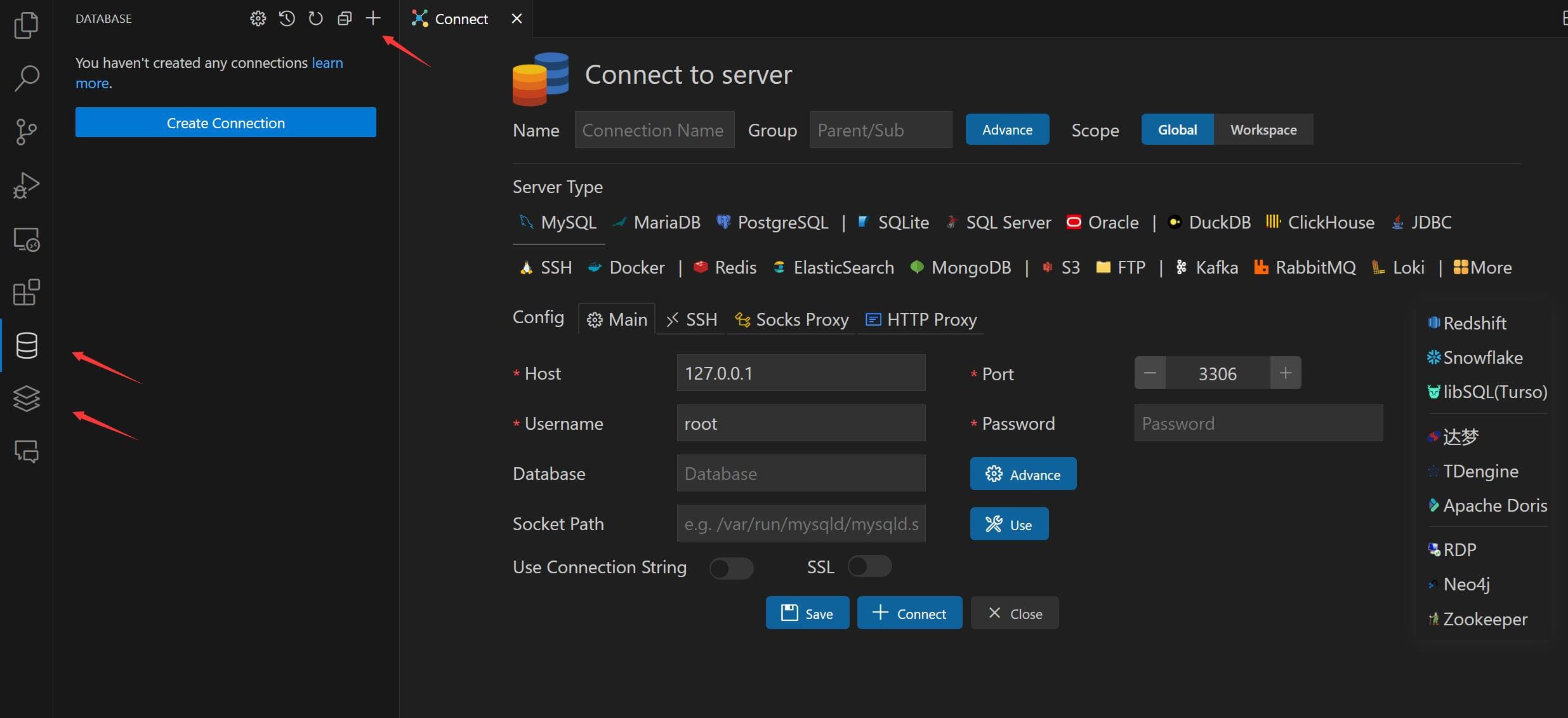
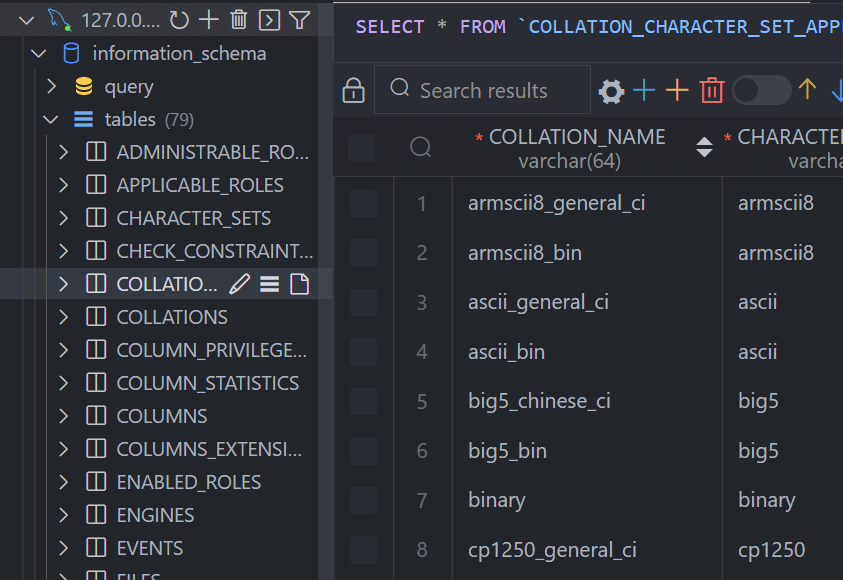
In the Database Explorer panel, click the Open Query button.
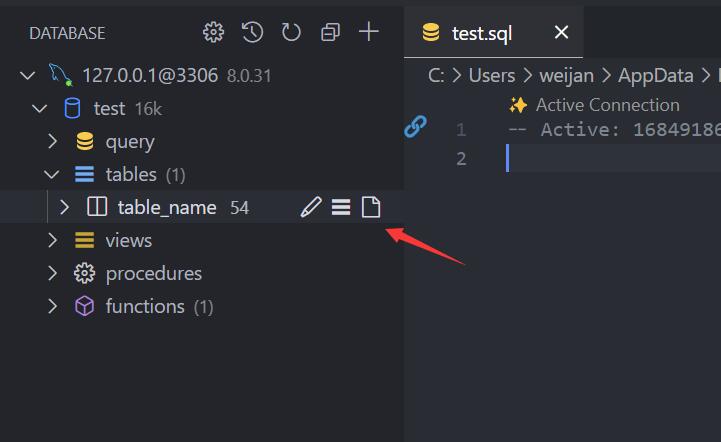
That will open a SQL editor bind of database, it provider:
sel、del、ins、upd、joi...mysql.runSQL).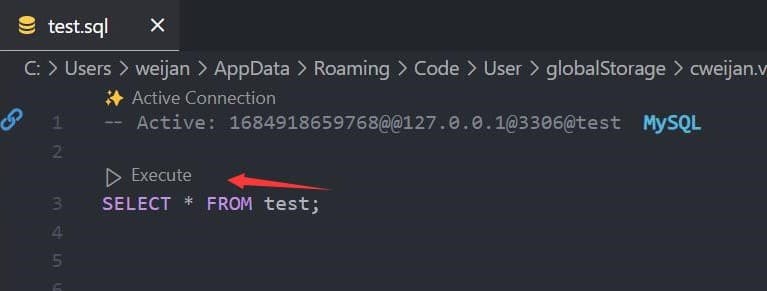
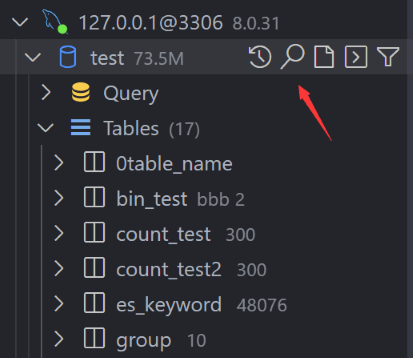
The database can be searched by clicking the search button to the right of "Tables".
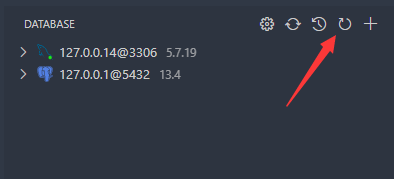
In order to improve performance, the database information is cached. If your database structure changes externally, you need to click the refresh button to refresh the cache。
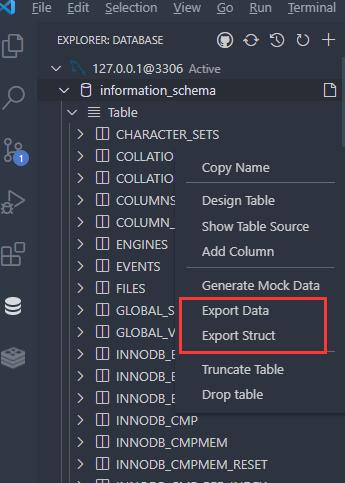
Move to ant DatabaseNode or TableNode. The export/import options are listed in the context menu (right click to open).
The extension implements the backup function, but it is not stable enough. You can add mysql_dump or pg_dump to the environment variable, and the extension will use these tools for backup.
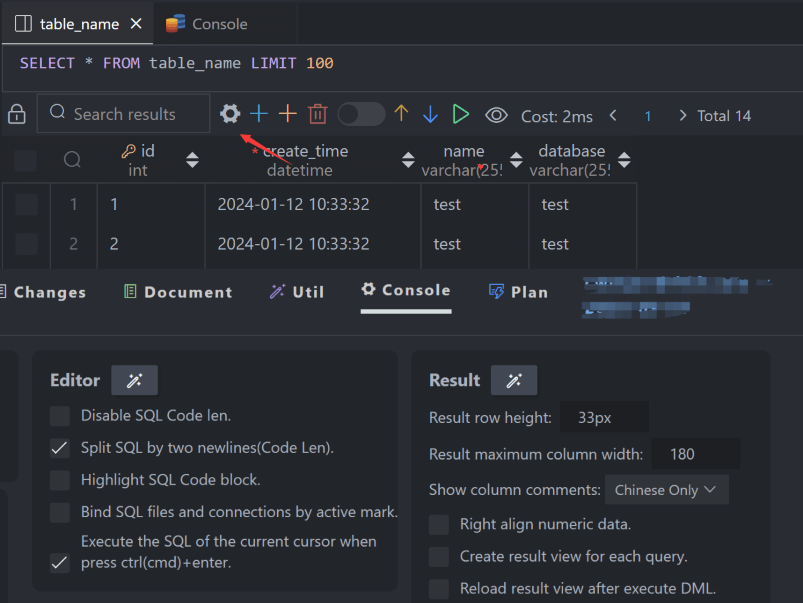
The extension provides some settings, you can refer to the following operations to go to the console settings.
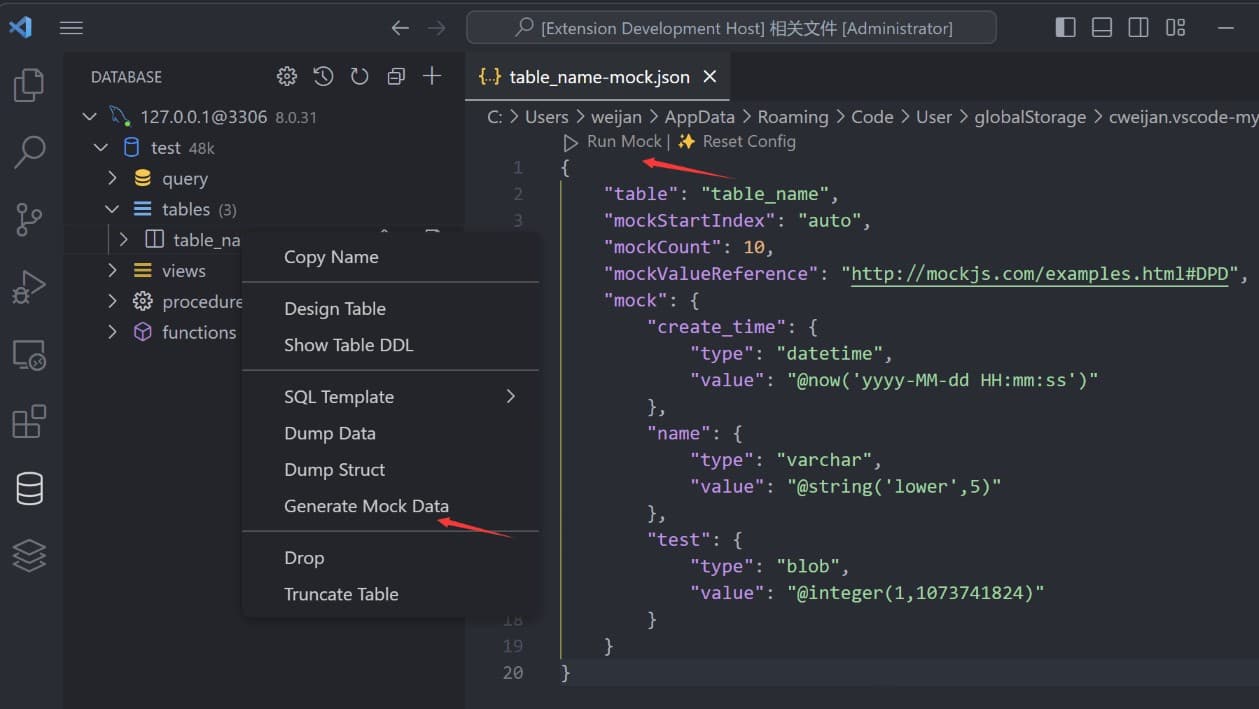
You can easily generate test data.
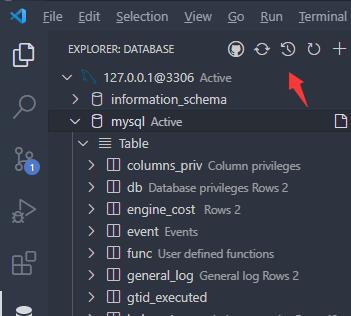
Click the history button to open the list of recently executed query history records.
94 followers · starred Jul 2026
94 followers · starred Jul 2021
74 followers · starred Feb 2022
44 followers · starred Mar 2021
Database Client For Visual Studio Code
See the codeThis project is a database client for Visual Studio Code, supporting the management MySQL/MariaDB, PostgreSQL, SQLite, Redis, ClickHouse, 达梦, and ElasticSearch, and works as an SSH client, boost your maximum productivity!
Project site: vscode-database-client, 中文文档
Install from the Visual Studio Code Marketplace or Open VSX.
The Database Client extension will collects and sends anonymous usage data to the Database Client server to help improve our products and services. Read our Privacy Statement to learn more.
Telemetry reporting follows the telemetry settings of VS Code. Additionally, you can independently disable it by setting "database-client.telemetry.usesOnlineServices": false.
+ button.
In the Database Explorer panel, click the Open Query button.
That will open a SQL editor bind of database, it provider:
sel、del、ins、upd、joi...mysql.runSQL).
The database can be searched by clicking the search button to the right of "Tables".
In order to improve performance, the database information is cached. If your database structure changes externally, you need to click the refresh button to refresh the cache。
Move to ant DatabaseNode or TableNode. The export/import options are listed in the context menu (right click to open).
The extension implements the backup function, but it is not stable enough. You can add mysql_dump or pg_dump to the environment variable, and the extension will use these tools for backup.
The extension provides some settings, you can refer to the following operations to go to the console settings.
You can easily generate test data.
Click the history button to open the list of recently executed query history records.
94 followers · starred Jul 2026
94 followers · starred Jul 2021
74 followers · starred Feb 2022
44 followers · starred Mar 2021