Binary Ninja plugin which enables an EVM disassembler and related analysis tools.
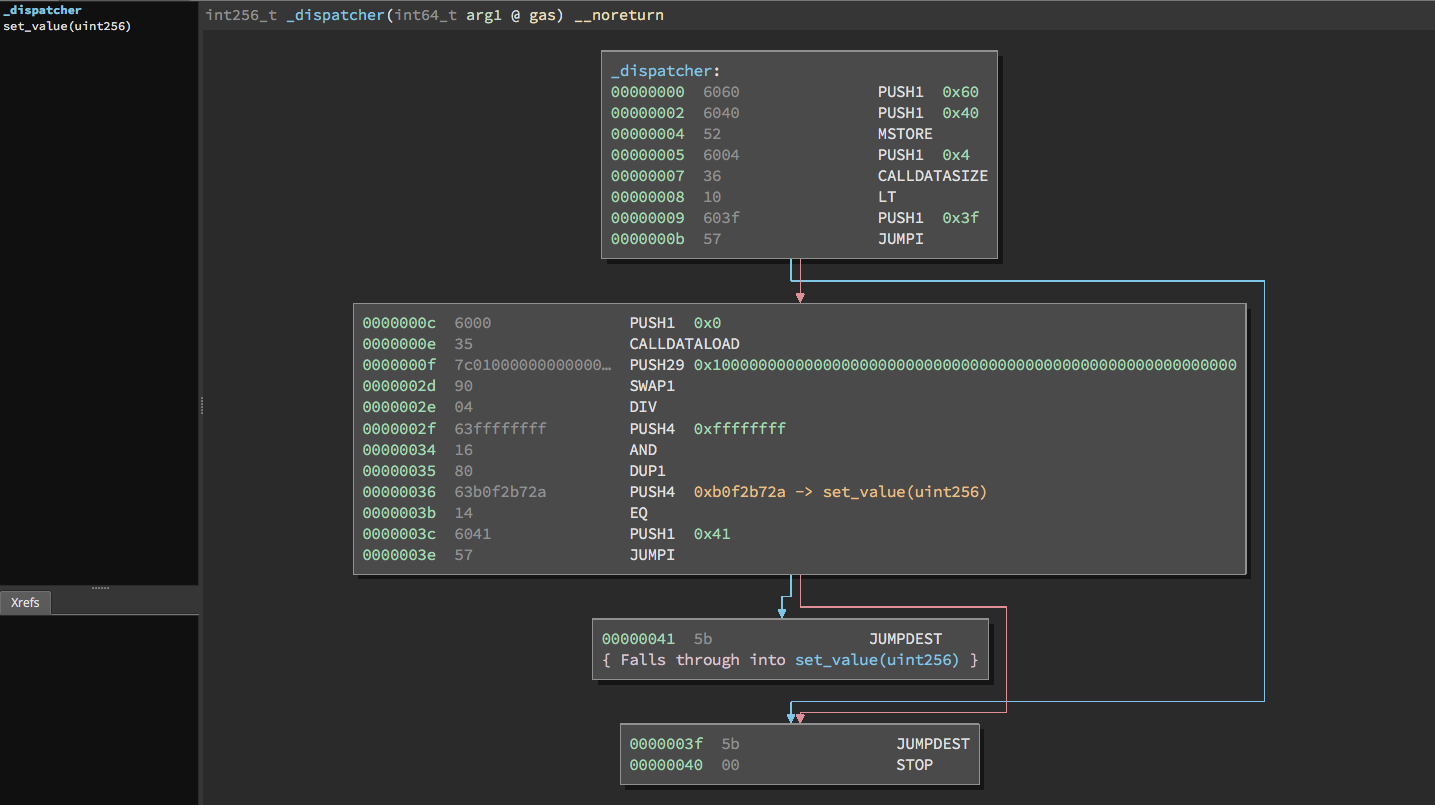
Ethersplay only supports Python >= 3.6.
Ensure that your Binary Ninja's Python library is set to Python 3.6+. You can change the ScriptingProvider in the Advanced Settings.
If you install the plugin via the Binary Ninja Plugin Manager, dependency installation should be automatic.
Install the dependencies:
$ pip install -r requirements.txt
Create a symbolic link to the Binary Ninja plugin folder. E.g., in macOS
cd ~/Library/Application\ Support/Binary\ Ninja/plugins
ln -s <your_download_location>/ethersplay/ethersplay .
Ubuntu:
cd ~/.binaryninja/plugins
ln -s <your_download_location>/ethersplay/ethersplay .
Ethersplay takes as input the evm bytecode in raw binary format.
To have the bytecode of a solidity file, use solc:
solc --bin-runtime file.sol: to print the bytecode of the runtime part of the contract (for most of the cases).solc --bin file.sol: to print the initialisation bytecode of the contract (constructor),Example using test.sol with following contents:
contract Test {
    uint256 value;
    function Test() {
        value = 5;
    }
    function set_value(uint256 v) {
        value = v;
    }
    function() payable {}
}
Run solidity to compile:
solc --bin-runtime test.sol
solc prints the bytecode to stdout in the format below:
======= test.sol:Test =======
Binary of the runtime part:
60606040523615603d576000357c0100000000000000000000000000000000000000000000000000000000900463ffffffff168063b0f2b72a146041575b5b5b005b3415604b57600080fd5b605f60048080359060200190919050506061565b005b806000819055505b505600a165627a7a72305820c177a64bf54a26574918ddc2201f7ab2dd8619d6c3ee87ce9aaa1eb0e0b1d4650029
Copy the ascii hex string, and then create a new file in Binary Ninja. Right-click and select Paste From -> Raw Hex. The output should look identical to the earlier example image. Save this file as test.evm and close it. Alternatively, paste the ascii hex string into a new text file, and run the utils/convert_bytecode.py on that file.
test.evm can now be loaded into Binary Ninja.
Note: The file must end in .evm to be recognized as an EVM bytecode binary file.
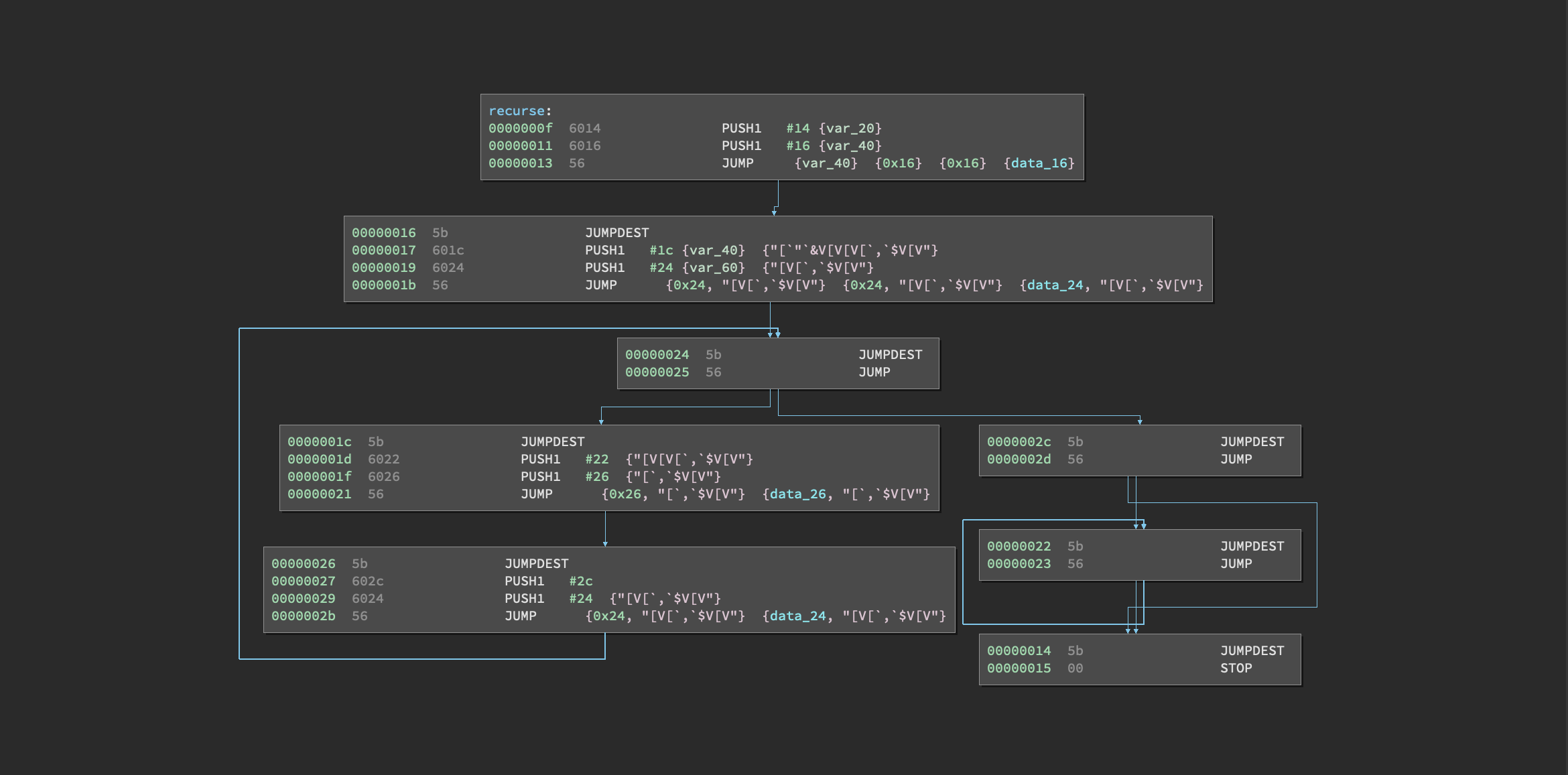
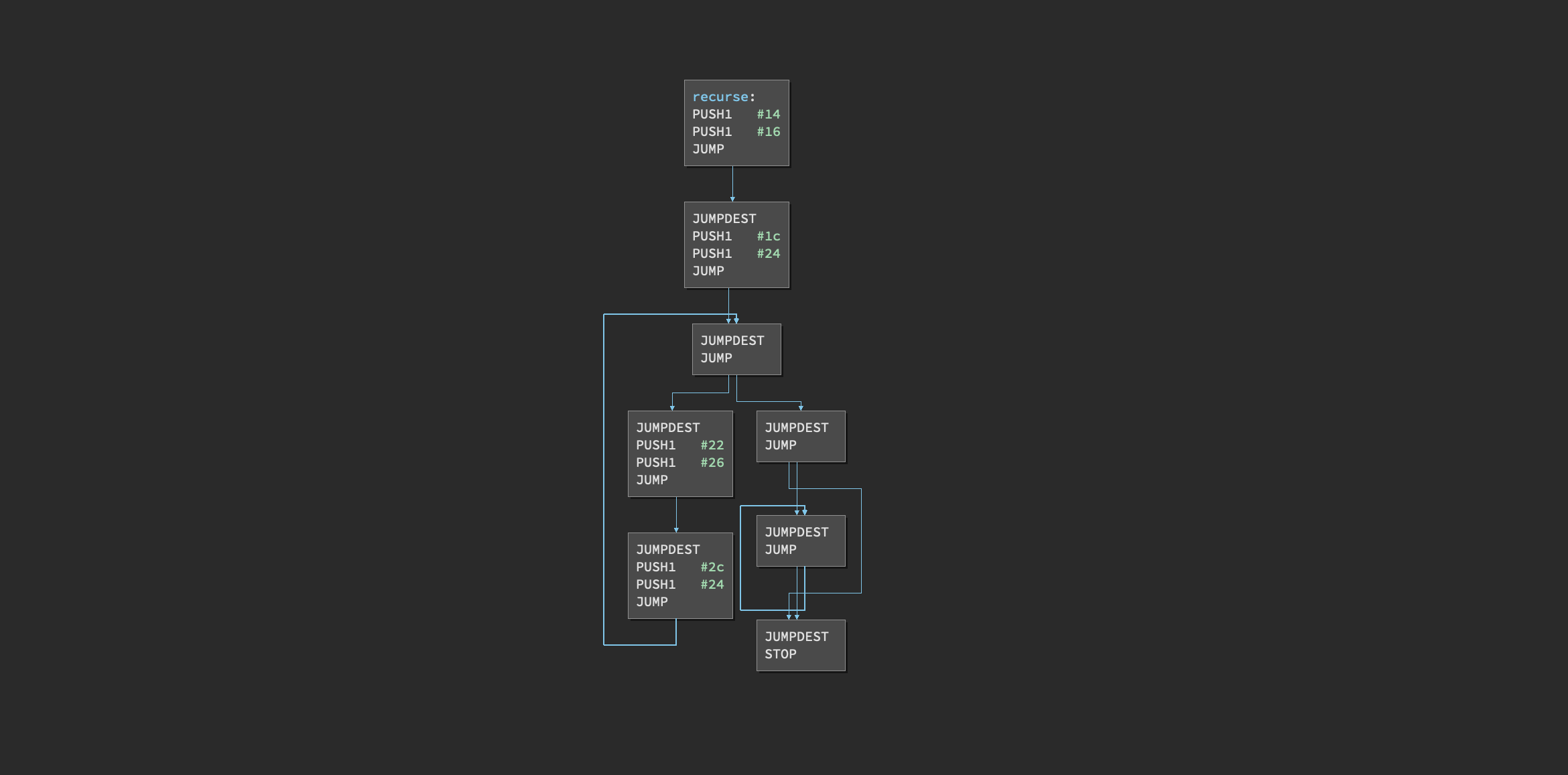
Generates a clean control flow graph of all functions.
Before:
After:
Colors the basic blocks explored through Manticore (using the visited.txt or *.trace files).
0 followers · starred Apr 2019
11,201 followers · starred Mar 2022
1,118 followers · starred May 2019
249 followers · starred Oct 2022
Binary Ninja plugin which enables an EVM disassembler and related analysis tools.
Ethersplay only supports Python >= 3.6.
Ensure that your Binary Ninja's Python library is set to Python 3.6+. You can change the ScriptingProvider in the Advanced Settings.
If you install the plugin via the Binary Ninja Plugin Manager, dependency installation should be automatic.
Install the dependencies:
$ pip install -r requirements.txt
Create a symbolic link to the Binary Ninja plugin folder. E.g., in macOS
cd ~/Library/Application\ Support/Binary\ Ninja/plugins
ln -s <your_download_location>/ethersplay/ethersplay .
Ubuntu:
cd ~/.binaryninja/plugins
ln -s <your_download_location>/ethersplay/ethersplay .
Ethersplay takes as input the evm bytecode in raw binary format.
To have the bytecode of a solidity file, use solc:
solc --bin-runtime file.sol: to print the bytecode of the runtime part of the contract (for most of the cases).solc --bin file.sol: to print the initialisation bytecode of the contract (constructor),Example using test.sol with following contents:
contract Test {
    uint256 value;
    function Test() {
        value = 5;
    }
    function set_value(uint256 v) {
        value = v;
    }
    function() payable {}
}
Run solidity to compile:
solc --bin-runtime test.sol
solc prints the bytecode to stdout in the format below:
======= test.sol:Test =======
Binary of the runtime part:
60606040523615603d576000357c0100000000000000000000000000000000000000000000000000000000900463ffffffff168063b0f2b72a146041575b5b5b005b3415604b57600080fd5b605f60048080359060200190919050506061565b005b806000819055505b505600a165627a7a72305820c177a64bf54a26574918ddc2201f7ab2dd8619d6c3ee87ce9aaa1eb0e0b1d4650029
Copy the ascii hex string, and then create a new file in Binary Ninja. Right-click and select Paste From -> Raw Hex. The output should look identical to the earlier example image. Save this file as test.evm and close it. Alternatively, paste the ascii hex string into a new text file, and run the utils/convert_bytecode.py on that file.
test.evm can now be loaded into Binary Ninja.
Note: The file must end in .evm to be recognized as an EVM bytecode binary file.
Generates a clean control flow graph of all functions.
Before:
After:
Colors the basic blocks explored through Manticore (using the visited.txt or *.trace files).
0 followers · starred Apr 2019
11,201 followers · starred Mar 2022
1,118 followers · starred May 2019
249 followers · starred Oct 2022