
A live world-time desktop wallpaper for Wayland/X11 — a modern recreation of the classic ThinkPad 'World Time' Active Desktop. Day/night terminator, per-city clocks, swappable logo.
Python
96
76 commits
updated Sep 10, 2026
README
greyline



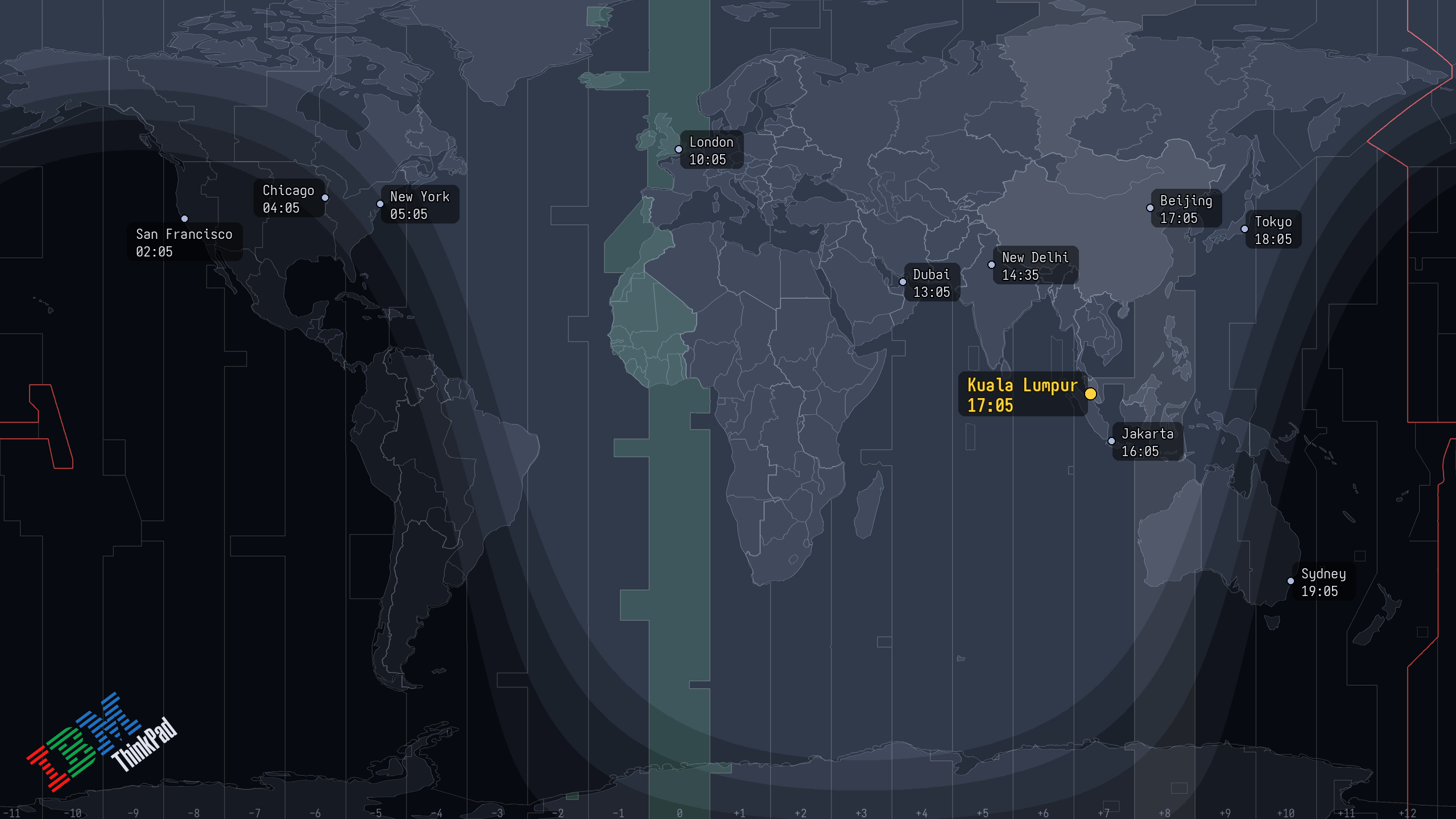
Shown with the ThinkPad wordmark, which you supply yourself. The bundled logo is Tux.
A live world-time desktop wallpaper for Wayland and X11: a world map with clocks for your cities, your home city marked, and a day/night terminator that tracks the sun. A recreation of the IBM/ThinkPad World Time Active Desktop.
Try it in your browser · Documentation · Changelog
There is no daemon and no browser behind this. A scheduler runs greyline once a minute: it renders a PNG per output, hands each to the wallpaper mechanism you already use, and exits.
greyline is in beta. I run it daily on Linux; expect rough edges before 1.0.
Install
pipx install greyline    # or: uv tool install greyline
greyline init
init detects your compositor, picks a backend, writes
~/.config/greyline/config.toml, and where systemd is present enables a user timer that
fires every minute. On GNOME, KDE and XFCE it fills in the wallpaper command for you.
Without systemd, put greyline watch in your session autostart instead.
To remove it, greyline disable first (that stops the timer and removes the units
init wrote), then uninstall the package — --purge also deletes your config.
You need Linux on Wayland or X11, Python 3.11 or newer, and a wallpaper tool for your
desktop: swaybg, swww, hyprpaper, feh or xwallpaper, or the one your desktop
environment already ships. The wiki covers
Nix and home-manager
and the beta
Windows and macOS
backends.
Use
greyline city add "Tokyo" 35.68 139.69 Asia/Tokyo --home
greyline config set theme gruvbox-dark-hard
greyline doctor                 # what's in effect, and why isn't it changing?
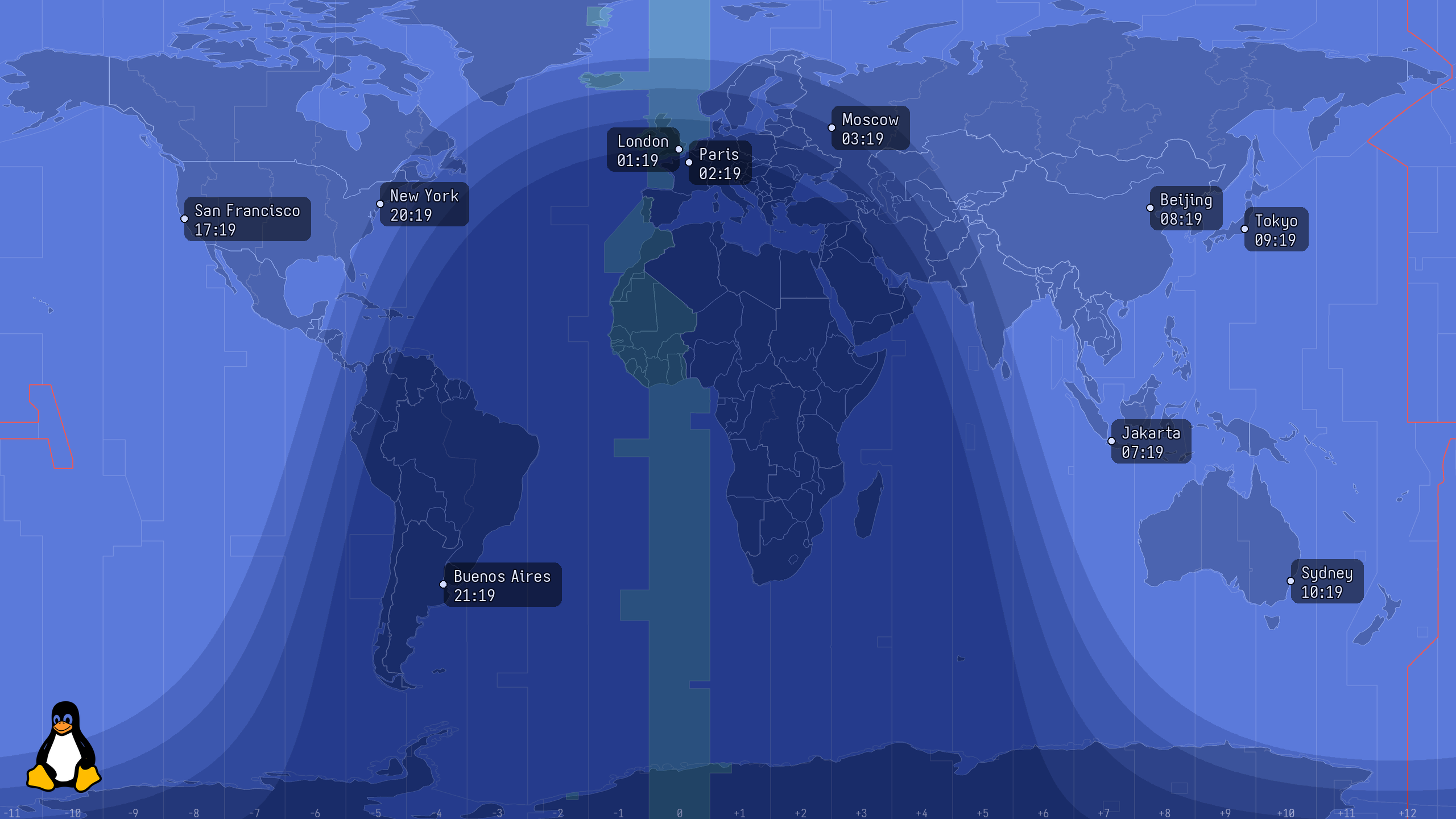
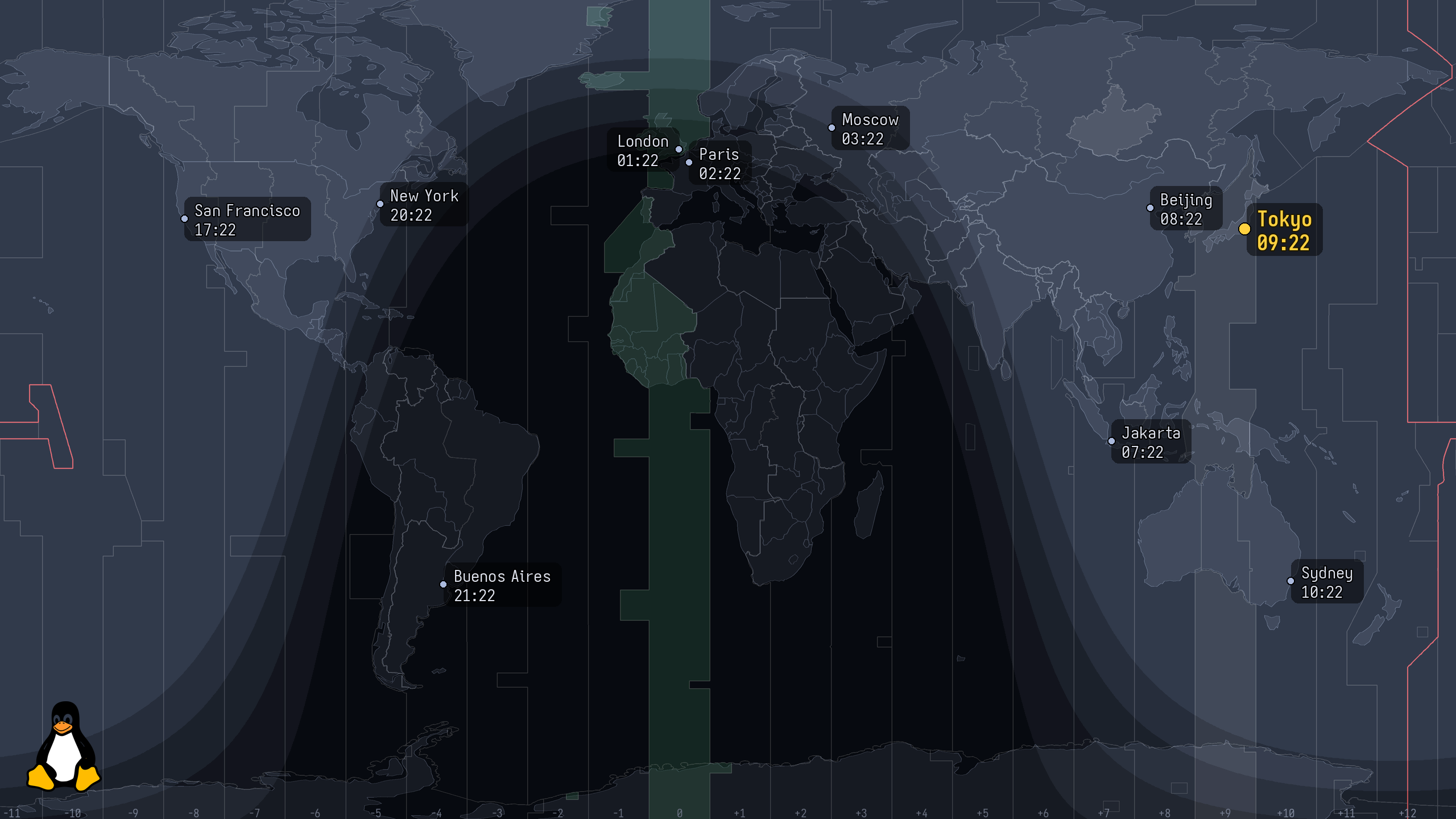
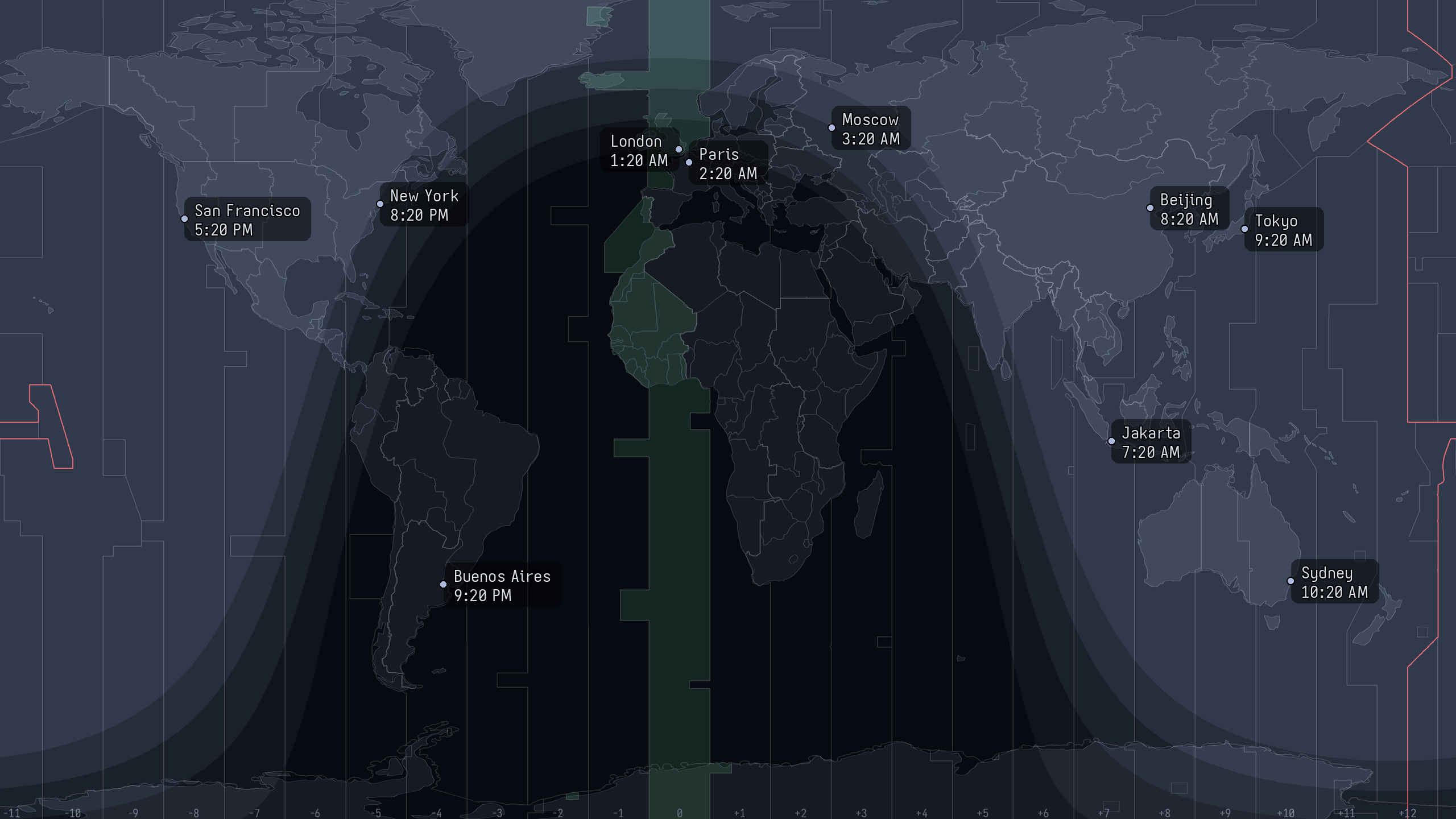
Thirty-five themes ship, light and dark. Most are ports of the base16 schemes your editor and terminal already use, so the wallpaper matches them.
blue theme | home city marked | no logo, 12-hour |
|---|---|---|
 |  |  |
The full reference is built in. It is generated from the same files the renderer reads, so it describes the version you actually have:
greyline help                 # every command; `greyline help city add` for one
greyline help keys            # every config key, its values and its default
greyline help topics          # themes, backends, desktops
Those pages are on the web too: Configuration · Themes · Backends · Desktop environments · Troubleshooting
How it works
sun.py computes the subsolar point and the terminator. vectormap.py draws the map
from public-domain Natural Earth GeoJSON. render.py composites them and places the
clocks at native resolution. A backend hands the finished PNG to your desktop. Only the
backends are platform-specific, which is why the same renderer runs in the browser demo.
The diagram is in
Architecture.
Contributing
Bug reports, desktop-compatibility recipes and pull requests are all welcome. The maintainer runs sway, so reports from GNOME, KDE and XFCE are the only way those recipes get verified. Start at CONTRIBUTING.md.
License
GPL-2.0-or-later. greyline descends from Maxim Proskurnya's GPL "World Time Wallpaper"
tribute; the concept and the original artwork are © IBM/Lenovo and are not bundled here.
The map is public-domain Natural Earth data and the default logo is Tux, by Larry Ewing.
map_style = "raster" and the ThinkPad wordmark need art you supply yourself. See
NOTICE and
docs/CREDITS.md.
Contributors

73 commits

3 commits
Similar repos


Languages
Python
81.1%
JavaScript
8.7%
Nix
5.1%
HTML
5.0%
A live world-time desktop wallpaper for Wayland/X11 — a modern recreation of the classic ThinkPad 'World Time' Active Desktop. Day/night terminator, per-city clocks, swappable logo.
Python
96
76 commits
updated Sep 10, 2026
README
greyline
Shown with the ThinkPad wordmark, which you supply yourself. The bundled logo is Tux.
A live world-time desktop wallpaper for Wayland and X11: a world map with clocks for your cities, your home city marked, and a day/night terminator that tracks the sun. A recreation of the IBM/ThinkPad World Time Active Desktop.
Try it in your browser · Documentation · Changelog
There is no daemon and no browser behind this. A scheduler runs greyline once a minute: it renders a PNG per output, hands each to the wallpaper mechanism you already use, and exits.
greyline is in beta. I run it daily on Linux; expect rough edges before 1.0.
Install
pipx install greyline    # or: uv tool install greyline
greyline init
init detects your compositor, picks a backend, writes
~/.config/greyline/config.toml, and where systemd is present enables a user timer that
fires every minute. On GNOME, KDE and XFCE it fills in the wallpaper command for you.
Without systemd, put greyline watch in your session autostart instead.
To remove it, greyline disable first (that stops the timer and removes the units
init wrote), then uninstall the package — --purge also deletes your config.
You need Linux on Wayland or X11, Python 3.11 or newer, and a wallpaper tool for your
desktop: swaybg, swww, hyprpaper, feh or xwallpaper, or the one your desktop
environment already ships. The wiki covers
Nix and home-manager
and the beta
Windows and macOS
backends.
Use
greyline city add "Tokyo" 35.68 139.69 Asia/Tokyo --home
greyline config set theme gruvbox-dark-hard
greyline doctor                 # what's in effect, and why isn't it changing?
Thirty-five themes ship, light and dark. Most are ports of the base16 schemes your editor and terminal already use, so the wallpaper matches them.
blue theme | home city marked | no logo, 12-hour |
|---|---|---|
| | |
The full reference is built in. It is generated from the same files the renderer reads, so it describes the version you actually have:
greyline help                 # every command; `greyline help city add` for one
greyline help keys            # every config key, its values and its default
greyline help topics          # themes, backends, desktops
Those pages are on the web too: Configuration · Themes · Backends · Desktop environments · Troubleshooting
How it works
sun.py computes the subsolar point and the terminator. vectormap.py draws the map
from public-domain Natural Earth GeoJSON. render.py composites them and places the
clocks at native resolution. A backend hands the finished PNG to your desktop. Only the
backends are platform-specific, which is why the same renderer runs in the browser demo.
The diagram is in
Architecture.
Contributing
Bug reports, desktop-compatibility recipes and pull requests are all welcome. The maintainer runs sway, so reports from GNOME, KDE and XFCE are the only way those recipes get verified. Start at CONTRIBUTING.md.
License
GPL-2.0-or-later. greyline descends from Maxim Proskurnya's GPL "World Time Wallpaper"
tribute; the concept and the original artwork are © IBM/Lenovo and are not bundled here.
The map is public-domain Natural Earth data and the default logo is Tux, by Larry Ewing.
map_style = "raster" and the ThinkPad wordmark need art you supply yourself. See
NOTICE and
docs/CREDITS.md.
Similar repos
Contributors
73 commits
3 commits
Languages
Python
81.1%
JavaScript
8.7%
Nix
5.1%
HTML
5.0%