
Easily create UIs in base R
See the codeREADME
tickle 


{tickle} is a package for creating UIs in base R.
This is an opinionated abstraction over the base R package
{tcltk}.
This package aims to provide:
- a simplified UI creation process similar to
shiny. - a modern-looking visual default.
- more documentation to help create common UI elements without resorting to the online tcl/tk documentation.
- a way to still access the low-level tcl/tk structures in order to achieve complex effects and customisation.
What’s in the box
- An array of
tic_*()functions for nested creation of a UI specification. render_ui()to render a UI specification into a window onscreen.reactive_*()to create reactive values used to transfer values between the UI and Rcanvas_*()functions to do some simple drawing an manipulation on canvas widgets.
Overview
- Create reactive variables (with
reactive_*()) in order to pass values between R and the UI. e.g. the value of the slider, or the text in a text entry box. - Define callback functions that are called, say, when a button is pressed.
- Create a UI specification by nesting containers and widgets with
tic_*()calls. This specification can include- binding callback functions to particular events like mouse
buttons or key presses (
bindargument) - controlling how widgets are packed within their parent container
(
packargument)
- binding callback functions to particular events like mouse
buttons or key presses (
- Render the UI to an actual object on the screen with
render_ui() - The object returned by
render_ui()can be ignored by beginners. For intermediate/advanced users, this object is a nested list oftclObjobjects representing the UI components, and these can be further manipulated with{tcltk}to finesse and configure the UI.
Installation
You can install from GitHub with:
# install.package('remotes')
remotes::install_github('coolbutuseless/tickle')
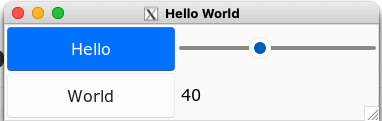
Hello World
Things to note:
- Define a reactive variable for the slider before defining the UI
- UI specificaiton created with nested
tic_*()calls. - Some commands (e.g.
tic_button()) have an explicit command function which is run when they are activated. - After defining the UI specificaiton, it is rendered to screen with
render_ui()
library(tickle)

happiness <- reactive_dbl(40)

ui_spec <- tic_window(
  title = "Hello World",
  tic_row(
    tic_col(
      tic_button("Hello", command = function() {message("Hello")}, style = 'primary'),
      tic_button("World", command = function() {message("World")})
    ),
    tic_col(
      tic_slider(happiness),
      tic_label(textvariable = happiness)
    )
  )
)

win <- render_ui(ui_spec)
Gallery
 |  |
 |  |
Examples/Vignettes
Please view the online vignettes for more details on how to use
{tickle}
- Introductory Examples
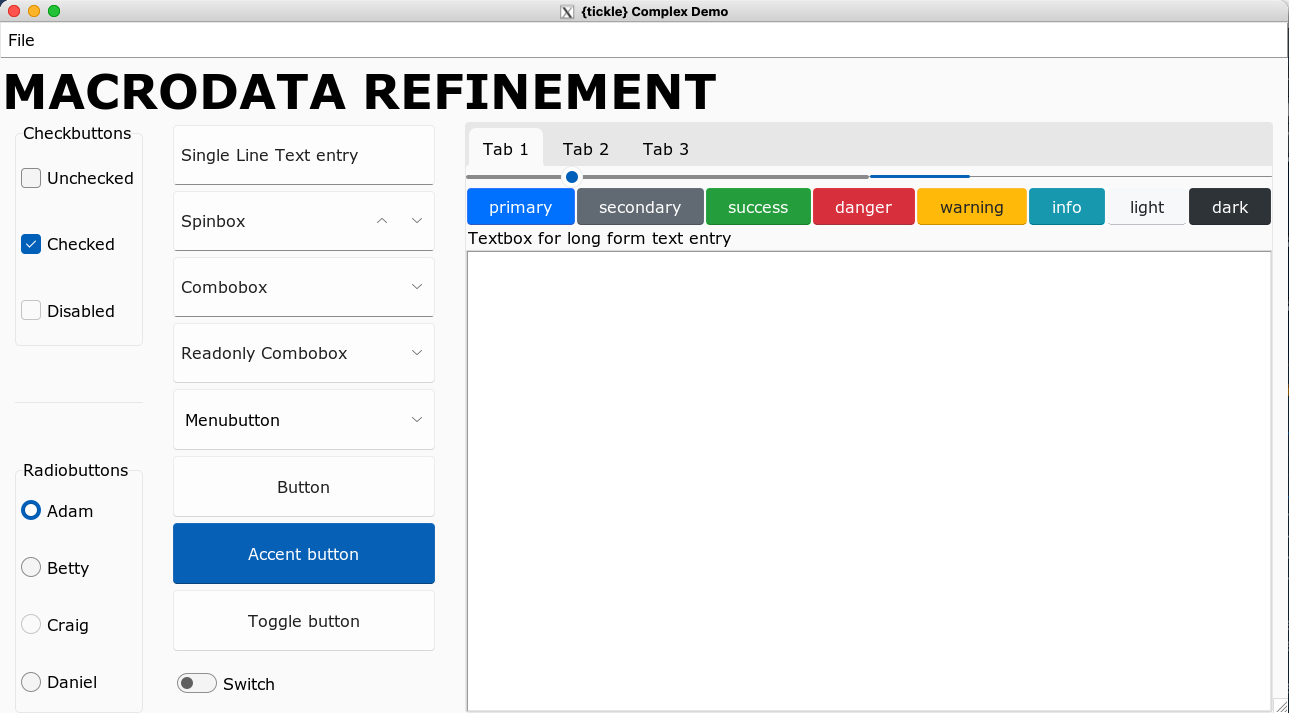
- Big example with lots of widgets
- Reactive Values
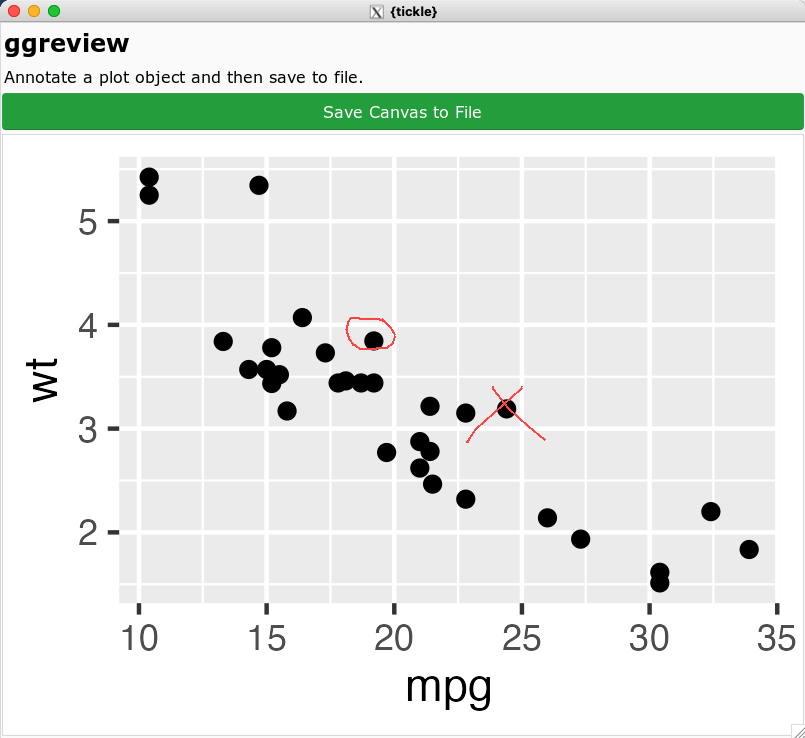
- Annotate ggplots (using mouse events)
- Pop-up Windows
- Overview of all Widgets & Containers
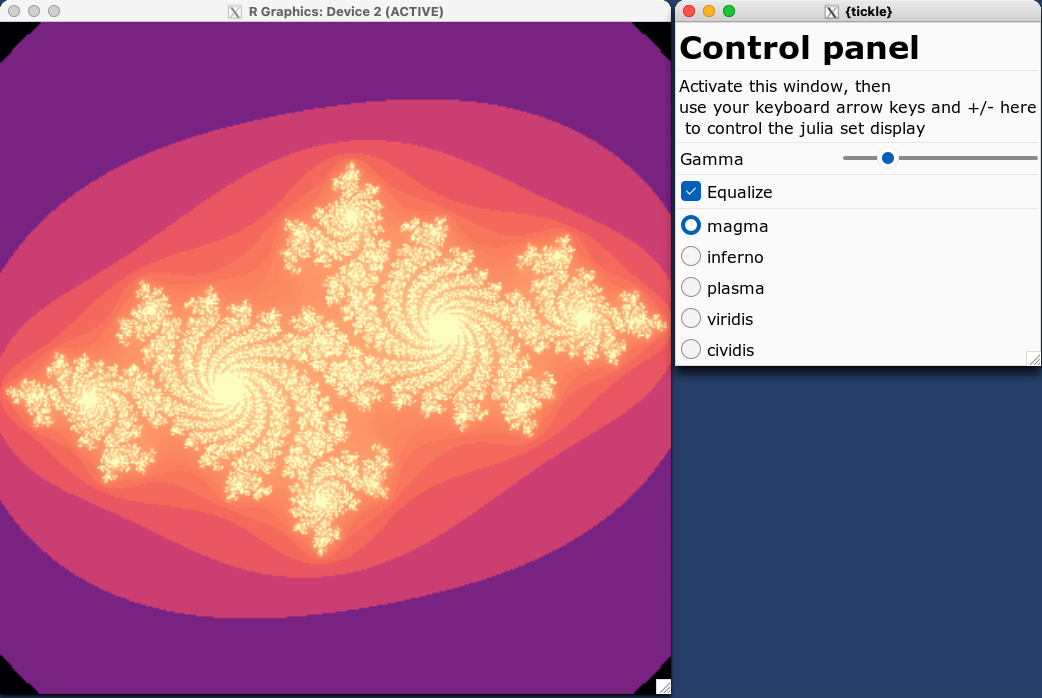
- JuliaSet explorer (using keyboard events and rendering to a grid window)
- Changing font
- Understanding widget layout
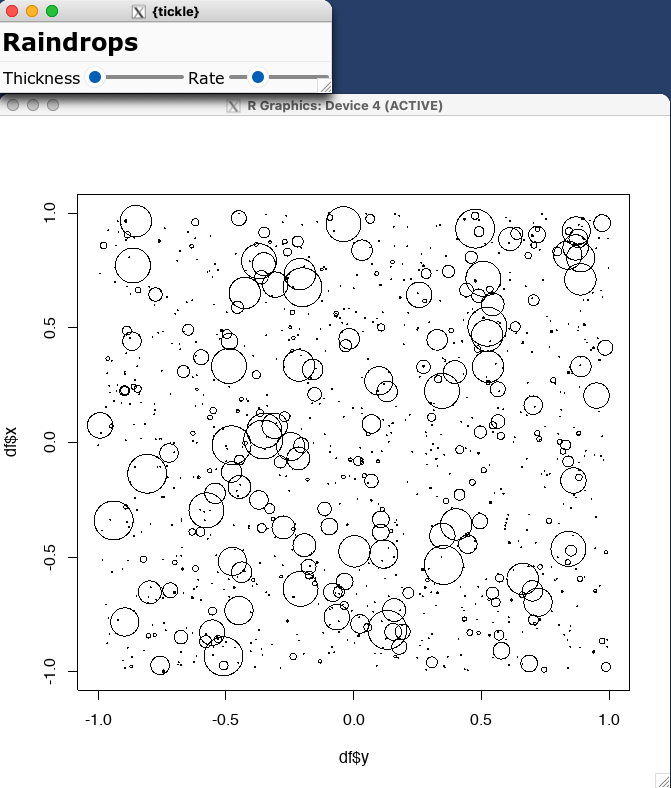
- Continuous rain drops using an idle callback
- Including images in buttons
Containers
Containers are ways of grouping multiple widgets.
Containers can be nested within other containers to achieve complex layouts.
| Container | Code/Description |
|---|---|
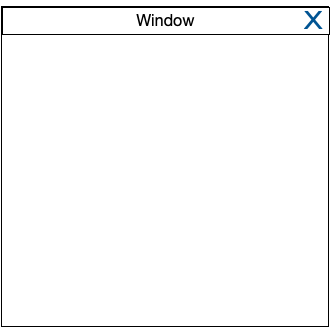 | tic_window(…)Create a top level window |
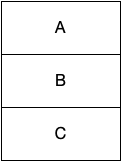 | tic_col(A, B, C)Layout objects in column |
 | tic_row(A, B, C)Layout objects rowwise |
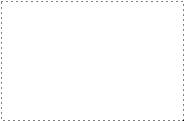 | tic_frame(…)Invisible container. Useful for advanced users who want to customize layout |
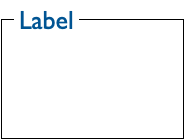 | tic_labelframe(…)Frame with a a label and usually visible outline |
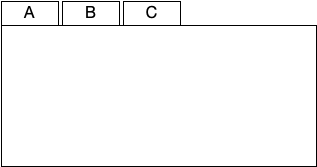 | tic_notebook(A, B, C)Tabbed display |
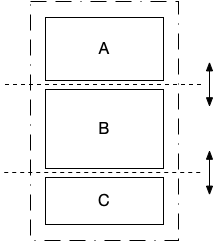 | tic_panedwindow(A, B, C)Layout multiple elements which can be resized as panes |
Widgets
| Widget | Code/Description |
|---|---|
 | tic_label(…)Display text. If you need headings rather than body text, Use style = 'h1' to style = 'h5' for different sized text |
 | tic_button(…)Clickable button. Available style options: ‘primary’, ‘seconary’, ‘info’, ‘success’, ‘warning’, ‘danger’, ‘light’, ‘dark’ |
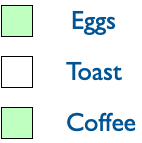 | tic_checkbutton(…)On/off button (default styling) |
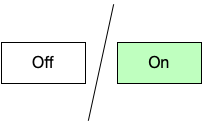 | tic_checkbutton(…)On/off button with style = 'toggle' |
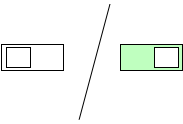 | tic_checkbutton(…)On/off button with style = 'switch' |
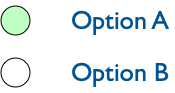 | tic_radiobutton(…)Groups of mutually exclusion options |
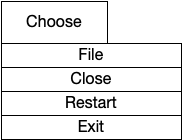 | tic_menubutton(…)Button which displays a drop-down menu |
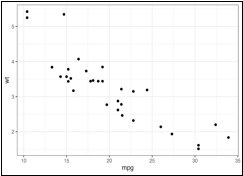 | tic_canvas(…)General drawing canvas |
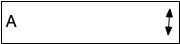 | tic_spinbox(…)Choose options |
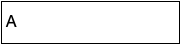 | tic_combobox(…)Choose options |
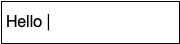 | tic_textentry(…)Single line text entry |
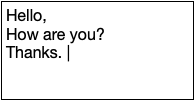 | tic_textbox(…)Multipe line text entry |
 | tic_progressbar(…)Progress bar |
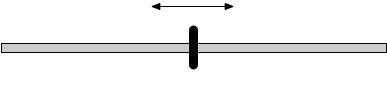 | tic_slider(…)Slider |
Popups
Popups are windows which are initiated separate from the main UI.
| Popup | Code/Description |
|---|---|
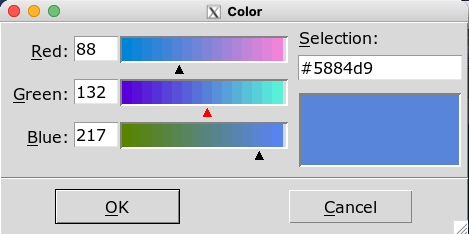 | popup_color_picker() |
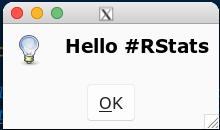 | popup_messagebox() |
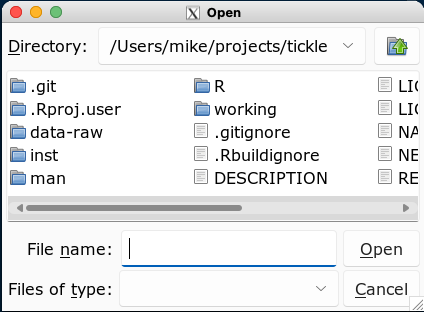 | popup_open_file() |
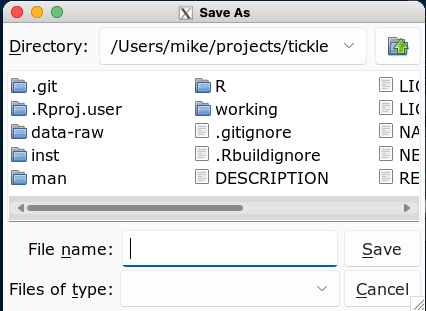 | popup_save_file() |
Canvas
After creating a canvas with tic_canvas(), it can be manipulated with
the following commands:
- Draw on the canvas
canvas_line()canvas_text()canvas_rect()canvas_polygon()canvas_oval()canvas_arc()
canvas_plot()render a plot to the canvascanvas_clear()clear all objects from the canvascanvas_image()render an image from a file to the canvascanvas_save()save the contents of the canvas to an image file.
The actual canvas in tcl/tk renders structured graphics and it is much more like SVG or PDF than just a simple array of pixels.
The canvas implementation in this package treats the canvas as just a raster object i.e. a rectangular collection of pixels. This made it easier to write this package and keep the API/syntax simple, but it doesn’t unleash the full power of the canvas.
The effort to write a more complete abstraction over the canvas is not currently warranted. Please get in contact if such a facility is important to you.
Theme
The theme for this package is an adaptaton of the sun-valley-light
theme available from rdbende on
github.
The sun-valley-light theme is MIT licensed (see “LICENSE-sun-valley”)
and has been adapted into the theme r-sun-valley-light included in
this package which has the following extra features:
- Styles ‘h1’ through ‘h5’ for different sized heading text to use
with
tic_label()widgets.- To use:
tic_label(..., style = 'h1')
- To use:
- Standard buttons colours from
Bootstrap
to use with
tic_button()widgets.- To use:
tic_button(..., style = 'primary') - Available styles: primary, secondary, success, danger, warning, info, light, dark
- To use:
Possible Future Features
The following items are not yet implemented, or incomplete:
- Popup menus when a user right-clicks in the window.
- No access yet to the “grid” geometry layout.
- treeview, listbox and some other widgets
Package Name
tclis the scripting languagetkis the graphics toolkit fortcltcl/tkis often how the langauge and toolkit are talked about as a single entity{tcltk}is the R package interfacing totcl/tktclis often pronounced as “tickle” i.e.tcl/tk= “tickle-tee-kay”
Acknowledgements
- R Core for developing and maintaining the language.
- CRAN maintainers, for patiently shepherding packages onto CRAN and maintaining the repository
Contributors

6 commits
Similar repos


Languages
R
68.0%
Tcl
29.7%
C
2.3%
Easily create UIs in base R
See the codeREADME
tickle
{tickle} is a package for creating UIs in base R.
This is an opinionated abstraction over the base R package
{tcltk}.
This package aims to provide:
- a simplified UI creation process similar to
shiny. - a modern-looking visual default.
- more documentation to help create common UI elements without resorting to the online tcl/tk documentation.
- a way to still access the low-level tcl/tk structures in order to achieve complex effects and customisation.
What’s in the box
- An array of
tic_*()functions for nested creation of a UI specification. render_ui()to render a UI specification into a window onscreen.reactive_*()to create reactive values used to transfer values between the UI and Rcanvas_*()functions to do some simple drawing an manipulation on canvas widgets.
Overview
- Create reactive variables (with
reactive_*()) in order to pass values between R and the UI. e.g. the value of the slider, or the text in a text entry box. - Define callback functions that are called, say, when a button is pressed.
- Create a UI specification by nesting containers and widgets with
tic_*()calls. This specification can include- binding callback functions to particular events like mouse
buttons or key presses (
bindargument) - controlling how widgets are packed within their parent container
(
packargument)
- binding callback functions to particular events like mouse
buttons or key presses (
- Render the UI to an actual object on the screen with
render_ui() - The object returned by
render_ui()can be ignored by beginners. For intermediate/advanced users, this object is a nested list oftclObjobjects representing the UI components, and these can be further manipulated with{tcltk}to finesse and configure the UI.
Installation
You can install from GitHub with:
# install.package('remotes')
remotes::install_github('coolbutuseless/tickle')
Hello World
Things to note:
- Define a reactive variable for the slider before defining the UI
- UI specificaiton created with nested
tic_*()calls. - Some commands (e.g.
tic_button()) have an explicit command function which is run when they are activated. - After defining the UI specificaiton, it is rendered to screen with
render_ui()
library(tickle)

happiness <- reactive_dbl(40)

ui_spec <- tic_window(
  title = "Hello World",
  tic_row(
    tic_col(
      tic_button("Hello", command = function() {message("Hello")}, style = 'primary'),
      tic_button("World", command = function() {message("World")})
    ),
    tic_col(
      tic_slider(happiness),
      tic_label(textvariable = happiness)
    )
  )
)

win <- render_ui(ui_spec)
Gallery
| | |
| | |
Examples/Vignettes
Please view the online vignettes for more details on how to use
{tickle}
- Introductory Examples
- Big example with lots of widgets
- Reactive Values
- Annotate ggplots (using mouse events)
- Pop-up Windows
- Overview of all Widgets & Containers
- JuliaSet explorer (using keyboard events and rendering to a grid window)
- Changing font
- Understanding widget layout
- Continuous rain drops using an idle callback
- Including images in buttons
Containers
Containers are ways of grouping multiple widgets.
Containers can be nested within other containers to achieve complex layouts.
| Container | Code/Description |
|---|---|
| tic_window(…)Create a top level window |
| tic_col(A, B, C)Layout objects in column |
| tic_row(A, B, C)Layout objects rowwise |
| tic_frame(…)Invisible container. Useful for advanced users who want to customize layout |
| tic_labelframe(…)Frame with a a label and usually visible outline |
| tic_notebook(A, B, C)Tabbed display |
| tic_panedwindow(A, B, C)Layout multiple elements which can be resized as panes |
Widgets
| Widget | Code/Description |
|---|---|
| tic_label(…)Display text. If you need headings rather than body text, Use style = 'h1' to style = 'h5' for different sized text |
| tic_button(…)Clickable button. Available style options: ‘primary’, ‘seconary’, ‘info’, ‘success’, ‘warning’, ‘danger’, ‘light’, ‘dark’ |
| tic_checkbutton(…)On/off button (default styling) |
| tic_checkbutton(…)On/off button with style = 'toggle' |
| tic_checkbutton(…)On/off button with style = 'switch' |
| tic_radiobutton(…)Groups of mutually exclusion options |
| tic_menubutton(…)Button which displays a drop-down menu |
| tic_canvas(…)General drawing canvas |
| tic_spinbox(…)Choose options |
| tic_combobox(…)Choose options |
| tic_textentry(…)Single line text entry |
| tic_textbox(…)Multipe line text entry |
| tic_progressbar(…)Progress bar |
| tic_slider(…)Slider |
Popups
Popups are windows which are initiated separate from the main UI.
| Popup | Code/Description |
|---|---|
| popup_color_picker() |
| popup_messagebox() |
| popup_open_file() |
| popup_save_file() |
Canvas
After creating a canvas with tic_canvas(), it can be manipulated with
the following commands:
- Draw on the canvas
canvas_line()canvas_text()canvas_rect()canvas_polygon()canvas_oval()canvas_arc()
canvas_plot()render a plot to the canvascanvas_clear()clear all objects from the canvascanvas_image()render an image from a file to the canvascanvas_save()save the contents of the canvas to an image file.
The actual canvas in tcl/tk renders structured graphics and it is much more like SVG or PDF than just a simple array of pixels.
The canvas implementation in this package treats the canvas as just a raster object i.e. a rectangular collection of pixels. This made it easier to write this package and keep the API/syntax simple, but it doesn’t unleash the full power of the canvas.
The effort to write a more complete abstraction over the canvas is not currently warranted. Please get in contact if such a facility is important to you.
Theme
The theme for this package is an adaptaton of the sun-valley-light
theme available from rdbende on
github.
The sun-valley-light theme is MIT licensed (see “LICENSE-sun-valley”)
and has been adapted into the theme r-sun-valley-light included in
this package which has the following extra features:
- Styles ‘h1’ through ‘h5’ for different sized heading text to use
with
tic_label()widgets.- To use:
tic_label(..., style = 'h1')
- To use:
- Standard buttons colours from
Bootstrap
to use with
tic_button()widgets.- To use:
tic_button(..., style = 'primary') - Available styles: primary, secondary, success, danger, warning, info, light, dark
- To use:
Possible Future Features
The following items are not yet implemented, or incomplete:
- Popup menus when a user right-clicks in the window.
- No access yet to the “grid” geometry layout.
- treeview, listbox and some other widgets
Package Name
tclis the scripting languagetkis the graphics toolkit fortcltcl/tkis often how the langauge and toolkit are talked about as a single entity{tcltk}is the R package interfacing totcl/tktclis often pronounced as “tickle” i.e.tcl/tk= “tickle-tee-kay”
Acknowledgements
- R Core for developing and maintaining the language.
- CRAN maintainers, for patiently shepherding packages onto CRAN and maintaining the repository
Similar repos
Contributors
6 commits
Languages
R
68.0%
Tcl
29.7%
C
2.3%