DIP is a decomposition-based solver framework for mixed integer linear programs.
See the code
Projects such as this one are maintained by a small group of volunteers under the auspices of the non-profit COIN-OR Foundation and we need your help! Please consider sponsoring our activities or volunteering to help!
This file is auto-generated from config.yml using the generate_readme script. To make changes, please edit config.yml or the generation scripts here and here.
DIP (Decomposition in Integer Programming) is a framework for implementing a wide variety of decomposition-based algorithms for solving integer programs, including full generic column generation in which the user need only indicate whic constraints to relax and the framework takes care of all other aspects of the column-generation. The problem can be specified using DiPPy, an extension of the Python-based modeling language PuLP (see examples). If desired, custom subroutines for solving the subproblem, branching, heuristics, etc. can be implemented in pure Python and called automatically from C++ during execution of the algorithm.
Dip makes it easy to implement and compare different variety of decomposition-based algorithm while keeping as many details of the algorithmic implem,entation constant as possible, allowing for rigorous empirical comparisons.
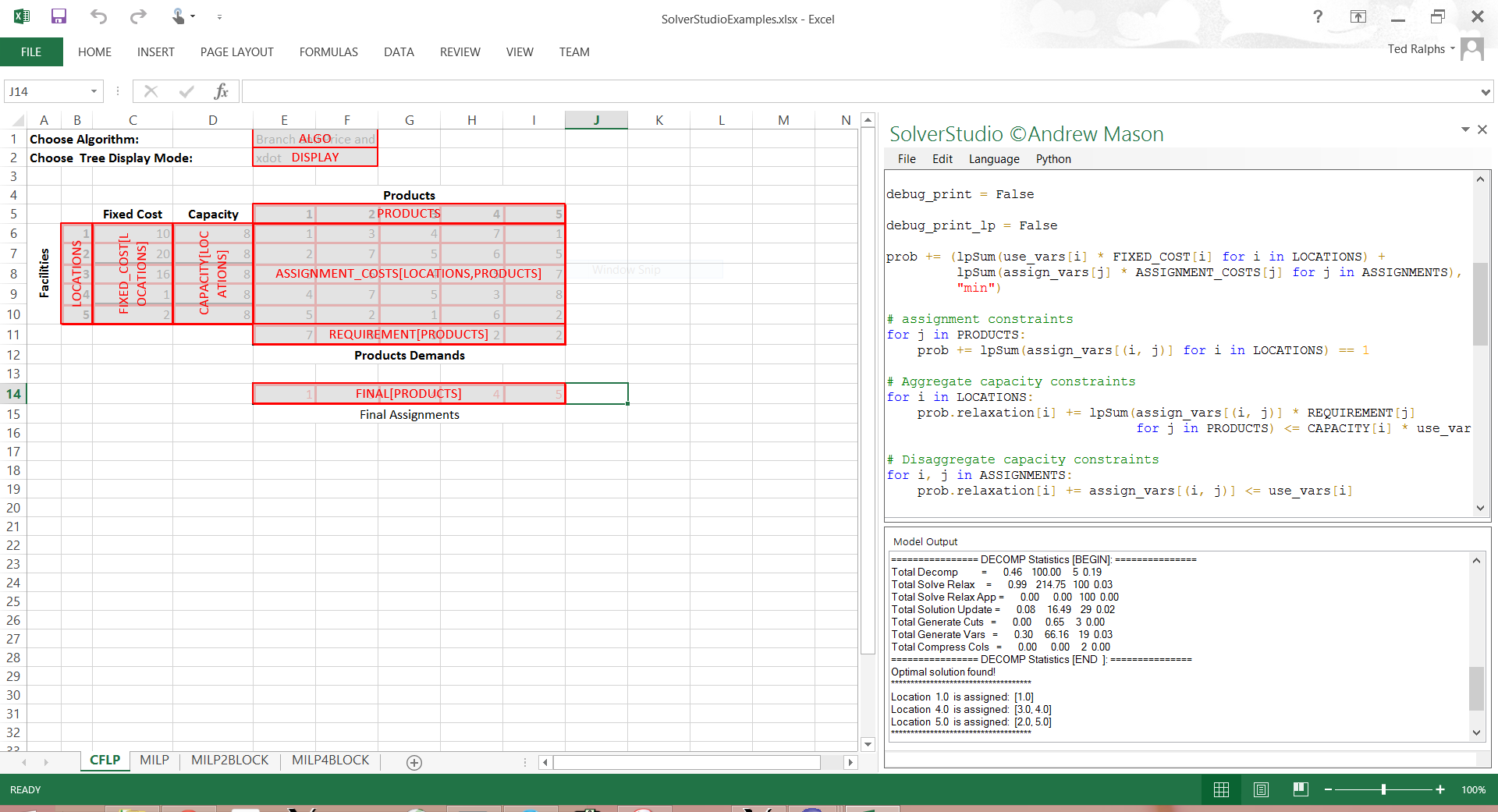
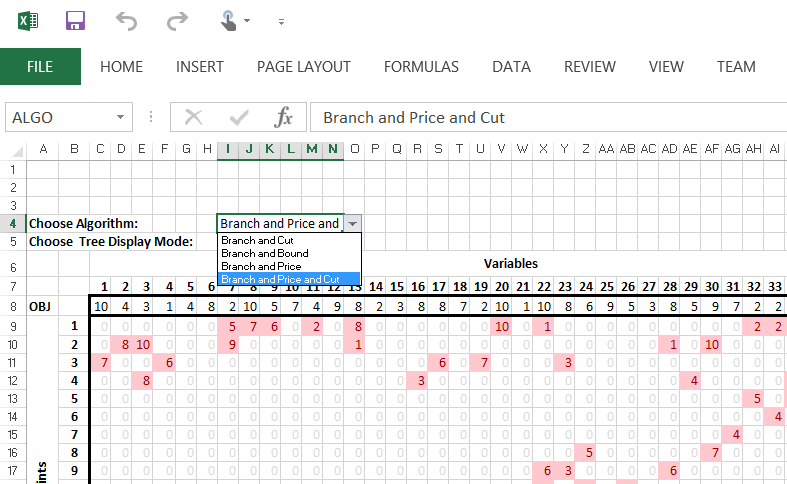
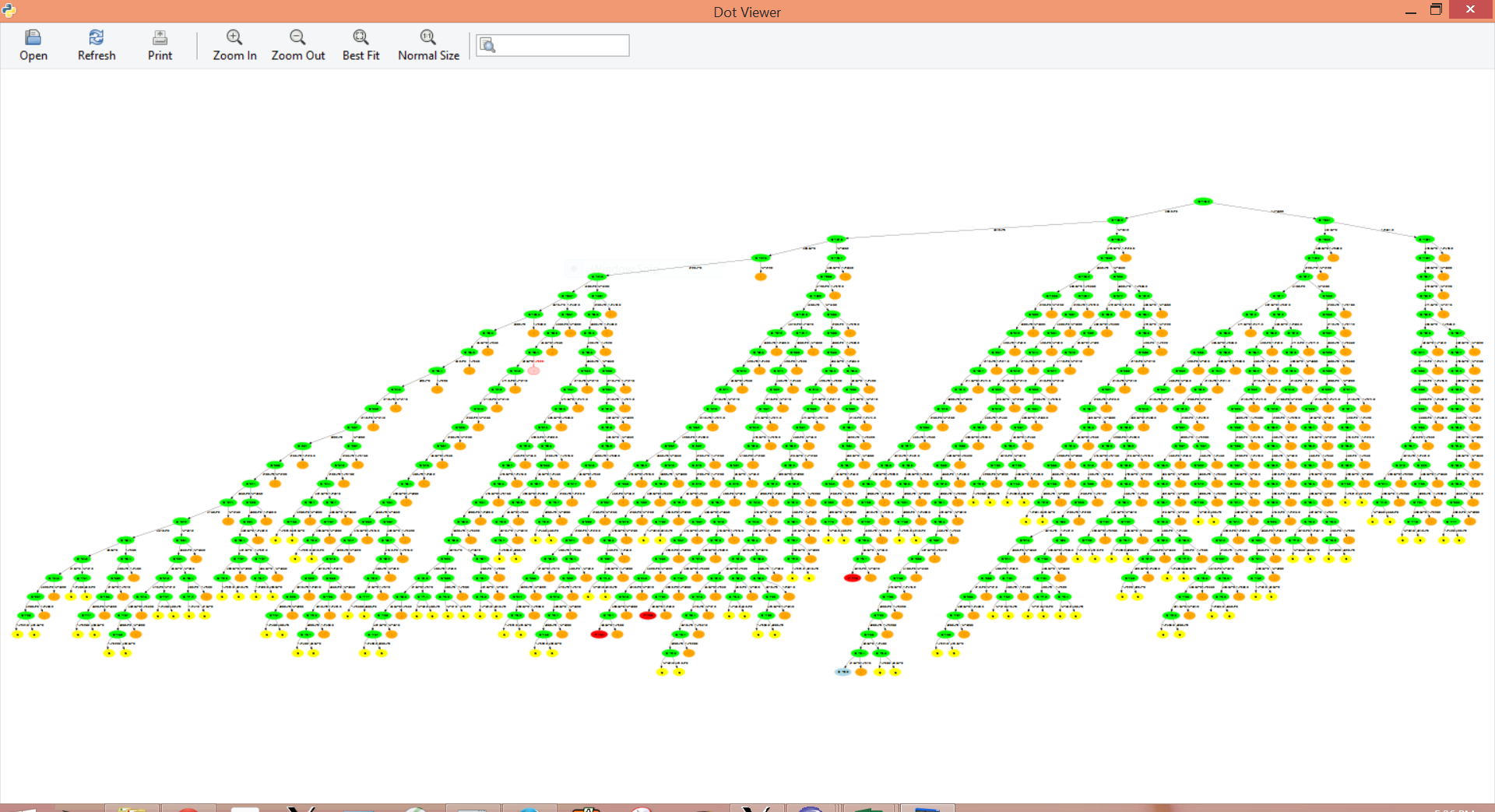
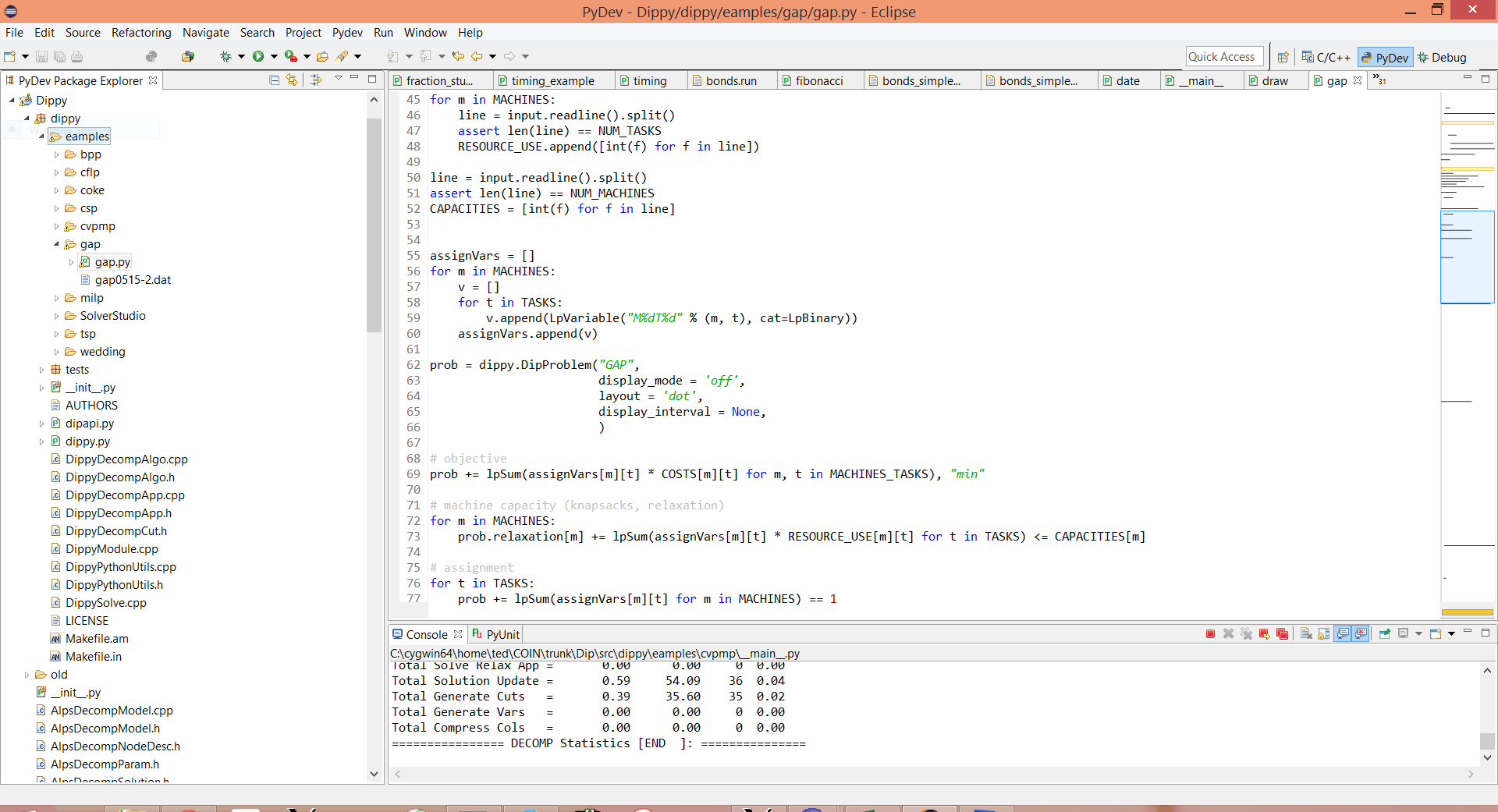
Using DiPPy, one can even implement a full column-generation algorithm within an Excel spreadsheet using Solver Studio. See screen shots below.
Dip is written in C++ and is released as open source under the Eclipse Public License 2.0.
It is distributed under the auspices of the COIN-OR Foundation.
The Dip development site is https://github.com/coin-or/Dip.
Code: 
Paper: http://dx.doi.org/10.1007/s10107-005-0606-3


What follows is a quick start guide for obtaining or building Dip on common platforms. More detailed information is available here.
There is a Docker image that provides Dip, as well as other projects in the COIN-OR Optimization Suite here
For newer releases, binaries will be made available as assets attached to releases in Github here. Older binaries are archived as part of Dip here.
Due to license incompatibilities, pre-compiled binaries lack some functionality. If binaries are not available for your platform for the latest version and you would like to request them to be built and posted, feel free to let us know on the mailing list.
Source code can be obtained either by
Dip has a number of dependencies, which are detailed in
config.yml. Dependencies on other COIN-OR projects are
automatically downloaded when obtaining the source with coinbrew. For some
of the remaining third-party dependencies, automatic download scripts and
build wrappers are provided (and will also be automatically run for required
and recommended dependencies), while other libraries that are aeasy to obtain
must be installed using an appropriate package manager (or may come with your
OS by default).
These quick start instructions assume you are in a bash shell.
coinbrewTo download and build Dip from source, execute the following on the command line.
wget https://raw.githubusercontent.com/coin-or/coinbrew/master/coinbrew
chmod u+x coinbrew
./coinbrew fetch Dip@master
./coinbrew build Dip
For more detailed instructions on coinbrew, see https://coin-or.github.io/coinbrew.
The coinbrew script will fetch the additional projects specified in the Dependencies section of config.yml.
coinbrew (Expert users)./configure -C
make
make test
make install
If you are on Linux or OS X, DIP can be installed from source using
coinbrew (see below). In Windows, there
are pre-built binary wheels for DipPy. After build and install of DIP, if you
are installing DipPy, make sure to set PKG_CONFIG_PATH to point to the
directory where the .pc files are installed (by default, this is in the
lib/pkgconfig directory in the installation directory). You may also need to
set either LD_LIBRARY_PATH (Linux) or DYLD_LIBRARY_PATH (OS X) to point to
the directory where the libraries are installed. Then simply do
pip install coinor.dippy
After installation, you can try running the examples to see if trhings are working. These should all work out of the box. For a listing of examples and some brief instructions, do
python -m coinor.dippy.examples
To get help for an example, do, e.g.,
python -m coinor.dippy.example.cflp --help
or just run
python -m coinor.dippy.examples.cflp
If you have Doxygen available, you can build a HTML documentation by typing
make doxydoc
in the build directory. If Dip was built via coinbrew, then the build
directory will be ./build/Dip/master by default. The doxygen documentation main file
is found at <build-dir>/doxydoc/html/index.html.
If you don't have doxygen installed locally, you can use also find the
documentation here.
Fixed long-standing issues with stand-alone apps
Small some bug fixes
Added some new DipPy examples
Small bug fixes
Fixes to stand-alone app examples
Fixes to Visual studio files for examples to support property pages
##New Stable Version 0.91:
Changes to the DipPy callback interface to make it more user friendly
Changes to the application interface
Planning for other changes to the internal algorithm
Fixes to DipPy build and examples
Fixes to allow CGL cuts to be generated from within DipPy branch and price.
Fixes to DipPy examples
Support for dependency linking
Fixes to DipPy examples
Support for dependency linking
Fixes to Python installation
Fix to DipPy
DIP now includes DipPy, a Python-based modeling language.
DIP is now a complete generic MILP solver, capable of automatically detecting block structure and applying a decomposition method.
DIP and DipPy build out of the box in Windows, OSX, and Linux with a combination of the autotools and a Python setup script.
There is now support for solving the subproblems in parallel when there is block structure using OpenMP.
Numerous bug fixes and improvements.
Fixes to build system
Updates to dependencies
Fixes to build system
Updates to dependencies
Support for MSVC++ version 10 added.
Support for BuildTools version 0.7 to incorporate recent enhancements, including proper library versioning in Linux, prohibiting installation of private headers, etc.
Updated externals to new stable versions of dependent projects.
Minor bug fixes.
DIP is a decomposition-based solver framework for mixed integer linear programs.
See the code
Projects such as this one are maintained by a small group of volunteers under the auspices of the non-profit COIN-OR Foundation and we need your help! Please consider sponsoring our activities or volunteering to help!
This file is auto-generated from config.yml using the generate_readme script. To make changes, please edit config.yml or the generation scripts here and here.
DIP (Decomposition in Integer Programming) is a framework for implementing a wide variety of decomposition-based algorithms for solving integer programs, including full generic column generation in which the user need only indicate whic constraints to relax and the framework takes care of all other aspects of the column-generation. The problem can be specified using DiPPy, an extension of the Python-based modeling language PuLP (see examples). If desired, custom subroutines for solving the subproblem, branching, heuristics, etc. can be implemented in pure Python and called automatically from C++ during execution of the algorithm.
Dip makes it easy to implement and compare different variety of decomposition-based algorithm while keeping as many details of the algorithmic implem,entation constant as possible, allowing for rigorous empirical comparisons.
Using DiPPy, one can even implement a full column-generation algorithm within an Excel spreadsheet using Solver Studio. See screen shots below.
Dip is written in C++ and is released as open source under the Eclipse Public License 2.0.
It is distributed under the auspices of the COIN-OR Foundation.
The Dip development site is https://github.com/coin-or/Dip.
Code:
Paper: http://dx.doi.org/10.1007/s10107-005-0606-3
What follows is a quick start guide for obtaining or building Dip on common platforms. More detailed information is available here.
There is a Docker image that provides Dip, as well as other projects in the COIN-OR Optimization Suite here
For newer releases, binaries will be made available as assets attached to releases in Github here. Older binaries are archived as part of Dip here.
Due to license incompatibilities, pre-compiled binaries lack some functionality. If binaries are not available for your platform for the latest version and you would like to request them to be built and posted, feel free to let us know on the mailing list.
Source code can be obtained either by
Dip has a number of dependencies, which are detailed in
config.yml. Dependencies on other COIN-OR projects are
automatically downloaded when obtaining the source with coinbrew. For some
of the remaining third-party dependencies, automatic download scripts and
build wrappers are provided (and will also be automatically run for required
and recommended dependencies), while other libraries that are aeasy to obtain
must be installed using an appropriate package manager (or may come with your
OS by default).
These quick start instructions assume you are in a bash shell.
coinbrewTo download and build Dip from source, execute the following on the command line.
wget https://raw.githubusercontent.com/coin-or/coinbrew/master/coinbrew
chmod u+x coinbrew
./coinbrew fetch Dip@master
./coinbrew build Dip
For more detailed instructions on coinbrew, see https://coin-or.github.io/coinbrew.
The coinbrew script will fetch the additional projects specified in the Dependencies section of config.yml.
coinbrew (Expert users)./configure -C
make
make test
make install
If you are on Linux or OS X, DIP can be installed from source using
coinbrew (see below). In Windows, there
are pre-built binary wheels for DipPy. After build and install of DIP, if you
are installing DipPy, make sure to set PKG_CONFIG_PATH to point to the
directory where the .pc files are installed (by default, this is in the
lib/pkgconfig directory in the installation directory). You may also need to
set either LD_LIBRARY_PATH (Linux) or DYLD_LIBRARY_PATH (OS X) to point to
the directory where the libraries are installed. Then simply do
pip install coinor.dippy
After installation, you can try running the examples to see if trhings are working. These should all work out of the box. For a listing of examples and some brief instructions, do
python -m coinor.dippy.examples
To get help for an example, do, e.g.,
python -m coinor.dippy.example.cflp --help
or just run
python -m coinor.dippy.examples.cflp
If you have Doxygen available, you can build a HTML documentation by typing
make doxydoc
in the build directory. If Dip was built via coinbrew, then the build
directory will be ./build/Dip/master by default. The doxygen documentation main file
is found at <build-dir>/doxydoc/html/index.html.
If you don't have doxygen installed locally, you can use also find the
documentation here.
Fixed long-standing issues with stand-alone apps
Small some bug fixes
Added some new DipPy examples
Small bug fixes
Fixes to stand-alone app examples
Fixes to Visual studio files for examples to support property pages
##New Stable Version 0.91:
Changes to the DipPy callback interface to make it more user friendly
Changes to the application interface
Planning for other changes to the internal algorithm
Fixes to DipPy build and examples
Fixes to allow CGL cuts to be generated from within DipPy branch and price.
Fixes to DipPy examples
Support for dependency linking
Fixes to DipPy examples
Support for dependency linking
Fixes to Python installation
Fix to DipPy
DIP now includes DipPy, a Python-based modeling language.
DIP is now a complete generic MILP solver, capable of automatically detecting block structure and applying a decomposition method.
DIP and DipPy build out of the box in Windows, OSX, and Linux with a combination of the autotools and a Python setup script.
There is now support for solving the subproblems in parallel when there is block structure using OpenMP.
Numerous bug fixes and improvements.
Fixes to build system
Updates to dependencies
Fixes to build system
Updates to dependencies
Support for MSVC++ version 10 added.
Support for BuildTools version 0.7 to incorporate recent enhancements, including proper library versioning in Linux, prohibiting installation of private headers, etc.
Updated externals to new stable versions of dependent projects.
Minor bug fixes.




