Agent skill: record yourself reading your pitch, get a launch-ready demo video. Cut to your words, captioned, scored, lip-synced — and verified. First try.
See the codeEnglish · 简体中文 · 繁體中文 · 日本語 · 한국어 · Español · Português (Brasil) · Français · Deutsch · Русский · हिन्दी · Bahasa Indonesia · Tiếng Việt · Türkçe

Talking head in → cut, captioned, scored, lip-synced product demo out. First try.




Quick start · What you get · How it works · Showcase · Why it works first try · FAQ · Docs
npx skills add codeswithroh/pitch-video
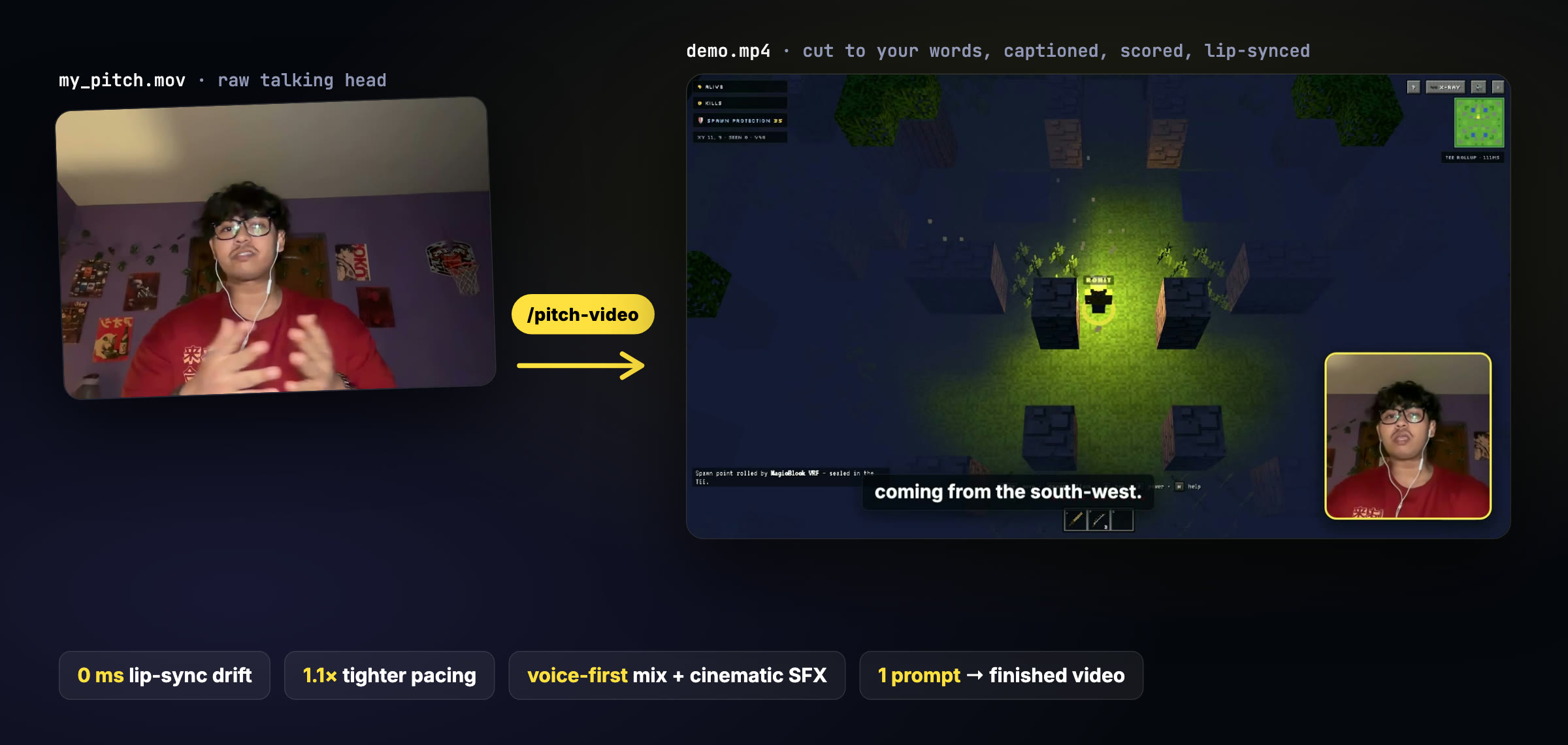
Hackathon submissions, launch videos and investor demos all want the same thing: you, explaining, while the product does the talking. Making that by hand means hours in an editor: trimming ums, syncing footage to sentences, captioning, finding sound effects, and then discovering your lips are 300 ms off.
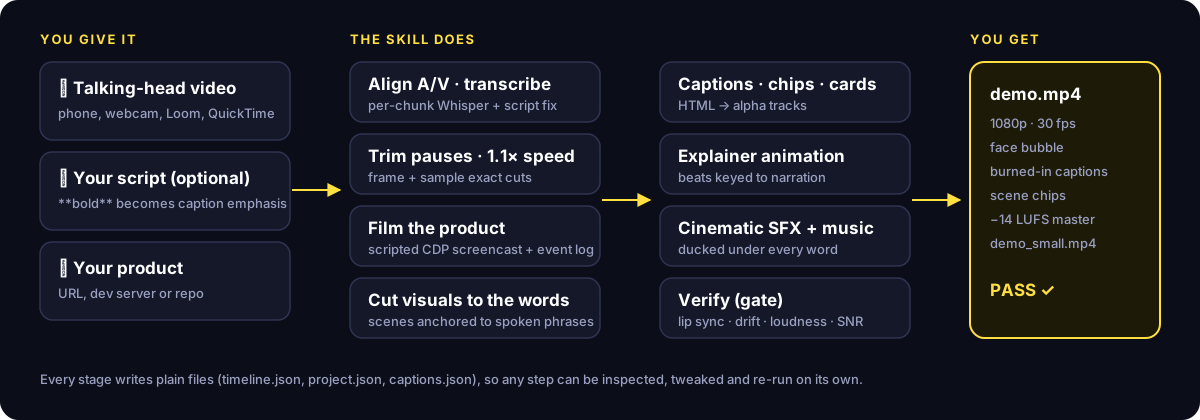
Pitch Video is an agent skill that does the whole edit. Hand your agent the recording (and your script and app, if you have them). It transcribes you, trims the dead air, speeds you up 1.1× without the chipmunk effect, films your product with a scripted browser, cuts every shot to the exact words you say, adds captions, a face bubble, an animated explainer, cinematic sound effects and a ducked music bed. Then it measures its own output (lip sync, audio drift, loudness, voice clarity) and refuses to hand you a broken file.
Everything runs locally with ffmpeg, whisper.cpp and Playwright. No uploads, no subscriptions, no timeline editor.
Copy this into Claude Code (or any coding agent):
Install the pitch-video skill from https://github.com/codeswithroh/pitch-video
(run its install.sh), then make a pitch video from my recording at ~/Movies/my_pitch.mov.
npx skills add codeswithroh/pitch-video
or, for Claude Code directly:
curl -fsSL https://raw.githubusercontent.com/codeswithroh/pitch-video/main/install.sh | bash
The installer copies the skill to ~/.claude/skills/pitch-video (and ~/.agents/skills/pitch-video for other agents) and builds the shared toolbox: a Python venv, Playwright Chromium, the Whisper small.en model and a face-landmark model. Restart your agent afterwards.
Read your script to the camera. Landscape, face and shoulders, quiet room. Pause for a breath between sections. Stumbles are fine; re-read the line.
Need a script? Ask your agent: "Write me a 2-minute pitch-video script for this repo using the pitch-video story shape."
Make a pitch video from ~/Movies/my_pitch.mov.
The script is docs/pitch-script.md and the app runs at http://localhost:5173.
Your agent plans the scenes from what you said, films your app, renders, verifies and hands you out/demo.mp4 plus a smaller demo_small.mp4 for uploads.
 |  |
| Feature | What it does |
|---|---|
| Pause trimming | Cuts dead air and keeps natural breaths, with longer beats at scene changes and holds you choose ("Until now." … beat). |
| 1.1× pacing | Tighter delivery with pitch preserved. Picture and voice are sped up together, so sync stays exact. |
| Cut-to-the-word visuals | Every scene and shot is anchored to a phrase you say, so the footage changes exactly on the line that introduces it. |
| Scripted product footage | Generates a Playwright film script for your app: headed Chrome, a 30 fps CDP screencast and a timestamped event log to cut against. |
| Face bubble | Auto-framed from face landmarks, rounded, accent-bordered. Hidden on full-frame and end-card shots. |
| Captions that are right | Per-chunk Whisper timing, then word-aligned to your script, so "Virev" becomes VRF and **bold** in the script becomes highlighted words. |
| Explainer animations | HTML diagrams whose beats are keyed to your narration (CUES.find(c => /sealed/.test(c.text))). |
| Cinematic sound | 23 synthesized SFX (riser, boom, whoosh, lock, chime, glitch…), auto-placed on cuts and cards and ducked under every spoken word. Optional music bed. |
| Verification gate | Lip-sync measurement, A/V drift check, decoded-sample audit, per-line voice-over-background dB, EBU R128 loudness and a contact sheet. Ships only on PASS. |
The whole edit lives in one readable file, project.json. Scenes start on phrases, shots switch on phrases, and sound cues fire on phrases or on recorded app events:
{
  "speed": 1.1,
  "scenes": [
    { "title": "The hook", "start": "Every onchain game", "shots": [
      { "speaker": true },
      { "from": "If it lives", "rec": "main", "t": 9.8 } ]},
    { "title": "The problem", "start": "fog of war", "shots": [
      { "rec": "main", "t": 18.8, "card": "problem" },
      { "from": "Until now", "title": "UNTIL NOW." } ]},
    { "title": "How it works", "start": "Every position is sealed", "shots": [{ "anim": "diagram" }] }
  ],
  "sfx": [{ "sound": "denied", "phrase": "null", "edge": "end", "offset": -0.4 }]
}
See the full project.json reference and the pipeline walkthrough.
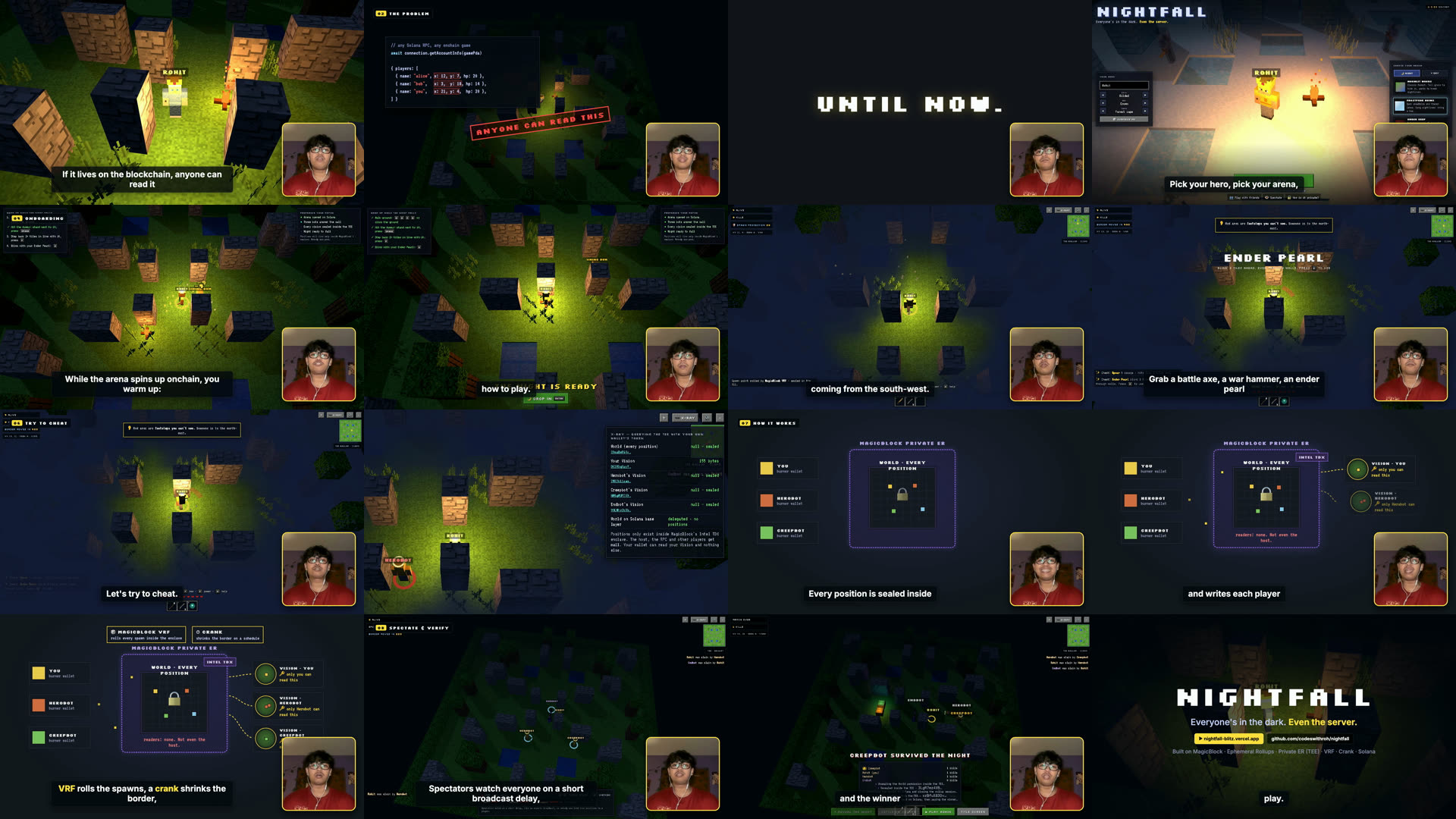
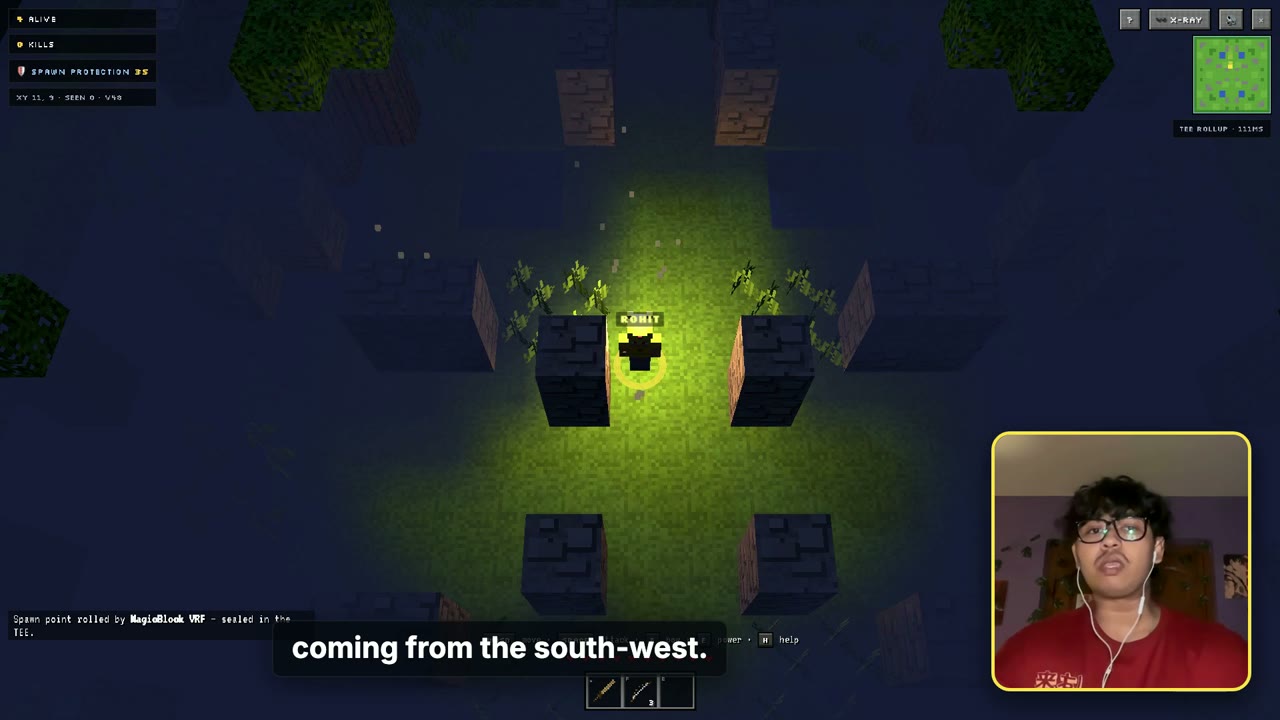
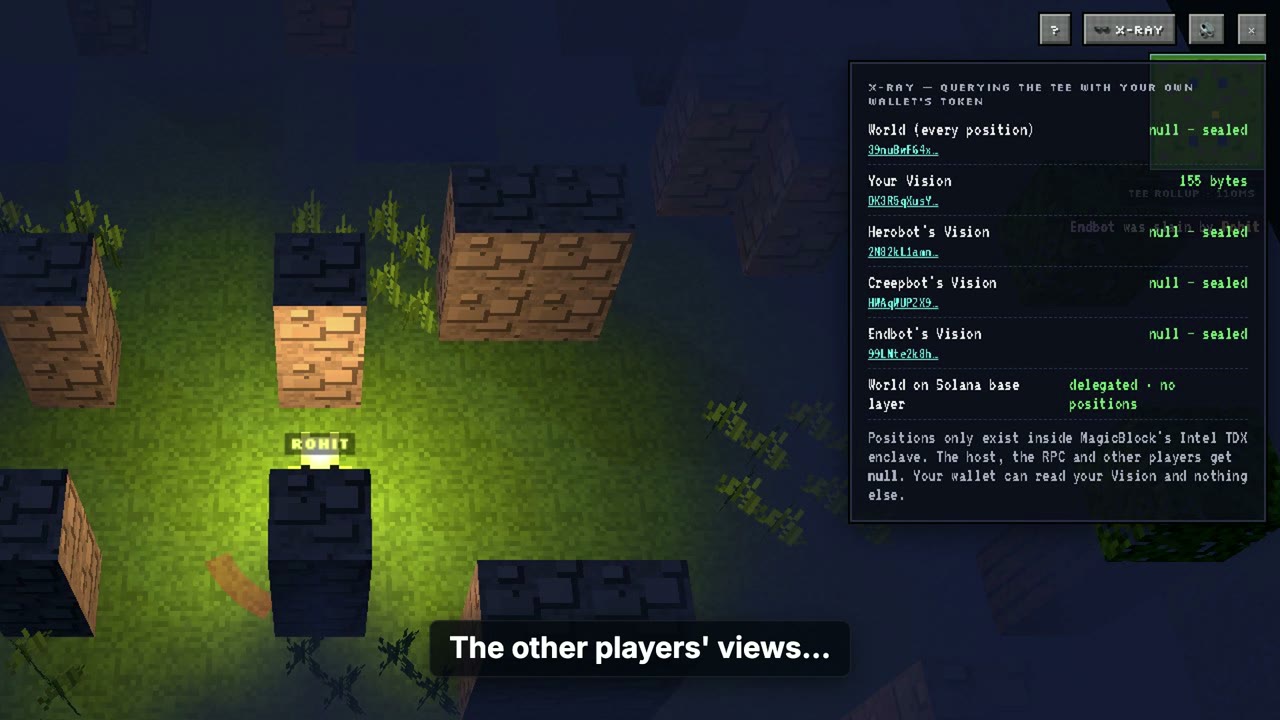
A 2:25 talking-head take became a 1:53 demo with 10 scenes, 18 shots, a live-gameplay proof sequence, an animated architecture diagram and 40+ sound cues. Verification measured 0 ms voice drift across every window, 0 ms lip-sync offset and ≥14.6 dB voice-over-background on every line.
Watch it on YouTube · project.json · script
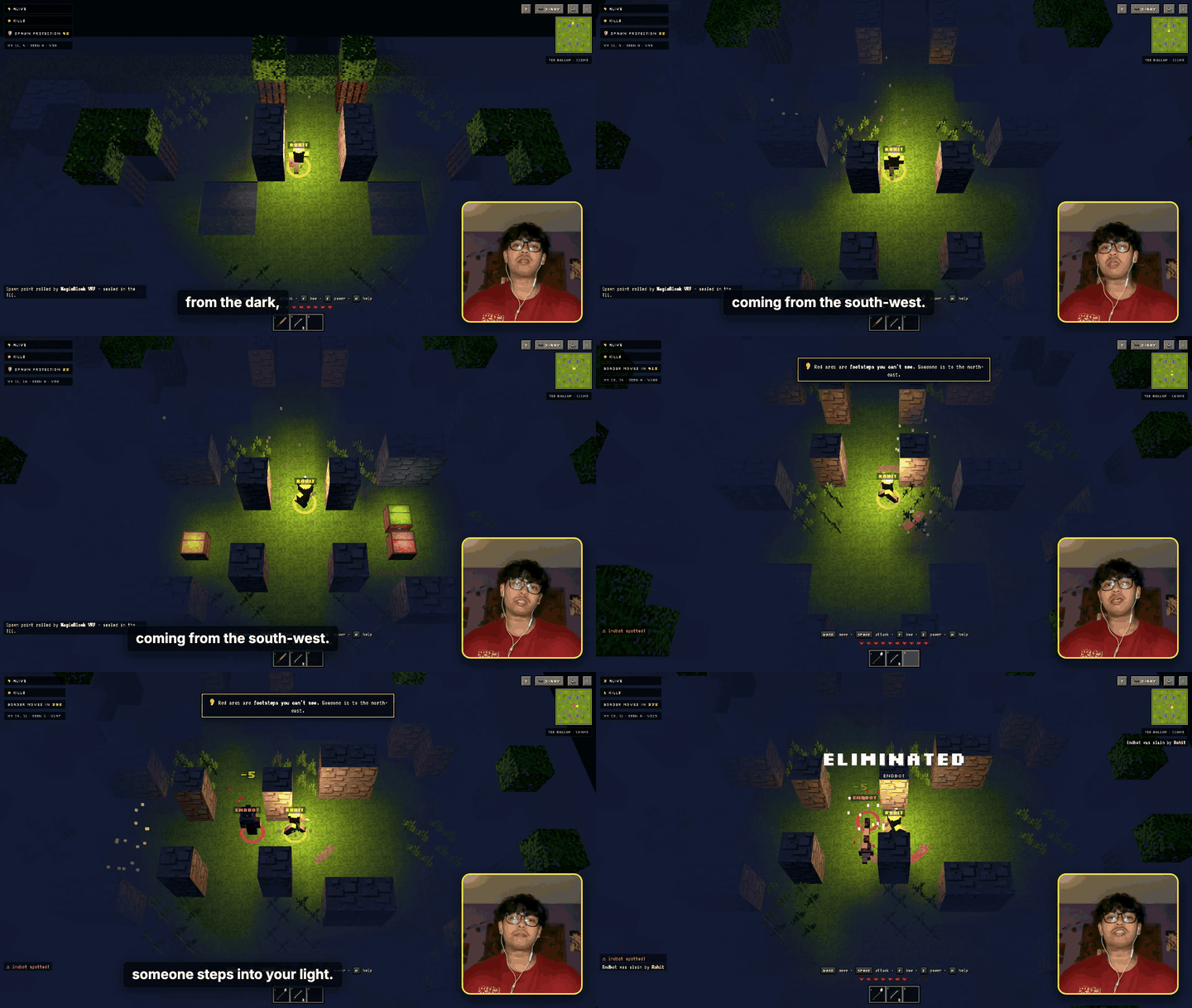
Made something with Pitch Video? Open an issue with a link and we'll add it here.
This skill was extracted from a real edit that took many painful iterations. Every failure became a rule the skill now enforces:
The full list is in docs/lessons.md.
ffmpeg, whisper-cli (whisper.cpp), Node.js 18+ and Python 3.10+.brew install ffmpeg whisper-cpp node pythonAny agent that loads SKILL.md skills and can run shell commands: Claude Code, Codex, Cursor, Gemini CLI and others via npx skills add. The scripts are plain Python, Node and ffmpeg, so you can also run the pipeline by hand.
Yes. Captions come straight from Whisper and your agent proofreads them. A script just makes jargon and product names exact, and lets you mark emphasis with **bold**.
Use any footage: screen recordings, simulator captures or images. Drop frames into shots/<name>/ with a stamps.json, or use image shots. The web filming template is a convenience, not a requirement.
Set "music": "path/to/track.mp3". It is looped, normalized low and side-chain ducked under your voice. Use "none" for silence.
Not yet: output is 1920×1080. 9:16 is the top item on the roadmap.
No. Transcription, rendering and analysis all run on your machine. Your agent sees the transcript and the timeline, and its model provider has its own data policy.
Issues and PRs are welcome, especially new SFX, caption themes, vertical output and showcase videos. See CONTRIBUTING.md.
MIT. The Whisper and MediaPipe models are downloaded from their upstream sources and keep their own licenses.
Agent skill: record yourself reading your pitch, get a launch-ready demo video. Cut to your words, captioned, scored, lip-synced — and verified. First try.
See the codeEnglish · 简体中文 · 繁體中文 · 日本語 · 한국어 · Español · Português (Brasil) · Français · Deutsch · Русский · हिन्दी · Bahasa Indonesia · Tiếng Việt · Türkçe
Talking head in → cut, captioned, scored, lip-synced product demo out. First try.
Quick start · What you get · How it works · Showcase · Why it works first try · FAQ · Docs
npx skills add codeswithroh/pitch-video
Hackathon submissions, launch videos and investor demos all want the same thing: you, explaining, while the product does the talking. Making that by hand means hours in an editor: trimming ums, syncing footage to sentences, captioning, finding sound effects, and then discovering your lips are 300 ms off.
Pitch Video is an agent skill that does the whole edit. Hand your agent the recording (and your script and app, if you have them). It transcribes you, trims the dead air, speeds you up 1.1× without the chipmunk effect, films your product with a scripted browser, cuts every shot to the exact words you say, adds captions, a face bubble, an animated explainer, cinematic sound effects and a ducked music bed. Then it measures its own output (lip sync, audio drift, loudness, voice clarity) and refuses to hand you a broken file.
Everything runs locally with ffmpeg, whisper.cpp and Playwright. No uploads, no subscriptions, no timeline editor.
Copy this into Claude Code (or any coding agent):
Install the pitch-video skill from https://github.com/codeswithroh/pitch-video
(run its install.sh), then make a pitch video from my recording at ~/Movies/my_pitch.mov.
npx skills add codeswithroh/pitch-video
or, for Claude Code directly:
curl -fsSL https://raw.githubusercontent.com/codeswithroh/pitch-video/main/install.sh | bash
The installer copies the skill to ~/.claude/skills/pitch-video (and ~/.agents/skills/pitch-video for other agents) and builds the shared toolbox: a Python venv, Playwright Chromium, the Whisper small.en model and a face-landmark model. Restart your agent afterwards.
Read your script to the camera. Landscape, face and shoulders, quiet room. Pause for a breath between sections. Stumbles are fine; re-read the line.
Need a script? Ask your agent: "Write me a 2-minute pitch-video script for this repo using the pitch-video story shape."
Make a pitch video from ~/Movies/my_pitch.mov.
The script is docs/pitch-script.md and the app runs at http://localhost:5173.
Your agent plans the scenes from what you said, films your app, renders, verifies and hands you out/demo.mp4 plus a smaller demo_small.mp4 for uploads.
| |
| Feature | What it does |
|---|---|
| Pause trimming | Cuts dead air and keeps natural breaths, with longer beats at scene changes and holds you choose ("Until now." … beat). |
| 1.1× pacing | Tighter delivery with pitch preserved. Picture and voice are sped up together, so sync stays exact. |
| Cut-to-the-word visuals | Every scene and shot is anchored to a phrase you say, so the footage changes exactly on the line that introduces it. |
| Scripted product footage | Generates a Playwright film script for your app: headed Chrome, a 30 fps CDP screencast and a timestamped event log to cut against. |
| Face bubble | Auto-framed from face landmarks, rounded, accent-bordered. Hidden on full-frame and end-card shots. |
| Captions that are right | Per-chunk Whisper timing, then word-aligned to your script, so "Virev" becomes VRF and **bold** in the script becomes highlighted words. |
| Explainer animations | HTML diagrams whose beats are keyed to your narration (CUES.find(c => /sealed/.test(c.text))). |
| Cinematic sound | 23 synthesized SFX (riser, boom, whoosh, lock, chime, glitch…), auto-placed on cuts and cards and ducked under every spoken word. Optional music bed. |
| Verification gate | Lip-sync measurement, A/V drift check, decoded-sample audit, per-line voice-over-background dB, EBU R128 loudness and a contact sheet. Ships only on PASS. |
The whole edit lives in one readable file, project.json. Scenes start on phrases, shots switch on phrases, and sound cues fire on phrases or on recorded app events:
{
  "speed": 1.1,
  "scenes": [
    { "title": "The hook", "start": "Every onchain game", "shots": [
      { "speaker": true },
      { "from": "If it lives", "rec": "main", "t": 9.8 } ]},
    { "title": "The problem", "start": "fog of war", "shots": [
      { "rec": "main", "t": 18.8, "card": "problem" },
      { "from": "Until now", "title": "UNTIL NOW." } ]},
    { "title": "How it works", "start": "Every position is sealed", "shots": [{ "anim": "diagram" }] }
  ],
  "sfx": [{ "sound": "denied", "phrase": "null", "edge": "end", "offset": -0.4 }]
}
See the full project.json reference and the pipeline walkthrough.
A 2:25 talking-head take became a 1:53 demo with 10 scenes, 18 shots, a live-gameplay proof sequence, an animated architecture diagram and 40+ sound cues. Verification measured 0 ms voice drift across every window, 0 ms lip-sync offset and ≥14.6 dB voice-over-background on every line.
Watch it on YouTube · project.json · script
Made something with Pitch Video? Open an issue with a link and we'll add it here.
This skill was extracted from a real edit that took many painful iterations. Every failure became a rule the skill now enforces:
The full list is in docs/lessons.md.
ffmpeg, whisper-cli (whisper.cpp), Node.js 18+ and Python 3.10+.brew install ffmpeg whisper-cpp node pythonAny agent that loads SKILL.md skills and can run shell commands: Claude Code, Codex, Cursor, Gemini CLI and others via npx skills add. The scripts are plain Python, Node and ffmpeg, so you can also run the pipeline by hand.
Yes. Captions come straight from Whisper and your agent proofreads them. A script just makes jargon and product names exact, and lets you mark emphasis with **bold**.
Use any footage: screen recordings, simulator captures or images. Drop frames into shots/<name>/ with a stamps.json, or use image shots. The web filming template is a convenience, not a requirement.
Set "music": "path/to/track.mp3". It is looped, normalized low and side-chain ducked under your voice. Use "none" for silence.
Not yet: output is 1920×1080. 9:16 is the top item on the roadmap.
No. Transcription, rendering and analysis all run on your machine. Your agent sees the transcript and the timeline, and its model provider has its own data policy.
Issues and PRs are welcome, especially new SFX, caption themes, vertical output and showcase videos. See CONTRIBUTING.md.
MIT. The Whisper and MediaPipe models are downloaded from their upstream sources and keep their own licenses.



