
simple_gg is a lightweight, beginner-friendly UI framework for building native, hardware-accelerated desktop applications in V. Built on top of V's native gg graphics module (powered by Sokol), simple_gg delivers smooth performance and uniform UI rendering across macOS, Linux, and Windows.
See the codeSee what people are saying
README
simple_gg - Cross-Platform SimpleGUI for V
simple_gg is a lightweight, beginner-friendly UI framework for building native, hardware-accelerated desktop applications in V. Built on top of V's native gg graphics module (powered by Sokol), simple_gg delivers smooth performance and uniform UI rendering across macOS, Linux, and Windowswithout relying on external C/Obj-C dependencies.
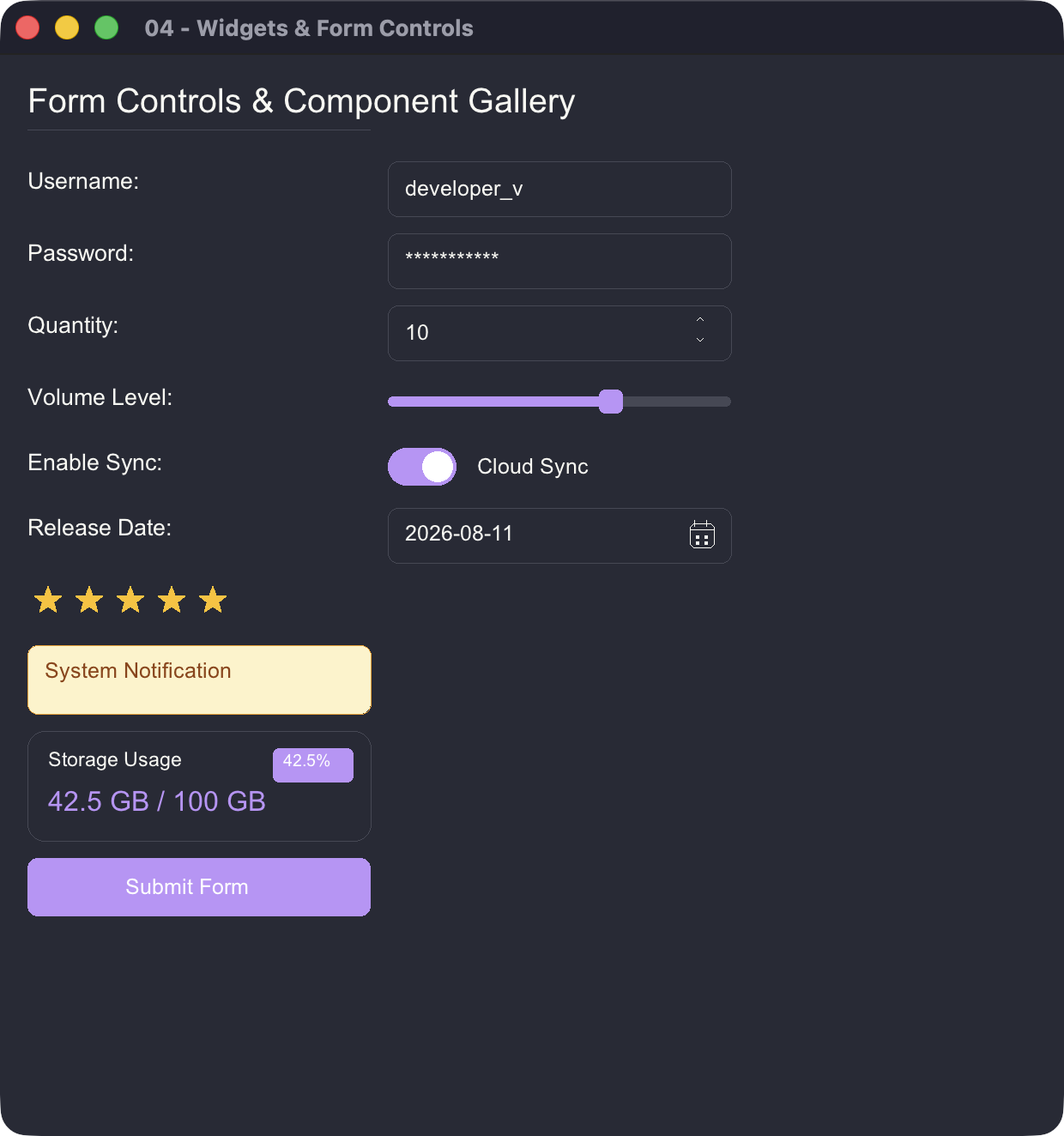
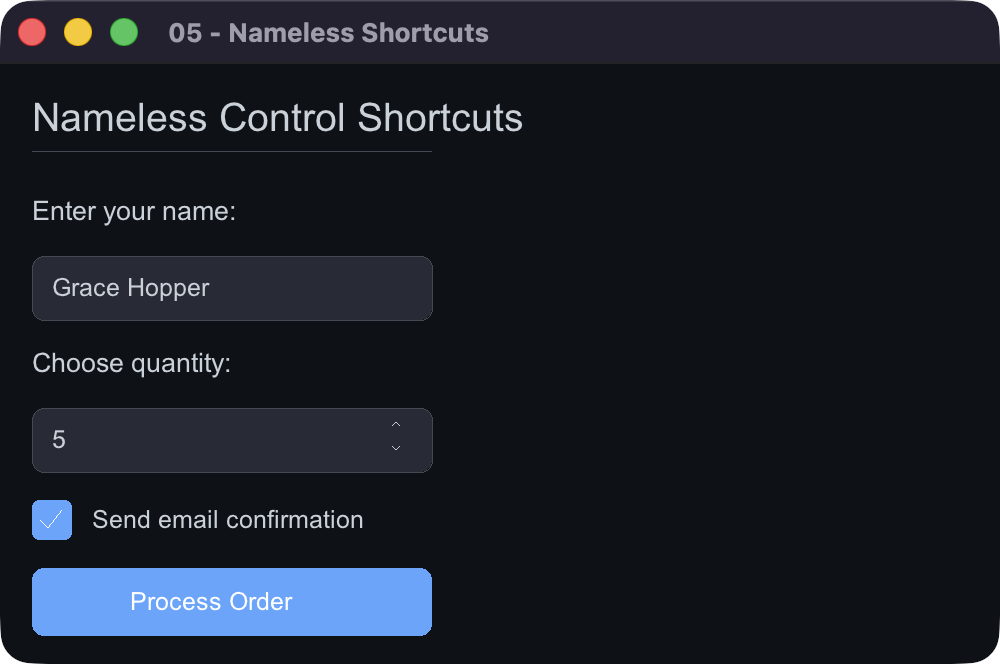
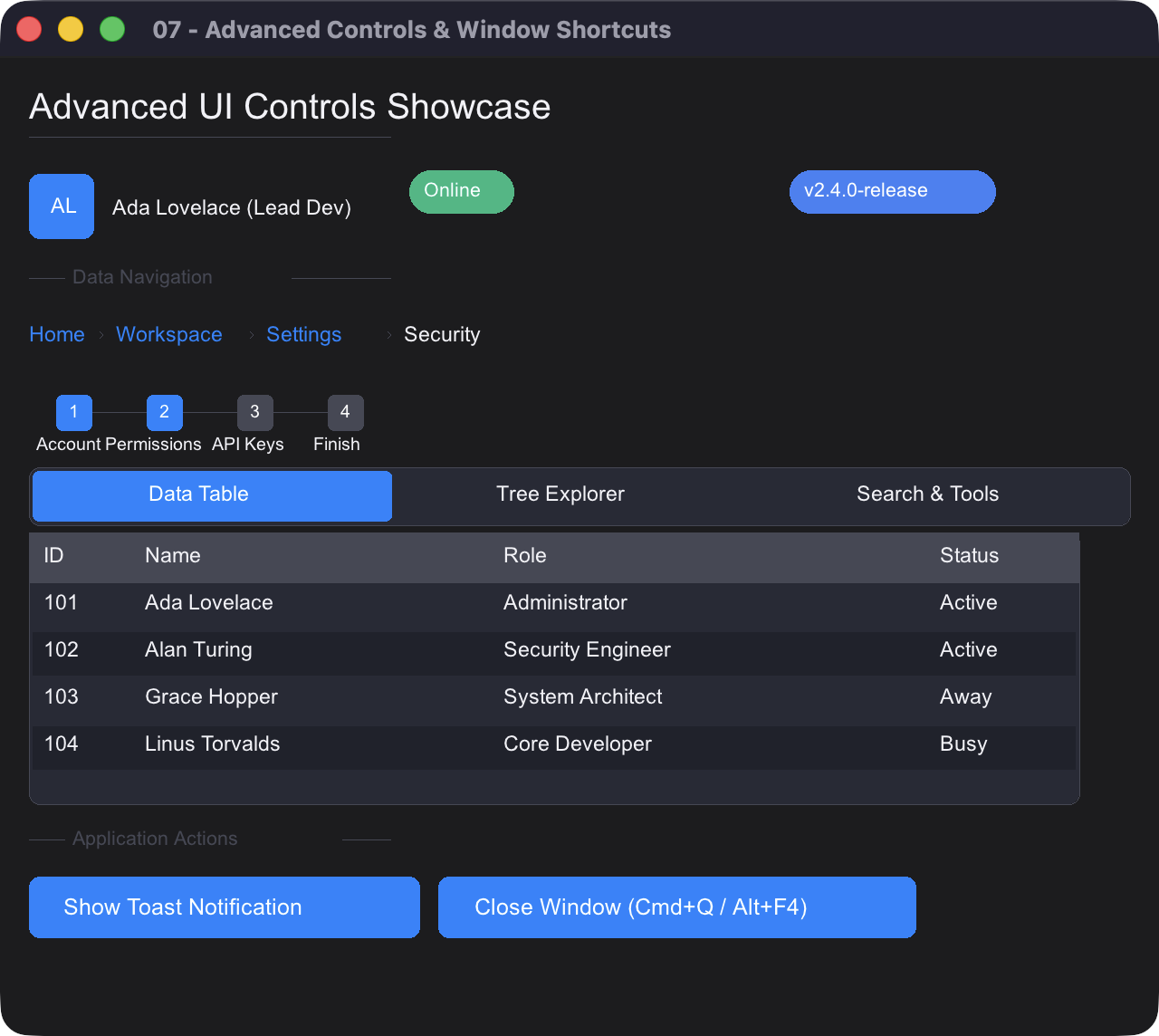
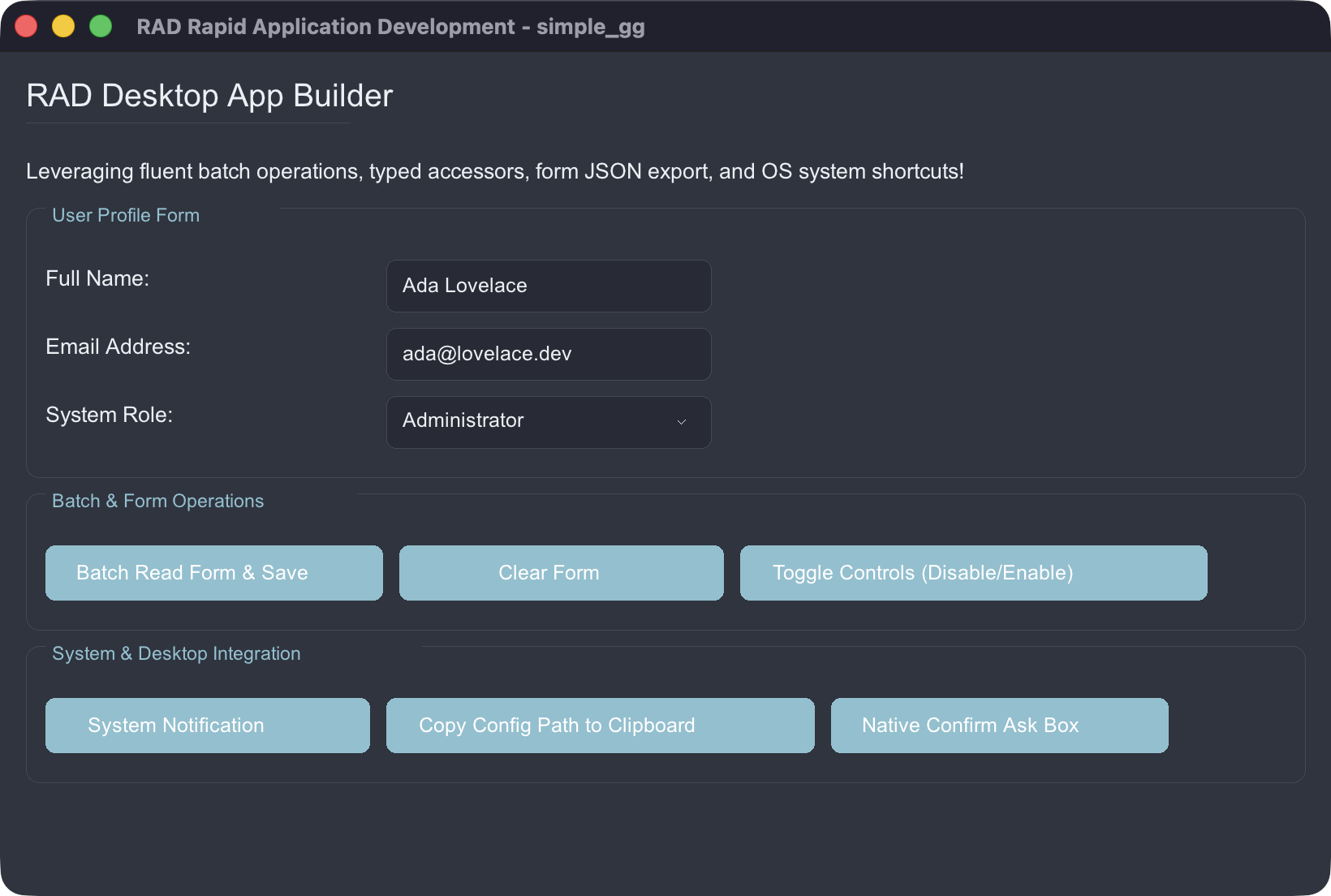
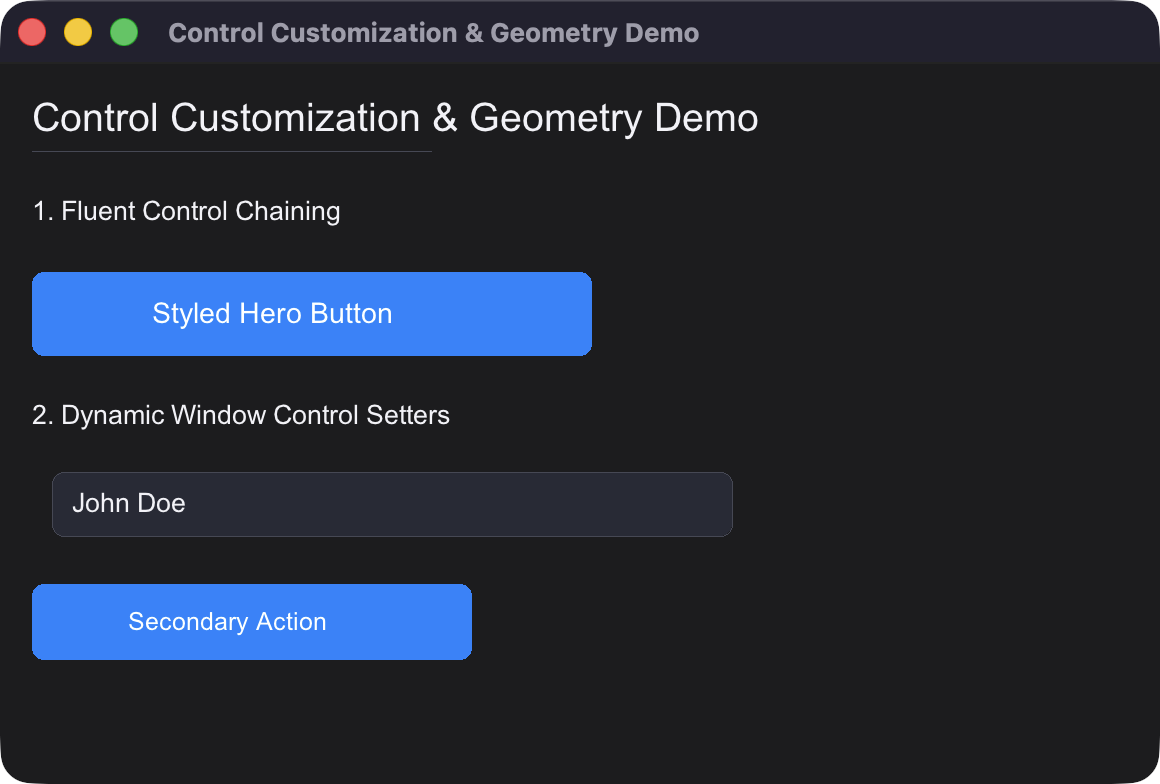
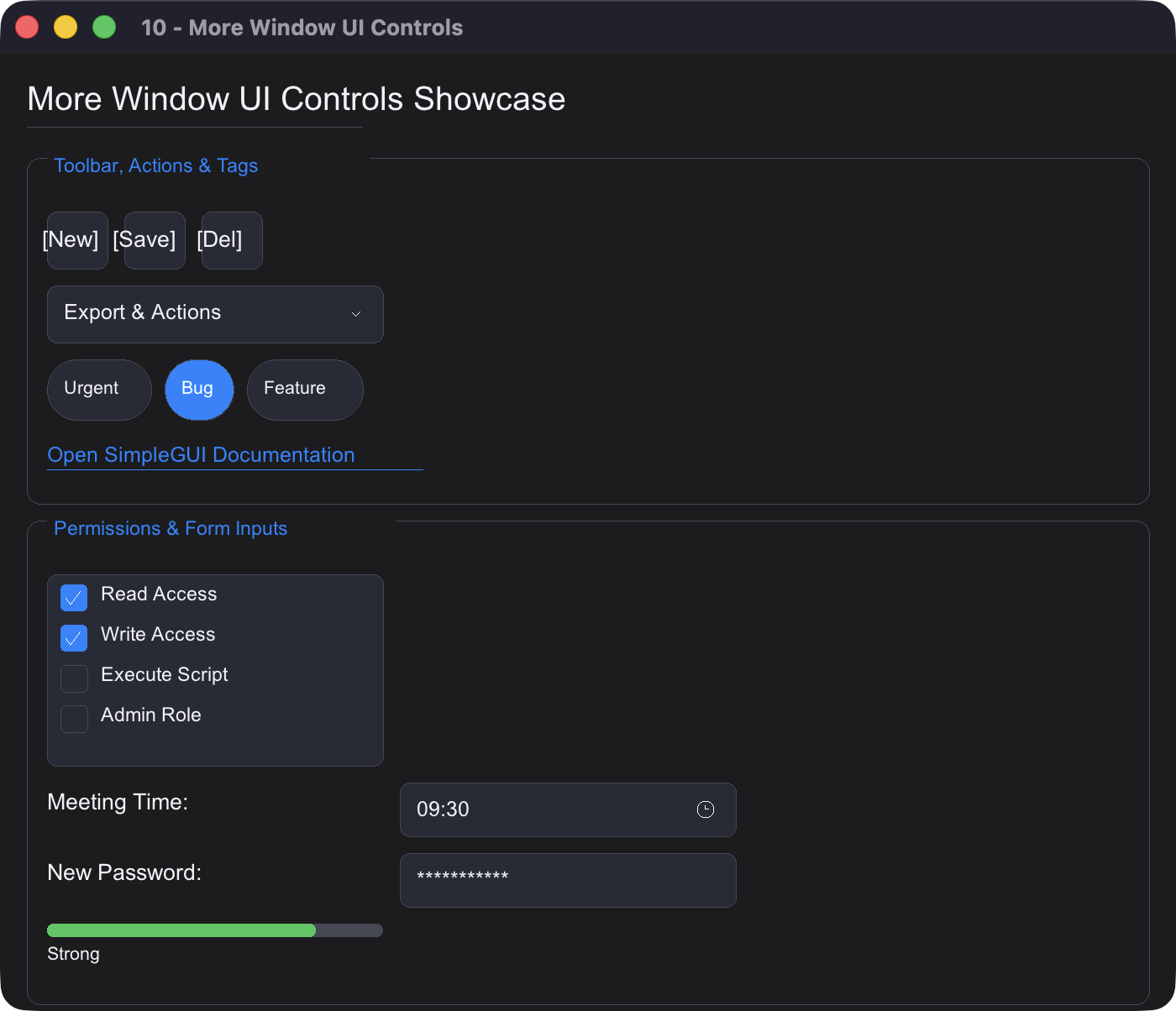
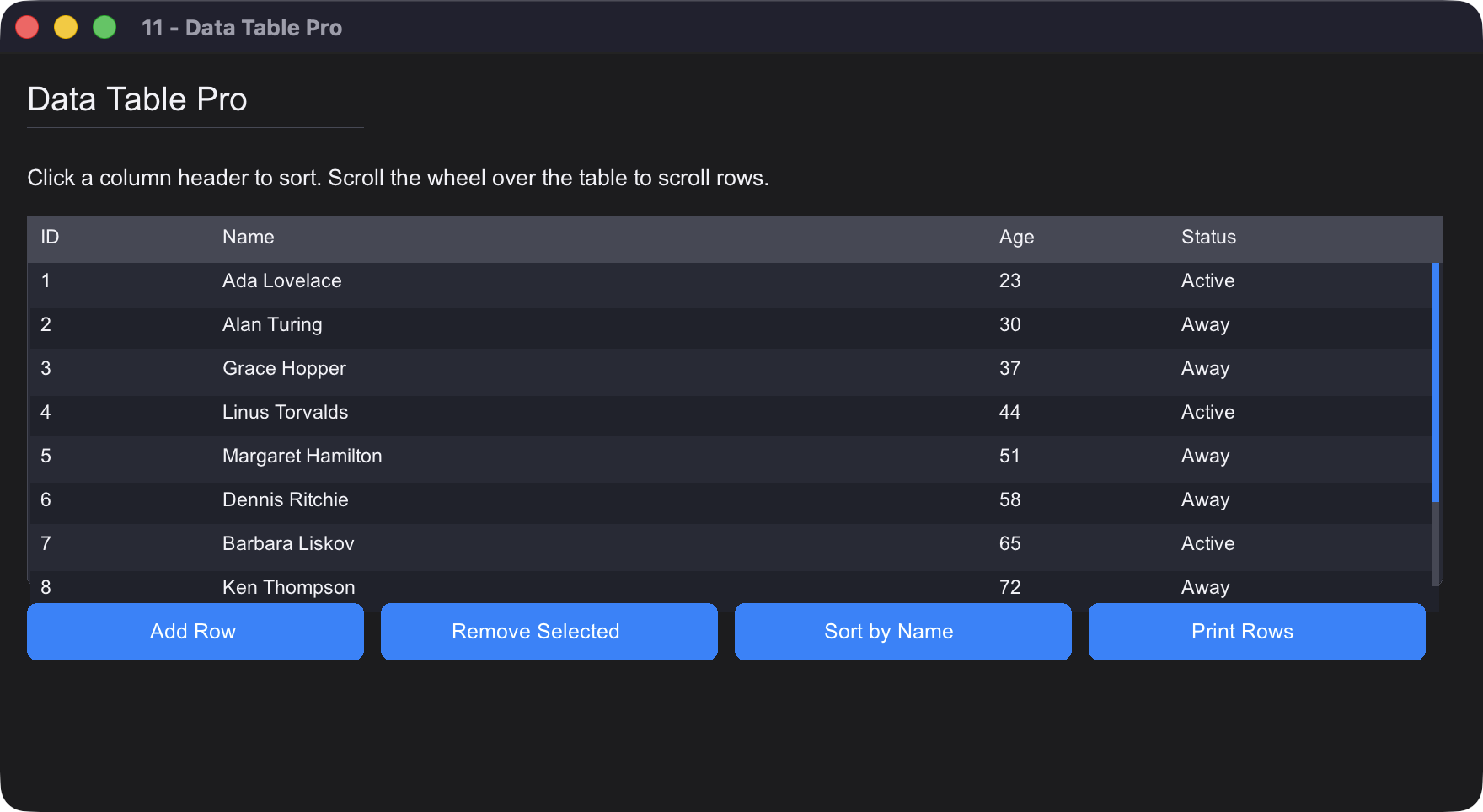
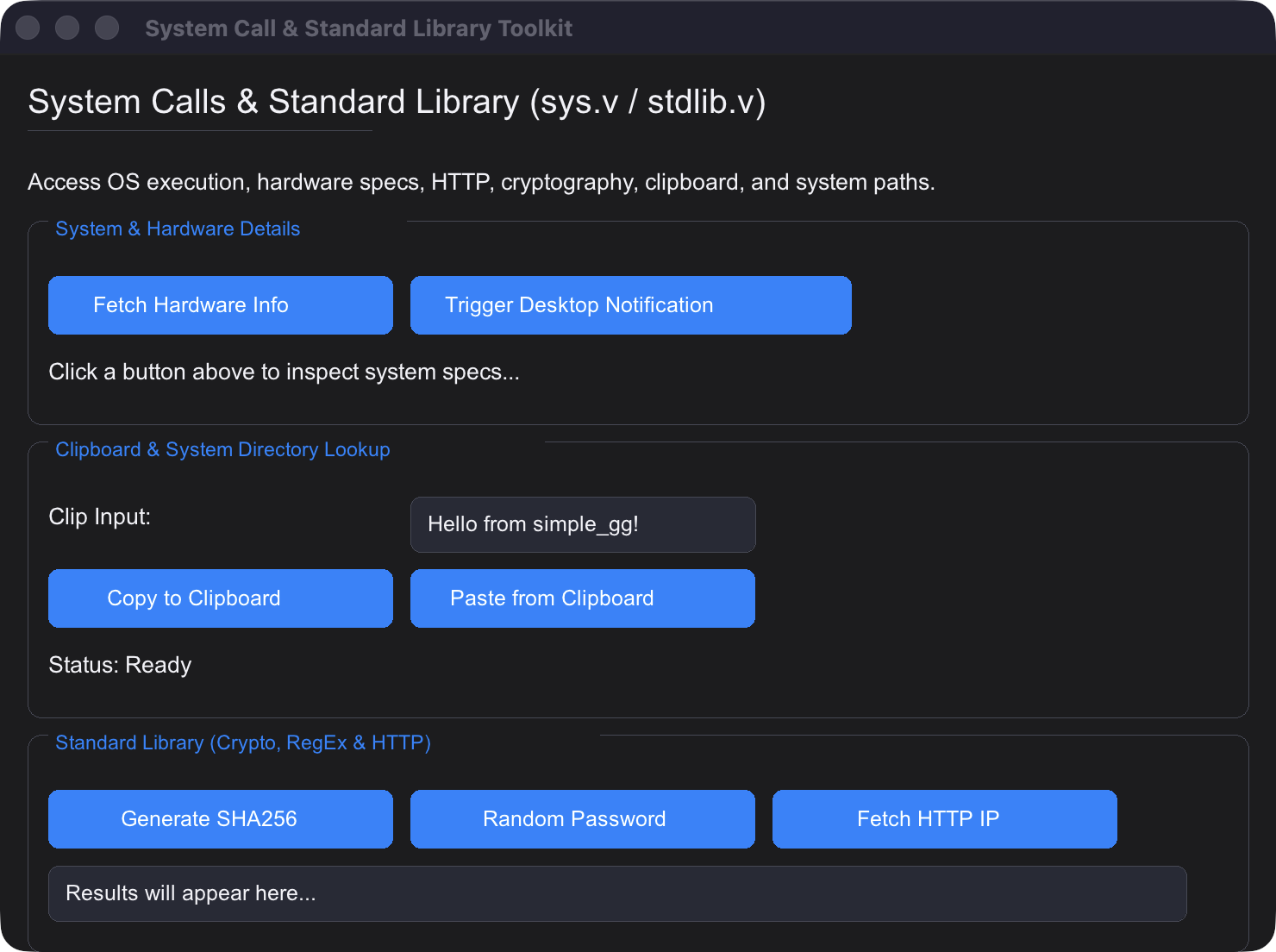
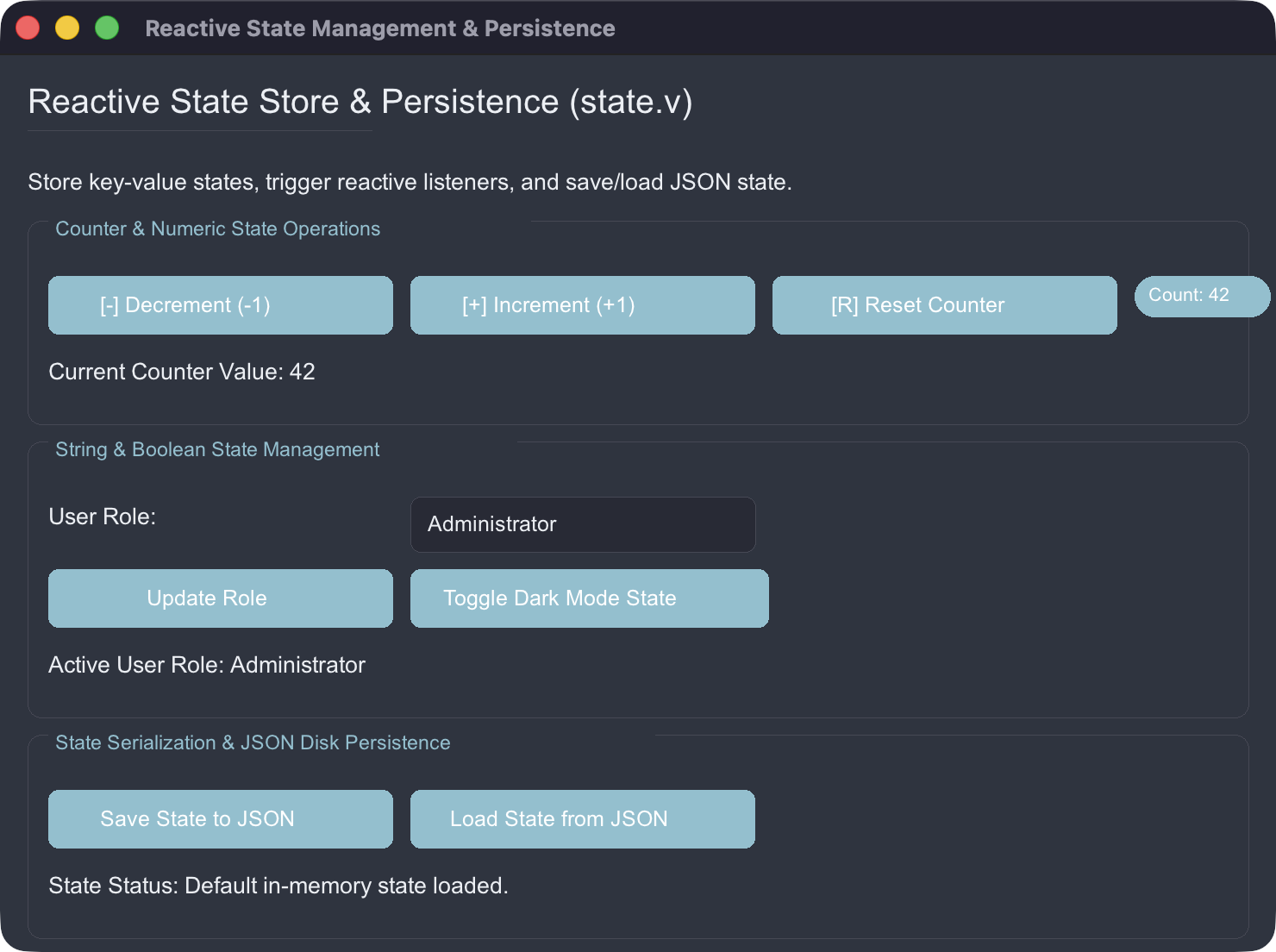
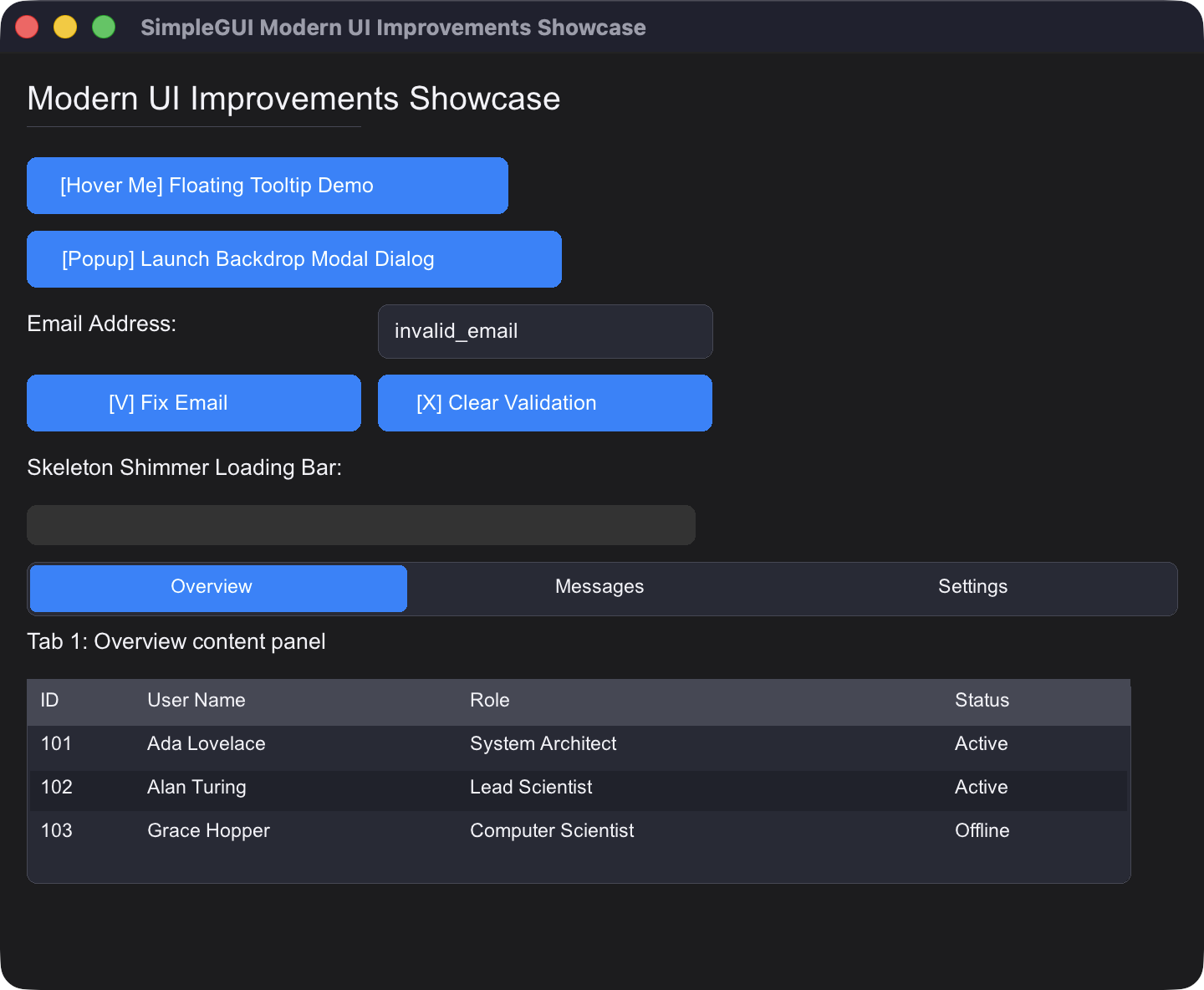
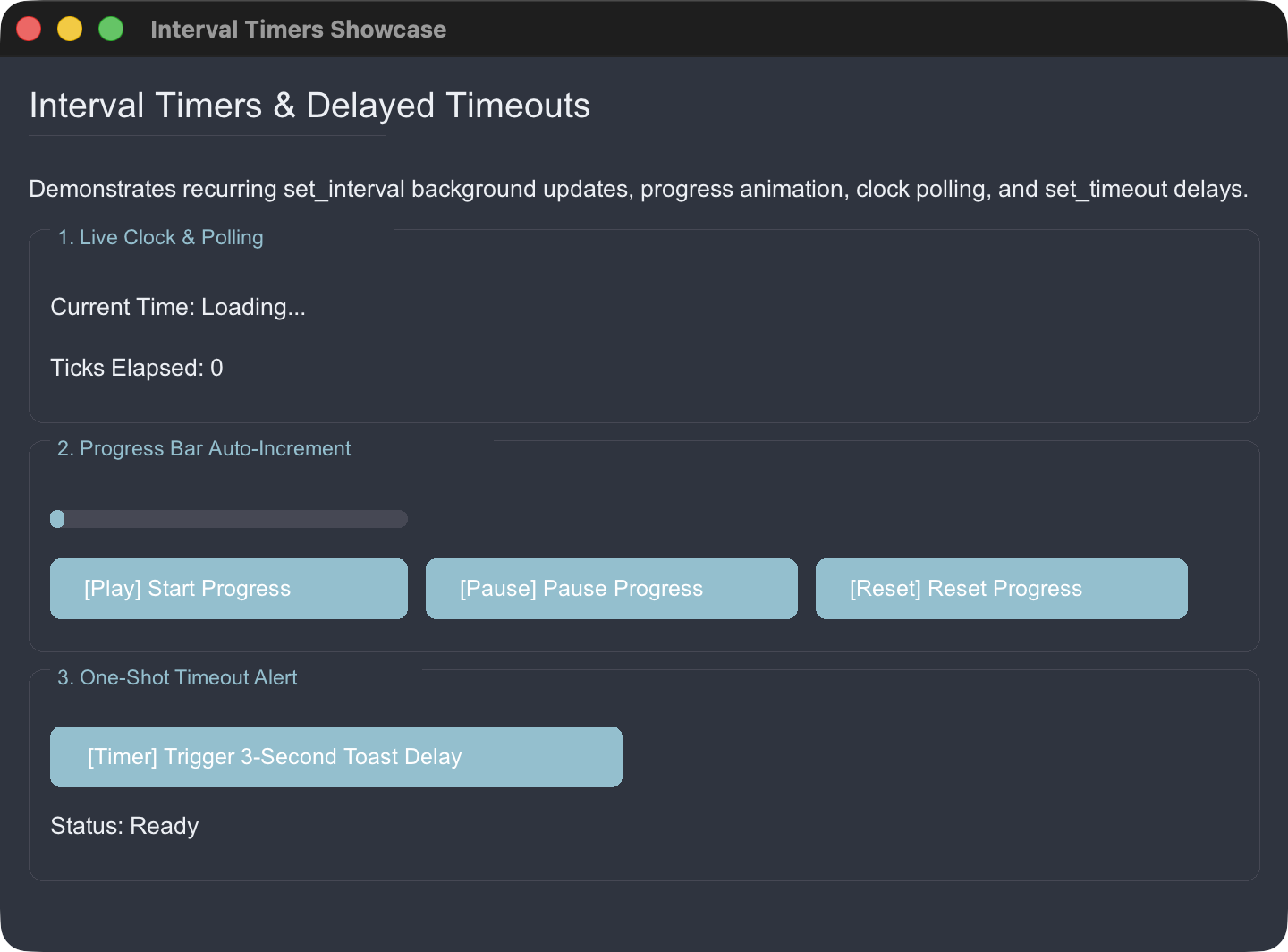
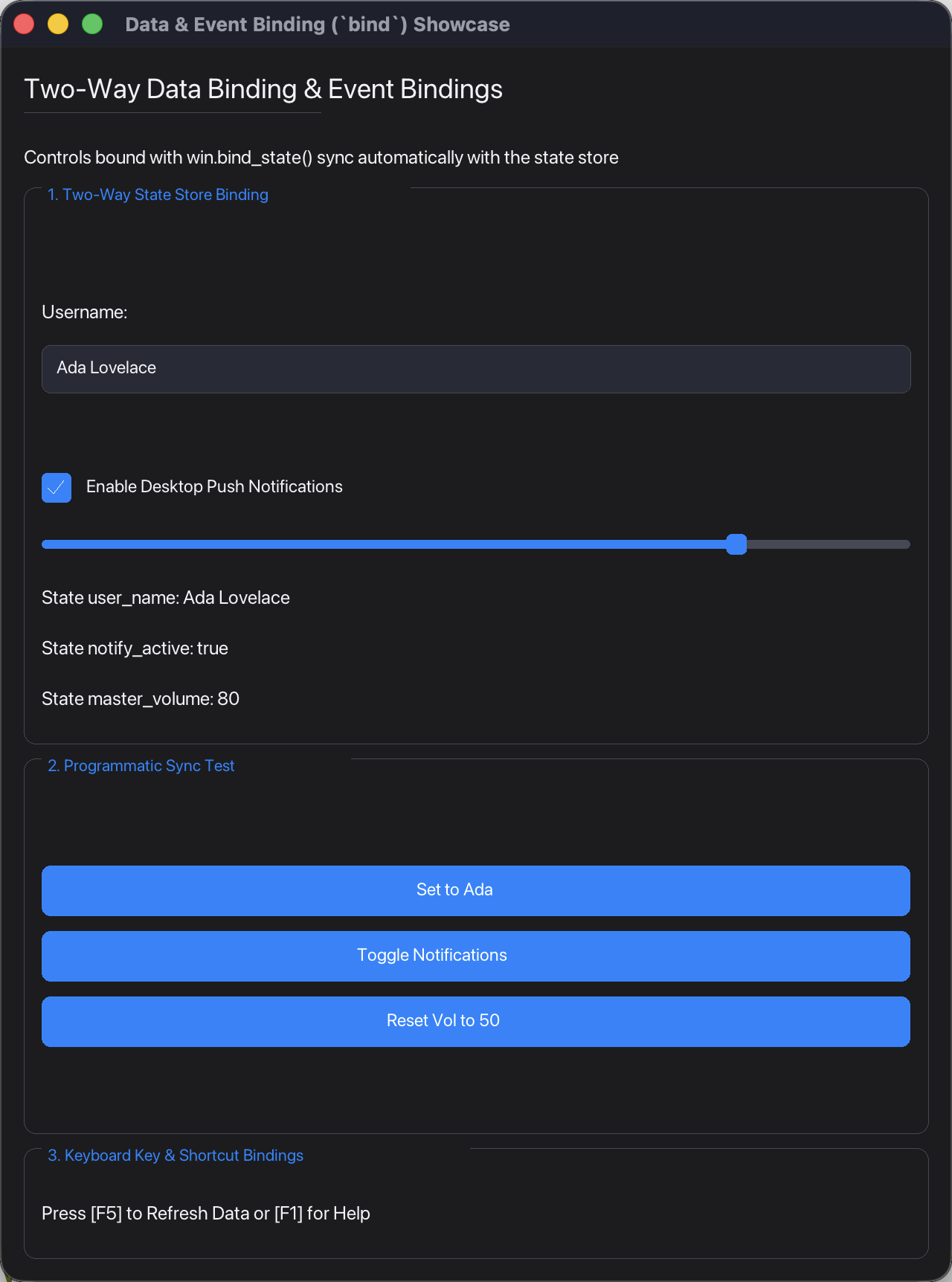
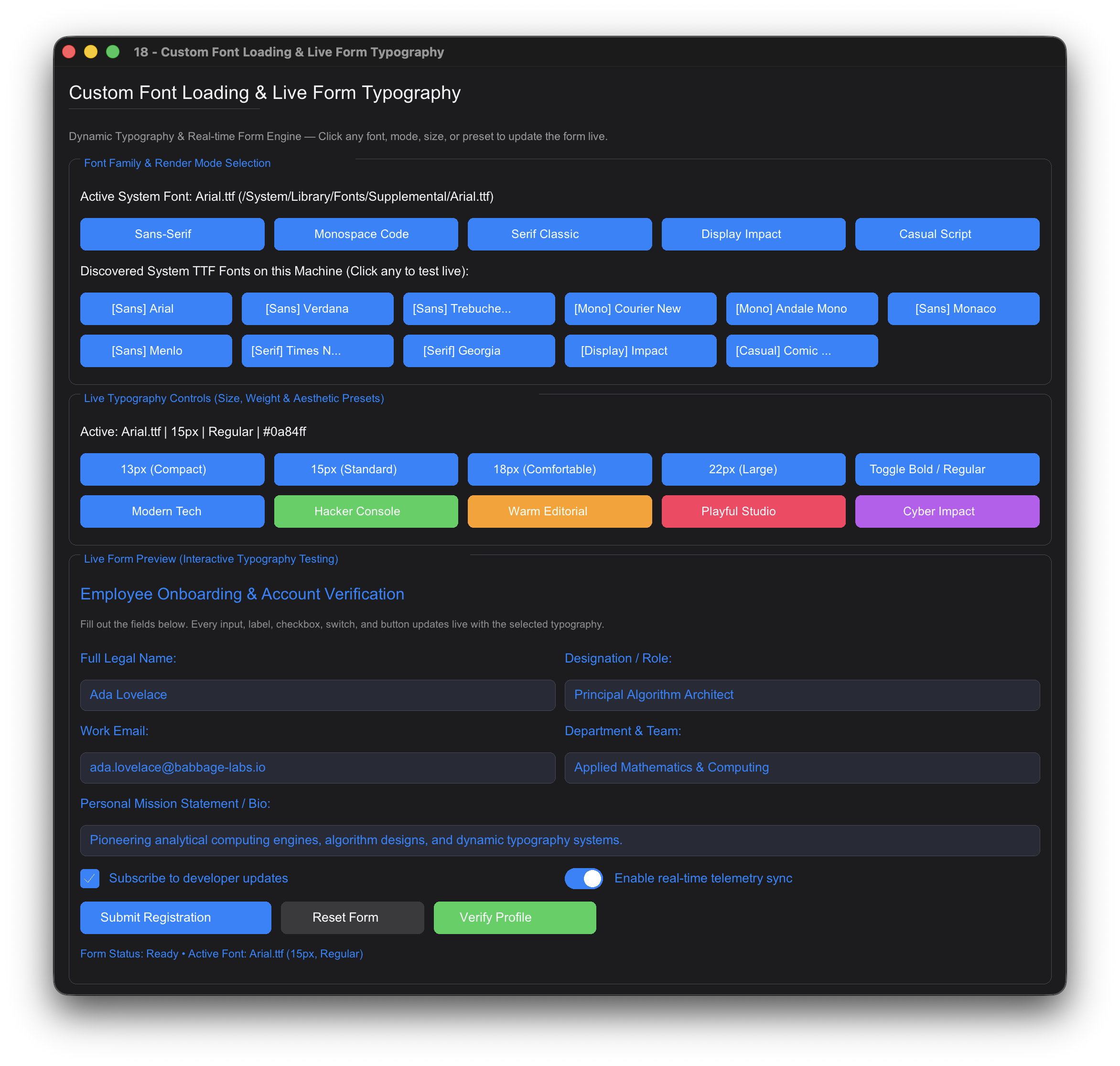
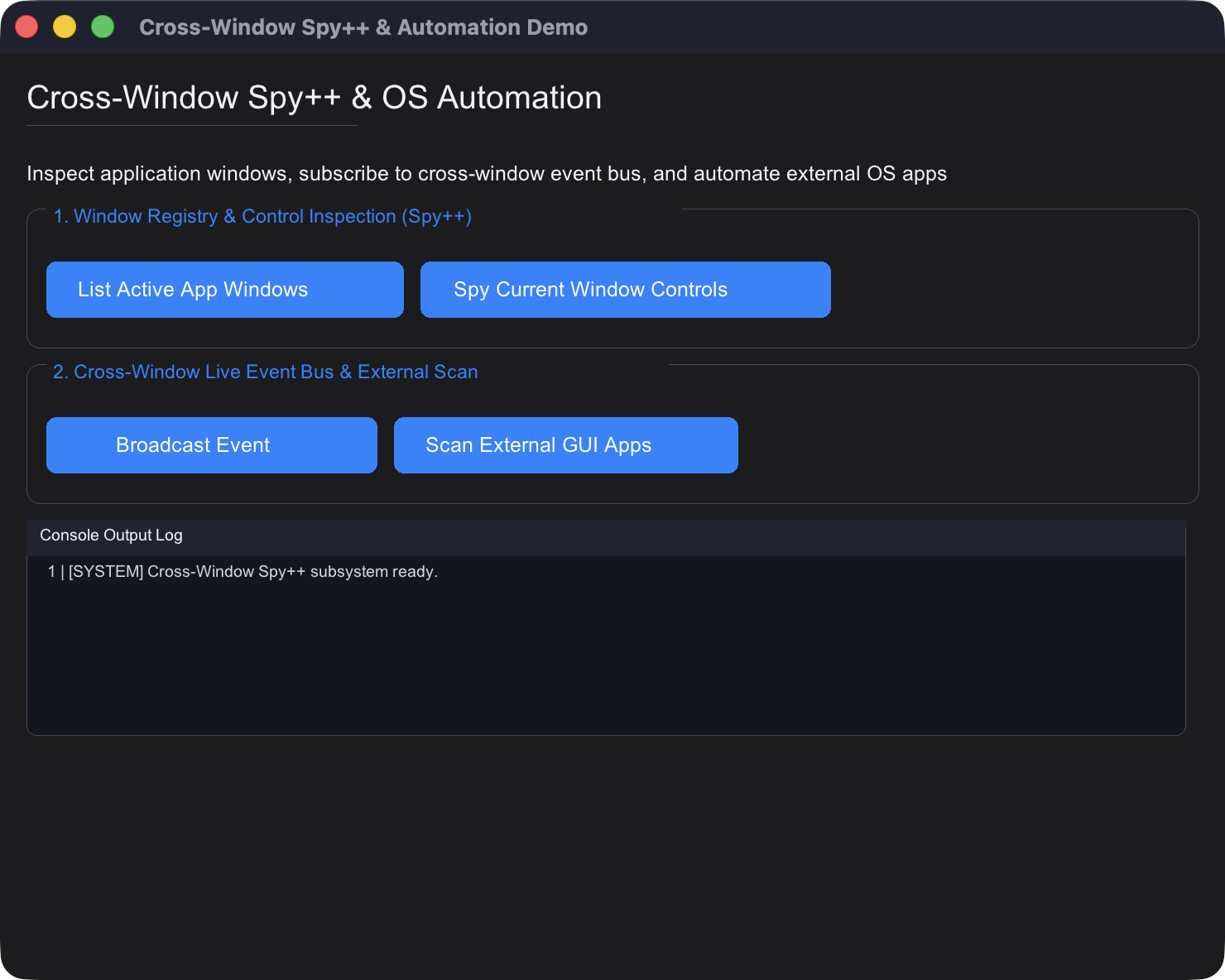
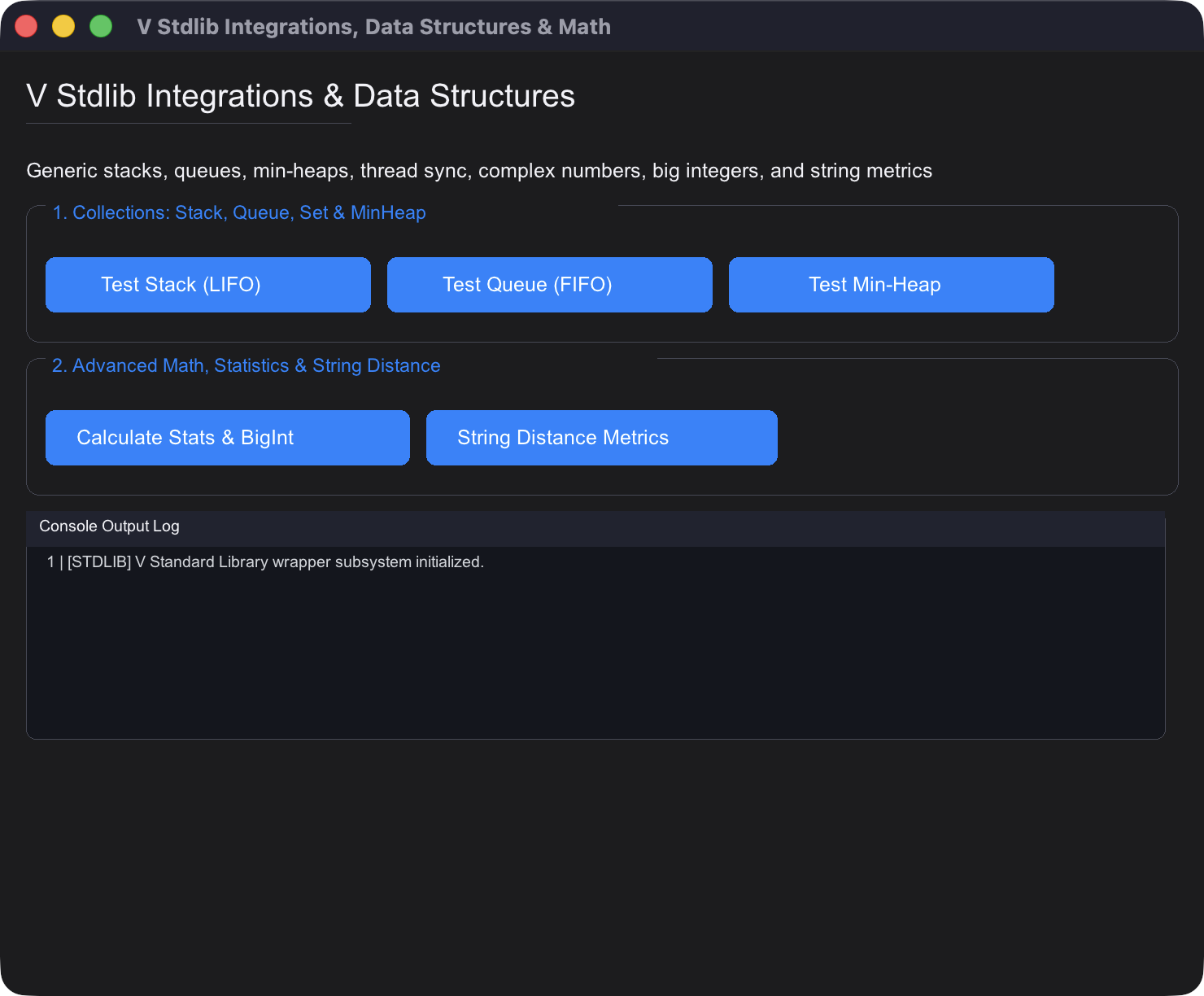
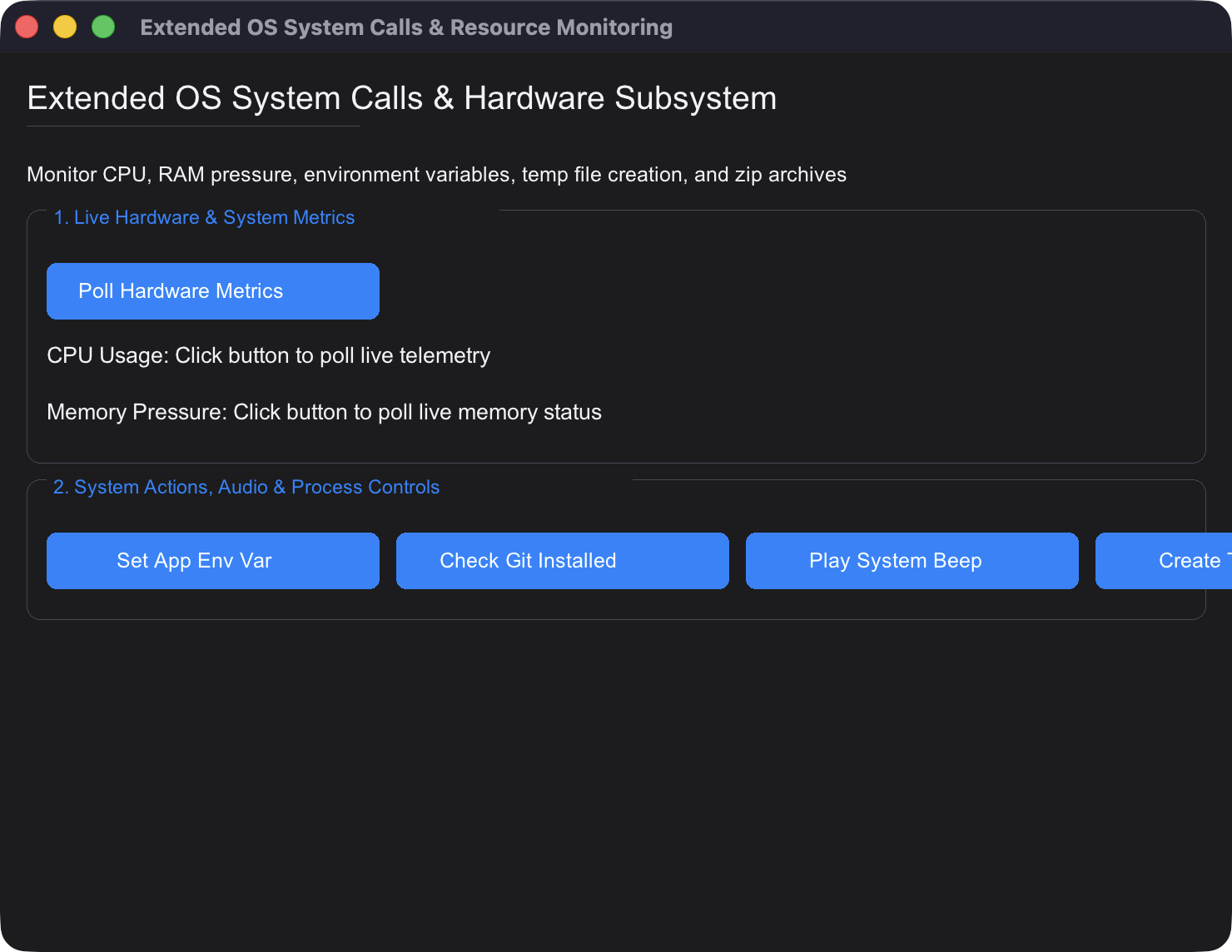
Visual Showcase & Snapshots of All Examples
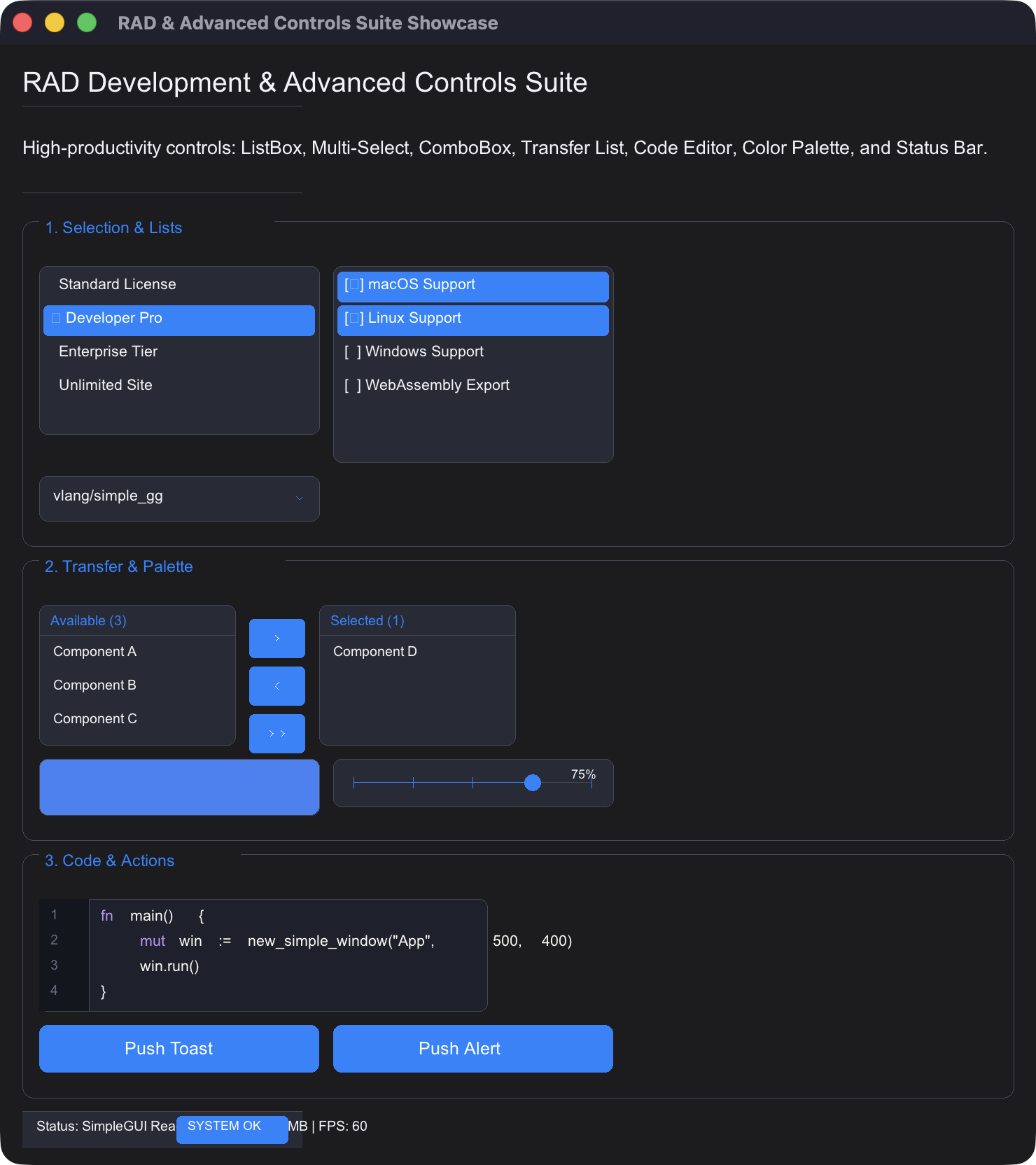
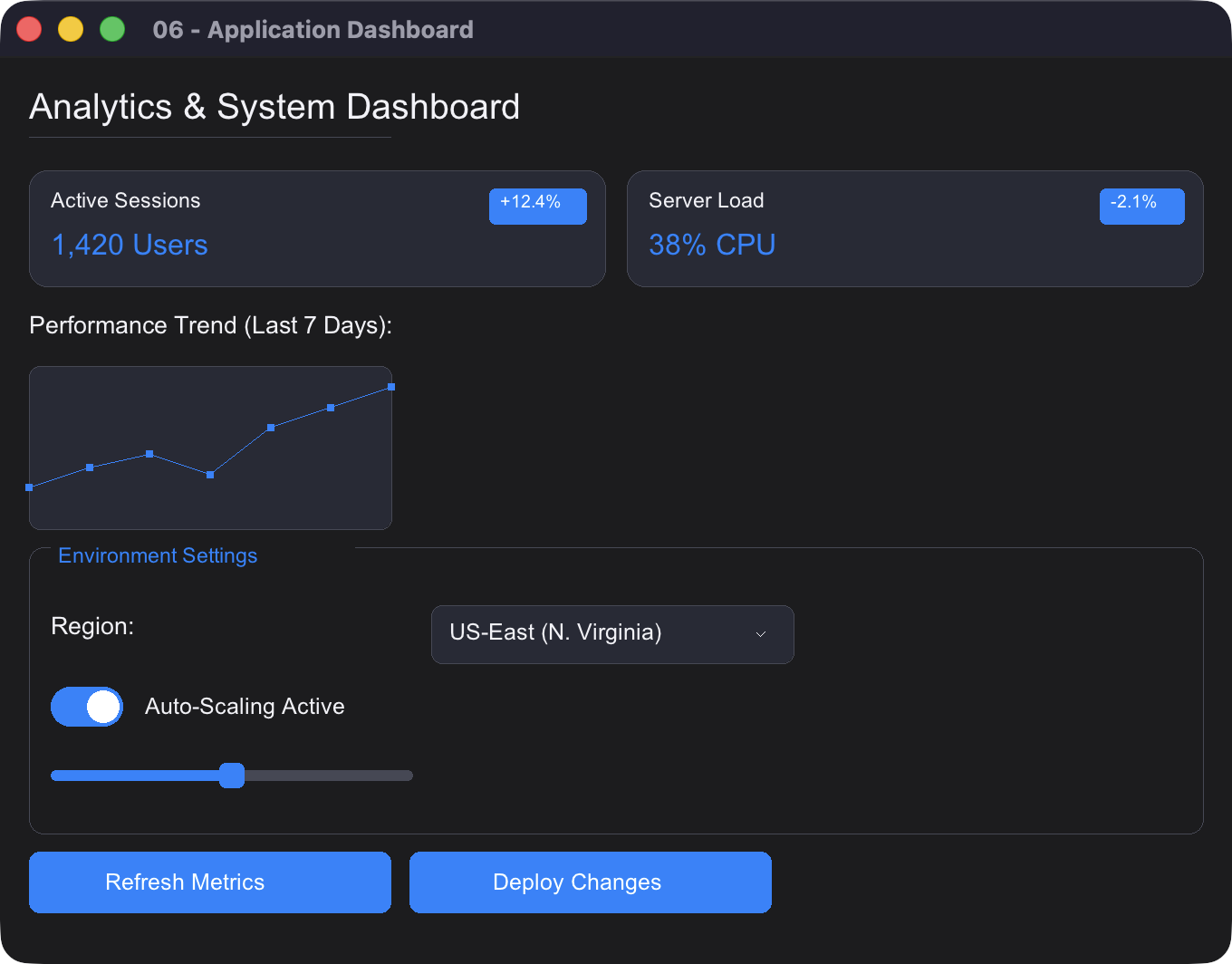
Click to view remaining example screenshots (19 more)
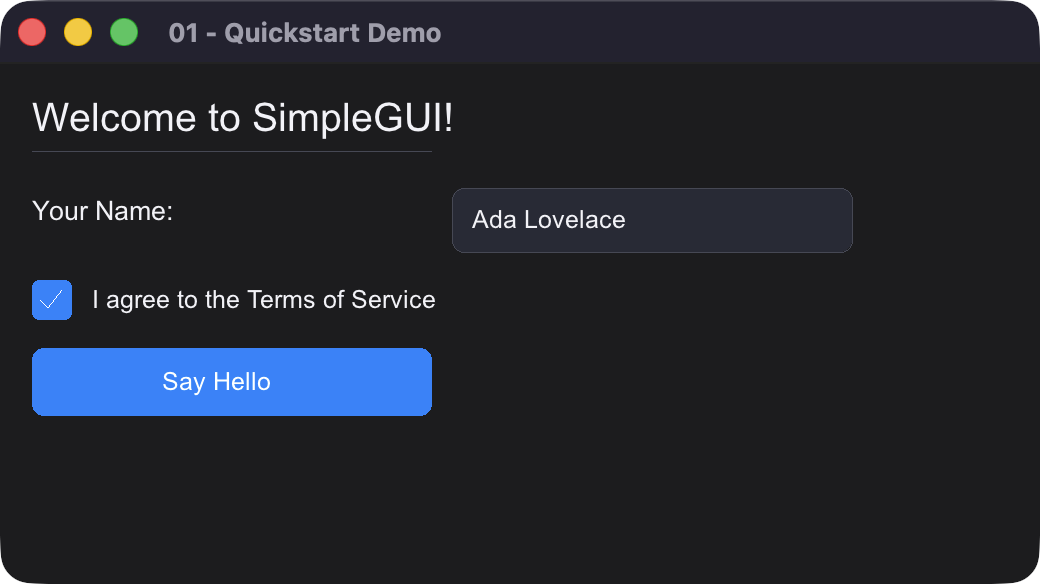
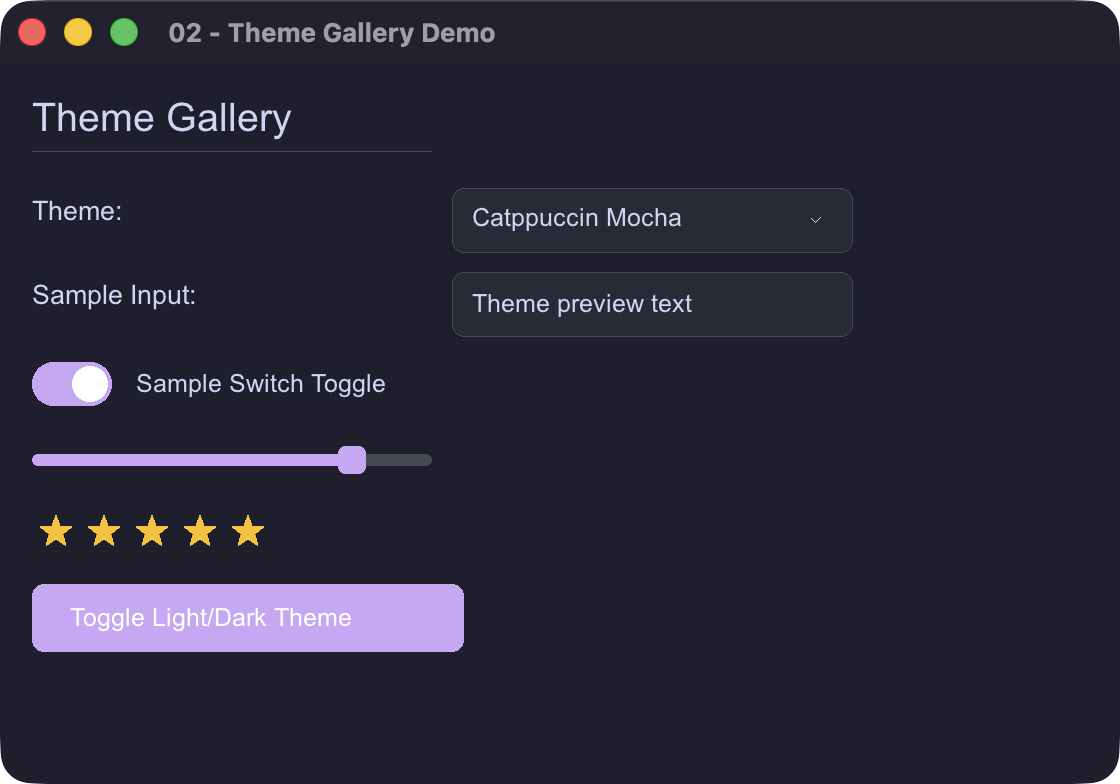
Key Features
- Cross-Platform: Runs natively on macOS, Linux, and Windows with native OS drag-and-drop support.
- 87 Built-in Production Themes: The complete 76-theme Bun RAD Studio catalog plus SimpleGUI exclusives, with theme-specific surfaces, borders, secondary accents, and accessible button contrast.
- RAD Development Controls Suite: Multi-select Tag Input, Dual-Thumb Range Slider, Monospace Code Editor, File Drop Zone, Property Grid Inspector, Sparkline Micro-Charts, Pagination Bar, Resizable Split View, Toast Notification Overlay Stack, Command Palette (
Ctrl+K), and Context Menus. - Complete Widget Set: ListBox (interactive single/multi select), ComboBox, Transfer List, Console Output Viewer, Color Palette Swatch Grid, Status Bar, Step Slider, text/password inputs, steppers, range sliders, toggle switches, checkboxes, dropdowns, segmented controls, rating stars, date pickers, metric cards, charts, tree views, data tables, breadcrumbs, avatars, status badges, accordions, and alert banners.
- Layout Engine: Automatic vertical stacking, horizontal rows (
begin_row), multi-column grids (begin_grid), flexboxes (begin_flex_box), tab containers, and group cards. - Reactive State Management & Universal Persistence (
state.v): Key-value reactive store (set_state,get_state), typed accessors, reactive state listeners (on_state_change), atomic crash-proof disk persistence (save_app_state,load_app_state), automated per-application form state restoration on launch, global theme auto-save, and window session restoration (save_window_session,restore_window_session). - OS & System Extensions (
sys.v): Standardized user directory lookups for macOS (~/Library), Windows (%APPDATA%), and Linux ($XDG_*), path expansion with tilde (~) and environment variable resolution, native notifications, hardware metrics, process execution, clipboard, and file operations. - Headless Console & RAD Toolkit (
simplecli): Full-featured zero-window CLI framework with flag parsing, ANSI colors, tables, interactive prompts, multi-level logging, process control, hardware probing, and cryptography. - V Standard Library Integrations (
stdlib.v): Built-in fluent helpers for HTTP requests, RegEx matching, Cryptography (SHA256, MD5, AES, Bcrypt), Gzip/Zlib/Zstd compression, TOML parsing, SemVer checks, and WebSockets. - 30 Bundled Production Utility Modules (
vlang_utils): Zero-boilerplate ergonomic toolkit ready to import anywhere (fileutils,sqliteutils,strutils,sliceutils,envutils,cryptoutils,timeutils,httputils,cliutils,sysutils,netutils,validutils,structutils,statutils,stateutils,cacheutils,semverutils,flowutils,templateutils,colorutils,archiveutils,asyncutils,regexutils,mockutils,logutils,tomlutils,htmlutils,bitutils,compressutils,tarutils). Full manual in UTILS_API.md. - Beginner Friendly: Fluent chainable builder API with zero boilerplate.
📦 Installation & Module Setup
1. Install from GitHub (recommended for this repo)
This repository is currently published under the GitHub repo name simple_gg, but the V module you import is simplegui.
If you cloned the project manually, put it in your V module path so imports resolve correctly:
git clone https://github.com/codecaine-zz/simple_gg.git
mkdir -p ~/.vmodules
ln -s "$PWD/simple_gg/simplegui" ~/.vmodules/simplegui
Then run examples from the project directory or from any project that imports simplegui.
If the package is later published to VPM under a matching name, the standard
v install ...flow will work as usual. For this repo today, linking the repository'ssimplegui/directory at~/.vmodules/simpleguiis the reliable Linux/macOS workflow.
2. Install Homebrew dependencies (macOS)
For a default install on macOS, run the project’s bundled Homebrew installer:
./install_homebrew_dependencies.sh
This installs the required runtime tools used by the project and apps, such as FFmpeg, ImageMagick, jq, rg, pandoc, sqlite, nmap, and related toolchain utilities.
If you also want optional cross-compilation toolchains for Windows builds, install them explicitly:
./install_homebrew_dependencies.sh --optional
This adds zig and mingw-w64, which are only needed for Windows-targeted builds and are not required for the normal app runtime.
You can also install only the base bundle directly:
brew bundle --file ./Brewfile
3. Linux System Dependencies
On Linux (Debian / Ubuntu / Pop!_OS / Mint), ensure standard X11/GL development headers are present:
# The project dependency checker is cross-platform and will show Linux guidance:
v run install_dependencies.vsh --check

# Or install manually via apt:
sudo apt update
sudo apt install -y libx11-dev libxcursor-dev libxi-dev libgl1-mesa-dev libasound2-dev xclip
4. Naming & Import Convention
| Element | Name | Description |
|---|---|---|
| Repository Name | simple_gg | The GitHub project name (SimpleGUI built on V's gg engine). |
| V Module Name | simplegui | Used in all code across macOS, Linux, and Windows: import simplegui |
| Headless CLI Module | simplecli | Zero-window terminal apps across all platforms: import simplecli |
5. V Compiler Version & v up Maintenance
simple_gg is developed and validated against V 0.5.2 (commit 9e9f7f05 / V3 compiler backend). All 43 test suites, 30 GUI demos, 29 examples, 47 desktop workstations, and 49 CLI tools are tested and verified on this build.
⚠️ Caution with v up
Running v up directly pulls rolling changes from the V master branch, which can occasionally introduce compiler bootstrap issues or codegen regressions:
cheaders.v/EmbedFileDataPanic: Ifv uppulls a commit where embedded C headers are restructured before the bootstrap pre-builtvcsources are synchronized, runningvwill fail with:V panic: EmbedFileData error: files ... cheaders.v do not exist- Interface Dispatch Mismatches (
json2,io.Reader): Upstream master changes can affect generic interface method dispatch parameter resolution (e.g., when streamingio.Readerinjson2encounters types with zero-parameterreadmethods).
🔄 How to Safely Rebuild / Recover V
If running v up leaves your V installation broken or unable to compile, restore it cleanly from bootstrap C code (vc):
cd /path/to/v

# 1. Fetch latest changes or pin to verified commit
git fetch origin
git checkout 9e9f7f05   # Verified working commit (or master)

# 2. Bootstrap from the official vc repository
git clone --depth 1 https://github.com/vlang/vc /tmp/vc
cc -std=gnu99 -w -o v /tmp/vc/v.c -lm -lpthread

# 3. Recompile V self-hosted
./v self

# 4. Clean out any obsolete fallback caches
rm -rf ~/.cache/v/v1-fallback
💡 Environment Flag (VFLAGS) Best Practice
On macOS with Homebrew, if you set library search paths via VFLAGS in ~/.zshrc or ~/.bashrc, specify -ldflags separately for each path to avoid argument-splitting failures during recursive sub-invocations (e.g. v test or v crun):
# ✅ Recommended (avoids nested quoting errors in subshells):
export VFLAGS="-ldflags -L/opt/homebrew/lib -ldflags -L/usr/local/lib"

# ❌ Avoid (inner quotes break argument tokenization in V child processes):
# export VFLAGS="-ldflags '-L/opt/homebrew/lib -L/usr/local/lib'"
Quick Start
module main

import simplegui

fn main() {
	mut win := simplegui.new_simple_window('My App', 520, 380)
	win.set_theme('Apple Dark')
	win.add_heading('SimpleGUI Starter')
	win.add_form_field('Name:', 'username', 'Ada Lovelace')
	win.add_checkbox('agree', 'I agree to the Terms', true)

	win.add_button('btn_save', 'Save')
	win.on_click('btn_save', fn (mut win simplegui.SimpleWindow) {
		println("User: ${win.get_text('username')}")
	})

	win.run()
}
Beginner-Friendly Examples & Snapshots
The repository includes beginner-friendly example programs in the examples/ directory:
| Example | Description | Run Command | Snapshot |
|---|---|---|---|
01_quickstart.v | First starter app with inputs and button callbacks. | v run examples/01_quickstart.v | Snapshot |
02_theme_gallery.v | Complete tabbed control gallery with an always-visible live switcher across 87 production palettes. | v run examples/02_theme_gallery.v | Snapshot |
03_layout_containers.v | Horizontal rows, multi-column grids, and group cards. | v run examples/03_layout_containers.v | Snapshot |
04_widgets_and_forms.v | Form inputs, sliders, steppers, ratings, dates, and metric cards. | v run examples/04_widgets_and_forms.v | Snapshot |
05_nameless_shortcuts.v | Rapid prototyping using nameless shortcuts (win.input()). | v run examples/05_nameless_shortcuts.v | Snapshot |
06_dashboard_app.v | Real-world dashboard with KPI metrics, charts, and actions. | v run examples/06_dashboard_app.v | Snapshot |
07_advanced_controls.v | Data tables, tab containers, tree views, search, breadcrumbs, avatars, and shortcuts. | v run examples/07_advanced_controls.v | Snapshot |
08_rad_development.v | Rapid app builder with batch ops, JSON form export, clipboard, and OS dialogs. | v run examples/08_rad_development.v | Snapshot |
09_control_customization.v | Custom geometry, margins/padding, colors, borders, and fluent control chaining. | v run examples/09_control_customization.v | Snapshot |
10_more_controls.v | Icon buttons, toolbars, hyperlinks, checklists, chips, and password strength meter. | v run examples/10_more_controls.v | Snapshot |
11_data_table_pro.v | Sortable data tables, wheel scrolling, row hover, and table manipulation. | v run examples/11_data_table_pro.v | Snapshot |
12_system_and_stdlib_features.v | Desktop notifications, hardware specs, clipboard, system paths, HTTP GET, RegEx, Crypto. | v run examples/12_system_and_stdlib_features.v | Snapshot |
13_reactive_state_store.v | Reactive key-value state store, typed accessors, state change listeners, and JSON disk persistence. | v run examples/13_reactive_state_store.v | Snapshot |
14_rad_controls_showcase.v | RAD & Advanced Suite: ListBox, Multi-Select ListBox, ComboBox, Transfer List, Code Editor, Console Log, Color Palette, Step Slider, Status Bar, Tag Input, Range Slider, Drop Zone, Property Grid, Sparkline, Pagination, Split View, Toasts, Command Palette, Context Menu. | v run examples/14_rad_controls_showcase.v | Snapshot |
15_modern_ui_features_showcase.v | Modern UI Showcase: Window controls, themes, layouts, forms, state store, system utilities. | v run examples/15_modern_ui_features_showcase.v | Snapshot |
16_interval_timers.v | Interval Timers & Timeouts: Recurring timers, timeouts, clock, auto progress bar. | v run examples/16_interval_timers.v | Snapshot |
17_data_and_event_binding.v | Data & Event Binding: Two-way state binding (bind_state), click aliases, shortcut bindings. | v run examples/17_data_and_event_binding.v | Snapshot |
18_custom_font_loading.v | Custom Font & Typography: Platform font resolution, custom TTF/OTF setting, font discovery. | v run examples/18_custom_font_loading.v | Snapshot |
19_cross_window_spy_and_automation.v | Cross-Window Spy++ & Automation: Global window registry, control inspection, event bus. | v run examples/19_cross_window_spy_and_automation.v | Snapshot |
20_stdlib_data_structures_math_and_sockets.v | Collections, Math & Sockets: Stack, Queue, Set, MinHeap, BigInt, string distance metrics. | v run examples/20_stdlib_data_structures_math_and_sockets.v | Snapshot |
21_extended_os_system_calls.v | Extended OS & Hardware: CPU/memory pressure, environment variables, audio beeps, zip. | v run examples/21_extended_os_system_calls.v | Snapshot |
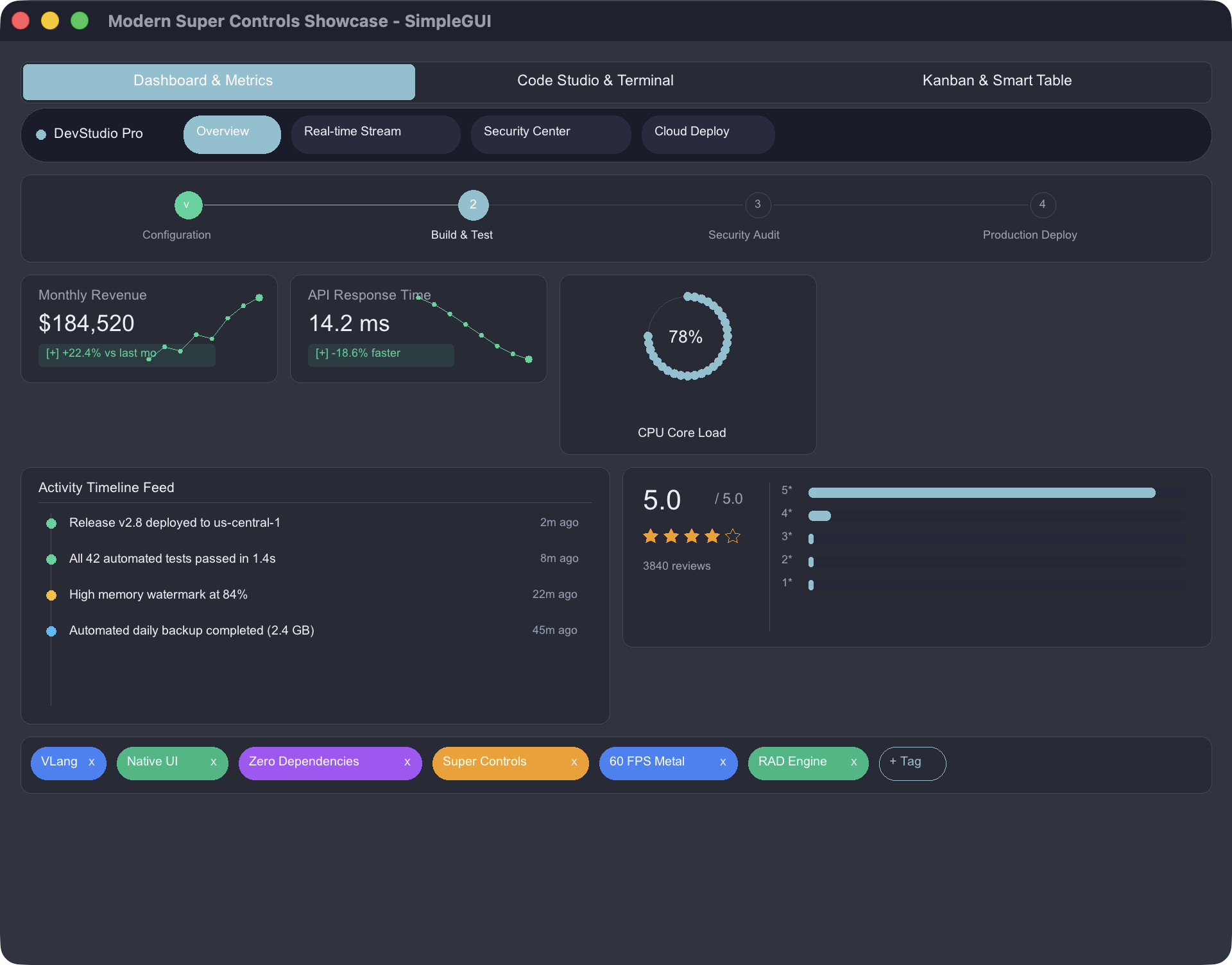
22_modern_super_controls_showcase.v | Super Controls Suite: Super Terminal, Code Studio, Smart Table, Kanban Board, Wizard Stepper, Floating Toolbar, Score Card, Sparklines, Donut Chart, Chip Input. | v run examples/22_modern_super_controls_showcase.v | Snapshot |
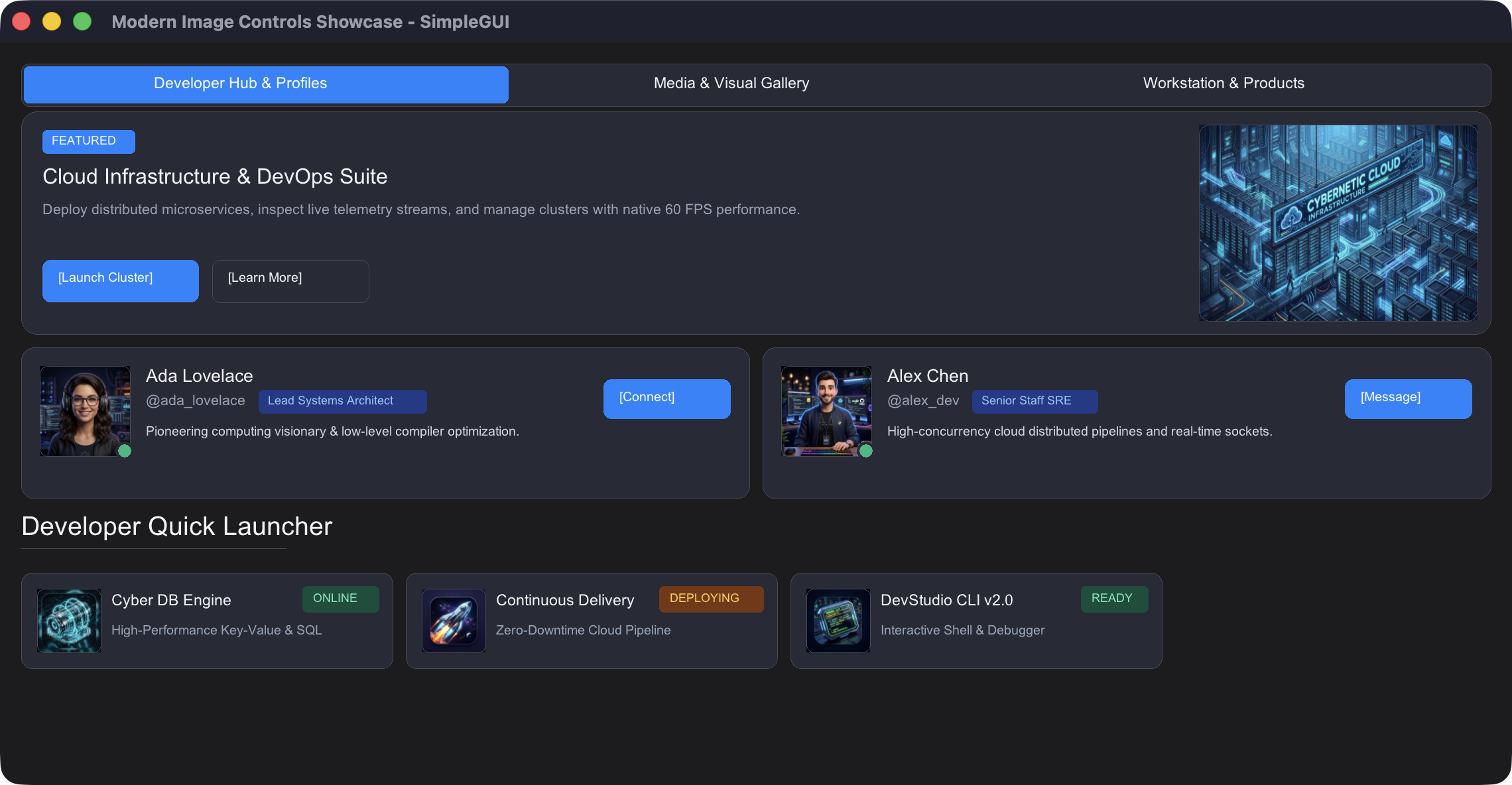
23_modern_image_controls_showcase.v | Modern Image Controls: User Profile Cards, Product Cards, Multi-Image Showcase Gallery, 3D App Launcher Tiles, Media Player Card, Hero Banners, and Hardware Texture Caching. | v run examples/23_modern_image_controls_showcase.v | Snapshot |
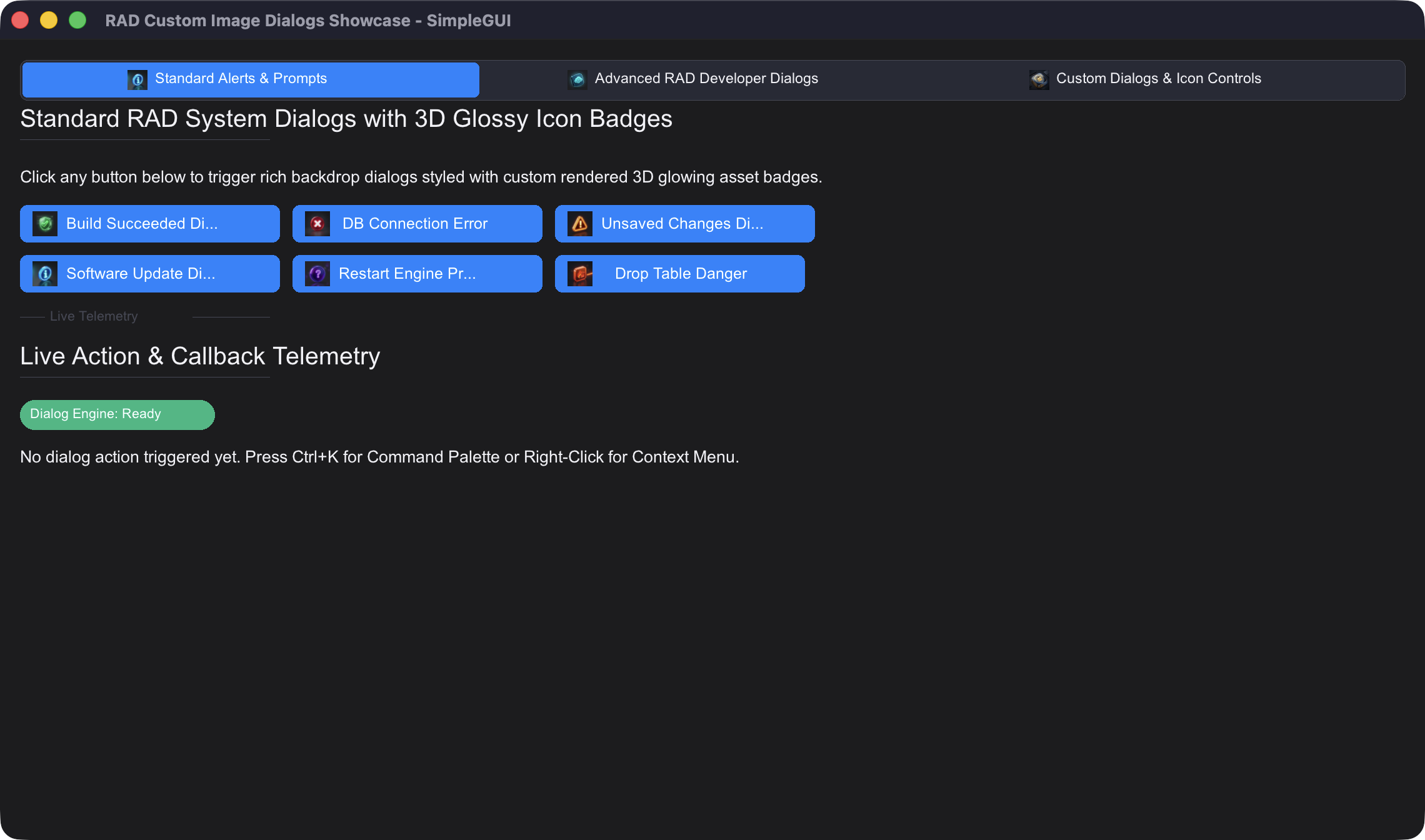
24_custom_image_dialogs_showcase.v | RAD Custom 3D Image Dialogs: 3D glossy icons (Success, Error, Warning, Info, Confirm, Danger, Security, Database, Cloud, Tip), 3-button actions, Checkboxes & Inline Input Prompts. | v run examples/24_custom_image_dialogs_showcase.v | Snapshot |
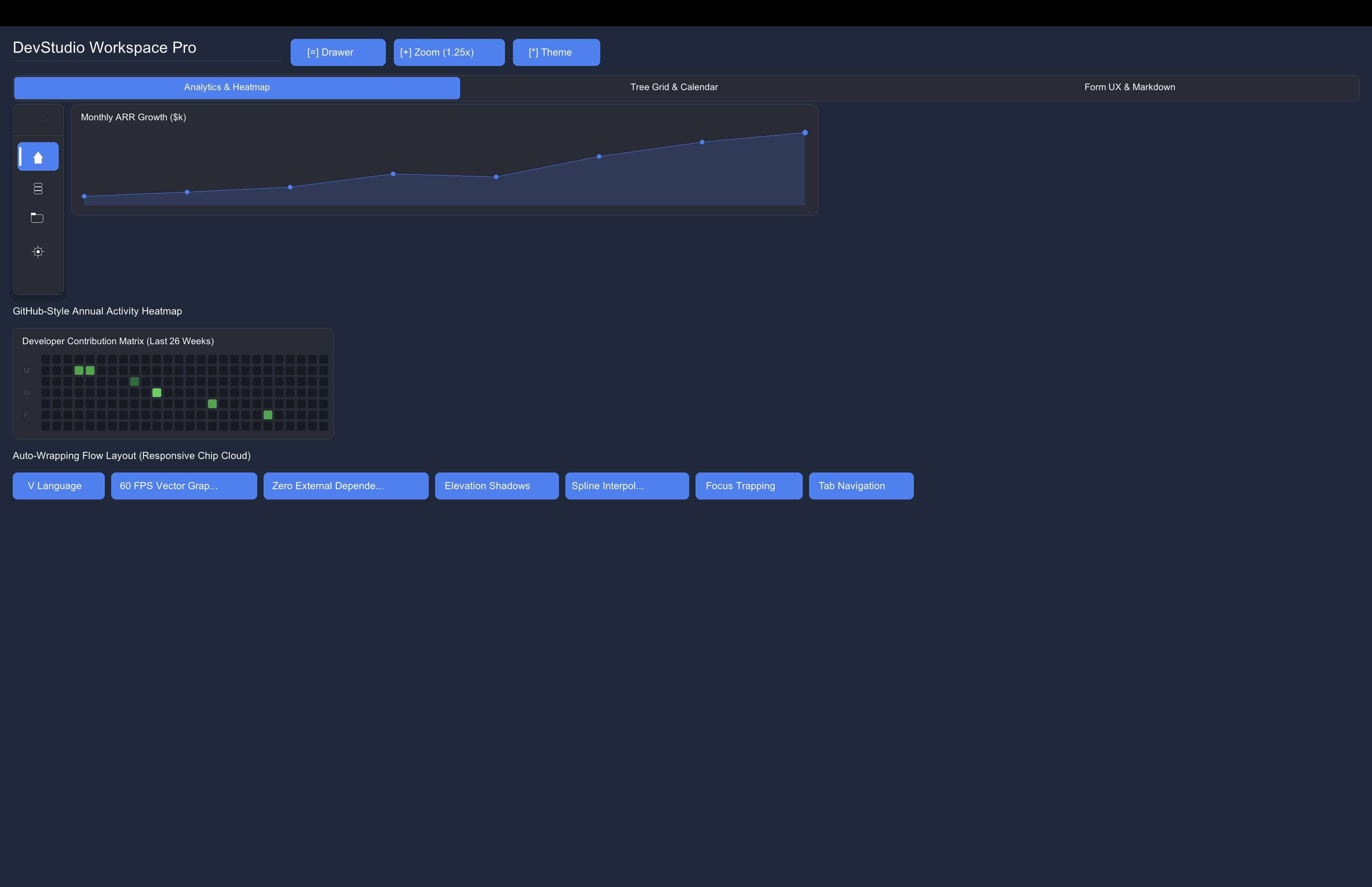
25_modern_ui_suite_and_ergonomics.v | Modern UI Suite & Ergonomic Enhancements: Slide-over Drawer, Collapsible Nav Rail, Spline Area Chart, Activity Heatmap, Dynamic Flow Chips, Tree Grid, Month Calendar, Masked Inputs & Markdown Viewer. | v run examples/25_modern_ui_suite_and_ergonomics.v | Snapshot |
26_simplecli_system_monitor.v | SimpleCLI Headless System Monitor: CPU/RAM/Disk metrics, load averages, battery status, ASCII tables & panels. | v run examples/26_simplecli_system_monitor.v | Console CLI |
27_simplecli_rad_interactive_tool.v | SimpleCLI Interactive RAD Wizard: Banners, selects, multi-selects, prompts, progress bars & state persistence. | v run examples/27_simplecli_rad_interactive_tool.v | Console CLI |
28_simplecli_process_and_automation.v | SimpleCLI Process & Task Automation: Command timeouts, retry loops, AES encryption, clipboard & desktop alerts. | v run examples/28_simplecli_process_and_automation.v | Console CLI |
simplecli - Headless Console & RAD Toolkit (Zero GUI Dependencies)
Need all the power of OS system calls, process management, hardware monitoring, desktop alerts, speech synthesis, standard paths, and stdlib crypto/HTTP without spinning up a graphical window? Use import simplecli!
module main

import simplecli

fn main() {
	mut app := simplecli.new_app('DeployCLI', '1.0.0')
	app.banner('DeployCLI Workspace', 'v1.0.0')

	// System metrics & paths
	cpu := app.get_cpu_info()
	ram := app.get_memory_info()
	app.print_kv({ 'CPU': cpu, 'RAM': ram })

	// Interactive RAD prompts & tables
	env := app.select('Target environment', ['dev', 'staging', 'prod'])
	app.success('Selected ${env}')

	// Desktop notification
	app.notify('Ready', 'DeployCLI initialized.')
}
See CLI_API.md for the complete SimpleCLI documentation and API reference.
💻 Production Console Applications Suite (cli_apps/ - 49 Utilities)
simple_gg includes 49 zero-window command-line applications and client versions of the GUI workstations in the cli_apps/ directory:
| Category | Applications | Key Highlights |
|---|---|---|
| DevOps & Cloud | Sentinel, Docker CLI, Launchd CLI, Task Manager, Disk CLI, Git Pilot, App Bundler | Container stats, process monitors, backup vaults & crontabs. |
| Security & Network | Nmap CLI, DNS & SSL CLI, Recon CLI, Subfinder, IFConfig CLI, Crypto Studio, Vault | Port scanning, WHOIS, certificate transparency, AES-256 & hashes. |
| Data & Databases | JQ CLI, Data Convert CLI, SQLite Studio CLI, API Stress Bench, API Studio CLI | JSON queries, CSV/TSV/TOML conversion, SQLite REPL & REST client. |
| Media & Audio | FFmpeg CLI, ImageMagick CLI, yt-dlp CLI, Audio Tag, ExifTool, OCR, Say TTS | Video transcoding, image resizing, stream downloader & speech. |
| Text & Stream | GAWK CLI, Sed CLI, SD CLI, Cut CLI, TR CLI, Regex CLI, Ripgrep, FD, Find | Fast stream transformation, pattern matching & file traversal. |
| Math & Science | Numbat Units, Kalker Math, Qalc Studio, Programmer Calc, Stats, Graph CLI | Physical dimensional analysis, arbitrary precision & ASCII charts. |
| Docs & Archives | Pandoc CLI, Ouch Archive CLI, Wget2 Downloader, Text Editor CLI | Document conversion, universal archives (ZIP/7z/zstd) & downloader. |
See the cli_apps/README.md for the complete catalog of all 49 command-line applications.
Production Workstations & Studio Applications (47 Workstations)
simple_gg includes 47 desktop applications in the applications/ directory, covering devtools, media studios, network utilities, data converters, and security workstations:
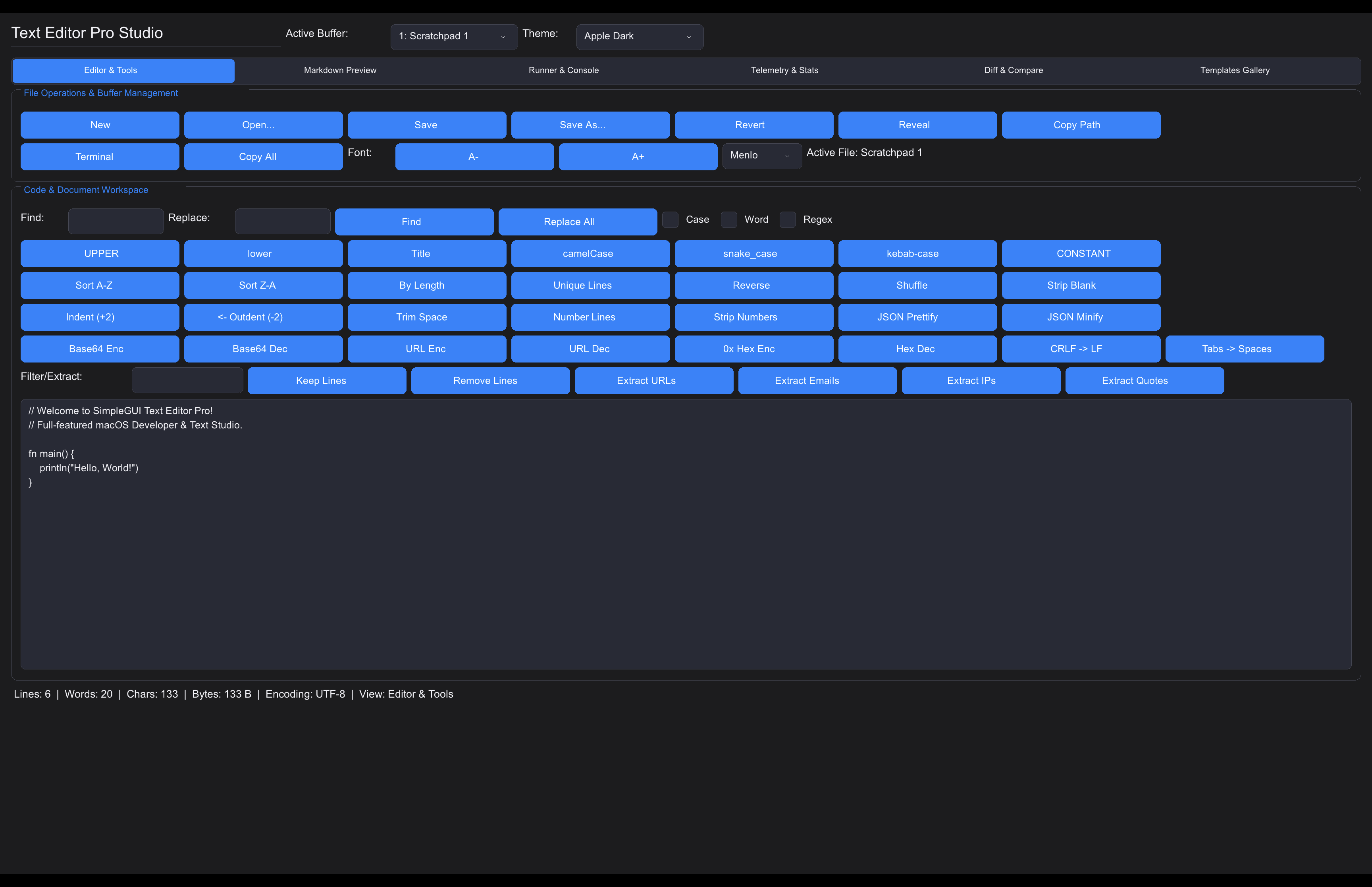
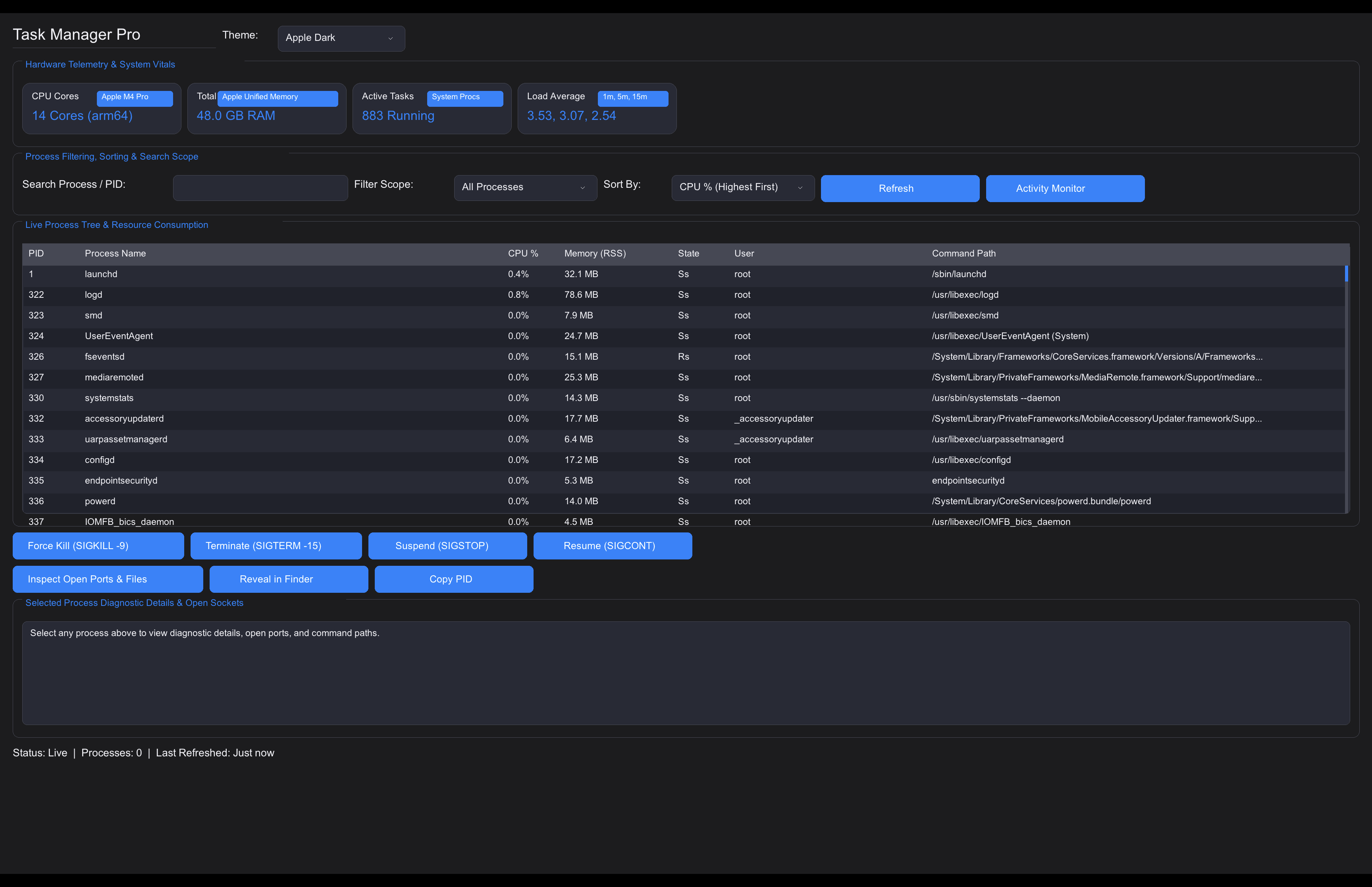
| Application | Category | Description | Run Command | Snapshot |
|---|---|---|---|---|
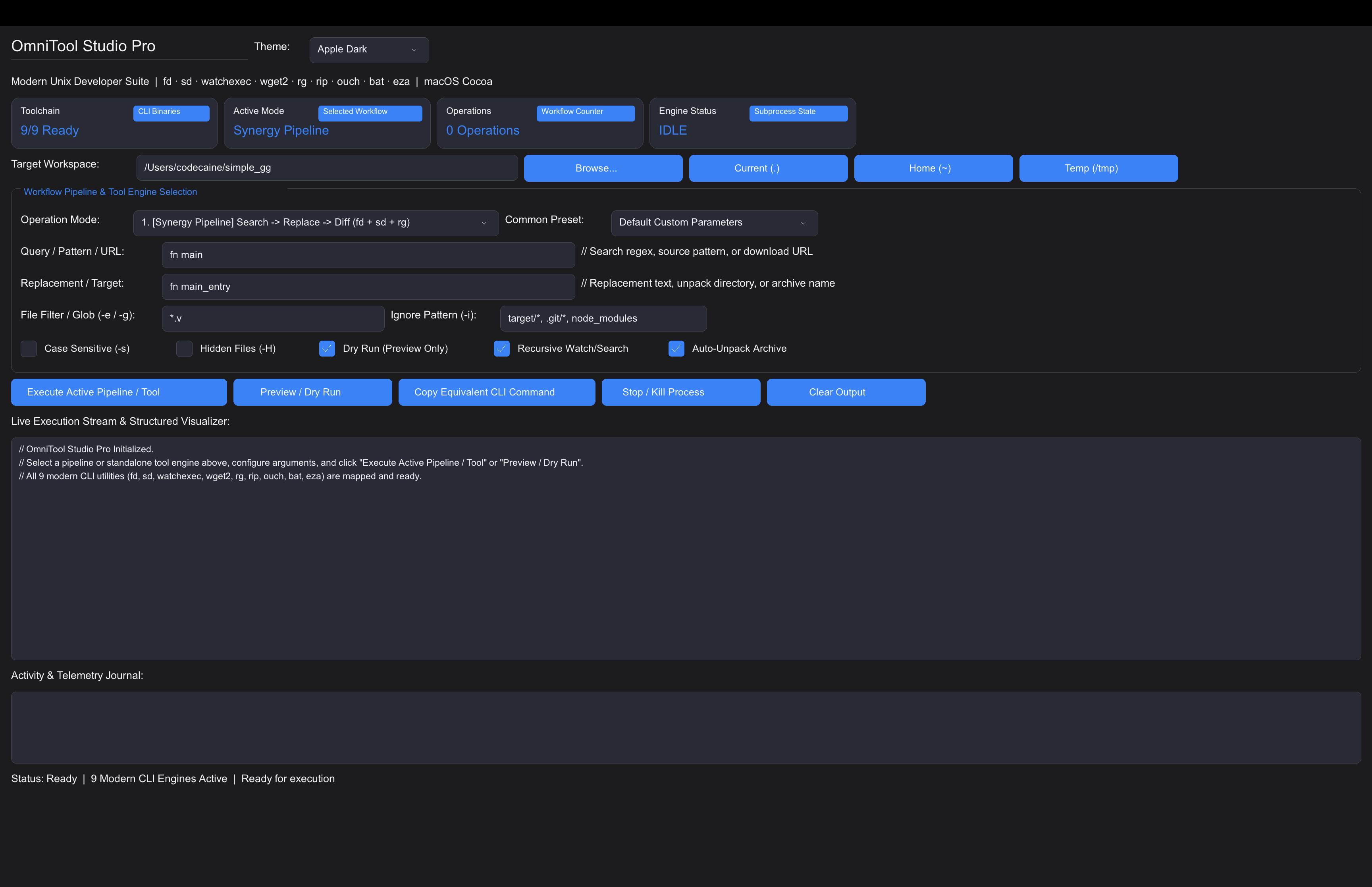
omnitool_studio.v | DevTools | AAA utility suite: fd, sd, watchexec, wget2, rg, rip, ouch, bat, eza. | v run applications/omnitool_studio.v | Screenshot |
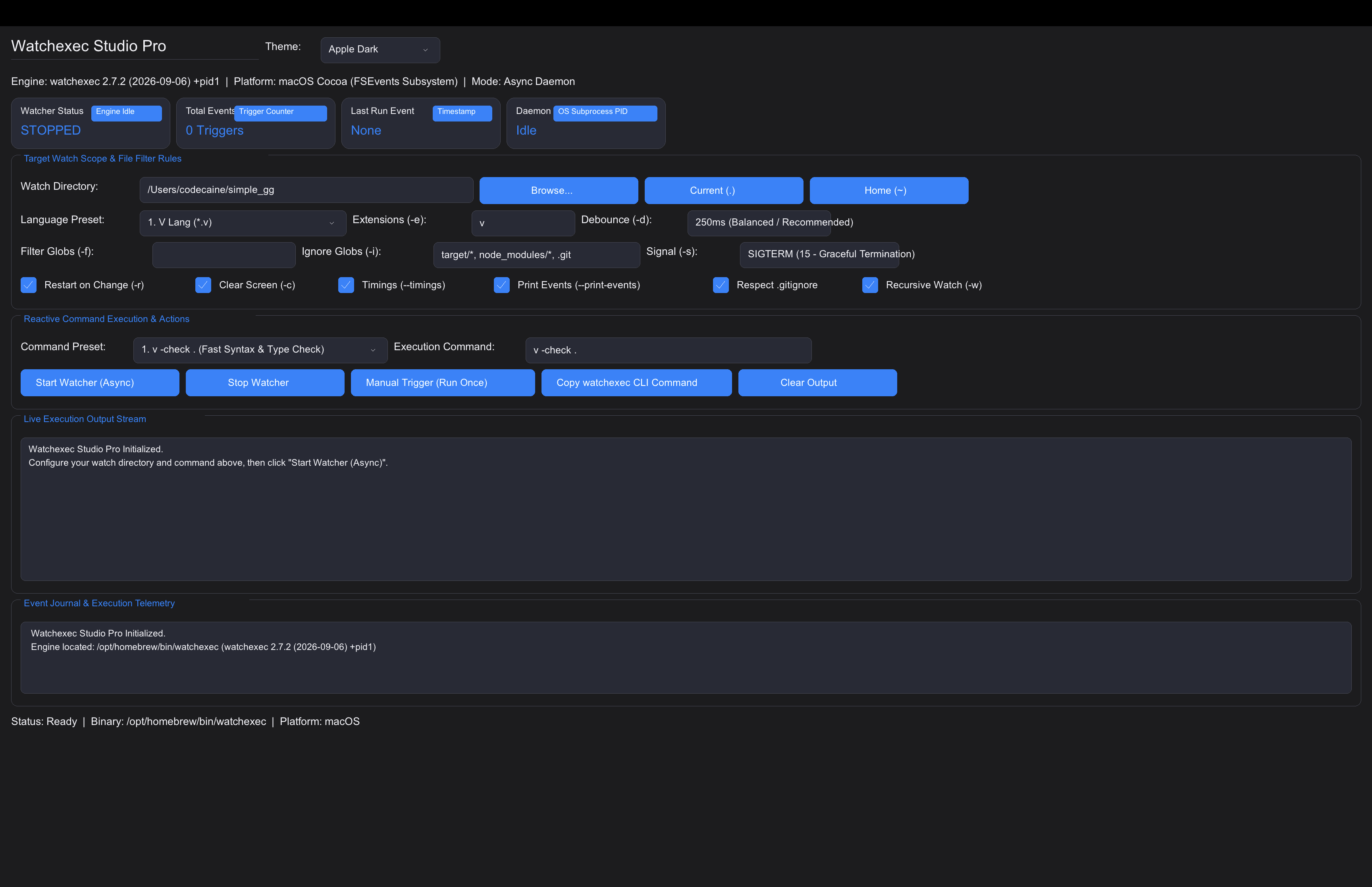
watchexec_studio.v | DevTools | Filesystem watcher, auto-reload runner, debounce & glob filters. | v run applications/watchexec_studio.v | Screenshot |
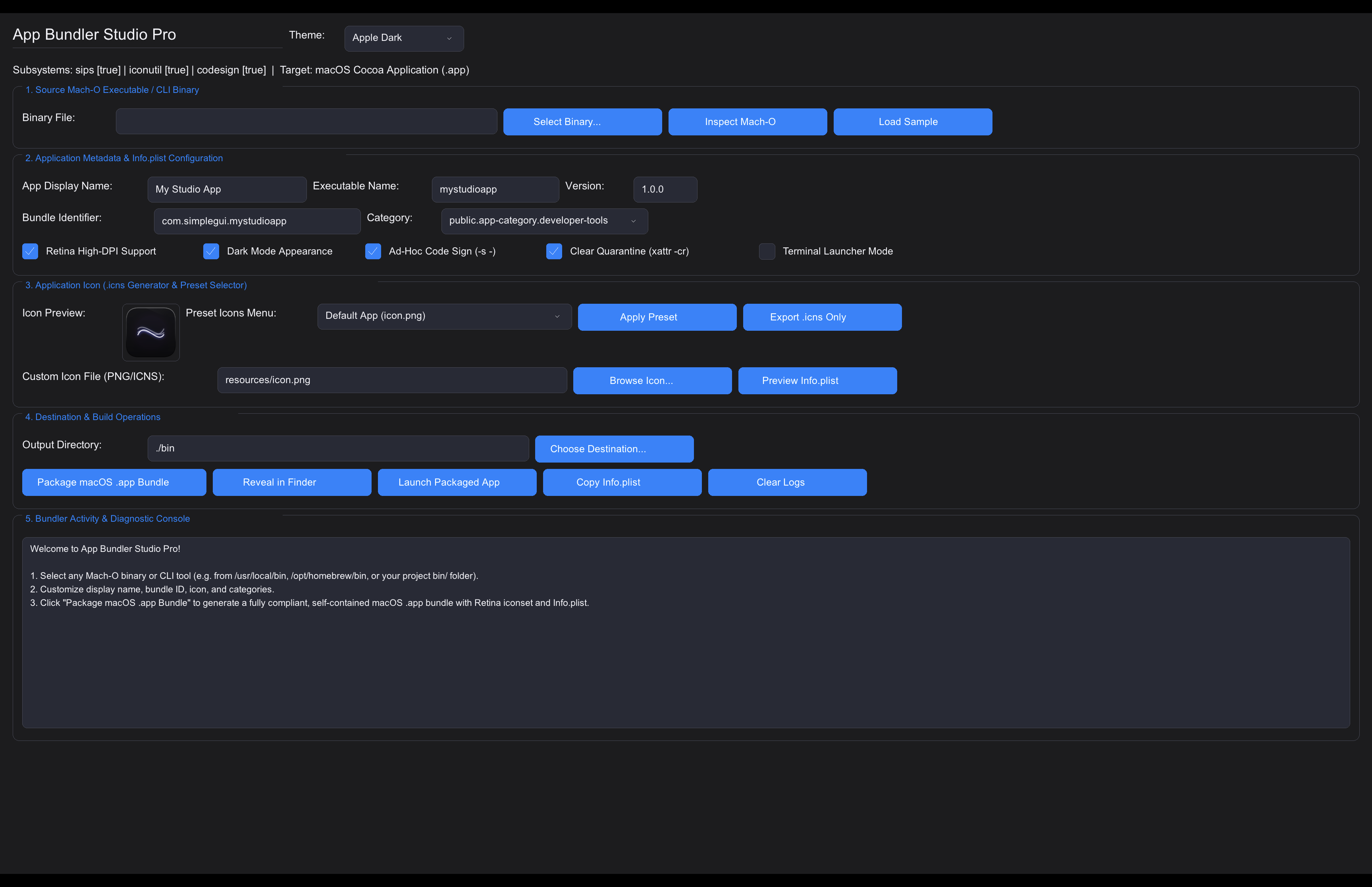
app_bundler_studio.v | DevTools | macOS .app bundler, Retina .icns generator & packager. | v run applications/app_bundler_studio.v | Screenshot |
api_studio.v | DevTools | Modern API testing client & HTTP request builder. | v run applications/api_studio.v | Screenshot |
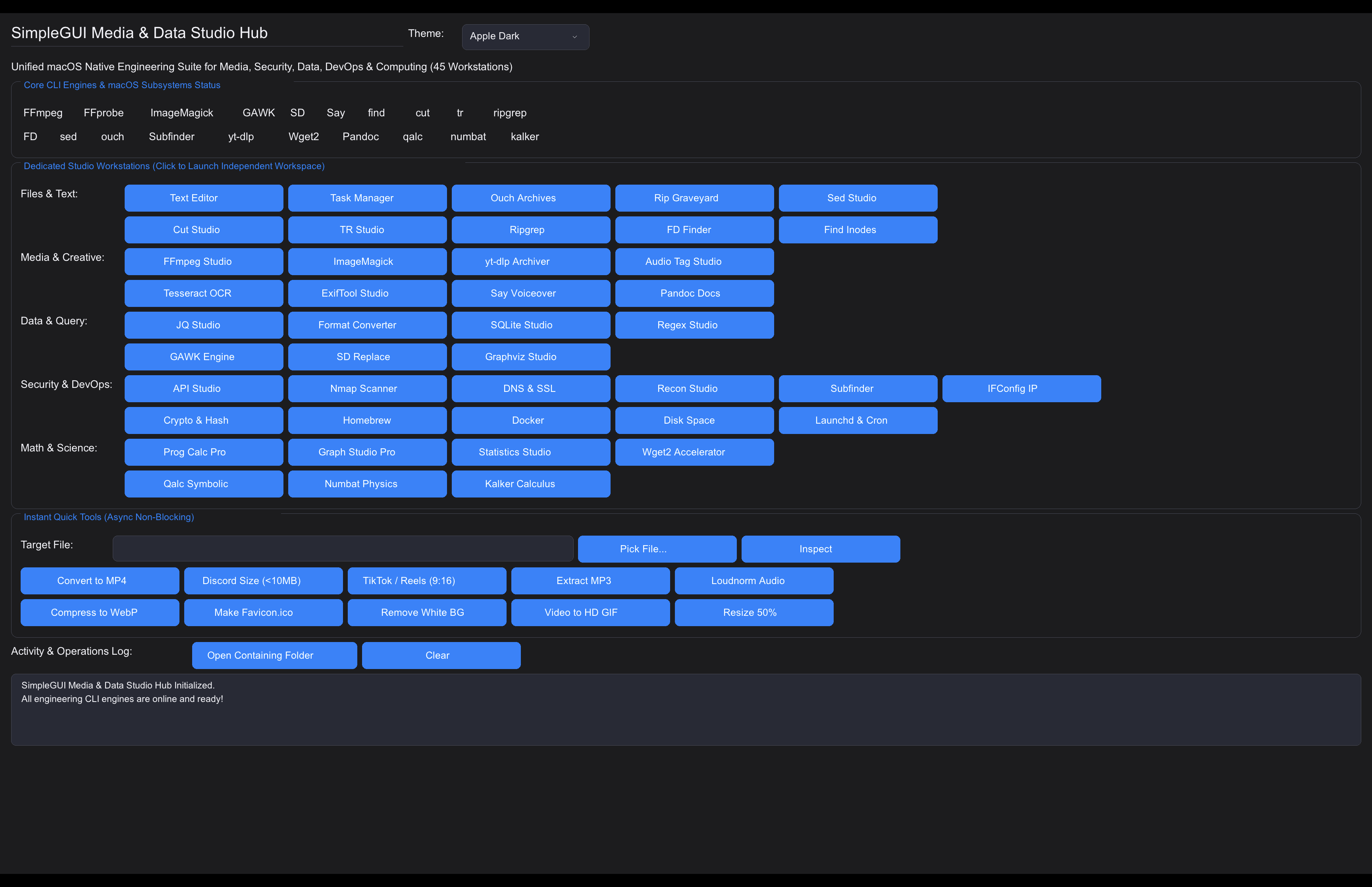
media_studio_hub.v | Media | Master workstation with instant one-click media tools. | v run applications/media_studio_hub.v | Screenshot |
ffmpeg_studio.v | Media | Video/audio encoding, trimming, and format transcoding. | v run applications/ffmpeg_studio.v | Screenshot |
sqlite_studio.v | Database | Interactive SQLite schema inspector & query executor. | v run applications/sqlite_studio.v | Screenshot |
docker_studio.v | DevOps | Container inspector, logs viewer, and lifecycle manager. | v run applications/docker_studio.v | Screenshot |
task_manager.v | System | Real-time process monitor with CPU/memory telemetry. | v run applications/task_manager.v | Screenshot |
text_editor.v | Productivity | Full-featured code & markdown text editor. | v run applications/text_editor.v | Screenshot |
regex_studio.v | DevTools | Real-time regular expression tester with capture groups. | v run applications/regex_studio.v | Screenshot |
imagemagick_studio.v | Media | Batch image manipulation, resizing, and filters. | v run applications/imagemagick_studio.v | Screenshot |
nmap_studio.v | Security | Network security scanner & port analyzer. | v run applications/nmap_studio.v | Screenshot |
brew_studio.v | Package Mgr | Homebrew package browser, installer, and updater. | v run applications/brew_studio.v | Screenshot |
| ... (33 more) | Various | See complete visual gallery & catalog in applications/README.md. | All Snapshots |
Security & Safe Execution Engine
simple_gg features a hardened system execution framework (simplegui/security.v) designed to prevent shell injection, command poisoning, and path traversal attacks across all platforms:
- POSIX Single-Quote Escaping (
simplegui.quote_arg,simplegui.quote_path): Wraps and escapes user input safely, neutralizing quotes, semicolons, backticks, dollar signs, and redirection operators. - Safe Subshell Execution (
simplegui.exec_safe(tool, args)): Automatically quotes all arguments and executes binaries without vulnerability to command injection. - Safe Stdin Pipe Execution (
simplegui.exec_safe_stdin(tool, args, input_data)): Safely pipes arbitrary data over standard input without shell exposure. - Filename Sanitization (
simplegui.sanitize_filename(name)): Strips path separators (/,\), null bytes, and traversal tokens (..).
Documentation
- Full API Guide (GUI): See API.md for complete details on window configuration, controls, layout engine, themes, event callbacks, reactive state management (
state.v), system calls (sys.v), and standard library extensions (stdlib.v). - SimpleCLI Reference (Headless & Console): See CLI_API.md for complete details on the zero-window console utility framework, flag parsing, ANSI UI, interactive prompts, process management, hardware metrics, and stdlib utilities.
- 30 Utility Modules Reference (
vlang_utils): See UTILS_API.md for complete documentation, function signatures, and beginner-friendly examples for all 30 utility modules. - Workstations Catalog: See applications/README.md for the complete list & visual showcase of 47 desktop applications.
- Examples Guide: See examples/README.md for detailed descriptions of all example scripts.
Related GUI & RAD Desktop Projects
Explore sister projects and complementary GUI frameworks, templates, and RAD visual design suites:
| Project | Primary Stack | Architecture & Description |
|---|---|---|
| Vlang Webview RAD Studio | V (vlang) + Native OS Webview | Cross-platform visual Rapid Application Development (RAD) IDE & enterprise desktop suite. Borland Delphi/VB-inspired form designer with 70+ controls, 42 desktop themes, 16 enterprise studio applications, 16 companion CLIs, and standalone .app/.exe/ELF packager. |
| Bun RAD Studio | Bun + TypeScript / Webview-Bun | High-performance visual RAD IDE for Bun and Webview-Bun, featuring instant hot-reload, drag-and-drop form canvas, full TypeScript type safety, and 76 desktop themes. |
| Vlang macOS Webview App Template | V (vlang) + Cocoa Webview | Standalone native macOS .app desktop application template for V using ttytm.webview, Cocoa Objective-C window helper integration (window_helper.m), 9-point screen placement geometry, stay-on-top pinning, and two-way IPC. |
| vlang_simplegui | V (vlang) + Native GUI | Declarative macOS-native GUI starter framework written in V, featuring fluent builder syntax, reactive two-way value synchronization, KPI dashboards, sortable tables, and dynamic live theme switching across 42 themes. |
Notable Open-Source Webview Frameworks
- pywebview - Lightweight, cross-platform native GUI window wrapper around OS webviews for Python applications by Roman Sirokov (
r0x0r) and community. - Neutralinojs - Portable, lightweight cross-platform desktop application development framework using web technologies and native webview by the Neutralinojs organization.
Similar repos


Languages
V
99.5%
simple_gg is a lightweight, beginner-friendly UI framework for building native, hardware-accelerated desktop applications in V. Built on top of V's native gg graphics module (powered by Sokol), simple_gg delivers smooth performance and uniform UI rendering across macOS, Linux, and Windows.
See the codeSee what people are saying
README
simple_gg - Cross-Platform SimpleGUI for V
simple_gg is a lightweight, beginner-friendly UI framework for building native, hardware-accelerated desktop applications in V. Built on top of V's native gg graphics module (powered by Sokol), simple_gg delivers smooth performance and uniform UI rendering across macOS, Linux, and Windowswithout relying on external C/Obj-C dependencies.
Visual Showcase & Snapshots of All Examples
Click to view remaining example screenshots (19 more)
Key Features
- Cross-Platform: Runs natively on macOS, Linux, and Windows with native OS drag-and-drop support.
- 87 Built-in Production Themes: The complete 76-theme Bun RAD Studio catalog plus SimpleGUI exclusives, with theme-specific surfaces, borders, secondary accents, and accessible button contrast.
- RAD Development Controls Suite: Multi-select Tag Input, Dual-Thumb Range Slider, Monospace Code Editor, File Drop Zone, Property Grid Inspector, Sparkline Micro-Charts, Pagination Bar, Resizable Split View, Toast Notification Overlay Stack, Command Palette (
Ctrl+K), and Context Menus. - Complete Widget Set: ListBox (interactive single/multi select), ComboBox, Transfer List, Console Output Viewer, Color Palette Swatch Grid, Status Bar, Step Slider, text/password inputs, steppers, range sliders, toggle switches, checkboxes, dropdowns, segmented controls, rating stars, date pickers, metric cards, charts, tree views, data tables, breadcrumbs, avatars, status badges, accordions, and alert banners.
- Layout Engine: Automatic vertical stacking, horizontal rows (
begin_row), multi-column grids (begin_grid), flexboxes (begin_flex_box), tab containers, and group cards. - Reactive State Management & Universal Persistence (
state.v): Key-value reactive store (set_state,get_state), typed accessors, reactive state listeners (on_state_change), atomic crash-proof disk persistence (save_app_state,load_app_state), automated per-application form state restoration on launch, global theme auto-save, and window session restoration (save_window_session,restore_window_session). - OS & System Extensions (
sys.v): Standardized user directory lookups for macOS (~/Library), Windows (%APPDATA%), and Linux ($XDG_*), path expansion with tilde (~) and environment variable resolution, native notifications, hardware metrics, process execution, clipboard, and file operations. - Headless Console & RAD Toolkit (
simplecli): Full-featured zero-window CLI framework with flag parsing, ANSI colors, tables, interactive prompts, multi-level logging, process control, hardware probing, and cryptography. - V Standard Library Integrations (
stdlib.v): Built-in fluent helpers for HTTP requests, RegEx matching, Cryptography (SHA256, MD5, AES, Bcrypt), Gzip/Zlib/Zstd compression, TOML parsing, SemVer checks, and WebSockets. - 30 Bundled Production Utility Modules (
vlang_utils): Zero-boilerplate ergonomic toolkit ready to import anywhere (fileutils,sqliteutils,strutils,sliceutils,envutils,cryptoutils,timeutils,httputils,cliutils,sysutils,netutils,validutils,structutils,statutils,stateutils,cacheutils,semverutils,flowutils,templateutils,colorutils,archiveutils,asyncutils,regexutils,mockutils,logutils,tomlutils,htmlutils,bitutils,compressutils,tarutils). Full manual in UTILS_API.md. - Beginner Friendly: Fluent chainable builder API with zero boilerplate.
📦 Installation & Module Setup
1. Install from GitHub (recommended for this repo)
This repository is currently published under the GitHub repo name simple_gg, but the V module you import is simplegui.
If you cloned the project manually, put it in your V module path so imports resolve correctly:
git clone https://github.com/codecaine-zz/simple_gg.git
mkdir -p ~/.vmodules
ln -s "$PWD/simple_gg/simplegui" ~/.vmodules/simplegui
Then run examples from the project directory or from any project that imports simplegui.
If the package is later published to VPM under a matching name, the standard
v install ...flow will work as usual. For this repo today, linking the repository'ssimplegui/directory at~/.vmodules/simpleguiis the reliable Linux/macOS workflow.
2. Install Homebrew dependencies (macOS)
For a default install on macOS, run the project’s bundled Homebrew installer:
./install_homebrew_dependencies.sh
This installs the required runtime tools used by the project and apps, such as FFmpeg, ImageMagick, jq, rg, pandoc, sqlite, nmap, and related toolchain utilities.
If you also want optional cross-compilation toolchains for Windows builds, install them explicitly:
./install_homebrew_dependencies.sh --optional
This adds zig and mingw-w64, which are only needed for Windows-targeted builds and are not required for the normal app runtime.
You can also install only the base bundle directly:
brew bundle --file ./Brewfile
3. Linux System Dependencies
On Linux (Debian / Ubuntu / Pop!_OS / Mint), ensure standard X11/GL development headers are present:
# The project dependency checker is cross-platform and will show Linux guidance:
v run install_dependencies.vsh --check

# Or install manually via apt:
sudo apt update
sudo apt install -y libx11-dev libxcursor-dev libxi-dev libgl1-mesa-dev libasound2-dev xclip
4. Naming & Import Convention
| Element | Name | Description |
|---|---|---|
| Repository Name | simple_gg | The GitHub project name (SimpleGUI built on V's gg engine). |
| V Module Name | simplegui | Used in all code across macOS, Linux, and Windows: import simplegui |
| Headless CLI Module | simplecli | Zero-window terminal apps across all platforms: import simplecli |
5. V Compiler Version & v up Maintenance
simple_gg is developed and validated against V 0.5.2 (commit 9e9f7f05 / V3 compiler backend). All 43 test suites, 30 GUI demos, 29 examples, 47 desktop workstations, and 49 CLI tools are tested and verified on this build.
⚠️ Caution with v up
Running v up directly pulls rolling changes from the V master branch, which can occasionally introduce compiler bootstrap issues or codegen regressions:
cheaders.v/EmbedFileDataPanic: Ifv uppulls a commit where embedded C headers are restructured before the bootstrap pre-builtvcsources are synchronized, runningvwill fail with:V panic: EmbedFileData error: files ... cheaders.v do not exist- Interface Dispatch Mismatches (
json2,io.Reader): Upstream master changes can affect generic interface method dispatch parameter resolution (e.g., when streamingio.Readerinjson2encounters types with zero-parameterreadmethods).
🔄 How to Safely Rebuild / Recover V
If running v up leaves your V installation broken or unable to compile, restore it cleanly from bootstrap C code (vc):
cd /path/to/v

# 1. Fetch latest changes or pin to verified commit
git fetch origin
git checkout 9e9f7f05   # Verified working commit (or master)

# 2. Bootstrap from the official vc repository
git clone --depth 1 https://github.com/vlang/vc /tmp/vc
cc -std=gnu99 -w -o v /tmp/vc/v.c -lm -lpthread

# 3. Recompile V self-hosted
./v self

# 4. Clean out any obsolete fallback caches
rm -rf ~/.cache/v/v1-fallback
💡 Environment Flag (VFLAGS) Best Practice
On macOS with Homebrew, if you set library search paths via VFLAGS in ~/.zshrc or ~/.bashrc, specify -ldflags separately for each path to avoid argument-splitting failures during recursive sub-invocations (e.g. v test or v crun):
# ✅ Recommended (avoids nested quoting errors in subshells):
export VFLAGS="-ldflags -L/opt/homebrew/lib -ldflags -L/usr/local/lib"

# ❌ Avoid (inner quotes break argument tokenization in V child processes):
# export VFLAGS="-ldflags '-L/opt/homebrew/lib -L/usr/local/lib'"
Quick Start
module main

import simplegui

fn main() {
	mut win := simplegui.new_simple_window('My App', 520, 380)
	win.set_theme('Apple Dark')
	win.add_heading('SimpleGUI Starter')
	win.add_form_field('Name:', 'username', 'Ada Lovelace')
	win.add_checkbox('agree', 'I agree to the Terms', true)

	win.add_button('btn_save', 'Save')
	win.on_click('btn_save', fn (mut win simplegui.SimpleWindow) {
		println("User: ${win.get_text('username')}")
	})

	win.run()
}
Beginner-Friendly Examples & Snapshots
The repository includes beginner-friendly example programs in the examples/ directory:
| Example | Description | Run Command | Snapshot |
|---|---|---|---|
01_quickstart.v | First starter app with inputs and button callbacks. | v run examples/01_quickstart.v | Snapshot |
02_theme_gallery.v | Complete tabbed control gallery with an always-visible live switcher across 87 production palettes. | v run examples/02_theme_gallery.v | Snapshot |
03_layout_containers.v | Horizontal rows, multi-column grids, and group cards. | v run examples/03_layout_containers.v | Snapshot |
04_widgets_and_forms.v | Form inputs, sliders, steppers, ratings, dates, and metric cards. | v run examples/04_widgets_and_forms.v | Snapshot |
05_nameless_shortcuts.v | Rapid prototyping using nameless shortcuts (win.input()). | v run examples/05_nameless_shortcuts.v | Snapshot |
06_dashboard_app.v | Real-world dashboard with KPI metrics, charts, and actions. | v run examples/06_dashboard_app.v | Snapshot |
07_advanced_controls.v | Data tables, tab containers, tree views, search, breadcrumbs, avatars, and shortcuts. | v run examples/07_advanced_controls.v | Snapshot |
08_rad_development.v | Rapid app builder with batch ops, JSON form export, clipboard, and OS dialogs. | v run examples/08_rad_development.v | Snapshot |
09_control_customization.v | Custom geometry, margins/padding, colors, borders, and fluent control chaining. | v run examples/09_control_customization.v | Snapshot |
10_more_controls.v | Icon buttons, toolbars, hyperlinks, checklists, chips, and password strength meter. | v run examples/10_more_controls.v | Snapshot |
11_data_table_pro.v | Sortable data tables, wheel scrolling, row hover, and table manipulation. | v run examples/11_data_table_pro.v | Snapshot |
12_system_and_stdlib_features.v | Desktop notifications, hardware specs, clipboard, system paths, HTTP GET, RegEx, Crypto. | v run examples/12_system_and_stdlib_features.v | Snapshot |
13_reactive_state_store.v | Reactive key-value state store, typed accessors, state change listeners, and JSON disk persistence. | v run examples/13_reactive_state_store.v | Snapshot |
14_rad_controls_showcase.v | RAD & Advanced Suite: ListBox, Multi-Select ListBox, ComboBox, Transfer List, Code Editor, Console Log, Color Palette, Step Slider, Status Bar, Tag Input, Range Slider, Drop Zone, Property Grid, Sparkline, Pagination, Split View, Toasts, Command Palette, Context Menu. | v run examples/14_rad_controls_showcase.v | Snapshot |
15_modern_ui_features_showcase.v | Modern UI Showcase: Window controls, themes, layouts, forms, state store, system utilities. | v run examples/15_modern_ui_features_showcase.v | Snapshot |
16_interval_timers.v | Interval Timers & Timeouts: Recurring timers, timeouts, clock, auto progress bar. | v run examples/16_interval_timers.v | Snapshot |
17_data_and_event_binding.v | Data & Event Binding: Two-way state binding (bind_state), click aliases, shortcut bindings. | v run examples/17_data_and_event_binding.v | Snapshot |
18_custom_font_loading.v | Custom Font & Typography: Platform font resolution, custom TTF/OTF setting, font discovery. | v run examples/18_custom_font_loading.v | Snapshot |
19_cross_window_spy_and_automation.v | Cross-Window Spy++ & Automation: Global window registry, control inspection, event bus. | v run examples/19_cross_window_spy_and_automation.v | Snapshot |
20_stdlib_data_structures_math_and_sockets.v | Collections, Math & Sockets: Stack, Queue, Set, MinHeap, BigInt, string distance metrics. | v run examples/20_stdlib_data_structures_math_and_sockets.v | Snapshot |
21_extended_os_system_calls.v | Extended OS & Hardware: CPU/memory pressure, environment variables, audio beeps, zip. | v run examples/21_extended_os_system_calls.v | Snapshot |
22_modern_super_controls_showcase.v | Super Controls Suite: Super Terminal, Code Studio, Smart Table, Kanban Board, Wizard Stepper, Floating Toolbar, Score Card, Sparklines, Donut Chart, Chip Input. | v run examples/22_modern_super_controls_showcase.v | Snapshot |
23_modern_image_controls_showcase.v | Modern Image Controls: User Profile Cards, Product Cards, Multi-Image Showcase Gallery, 3D App Launcher Tiles, Media Player Card, Hero Banners, and Hardware Texture Caching. | v run examples/23_modern_image_controls_showcase.v | Snapshot |
24_custom_image_dialogs_showcase.v | RAD Custom 3D Image Dialogs: 3D glossy icons (Success, Error, Warning, Info, Confirm, Danger, Security, Database, Cloud, Tip), 3-button actions, Checkboxes & Inline Input Prompts. | v run examples/24_custom_image_dialogs_showcase.v | Snapshot |
25_modern_ui_suite_and_ergonomics.v | Modern UI Suite & Ergonomic Enhancements: Slide-over Drawer, Collapsible Nav Rail, Spline Area Chart, Activity Heatmap, Dynamic Flow Chips, Tree Grid, Month Calendar, Masked Inputs & Markdown Viewer. | v run examples/25_modern_ui_suite_and_ergonomics.v | Snapshot |
26_simplecli_system_monitor.v | SimpleCLI Headless System Monitor: CPU/RAM/Disk metrics, load averages, battery status, ASCII tables & panels. | v run examples/26_simplecli_system_monitor.v | Console CLI |
27_simplecli_rad_interactive_tool.v | SimpleCLI Interactive RAD Wizard: Banners, selects, multi-selects, prompts, progress bars & state persistence. | v run examples/27_simplecli_rad_interactive_tool.v | Console CLI |
28_simplecli_process_and_automation.v | SimpleCLI Process & Task Automation: Command timeouts, retry loops, AES encryption, clipboard & desktop alerts. | v run examples/28_simplecli_process_and_automation.v | Console CLI |
simplecli - Headless Console & RAD Toolkit (Zero GUI Dependencies)
Need all the power of OS system calls, process management, hardware monitoring, desktop alerts, speech synthesis, standard paths, and stdlib crypto/HTTP without spinning up a graphical window? Use import simplecli!
module main

import simplecli

fn main() {
	mut app := simplecli.new_app('DeployCLI', '1.0.0')
	app.banner('DeployCLI Workspace', 'v1.0.0')

	// System metrics & paths
	cpu := app.get_cpu_info()
	ram := app.get_memory_info()
	app.print_kv({ 'CPU': cpu, 'RAM': ram })

	// Interactive RAD prompts & tables
	env := app.select('Target environment', ['dev', 'staging', 'prod'])
	app.success('Selected ${env}')

	// Desktop notification
	app.notify('Ready', 'DeployCLI initialized.')
}
See CLI_API.md for the complete SimpleCLI documentation and API reference.
💻 Production Console Applications Suite (cli_apps/ - 49 Utilities)
simple_gg includes 49 zero-window command-line applications and client versions of the GUI workstations in the cli_apps/ directory:
| Category | Applications | Key Highlights |
|---|---|---|
| DevOps & Cloud | Sentinel, Docker CLI, Launchd CLI, Task Manager, Disk CLI, Git Pilot, App Bundler | Container stats, process monitors, backup vaults & crontabs. |
| Security & Network | Nmap CLI, DNS & SSL CLI, Recon CLI, Subfinder, IFConfig CLI, Crypto Studio, Vault | Port scanning, WHOIS, certificate transparency, AES-256 & hashes. |
| Data & Databases | JQ CLI, Data Convert CLI, SQLite Studio CLI, API Stress Bench, API Studio CLI | JSON queries, CSV/TSV/TOML conversion, SQLite REPL & REST client. |
| Media & Audio | FFmpeg CLI, ImageMagick CLI, yt-dlp CLI, Audio Tag, ExifTool, OCR, Say TTS | Video transcoding, image resizing, stream downloader & speech. |
| Text & Stream | GAWK CLI, Sed CLI, SD CLI, Cut CLI, TR CLI, Regex CLI, Ripgrep, FD, Find | Fast stream transformation, pattern matching & file traversal. |
| Math & Science | Numbat Units, Kalker Math, Qalc Studio, Programmer Calc, Stats, Graph CLI | Physical dimensional analysis, arbitrary precision & ASCII charts. |
| Docs & Archives | Pandoc CLI, Ouch Archive CLI, Wget2 Downloader, Text Editor CLI | Document conversion, universal archives (ZIP/7z/zstd) & downloader. |
See the cli_apps/README.md for the complete catalog of all 49 command-line applications.
Production Workstations & Studio Applications (47 Workstations)
simple_gg includes 47 desktop applications in the applications/ directory, covering devtools, media studios, network utilities, data converters, and security workstations:
| Application | Category | Description | Run Command | Snapshot |
|---|---|---|---|---|
omnitool_studio.v | DevTools | AAA utility suite: fd, sd, watchexec, wget2, rg, rip, ouch, bat, eza. | v run applications/omnitool_studio.v | Screenshot |
watchexec_studio.v | DevTools | Filesystem watcher, auto-reload runner, debounce & glob filters. | v run applications/watchexec_studio.v | Screenshot |
app_bundler_studio.v | DevTools | macOS .app bundler, Retina .icns generator & packager. | v run applications/app_bundler_studio.v | Screenshot |
api_studio.v | DevTools | Modern API testing client & HTTP request builder. | v run applications/api_studio.v | Screenshot |
media_studio_hub.v | Media | Master workstation with instant one-click media tools. | v run applications/media_studio_hub.v | Screenshot |
ffmpeg_studio.v | Media | Video/audio encoding, trimming, and format transcoding. | v run applications/ffmpeg_studio.v | Screenshot |
sqlite_studio.v | Database | Interactive SQLite schema inspector & query executor. | v run applications/sqlite_studio.v | Screenshot |
docker_studio.v | DevOps | Container inspector, logs viewer, and lifecycle manager. | v run applications/docker_studio.v | Screenshot |
task_manager.v | System | Real-time process monitor with CPU/memory telemetry. | v run applications/task_manager.v | Screenshot |
text_editor.v | Productivity | Full-featured code & markdown text editor. | v run applications/text_editor.v | Screenshot |
regex_studio.v | DevTools | Real-time regular expression tester with capture groups. | v run applications/regex_studio.v | Screenshot |
imagemagick_studio.v | Media | Batch image manipulation, resizing, and filters. | v run applications/imagemagick_studio.v | Screenshot |
nmap_studio.v | Security | Network security scanner & port analyzer. | v run applications/nmap_studio.v | Screenshot |
brew_studio.v | Package Mgr | Homebrew package browser, installer, and updater. | v run applications/brew_studio.v | Screenshot |
| ... (33 more) | Various | See complete visual gallery & catalog in applications/README.md. | All Snapshots |
Security & Safe Execution Engine
simple_gg features a hardened system execution framework (simplegui/security.v) designed to prevent shell injection, command poisoning, and path traversal attacks across all platforms:
- POSIX Single-Quote Escaping (
simplegui.quote_arg,simplegui.quote_path): Wraps and escapes user input safely, neutralizing quotes, semicolons, backticks, dollar signs, and redirection operators. - Safe Subshell Execution (
simplegui.exec_safe(tool, args)): Automatically quotes all arguments and executes binaries without vulnerability to command injection. - Safe Stdin Pipe Execution (
simplegui.exec_safe_stdin(tool, args, input_data)): Safely pipes arbitrary data over standard input without shell exposure. - Filename Sanitization (
simplegui.sanitize_filename(name)): Strips path separators (/,\), null bytes, and traversal tokens (..).
Documentation
- Full API Guide (GUI): See API.md for complete details on window configuration, controls, layout engine, themes, event callbacks, reactive state management (
state.v), system calls (sys.v), and standard library extensions (stdlib.v). - SimpleCLI Reference (Headless & Console): See CLI_API.md for complete details on the zero-window console utility framework, flag parsing, ANSI UI, interactive prompts, process management, hardware metrics, and stdlib utilities.
- 30 Utility Modules Reference (
vlang_utils): See UTILS_API.md for complete documentation, function signatures, and beginner-friendly examples for all 30 utility modules. - Workstations Catalog: See applications/README.md for the complete list & visual showcase of 47 desktop applications.
- Examples Guide: See examples/README.md for detailed descriptions of all example scripts.
Related GUI & RAD Desktop Projects
Explore sister projects and complementary GUI frameworks, templates, and RAD visual design suites:
| Project | Primary Stack | Architecture & Description |
|---|---|---|
| Vlang Webview RAD Studio | V (vlang) + Native OS Webview | Cross-platform visual Rapid Application Development (RAD) IDE & enterprise desktop suite. Borland Delphi/VB-inspired form designer with 70+ controls, 42 desktop themes, 16 enterprise studio applications, 16 companion CLIs, and standalone .app/.exe/ELF packager. |
| Bun RAD Studio | Bun + TypeScript / Webview-Bun | High-performance visual RAD IDE for Bun and Webview-Bun, featuring instant hot-reload, drag-and-drop form canvas, full TypeScript type safety, and 76 desktop themes. |
| Vlang macOS Webview App Template | V (vlang) + Cocoa Webview | Standalone native macOS .app desktop application template for V using ttytm.webview, Cocoa Objective-C window helper integration (window_helper.m), 9-point screen placement geometry, stay-on-top pinning, and two-way IPC. |
| vlang_simplegui | V (vlang) + Native GUI | Declarative macOS-native GUI starter framework written in V, featuring fluent builder syntax, reactive two-way value synchronization, KPI dashboards, sortable tables, and dynamic live theme switching across 42 themes. |
Notable Open-Source Webview Frameworks
- pywebview - Lightweight, cross-platform native GUI window wrapper around OS webviews for Python applications by Roman Sirokov (
r0x0r) and community. - Neutralinojs - Portable, lightweight cross-platform desktop application development framework using web technologies and native webview by the Neutralinojs organization.
Similar repos
Languages
V
99.5%