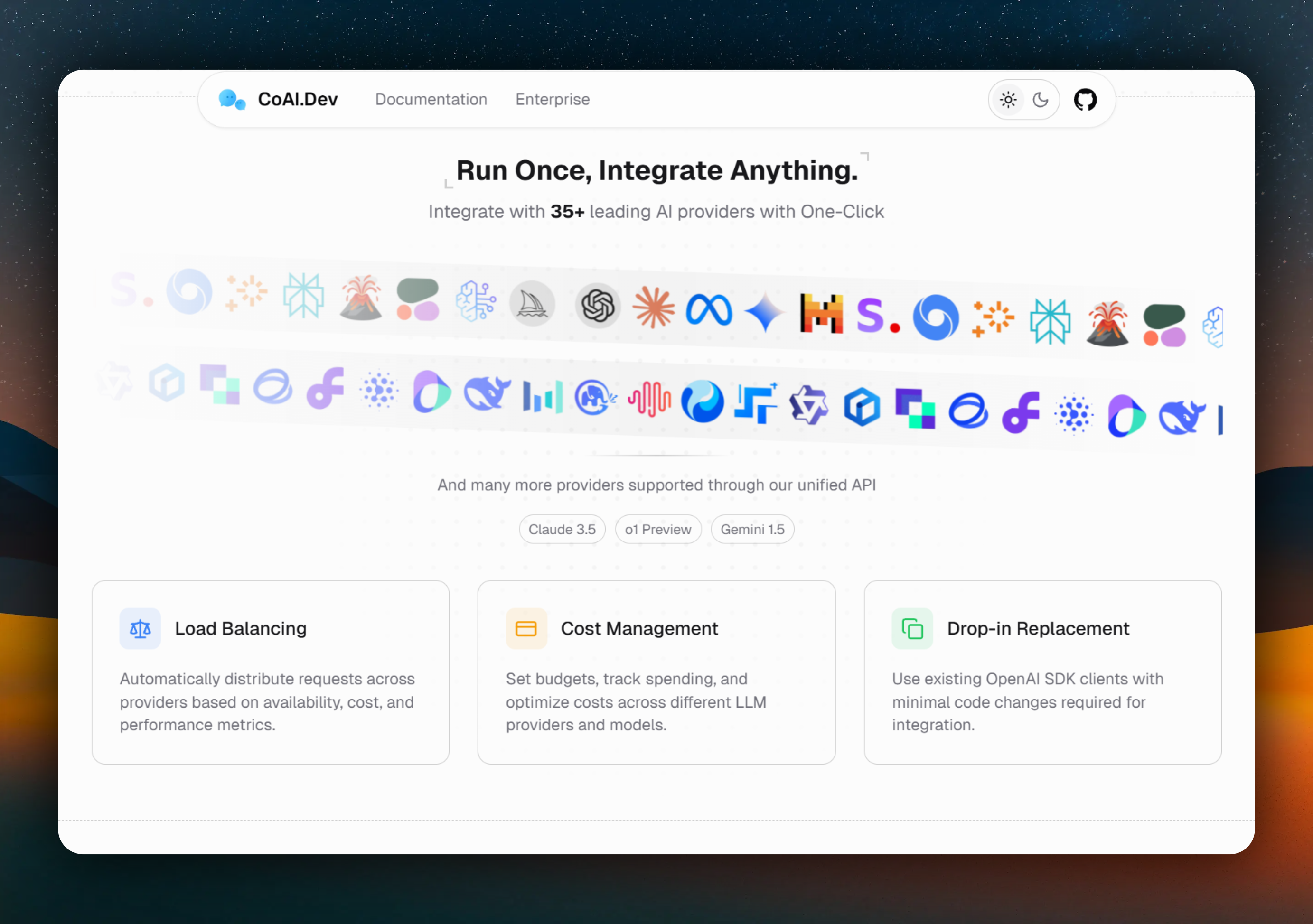
🚀 Next Gen Multi-tenant AI One-Stop Solution. Builtin Admin & Billing System. Enterprise-Grade Unified LLM Gateway Support for 200+ Models And 35+ Providers, Load Balacing w/ Priority-base Routing, Cost Management, Chat Share, Cloud Sync, Credit/Subscription Billing, All File Parsing, Web Search, Built-in Model Cache.
See the code
English · 简体中文 · 日本語 · Docs · Discord · Deployment Guide
✨ CoAI.Dev Business
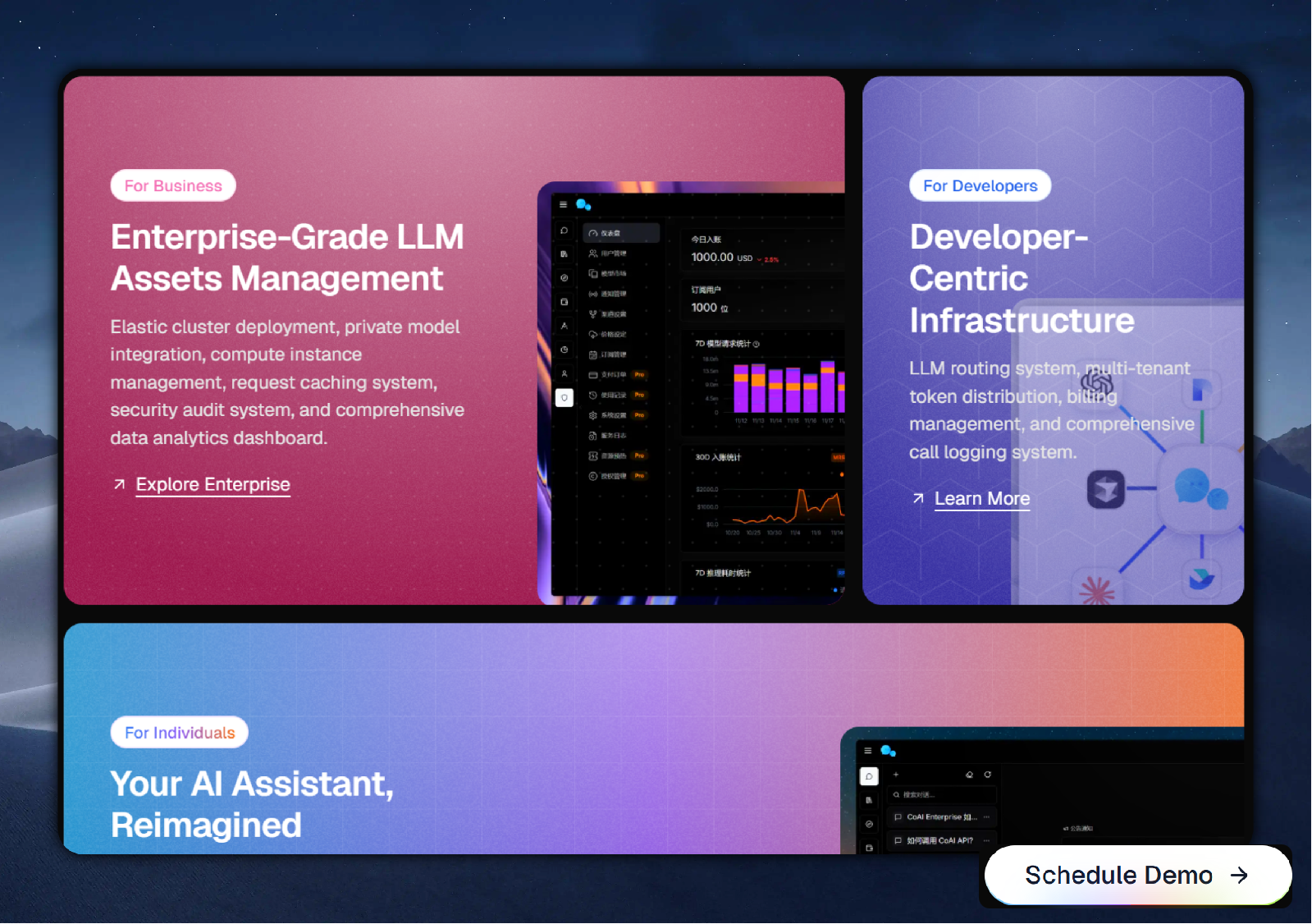
- ✅ Beautiful commercial-grade UI, elegant frontend interface and backend management
- ✅ Supports TTS & STT, plugin marketplace, RAG knowledge base and other rich features and modules
- ✅ More payment providers, more billing models and advanced order management
- ✅ Supports more authentication methods, including SMS login, OAuth login, etc.
- ✅ Supports model monitoring, channel health detection, fault alarm automatic channel switching
- ✅ Supports multi-tenant API Key distribution system, enterprise-level token permission management and visitor restrictions
- ✅ Supports security auditing, logging, model rate limiting, API Gateway and other advanced features
- ✅ Supports promotion rewards, professional data statistics, user profile analysis and other business analysis capabilities
- ✅ Supports Discord/Telegram/Feishu and other bot integration capabilities (extension modules)
- ...
[!TIP] After successful deployment, the admin account is
root, with the default passwordchatnio123456

Zeabur provides a certain free quota, you can use non-paid regions for one-click deployment, and also supports plan subscriptions and elastic billing for flexible expansion.
- Click
Deployto deploy, and enter the domain name you wish to bind, wait for the deployment to complete.- After deployment is complete, please visit your domain name and log in to the backend management using the username
rootand passwordchatnio123456. Please follow the prompts to change the password in the chatnio backend in a timely manner.
CoAI and click Install.http://[ip]:[port], log in to the backend management using username root and password chatnio123456.
root and the password is chatnio123456 to log in to the backend management.[!NOTE] After successful execution, the host machine mapping address is
http://localhost:8000
git clone --depth=1 --branch=main --single-branch https://github.com/coaidev/coai.git
cd chatnio
docker-compose up -d # Run the service
# To use the stable version, use docker-compose -f docker-compose.stable.yaml up -d instead
# To use Watchtower for automatic updates, use docker-compose -f docker-compose.watch.yaml up -d instead
Version update (If Watchtower automatic updates are enabled, manual updates are not necessary):
docker-compose down
docker-compose pull
docker-compose up -d
- MySQL database mount directory: ~/db
- Redis database mount directory: ~/redis
- Configuration file mount directory: ~/config
[!NOTE] After successful execution, the host machine address is
http://localhost:8094.To use the stable version, use
programzmh/chatnio:stableinstead ofprogramzmh/chatnio:latest
docker run -d --name chatnio \
   --network host \
   -v ~/config:/config \
   -v ~/logs:/logs \
   -v ~/storage:/storage \
   -e MYSQL_HOST=localhost \
   -e MYSQL_PORT=3306 \
   -e MYSQL_DB=chatnio \
   -e MYSQL_USER=root \
   -e MYSQL_PASSWORD=chatnio123456 \
   -e REDIS_HOST=localhost \
   -e REDIS_PORT=6379 \
   -e SECRET=secret \
   -e SERVE_STATIC=true \
   programzmh/chatnio:latest
- --network host means using the host machine's network, allowing the Docker container to use the host's network. You can modify this as needed.
- SECRET: JWT secret key, generate a random string and modify accordingly
- SERVE_STATIC: Whether to enable static file serving (normally this doesn't need to be changed, see FAQ below for details)
- -v ~/config:/config mounts the configuration file, -v ~/logs:/logs mounts the host machine directory for log files, -v ~/storage:/storage mounts the directory for additional feature generated files
- MySQL and Redis services need to be configured. Please refer to the information above to modify the environment variables accordingly
Version update (After enabling Watchtower, manual updates are not necessary. After execution, follow the steps above to run again):
docker stop chatnio
docker rm chatnio
docker pull programzmh/chatnio:latest
[!NOTE] After successful deployment, the default port is 8094, and the access address is
http://localhost:8094Config settings (~/config/config.yaml) can be overridden using environment variables. For example, the
MYSQL_HOSTenvironment variable can override themysql.hostconfiguration item
git clone https://github.com/coaidev/coai.git
cd chatnio

cd app
npm install -g pnpm
pnpm install
pnpm build

cd ..
go build -o chatnio

# e.g. using nohup (you can also use systemd or other service manager)
nohup ./chatnio > output.log & # using nohup to run in background
We found that most AIGC commercial sites on the market are frontend-oriented lightweight deployment projects with beautiful UI interface designs, such as the commercial version of Next Chat. Due to its personal privatization-oriented design, there are some limitations in secondary commercial development, presenting some issues, such as:
Another type is API distribution-oriented sites with powerful distribution systems, such as projects based on One API. Although these projects support powerful API proxying and management, they lack interface design and some C-end features, such as:
Therefore, we hope to combine the advantages of these two types of projects to create a project that has both a powerful API distribution system and a rich user interface design, thus meeting the needs of C-end users while developing B-end business, improving user experience, reducing user learning costs, and increasing user stickiness.
Thus, CoAI.Dev was born. We hope to create a project that has both a powerful API distribution system and a rich user interface design, becoming the next-generation open-source AIGC project's one-stop commercial solution.
If you find this project helpful, you can give it a Star to show your support!
(top 24 of 34)
238 followers · starred Nov 2024
7,371 followers · starred Nov 2025
892 followers · starred Nov 2023
16 followers · starred Nov 2024
🚀 Next Gen Multi-tenant AI One-Stop Solution. Builtin Admin & Billing System. Enterprise-Grade Unified LLM Gateway Support for 200+ Models And 35+ Providers, Load Balacing w/ Priority-base Routing, Cost Management, Chat Share, Cloud Sync, Credit/Subscription Billing, All File Parsing, Web Search, Built-in Model Cache.
See the code
English · 简体中文 · 日本語 · Docs · Discord · Deployment Guide
✨ CoAI.Dev Business
- ✅ Beautiful commercial-grade UI, elegant frontend interface and backend management
- ✅ Supports TTS & STT, plugin marketplace, RAG knowledge base and other rich features and modules
- ✅ More payment providers, more billing models and advanced order management
- ✅ Supports more authentication methods, including SMS login, OAuth login, etc.
- ✅ Supports model monitoring, channel health detection, fault alarm automatic channel switching
- ✅ Supports multi-tenant API Key distribution system, enterprise-level token permission management and visitor restrictions
- ✅ Supports security auditing, logging, model rate limiting, API Gateway and other advanced features
- ✅ Supports promotion rewards, professional data statistics, user profile analysis and other business analysis capabilities
- ✅ Supports Discord/Telegram/Feishu and other bot integration capabilities (extension modules)
- ...
[!TIP] After successful deployment, the admin account is
root, with the default passwordchatnio123456
Zeabur provides a certain free quota, you can use non-paid regions for one-click deployment, and also supports plan subscriptions and elastic billing for flexible expansion.
- Click
Deployto deploy, and enter the domain name you wish to bind, wait for the deployment to complete.- After deployment is complete, please visit your domain name and log in to the backend management using the username
rootand passwordchatnio123456. Please follow the prompts to change the password in the chatnio backend in a timely manner.
CoAI and click Install.http://[ip]:[port], log in to the backend management using username root and password chatnio123456.
root and the password is chatnio123456 to log in to the backend management.[!NOTE] After successful execution, the host machine mapping address is
http://localhost:8000
git clone --depth=1 --branch=main --single-branch https://github.com/coaidev/coai.git
cd chatnio
docker-compose up -d # Run the service
# To use the stable version, use docker-compose -f docker-compose.stable.yaml up -d instead
# To use Watchtower for automatic updates, use docker-compose -f docker-compose.watch.yaml up -d instead
Version update (If Watchtower automatic updates are enabled, manual updates are not necessary):
docker-compose down
docker-compose pull
docker-compose up -d
- MySQL database mount directory: ~/db
- Redis database mount directory: ~/redis
- Configuration file mount directory: ~/config
[!NOTE] After successful execution, the host machine address is
http://localhost:8094.To use the stable version, use
programzmh/chatnio:stableinstead ofprogramzmh/chatnio:latest
docker run -d --name chatnio \
   --network host \
   -v ~/config:/config \
   -v ~/logs:/logs \
   -v ~/storage:/storage \
   -e MYSQL_HOST=localhost \
   -e MYSQL_PORT=3306 \
   -e MYSQL_DB=chatnio \
   -e MYSQL_USER=root \
   -e MYSQL_PASSWORD=chatnio123456 \
   -e REDIS_HOST=localhost \
   -e REDIS_PORT=6379 \
   -e SECRET=secret \
   -e SERVE_STATIC=true \
   programzmh/chatnio:latest
- --network host means using the host machine's network, allowing the Docker container to use the host's network. You can modify this as needed.
- SECRET: JWT secret key, generate a random string and modify accordingly
- SERVE_STATIC: Whether to enable static file serving (normally this doesn't need to be changed, see FAQ below for details)
- -v ~/config:/config mounts the configuration file, -v ~/logs:/logs mounts the host machine directory for log files, -v ~/storage:/storage mounts the directory for additional feature generated files
- MySQL and Redis services need to be configured. Please refer to the information above to modify the environment variables accordingly
Version update (After enabling Watchtower, manual updates are not necessary. After execution, follow the steps above to run again):
docker stop chatnio
docker rm chatnio
docker pull programzmh/chatnio:latest
[!NOTE] After successful deployment, the default port is 8094, and the access address is
http://localhost:8094Config settings (~/config/config.yaml) can be overridden using environment variables. For example, the
MYSQL_HOSTenvironment variable can override themysql.hostconfiguration item
git clone https://github.com/coaidev/coai.git
cd chatnio

cd app
npm install -g pnpm
pnpm install
pnpm build

cd ..
go build -o chatnio

# e.g. using nohup (you can also use systemd or other service manager)
nohup ./chatnio > output.log & # using nohup to run in background
We found that most AIGC commercial sites on the market are frontend-oriented lightweight deployment projects with beautiful UI interface designs, such as the commercial version of Next Chat. Due to its personal privatization-oriented design, there are some limitations in secondary commercial development, presenting some issues, such as:
Another type is API distribution-oriented sites with powerful distribution systems, such as projects based on One API. Although these projects support powerful API proxying and management, they lack interface design and some C-end features, such as:
Therefore, we hope to combine the advantages of these two types of projects to create a project that has both a powerful API distribution system and a rich user interface design, thus meeting the needs of C-end users while developing B-end business, improving user experience, reducing user learning costs, and increasing user stickiness.
Thus, CoAI.Dev was born. We hope to create a project that has both a powerful API distribution system and a rich user interface design, becoming the next-generation open-source AIGC project's one-stop commercial solution.
If you find this project helpful, you can give it a Star to show your support!
(top 24 of 34)
238 followers · starred Nov 2024
7,371 followers · starred Nov 2025
892 followers · starred Nov 2023
16 followers · starred Nov 2024