
Where data access meets operational intelligence
5,024
stars
3,878
commits
Go
primary language
Sep 13, 2026
updated
README
 WhoDB
WhoDB

A lightweight, self-hosted workspace for your databases














Available on





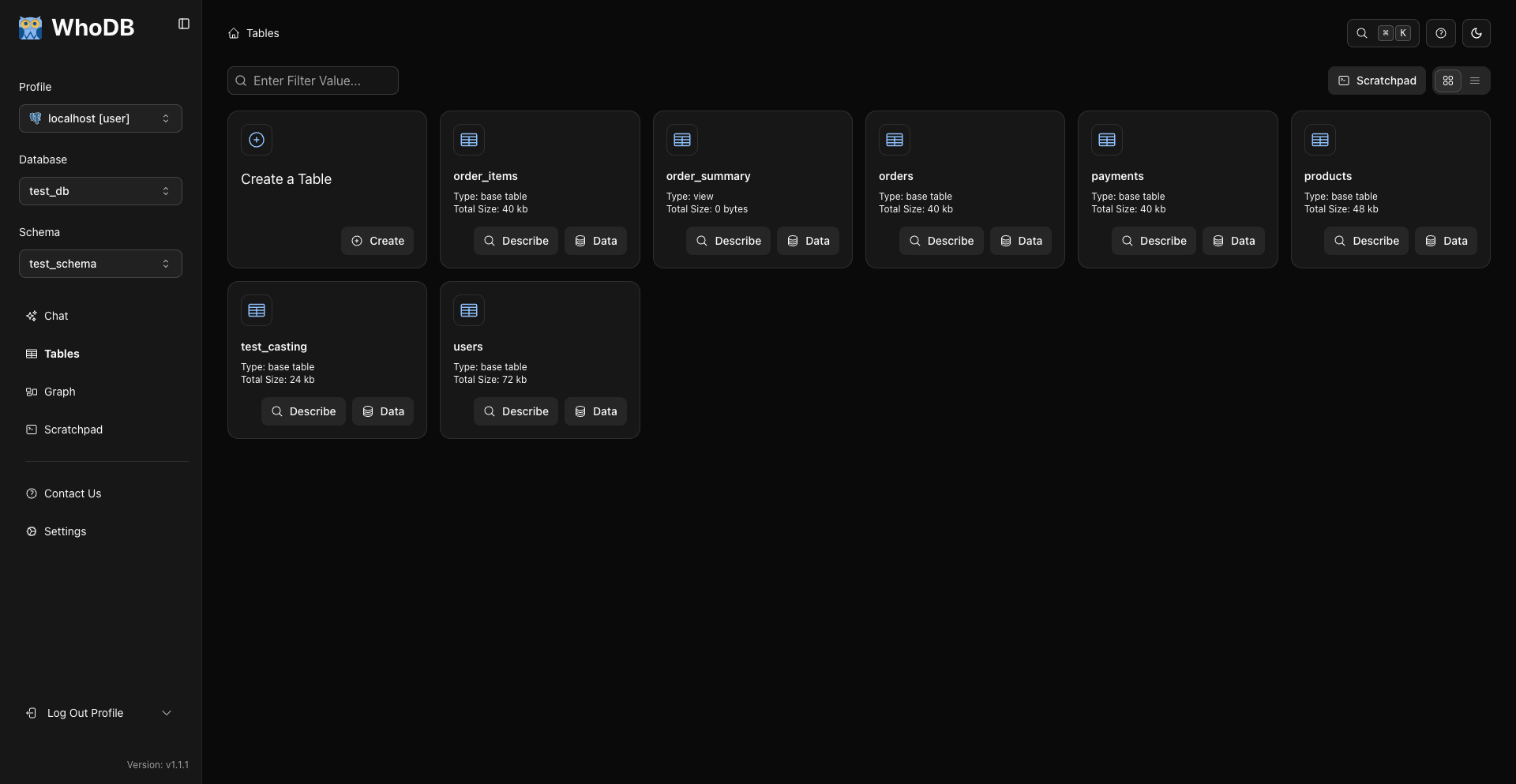
WhoDB gives you one place to explore your databases, edit data, run queries, and understand how a schema fits together. It runs in the browser, is easy to self-host, and is available as a desktop app or terminal CLI too.
Use it when you want to inspect a local database, help a teammate explore unfamiliar data, or work without installing a heavyweight database client. AI features are optional: connect Ollama, OpenAI, Anthropic, LM Studio, or another OpenAI-compatible provider if you want to ask questions in plain English.
Quick start
Run WhoDB with Docker:
docker run --rm -it -p 8080:8080 clidey/whodb
Then open http://localhost:8080 and enter your database connection details.
Want to look around first? Try the live demo or watch the video walkthrough.
What you can do
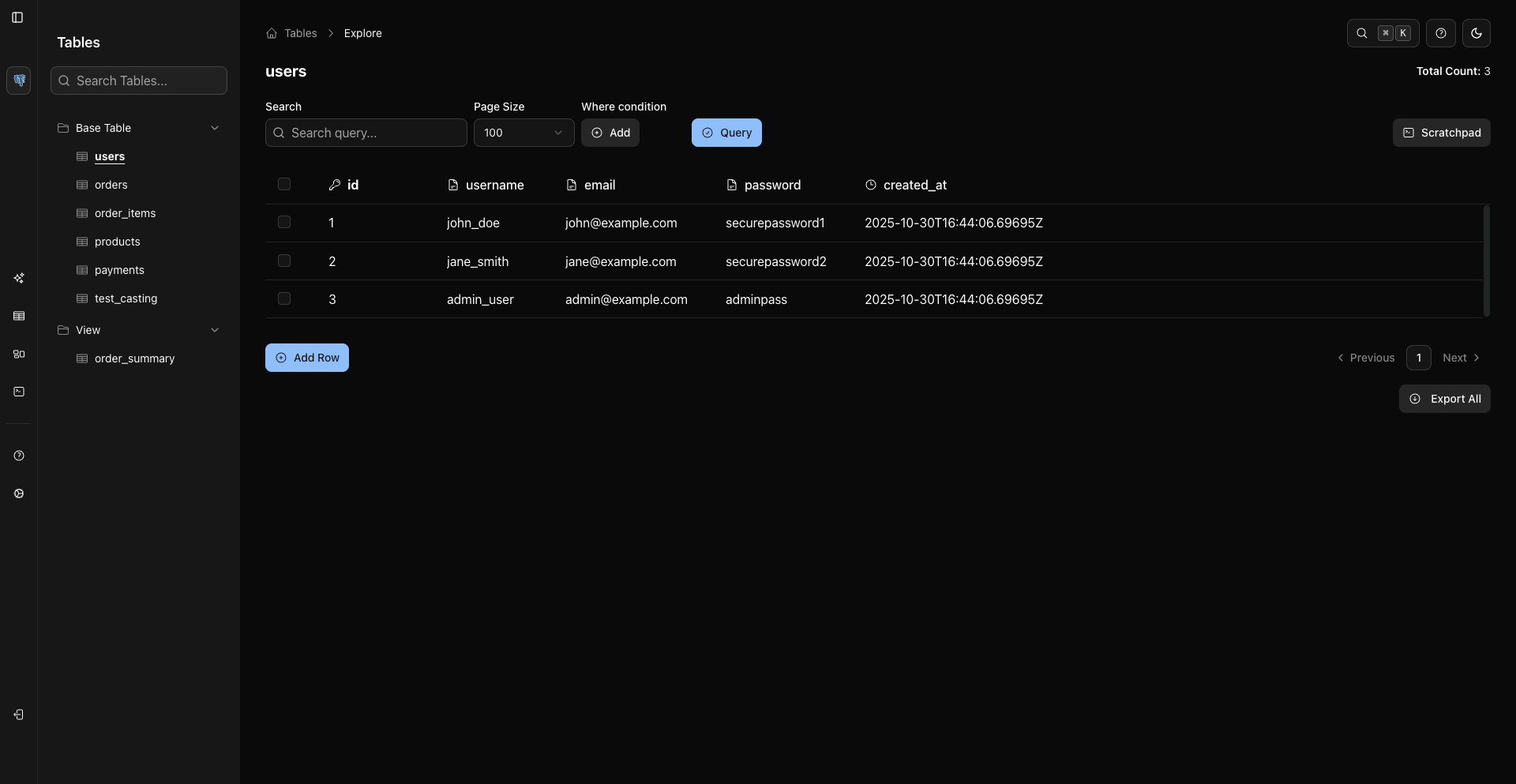
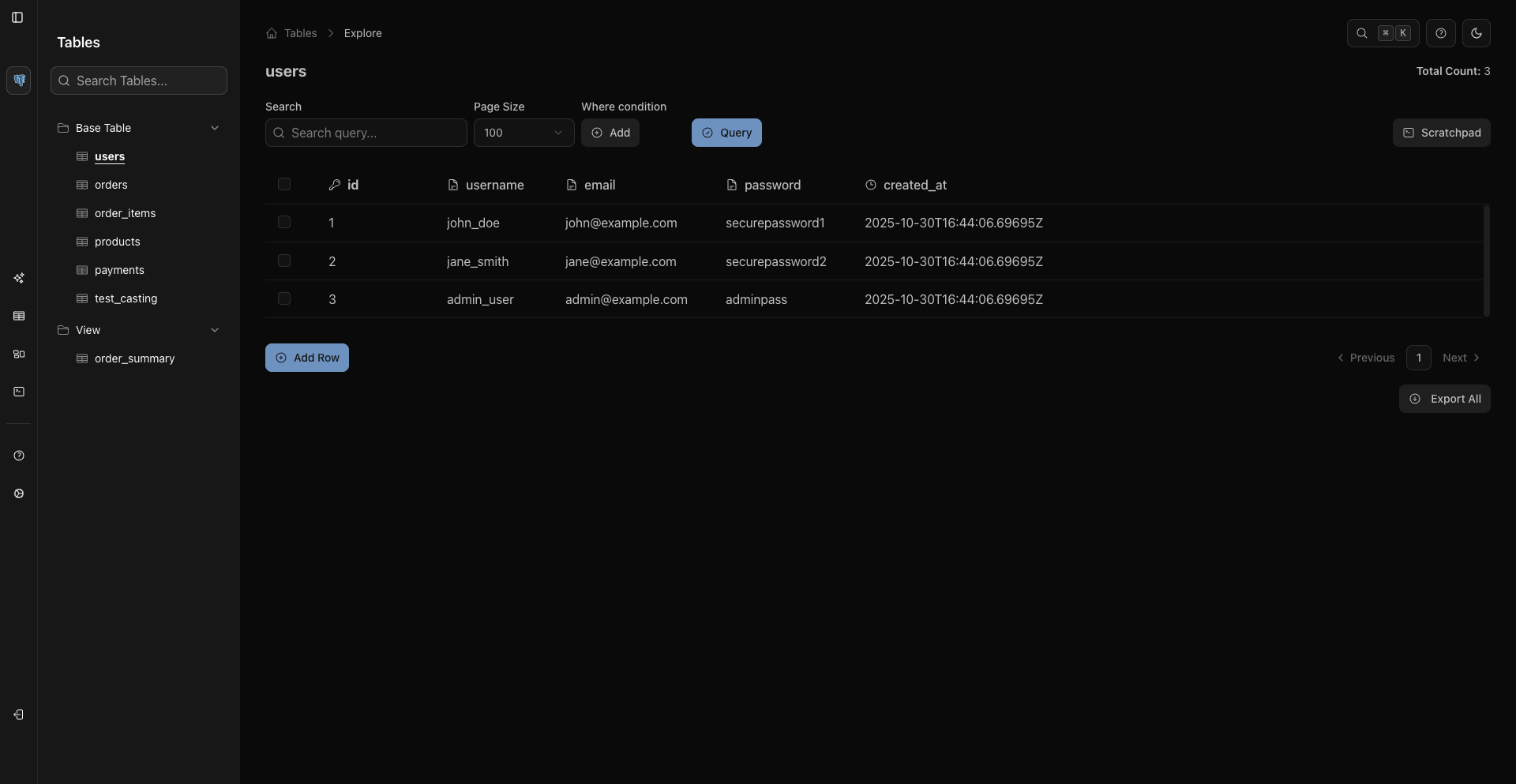
- Browse and edit data in a spreadsheet-style grid with sorting, filtering, pagination, and inline editing.
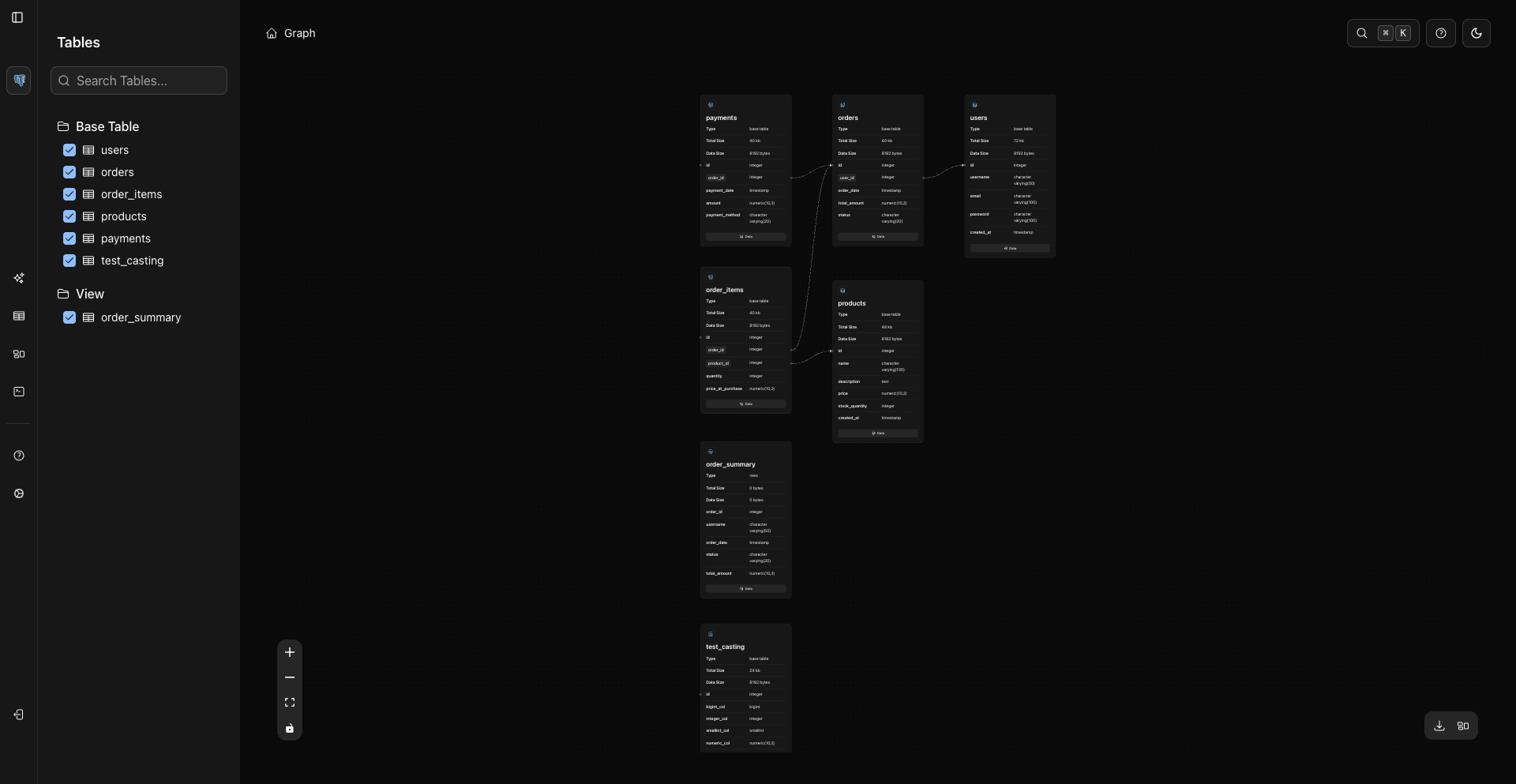
- Understand a schema visually with an interactive graph of tables and relationships.
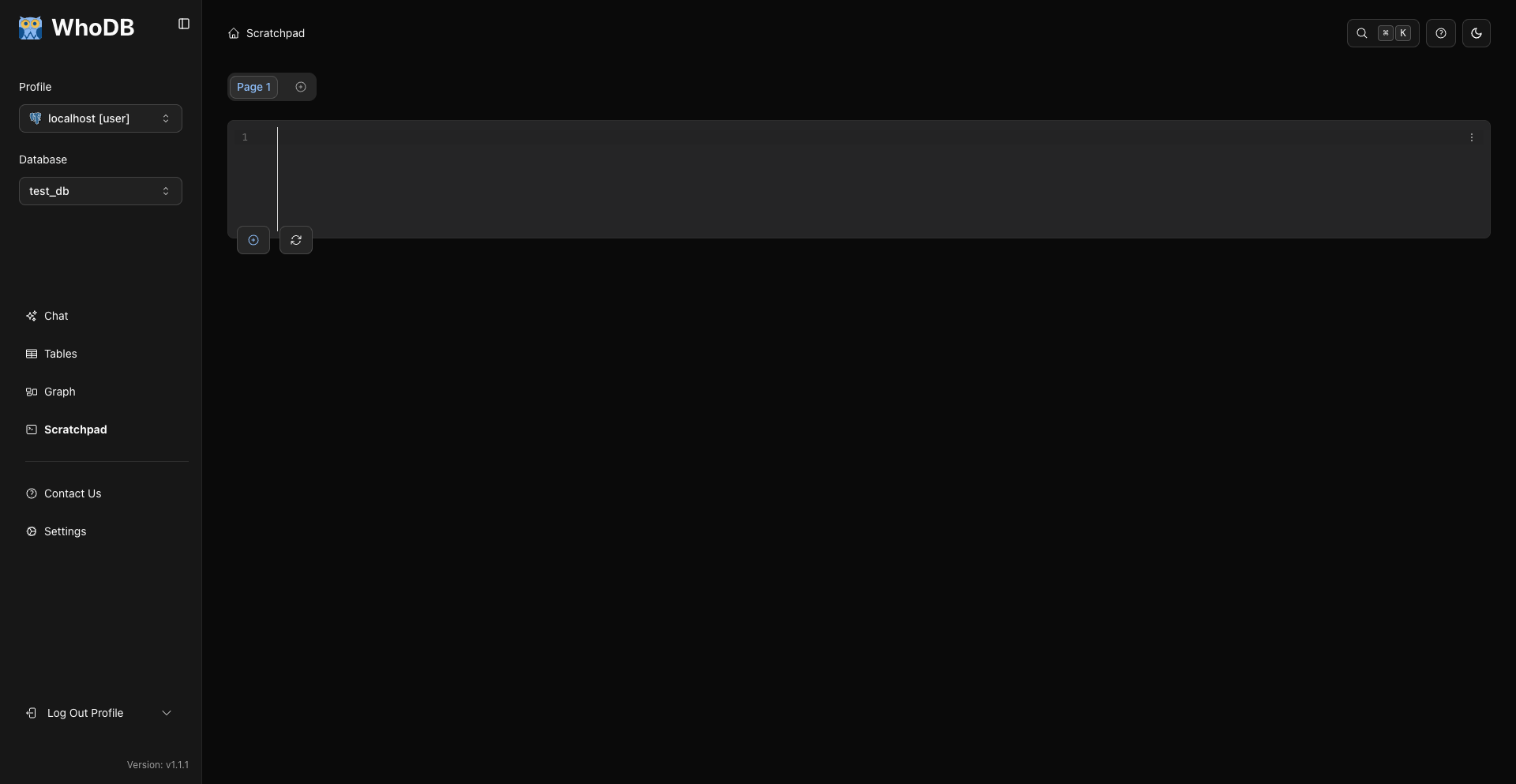
- Work through queries in a scratchpad with multiple cells, autocomplete, history, and results kept alongside each query.
- Move data in and out with imports, exports, and mock-data generation for development and testing.
- Ask questions in plain English using a local or hosted AI provider that you choose.
- Work from your terminal through the WhoDB CLI and its MCP server.
|
|
| Browse, filter, and edit data | Follow relationships through the schema graph |
Supported databases
WhoDB Community supports:
- PostgreSQL, CockroachDB, YugabyteDB, and QuestDB
- MySQL, MariaDB, and TiDB
- SQLite and DuckDB
- MongoDB and FerretDB
- Redis, Valkey, and Dragonfly
- Elasticsearch and OpenSearch
- ClickHouse and Memcached
Support varies by database because not every system has the same concepts or capabilities. The connection screen shows the options available for each source.
Installation options
Docker with persistent sessions
The one-line Docker command is ideal for trying WhoDB. To keep encrypted login sessions when the container is replaced, first generate a key and save it somewhere secure:
openssl rand -hex 32
Then mount /data and reuse that key whenever you start the container:
docker run -it -p 8080:8080 \
  -v whodb-data:/data \
  -e WHODB_ENCRYPTION_KEY=your_saved_64_character_hex_key \
  clidey/whodb
Keep that key somewhere safe. Changing it invalidates existing sessions. If WhoDB is served through an HTTPS reverse proxy, also set WHODB_SECURE=true so browsers only send the session cookie over HTTPS.
See the documentation for Docker Compose, connection profiles, SSL, AI providers, and other configuration options.
Desktop
CLI and MCP server
The CLI includes an interactive terminal UI and an MCP server for AI tools:
# macOS and Linux
curl -fsSL https://raw.githubusercontent.com/clidey/whodb/main/cli/install/install.sh | bash

# or install with npm
npm install -g @clidey/whodb
whodb             # open the terminal UI
whodb mcp serve   # start the MCP server
See the CLI guide for connection examples and the full command reference.
AI providers
You can add a hosted AI provider directly from WhoDB—no backend configuration or restart is required. Open Chat, choose Add Provider from the provider menu, then select OpenAI, Anthropic, or Gemini and enter your API key. WhoDB will fetch the available models from that provider.
Ollama and LM Studio are available as local options in WhoDB Community. By default, the backend looks for Ollama at localhost:11434 and LM Studio at localhost:1234/v1, with local addresses adjusted automatically for Docker and WSL. Use WHODB_OLLAMA_HOST, WHODB_OLLAMA_PORT, or WHODB_LMSTUDIO_BASE_URL only when those defaults are not suitable for your setup.
Optional backend provider configuration
Environment variables let deployment administrators declare providers when the server starts. This is useful for preconfiguring OpenAI or Anthropic, changing provider endpoints, or adding an OpenAI-compatible service for everyone using that deployment:
WHODB_OPENAI_*for OpenAIWHODB_ANTHROPIC_*for AnthropicWHODB_OLLAMA_*for Ollama connection settingsWHODB_LMSTUDIO_*for LM Studio connection settingsWHODB_AI_GENERIC_<ID>_*for OpenAI-compatible providers
See the installation guide for the complete environment variable list and the AI provider guide for setup examples.
WhoDB Community and WhoDB Platform
This repository contains WhoDB Community, the Apache-2.0-licensed database workspace described above. It is free to self-host and is the best place to start if you want to explore and work with databases.
WhoDB Platform is the commercial, self-hosted edition for organizations that need shared projects, more data sources, SSO, fine-grained access controls, audit logs, pipelines, reporting, and internal apps. You can read the WhoDB overview or compare plans on the pricing page.
Development
WhoDB has a Go backend and a React/TypeScript frontend. For local development, run them in separate terminals.
Requirements:
- Go
- Node.js and pnpm
Start the backend:
cd core
go run ./cmd/whodb
Start the frontend:
cd frontend
pnpm install
pnpm start
The frontend opens at http://localhost:3000 and talks to the backend on port 8080. See the CE build and run guide for generation and build commands.
Contributing
Bug reports, feature ideas, documentation improvements, and code contributions are all welcome.
- Open an issue for a bug or concrete request.
- Start a discussion for questions and ideas.
- Read CONTRIBUTING.md before sending a pull request.
More screenshots
See WhoDB in action
Query scratchpad
Add and edit records
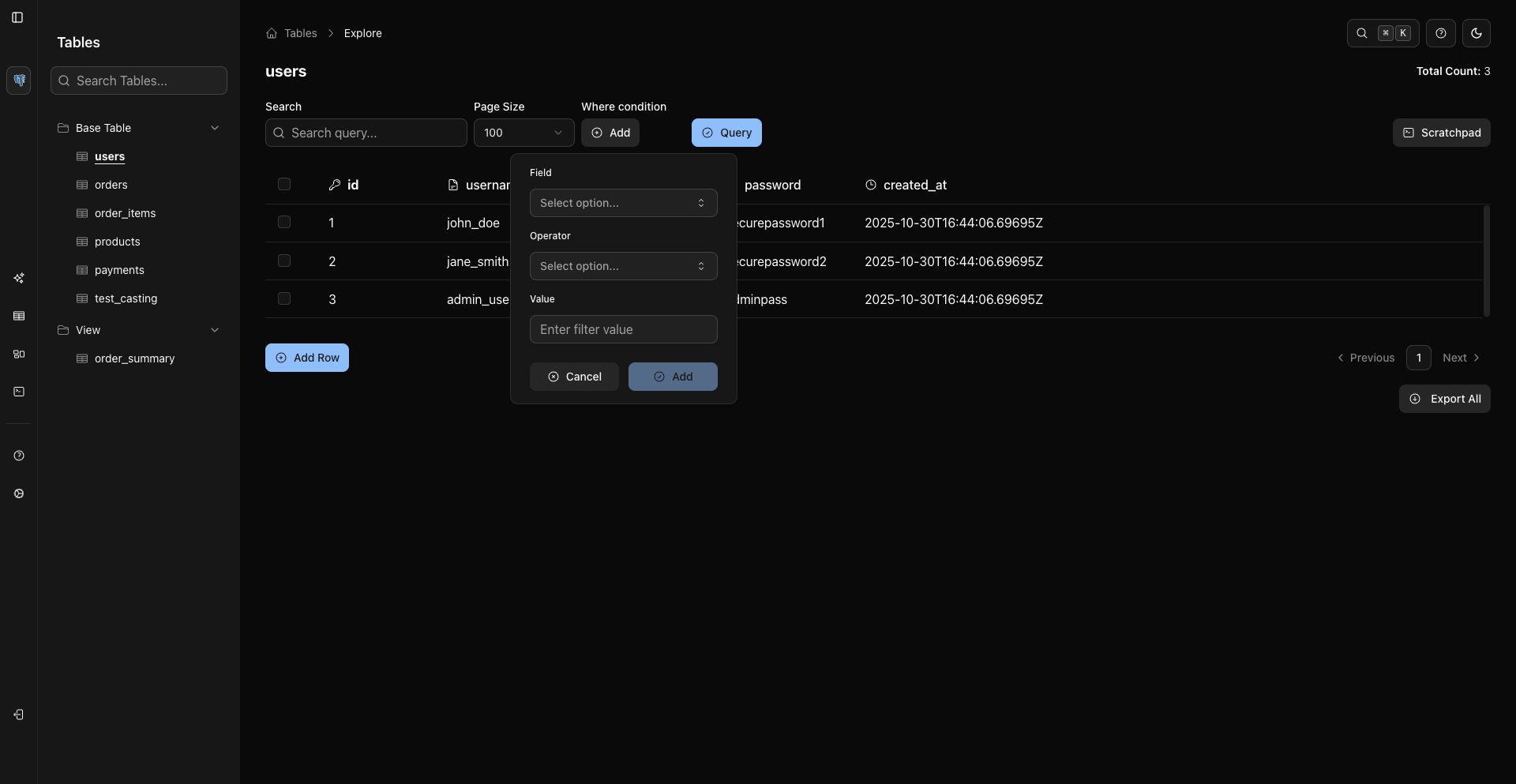
Build filters visually
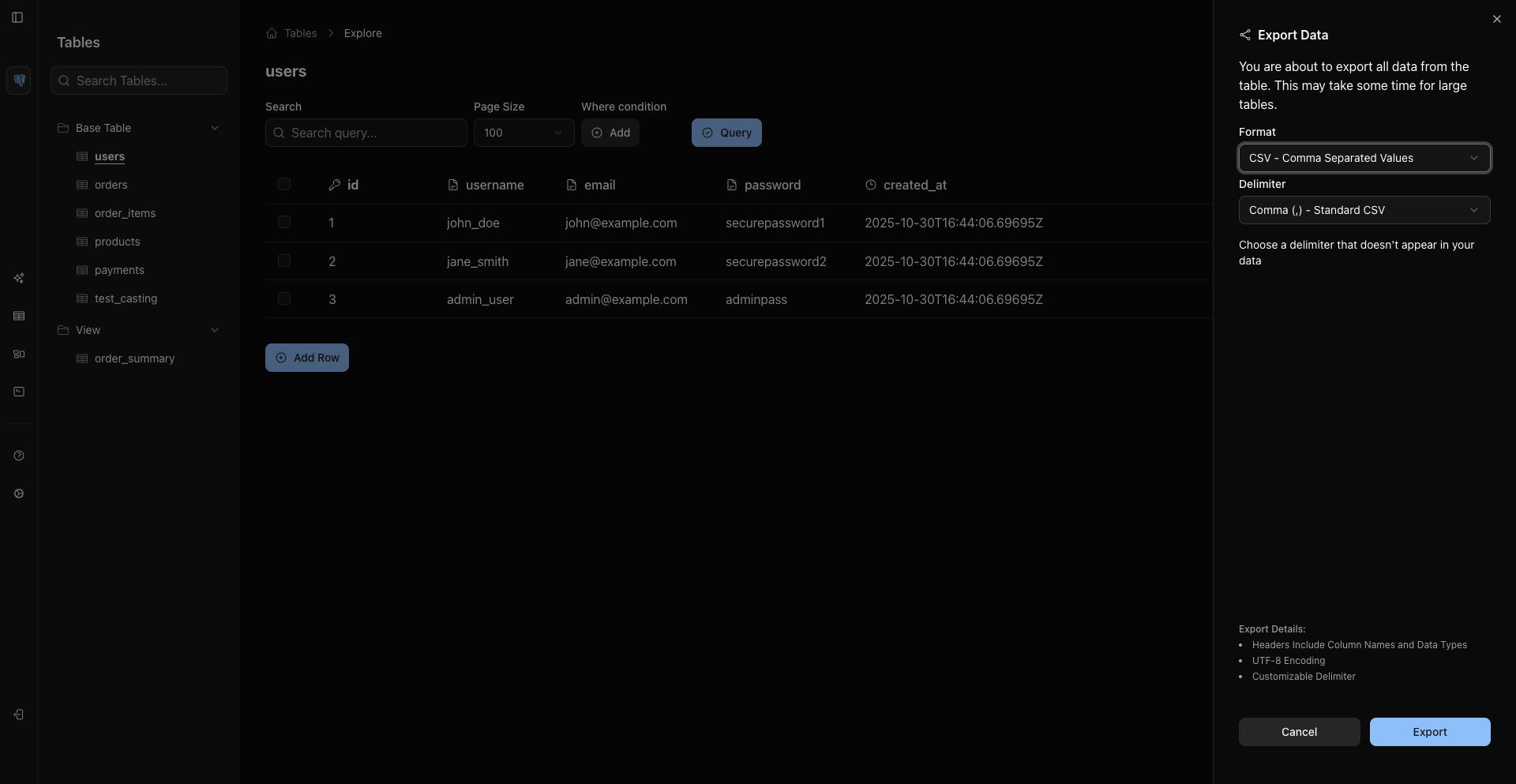
Export data
Support
WhoDB is licensed under the Apache License 2.0.
If WhoDB saves you time, consider giving the project a star.
Contributors


Similar repos


Languages
Go
50.5%
JavaScript
29.6%
TypeScript
15.1%
Shell
1.2%
Python
1.2%
Where data access meets operational intelligence
5,024
stars
3,878
commits
Go
primary language
Sep 13, 2026
updated
README
WhoDB
A lightweight, self-hosted workspace for your databases
Available on
WhoDB gives you one place to explore your databases, edit data, run queries, and understand how a schema fits together. It runs in the browser, is easy to self-host, and is available as a desktop app or terminal CLI too.
Use it when you want to inspect a local database, help a teammate explore unfamiliar data, or work without installing a heavyweight database client. AI features are optional: connect Ollama, OpenAI, Anthropic, LM Studio, or another OpenAI-compatible provider if you want to ask questions in plain English.
Quick start
Run WhoDB with Docker:
docker run --rm -it -p 8080:8080 clidey/whodb
Then open http://localhost:8080 and enter your database connection details.
Want to look around first? Try the live demo or watch the video walkthrough.
What you can do
- Browse and edit data in a spreadsheet-style grid with sorting, filtering, pagination, and inline editing.
- Understand a schema visually with an interactive graph of tables and relationships.
- Work through queries in a scratchpad with multiple cells, autocomplete, history, and results kept alongside each query.
- Move data in and out with imports, exports, and mock-data generation for development and testing.
- Ask questions in plain English using a local or hosted AI provider that you choose.
- Work from your terminal through the WhoDB CLI and its MCP server.
|
|
|
| Browse, filter, and edit data | Follow relationships through the schema graph |
Supported databases
WhoDB Community supports:
- PostgreSQL, CockroachDB, YugabyteDB, and QuestDB
- MySQL, MariaDB, and TiDB
- SQLite and DuckDB
- MongoDB and FerretDB
- Redis, Valkey, and Dragonfly
- Elasticsearch and OpenSearch
- ClickHouse and Memcached
Support varies by database because not every system has the same concepts or capabilities. The connection screen shows the options available for each source.
Installation options
Docker with persistent sessions
The one-line Docker command is ideal for trying WhoDB. To keep encrypted login sessions when the container is replaced, first generate a key and save it somewhere secure:
openssl rand -hex 32
Then mount /data and reuse that key whenever you start the container:
docker run -it -p 8080:8080 \
  -v whodb-data:/data \
  -e WHODB_ENCRYPTION_KEY=your_saved_64_character_hex_key \
  clidey/whodb
Keep that key somewhere safe. Changing it invalidates existing sessions. If WhoDB is served through an HTTPS reverse proxy, also set WHODB_SECURE=true so browsers only send the session cookie over HTTPS.
See the documentation for Docker Compose, connection profiles, SSL, AI providers, and other configuration options.
Desktop
CLI and MCP server
The CLI includes an interactive terminal UI and an MCP server for AI tools:
# macOS and Linux
curl -fsSL https://raw.githubusercontent.com/clidey/whodb/main/cli/install/install.sh | bash

# or install with npm
npm install -g @clidey/whodb
whodb             # open the terminal UI
whodb mcp serve   # start the MCP server
See the CLI guide for connection examples and the full command reference.
AI providers
You can add a hosted AI provider directly from WhoDB—no backend configuration or restart is required. Open Chat, choose Add Provider from the provider menu, then select OpenAI, Anthropic, or Gemini and enter your API key. WhoDB will fetch the available models from that provider.
Ollama and LM Studio are available as local options in WhoDB Community. By default, the backend looks for Ollama at localhost:11434 and LM Studio at localhost:1234/v1, with local addresses adjusted automatically for Docker and WSL. Use WHODB_OLLAMA_HOST, WHODB_OLLAMA_PORT, or WHODB_LMSTUDIO_BASE_URL only when those defaults are not suitable for your setup.
Optional backend provider configuration
Environment variables let deployment administrators declare providers when the server starts. This is useful for preconfiguring OpenAI or Anthropic, changing provider endpoints, or adding an OpenAI-compatible service for everyone using that deployment:
WHODB_OPENAI_*for OpenAIWHODB_ANTHROPIC_*for AnthropicWHODB_OLLAMA_*for Ollama connection settingsWHODB_LMSTUDIO_*for LM Studio connection settingsWHODB_AI_GENERIC_<ID>_*for OpenAI-compatible providers
See the installation guide for the complete environment variable list and the AI provider guide for setup examples.
WhoDB Community and WhoDB Platform
This repository contains WhoDB Community, the Apache-2.0-licensed database workspace described above. It is free to self-host and is the best place to start if you want to explore and work with databases.
WhoDB Platform is the commercial, self-hosted edition for organizations that need shared projects, more data sources, SSO, fine-grained access controls, audit logs, pipelines, reporting, and internal apps. You can read the WhoDB overview or compare plans on the pricing page.
Development
WhoDB has a Go backend and a React/TypeScript frontend. For local development, run them in separate terminals.
Requirements:
- Go
- Node.js and pnpm
Start the backend:
cd core
go run ./cmd/whodb
Start the frontend:
cd frontend
pnpm install
pnpm start
The frontend opens at http://localhost:3000 and talks to the backend on port 8080. See the CE build and run guide for generation and build commands.
Contributing
Bug reports, feature ideas, documentation improvements, and code contributions are all welcome.
- Open an issue for a bug or concrete request.
- Start a discussion for questions and ideas.
- Read CONTRIBUTING.md before sending a pull request.
More screenshots
See WhoDB in action
Query scratchpad
Add and edit records
Build filters visually
Export data
Support
WhoDB is licensed under the Apache License 2.0.
If WhoDB saves you time, consider giving the project a star.
Similar repos
Contributors
Languages
Go
50.5%
JavaScript
29.6%
TypeScript
15.1%
Shell
1.2%
Python
1.2%