
Clean up noisy speech in real time with DPDFNet - open-source streaming speech enhancement for research, audio apps, and edge devices. Includes pretrained models, PyTorch code, ONNX/TFLite inference, 8/16/48 kHz support, and live demos.
Python
156
98 commits
updated Sep 27, 2026
README
DPDFNet
Real-time speech enhancement for recordings, live streams, and edge devices.
Pretrained 8, 16, and 48 kHz models for the CLI, Python API, and stateful streaming.




Live demo · Audio examples · Pretrained models · Paper
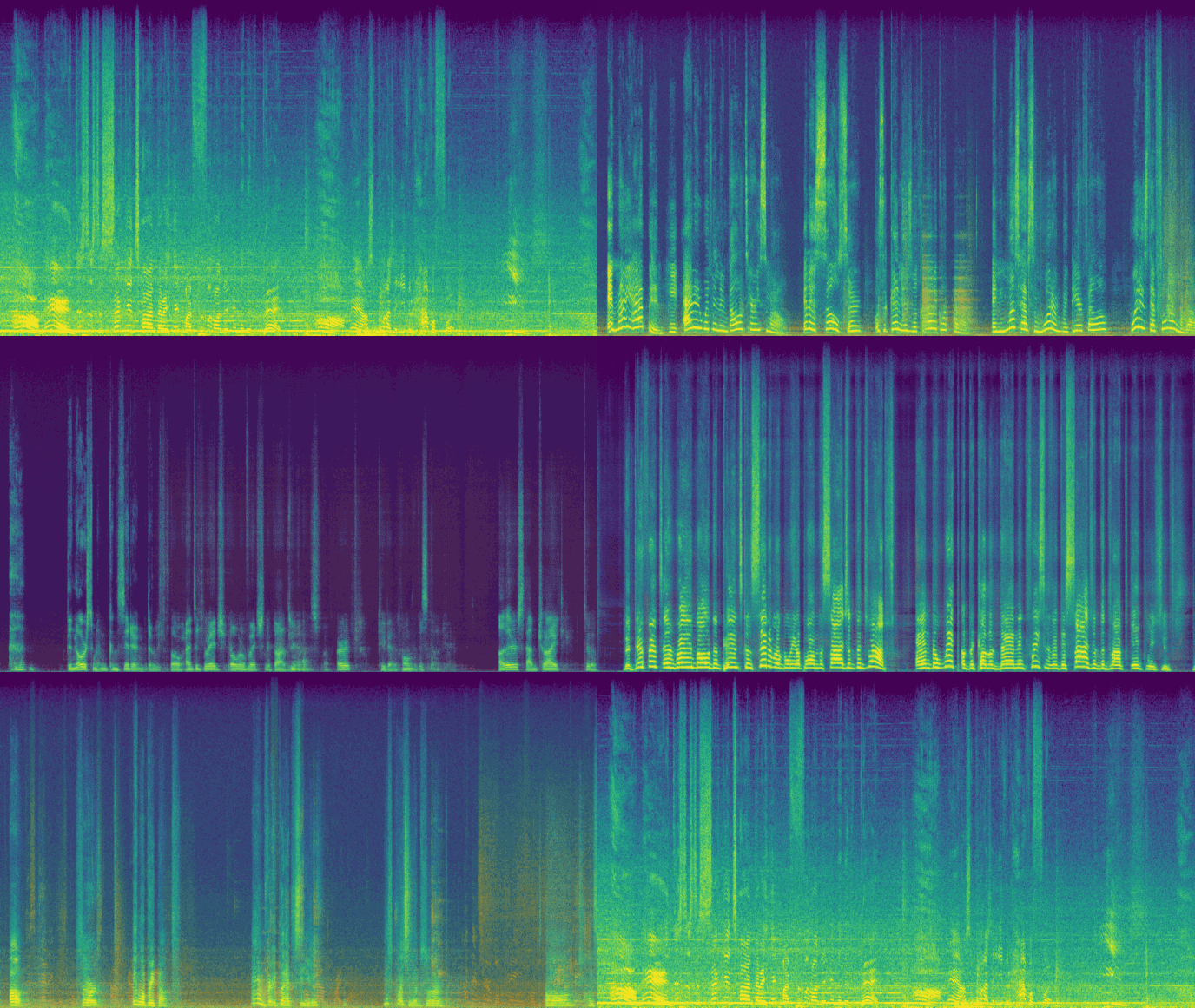
Model Profile
8 kHz models
| Model | Params [M] | MACs [G] | TFLite Size [MB] | ONNX Size [MB] |
|---|---|---|---|---|
| dpdfnet2_8khz | 2.51 | 1.29 | 10.5 | 9.7 |
| dpdfnet8_8khz | 3.56 | 3.99 | 16.5 | 13.8 |
16 kHz models
| Model | Params [M] | MACs [G] | TFLite Size [MB] | ONNX Size [MB] |
|---|---|---|---|---|
| baseline | 2.31 | 0.36 | 8.5 | 8.3 |
| dpdfnet2 | 2.49 | 1.35 | 10.7 | 9.7 |
| dpdfnet4 | 2.84 | 2.36 | 12.9 | 11.1 |
| dpdfnet8 | 3.54 | 4.37 | 17.2 | 13.9 |
48 kHz models
| Model | Params [M] | MACs [G] | TFLite Size [MB] | ONNX Size [MB] |
|---|---|---|---|---|
| dpdfnet2_48khz_hr | 2.58 | 2.42 | 11.6 | 10.0 |
| dpdfnet8_48khz_hr | 3.63 | 7.17 | 18.7 | 14.2 |
Install the PyPI Package
For CPU-only ONNX inference using the packaged CLI and Python API:
pip install dpdfnet
CLI Example
# Enhance one file
dpdfnet enhance noisy.wav enhanced.wav --model dpdfnet4 --attn-limit-db 12

# Enhance a directory (uses all CPU cores by default)
dpdfnet enhance-dir ./noisy_wavs ./enhanced_wavs --model dpdfnet2 --attn-limit-db 12

# Enhance a directory with a fixed worker count
dpdfnet enhance-dir ./noisy_wavs ./enhanced_wavs --model dpdfnet2 --workers 4 --attn-limit-db 12

# Download models
dpdfnet download
dpdfnet download dpdfnet8
dpdfnet download dpdfnet2_8khz
dpdfnet download dpdfnet4 --force
Python API Example
import soundfile as sf
import dpdfnet

# In-memory enhancement:
audio, sr = sf.read("noisy.wav")
enhanced = dpdfnet.enhance(audio, sample_rate=sr, model="dpdfnet4", attn_limit_db=12)
sf.write("enhanced.wav", enhanced, sr)

# Enhance one file:
out_path = dpdfnet.enhance_file("noisy.wav", model="dpdfnet2", attn_limit_db=12)
print(out_path)

# Model listing:
for row in dpdfnet.available_models():
    print(row["name"], row["ready"], row["cached"])

# Download models:
dpdfnet.download()				# All models
dpdfnet.download("dpdfnet4")	# Specific model
dpdfnet.download("dpdfnet2_8khz")
Streaming (Real-Time) API
Install sounddevice (not included in dpdfnet dependencies):
pip install sounddevice
StreamEnhancer processes audio chunk-by-chunk, preserving RNN state across
calls. Any chunk size works; enhanced samples are returned as soon as enough
data has accumulated for the first model frame (20 ms).
import numpy as np
import sounddevice as sd
import dpdfnet

INPUT_SR   = 48000
# Use one model hop (10 ms) as the block size so process() returns
# exactly one hop's worth of enhanced audio on every callback.
BLOCK_SIZE = int(INPUT_SR * 0.010)   # 480 samples at 48 kHz

enhancer = dpdfnet.StreamEnhancer(model="dpdfnet2_48khz_hr")

def callback(indata, outdata, frames, time, status):
    mono_in = indata[:, 0] if indata.ndim > 1 else indata.ravel()
    enhanced = enhancer.process(mono_in, sample_rate=INPUT_SR)
    n = min(len(enhanced), frames)
    outdata[:n, 0] = enhanced[:n]
    if n < frames:
        outdata[n:] = 0.0   # silence while the first window accumulates

with sd.Stream(
    samplerate=INPUT_SR,
    blocksize=BLOCK_SIZE,
    channels=1,
    dtype="float32",
    callback=callback,
):
    print("Enhancing microphone input - press Ctrl+C to stop")
    try:
        while True:
            sd.sleep(100)
    except KeyboardInterrupt:
        pass

# Optional: drain the final partial window at the end of a recording
tail = enhancer.flush()
Notes:
Latency - the first enhanced output arrives after one full model window (~20 ms) has been buffered. All subsequent blocks are returned with ~10 ms additional delay.
Sample rate -StreamEnhancerresamples internally. Pass your device's native rate assample_rate; the return value is at the same rate.
Block size - usingBLOCK_SIZE = int(SR * 0.010)(one model hop) gives one enhanced block per callback. Other sizes also work but may produce empty returns while the buffer fills.
Multiple streams - create a separateStreamEnhancerper stream. Callenhancer.reset()between independent audio segments to clear RNN state.
Run From Source
1) Install dependencies
python -m venv .venv
source .venv/bin/activate
pip install -r requirements.txt
2) Download models
Model files are not bundled in this repository.
Download PyTorch checkpoints, TFLite, and ONNX models from Hugging Face:
pip install -U "huggingface_hub[cli]"

# create target dirs
mkdir -p model_zoo/{checkpoints,onnx,tflite}

# PyTorch checkpoints (HF path: checkpoints/* -> local: model_zoo/checkpoints/*)
hf download Ceva-IP/DPDFNet \
  --include "checkpoints/*.pth" \
  --local-dir model_zoo \

# ONNX models (HF path: onnx/* -> local: model_zoo/onnx/*)
hf download Ceva-IP/DPDFNet \
  --include "onnx/*.onnx" \
  --local-dir model_zoo \

# TFLite models (HF path: *.tflite at repo root -> local: model_zoo/tflite/*)
hf download Ceva-IP/DPDFNet \
  --include "*.tflite" \
  --local-dir model_zoo/tflite \
3) Run offline enhancement
Put one or more *.wav files in ./noisy_wavs, then choose one:
Option A: TFLite
python -m tflite_model.infer_dpdfnet_tflite \
	--noisy_dir ./noisy_wavs \
	--enhanced_dir ./enhanced_wavs \
	--model_name dpdfnet4 \
	--workers 5 \
	--attn-limit-db 12
Option B: ONNX
python -m onnx_model.infer_dpdfnet_onnx \
  	--noisy_dir ./noisy_wavs \
	--enhanced_dir ./enhanced_wavs \
	--model_name dpdfnet4 \
	--workers 5 \
	--attn-limit-db 12
To export ONNX models from checkpoints, use the exporter that matches the sample-rate family.
Set --dprnn-num-blocks to match the checkpoint variant; for 8 kHz and 48 kHz HR exports,
this also determines the ONNX metadata profile:
# 8 kHz
python -m onnx_model.export_dpdfnet_8khz_to_onnx \
	--checkpoint model_zoo/checkpoints/dpdfnet2_8khz.pth \
	--output model_zoo/onnx/dpdfnet2_8khz.onnx \
	--dprnn-num-blocks 2

# 16 kHz
python -m onnx_model.export_dpdfnet_to_onnx \
	--checkpoint model_zoo/checkpoints/dpdfnet4.pth \
	--output model_zoo/onnx/dpdfnet4.onnx \
	--dprnn-num-blocks 4

# 48 kHz HR
python -m onnx_model.export_dpdfnet_48khz_hr_to_onnx \
	--checkpoint model_zoo/checkpoints/dpdfnet8_48khz_hr.pth \
	--output model_zoo/onnx/dpdfnet8_48khz_hr.onnx \
	--dprnn-num-blocks 8
Enhanced files are written as:
<original_stem>_<model_name>.wav
Audio Samples & Demo
- Project page with examples: https://ceva-ip.github.io/DPDFNet/
- Gradio application: https://huggingface.co/spaces/Ceva-IP/DPDFNetDemo
- Hugging Face model hub: https://huggingface.co/Ceva-IP/DPDFNet
- Evaluation dataset used in the paper: https://huggingface.co/datasets/Ceva-IP/DPDFNet_EvalSet
Real-Time Demo
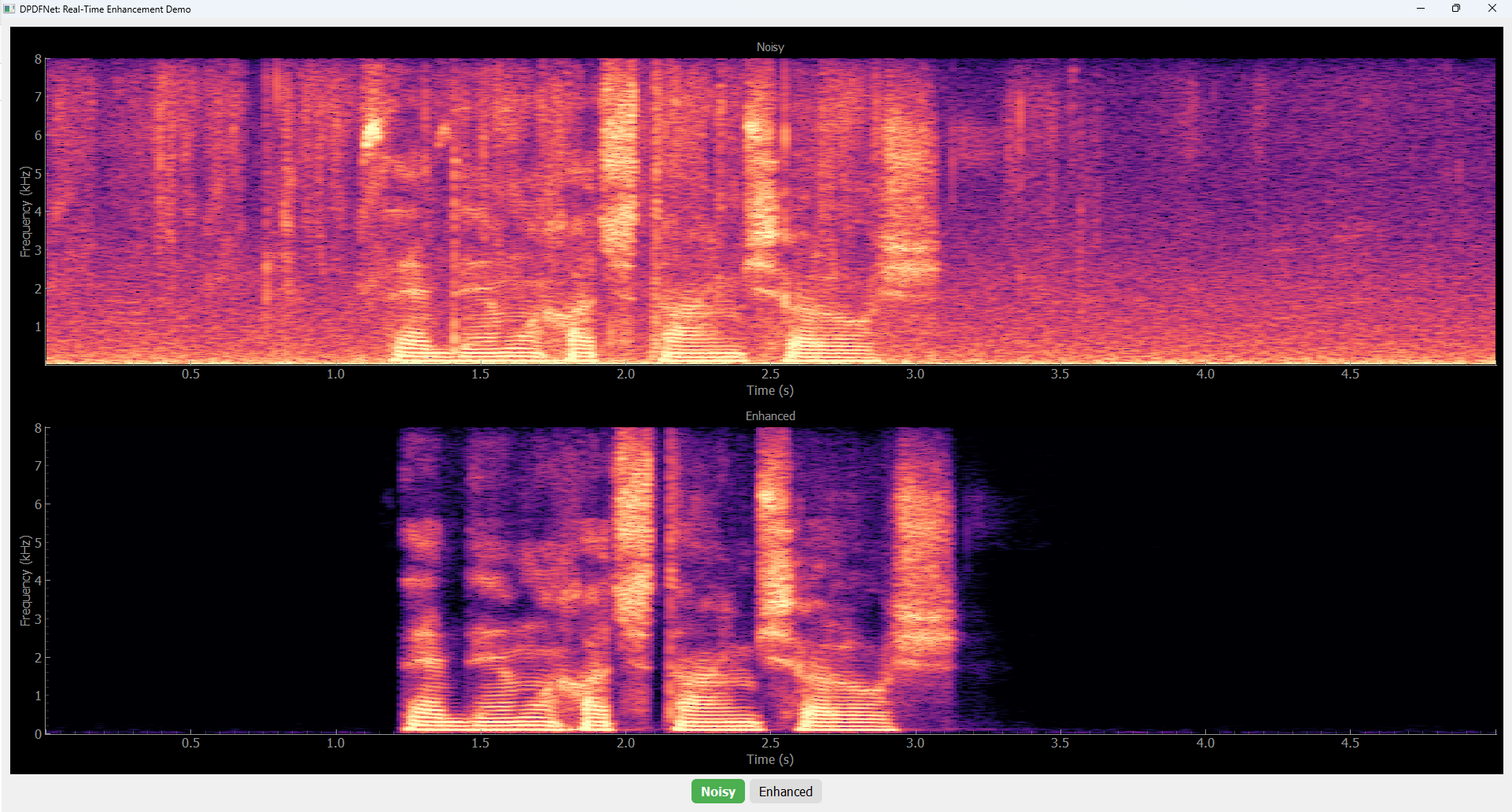
Run:
python -m real_time_demo
How it works:
- Captures microphone audio in streaming hops.
- Enhances each hop frame-by-frame with ONNX.
- Displays live noisy vs enhanced spectrograms.
- Allows you to control the noise‑reduction level during playback:
0for the raw stream and1for the fully enhanced stream. - Enables the use of AGC during playback.
To change model, edit MODEL_NAME near the top of real_time_demo.py.
Troubleshooting / FAQ
Q: Model files are missing (TFLite / ONNX / checkpoints)
- Run the Hugging Face download commands from the
Run From Sourcesection. - Confirm files are in:
model_zoo/tflite/model_zoo/onnx/model_zoo/checkpoints/
Q: No .wav files found
- Both offline scripts scan only the exact folder given by
--noisy_dir(non-recursive). - Ensure input files use
.wavextension.
Q: Real-time demo has audio device errors
- Check microphone permissions and default input/output device settings.
- Install host audio dependencies for
sounddevice(PortAudio packages on your OS).
Q: Real-time GUI does not open
- Ensure Qt dependencies from
requirements.txtinstalled successfully. - On headless servers, run offline enhancement instead.
Q: I get import/module errors when running commands
- Run from repo root and use module form exactly as documented (
python -m ...). - Activate your virtual environment before running commands.
Q: CPU is too slow for my target
- Try smaller models (
baseline,dpdfnet2). - Benchmark ONNX runtime using
python -m onnx_model.infer_dpdfnet_onnx ...and compare RTF.
Evaluation Metrics
To compute intrusive and non-intrusive metrics on our DPDFNet EvalSet, we use the tools listed below. For aggregate quality reporting, we rely on PRISM, the scale‑normalized composite metric introduced in the DPDFNet paper.
Intrusive metrics: PESQ, STOI, SI-SNR
We provide a dedicated script, pesq_stoi_sisnr_calc.py, which computes PESQ, STOI, and SI-SNR for paired reference and enhanced audio. The script includes a built-in auto-alignment step that corrects small start-time offsets and drift between the reference and the enhanced signals before scoring, to ensure fair comparisons.
Non-intrusive metrics
- DNSMOS (P.835 & P.808) - We use the official DNSMOS local inference script from the DNS Challenge repository:
dnsmos_local.py. Please follow their installation and model download instructions in that project before running. - NISQA v2 - We use the official NISQA project: https://github.com/gabrielmittag/NISQA. Refer to their README for environment setup, pretrained model weights, and inference commands (e.g., running
nisqa_predict.pyon a folder of WAVs).
Built with DPDFNet
Explore applications, plugins, libraries and research projects built with DPDFNet.
Using DPDFNet in your project? Open an issue or submit a pull request to add it to the list.
Citation
@article{rika2025dpdfnet,
 title = {DPDFNet: Boosting DeepFilterNet2 via Dual-Path RNN},
 author = {Rika, Daniel and Sapir, Nino and Gus, Ido},
 year = {2025},
}
License
Apache License 2.0. See LICENSE.
Significant stargazers

211 followers · starred Jan 2026

6 followers · starred Feb 2026

168 followers · starred Jun 2026
Similar repos


Languages
Python
100.0%
Clean up noisy speech in real time with DPDFNet - open-source streaming speech enhancement for research, audio apps, and edge devices. Includes pretrained models, PyTorch code, ONNX/TFLite inference, 8/16/48 kHz support, and live demos.
Python
156
98 commits
updated Sep 27, 2026
README
DPDFNet
Real-time speech enhancement for recordings, live streams, and edge devices.
Pretrained 8, 16, and 48 kHz models for the CLI, Python API, and stateful streaming.
Live demo · Audio examples · Pretrained models · Paper
Model Profile
8 kHz models
| Model | Params [M] | MACs [G] | TFLite Size [MB] | ONNX Size [MB] |
|---|---|---|---|---|
| dpdfnet2_8khz | 2.51 | 1.29 | 10.5 | 9.7 |
| dpdfnet8_8khz | 3.56 | 3.99 | 16.5 | 13.8 |
16 kHz models
| Model | Params [M] | MACs [G] | TFLite Size [MB] | ONNX Size [MB] |
|---|---|---|---|---|
| baseline | 2.31 | 0.36 | 8.5 | 8.3 |
| dpdfnet2 | 2.49 | 1.35 | 10.7 | 9.7 |
| dpdfnet4 | 2.84 | 2.36 | 12.9 | 11.1 |
| dpdfnet8 | 3.54 | 4.37 | 17.2 | 13.9 |
48 kHz models
| Model | Params [M] | MACs [G] | TFLite Size [MB] | ONNX Size [MB] |
|---|---|---|---|---|
| dpdfnet2_48khz_hr | 2.58 | 2.42 | 11.6 | 10.0 |
| dpdfnet8_48khz_hr | 3.63 | 7.17 | 18.7 | 14.2 |
Install the PyPI Package
For CPU-only ONNX inference using the packaged CLI and Python API:
pip install dpdfnet
CLI Example
# Enhance one file
dpdfnet enhance noisy.wav enhanced.wav --model dpdfnet4 --attn-limit-db 12

# Enhance a directory (uses all CPU cores by default)
dpdfnet enhance-dir ./noisy_wavs ./enhanced_wavs --model dpdfnet2 --attn-limit-db 12

# Enhance a directory with a fixed worker count
dpdfnet enhance-dir ./noisy_wavs ./enhanced_wavs --model dpdfnet2 --workers 4 --attn-limit-db 12

# Download models
dpdfnet download
dpdfnet download dpdfnet8
dpdfnet download dpdfnet2_8khz
dpdfnet download dpdfnet4 --force
Python API Example
import soundfile as sf
import dpdfnet

# In-memory enhancement:
audio, sr = sf.read("noisy.wav")
enhanced = dpdfnet.enhance(audio, sample_rate=sr, model="dpdfnet4", attn_limit_db=12)
sf.write("enhanced.wav", enhanced, sr)

# Enhance one file:
out_path = dpdfnet.enhance_file("noisy.wav", model="dpdfnet2", attn_limit_db=12)
print(out_path)

# Model listing:
for row in dpdfnet.available_models():
    print(row["name"], row["ready"], row["cached"])

# Download models:
dpdfnet.download()				# All models
dpdfnet.download("dpdfnet4")	# Specific model
dpdfnet.download("dpdfnet2_8khz")
Streaming (Real-Time) API
Install sounddevice (not included in dpdfnet dependencies):
pip install sounddevice
StreamEnhancer processes audio chunk-by-chunk, preserving RNN state across
calls. Any chunk size works; enhanced samples are returned as soon as enough
data has accumulated for the first model frame (20 ms).
import numpy as np
import sounddevice as sd
import dpdfnet

INPUT_SR   = 48000
# Use one model hop (10 ms) as the block size so process() returns
# exactly one hop's worth of enhanced audio on every callback.
BLOCK_SIZE = int(INPUT_SR * 0.010)   # 480 samples at 48 kHz

enhancer = dpdfnet.StreamEnhancer(model="dpdfnet2_48khz_hr")

def callback(indata, outdata, frames, time, status):
    mono_in = indata[:, 0] if indata.ndim > 1 else indata.ravel()
    enhanced = enhancer.process(mono_in, sample_rate=INPUT_SR)
    n = min(len(enhanced), frames)
    outdata[:n, 0] = enhanced[:n]
    if n < frames:
        outdata[n:] = 0.0   # silence while the first window accumulates

with sd.Stream(
    samplerate=INPUT_SR,
    blocksize=BLOCK_SIZE,
    channels=1,
    dtype="float32",
    callback=callback,
):
    print("Enhancing microphone input - press Ctrl+C to stop")
    try:
        while True:
            sd.sleep(100)
    except KeyboardInterrupt:
        pass

# Optional: drain the final partial window at the end of a recording
tail = enhancer.flush()
Notes:
Latency - the first enhanced output arrives after one full model window (~20 ms) has been buffered. All subsequent blocks are returned with ~10 ms additional delay.
Sample rate -StreamEnhancerresamples internally. Pass your device's native rate assample_rate; the return value is at the same rate.
Block size - usingBLOCK_SIZE = int(SR * 0.010)(one model hop) gives one enhanced block per callback. Other sizes also work but may produce empty returns while the buffer fills.
Multiple streams - create a separateStreamEnhancerper stream. Callenhancer.reset()between independent audio segments to clear RNN state.
Run From Source
1) Install dependencies
python -m venv .venv
source .venv/bin/activate
pip install -r requirements.txt
2) Download models
Model files are not bundled in this repository.
Download PyTorch checkpoints, TFLite, and ONNX models from Hugging Face:
pip install -U "huggingface_hub[cli]"

# create target dirs
mkdir -p model_zoo/{checkpoints,onnx,tflite}

# PyTorch checkpoints (HF path: checkpoints/* -> local: model_zoo/checkpoints/*)
hf download Ceva-IP/DPDFNet \
  --include "checkpoints/*.pth" \
  --local-dir model_zoo \

# ONNX models (HF path: onnx/* -> local: model_zoo/onnx/*)
hf download Ceva-IP/DPDFNet \
  --include "onnx/*.onnx" \
  --local-dir model_zoo \

# TFLite models (HF path: *.tflite at repo root -> local: model_zoo/tflite/*)
hf download Ceva-IP/DPDFNet \
  --include "*.tflite" \
  --local-dir model_zoo/tflite \
3) Run offline enhancement
Put one or more *.wav files in ./noisy_wavs, then choose one:
Option A: TFLite
python -m tflite_model.infer_dpdfnet_tflite \
	--noisy_dir ./noisy_wavs \
	--enhanced_dir ./enhanced_wavs \
	--model_name dpdfnet4 \
	--workers 5 \
	--attn-limit-db 12
Option B: ONNX
python -m onnx_model.infer_dpdfnet_onnx \
  	--noisy_dir ./noisy_wavs \
	--enhanced_dir ./enhanced_wavs \
	--model_name dpdfnet4 \
	--workers 5 \
	--attn-limit-db 12
To export ONNX models from checkpoints, use the exporter that matches the sample-rate family.
Set --dprnn-num-blocks to match the checkpoint variant; for 8 kHz and 48 kHz HR exports,
this also determines the ONNX metadata profile:
# 8 kHz
python -m onnx_model.export_dpdfnet_8khz_to_onnx \
	--checkpoint model_zoo/checkpoints/dpdfnet2_8khz.pth \
	--output model_zoo/onnx/dpdfnet2_8khz.onnx \
	--dprnn-num-blocks 2

# 16 kHz
python -m onnx_model.export_dpdfnet_to_onnx \
	--checkpoint model_zoo/checkpoints/dpdfnet4.pth \
	--output model_zoo/onnx/dpdfnet4.onnx \
	--dprnn-num-blocks 4

# 48 kHz HR
python -m onnx_model.export_dpdfnet_48khz_hr_to_onnx \
	--checkpoint model_zoo/checkpoints/dpdfnet8_48khz_hr.pth \
	--output model_zoo/onnx/dpdfnet8_48khz_hr.onnx \
	--dprnn-num-blocks 8
Enhanced files are written as:
<original_stem>_<model_name>.wav
Audio Samples & Demo
- Project page with examples: https://ceva-ip.github.io/DPDFNet/
- Gradio application: https://huggingface.co/spaces/Ceva-IP/DPDFNetDemo
- Hugging Face model hub: https://huggingface.co/Ceva-IP/DPDFNet
- Evaluation dataset used in the paper: https://huggingface.co/datasets/Ceva-IP/DPDFNet_EvalSet
Real-Time Demo
Run:
python -m real_time_demo
How it works:
- Captures microphone audio in streaming hops.
- Enhances each hop frame-by-frame with ONNX.
- Displays live noisy vs enhanced spectrograms.
- Allows you to control the noise‑reduction level during playback:
0for the raw stream and1for the fully enhanced stream. - Enables the use of AGC during playback.
To change model, edit MODEL_NAME near the top of real_time_demo.py.
Troubleshooting / FAQ
Q: Model files are missing (TFLite / ONNX / checkpoints)
- Run the Hugging Face download commands from the
Run From Sourcesection. - Confirm files are in:
model_zoo/tflite/model_zoo/onnx/model_zoo/checkpoints/
Q: No .wav files found
- Both offline scripts scan only the exact folder given by
--noisy_dir(non-recursive). - Ensure input files use
.wavextension.
Q: Real-time demo has audio device errors
- Check microphone permissions and default input/output device settings.
- Install host audio dependencies for
sounddevice(PortAudio packages on your OS).
Q: Real-time GUI does not open
- Ensure Qt dependencies from
requirements.txtinstalled successfully. - On headless servers, run offline enhancement instead.
Q: I get import/module errors when running commands
- Run from repo root and use module form exactly as documented (
python -m ...). - Activate your virtual environment before running commands.
Q: CPU is too slow for my target
- Try smaller models (
baseline,dpdfnet2). - Benchmark ONNX runtime using
python -m onnx_model.infer_dpdfnet_onnx ...and compare RTF.
Evaluation Metrics
To compute intrusive and non-intrusive metrics on our DPDFNet EvalSet, we use the tools listed below. For aggregate quality reporting, we rely on PRISM, the scale‑normalized composite metric introduced in the DPDFNet paper.
Intrusive metrics: PESQ, STOI, SI-SNR
We provide a dedicated script, pesq_stoi_sisnr_calc.py, which computes PESQ, STOI, and SI-SNR for paired reference and enhanced audio. The script includes a built-in auto-alignment step that corrects small start-time offsets and drift between the reference and the enhanced signals before scoring, to ensure fair comparisons.
Non-intrusive metrics
- DNSMOS (P.835 & P.808) - We use the official DNSMOS local inference script from the DNS Challenge repository:
dnsmos_local.py. Please follow their installation and model download instructions in that project before running. - NISQA v2 - We use the official NISQA project: https://github.com/gabrielmittag/NISQA. Refer to their README for environment setup, pretrained model weights, and inference commands (e.g., running
nisqa_predict.pyon a folder of WAVs).
Built with DPDFNet
Explore applications, plugins, libraries and research projects built with DPDFNet.
Using DPDFNet in your project? Open an issue or submit a pull request to add it to the list.
Citation
@article{rika2025dpdfnet,
 title = {DPDFNet: Boosting DeepFilterNet2 via Dual-Path RNN},
 author = {Rika, Daniel and Sapir, Nino and Gus, Ido},
 year = {2025},
}
License
Apache License 2.0. See LICENSE.
Similar repos
Significant stargazers
211 followers · starred Jan 2026
6 followers · starred Feb 2026
168 followers · starred Jun 2026
Languages
Python
100.0%