🦌 Simple Interface Core Animation. Run type-safe animation sequencially or parallelly
Swift
1,047
25 commits
updated Nov 30, 2021







Sica can execute various animations sequentially or parallelly.
If you’re using Carthage, simply add
Sica to your Cartfile:
github "cats-oss/Sica"
Sica is available through CocoaPods. To instal it, simply add the following line to your Podfile:
pod 'Sica'
Sica is available through SwiftPM, create Package.swift and add dependencies value
dependencies: [
    .package(url: "https://github.com/cats-oss/Sica.git", from: "0.4.1")
]
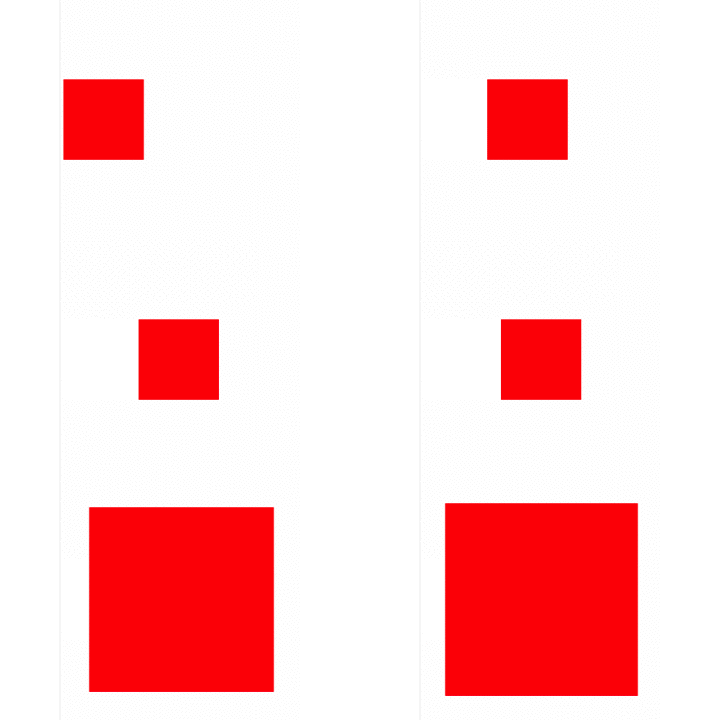
If you set .sequence, sequence animation is shown.
let animator = Animator(view: sampleView)
animator
    .addBasicAnimation(keyPath: .positionX, from: 50, to: 150, duration: 2, timingFunction: .easeOutExpo)
    .addSpringAnimation(keyPath: .boundsSize, from: sampleView.frame.size, to: CGSize(width: 240, height: 240), damping: 12, mass: 1, stiffness: 240, initialVelocity: 0, duration: 1)
    .run(type: .sequence)
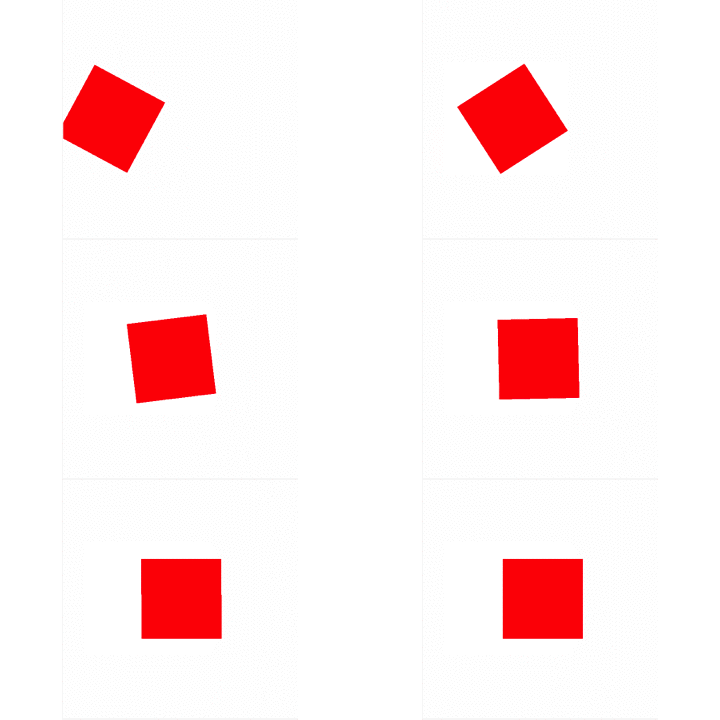
If you set .parallel, parallel animation is shown.
let animator = Animator(view: sampleView)
animator
    .addBasicAnimation(keyPath: .positionX, from: 50, to: 150, duration: 5, timingFunction: .easeOutExpo)
    .addBasicAnimation(keyPath: .transformRotationZ, from: 0, to: CGFloat.pi, duration: 3, timingFunction: .easeOutExpo)
    .run(type: .parallel)
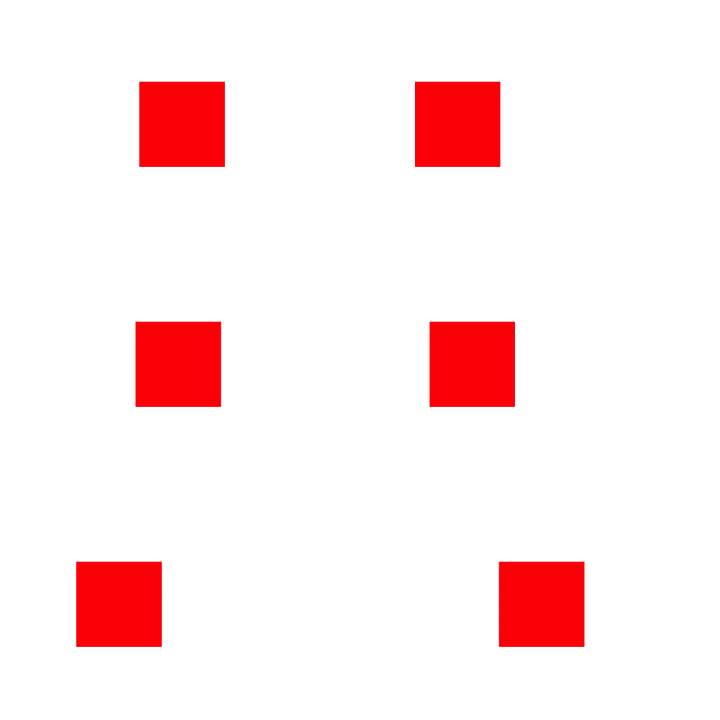
If you set forever before calling run, forever animation is shown.
let animator = Animator(view: sampleView)
animator
    .addBasicAnimation(keyPath: .positionX, from: 50, to: 150, duration: 2, timingFunction: .easeOutExpo)
    .addBasicAnimation(keyPath: .positionX, from: 150, to: 50, duration: 2, timingFunction: .easeOutExpo)
    .forever(autoreverses: false)
    .run(type: .sequence)
If you want to cancel animation, you should call cancel.
let animator = Animator(view: sampleView)
/*
Add animation and run
*/
animator.cancel() // Animation cancel
If you call run and then you call add animation method, no animation will be added.
If you use animator again, you call removeAll before addBasicAnimation or addSpringAnimation or addTransitionAnimation.
let animator = Animator(view: sampleView)
/*
Add animation and run
*/

// Bad
animator.addBasicAnimation() // 🙅 you can't add animation

// Good
animator.removeAll()
        .addBasicAnimation() // 🙆 You can add animation.
    public func addBasicAnimation<T>(keyPath: Sica.AnimationKeyPath<T>, from: T, to: T, duration: Double, delay: Double = default, timingFunction: Sica.TimingFunction = default) -> Self where T : AnimationValueType
    public func addSpringAnimation<T>(keyPath: Sica.AnimationKeyPath<T>, from: T, to: T, damping: CGFloat, mass: CGFloat, stiffness: CGFloat, initialVelocity: CGFloat, duration: Double, delay: Double = default, timingFunction: Sica.TimingFunction = default) -> Self where T : AnimationValueType
    public func addTransitionAnimation(startProgress: Float, endProgress: Float, type: Sica.Transition, subtype: Sica.TransitionSub, duration: Double, delay: Double = default, timingFunction: Sica.TimingFunction = default) -> Self
    public func delay(_ delay: Double) -> Self
    public func forever(autoreverses: Bool = default) -> Self
    public func run(type: Sica.Animator.AnimationPlayType, isRemovedOnCompletion: Bool = default, completion: (() -> Swift.Void)? = default)
    public func cancel()
    public func removeAll() -> Self
You can access sica property in UIView and CALayer.
let view = UIView(frame: ...)
view.sica
    .addBasicAnimation(keyPath: .positionX, from: 50, to: 150, duration: 2, timingFunction: .easeOutExpo)
    .run(type: .sequence)
let layer = CALayer()
layer.sica
    .addBasicAnimation(keyPath: .positionX, from: 50, to: 150, duration: 2, timingFunction: .easeOutExpo)
    .run(type: .sequence)
you can choose animation play type
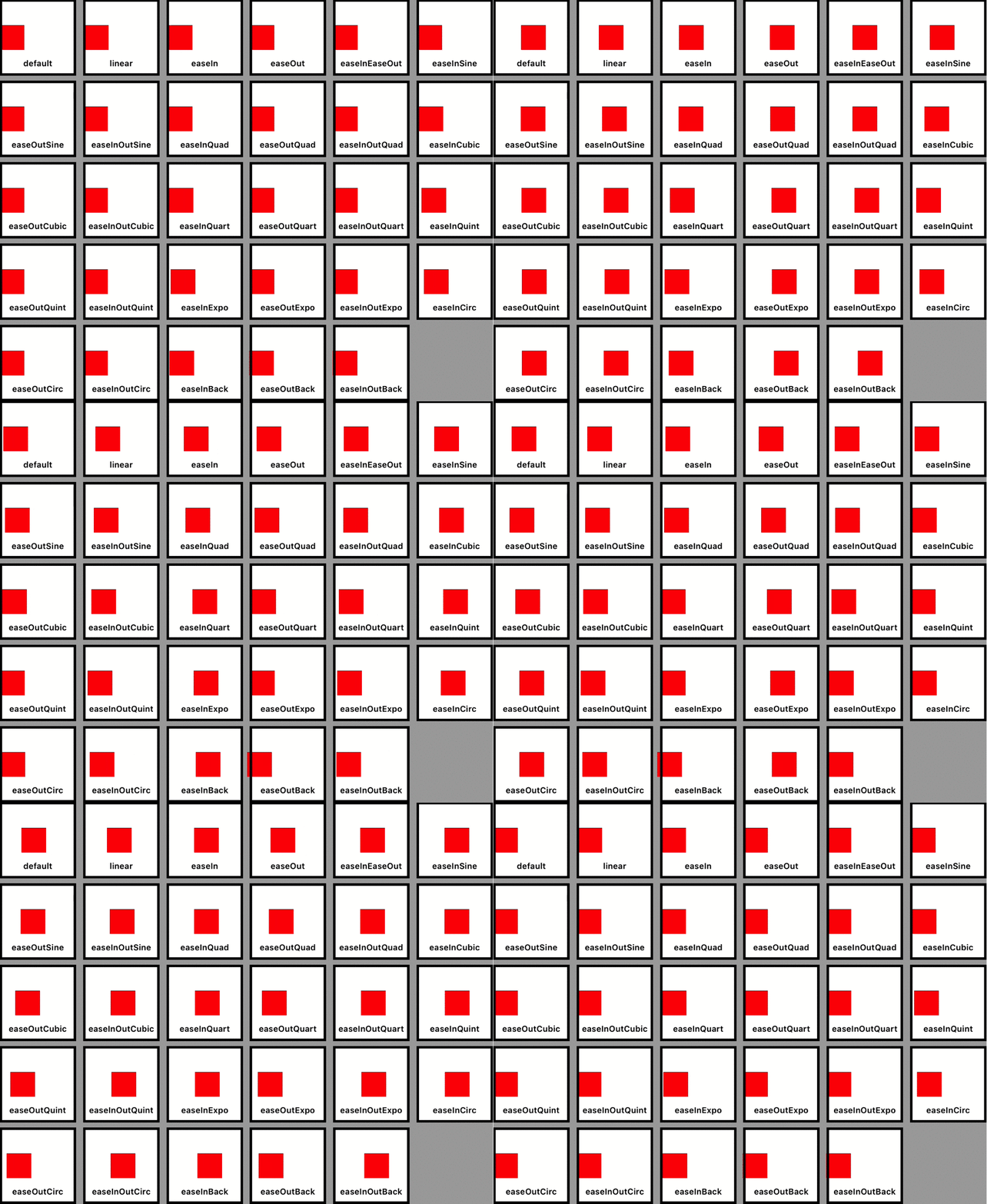
you can choose various timing functions
| Sica | KeyPath |
|---|---|
.anchorPoint | anchorPoint |
.backgroundColor | backgroundColor |
.borderColor | borderColor |
.borderWidth | borderWidth |
.bounds | bounds |
.contents | contents |
.contentsRect | contentsRect |
.cornerRadius | cornerRadius |
.filters | filters |
.frame | frame |
.hidden | hidden |
.mask | mask |
.masksToBounds | masksToBounds |
.opacity | opacity |
.path | path |
.position | position |
.shadowColor | shadowColor |
.shadowOffset | shadowOffset |
.shadowOpacity | shadowOpacity |
.shadowPath | shadowPath |
.shadowRadius | shadowRadius |
.sublayers | sublayers |
.sublayerTransform | sublayerTransform |
.transform | transform |
.zPosition | zPosition |
| Sica | KeyPath |
|---|---|
.anchorPointX | anchorPoint.x |
.anchorPointy | anchorPoint.y |
| Sica | KeyPath |
|---|---|
.boundsOrigin | bounds.origin |
.boundsOriginX | bounds.origin.x |
.boundsOriginY | bounds.origin.y |
.boundsSize | bounds.size |
.boundsSizeWidth | bounds.size.width |
.boundsSizeHeight | bounds.size.height |
| Sica | KeyPath |
|---|---|
.contentsRectOrigin | contentsRect.origin |
.contentsRectOriginX | contentsRect.origin.x |
.contentsRectOriginY | contentsRect.origin.y |
.contentsRectSize | contentsRect.size |
.contentsRectSizeWidth | contentsRect.size.width |
.contentsRectSizeHeight | contentsRect.size.height |
| Sica | KeyPath |
|---|---|
.frameOrigin | frame.origin |
.frameOriginX | frame.origin.x |
.frameOriginY | frame.origin.y |
.frameSize | frame.size |
.frameSizeWidth | frame.size.width |
.frameSizeHeight | frame.size.height |
| Sica | KeyPath |
|---|---|
.positionX | position.x |
.positionY | position.y |
| Sica | KeyPath |
|---|---|
.shadowOffsetWidth | shadowOffset.width |
.shadowOffsetHeight | shadowOffset.height |
| Sica | KeyPath |
|---|---|
.sublayerTransformRotationX | sublayerTransform.rotation.x |
.sublayerTransformRotationY | sublayerTransform.rotation.y |
.sublayerTransformRotationZ | sublayerTransform.rotation.z |
.sublayerTransformScaleX | sublayerTransform.scale.x |
.sublayerTransformScaleY | sublayerTransform.scale.y |
.sublayerTransformScaleZ | sublayerTransform.scale.z |
.sublayerTransformTranslationX | sublayerTransform.translation.x |
.sublayerTransformTranslationY | sublayerTransform.translation.y |
.sublayerTransformTranslationZ | sublayerTransform.translation.z |
| Sica | KeyPath |
|---|---|
.transformRotationX | transform.rotation.x |
.transformRotationY | transform.rotation.y |
.transformRotationZ | transform.rotation.z |
.transformScaleX | transform.scale.x |
.transformScaleY | transform.scale.y |
.transformScaleZ | transform.scale.z |
.transformTranslationX | transform.translation.x |
.transformTranslationY | transform.translation.y |
.transformTranslationZ | transform.translation.z |
Sica is available under the MIT license. See the LICENSE file for more info.
7,875 followers · starred Jul 2018
229 followers · starred Jul 2018
102 followers · starred Jun 2020
129 followers · starred Jul 2018
🦌 Simple Interface Core Animation. Run type-safe animation sequencially or parallelly
Swift
1,047
25 commits
updated Nov 30, 2021
Sica can execute various animations sequentially or parallelly.
If you’re using Carthage, simply add
Sica to your Cartfile:
github "cats-oss/Sica"
Sica is available through CocoaPods. To instal it, simply add the following line to your Podfile:
pod 'Sica'
Sica is available through SwiftPM, create Package.swift and add dependencies value
dependencies: [
    .package(url: "https://github.com/cats-oss/Sica.git", from: "0.4.1")
]
If you set .sequence, sequence animation is shown.
let animator = Animator(view: sampleView)
animator
    .addBasicAnimation(keyPath: .positionX, from: 50, to: 150, duration: 2, timingFunction: .easeOutExpo)
    .addSpringAnimation(keyPath: .boundsSize, from: sampleView.frame.size, to: CGSize(width: 240, height: 240), damping: 12, mass: 1, stiffness: 240, initialVelocity: 0, duration: 1)
    .run(type: .sequence)
If you set .parallel, parallel animation is shown.
let animator = Animator(view: sampleView)
animator
    .addBasicAnimation(keyPath: .positionX, from: 50, to: 150, duration: 5, timingFunction: .easeOutExpo)
    .addBasicAnimation(keyPath: .transformRotationZ, from: 0, to: CGFloat.pi, duration: 3, timingFunction: .easeOutExpo)
    .run(type: .parallel)
If you set forever before calling run, forever animation is shown.
let animator = Animator(view: sampleView)
animator
    .addBasicAnimation(keyPath: .positionX, from: 50, to: 150, duration: 2, timingFunction: .easeOutExpo)
    .addBasicAnimation(keyPath: .positionX, from: 150, to: 50, duration: 2, timingFunction: .easeOutExpo)
    .forever(autoreverses: false)
    .run(type: .sequence)
If you want to cancel animation, you should call cancel.
let animator = Animator(view: sampleView)
/*
Add animation and run
*/
animator.cancel() // Animation cancel
If you call run and then you call add animation method, no animation will be added.
If you use animator again, you call removeAll before addBasicAnimation or addSpringAnimation or addTransitionAnimation.
let animator = Animator(view: sampleView)
/*
Add animation and run
*/

// Bad
animator.addBasicAnimation() // 🙅 you can't add animation

// Good
animator.removeAll()
        .addBasicAnimation() // 🙆 You can add animation.
    public func addBasicAnimation<T>(keyPath: Sica.AnimationKeyPath<T>, from: T, to: T, duration: Double, delay: Double = default, timingFunction: Sica.TimingFunction = default) -> Self where T : AnimationValueType
    public func addSpringAnimation<T>(keyPath: Sica.AnimationKeyPath<T>, from: T, to: T, damping: CGFloat, mass: CGFloat, stiffness: CGFloat, initialVelocity: CGFloat, duration: Double, delay: Double = default, timingFunction: Sica.TimingFunction = default) -> Self where T : AnimationValueType
    public func addTransitionAnimation(startProgress: Float, endProgress: Float, type: Sica.Transition, subtype: Sica.TransitionSub, duration: Double, delay: Double = default, timingFunction: Sica.TimingFunction = default) -> Self
    public func delay(_ delay: Double) -> Self
    public func forever(autoreverses: Bool = default) -> Self
    public func run(type: Sica.Animator.AnimationPlayType, isRemovedOnCompletion: Bool = default, completion: (() -> Swift.Void)? = default)
    public func cancel()
    public func removeAll() -> Self
You can access sica property in UIView and CALayer.
let view = UIView(frame: ...)
view.sica
    .addBasicAnimation(keyPath: .positionX, from: 50, to: 150, duration: 2, timingFunction: .easeOutExpo)
    .run(type: .sequence)
let layer = CALayer()
layer.sica
    .addBasicAnimation(keyPath: .positionX, from: 50, to: 150, duration: 2, timingFunction: .easeOutExpo)
    .run(type: .sequence)
you can choose animation play type
you can choose various timing functions
| Sica | KeyPath |
|---|---|
.anchorPoint | anchorPoint |
.backgroundColor | backgroundColor |
.borderColor | borderColor |
.borderWidth | borderWidth |
.bounds | bounds |
.contents | contents |
.contentsRect | contentsRect |
.cornerRadius | cornerRadius |
.filters | filters |
.frame | frame |
.hidden | hidden |
.mask | mask |
.masksToBounds | masksToBounds |
.opacity | opacity |
.path | path |
.position | position |
.shadowColor | shadowColor |
.shadowOffset | shadowOffset |
.shadowOpacity | shadowOpacity |
.shadowPath | shadowPath |
.shadowRadius | shadowRadius |
.sublayers | sublayers |
.sublayerTransform | sublayerTransform |
.transform | transform |
.zPosition | zPosition |
| Sica | KeyPath |
|---|---|
.anchorPointX | anchorPoint.x |
.anchorPointy | anchorPoint.y |
| Sica | KeyPath |
|---|---|
.boundsOrigin | bounds.origin |
.boundsOriginX | bounds.origin.x |
.boundsOriginY | bounds.origin.y |
.boundsSize | bounds.size |
.boundsSizeWidth | bounds.size.width |
.boundsSizeHeight | bounds.size.height |
| Sica | KeyPath |
|---|---|
.contentsRectOrigin | contentsRect.origin |
.contentsRectOriginX | contentsRect.origin.x |
.contentsRectOriginY | contentsRect.origin.y |
.contentsRectSize | contentsRect.size |
.contentsRectSizeWidth | contentsRect.size.width |
.contentsRectSizeHeight | contentsRect.size.height |
| Sica | KeyPath |
|---|---|
.frameOrigin | frame.origin |
.frameOriginX | frame.origin.x |
.frameOriginY | frame.origin.y |
.frameSize | frame.size |
.frameSizeWidth | frame.size.width |
.frameSizeHeight | frame.size.height |
| Sica | KeyPath |
|---|---|
.positionX | position.x |
.positionY | position.y |
| Sica | KeyPath |
|---|---|
.shadowOffsetWidth | shadowOffset.width |
.shadowOffsetHeight | shadowOffset.height |
| Sica | KeyPath |
|---|---|
.sublayerTransformRotationX | sublayerTransform.rotation.x |
.sublayerTransformRotationY | sublayerTransform.rotation.y |
.sublayerTransformRotationZ | sublayerTransform.rotation.z |
.sublayerTransformScaleX | sublayerTransform.scale.x |
.sublayerTransformScaleY | sublayerTransform.scale.y |
.sublayerTransformScaleZ | sublayerTransform.scale.z |
.sublayerTransformTranslationX | sublayerTransform.translation.x |
.sublayerTransformTranslationY | sublayerTransform.translation.y |
.sublayerTransformTranslationZ | sublayerTransform.translation.z |
| Sica | KeyPath |
|---|---|
.transformRotationX | transform.rotation.x |
.transformRotationY | transform.rotation.y |
.transformRotationZ | transform.rotation.z |
.transformScaleX | transform.scale.x |
.transformScaleY | transform.scale.y |
.transformScaleZ | transform.scale.z |
.transformTranslationX | transform.translation.x |
.transformTranslationY | transform.translation.y |
.transformTranslationZ | transform.translation.z |
Sica is available under the MIT license. See the LICENSE file for more info.
7,875 followers · starred Jul 2018
229 followers · starred Jul 2018
102 followers · starred Jun 2020
129 followers · starred Jul 2018



