
README

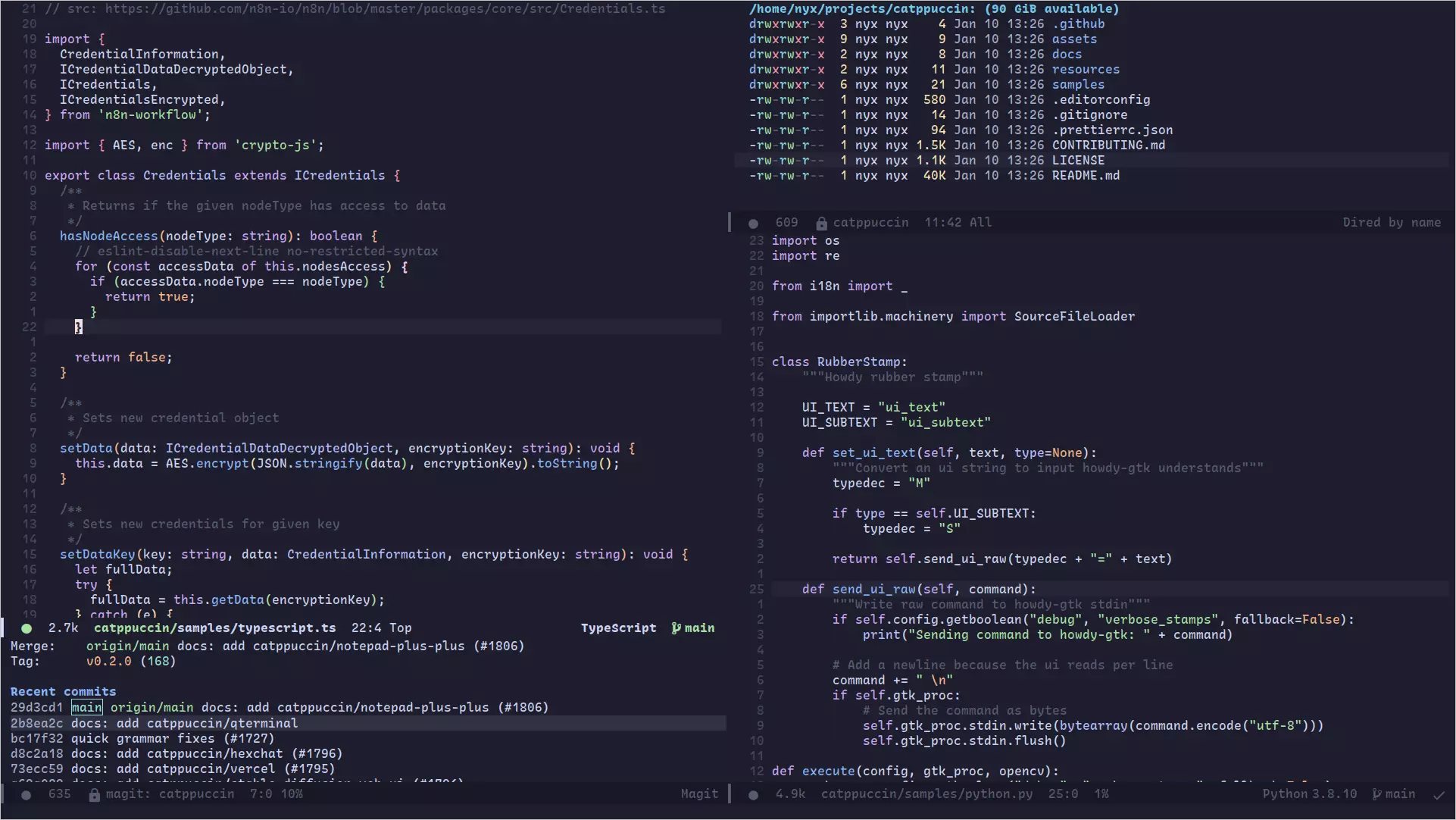
 Catppuccin for Emacs



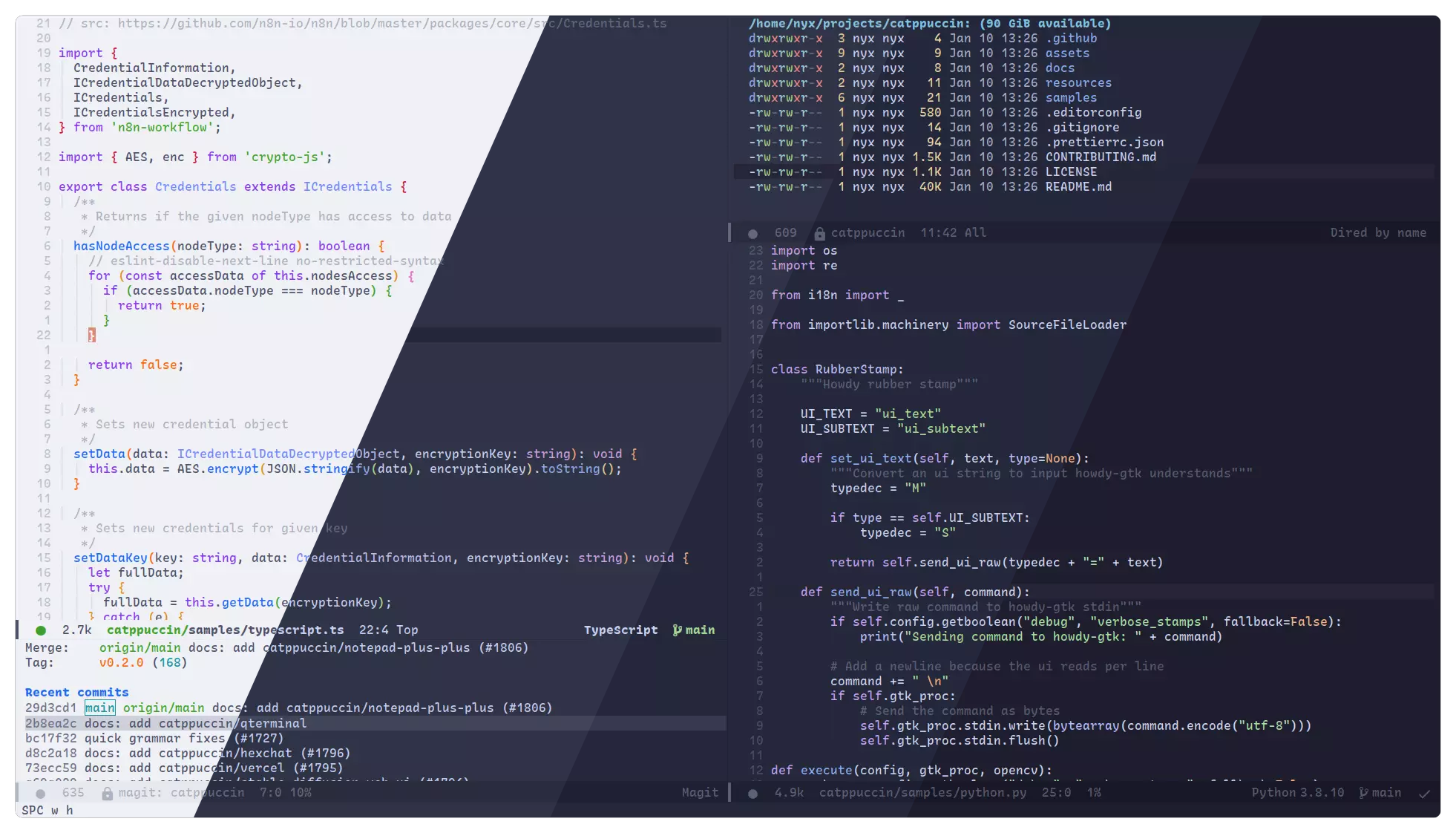
About
This Emacs theme was made with the Dracula theme as a base.
Previews
🌻 Latte
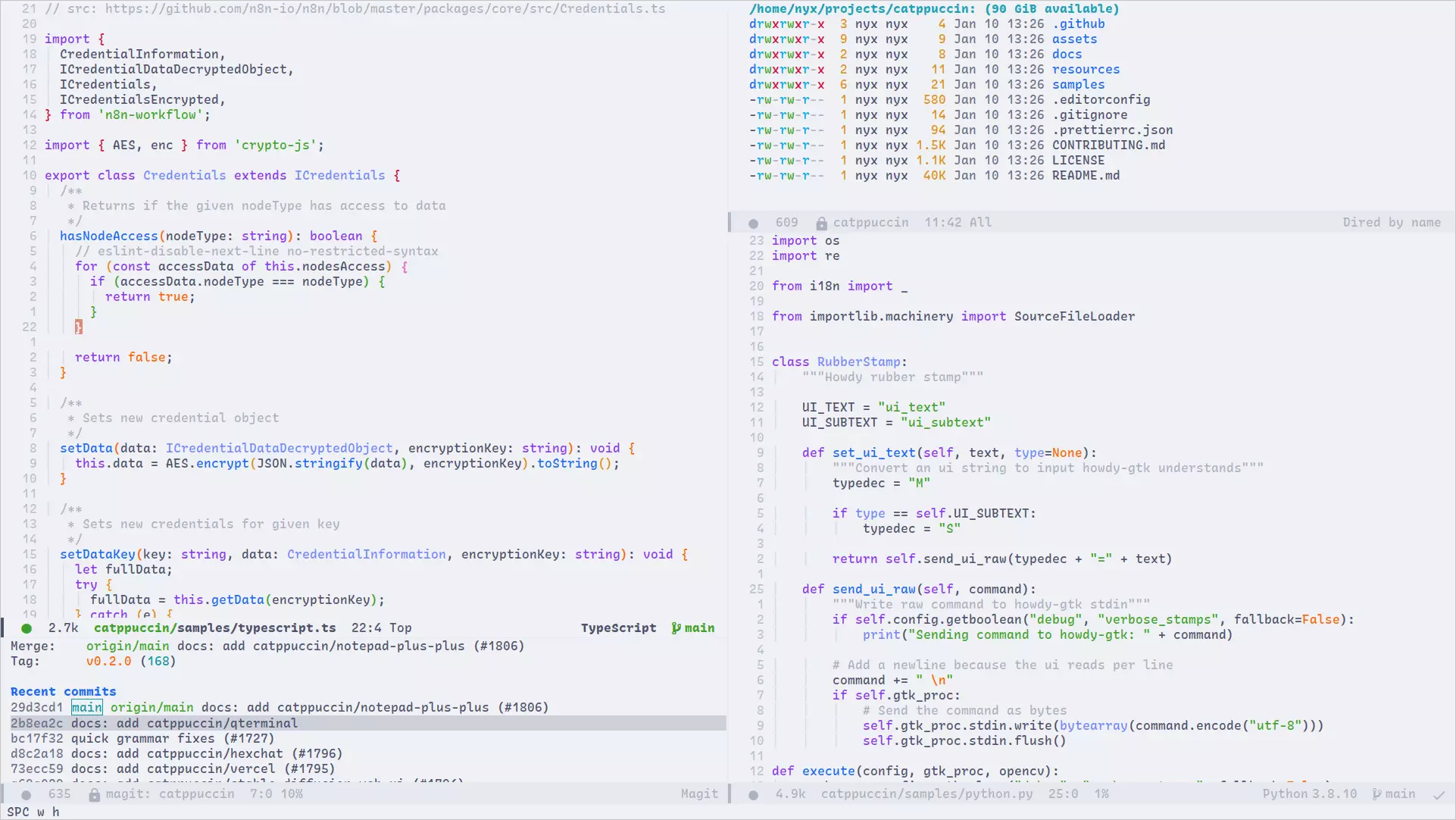
🪴 Frappé
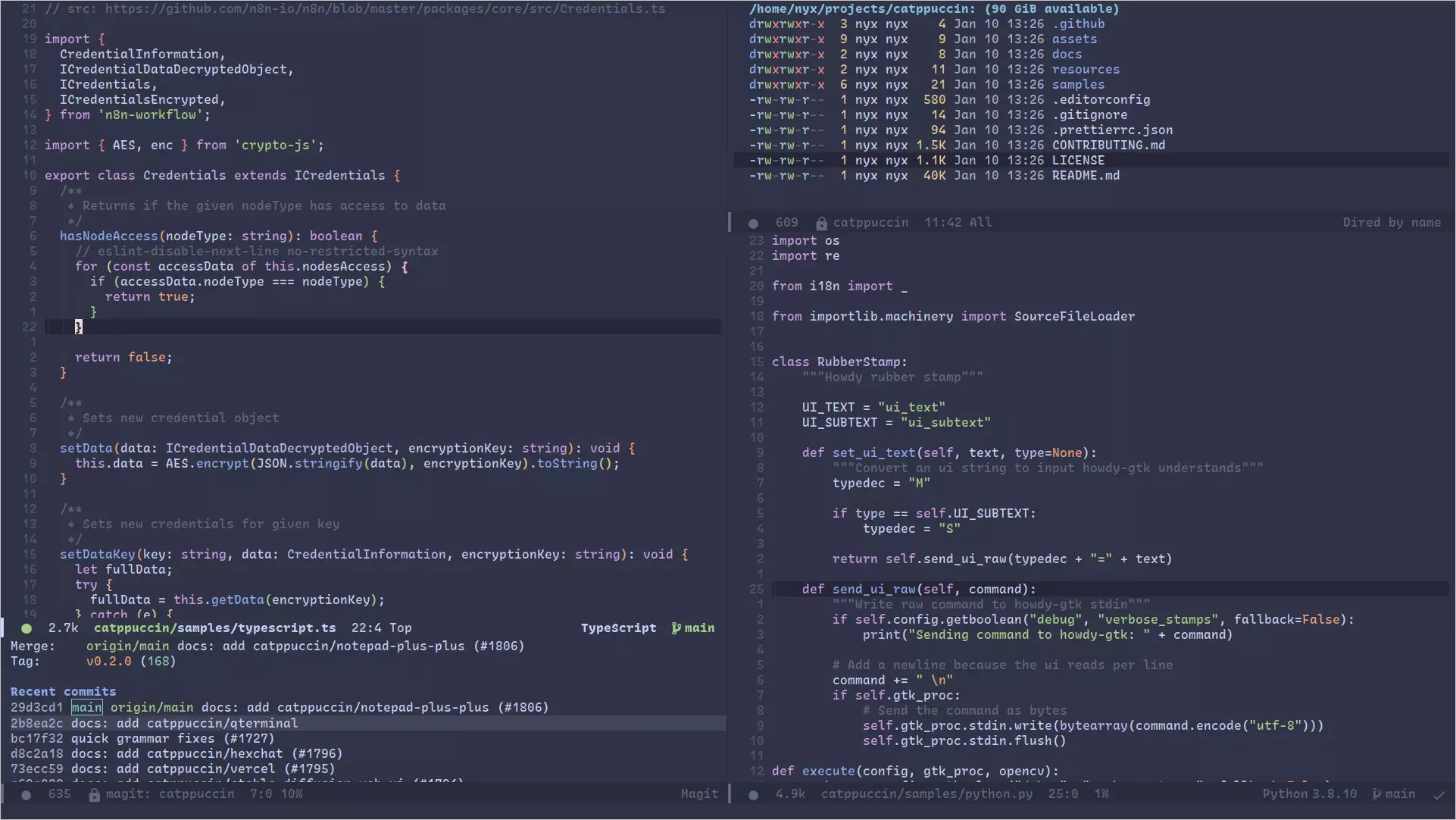
🌺 Macchiato
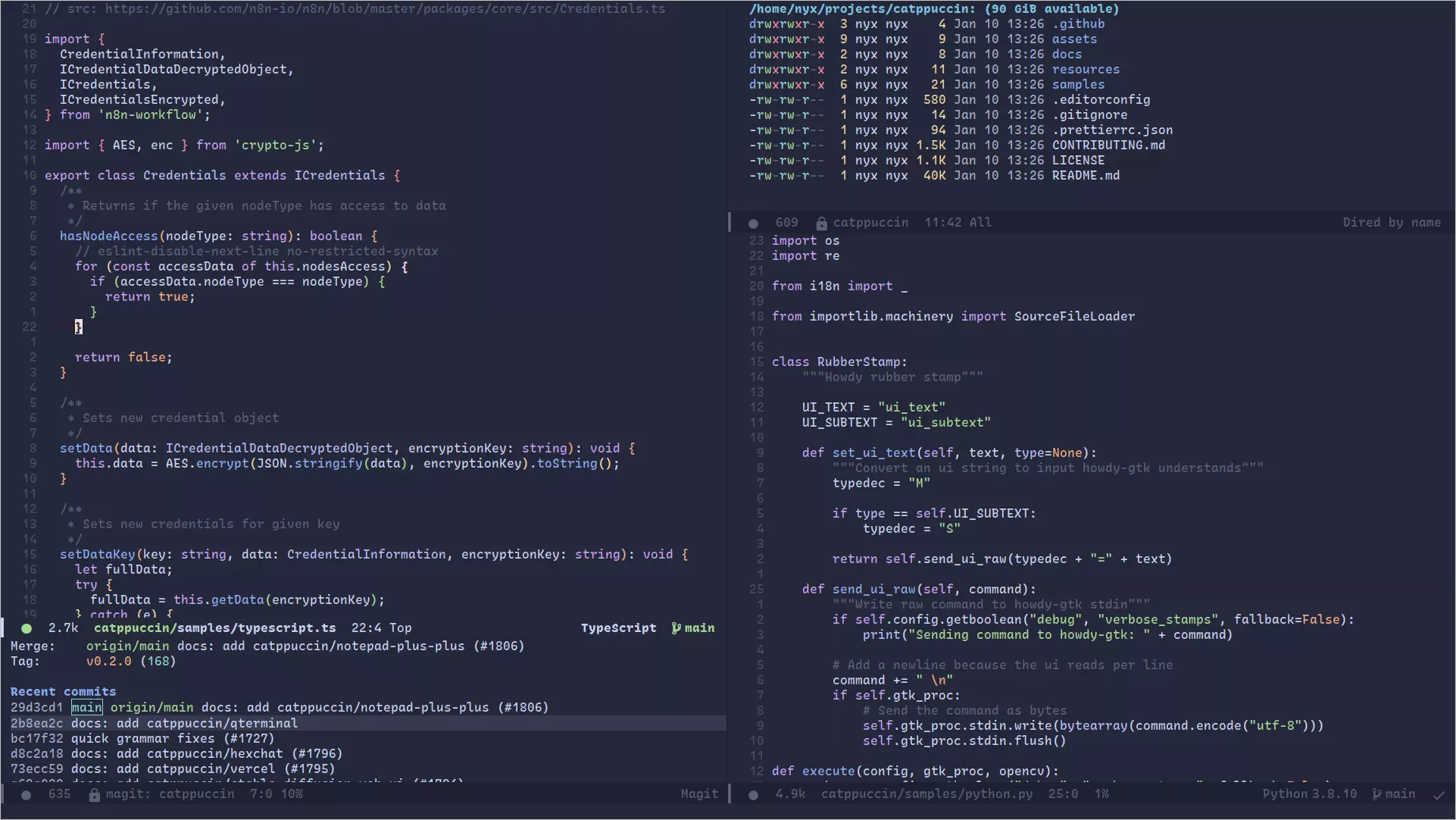
🌿 Mocha
Installation
catppuccin-theme is available on the MELPA package repository.
Emacs
- Make sure to have MELPA enabled by adding it to the
package-archives, or that your package manager of choice has MELPA as a repository. - You can then install the package from the
list-packagesinterface, accessible fromM-x list-packages. - Alternatively, you can install the package using your package manager of choice, such as straight
(straight-use-package 'catppuccin-theme)
- Then, you can enable it by adding the following to your
init.elfile
(load-theme 'catppuccin :no-confirm)
Doom Emacs
- Add the following to your
package.el
(package! catppuccin-theme)
- Add the following to your
config.el
(setq doom-theme 'catppuccin)
Spacemacs
- Add catppuccin-theme to the dotspacemacs-additional-packages list
- Set dotspacemacs-themes to catppuccin
- Configure your flavor in the user-init function:
(defun dotspacemacs/layers ()
  (setq-default
   dotspacemacs-additional-packages '(catppuccin-theme)))

(defun dotspacemacs/init ()
  (setq-default
   dotspacemacs-themes '(catppuccin)))

(defun dotspacemacs/user-init ()
  (setq catppuccin-flavor 'frappe))
Configuration
The default flavour is Mocha, to change the flavor, place the following in your init.el or config.el
after loading the theme
(setq catppuccin-flavor 'frappe) ;; or 'latte, 'macchiato, or 'mocha
(catppuccin-reload)
The theme can also be customzied further by changing individual colors.
Doom users must call (load-theme 'catppuccin t t) before being able to call any of the catppuccin-* functions.
(catppuccin-set-color 'base "#000000") ;; change base to #000000 for the currently active flavor
(catppuccin-set-color 'crust "#222222" 'frappe) ;; change crust to #222222 for frappe
(catppuccin-reload)
[!NOTE] If you are using emacsclient and rustic, you should add
(add-hook 'server-after-make-frame-hook #'catppuccin-reload)to your config to avoid this issue
[!NOTE] If you are using doom emacs and want to customize the
catppuccin-flavor, calling(catppuccin-reload)afterload-thememay slow emacs startup time. To change the flavor, it is sufficient tosetqthe desired flavor before loading the theme. Then, calling(catppuccin-reload)can be omitted because catppuccin will be loaded with the desired flavor directly.
Contributing
There is a short guide on adding new faces to the theme in CONTRIBUTING.md.
💝 Thanks to

Copyright © 2021-present Catppuccin Org



Similar repos

Languages
Emacs Lisp
100.0%
README
Catppuccin for Emacs
About
This Emacs theme was made with the Dracula theme as a base.
Previews
🌻 Latte
🪴 Frappé
🌺 Macchiato
🌿 Mocha
Installation
catppuccin-theme is available on the MELPA package repository.
Emacs
- Make sure to have MELPA enabled by adding it to the
package-archives, or that your package manager of choice has MELPA as a repository. - You can then install the package from the
list-packagesinterface, accessible fromM-x list-packages. - Alternatively, you can install the package using your package manager of choice, such as straight
(straight-use-package 'catppuccin-theme)
- Then, you can enable it by adding the following to your
init.elfile
(load-theme 'catppuccin :no-confirm)
Doom Emacs
- Add the following to your
package.el
(package! catppuccin-theme)
- Add the following to your
config.el
(setq doom-theme 'catppuccin)
Spacemacs
- Add catppuccin-theme to the dotspacemacs-additional-packages list
- Set dotspacemacs-themes to catppuccin
- Configure your flavor in the user-init function:
(defun dotspacemacs/layers ()
  (setq-default
   dotspacemacs-additional-packages '(catppuccin-theme)))

(defun dotspacemacs/init ()
  (setq-default
   dotspacemacs-themes '(catppuccin)))

(defun dotspacemacs/user-init ()
  (setq catppuccin-flavor 'frappe))
Configuration
The default flavour is Mocha, to change the flavor, place the following in your init.el or config.el
after loading the theme
(setq catppuccin-flavor 'frappe) ;; or 'latte, 'macchiato, or 'mocha
(catppuccin-reload)
The theme can also be customzied further by changing individual colors.
Doom users must call (load-theme 'catppuccin t t) before being able to call any of the catppuccin-* functions.
(catppuccin-set-color 'base "#000000") ;; change base to #000000 for the currently active flavor
(catppuccin-set-color 'crust "#222222" 'frappe) ;; change crust to #222222 for frappe
(catppuccin-reload)
[!NOTE] If you are using emacsclient and rustic, you should add
(add-hook 'server-after-make-frame-hook #'catppuccin-reload)to your config to avoid this issue
[!NOTE] If you are using doom emacs and want to customize the
catppuccin-flavor, calling(catppuccin-reload)afterload-thememay slow emacs startup time. To change the flavor, it is sufficient tosetqthe desired flavor before loading the theme. Then, calling(catppuccin-reload)can be omitted because catppuccin will be loaded with the desired flavor directly.
Contributing
There is a short guide on adding new faces to the theme in CONTRIBUTING.md.
💝 Thanks to
Copyright © 2021-present Catppuccin Org
Similar repos
Languages
Emacs Lisp
100.0%