Run Windows Applications on Linux as if they are native, Use linux applications to launch files files located in windows vm without needing to install applications on vm. With easy to use configuration GUI
Python
3,591
122 commits
updated Mar 28, 2024

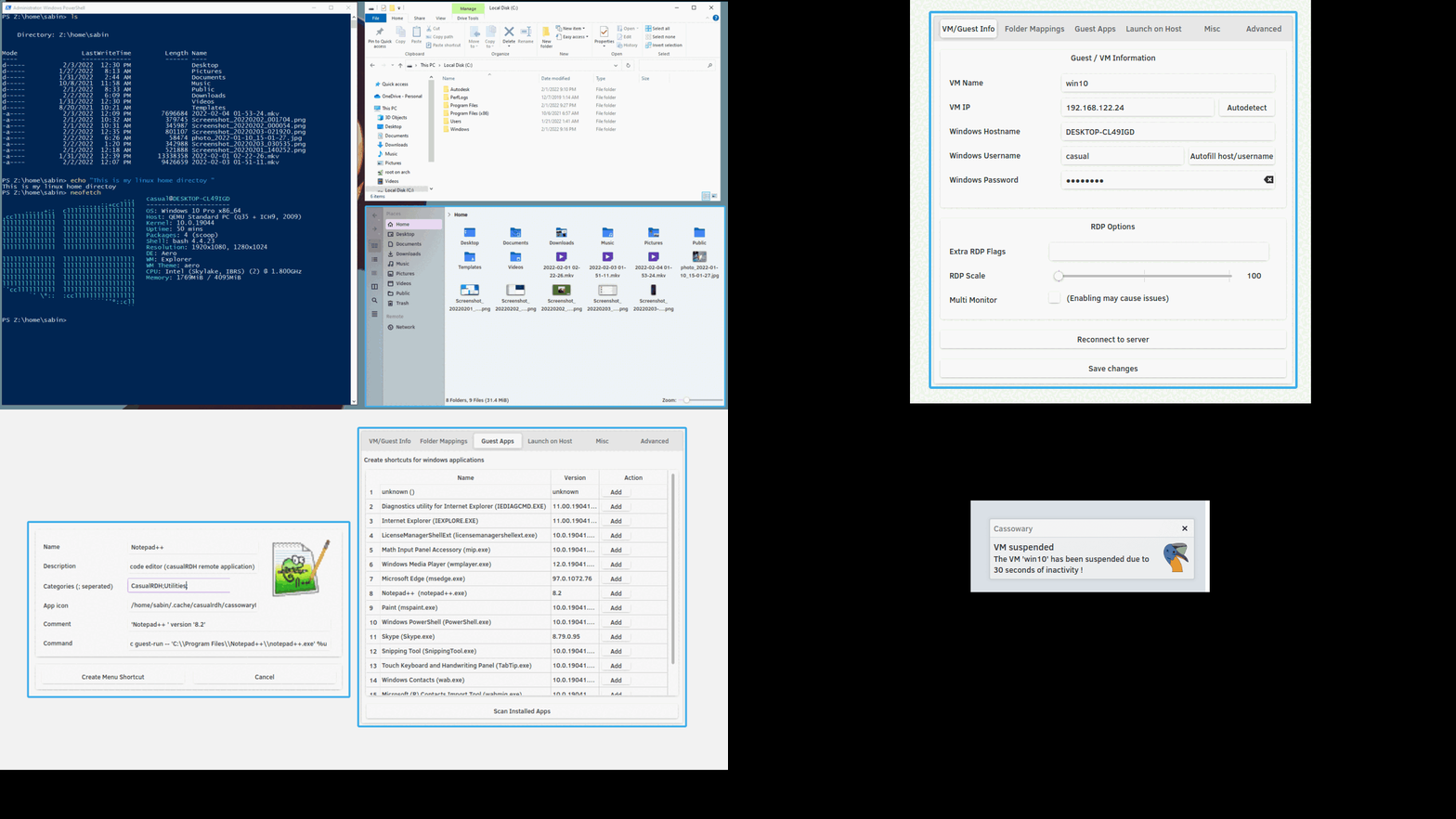
With Cassowary you can run a Windows virtual machine and use Windows applications on Linux as if they were native applications, built upon FreeRDP and remote apps technology.
If you prefer a setup guide video instead of a wall of text, click here.
Please give a star ⭐ or follow this project if you find it useful.
Join the discussion on Discord: Server URL
This step is ONLY necessary if you don't want to use the releases from the release page and you want to build the .zip and the .whl files by yourself!
$ git clone https://github.com/casualsnek/cassowary
$ cd cassowary/app-linux
$ chmod +x build.sh
$ ./build.sh
This will create a directory named dist inside app-linux directory containing installable .whl file
Download and install Python3 (If on Windows 7 use Python 3.7) and Git on the Windows system then run the commands:
$ git clone https://github.com/casualsnek/cassowary
$ cd cassowary\app-win
$ .\build.bat
This will create a directory named bin containing the setup files.
Install wine first, in order to build Windows application on Linux. Internet access is required to download the python binary for setup. Note that Windows application built through wine may fail to run properly on some Windows systems.
$ git clone https://github.com/casualsnek/cassowary
$ cd cassowary
$ chmod +x buildall.sh
$ ./buildall.sh
This will create a dist folder inside app-linux which contains the installable wheel file.
A bin folder will also be created inside app-win containing the setup files for Windows.


(top 24 of 31)
79 followers · starred May 2022
94 followers · starred Feb 2022
159 followers · starred Feb 2022
114 followers · starred Feb 2022
Run Windows Applications on Linux as if they are native, Use linux applications to launch files files located in windows vm without needing to install applications on vm. With easy to use configuration GUI
Python
3,591
122 commits
updated Mar 28, 2024
With Cassowary you can run a Windows virtual machine and use Windows applications on Linux as if they were native applications, built upon FreeRDP and remote apps technology.
If you prefer a setup guide video instead of a wall of text, click here.
Please give a star ⭐ or follow this project if you find it useful.
Join the discussion on Discord: Server URL
This step is ONLY necessary if you don't want to use the releases from the release page and you want to build the .zip and the .whl files by yourself!
$ git clone https://github.com/casualsnek/cassowary
$ cd cassowary/app-linux
$ chmod +x build.sh
$ ./build.sh
This will create a directory named dist inside app-linux directory containing installable .whl file
Download and install Python3 (If on Windows 7 use Python 3.7) and Git on the Windows system then run the commands:
$ git clone https://github.com/casualsnek/cassowary
$ cd cassowary\app-win
$ .\build.bat
This will create a directory named bin containing the setup files.
Install wine first, in order to build Windows application on Linux. Internet access is required to download the python binary for setup. Note that Windows application built through wine may fail to run properly on some Windows systems.
$ git clone https://github.com/casualsnek/cassowary
$ cd cassowary
$ chmod +x buildall.sh
$ ./buildall.sh
This will create a dist folder inside app-linux which contains the installable wheel file.
A bin folder will also be created inside app-win containing the setup files for Windows.
(top 24 of 31)
79 followers · starred May 2022
94 followers · starred Feb 2022
159 followers · starred Feb 2022
114 followers · starred Feb 2022



