Converts .py to .exe using a simple graphical interface
JavaScript
4,993
524 commits
updated Sep 11, 2026
A .py to .exe converter using a simple graphical interface and PyInstaller in Python.
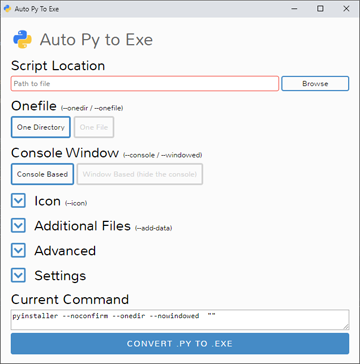






English | 简体中文 | Suomen kieli | Türkçe | فارسی | 한국어 | Български | हिन्दी | עברית | العربية | Беларуская | Slovenščina | српски | srpski | Русский | Français
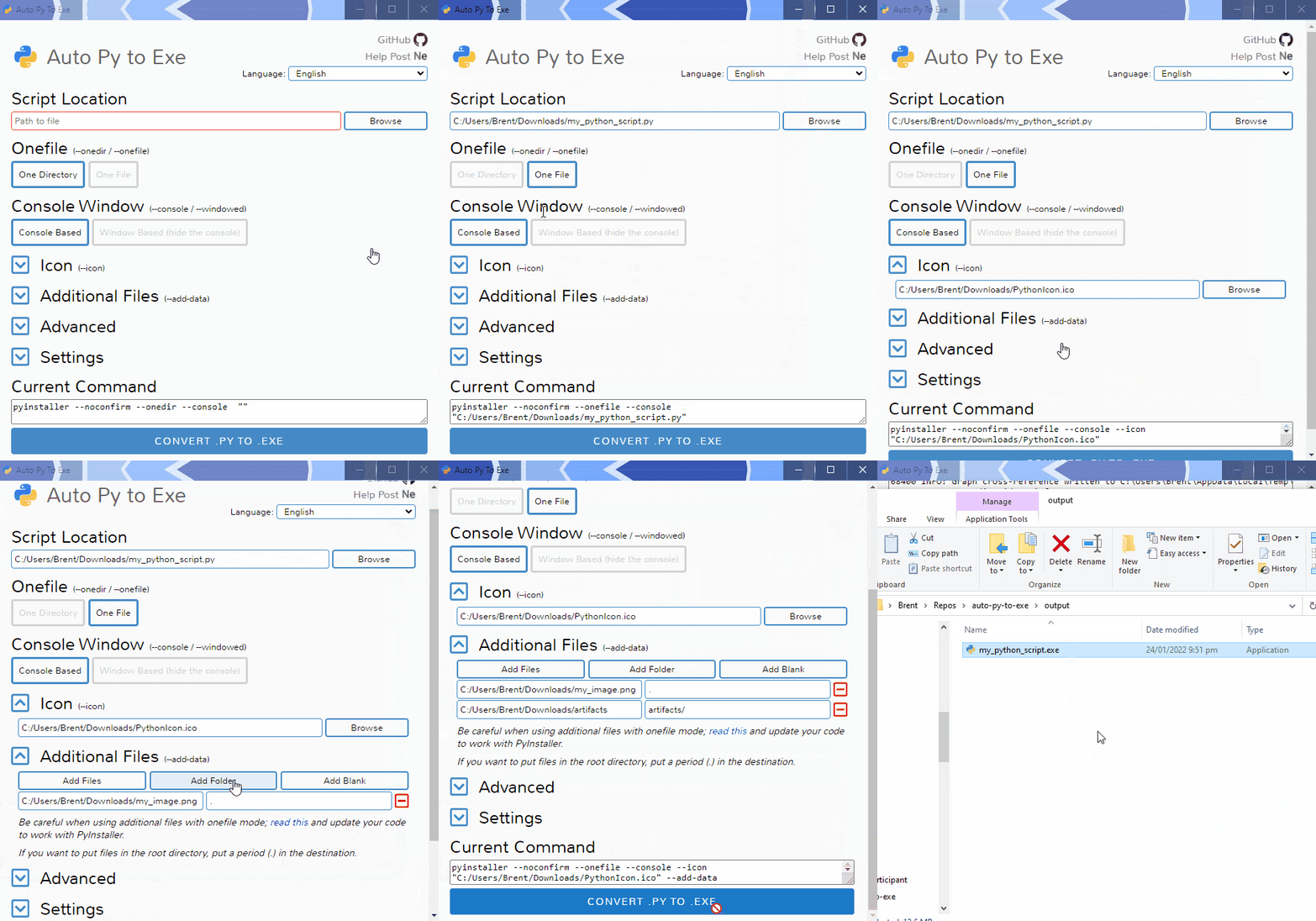
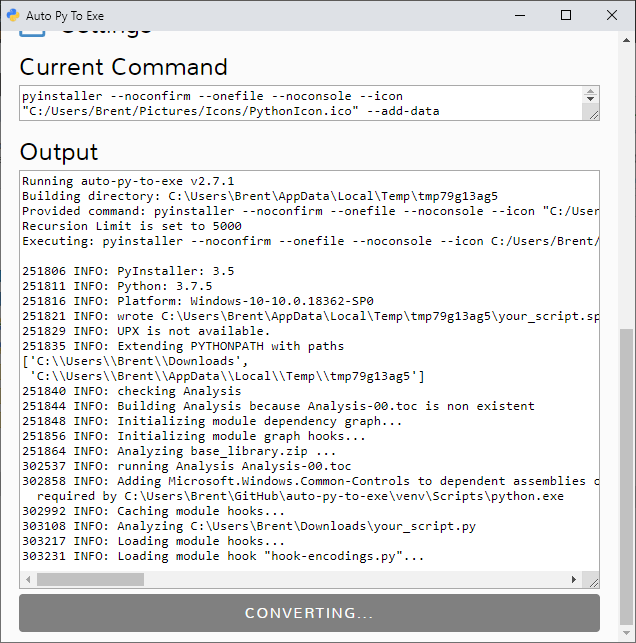
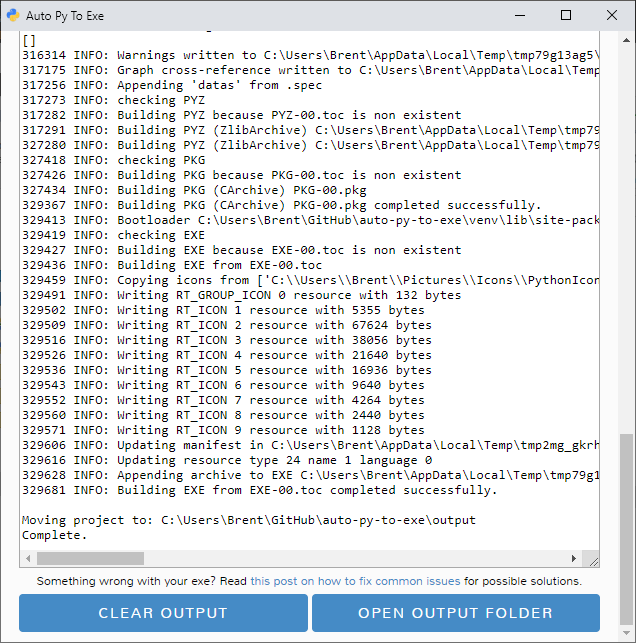
To have the interface displayed in the images, you will need Chrome. If Chrome is not installed or --default-browser is passed, the default browser will be used.
You can install this project using PyPI:
pip install auto-py-to-exe
Then to run it, execute the following in the terminal:
auto-py-to-exe
If you have more than one version of Python installed, you can use
python -m auto_py_to_exeinstead ofauto-py-to-exe.
git clone https://github.com/brentvollebregt/auto-py-to-exe.git
cd auto-py-to-exe
python setup.py install
Then to run it, execute the following in the terminal:
auto-py-to-exe
You can run this project locally by following these steps:
python -m pip install -r requirements.txtpython -m auto_py_to_exe to run the applicationEasy.
Use the help flag to get the usage: auto-py-to-exe --help
| Argument | Type | Description |
|---|---|---|
| filename | positional/optional | Pre-fill the "Script Location" field in the UI. |
| -db, --default-browser | optional | Open the UI using the default browser (which may be Chrome). Will not try to find Chrome. |
| -nu, --no-ui | optional | Don't try to open the UI in a browser and simply print out the address where the application can be accessed. |
| -c [CONFIG], --config [CONFIG] | optional | Provide a configuration file (JSON) to pre-fill the UI. These can be generated in the settings tab. |
| -o [PATH], --output-dir [PATH] | optional | Set the default output directory. This can still be changed in the UI. |
| -bdo [FOLDER_PATH], --build-directory-override [FOLDER_PATH] | optional | Override the default build directory. Useful if you need to whitelist a folder to stop your antivirus from removing files. |
| -lang [LANGUAGE_CODE], --language [LANGUAGE_CODE] | optional | Hint the UI what language it should default to when opening. Language codes can be found in the table under "Translations" below. |
Instead of inserting the same data into the UI over and over again, you can export the current state by going to the "Configuration" section within the settings tab and exporting the config to a JSON file. This can then be imported into the UI again to re-populate all fields.
This JSON config export action does not save the output directory automatically as moving hosts could mean different directory structures. If you want to have the output directory in the JSON config, add the directory under nonPyinstallerOptions.outputDirectory in the JSON file (will need to create a new key).
The examples/ directory offers some examples of how to write your scripts and package them with auto-py-to-exe.
If you need something visual to help you get started, I made a video for the original release of this project; some things may be different but the same concepts still apply.
Check out CONTRIBUTING.md to see guidelines on how to contribute. This outlines what to do if you have a new feature, a change, translation update or have found an issue with auto-py-to-exe.
If you're having issues with the packaged executable or using this tool in general, I recommend you read my blog post on common issues when using auto-py-to-exe. This post covers things you should know about packaging Python scripts and fixes for things that commonly go wrong.
If you believe you've found an issue with this tool, please follow the "Reporting an Issue" section in CONTRIBUTING.md.
| Language | Translators | UI | README | CONTRIBUTING | Examples |
|---|---|---|---|---|---|
| Arabic (العربية) | Tayeb-Ali, 0xTrix | ✔️ | ✔️ | ||
| Belarusian (Беларуская) | Zmicier21 | ✔️⚠️ | ✔️ | ||
| Brazilian Portuguese (Português Brasileiro) | marleyas, reneoliveirajr | ✔️ | |||
| Bulgarian (Български) | kbkozlev | ✔️ | ✔️ | ||
| Chinese Simplified (简体中文) | jiangzhe11, Emptylight | ✔️ | ✔️ | ✔️ | |
| Chinese Traditional (繁體中文) | startgo | ✔️ | |||
| Czech (Čeština) | Matto58 | ✔️ | |||
| Dutch (Nederlands) | barremans | ✔️ | |||
| English | - | ✔️ | ✔️ | ✔️ | ✔️ |
| Finnish (Suomen kieli) | ZapX5 | ✔️ | ✔️ | ||
| French (Français) | flaviedesp, samuellouf | ✔️ | ✔️ | ||
| German (Deutsch) | hebens, ackhh | ✔️ | |||
| Greek (Ελληνικά) | sofronas | ✔️ | |||
| Hebrew (עברית) | ronbentata | ✔️ | ✔️ | ||
| Hindi (हिन्दी) | triach-rold | ✔️ | ✔️ | ||
| Hungarian (Magyar) | synexdev01 | ✔️ | |||
| Indonesian (Bahasa Indonesia) | MarvinZhong | ✔️ | |||
| Italian (Italiano) | itsEmax64 | ✔️ | |||
| Japanese (日本語) | NattyanTV | ✔️ | |||
| Korean (한국어) | jhk1090 | ✔️ | ✔️ | ||
| Persian (فارسی) | DrunkLeen, Ar.dst | ✔️ | ✔️ | ||
| Polish (Polski) | Akuczaku | ✔️ | |||
| Russian (Русский) | Oleg, Sandile | ✔️ | ✔️ | ||
| Serbian Cyrillic (српски) | Radoš Milićev | ✔️ | ✔️ | ✔️ | ✔️ |
| Serbian Latin (srpski) | rina, Radoš Milićev | ✔️ | ✔️ | ✔️ | ✔️ |
| Slovak (Slovenčina) | mostypc123 | ✔️ | |||
| Slovenian (Slovenščina) | Andrew Poženel | ✔️ | ✔️ | ||
| Spanish (Español) | enriiquee | ✔️ | |||
| Spanish Latin America (Español Latam) | Matyrela | ✔️ | |||
| Thai (ภาษาไทย) | teerut26 | ✔️⚠️ | |||
| Turkish (Türkçe) | mcagriaksoy | ✔️ | ✔️ | ||
| Ukrainian (Українська) | AndrejGorodnij | ✔️ | |||
| Vietnamese (Tiếng Việt) | 7777Hecker | ✔️ |
Want to add a translation for another language? Follow the "Add or Update a Translation" section in CONTRIBUTING.md.
As of PyInstaller v4.0 released on Aug 9 2020, Python 2.7 is no longer supported; although you can still use this tool with Python 2.7 by installing an older version of PyInstaller. PyInstaller v3.6 was the last version that supported Python 2.7; to install this, first uninstall any existing versions of PyInstaller and then execute python -m pip install pyinstaller==3.6.
Tests are located in tests/ directory and are run using pytest:
pip install pytest
pip install -e .
pytest
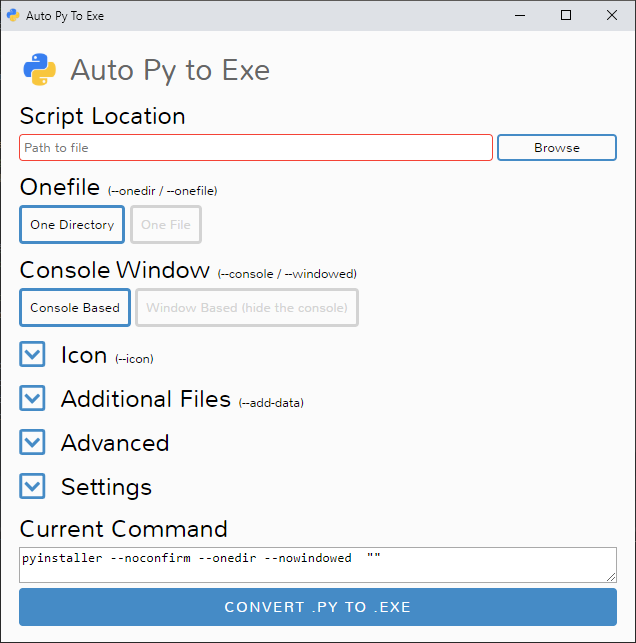 | 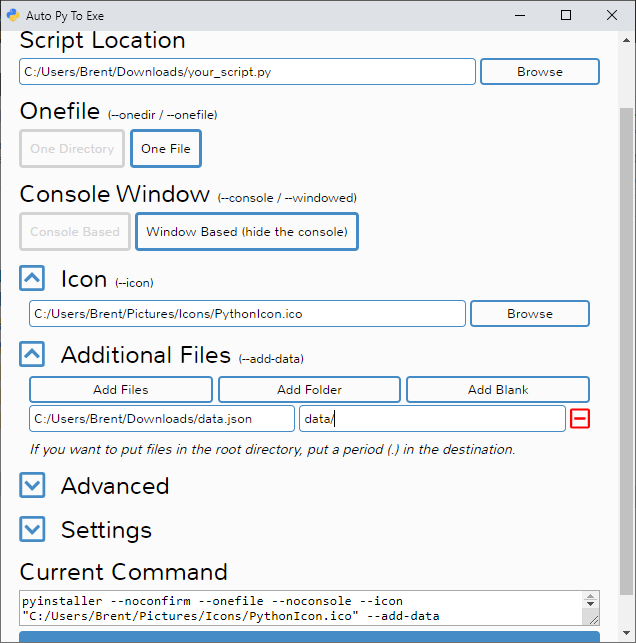 |
 |  |
Overall
Maintained
Code review
PyPI
Latest release
Releases this year
103 followers · starred Jun 2022
165 followers · starred Sep 2018
160 followers · starred Dec 2025
97 followers · starred Dec 2021
Converts .py to .exe using a simple graphical interface
JavaScript
4,993
524 commits
updated Sep 11, 2026
A .py to .exe converter using a simple graphical interface and PyInstaller in Python.
English | 简体中文 | Suomen kieli | Türkçe | فارسی | 한국어 | Български | हिन्दी | עברית | العربية | Беларуская | Slovenščina | српски | srpski | Русский | Français
To have the interface displayed in the images, you will need Chrome. If Chrome is not installed or --default-browser is passed, the default browser will be used.
You can install this project using PyPI:
pip install auto-py-to-exe
Then to run it, execute the following in the terminal:
auto-py-to-exe
If you have more than one version of Python installed, you can use
python -m auto_py_to_exeinstead ofauto-py-to-exe.
git clone https://github.com/brentvollebregt/auto-py-to-exe.git
cd auto-py-to-exe
python setup.py install
Then to run it, execute the following in the terminal:
auto-py-to-exe
You can run this project locally by following these steps:
python -m pip install -r requirements.txtpython -m auto_py_to_exe to run the applicationEasy.
Use the help flag to get the usage: auto-py-to-exe --help
| Argument | Type | Description |
|---|---|---|
| filename | positional/optional | Pre-fill the "Script Location" field in the UI. |
| -db, --default-browser | optional | Open the UI using the default browser (which may be Chrome). Will not try to find Chrome. |
| -nu, --no-ui | optional | Don't try to open the UI in a browser and simply print out the address where the application can be accessed. |
| -c [CONFIG], --config [CONFIG] | optional | Provide a configuration file (JSON) to pre-fill the UI. These can be generated in the settings tab. |
| -o [PATH], --output-dir [PATH] | optional | Set the default output directory. This can still be changed in the UI. |
| -bdo [FOLDER_PATH], --build-directory-override [FOLDER_PATH] | optional | Override the default build directory. Useful if you need to whitelist a folder to stop your antivirus from removing files. |
| -lang [LANGUAGE_CODE], --language [LANGUAGE_CODE] | optional | Hint the UI what language it should default to when opening. Language codes can be found in the table under "Translations" below. |
Instead of inserting the same data into the UI over and over again, you can export the current state by going to the "Configuration" section within the settings tab and exporting the config to a JSON file. This can then be imported into the UI again to re-populate all fields.
This JSON config export action does not save the output directory automatically as moving hosts could mean different directory structures. If you want to have the output directory in the JSON config, add the directory under nonPyinstallerOptions.outputDirectory in the JSON file (will need to create a new key).
The examples/ directory offers some examples of how to write your scripts and package them with auto-py-to-exe.
If you need something visual to help you get started, I made a video for the original release of this project; some things may be different but the same concepts still apply.
Check out CONTRIBUTING.md to see guidelines on how to contribute. This outlines what to do if you have a new feature, a change, translation update or have found an issue with auto-py-to-exe.
If you're having issues with the packaged executable or using this tool in general, I recommend you read my blog post on common issues when using auto-py-to-exe. This post covers things you should know about packaging Python scripts and fixes for things that commonly go wrong.
If you believe you've found an issue with this tool, please follow the "Reporting an Issue" section in CONTRIBUTING.md.
| Language | Translators | UI | README | CONTRIBUTING | Examples |
|---|---|---|---|---|---|
| Arabic (العربية) | Tayeb-Ali, 0xTrix | ✔️ | ✔️ | ||
| Belarusian (Беларуская) | Zmicier21 | ✔️⚠️ | ✔️ | ||
| Brazilian Portuguese (Português Brasileiro) | marleyas, reneoliveirajr | ✔️ | |||
| Bulgarian (Български) | kbkozlev | ✔️ | ✔️ | ||
| Chinese Simplified (简体中文) | jiangzhe11, Emptylight | ✔️ | ✔️ | ✔️ | |
| Chinese Traditional (繁體中文) | startgo | ✔️ | |||
| Czech (Čeština) | Matto58 | ✔️ | |||
| Dutch (Nederlands) | barremans | ✔️ | |||
| English | - | ✔️ | ✔️ | ✔️ | ✔️ |
| Finnish (Suomen kieli) | ZapX5 | ✔️ | ✔️ | ||
| French (Français) | flaviedesp, samuellouf | ✔️ | ✔️ | ||
| German (Deutsch) | hebens, ackhh | ✔️ | |||
| Greek (Ελληνικά) | sofronas | ✔️ | |||
| Hebrew (עברית) | ronbentata | ✔️ | ✔️ | ||
| Hindi (हिन्दी) | triach-rold | ✔️ | ✔️ | ||
| Hungarian (Magyar) | synexdev01 | ✔️ | |||
| Indonesian (Bahasa Indonesia) | MarvinZhong | ✔️ | |||
| Italian (Italiano) | itsEmax64 | ✔️ | |||
| Japanese (日本語) | NattyanTV | ✔️ | |||
| Korean (한국어) | jhk1090 | ✔️ | ✔️ | ||
| Persian (فارسی) | DrunkLeen, Ar.dst | ✔️ | ✔️ | ||
| Polish (Polski) | Akuczaku | ✔️ | |||
| Russian (Русский) | Oleg, Sandile | ✔️ | ✔️ | ||
| Serbian Cyrillic (српски) | Radoš Milićev | ✔️ | ✔️ | ✔️ | ✔️ |
| Serbian Latin (srpski) | rina, Radoš Milićev | ✔️ | ✔️ | ✔️ | ✔️ |
| Slovak (Slovenčina) | mostypc123 | ✔️ | |||
| Slovenian (Slovenščina) | Andrew Poženel | ✔️ | ✔️ | ||
| Spanish (Español) | enriiquee | ✔️ | |||
| Spanish Latin America (Español Latam) | Matyrela | ✔️ | |||
| Thai (ภาษาไทย) | teerut26 | ✔️⚠️ | |||
| Turkish (Türkçe) | mcagriaksoy | ✔️ | ✔️ | ||
| Ukrainian (Українська) | AndrejGorodnij | ✔️ | |||
| Vietnamese (Tiếng Việt) | 7777Hecker | ✔️ |
Want to add a translation for another language? Follow the "Add or Update a Translation" section in CONTRIBUTING.md.
As of PyInstaller v4.0 released on Aug 9 2020, Python 2.7 is no longer supported; although you can still use this tool with Python 2.7 by installing an older version of PyInstaller. PyInstaller v3.6 was the last version that supported Python 2.7; to install this, first uninstall any existing versions of PyInstaller and then execute python -m pip install pyinstaller==3.6.
Tests are located in tests/ directory and are run using pytest:
pip install pytest
pip install -e .
pytest
| |
| |
Overall
Maintained
Code review
PyPI
Latest release
Releases this year
103 followers · starred Jun 2022
165 followers · starred Sep 2018
160 followers · starred Dec 2025
97 followers · starred Dec 2021