
A set of development tools for building on Cardano by creating a local devnet.
See the codeREADME

Complete Cardano development environment with instant local devnet





🚀 What is Yaci DevKit?
Yaci DevKit is a comprehensive Cardano development toolkit that provides developers with a complete local blockchain environment. Create, customize, and manage your own Cardano devnet in seconds, enabling rapid development and testing of DApps, smart contracts, and blockchain integrations.
✨ Key Features
- ⚡ Instant Devnet Creation - Launch a complete Cardano network in seconds
- 🎛️ Flexible Configuration - Customize block times, epochs, eras, and network parameters
- 🧪 PV11 / Cardano Node 11.0.1 Support - Beta builds are available for PV11 hard fork compatible devnets
- 🔄 Rollback Testing - Advanced rollback simulation for robust application testing (New in v0.11.0-beta1)
- ⏱️ Sub-second Block Times - Support for ultra-fast development with sub-second block times. e.g; 100ms, 200ms (New in v0.11.0-beta1)
- 🌐 Multi-node Support - Enable multiple nodes specifically for rollback testing scenarios
- 📊 Built-in Indexer - Integrated Yaci Store with Blockfrost-compatible APIs
- 🎯 Developer Tools - Browser-based viewer, CLI management, and extensive APIs
- 🔗 SDK Integration - Seamless integration with popular Cardano SDKs (Mesh, CCL, Lucid Evolution, Sutra)
🏗️ Architecture
Standard Single-node Setup (Default)
For most development scenarios, Yaci DevKit runs a single Cardano node:
┌─────────────────┐  ┌─────────────────┐  ┌─────────────────┐
│   Yaci Viewer   │  │   Your DApp     │  │   Yaci CLI      │
│  (Web UI)       │  │  (Frontend)     │  │  (Management)   │
└─────────────────┘  └─────────────────┘  └─────────────────┘
         │                     │                     │
         └─────────────────────┼─────────────────────┘
                               │
┌─────────────────────────────────────────────────────────────┐
│                     API Layer                              │
│  ┌─────────────┐  ┌─────────────┐  ┌─────────────┐        │
│  │ Yaci Store  │  │   Ogmios    │  │    Kupo     │        │
│  │ (Indexer)   │  │ (Optional)  │  │ (Optional)  │        │
│  └─────────────┘  └─────────────┘  └─────────────┘        │
└─────────────────────────────────────────────────────────────┘
                               │
┌─────────────────────────────────────────────────────────────┐
│                 Single Cardano Node                       │
│            ┌─────────────────────┐                        │
│            │      Node 1         │                        │
│            │    (Producer)       │                        │
│            └─────────────────────┘                        │
└─────────────────────────────────────────────────────────────┘
Multi-node Setup (Rollback Testing Only)
When --enable-multi-node is used, DevKit creates a 3-node cluster for rollback testing:
┌─────────────────────────────────────────────────────────────┐
│              Multi-node Cluster                            │
│  ┌─────────────┐  ┌─────────────┐  ┌─────────────┐        │
│  │   Node 1    │  │   Node 2    │  │   Node 3    │        │
│  │ (Producer)  │  │ (Producer)  │  │  (Producer) │        │
│  └─────────────┘  └─────────────┘  └─────────────┘        │
└─────────────────────────────────────────────────────────────┘
📋 Current Releases
Use the release that matches the Cardano node / protocol version you want to test.
| DevKit release | Cardano node | Status | Recommended use |
|---|---|---|---|
| v0.10.6 | 10.1.4 | Stable | Default stable development setup |
| v0.11.0-beta1 | 10.5.0 | Beta | PV10 or earlier Cardano protocol testing |
| v0.12.0-beta5 | 11.0.1 | Beta | PV11 hard fork / Cardano node 11.0.1 testing |
For PV11 hard fork compatible local devnets, use the PV11 beta release from this table or a newer beta release.
📦 Components
| Component | Description | Default Port |
|---|---|---|
| Yaci CLI | Command-line interface for devnet management | - |
| Yaci Store | Lightweight indexer with Blockfrost-compatible APIs | 8080 |
| Yaci Viewer | Web-based blockchain explorer for developers | 5173 |
| Cardano Node | Official Cardano node (supports both amd64/arm64) | 3001 (n2n), 3333 (n2c through socat) |
| Ogmios | WebSocket API for Cardano (optional) | 1337 |
| Kupo | Chain indexer (optional) | 1442 |
| MCP Server | AI coding assistant integration | 10000 |
🎯 Quick Start
Prerequisites
- Docker and Docker Compose for Docker based distribution
Installation
Yaci DevKit offers multiple distribution options to fit your development workflow:
Option 1: Docker Zip Distribution
Option 2: Yaci CLI Zip Distribution (Non-Docker)
Option 3: NPM Distribution (CI/CD Ready)
Option 1: Docker Zip Distribution
Download and unzip the latest docker distribution.
For protocol-specific testing, choose the Docker ZIP from the release compatibility table above.
#
# Start DevKit
./bin/devkit.sh start
Option 2: Yaci CLI Zip Distribution (Non-Docker)
Download and unzip the latest Yaci CLI distribution.
For protocol-specific testing, choose the CLI ZIP from the release compatibility table above.
# Start Yaci CLI and download components
./yaci-cli
Option 3: NPM Distribution (CI/CD Ready)
🚀 Perfect for CI/CD pipelines and automated testing:
# Latest stable
npm install -g @bloxbean/yaci-devkit

# Latest beta
npm install -g @bloxbean/yaci-devkit@beta

# Latest preview
npm install -g @bloxbean/yaci-devkit@preview
Then start DevKit:
yaci-devkit up --enable-yaci-store
or
yaci-devkit up --enable-kupomios
Use @beta for the latest beta release and @preview for the latest preview release. To lock CI to an exact release, install with an explicit version from the compatibility table.
CI Integration Examples:
- ✅ GitHub Actions - Automated testing with DevKit
📖 CI Integration Guide | 🔗 Sample CI Project
Start Your First Devnet
# Create and start a single-node devnet (default)
yaci-cli> create-node -o --start
🎉 That's it! Your devnet is now running with:
-
Yaci Viewer: http://localhost:5173
-
Yaci Store API: http://localhost:8080/api/v1/
(Can be used in a Java app with Cardano Client Lib's Blockfrost backend or Javascript app with MeshJS + Blockfrost provider as it exposes required BF compatible minimum apis for tx building and submission)
-
Yaci Store Swagger UI: http://localhost:8080/swagger-ui/index.html
-
Ogmios Url (Optional): http://localhost:1337
(Optional) If you enabled Kupo
- Kupo Url (Optional): http://localhost:1442
Node Ports
- n2n port: localhost:3001
- n2c port for remote client (socat): localhost:3333
🎛️ Configuration Options
Standard Development
# Default single-node setup (1 second blocks)
yaci-cli> create-node -o --start

# High-speed development (200ms blocks) - New in v0.11.0-beta1
yaci-cli> create-node --block-time 0.2 --slot-length 0.2 -o --start
Rollback Testing (Multi-node)
# Enable multi-node ONLY for rollback testing
yaci-cli> create-node --enable-multi-node --block-time 2 -o --start

# Simulate network partition for rollback testing
devnet:default> create-forks

# Submit transactions during fork...
devnet:default> topup addr_test1... 1000

# Trigger consensus-based rollback
devnet:default> join-forks
Note: Multi-node setup is specifically designed for rollback testing scenarios. For regular development, use the standard single-node setup which is faster and uses fewer resources.
🔧 Development Workflow
1. Fund Test Addresses
# Auto-fund addresses on startup (config/env)
topup_addresses=addr_test1...:20000,addr_test1...:10000

# Or fund manually
devnet:default> topup addr_test1qzx... 50000

# Use default test addresses (always available)
devnet:default> default-addresses
2. Monitor Network State
# Check current tip
devnet:default> tip

# View UTXOs at address
devnet:default> utxos addr_test1...

# Get network info
devnet:default> info
3. Reset and Iterate
# Quick reset without losing configuration
devnet:default> reset

# Full cleanup -- Docker distribution only
./bin/devkit.sh stop
./bin/devkit.sh start
🤖 MCP Server (AI Coding Assistant Integration)
Yaci DevKit includes a built-in MCP server that exposes devnet operations as tools for AI coding assistants like Claude Code. This lets your AI assistant directly interact with the devnet — resetting state, funding addresses, querying UTxOs, and submitting transactions.
The MCP server is integrated into Yaci CLI and shares the same port (10000) — no additional containers or setup required.
Available Tools
| Tool | Description |
|---|---|
devnet_status | Get devnet info and current tip (slot, block, epoch) |
devnet_reset | Reset devnet to initial state |
devnet_topup | Fund an address with ADA (params: address, adaAmount) |
devnet_utxos | Query UTxOs at an address (params: address) |
devnet_submit_tx | Submit a signed CBOR transaction (params: cborHex) |
Setup
Copy mcp.json.example to .mcp.json in your project root:
{
  "mcpServers": {
    "yaci-devkit": {
      "url": "http://localhost:10000/mcp"
    }
  }
}
Start the devnet as usual — the MCP server is available automatically on the same port as the admin API.
📚 Documentation
| Resource | Description |
|---|---|
| Official Documentation | Complete guides |
| Rollback Testing Guide | Advanced rollback simulation |
| Mesh SDK Integration | JavaScript/TypeScript development |
| CLI Commands Reference | Available commands |
🎬 Video Tutorials
| Tutorial | Description |
|---|---|
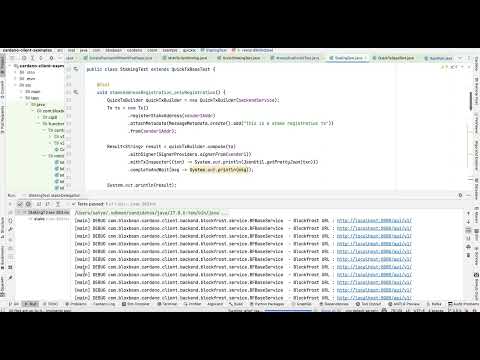 | Yaci Viewer with Local Devnet and Cardano Client Lib Demo |
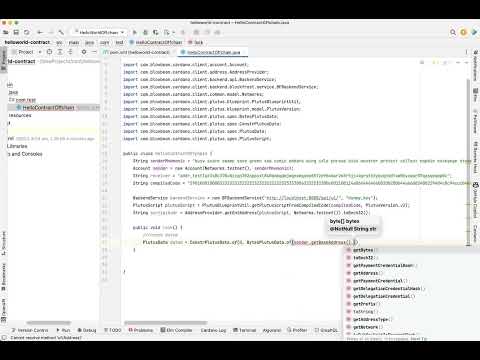 | Test Aiken Smart Contract Using Java Offchain Code |
🛠️ Development
Build from Source
# Using Earthly (recommended)
earthly --arg-file-path=config/version +build

# Manual build yaci-cli and yaci-viewer
cd applications/cli && ./gradlew clean build
cd applications/viewer && npm install && npm run build
Requirements
- Java 21 (for Yaci CLI)
- Node.js (for Yaci Viewer)
- Earthly (for unified builds)
🤝 Community & Support
- 📝 GitHub Discussions - Questions and ideas
- 🐛 GitHub Issues - Bug reports and feature requests
- 💬 Discord Server - Real-time community support
- 📖 Documentation - Comprehensive guides
📈 Why Choose Yaci DevKit?
| Traditional Development | With Yaci DevKit |
|---|---|
| ⏳ Wait for testnet transactions | ⚡ Instant local transactions |
| 🌐 Depend on external testnets | 🔒 Fully controlled environment |
| 🐌 Slow iteration cycles | 🚀 Rapid development loops |
| 🔄 Manual rollback testing | 🎯 Automated rollback scenarios |
📄 License
This project is licensed under the MIT License - see the LICENSE file for details.
⭐ Star this repo if Yaci DevKit helps accelerate your Cardano development!
Contributors


Similar repos


Languages
Java
52.7%
Svelte
35.1%
TypeScript
7.1%
JavaScript
2.9%
Shell
1.3%
A set of development tools for building on Cardano by creating a local devnet.
See the codeREADME
Complete Cardano development environment with instant local devnet
🚀 What is Yaci DevKit?
Yaci DevKit is a comprehensive Cardano development toolkit that provides developers with a complete local blockchain environment. Create, customize, and manage your own Cardano devnet in seconds, enabling rapid development and testing of DApps, smart contracts, and blockchain integrations.
✨ Key Features
- ⚡ Instant Devnet Creation - Launch a complete Cardano network in seconds
- 🎛️ Flexible Configuration - Customize block times, epochs, eras, and network parameters
- 🧪 PV11 / Cardano Node 11.0.1 Support - Beta builds are available for PV11 hard fork compatible devnets
- 🔄 Rollback Testing - Advanced rollback simulation for robust application testing (New in v0.11.0-beta1)
- ⏱️ Sub-second Block Times - Support for ultra-fast development with sub-second block times. e.g; 100ms, 200ms (New in v0.11.0-beta1)
- 🌐 Multi-node Support - Enable multiple nodes specifically for rollback testing scenarios
- 📊 Built-in Indexer - Integrated Yaci Store with Blockfrost-compatible APIs
- 🎯 Developer Tools - Browser-based viewer, CLI management, and extensive APIs
- 🔗 SDK Integration - Seamless integration with popular Cardano SDKs (Mesh, CCL, Lucid Evolution, Sutra)
🏗️ Architecture
Standard Single-node Setup (Default)
For most development scenarios, Yaci DevKit runs a single Cardano node:
┌─────────────────┐  ┌─────────────────┐  ┌─────────────────┐
│   Yaci Viewer   │  │   Your DApp     │  │   Yaci CLI      │
│  (Web UI)       │  │  (Frontend)     │  │  (Management)   │
└─────────────────┘  └─────────────────┘  └─────────────────┘
         │                     │                     │
         └─────────────────────┼─────────────────────┘
                               │
┌─────────────────────────────────────────────────────────────┐
│                     API Layer                              │
│  ┌─────────────┐  ┌─────────────┐  ┌─────────────┐        │
│  │ Yaci Store  │  │   Ogmios    │  │    Kupo     │        │
│  │ (Indexer)   │  │ (Optional)  │  │ (Optional)  │        │
│  └─────────────┘  └─────────────┘  └─────────────┘        │
└─────────────────────────────────────────────────────────────┘
                               │
┌─────────────────────────────────────────────────────────────┐
│                 Single Cardano Node                       │
│            ┌─────────────────────┐                        │
│            │      Node 1         │                        │
│            │    (Producer)       │                        │
│            └─────────────────────┘                        │
└─────────────────────────────────────────────────────────────┘
Multi-node Setup (Rollback Testing Only)
When --enable-multi-node is used, DevKit creates a 3-node cluster for rollback testing:
┌─────────────────────────────────────────────────────────────┐
│              Multi-node Cluster                            │
│  ┌─────────────┐  ┌─────────────┐  ┌─────────────┐        │
│  │   Node 1    │  │   Node 2    │  │   Node 3    │        │
│  │ (Producer)  │  │ (Producer)  │  │  (Producer) │        │
│  └─────────────┘  └─────────────┘  └─────────────┘        │
└─────────────────────────────────────────────────────────────┘
📋 Current Releases
Use the release that matches the Cardano node / protocol version you want to test.
| DevKit release | Cardano node | Status | Recommended use |
|---|---|---|---|
| v0.10.6 | 10.1.4 | Stable | Default stable development setup |
| v0.11.0-beta1 | 10.5.0 | Beta | PV10 or earlier Cardano protocol testing |
| v0.12.0-beta5 | 11.0.1 | Beta | PV11 hard fork / Cardano node 11.0.1 testing |
For PV11 hard fork compatible local devnets, use the PV11 beta release from this table or a newer beta release.
📦 Components
| Component | Description | Default Port |
|---|---|---|
| Yaci CLI | Command-line interface for devnet management | - |
| Yaci Store | Lightweight indexer with Blockfrost-compatible APIs | 8080 |
| Yaci Viewer | Web-based blockchain explorer for developers | 5173 |
| Cardano Node | Official Cardano node (supports both amd64/arm64) | 3001 (n2n), 3333 (n2c through socat) |
| Ogmios | WebSocket API for Cardano (optional) | 1337 |
| Kupo | Chain indexer (optional) | 1442 |
| MCP Server | AI coding assistant integration | 10000 |
🎯 Quick Start
Prerequisites
- Docker and Docker Compose for Docker based distribution
Installation
Yaci DevKit offers multiple distribution options to fit your development workflow:
Option 1: Docker Zip Distribution
Option 2: Yaci CLI Zip Distribution (Non-Docker)
Option 3: NPM Distribution (CI/CD Ready)
Option 1: Docker Zip Distribution
Download and unzip the latest docker distribution.
For protocol-specific testing, choose the Docker ZIP from the release compatibility table above.
#
# Start DevKit
./bin/devkit.sh start
Option 2: Yaci CLI Zip Distribution (Non-Docker)
Download and unzip the latest Yaci CLI distribution.
For protocol-specific testing, choose the CLI ZIP from the release compatibility table above.
# Start Yaci CLI and download components
./yaci-cli
Option 3: NPM Distribution (CI/CD Ready)
🚀 Perfect for CI/CD pipelines and automated testing:
# Latest stable
npm install -g @bloxbean/yaci-devkit

# Latest beta
npm install -g @bloxbean/yaci-devkit@beta

# Latest preview
npm install -g @bloxbean/yaci-devkit@preview
Then start DevKit:
yaci-devkit up --enable-yaci-store
or
yaci-devkit up --enable-kupomios
Use @beta for the latest beta release and @preview for the latest preview release. To lock CI to an exact release, install with an explicit version from the compatibility table.
CI Integration Examples:
- ✅ GitHub Actions - Automated testing with DevKit
📖 CI Integration Guide | 🔗 Sample CI Project
Start Your First Devnet
# Create and start a single-node devnet (default)
yaci-cli> create-node -o --start
🎉 That's it! Your devnet is now running with:
-
Yaci Viewer: http://localhost:5173
-
Yaci Store API: http://localhost:8080/api/v1/
(Can be used in a Java app with Cardano Client Lib's Blockfrost backend or Javascript app with MeshJS + Blockfrost provider as it exposes required BF compatible minimum apis for tx building and submission)
-
Yaci Store Swagger UI: http://localhost:8080/swagger-ui/index.html
-
Ogmios Url (Optional): http://localhost:1337
(Optional) If you enabled Kupo
- Kupo Url (Optional): http://localhost:1442
Node Ports
- n2n port: localhost:3001
- n2c port for remote client (socat): localhost:3333
🎛️ Configuration Options
Standard Development
# Default single-node setup (1 second blocks)
yaci-cli> create-node -o --start

# High-speed development (200ms blocks) - New in v0.11.0-beta1
yaci-cli> create-node --block-time 0.2 --slot-length 0.2 -o --start
Rollback Testing (Multi-node)
# Enable multi-node ONLY for rollback testing
yaci-cli> create-node --enable-multi-node --block-time 2 -o --start

# Simulate network partition for rollback testing
devnet:default> create-forks

# Submit transactions during fork...
devnet:default> topup addr_test1... 1000

# Trigger consensus-based rollback
devnet:default> join-forks
Note: Multi-node setup is specifically designed for rollback testing scenarios. For regular development, use the standard single-node setup which is faster and uses fewer resources.
🔧 Development Workflow
1. Fund Test Addresses
# Auto-fund addresses on startup (config/env)
topup_addresses=addr_test1...:20000,addr_test1...:10000

# Or fund manually
devnet:default> topup addr_test1qzx... 50000

# Use default test addresses (always available)
devnet:default> default-addresses
2. Monitor Network State
# Check current tip
devnet:default> tip

# View UTXOs at address
devnet:default> utxos addr_test1...

# Get network info
devnet:default> info
3. Reset and Iterate
# Quick reset without losing configuration
devnet:default> reset

# Full cleanup -- Docker distribution only
./bin/devkit.sh stop
./bin/devkit.sh start
🤖 MCP Server (AI Coding Assistant Integration)
Yaci DevKit includes a built-in MCP server that exposes devnet operations as tools for AI coding assistants like Claude Code. This lets your AI assistant directly interact with the devnet — resetting state, funding addresses, querying UTxOs, and submitting transactions.
The MCP server is integrated into Yaci CLI and shares the same port (10000) — no additional containers or setup required.
Available Tools
| Tool | Description |
|---|---|
devnet_status | Get devnet info and current tip (slot, block, epoch) |
devnet_reset | Reset devnet to initial state |
devnet_topup | Fund an address with ADA (params: address, adaAmount) |
devnet_utxos | Query UTxOs at an address (params: address) |
devnet_submit_tx | Submit a signed CBOR transaction (params: cborHex) |
Setup
Copy mcp.json.example to .mcp.json in your project root:
{
  "mcpServers": {
    "yaci-devkit": {
      "url": "http://localhost:10000/mcp"
    }
  }
}
Start the devnet as usual — the MCP server is available automatically on the same port as the admin API.
📚 Documentation
| Resource | Description |
|---|---|
| Official Documentation | Complete guides |
| Rollback Testing Guide | Advanced rollback simulation |
| Mesh SDK Integration | JavaScript/TypeScript development |
| CLI Commands Reference | Available commands |
🎬 Video Tutorials
| Tutorial | Description |
|---|---|
| Yaci Viewer with Local Devnet and Cardano Client Lib Demo |
| Test Aiken Smart Contract Using Java Offchain Code |
🛠️ Development
Build from Source
# Using Earthly (recommended)
earthly --arg-file-path=config/version +build

# Manual build yaci-cli and yaci-viewer
cd applications/cli && ./gradlew clean build
cd applications/viewer && npm install && npm run build
Requirements
- Java 21 (for Yaci CLI)
- Node.js (for Yaci Viewer)
- Earthly (for unified builds)
🤝 Community & Support
- 📝 GitHub Discussions - Questions and ideas
- 🐛 GitHub Issues - Bug reports and feature requests
- 💬 Discord Server - Real-time community support
- 📖 Documentation - Comprehensive guides
📈 Why Choose Yaci DevKit?
| Traditional Development | With Yaci DevKit |
|---|---|
| ⏳ Wait for testnet transactions | ⚡ Instant local transactions |
| 🌐 Depend on external testnets | 🔒 Fully controlled environment |
| 🐌 Slow iteration cycles | 🚀 Rapid development loops |
| 🔄 Manual rollback testing | 🎯 Automated rollback scenarios |
📄 License
This project is licensed under the MIT License - see the LICENSE file for details.
⭐ Star this repo if Yaci DevKit helps accelerate your Cardano development!
Similar repos
Contributors
Languages
Java
52.7%
Svelte
35.1%
TypeScript
7.1%
JavaScript
2.9%
Shell
1.3%