Self-hosted Gerrit-style code review with built-in CI. One binary, SQLite, Docker-ready, no telemetry.
See the codeSelf-hosted code review and CI. Push a change, get a CL with a diff, reviewers, inline comments and build results; submit it when it's approved and green. One binary, one SQLite file, no external services.
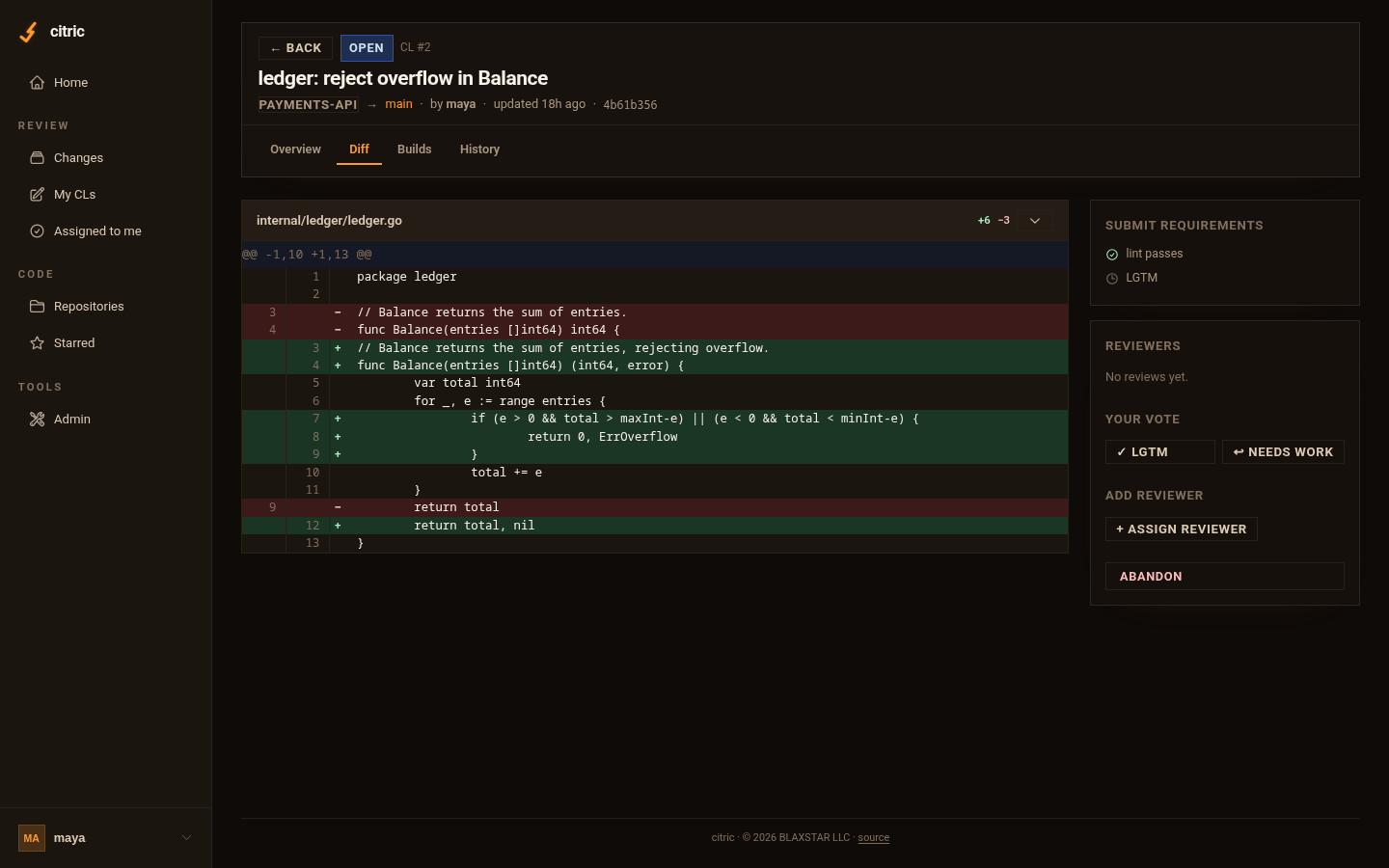
.citric.toml; required tools gate submission. Live
logs, cancel, re-run..deb/.rpm, a single binary on Linux, macOS or
Windows (as a native service).curl -O https://raw.githubusercontent.com/blaxstar/citric/main/compose.yaml
# edit CITRIC_PUBLIC_URL in compose.yaml, then:
docker compose up -d
docker compose logs citric | grep "CLI token"
Install the CLI from your server and sign in:
curl -fsSL http://localhost:4400/install.sh | sh                  # macOS / Linux
irm http://localhost:4400/install.ps1 | iex                        # Windows (PowerShell)
citric auth login --server http://localhost:4400 --token <token>
Create a repo and send your first change:
docker compose exec citric citric repo init myproject
citric clone myproject && cd myproject
citric template --write          # generates .citric.toml for your project type
git add -A && citric commit -m "first change" && citric push
Open the server in a browser to review it. The :latest-full image used by
compose.yaml has Go, Node, Rust, Python/uv and common linters, so CI works
out of the box; :latest is git and citric only.
| Docker & Compose | images, volumes, HTTPS with Caddy, upgrades |
| Linux packages & systemd | .deb, .rpm, tarballs, citric service install |
| Windows | MSI, winget, Scoop, Windows service |
| From source | make |
| Reverse proxy | nginx, Caddy |
Then: configuration · build nodes · security · backups
Apache-2.0. Copyright 2026 BLAXSTAR LLC; see NOTICE and TRADEMARKS.
Self-hosted Gerrit-style code review with built-in CI. One binary, SQLite, Docker-ready, no telemetry.
See the codeSelf-hosted code review and CI. Push a change, get a CL with a diff, reviewers, inline comments and build results; submit it when it's approved and green. One binary, one SQLite file, no external services.
.citric.toml; required tools gate submission. Live
logs, cancel, re-run..deb/.rpm, a single binary on Linux, macOS or
Windows (as a native service).curl -O https://raw.githubusercontent.com/blaxstar/citric/main/compose.yaml
# edit CITRIC_PUBLIC_URL in compose.yaml, then:
docker compose up -d
docker compose logs citric | grep "CLI token"
Install the CLI from your server and sign in:
curl -fsSL http://localhost:4400/install.sh | sh                  # macOS / Linux
irm http://localhost:4400/install.ps1 | iex                        # Windows (PowerShell)
citric auth login --server http://localhost:4400 --token <token>
Create a repo and send your first change:
docker compose exec citric citric repo init myproject
citric clone myproject && cd myproject
citric template --write          # generates .citric.toml for your project type
git add -A && citric commit -m "first change" && citric push
Open the server in a browser to review it. The :latest-full image used by
compose.yaml has Go, Node, Rust, Python/uv and common linters, so CI works
out of the box; :latest is git and citric only.
| Docker & Compose | images, volumes, HTTPS with Caddy, upgrades |
| Linux packages & systemd | .deb, .rpm, tarballs, citric service install |
| Windows | MSI, winget, Scoop, Windows service |
| From source | make |
| Reverse proxy | nginx, Caddy |
Then: configuration · build nodes · security · backups
Apache-2.0. Copyright 2026 BLAXSTAR LLC; see NOTICE and TRADEMARKS.






