A Jetbrains plugin that opens a local file under Git version control in its remote host using the default browser.
See the code






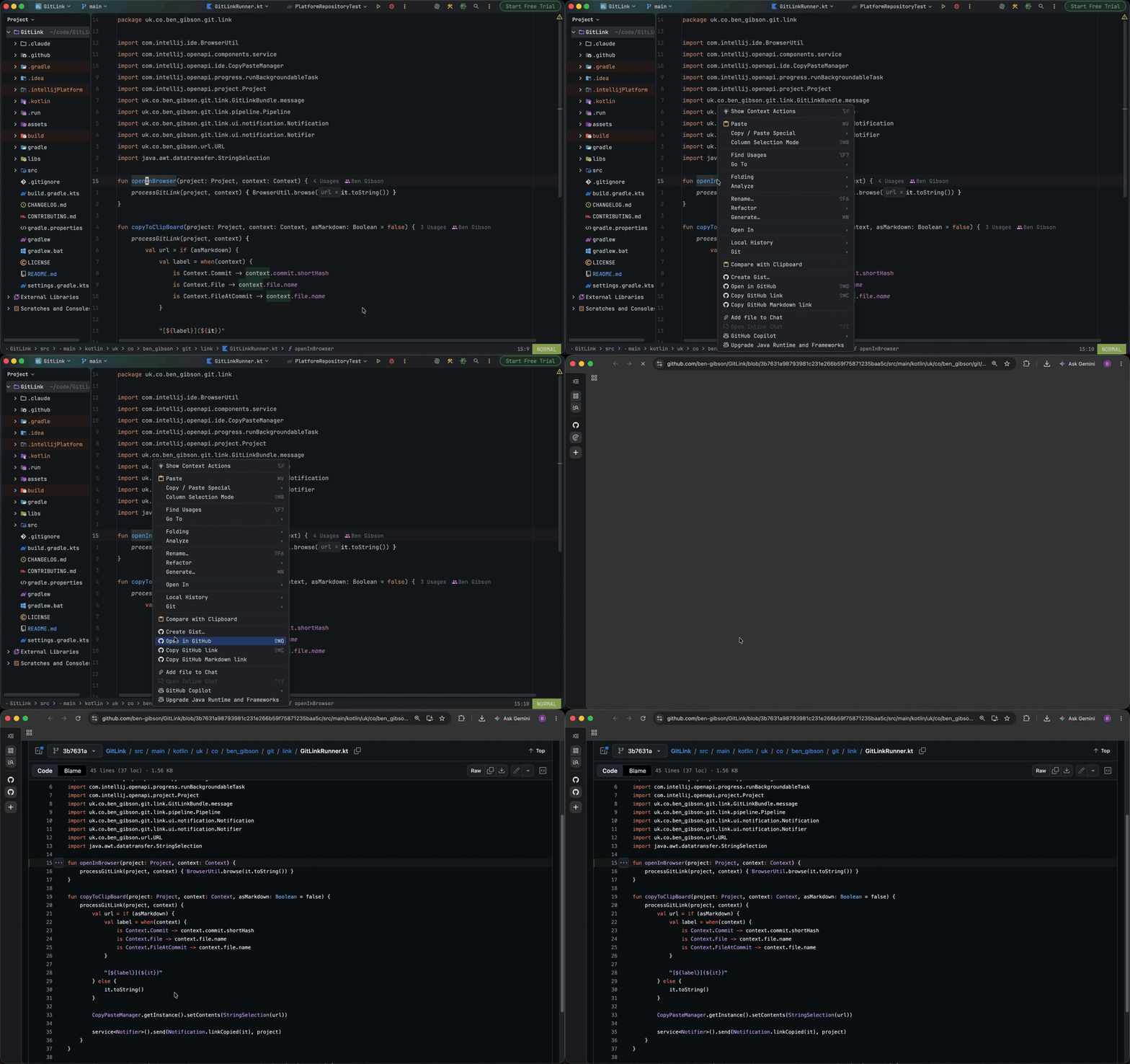
A Jetbrains plugin providing shortcuts to open or copy a file, directory or commit in GitHub, Bitbucket,
Codeberg, GitLab, Gitee, Gitea, Forgejo, Gogs, Azure, sourcehut, and Gerrit. Custom platforms can also be configured using the URL template syntax.
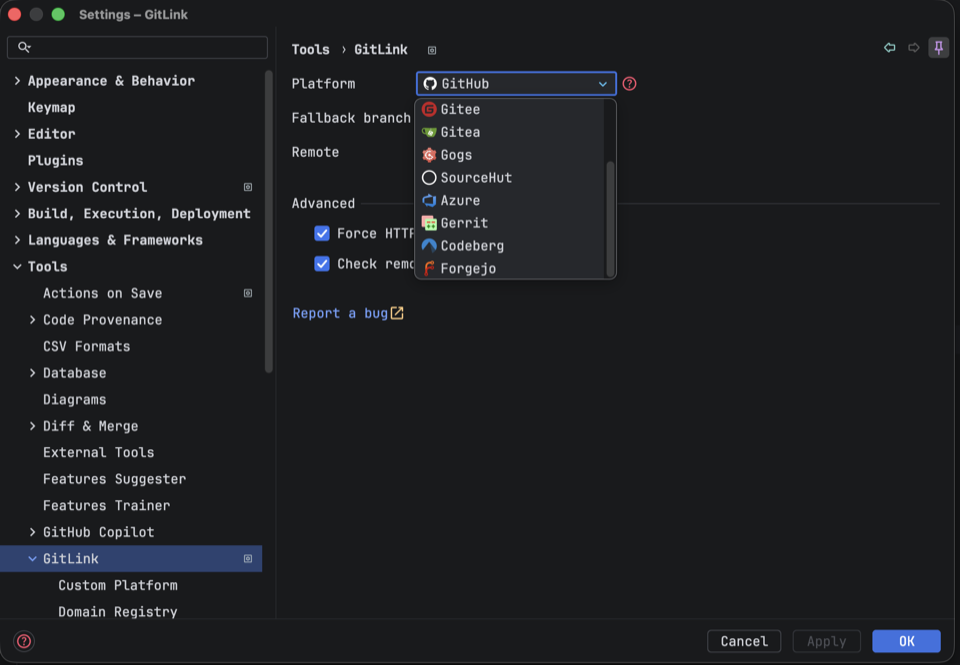
Install the plugin and configure your platform if it hasn't been auto-detected already:
Preferences → Tools → GitLink
Make sure you have registered your projects root under the version control preferences:
Preferences → Version Control (see unregistered roots)
The actions live under the Git menu and in the editor, project view and editor tab context menus:
  Git → Open in (your selected platform)
  Git → Copy (your selected platform) link
  Git → Copy (your selected platform) Markdown link
The current file can also be opened from the select-in popup:
Select in... → (your selected platform)
Additional shortcuts are available from the editor gutter, the annotation gutter and the Git log window.
A URL can be generated in one of the following ways:
By default, when generating a URL to a file, the latest commit hash is used, creating a reference to a fixed version of the file's content. If the latest commit has not been pushed to the remote, the current branch is used instead. While this avoids generating a URL to a 404, it does mean the linked contents can change over time.
Using IDE built-in plugin system:
Settings/Preferences > Plugins > Marketplace > Search for "GitLink" > Install Plugin
Manually:
Download the latest release and install it manually using Settings/Preferences > Plugins > ⚙️ > Install plugin from disk...
Please see CHANGELOG for more information what has changed recently.
Please see CONTRIBUTING for details.
Please see LICENSE for details.
255 followers · starred Mar 2023
210 followers · starred Aug 2023
309 followers · starred Nov 2022
445 followers · starred Mar 2020
A Jetbrains plugin that opens a local file under Git version control in its remote host using the default browser.
See the code
A Jetbrains plugin providing shortcuts to open or copy a file, directory or commit in GitHub, Bitbucket,
Codeberg, GitLab, Gitee, Gitea, Forgejo, Gogs, Azure, sourcehut, and Gerrit. Custom platforms can also be configured using the URL template syntax.
Install the plugin and configure your platform if it hasn't been auto-detected already:
Preferences → Tools → GitLink
Make sure you have registered your projects root under the version control preferences:
Preferences → Version Control (see unregistered roots)
The actions live under the Git menu and in the editor, project view and editor tab context menus:
  Git → Open in (your selected platform)
  Git → Copy (your selected platform) link
  Git → Copy (your selected platform) Markdown link
The current file can also be opened from the select-in popup:
Select in... → (your selected platform)
Additional shortcuts are available from the editor gutter, the annotation gutter and the Git log window.
A URL can be generated in one of the following ways:
By default, when generating a URL to a file, the latest commit hash is used, creating a reference to a fixed version of the file's content. If the latest commit has not been pushed to the remote, the current branch is used instead. While this avoids generating a URL to a 404, it does mean the linked contents can change over time.
Using IDE built-in plugin system:
Settings/Preferences > Plugins > Marketplace > Search for "GitLink" > Install Plugin
Manually:
Download the latest release and install it manually using Settings/Preferences > Plugins > ⚙️ > Install plugin from disk...
Please see CHANGELOG for more information what has changed recently.
Please see CONTRIBUTING for details.
Please see LICENSE for details.
255 followers · starred Mar 2023
210 followers · starred Aug 2023
309 followers · starred Nov 2022
445 followers · starred Mar 2020



