Syntax highlighted side-by-side diffs in your terminal
TypeScript
2,745
303 commits
updated Oct 11, 2026
GitHub style split (side by side) diffs with syntax highlighting in your terminal.
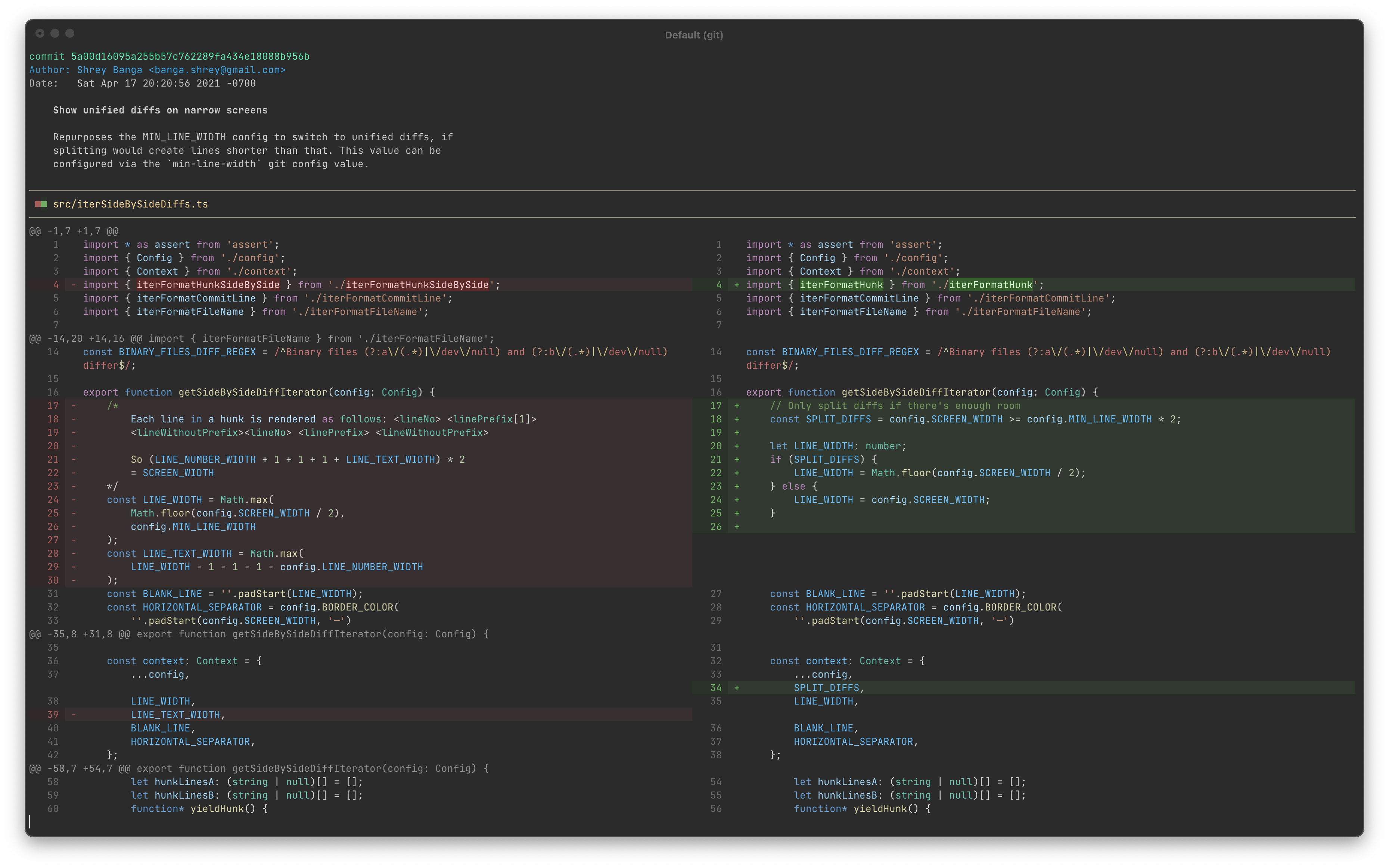
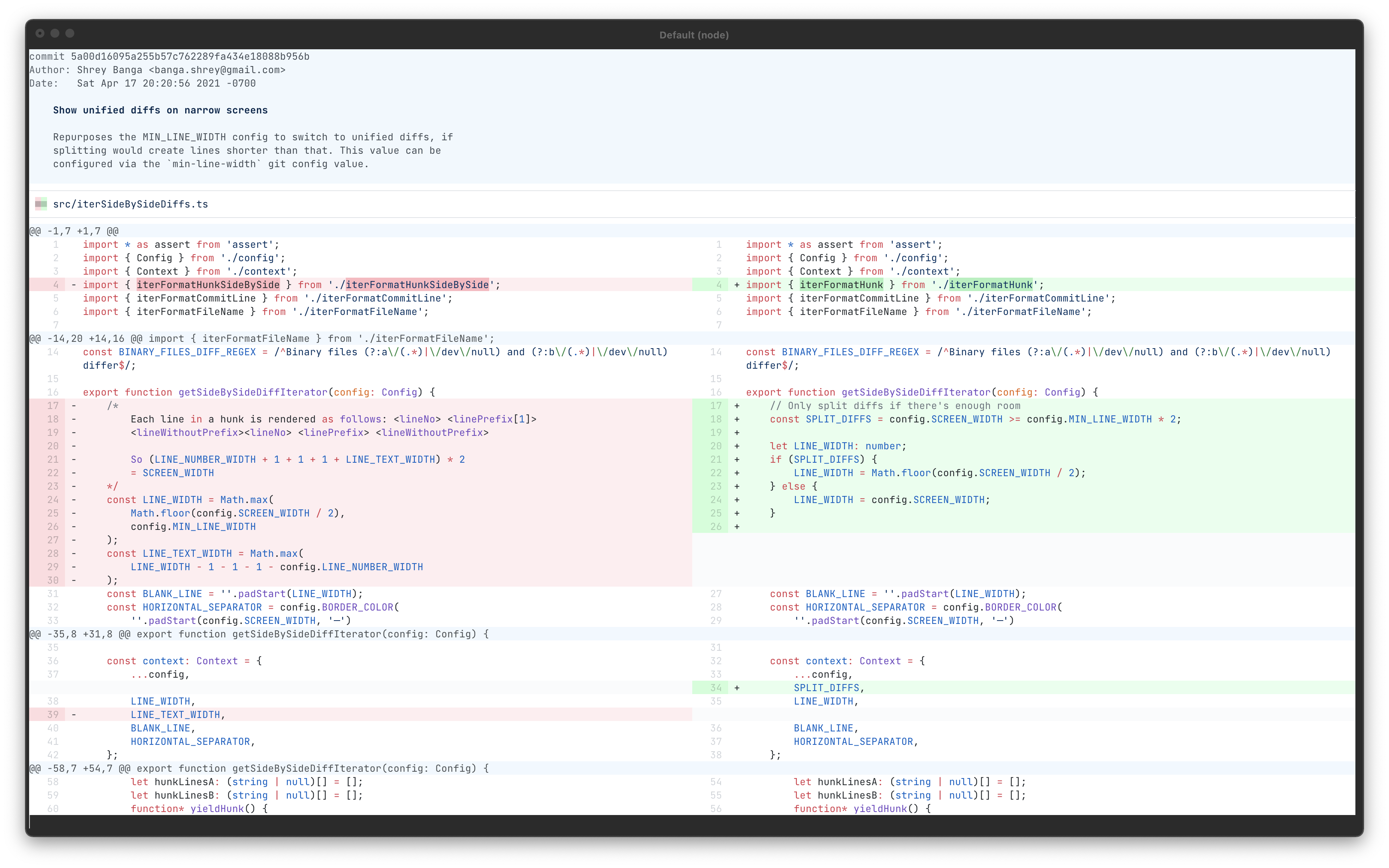
This currently requires node version 14 or newer to run.
npm install -g git-split-diffs

git config --global core.pager "git-split-diffs --color | less -RFX"
npm install git-split-diffs

git config core.pager "npx git-split-diffs --color | less -RFX"
git diff | git-split-diffs --color | less -RFX
By default, lines are wrapped to fit in the screen. If you prefer to truncate them, update the wrap-lines setting:
git config split-diffs.wrap-lines false
By default, salient changes within lines are also highlighted:
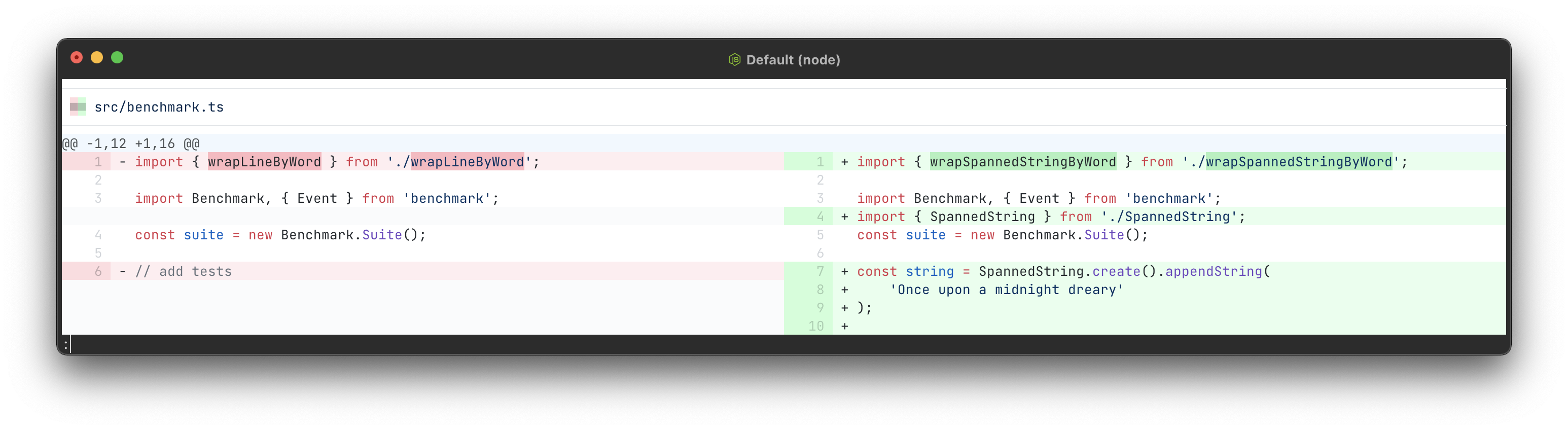
You can disable this with the highlight-line-changes setting:
git config split-diffs.highlight-line-changes false
git config --global core.pager "git-split-diffs --color | less -+LFX"
(note the difference from the main configuration with the added + to the less command)
Syntax highlighting is supported via shiki, which uses the same grammars and themes as vscode. Each theme specifies a default syntax highlighting theme to use, which can be overridden by:
git config split-diffs.syntax-highlighting-theme <name>
The supported syntax highlighting themes are listed at https://github.com/shikijs/textmate-grammars-themes/tree/main/packages/tm-themes#tm-themes
You can disable syntax highlighting by setting the name to empty:
git config split-diffs.syntax-highlighting-theme ''
Split diffs can be hard to read on narrow terminals, so we revert to unified diffs if we cannot fit two lines of min-line-width on screen. This value is configurable:
git config split-diffs.min-line-width 40
This defaults to 80, so screens below 160 characters will display unified diffs. Set it to 0 to always show split diffs.
You can pick between several themes:
Based on https://www.nordtheme.com/
git config split-diffs.theme-name arctic
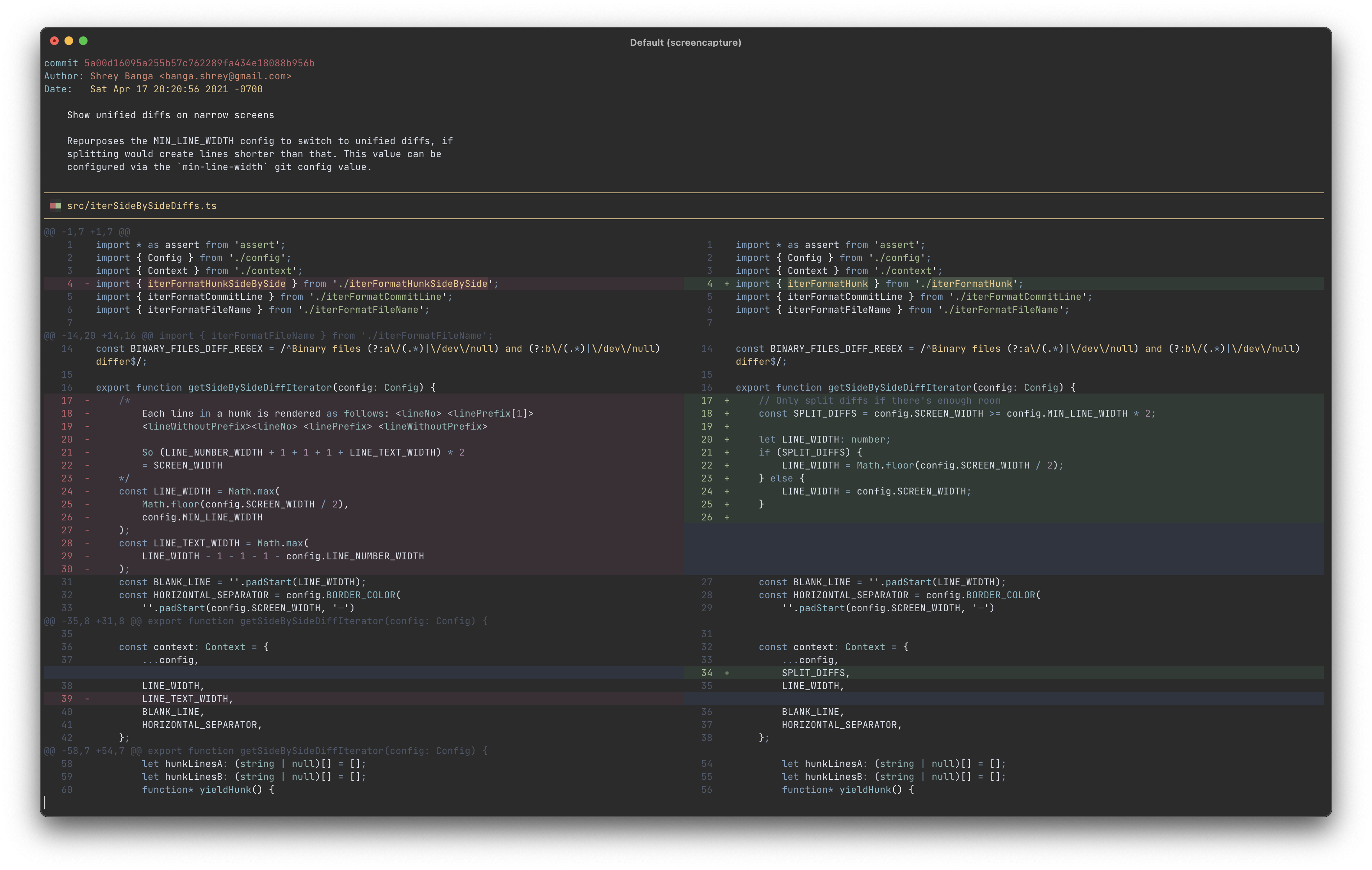
This is the default theme.
git config split-diffs.theme-name dark
git config split-diffs.theme-name light
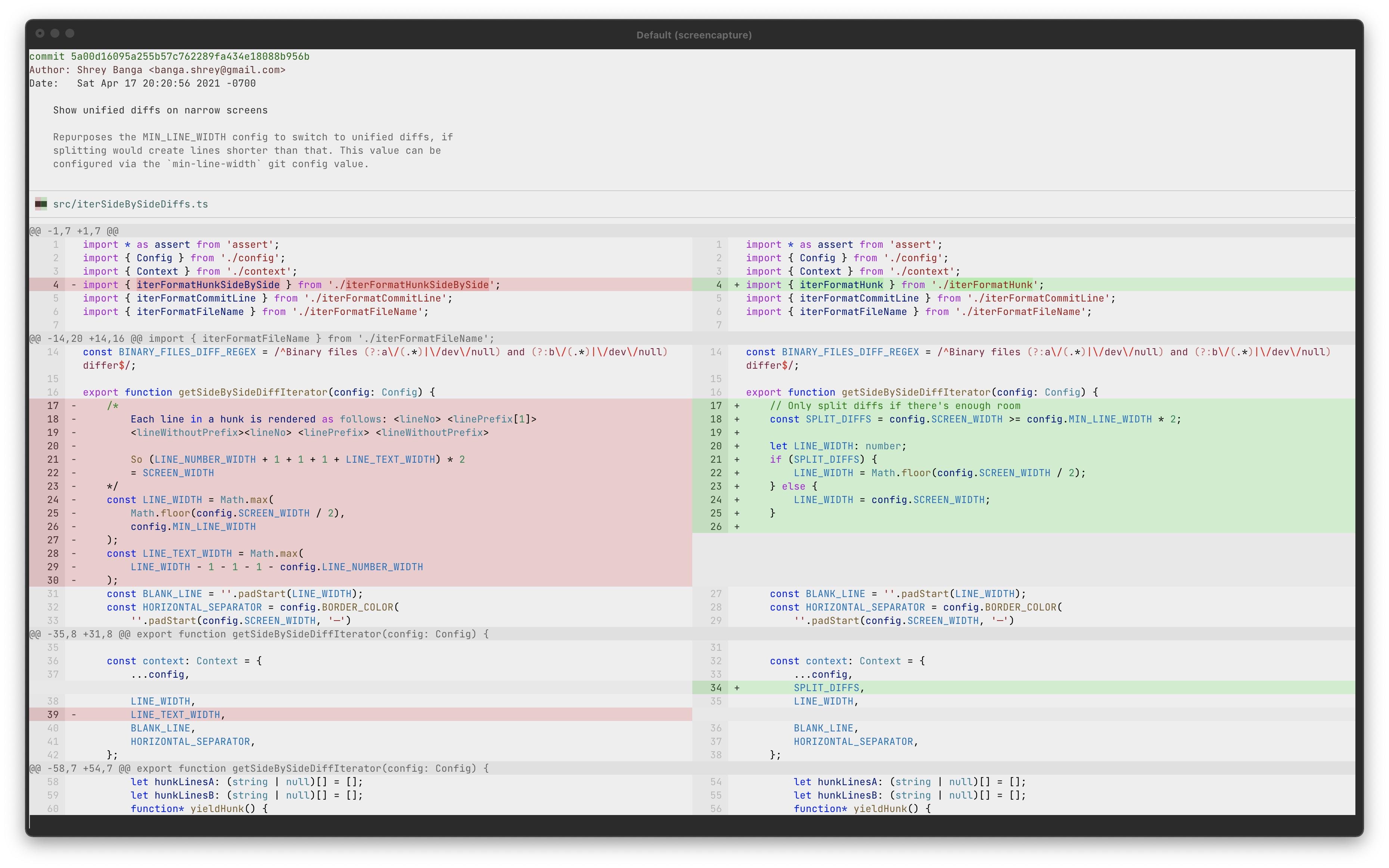
git config split-diffs.theme-name github-dark-dim
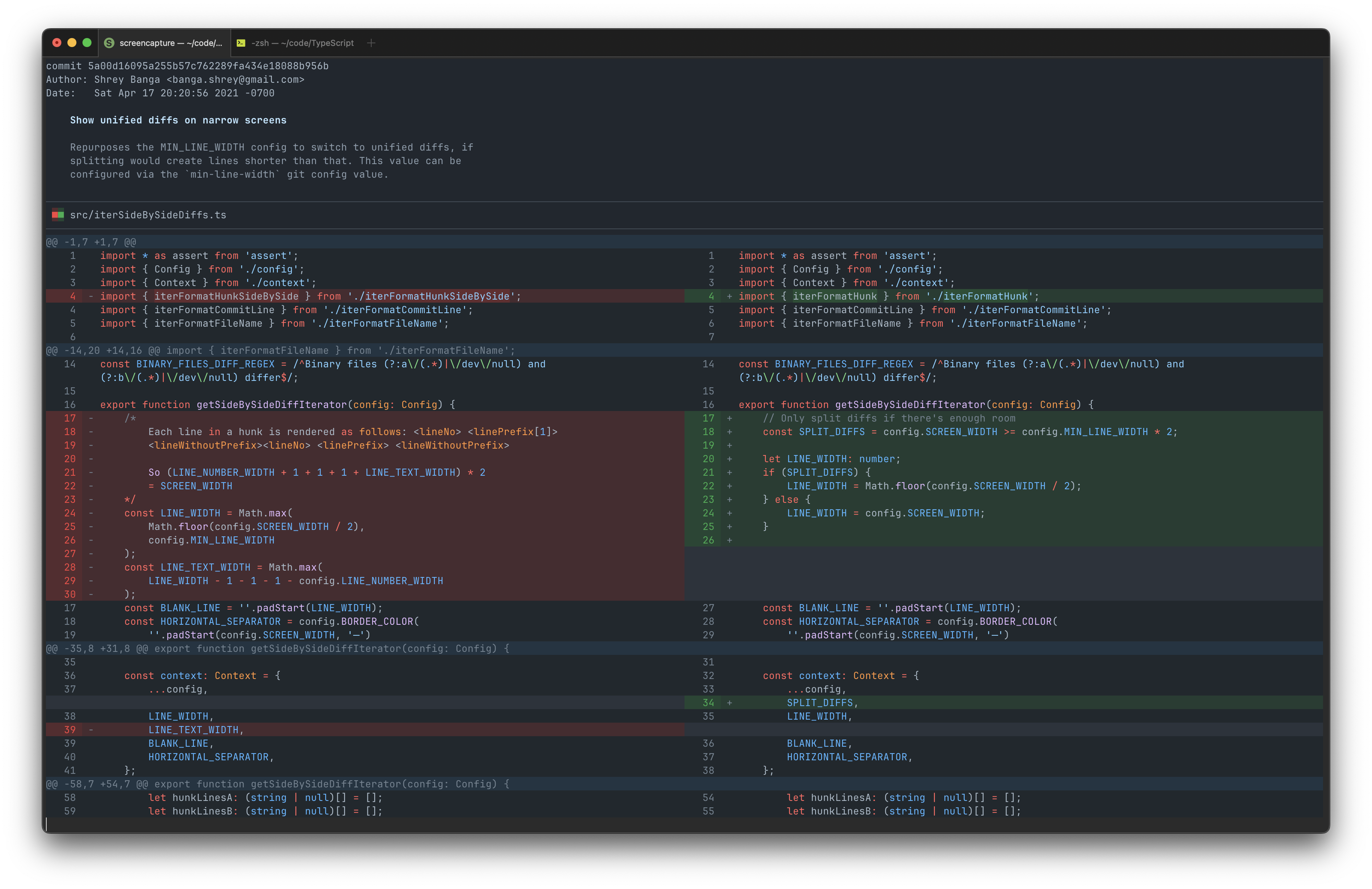
git config split-diffs.theme-name github-light
As seen on https://github.com/altercation/solarized
git config split-diffs.theme-name solarized-dark
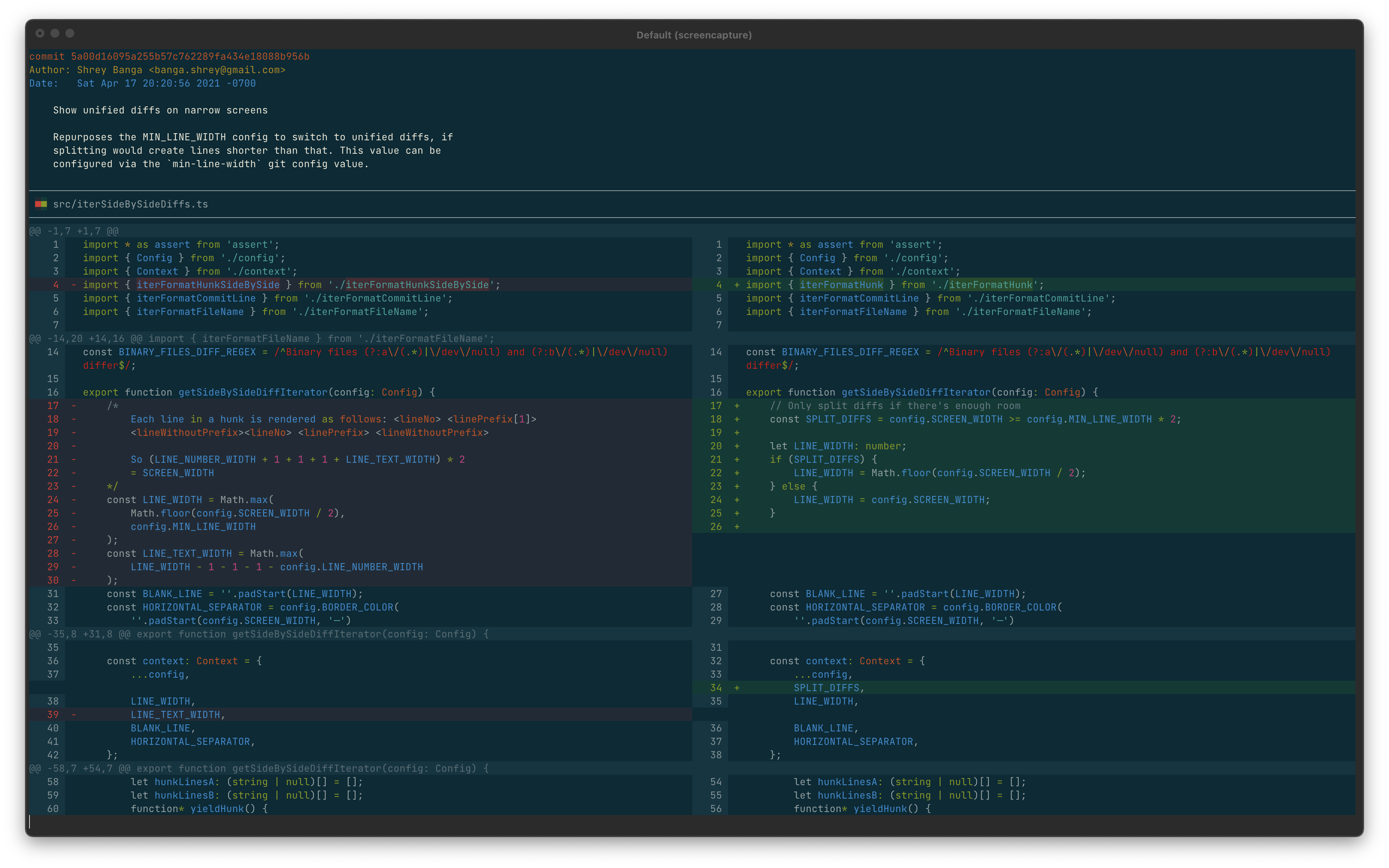
git config split-diffs.theme-name solarized-light
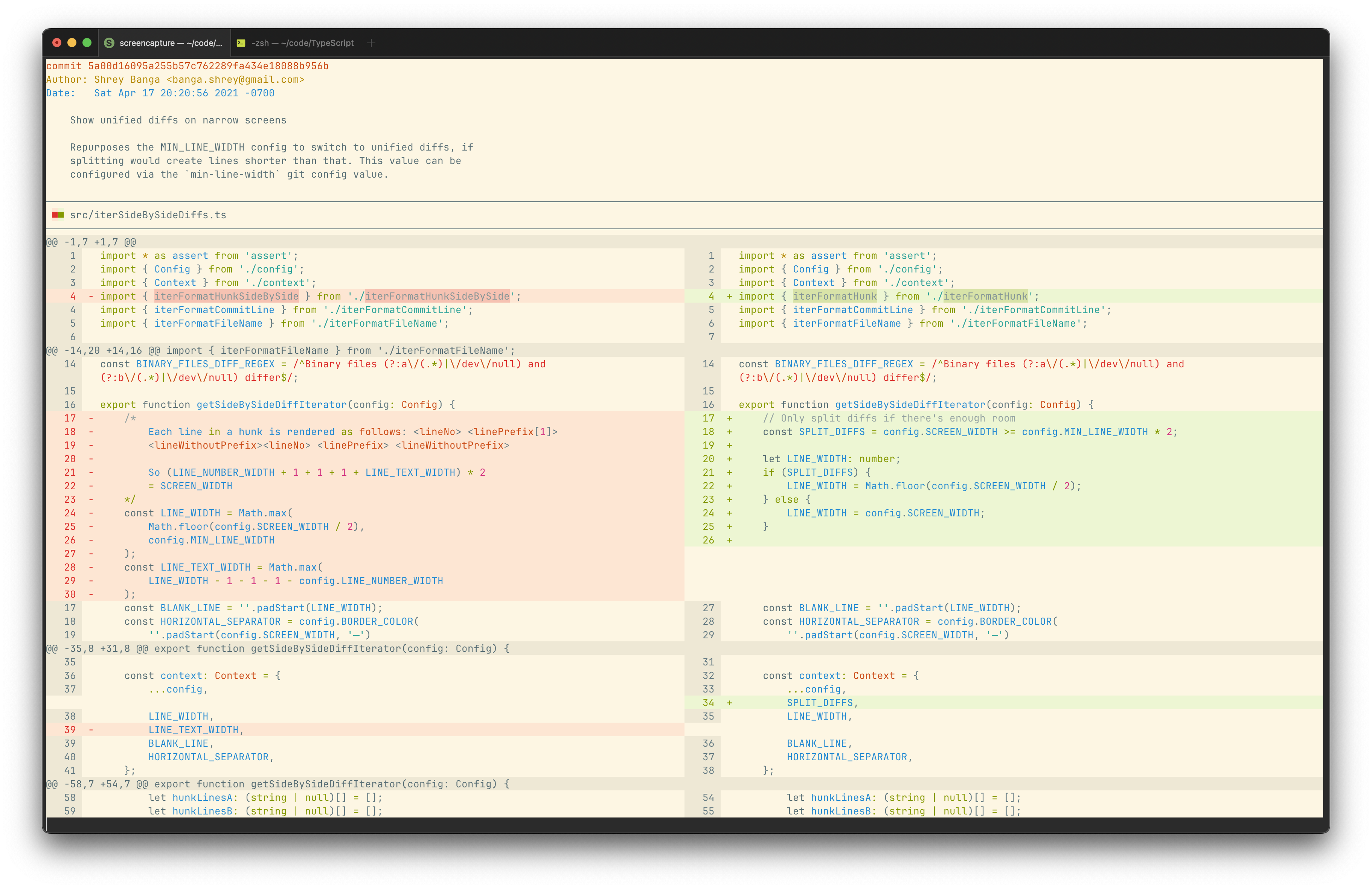
git config split-diffs.theme-name monochrome-dark
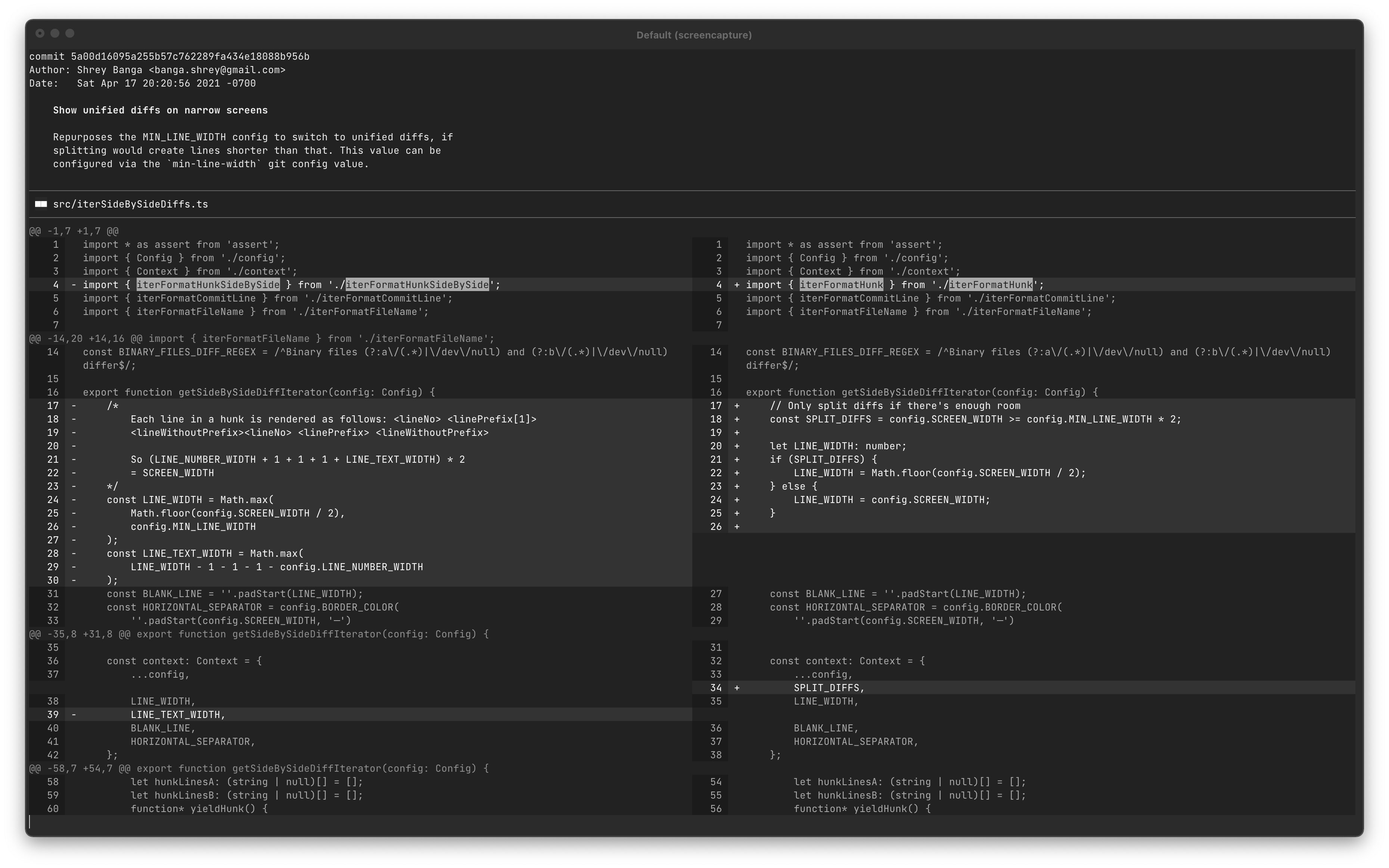
git config split-diffs.theme-name monochrome-light
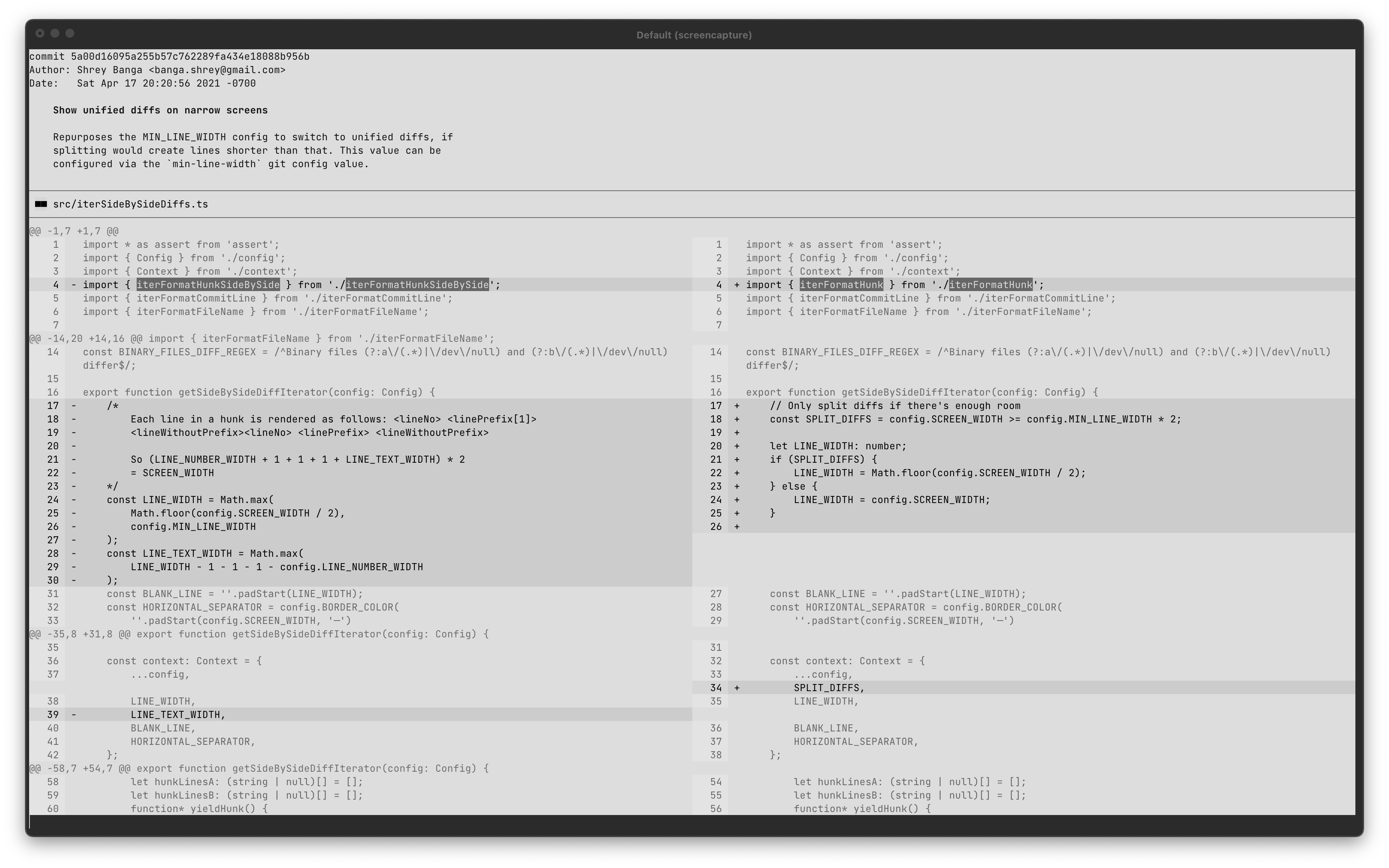
Default themes are loaded from the git-split-diffs bundle. To load a custom theme, set theme-directory in git config and create a {theme-name}.json file in that directory with the theme's definition. You can use one of the existing themes in themes/ as a starting point.
git config split-diffs.theme-directory </path/to/theme>
git config split-diffs.theme-name <name>
This will use /path/to/theme/name.json as the theme.
Tested by measuring the time it took to pipe the output git log -p to /dev/null via git-split-diffs with the default theme:
| Features enabled | ms/kloc |
|---|---|
| Everything | 45 |
| No syntax highlighting | 15 |
| No syntax highlighting, no inline change highlighting | 13 |
Text coloring is implemented using Chalk which supports various levels of color. If Chalk is producing fewer colors than your terminal supports, try overriding Chalk's detection using a variation of the --color flag, e.g. --color=16m for true color. See Chalk's documentation or this useful gist on terminal support if issues persist.
See #custom-themes for instructions on customizing themes. Removing backgroundColor should usually work.
Overall
Maintained
Code review
Latest release
Releases this year
(top 24 of 49)
9,803 followers · starred May 2021
620 followers · starred May 2021
225 followers · starred May 2021
612 followers · starred Jun 2025
Syntax highlighted side-by-side diffs in your terminal
TypeScript
2,745
303 commits
updated Oct 11, 2026
GitHub style split (side by side) diffs with syntax highlighting in your terminal.
This currently requires node version 14 or newer to run.
npm install -g git-split-diffs

git config --global core.pager "git-split-diffs --color | less -RFX"
npm install git-split-diffs

git config core.pager "npx git-split-diffs --color | less -RFX"
git diff | git-split-diffs --color | less -RFX
By default, lines are wrapped to fit in the screen. If you prefer to truncate them, update the wrap-lines setting:
git config split-diffs.wrap-lines false
By default, salient changes within lines are also highlighted:
You can disable this with the highlight-line-changes setting:
git config split-diffs.highlight-line-changes false
git config --global core.pager "git-split-diffs --color | less -+LFX"
(note the difference from the main configuration with the added + to the less command)
Syntax highlighting is supported via shiki, which uses the same grammars and themes as vscode. Each theme specifies a default syntax highlighting theme to use, which can be overridden by:
git config split-diffs.syntax-highlighting-theme <name>
The supported syntax highlighting themes are listed at https://github.com/shikijs/textmate-grammars-themes/tree/main/packages/tm-themes#tm-themes
You can disable syntax highlighting by setting the name to empty:
git config split-diffs.syntax-highlighting-theme ''
Split diffs can be hard to read on narrow terminals, so we revert to unified diffs if we cannot fit two lines of min-line-width on screen. This value is configurable:
git config split-diffs.min-line-width 40
This defaults to 80, so screens below 160 characters will display unified diffs. Set it to 0 to always show split diffs.
You can pick between several themes:
Based on https://www.nordtheme.com/
git config split-diffs.theme-name arctic
This is the default theme.
git config split-diffs.theme-name dark
git config split-diffs.theme-name light
git config split-diffs.theme-name github-dark-dim
git config split-diffs.theme-name github-light
As seen on https://github.com/altercation/solarized
git config split-diffs.theme-name solarized-dark
git config split-diffs.theme-name solarized-light
git config split-diffs.theme-name monochrome-dark
git config split-diffs.theme-name monochrome-light
Default themes are loaded from the git-split-diffs bundle. To load a custom theme, set theme-directory in git config and create a {theme-name}.json file in that directory with the theme's definition. You can use one of the existing themes in themes/ as a starting point.
git config split-diffs.theme-directory </path/to/theme>
git config split-diffs.theme-name <name>
This will use /path/to/theme/name.json as the theme.
Tested by measuring the time it took to pipe the output git log -p to /dev/null via git-split-diffs with the default theme:
| Features enabled | ms/kloc |
|---|---|
| Everything | 45 |
| No syntax highlighting | 15 |
| No syntax highlighting, no inline change highlighting | 13 |
Text coloring is implemented using Chalk which supports various levels of color. If Chalk is producing fewer colors than your terminal supports, try overriding Chalk's detection using a variation of the --color flag, e.g. --color=16m for true color. See Chalk's documentation or this useful gist on terminal support if issues persist.
See #custom-themes for instructions on customizing themes. Removing backgroundColor should usually work.
Overall
Maintained
Code review
Latest release
Releases this year
(top 24 of 49)
9,803 followers · starred May 2021
620 followers · starred May 2021
225 followers · starred May 2021
612 followers · starred Jun 2025