Simple GUI for ByteDance's Piano Transcription with Pedals
Nix
1,535
236 commits
updated Sep 14, 2026

ByteDance's Piano Transcription is the PyTorch implementation of the
piano transcription system, "High-resolution Piano Transcription with Pedals
by Regressing Onsets and Offsets Times [1]".
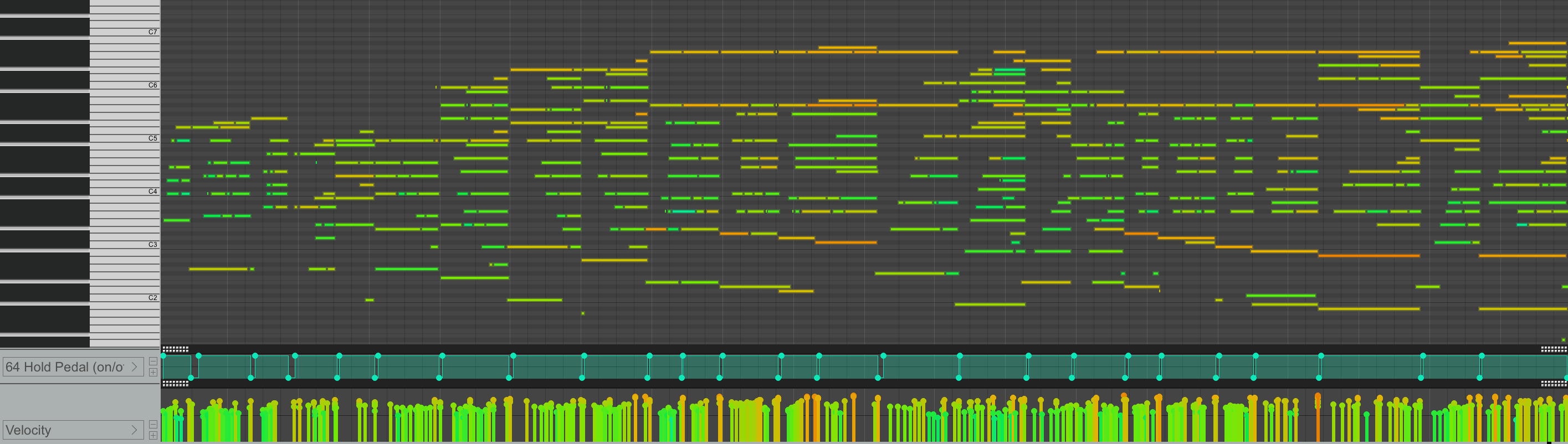
Using this, we can transcribe piano recordings into MIDI files with pedals.
This is a simple GUI and packaging for Windows and Nix on Linux/macOS.
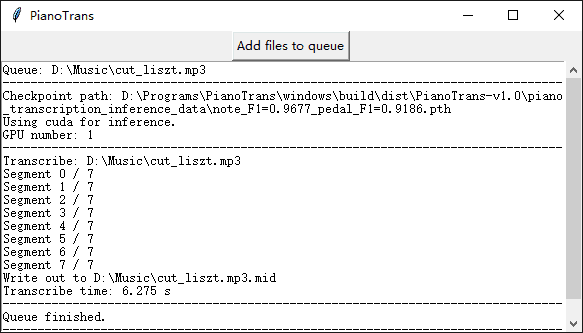
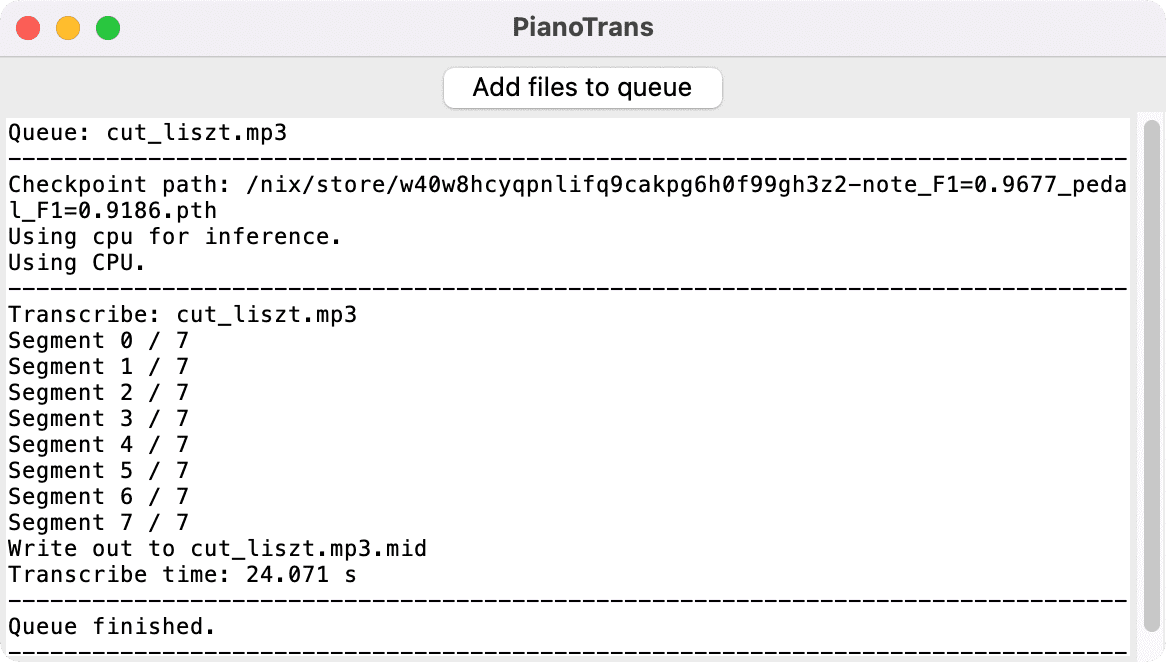
Only Windows 10, Debian Linux 10, and macOS 12.1 M1 are tested.
vc_redist_x64.exe and installPianoTrans.exe in PianoTrans directoryCTRL to select multiple filesIf you want right click menu, run RightClickMenuRegister.bat, then you can
select multiple audio/video files, right click and choose Piano Transcribe.
PianoTrans automatically uses GPU for inference, if you encounter any problem,
you can try PianoTrans-CPU.bat to force using CPU.
Note: This howto is for Nix on Linux/macOS, if you don't use Nix, you can also follow the upstream install and usage guide for Python pip instead.
sh <(curl -L https://nixos.org/nix/install) --daemon
mkdir -p ~/.config/nix
echo 'experimental-features = nix-command flakes' > ~/.config/nix/nix.conf
nix profile install github:azuwis/pianotrans
pianotrans to open the GUI, choose audio/video files, hold CTRL
(⌘ for macOS) to select multiple filesFor CLI usage, run pianotrans file1 file2 ....
To upgrade pianotrans, run:
$ nix profile list
0 github:azuwis/pianotrans#defaultPackage.aarch64-linux github:azuwis/pianotrans/e19d5fd12f4295816fad49f6398e2e53ed2d2b7a#defaultPackage.aarch64-linux /nix/store/zdalndvcralish8d43drzslv0p4pm97v-python3.9-pianotrans-0.2.1
# list nix profiles, `0` is pianotrans
$ nix --option tarball-ttl 1 profile upgrade 0
$ nix profile list
0 github:azuwis/pianotrans#defaultPackage.aarch64-linux github:azuwis/pianotrans/e944720dd0dfcc2b87dcc39c1fdaab086eba4ca6#defaultPackage.aarch64-linux /nix/store/rv5iikrdvc7jrc7mqs8mkc21qh2gklhx-python3.9-pianotrans-1.0
# pianotrans upgraded to v1.0
Q: Can you improve transcription result?
A: This project is about packaging for https://github.com/bytedance/piano_transcription, as long as it gives you MIDI files, all other issues are out of scope of this project.
You should report to the upstream project here https://github.com/bytedance/piano_transcription/issues
--cli option to force disable GUIRightClickMenuRegister.bat)[1] Qiuqiang Kong, Bochen Li, Xuchen Song, Yuan Wan, and Yuxuan Wang. "High-resolution Piano Transcription with Pedals by Regressing Onsets and Offsets Times." arXiv preprint arXiv:2010.01815 (2020). [pdf]
705 followers · starred Jun 2023
214 followers · starred Apr 2023
145 followers · starred Jun 2026
4 followers · starred Feb 2026
Simple GUI for ByteDance's Piano Transcription with Pedals
Nix
1,535
236 commits
updated Sep 14, 2026
ByteDance's Piano Transcription is the PyTorch implementation of the
piano transcription system, "High-resolution Piano Transcription with Pedals
by Regressing Onsets and Offsets Times [1]".
Using this, we can transcribe piano recordings into MIDI files with pedals.
This is a simple GUI and packaging for Windows and Nix on Linux/macOS.
Only Windows 10, Debian Linux 10, and macOS 12.1 M1 are tested.
vc_redist_x64.exe and installPianoTrans.exe in PianoTrans directoryCTRL to select multiple filesIf you want right click menu, run RightClickMenuRegister.bat, then you can
select multiple audio/video files, right click and choose Piano Transcribe.
PianoTrans automatically uses GPU for inference, if you encounter any problem,
you can try PianoTrans-CPU.bat to force using CPU.
Note: This howto is for Nix on Linux/macOS, if you don't use Nix, you can also follow the upstream install and usage guide for Python pip instead.
sh <(curl -L https://nixos.org/nix/install) --daemon
mkdir -p ~/.config/nix
echo 'experimental-features = nix-command flakes' > ~/.config/nix/nix.conf
nix profile install github:azuwis/pianotrans
pianotrans to open the GUI, choose audio/video files, hold CTRL
(⌘ for macOS) to select multiple filesFor CLI usage, run pianotrans file1 file2 ....
To upgrade pianotrans, run:
$ nix profile list
0 github:azuwis/pianotrans#defaultPackage.aarch64-linux github:azuwis/pianotrans/e19d5fd12f4295816fad49f6398e2e53ed2d2b7a#defaultPackage.aarch64-linux /nix/store/zdalndvcralish8d43drzslv0p4pm97v-python3.9-pianotrans-0.2.1
# list nix profiles, `0` is pianotrans
$ nix --option tarball-ttl 1 profile upgrade 0
$ nix profile list
0 github:azuwis/pianotrans#defaultPackage.aarch64-linux github:azuwis/pianotrans/e944720dd0dfcc2b87dcc39c1fdaab086eba4ca6#defaultPackage.aarch64-linux /nix/store/rv5iikrdvc7jrc7mqs8mkc21qh2gklhx-python3.9-pianotrans-1.0
# pianotrans upgraded to v1.0
Q: Can you improve transcription result?
A: This project is about packaging for https://github.com/bytedance/piano_transcription, as long as it gives you MIDI files, all other issues are out of scope of this project.
You should report to the upstream project here https://github.com/bytedance/piano_transcription/issues
--cli option to force disable GUIRightClickMenuRegister.bat)[1] Qiuqiang Kong, Bochen Li, Xuchen Song, Yuan Wan, and Yuxuan Wang. "High-resolution Piano Transcription with Pedals by Regressing Onsets and Offsets Times." arXiv preprint arXiv:2010.01815 (2020). [pdf]
705 followers · starred Jun 2023
214 followers · starred Apr 2023
145 followers · starred Jun 2026
4 followers · starred Feb 2026



